

Claude Code for Sales: The Complete 2026 Guide to AI-Powered Selling

By Kushal Magar · April 25, 2026 · 18 min read
Key Takeaway
Claude Code turns a sales team's repetitive research and enrichment tasks into automated workflows — saving 3–5 hours per rep per week and producing personalized outreach that converts at 2–3x the rate of generic sequences.
Sales teams that used to spend 3 hours per rep per day on research, list-building, and email personalization are cutting that to under 30 minutes — using Claude Code as their AI sales automation layer. This is not a niche experiment. It is becoming standard in GTM engineering teams and high-performance sales orgs across every segment.
Claude Code is different from AI chat tools. It executes. It calls APIs. It reads web pages. It writes files. When you give it a prospecting workflow, it does not just describe how to run it — it runs it. That distinction is why GTM teams are installing Claude Code skills to replace manual workflows that used to require full-time ops headcount.
This guide covers the five highest-impact workflows, step-by-step setup, SyncGTM integration patterns, pricing, and an honest look at where Claude Code falls short.
How do sales teams use Claude Code?
Sales teams use Claude Code to automate five core workflows: targeted prospecting (building ICP-filtered lists from LinkedIn and web sources), lead enrichment (pulling verified emails, firmographics, and tech stack data), personalized outreach (generating first lines and email sequences from live account research), pipeline inspection (analyzing CRM exports for deal risk and coaching opportunities), and competitive intelligence (monitoring competitor positioning and pricing changes). Claude Code connects to these workflows via MCP servers like SyncGTM, which give it access to enrichment APIs, CRM data, and buying signals.
TL;DR
- Claude Code is an AI agent, not a chatbot. It executes code, calls APIs, browses the web, and writes files — making it useful for sales workflows that require real action, not just advice.
- Five workflows drive 80% of the ROI: prospecting, lead enrichment, personalized outreach, pipeline inspection, and competitive intelligence.
- SyncGTM's MCP is the fastest integration path. One connection gives Claude Code access to waterfall enrichment across 50+ providers, job change signals, tech stack detection, and CRM sync.
- Setup takes 2–4 hours for the initial configuration. Individual workflows take 30–60 minutes each to build and test.
- Pricing starts at $20/mo per seat (Claude Pro) but team deployments with Claude Code require Max at $100–$200/seat/month.
- Claude Code does not replace data platforms. It orchestrates them. Pair it with a tool like SyncGTM for enrichment and signals, and Claude Code for logic and execution.
What Is Claude Code?
Claude Code is Anthropic's agentic AI tool that runs in your terminal. Unlike Claude.ai — a chat interface for conversation — Claude Code is an execution environment. It can read and write files, run scripts, call external APIs, control a browser, and chain multi-step tasks without stopping to ask for confirmation at every step.
The core distinction for sales teams: Claude Code does not just tell you how to prospect — it prospects. It does not just suggest what to write — it writes, sends, and logs. That agentic capability is what separates it from every AI writing tool and chatbot on the market.
| Claude.ai (Chat) | Claude Code (Agent) |
|---|---|
| Writes an email draft | Writes, saves, and queues the email for sending |
| Suggests a prospect list | Builds and enriches the list via API calls |
| Analyzes a deal you paste in | Pulls deal data directly from your CRM |
| Summarizes a company you describe | Researches the company live from web sources |
| Requires copy-paste between tools | Integrates directly into your stack via MCP |
By April 2026, Claude Code had reached an estimated $2.5B in annualized revenue, with “claude code” hitting 1 million monthly searches — up 20x from the prior year. Sales teams are a significant and growing driver of that adoption.
What makes Claude Code different from other AI coding tools?
Claude Code is the only mainstream AI coding agent with native MCP (Model Context Protocol) support baked in. MCP lets Claude Code connect to external data sources and tools — like SyncGTM, HubSpot, Salesforce, and LinkedIn — without writing custom integration code. For sales teams, this means Claude Code can act on live CRM data, enrichment APIs, and buying signals from a single session.
Why Sales Teams Are Adopting Claude Code in 2026
The core problem Claude Code solves is the gap between data and action. Sales teams have access to more data than ever — intent signals, firmographics, job postings, tech stacks — but the manual work of assembling that data into usable outreach still falls on reps.
According to Gartner research, sales reps spend only 28% of their week actually selling. The remaining 72% goes to administrative work, research, CRM updates, and internal coordination. Claude Code attacks that 72%.
Three drivers explain the 2026 adoption spike:
1. MCP made integrations trivial
Before MCP, connecting Claude Code to your sales stack required writing API wrapper code. Now, tools like SyncGTM ship MCP servers that Claude Code discovers automatically. A single claude mcp add command connects Claude Code to your entire enrichment and CRM layer.
2. Skills made sharing repeatable
Claude Code skills are instruction files that encode a workflow. One GTM engineer builds a prospecting skill; every rep runs it with their own ICP parameters. Teams are sharing and reusing skills across functions — the same way they share sales playbooks.
3. The AI quality bar crossed the “good enough” threshold
Earlier AI writing tools produced generic output that reps had to heavily edit. Claude 3.7 and Sonnet 4 produce first lines and email sequences that reps send with minimal editing. The personalization quality is high enough that it actually increases reply rates rather than hurting them.
Workflow 1: Automated Prospecting with Claude Code
Prospecting is the highest-volume, lowest-enjoyment task in most sales roles. It is also the one where Claude Code delivers the fastest, most measurable ROI.
A Claude Code prospecting workflow can build a targeted list of accounts matching your ICP — including company size, industry, tech stack, funding stage, and headcount growth — without a paid database subscription. It does this by combining web research, LinkedIn data, and enrichment API calls.
What a prospecting skill does
- Takes your ICP definition as input (industry, size, geography, tech stack, funding stage)
- Searches LinkedIn, Crunchbase, and company directories for matching accounts
- Pulls firmographic data for each match (headcount, revenue estimate, HQ location)
- Identifies the right contacts at each account (title, seniority, department)
- Exports a structured CSV with company + contact + research notes per row
Example prompt to start a prospecting session
Build me a prospect list of 50 B2B SaaS companies that:
- Are Series A or Series B (raised in the last 18 months)
- Have 50–300 employees
- Use HubSpot as their CRM (detectable via BuiltWith or job postings)
- Are based in North America

For each company, find:
- The VP of Sales or Head of Revenue
- Their verified email via SyncGTM waterfall enrichment
- One recent trigger (new hire, funding, product launch)

Export as a CSV to /prospects/series-b-hubspot-2026-04-25.csv
Claude Code reads this prompt, calls the SyncGTM MCP to run enrichment, browses job postings and company websites, and produces a structured output file — without you touching anything between the prompt and the CSV.
Time comparison:
- Manual prospecting: 3–5 minutes per account × 50 accounts = 2.5–4 hours
- Claude Code prospecting: 15–25 minutes total (mostly compute time)
- Net time saved: 2+ hours per list
Workflow 2: Lead Enrichment Pipelines
Raw leads — whether from inbound forms, LinkedIn exports, or a purchased list — arrive incomplete. Names without emails. Companies without tech stacks. Contacts without LinkedIn URLs. Enrichment fills those gaps.
Claude Code turns enrichment from a manual tool-by-tool process into an automated pipeline that runs against every lead in your queue.
The waterfall enrichment pattern
The most effective enrichment strategy is waterfall: try provider A first, fall back to provider B if A finds nothing, then provider C. SyncGTM's waterfall enrichment runs this automatically across 50+ providers. Claude Code orchestrates when to trigger it and what to do with the output.
What an enrichment skill does
- Takes a CSV of leads (minimum: name + company or email)
- Calls SyncGTM waterfall enrichment to find verified emails and phone numbers
- Appends firmographic data (headcount, revenue, industry, HQ)
- Detects tech stack via job posting analysis or BuiltWith-style lookups
- Pulls LinkedIn URL and recent activity for each contact
- Scores each lead against your ICP definition (1–10)
- Flags hot leads (score ≥ 7) for immediate outreach
- Writes enriched output back to CSV or directly to HubSpot/Salesforce via MCP
| Input Field | Enrichment Source | Output |
|---|---|---|
| Name + Company | SyncGTM waterfall | Verified email (87% hit rate) |
| Company domain | SyncGTM firmographics | Headcount, revenue, industry, HQ |
| Company name | Job posting analysis | Active tech stack signals |
| Contact email | LinkedIn lookup | Profile URL, title, tenure |
| Company + timeframe | News + job change signals | Recent triggers for outreach timing |
Teams using automated enrichment pipelines like this report a 40–60% reduction in time-to-first-contact compared to manual enrichment workflows — because leads arrive in CRM fully enriched and scored, not as raw names that need research.
Workflow 3: Personalized Outreach at Scale
Generic outreach converts at 0.5–2%. Personalized outreach — where the first line references something real about the prospect's company, role, or a recent event — converts at 5–15%. The gap is enormous. The bottleneck has always been time: real personalization takes 10–20 minutes per email.
Claude Code cuts that to under 30 seconds per email — without sacrificing the specificity that makes personalization work.
How Claude Code personalizes outreach
For each prospect in your list, Claude Code:
- Reads their LinkedIn profile for recent posts, career history, and shared connections
- Pulls their company's most recent news (funding, product launches, leadership changes)
- Checks job postings for signals about current priorities (e.g., “hiring 10 SDRs” = scaling sales)
- Identifies the one angle most relevant to your product's value prop
- Generates a first line anchored to that specific signal
- Writes a full email using your approved template and voice guidelines
- Queues the email in your outreach tool (Instantly, Smartlead, Lemlist) via API
Example output: generated first line
Saw that Acme just announced their Series B and you're expanding the SDR team from 3 to 12 — congrats. That kind of scaling always surfaces the contact data problem: you need verified emails fast, and waterfall enrichment is the only way to hit that volume without paying Apollo prices for names that bounce.
That first line is generated in seconds from live research. It references a real event. It speaks to a real pain. And it positions your product without sounding like a pitch.
“We went from a 3% reply rate to 11% in 6 weeks by switching to Claude Code-generated first lines. The key was giving it access to real signals — job postings, LinkedIn, recent news — rather than just a name and title.”
— Head of Growth at a Series B SaaS company, 2026
Workflow 4: Pipeline Inspection and Coaching Prep
Sales managers spend 6–8 hours per week on pipeline reviews that could be automated. Claude Code can read your CRM export, identify deals at risk, flag stalled opportunities, surface coaching opportunities, and produce a structured review agenda — in under 10 minutes.
Pipeline health analysis
Give Claude Code your CRM pipeline export and a prompt like:
Analyze this pipeline export for Q2 risk.
Flag any deal that:
- Has not had activity in more than 10 days
- Is past its expected close date by more than 2 weeks
- Has no multi-threading (only one contact engaged)
- Is in late stages but missing a signed NDA or legal contact

For each flagged deal, write a 2-sentence coaching note
that the manager can use verbatim in 1:1s.

Output: a markdown table of at-risk deals + coaching notes.
Claude Code produces a structured coaching document that takes a manager from “I need to review 47 deals” to “here are the 8 I need to address today, and here is exactly what to say in each 1:1.”
Forecast prep
The same workflow applies to forecast preparation. Claude Code reads your pipeline, applies your win-rate assumptions by stage, identifies sandbagging patterns (consistently over-forecasted reps), and produces a bottom-up forecast with probability-weighted revenue — in the format your leadership expects.
Workflow 5: Competitive Intelligence on Demand
Knowing what competitors are charging, positioning, and shipping is the difference between losing a deal in discovery and controlling it. Claude Code can run competitive monitoring as a scheduled daily or weekly job.
What a competitive intel skill does
- Scrapes competitor pricing pages weekly and flags changes
- Monitors G2, Capterra, and Trustpilot for new competitor reviews mentioning specific features or complaints
- Reads competitor LinkedIn posts and job postings for product direction signals
- Summarizes findings into a weekly “competitive brief” delivered to your Slack channel
This replaces a half-day of manual research per week. It also catches pricing changes and product announcements that reps would otherwise miss until they get ambushed in a discovery call.
Pair competitive intel with buying signal tools and you can identify accounts actively evaluating competitors — and time your outreach to intercept them during the evaluation window.
SyncGTM + Claude Code: Integration Patterns
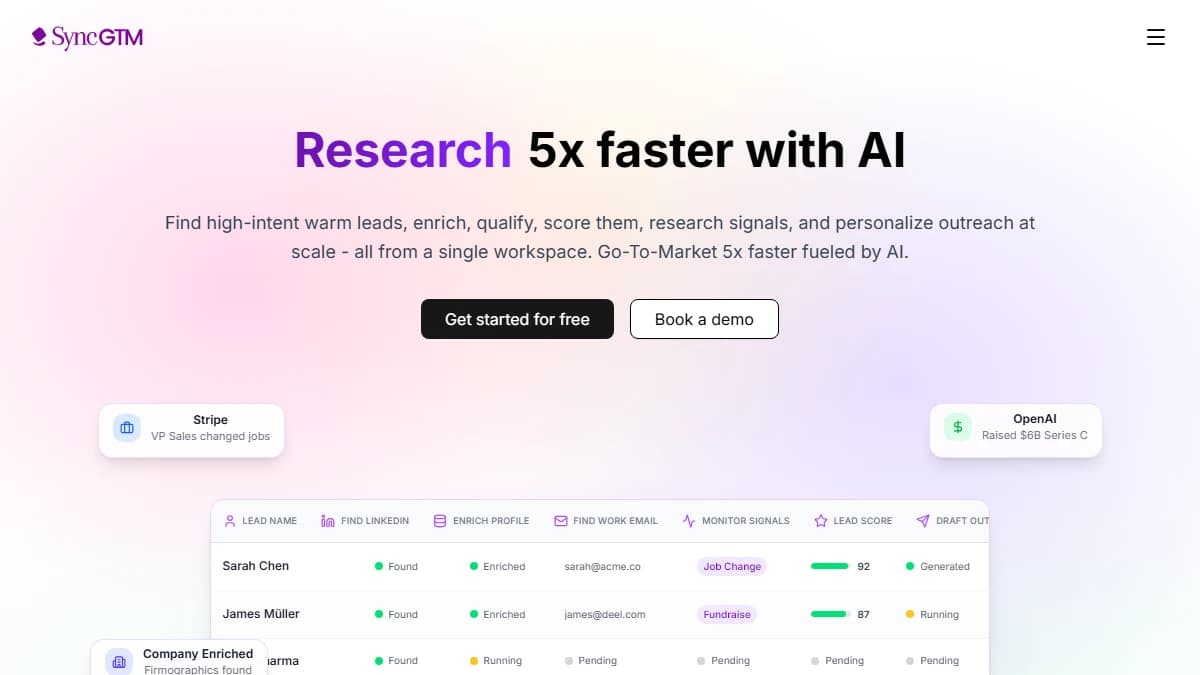
SyncGTM is the enrichment and signal layer that makes Claude Code's sales workflows viable at scale. Where Claude Code provides the reasoning and execution, SyncGTM provides the data infrastructure: waterfall enrichment across 50+ providers, buying signals, job change detection, tech stack intelligence, and CRM sync.
The integration runs through SyncGTM's MCP server. One setup command connects Claude Code to the entire SyncGTM data layer. From that point, Claude Code can call enrichment, pull signals, and update your CRM as part of any workflow — without writing custom API code.
Integration pattern 1: Enrich-on-import
Trigger Claude Code whenever a new lead hits your CRM. It calls SyncGTM to enrich the contact, score against your ICP, and route the lead to the right rep — all before the rep sees it in their queue. Leads arrive fully enriched, scored, and ready.
Integration pattern 2: Signal-triggered outreach
SyncGTM monitors buying signals — job changes, website traffic spikes, new funding, product launches. When a signal fires, Claude Code receives it via the MCP, researches the account, generates personalized outreach, and queues a sequence in your email tool. The rep gets a Slack notification with the context and a link to approve the drafted email — one click to send.
Integration pattern 3: Waterfall enrichment at list-build time
When Claude Code builds a prospect list, it immediately runs each name through SyncGTM's waterfall enrichment to find verified emails. The waterfall tries multiple providers in sequence, stopping when it gets a verified match. This achieves 87% email coverage on average — far higher than any single provider. The SyncGTM enrichment MCP is the fastest path to this capability.
Full Claude Code + SyncGTM stack:
- Claude Code — orchestration, reasoning, workflow execution
- SyncGTM MCP — waterfall enrichment, buying signals, job changes, tech stack, CRM sync
- HubSpot / Salesforce MCP — CRM reads and writes
- Instantly / Smartlead / Lemlist — email sending and sequence management
How to Set Up Claude Code for Sales: Step-by-Step
Total setup time: 2–4 hours for the initial configuration. Individual workflow skills take 30–60 minutes each to build and test.
Step 1: Install Claude Code
Claude Code runs in your terminal. Install it via npm:
npm install -g @anthropic-ai/claude-code
Authenticate with your Anthropic account. You need a Claude Pro ($20/mo), Max ($100–$200/mo), or API account. For individual use, Pro is sufficient. For team deployments, Max or API is required.
Step 2: Connect SyncGTM via MCP
Add SyncGTM as an MCP server so Claude Code can call enrichment and signals:
claude mcp add syncgtm \
  --url https://mcp.syncgtm.com \
  --header "Authorization: Bearer YOUR_SYNCGTM_API_KEY"
Once added, Claude Code discovers all SyncGTM tools automatically — enrichment, signal detection, CRM sync, and more. No additional configuration required.
Step 3: Connect your CRM via MCP
If you use HubSpot, add the HubSpot MCP. For Salesforce, add the Salesforce MCP. Both are available from their respective developer portals and connect via the same claude mcp add pattern.
Step 4: Write your CLAUDE.md sales context file
Create a CLAUDE.md file in your project directory with your sales context. Claude Code reads this automatically and uses it to inform every session. Include:
- Your ICP definition (industry, size, geography, tech stack, funding stage)
- Your value prop and differentiation from key competitors
- Your outreach tone and voice guidelines
- Your approved email templates and subject line patterns
- Your CRM field mappings and routing logic
- Your scoring criteria for lead qualification
This file is the difference between Claude Code producing generic output and producing sales-ready output that matches your voice and process.
Step 5: Build and test your first skill
Start with the enrichment workflow — it is the fastest to validate. Create a skill file at .claude/skills/enrich-leads.md with your enrichment workflow instructions. Run it against a test CSV of 10 known contacts. Validate the output fields, hit rates, and CRM sync. Then expand to production volume.
Recommended skill build order for sales teams:
- Lead enrichment (fastest ROI, easiest to validate)
- Personalized first line generation (high-visibility impact)
- Prospecting list build (higher complexity, higher payoff)
- Pipeline inspection (manager-level, requires CRM access)
- Competitive intel monitoring (scheduled, runs autonomously)
Claude Code Pricing for Sales Teams in 2026
Claude Code pricing depends on your plan and usage volume. Here is the breakdown for sales team deployments:
| Plan | Price | Claude Code | Best For |
|---|---|---|---|
| Claude Pro | $20/mo | Included (rate limited) | Solo reps testing workflows |
| Claude Max 5x | $100/mo | Included (5x usage) | Individual power users |
| Claude Max 20x | $200/mo | Included (20x usage) | GTM engineers, heavy automation |
| Teams Standard | $20/seat/mo | Not included | Collaborative chat (no code) |
| Teams Premium | $100/seat/mo (5 min) | Included | Sales teams deploying skills |
For a 5-rep sales team deploying Claude Code skills, the minimum cost is $500/month (5 × $100 Teams Premium). Add SyncGTM's enrichment plan and you have a complete AI-powered prospecting and enrichment stack at a fraction of the cost of legacy tools like ZoomInfo or a full-time SDR.
See Anthropic's official pricing page for the most current rates — pricing has changed several times in 2025–2026 and is likely to evolve further.
Honest Limitations of Claude Code for Sales
Claude Code is genuinely powerful for sales automation. It is also genuinely limited in ways that matter. Here is where it falls short:
It is not a database
Claude Code cannot conjure verified contact data from nothing. It needs enrichment providers (like SyncGTM) to find emails and phones. Without that integration layer, prospecting workflows produce company names without actionable contact data.
Setup requires technical comfort
The initial setup — terminal install, MCP configuration, CLAUDE.md file, skill authoring — requires comfort with a command line. Most reps will not do this themselves. You need at least one technically-minded person on the team or a GTM engineer to build the initial workflows.
It can hallucinate data
If you ask Claude Code to find a prospect's email without connecting it to an enrichment provider, it may produce plausible-looking but incorrect data. Always connect a verified enrichment source (SyncGTM, Apollo, Hunter) — never rely on Claude Code to generate contact data from memory.
Session context has limits
Very large pipeline exports or lead lists (5,000+ rows) may exceed Claude Code's context window. For high-volume workflows, chunk your data or pipe it through a script that calls Claude Code in batches.
Cost scales with usage
API-based usage is billed per token. A prospecting workflow that generates detailed research for 100 accounts can cost $5–$20 in API tokens — more if you use Opus. Monitor usage during the first month to avoid surprise bills.
Final Verdict: Is Claude Code Worth It for Sales Teams?
Yes — if you are willing to invest 2–4 hours in the initial setup. Claude Code is not a plug-and-play sales tool. It is an automation layer that amplifies every other tool in your stack. Done well, it replaces 3–5 hours of daily rep work with a morning review of AI-generated output.
The highest-ROI starting point for most sales teams is lead enrichment — it is the fastest to configure, easiest to validate, and produces immediate pipeline impact. Build that first. Add prospecting and outreach personalization once enrichment is stable. Layer in pipeline inspection and competitive intel as your workflows mature.
Pair Claude Code with SyncGTM for enrichment data and buying signals, and you have a sales automation stack that would have cost 10x as much and required a full-time ops team to maintain just 18 months ago. The barrier to entry has never been lower. The teams that invest in this now will have a repeatable, scalable advantage over competitors still doing research manually.
Start with one workflow. Run it for a week. The output will answer any remaining questions about whether Claude Code belongs in your GTM tech stack.
This post was last reviewed in April 2026.