

Browse AI Review 2026: No-Code Web Monitoring — Pricing and Robot Training

By Kushal Magar · April 19, 2026 · 8 min read · Last updated: September 30, 2026
Key Takeaway
Browse AI is genuinely excellent for monitoring specific public pages — competitor pricing, job board changes, news feeds. Robot training takes minutes and change detection is reliable. The limitation is scale: every source needs its own robot, every run costs credits, and the Personal and Professional plans include only 5 and 10 websites before add-on fees, so watching hundreds of company sites gets expensive fast.
Browse AI makes web monitoring genuinely accessible — point and click on a page element, tell it how often to check, and get alerts when anything changes. A free plan covers 50 credits a month, and paid plans start at $19/mo billed annually. Most robots are running within 5 minutes of setup. For monitoring a handful of competitor pages or tracking a specific job board, it works exactly as advertised.
The scale problem becomes apparent when you try to monitor buying signals across a real ICP. Tracking whether a target account just posted a VP of Sales role, received Series B funding, or replaced their CTO requires a separate robot for each company and each signal type. At 200 target accounts monitoring 3-4 signals each, you are managing 600-800 robots, paying for every run, and buying extra website slots beyond your plan's cap.
Browse AI Review: What You Get (and What You Don't)
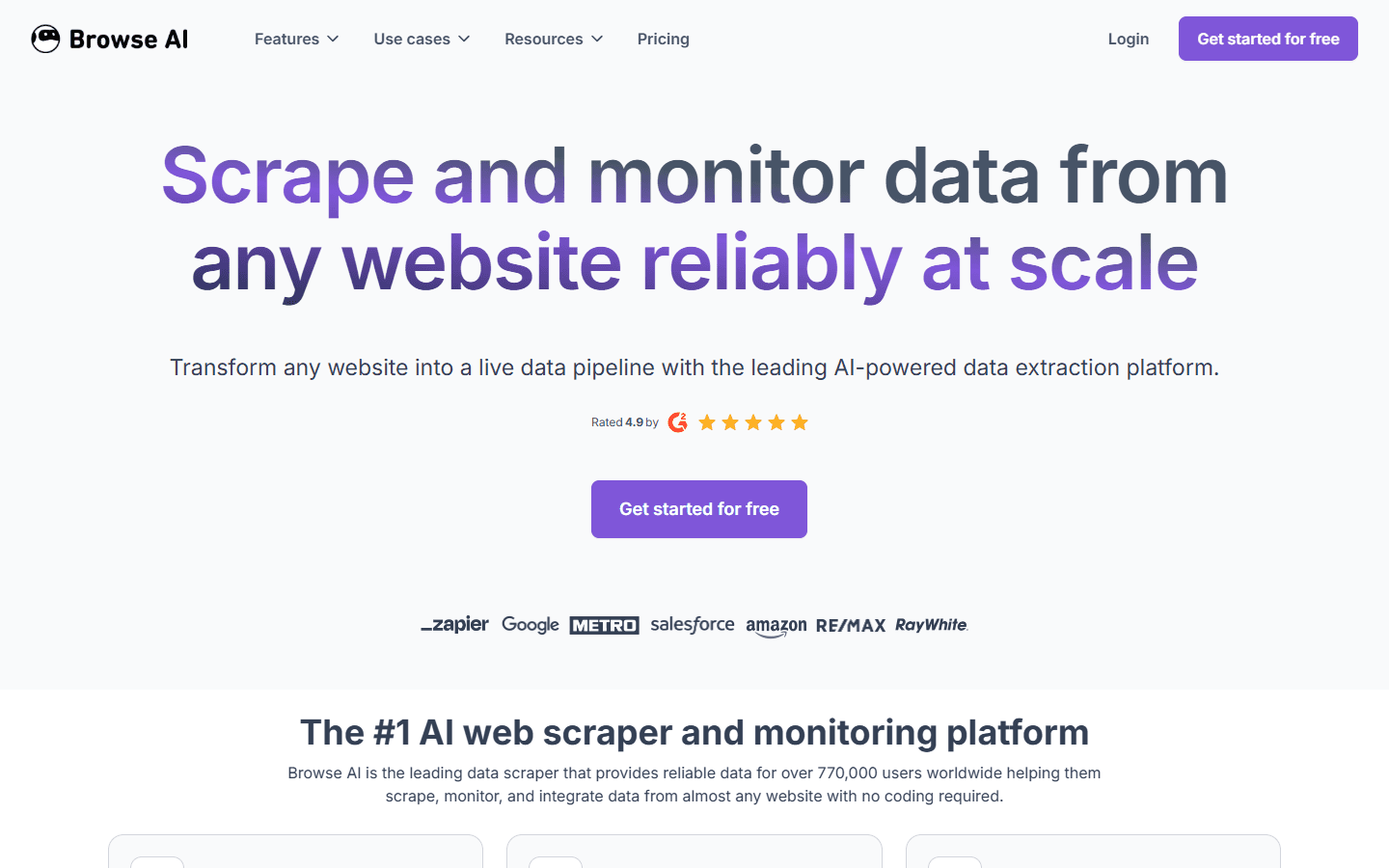
Browse AI is a no-code web monitoring and extraction platform. You train "robots" on specific pages — showing Browse AI what data to extract and when to run. The platform then executes those robots on a schedule and alerts you to changes or delivers extracted data to your preferred destination.
Browse AI — no-code web monitoring and robot training platform
| Feature | What's Included | Limitations |
|---|---|---|
| Robot training | Teach robots what to extract via browser | Must retrain if target site changes structure |
| Scheduled monitoring | Run robots on hourly/daily/weekly schedules | Credit cost per run — frequent monitoring depletes credits |
| Change detection | Alert when tracked fields change on a page | Alert relevance depends on correct field selection during training |
| Bulk URL scraping | Apply one robot to a list of URLs | Credit-intensive — each URL × each run = credits consumed |
| Integrations | Google Sheets, Airtable, Amazon S3, REST API, webhooks; Zapier, Make, and Pabbly Connect for other apps | No native CRM integration — needs Zapier or Make for HubSpot/Salesforce |
| Login-required pages | Supported — robots can authenticate during training | Session expiry can break scheduled runs |
Browse AI Robot Training: How No-Code Monitoring Works
The robot training process is Browse AI's best feature. You open Browse AI's recorder, navigate to the page you want to monitor, and highlight the data fields you want to track. Browse AI learns from your actions and creates an extraction robot that repeats those actions on schedule.
Training a robot takes 5–15 minutes for a well-structured page. Compared to writing XPath selectors in WebScraper.io or building Octoparse task templates, this is significantly faster for non-technical users. The visual training metaphor — "show the robot what to do" — is intuitive and the UX follows through on the promise.
Robots can also interact with pages before extracting — clicking dropdowns, submitting search forms, scrolling to load content. This makes Browse AI capable of monitoring more dynamic pages than simpler scrapers.
Browse AI Pricing Breakdown
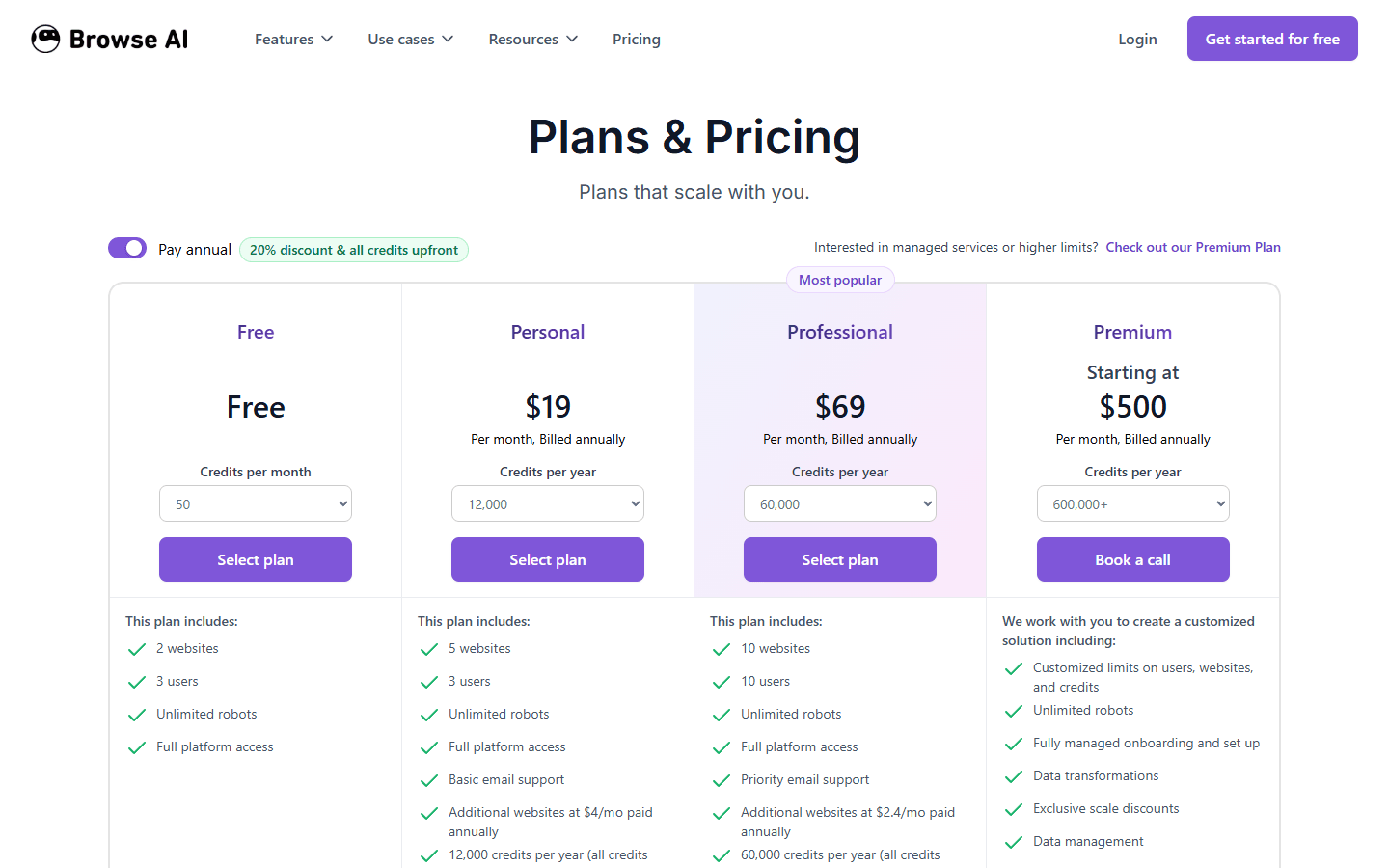
Browse AI uses a credit-based pricing model. One credit extracts up to 10 rows of data from a page or captures one screenshot, and premium sites cost 2–10 credits per run. Credits are consumed each time a robot runs — so high-frequency monitoring across many pages burns through credits quickly. Every plan also caps how many websites you can extract from, which matters as much as credits once you monitor many companies.
Browse AI pricing — Free, Personal, Professional, and Premium plans (annual billing shown)
Plans as of September 2026:
- Free ($0): 50 credits/month, 2 websites, 3 users, unlimited robots. Enough to test robots or lightly monitor a couple of sites.
- Personal ($19/mo billed annually): 12,000 credits/year, 5 websites, 3 users, basic email support. Additional websites cost $4/mo each. Paying monthly starts at $48/mo.
- Professional ($69/mo billed annually): 60,000 credits/year, 10 websites, 10 users, priority email support. Additional websites cost $2.40/mo each. Paying monthly starts at $87/mo.
- Premium (from $500/mo billed annually): 600,000+ credits/year with custom limits on users, websites, and credits, plus fully managed onboarding, data transformation, and a dedicated account manager.
Annual plans deliver the full year's credits upfront at a 20% discount. Unused credits don't roll over to the next billing cycle.
What you actually pay:A team monitoring the careers pages of 100 target companies daily at 1 credit each uses about 3,000 credits a month, or roughly 36,000 a year. That fits inside Professional's 60,000 annual credits, but the website cap bites first: Professional includes 10 websites, so the other 90 company sites cost $2.40/mo each, or about $285/mo in total on annual billing. Scale to 1,000 accounts and the economics break down quickly.
Browse AI Change Detection: Monitoring in Practice
Change detection is Browse AI's best use case for GTM teams. You monitor a target account's careers page for new job postings — a signal that the company is growing and potentially evaluating new tools. You monitor a competitor's pricing page for changes. You watch for leadership announcements on company news pages.
The change detection works reliably when the fields you trained the robot on are the fields that actually change. If you trained the robot to extract job titles from a job board and two new titles appear, Browse AI alerts you correctly. If the page layout changes and the selectors no longer match, the robot returns empty results without alerting you to the failure.
This silent failure mode is a known issue — users report monitoring workflows running for weeks while returning empty results because the source page changed structure and the robot didn't trigger an alert about the extraction failure.
Browse AI Integrations: Zapier, Google Sheets, and APIs
Browse AI integrates natively with Google Sheets, Airtable, and Amazon S3, and it exposes a REST API and webhooks for custom delivery. Data from robot runs can push directly to a Sheet or Airtable base and stay up to date on every scheduled run.
For everything else — Slack alerts, CRM updates, email tools — you connect Zapier, Make, Pabbly Connect, or a webhook. There's no native HubSpot or Salesforce integration. A team trying to push monitoring alerts directly to CRM contacts needs a Zapier workflow in between — an additional dependency that adds both cost and complexity.
What Are the Downsides of Using Browse AI?
1. Per-Site Robot Setup Doesn't Scale
Browse AI requires you to train a robot for each monitored source. For GTM teams wanting to monitor hundreds of target accounts, training individual robots for each company's LinkedIn page, news feed, and careers page is impractical. You'd spend more time training robots than acting on the signals they produce.
- Each new monitoring source requires a fresh robot training session
- No bulk robot creation from a list of URLs
- Maintaining robots across changing sites is an ongoing overhead
2. Credit and Website Limits for Frequent Monitoring
Credits and website caps both constrain monitoring at scale. At 1 credit per run, monitoring 500 accounts daily uses about 15,000 credits a month, or 180,000 a year — three times Professional's 60,000 annual credits. Those 500 accounts also sit on 500 different websites, against 10 included on Professional. That pushes a team toward Premium, which starts at $500/mo billed annually.
3. Silent Robot Failures
When a site changes and robots fail to extract expected data, Browse AI doesn't always notify you of the extraction failure — it just returns empty results. This means monitoring workflows can appear to be running while providing no signal value.
4. No Contact Data or Sales Context
Browse AI is an extraction tool, not a B2B data platform. It tells you that something changed on a page, but it doesn't identify who to contact or log the change against an account in your CRM. Every detected change still needs manual research, or extra tools wired together through Zapier, before it becomes outreach.
Who Should Use Browse AI — and Who Shouldn't
Browse AI's strengths and limits come from the same design choice: you train a robot for each source, then pay in credits every time it runs, within a cap on how many websites your plan covers. That makes it an excellent fit for a short list of pages you care about a lot, and a poor fit for broad coverage across hundreds of sites.
Good fit: competitive intelligence
Tracking a few competitors' pricing pages, feature pages, or changelogs on a daily schedule. A handful of robots covers the market, and Personal's 5 websites and 12,000 annual credits usually handle the volume.
Good fit: a watch list of key accounts
Watching the careers or news pages of up to 10 strategic accounts. Professional's 10 included websites cover this, and each additional site adds $2.40/mo on annual billing.
Good fit: recurring data feeds for ops teams
Pulling listings, directories, or tables into Google Sheets or Airtable on a schedule, where a non-technical owner needs to maintain the robots without writing selectors.
Poor fit: signal coverage across a full ICP
Monitoring hundreds of target accounts means hundreds of robots, hundreds of websites against a 5–10 site cap, and credit costs that grow with every scheduled run.
Poor fit: CRM-first sales workflows
With no native HubSpot or Salesforce integration, every alert needs a Zapier or Make workflow, plus manual research, before it becomes a task for a rep.
Poor fit: fragile or login-heavy sites
Sites that change layout often, or that depend on login sessions that expire, break robots. Because failed extractions can return empty results silently, someone has to audit runs regularly.
A practical test before paying: build robots for your two or three most important sources on the free plan, let them run for two weeks, and check how many runs returned usable data. If the robots hold up and the alerts change what your team does, a paid plan is easy to justify. If you find yourself retraining robots every week, a selector-based scraper such as Octoparse or WebScraper.io gives you more control over how extraction is configured, at the cost of a steeper setup.
Is Browse AI Worth It?
Browse AI is worth it for targeted monitoring of a small number of specific pages — competitor pricing, key accounts' job boards, regulatory announcement pages. The robot training model is genuinely fast and the change detection is reliable for these focused use cases.
For GTM teams trying to monitor a full target account list for buying signals, Browse AI's per-site setup, credit model, and website caps don't scale. You'd spend more budget on credits and website add-ons, and more time on robot maintenance, than acting on the signals.
Bottom line: Browse AI earns its place as a precise, low-effort monitor for a short list of pages that matter. If you need broad coverage across hundreds of sites, price out the extra website slots first and compare the Browse AI alternatives before committing.
If training a separate robot for every account is a dealbreaker, SyncGTM is one alternative worth a look: it tracks real-time buying signals such as job changes, funding, and hiring, with native HubSpot and Salesforce integrations.