

Common Room 2026: Community Signals for GTM — Review and Pricing

By Kushal Magar · April 9, 2026 · 10 min read · Last updated: September 30, 2026
Key Takeaway
Common Room is the best platform for community-led growth companies. For outbound-first teams without developer communities, the cost-to-value ratio doesn't hold up.
Common Room built its reputation on one insight: community engagement precedes purchase intent. If someone is asking questions in your Slack community, starring your GitHub repo, or posting in your Discord before they ever talk to sales, that's a warmer signal than any cold outreach trigger.
But this Common Room review looks at whether that insight translates to real pipeline for teams outside the developer-tool and PLG space — and whether the price tag is justified for companies that don't have a 10,000-member Slack community sitting on top of their product.
If you're a traditional B2B sales team evaluating Common Room against cheaper signal tools like Trigify or intent platforms like Bombora, this review saves you the demo cycle.
Common Room Review: What You Get (and What You Don't)
Common Room aggregates signals from across a company's community and product touchpoints — GitHub, Slack, Discord, LinkedIn, Twitter/X, product usage events, support tickets, and CRM activity — into a single view of every person and account that's engaging with you.
| Feature | What's Included | Limitations |
|---|---|---|
| Community Signal Aggregation | GitHub, Slack, Discord, LinkedIn, Twitter/X | Requires active community on each channel to be meaningful |
| Product Usage Signals | Event tracking via SDK or API integration | Engineering setup required; not plug-and-play |
| Account & Contact 360 | Person360 unified profile combining all signal sources | Contact lookups run on capped credits (2.5k Prospector and 100 phone credits on Essential) |
| Website & Third-Party Intent | Website visitor de-anonymization and Bombora Company Surge topics | Capped by plan: 1k de-anonymized visitors/month and 6 topics on Essential |
| CRM Integration | Salesforce, HubSpot native sync | Complex field mapping for large CRM instances |
| Alerting & Workflows | Slack alerts, email digests, threshold-based triggers, RoomieAI-drafted messages | Triggers need careful tuning to avoid alert fatigue |
| Reporting | Community health dashboards, engagement trends | Pipeline attribution reporting is limited |
Signal Aggregation: What Common Room Actually Covers
Common Room's biggest technical advantage is the breadth of signal sources. Most intent tools cover one or two channels. Common Room pulls from GitHub activity (stars, issues, PRs), Slack and Discord community messages, LinkedIn and Twitter/X engagement, product events, support tickets, and CRM history — all tied to a single contact or account record.
As of September 2026, every plan also includes website activity tracking with visitor de-anonymization and Bombora Company Surge topics, which extend coverage to anonymous website visitors and third-party research intent. Both are capped by plan, so check the limits against your traffic before you rely on them.
For a developer tool company, this is genuinely powerful. You can see that an engineer at Company X has been starring your GitHub repo for 3 months, asking questions in your Slack community, and just opened a free trial — and alert the AE to reach out before the trial expires. That's a warm outreach scenario that outbound signals can't replicate.
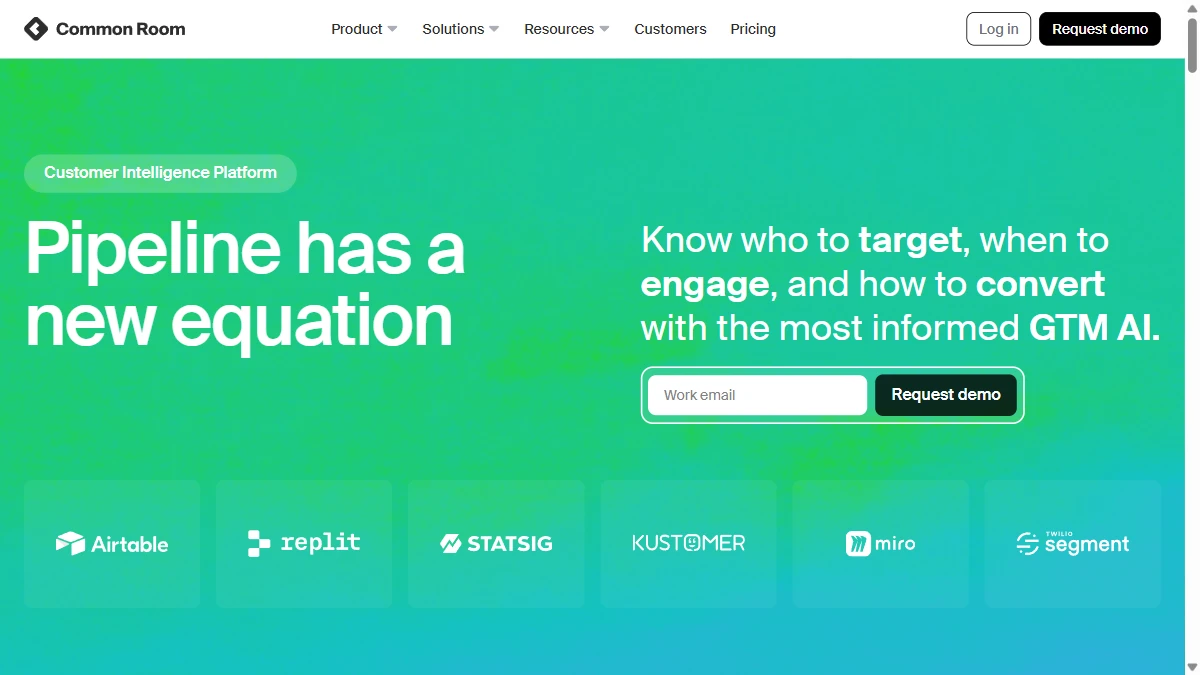
For a non-developer B2B company with no GitHub presence and a quiet Slack community, most of that signal infrastructure goes unused. You end up paying mainly for social, website, and third-party intent signals — categories that cheaper point tools also cover.
Common Room vs. Trigify: Signal Coverage Compared
Common Room covers significantly more signal sources than Trigify, but the value gap only materializes if you have community infrastructure to monitor. Pure social signal coverage is roughly comparable. The differentiator is product usage and community forum data — neither of which Trigify touches.
Common Room Pricing Breakdown
Common Room now publishes its pricing. As of September 2026, there are three plans, and each adds seats, contact capacity, and credits:
- •Essential ($2,500/mo, billed annually): 5 seats, up to 100k contacts, 5k RoomieAI research credits, 2.5k Prospector credits, 6 Bombora Company Surge topics, 240k website activities/year, 1k de-anonymized website visitors/month, 100 phone enrichment credits, shared CSM
- •Advanced (custom pricing): 15 seats, up to 250k contacts, 7.5k RoomieAI research credits, 7.5k Prospector credits, 12 Bombora topics, 480k website activities/year, dedicated CSM
- •Enterprise (custom pricing): 30 seats, up to 750k contacts, 10k RoomieAI research credits, 15k Prospector credits, 25 Bombora topics, 960k website activities/year, unlimited website de-anonymization, 200 phone enrichment credits, comprehensive integrations
The pricing page lists no free plan or free trial, so the entry point is a $30,000 annual commitment on Essential. Extra Prospector credits and the DataAgent add-on cost more on top.
Real cost scenario: a 50-person SaaS company with an active developer community, 2 AEs, and a CSM using Common Room for pipeline signals fits inside Essential's 5 seats — $2,500/mo, or $30K annually, before any outreach tooling. The ROI math requires consistent, attributable pipeline from community signals to justify.
For exact current pricing, visit Common Room's pricing page or request a demo.
How Common Room Works: From Setup to First Pipeline
Common Room makes more sense once you see the order of operations. Here is how a typical rollout runs, step by step, and where plan limits show up along the way.
- Connect your sources. Link your CRM (Salesforce or HubSpot), Slack, community channels such as Discord and GitHub, and website tracking. Product usage events are the exception: an engineer has to instrument the SDK or API before those signals flow in.
- Let Person360 resolve identities. Common Room merges activity from every connected source into one profile per person and per account, and keeps it updated as new activity arrives. This is what turns a GitHub star and a Slack question from the same engineer into one record.
- Score and map accounts. AI Scoring ranks people and accounts on their combined activity, and Buying Committee maps the individuals involved at each account, so reps see who else matters beyond the person who engaged.
- Fill contact gaps with Prospector. When the engaged user is not the buyer, Prospector surfaces other contacts at the account. Credits are capped by plan (2.5k on Essential, 7.5k on Advanced, 15k on Enterprise), and extra credits are an add-on.
- Research and draft with RoomieAI.RoomieAI researches accounts and contacts and drafts personalized messages, drawing on the plan's research credits (5k on Essential).
- Route the play. Send alerts to Slack, sync activity and fields to Salesforce or HubSpot, and push contacts into your sequencer. Expect several weeks of threshold tuning before alerts are reliable enough for reps to trust.
The practical constraint is rarely the number of signal sources. It is the seats, contact capacity, and credits on your plan, which decide how many people you can score, enrich, and act on each month.
Common Room Ease of Use: Setup and Onboarding
Common Room setup is more involved than most signal tools. Connecting social and community channels (GitHub, Slack, Discord) is straightforward via OAuth. The complexity comes from product usage integration — if you want behavioral signals from your actual product, an engineer needs to instrument the SDK or set up the API connection.
Signal configuration — defining what qualifies as a meaningful engagement threshold — takes time and iteration. Teams typically spend 3–6 weeks tuning what signals trigger alerts before the workflow feels reliable. Common Room's onboarding team is helpful, but there's no shortcut to signal calibration.
For teams that invest in the setup, the resulting workflow is clean. The account 360 view is genuinely useful, and the Slack alert integration means reps don't need to live in yet another dashboard.
Common Room Integrations: CRM and Data Stack
Native integrations cover the essentials: Salesforce, HubSpot, Slack, and Outreach. GitHub, GitLab, Jira, Zendesk, and Intercom round out the product and support signal sources.
CRM sync pushes community signals as activities, creates or updates contact records, and can trigger workflow automation in HubSpot or Salesforce. The integration depth is solid compared to single-channel tools.
What to check before buying: Common Room cites 50+ integrations, but depth varies by tool and plan (the pricing page lists "select" integrations on Essential and Advanced and "comprehensive" integrations on Enterprise). Confirm your sequencer is supported natively; teams using tools such as Lemlist or Woodpecker for email sequences may need custom webhooks to bridge the gap.
What Are the Downsides of Using Common Room?
Pricing Is Hard to Justify Without a Community
The most consistent Common Room review feedback on G2 is that the price-to-value ratio doesn't work unless you have substantial community engagement to monitor. At $2,500/mo or more on an annual contract, you need community signals to be generating measurable pipeline to justify the spend.
Product Usage Setup Requires Engineering
The most powerful Common Room signals — product usage events — aren't available out of the box. SDK instrumentation or API integration is required, which means eng resources and lead time before you see product behavioral data. This blocks smaller teams from accessing the platform's core differentiator.
Not Built for Traditional Outbound
Common Room is designed around inbound and community-led growth motions. It has added outbound-oriented features — Prospector for finding contacts, Bombora intent topics, and website de-anonymization — but all of them are credit- or plan-capped. For SDR teams doing high-volume outbound prospecting, the platform doesn't add much that cheaper signal tools don't cover. The community-first lens doesn't translate well to cold outreach workflows.
Signal Noise Without Discipline
Without careful signal weighting, Common Room surfaces high volumes of low-signal activity. A GitHub star is not the same as an intent-to-buy signal, and teams that treat all community engagement as pipeline-ready leads waste rep time. The platform gives you the data — the interpretation work falls entirely on you.
Limited Pipeline Attribution
Proving Common Room's revenue contribution is difficult. The platform shows community engagement trending but doesn't natively close the loop to closed-won deals. Attribution requires manual CRM hygiene or external BI tooling.
- Expensive — pricing starts at $2,500/mo billed annually (Essential, as of September 2026), and Advanced and Enterprise are custom-quoted
- Assumes you have an active community to monitor; limited value without one
- Configuration complexity: meaningful signal setup requires significant time investment
- Product usage signals require engineering integration — not plug-and-play
- Not designed for traditional outbound motions; better for PLG and developer-led growth
- Alert volume can become overwhelming without disciplined signal weighting
Is Common Room Worth It?
Common Room is worth it for PLG companies, developer tools, and open-source businesses where community activity genuinely predicts buying behavior. If your deal flow runs through GitHub, Discord, and Slack communities, there's no better tool for connecting community dots to pipeline.
Traditional B2B teams should look elsewhere. At $2,500/mo and up, a combination of point tools — hiring signal tracking, website visitor ID, social monitoring — can cover the signals an outbound team actually uses without betting the budget on community-led growth infrastructure you don't have.
Final verdict: Common Room is the right tool for the right company. If that company is yours, buy it. If you're still building community infrastructure or primarily running outbound, wait until the math works.
If Common Room's reliance on an active community is a dealbreaker, SyncGTM is one alternative worth a look: it tracks real-time buying signals such as job changes, funding, headcount growth, hiring, and web traffic.