

Octoparse Review 2026: No-Code Web Scraping — Pricing for Business Users

By Kushal Magar · April 18, 2026 · 9 min read · Last updated: September 30, 2026
Key Takeaway
Octoparse is genuinely good for no-code web data extraction — visual builder, 500+ templates, cloud scheduling, JS rendering, and a desktop app for Windows and Mac. As of September 2026, Standard is $69/mo and Professional $249/mo, billed annually. The gap between scraped output and sales-ready leads is still significant: raw CSV data requires cleaning, deduplication, and enrichment before any rep can use it.
Octoparse is one of the few no-code scrapers that actually delivers on the point-and-click promise. Visual element selection, cloud scheduling, 500+ pre-built templates for common sources, JS rendering — it handles more than most non-developers expect.
The problem is not what Octoparse scrapes. It is what you get after. Raw CSV rows with company names and URLs are not leads. You still need to clean duplicates, normalize fields, verify emails, add phone numbers, and enrich firmographic data before anyone can work the list. That post-scraping workflow is where Octoparse ends and the manual work begins.
This review covers pricing ($69/mo Standard, $249/mo Professional, both billed annually), scraping quality, cloud run behavior, and when that manual workflow makes Octoparse the wrong tool entirely.
Octoparse Review: What You Get (and What You Don't)
Octoparse is a no-code web scraping platform with a desktop application for Windows and Mac and cloud-based scraping infrastructure. You build "tasks" using a visual browser interface — clicking on elements you want to extract, defining pagination, and configuring export formats.
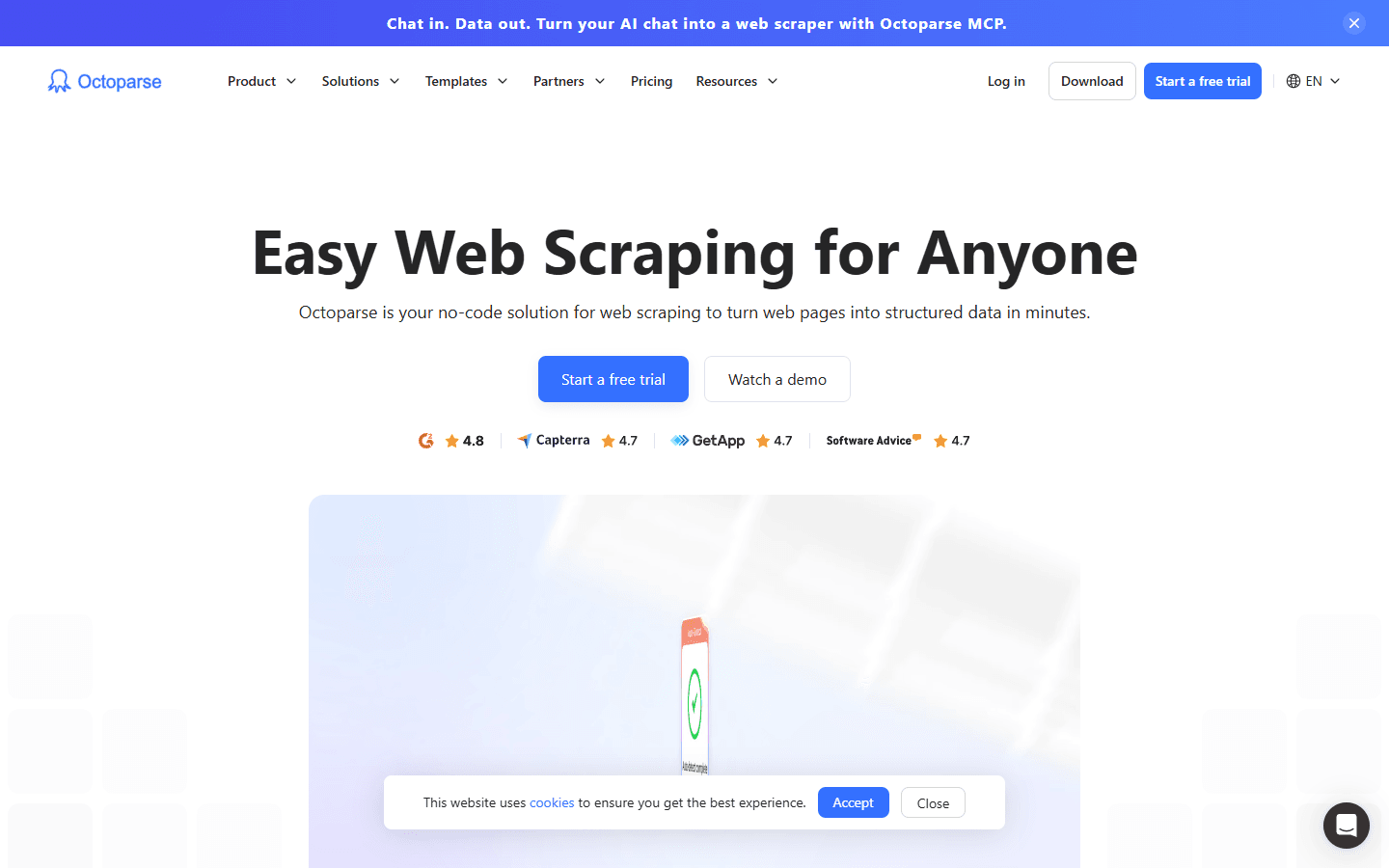
Octoparse homepage — visual no-code scraping interface
| Feature | What's Included | Limitations |
|---|---|---|
| Visual task builder | Point-and-click browser interface | Complex sites require manual XPath — learning curve steepens |
| Cloud scraping | Scheduled runs without local machine | Cloud slots limited on Standard plan |
| Pre-built templates | Library of 500+ site-specific templates on paid plans | Template quality varies — some are outdated |
| JavaScript rendering | Full browser engine — handles dynamic pages | Slower than HTTP-only scrapers for simple sites |
| Data export | CSV, Excel, Google Sheets, API | No direct CRM export — manual data handling required |
| Anti-bot handling | IP rotation and CAPTCHA solving on paid plans | Heavy Cloudflare protection can still block scrapes |
Octoparse Scraping Quality: Speed and Accuracy
Octoparse handles the majority of standard web scraping scenarios well. The auto-detect feature identifies paginatable data tables and repeating elements correctly on most sites. For simpler sites — business directories, job boards, e-commerce listings — setup takes under 30 minutes.
Where Octoparse earns its reputation is JavaScript-rendered pages. Many websites load content dynamically via AJAX calls or React rendering. Octoparse's full browser engine captures this content where basic scrapers would return empty divs. This is a genuine advantage over simpler tools like WebScraper.io's basic Chrome extension.
Speed is the tradeoff. Running full browser sessions for every scrape is slower than targeted HTTP requests. For large datasets — 10,000+ records — expect cloud runs to take several hours depending on site complexity and concurrency limits on your plan.
Octoparse Pricing Breakdown
Octoparse pricing is tiered by task count, cloud concurrency, and feature access. All plans include the desktop application for local scraping. The prices below are from Octoparse's pricing page as of September 2026.
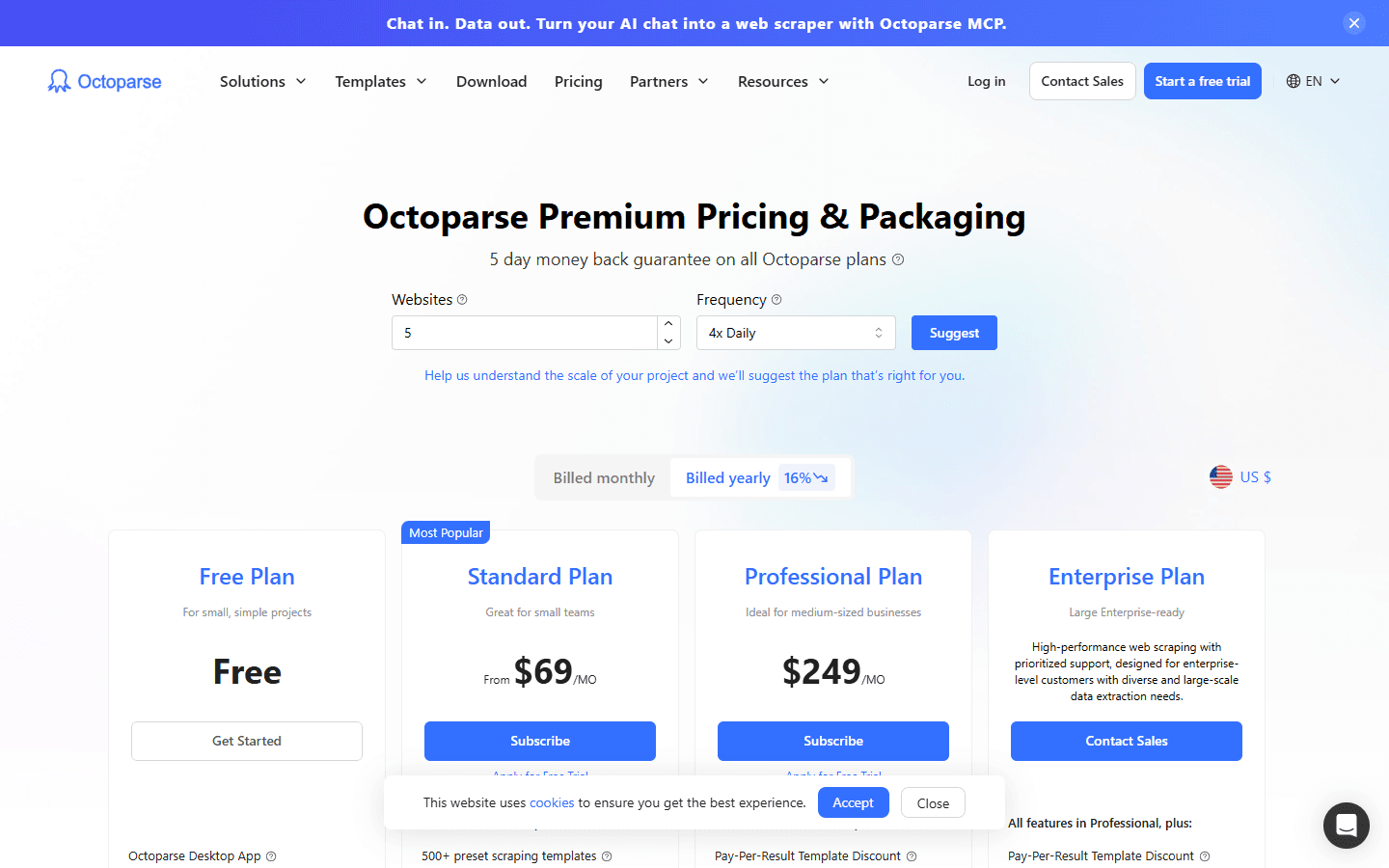
Octoparse pricing tiers — Standard, Professional, and Enterprise plans
- Free ($0): 10 tasks, local runs only, and a 50K-per-month export cap. No cloud extraction, scheduling, IP rotation, or API access. Good for testing.
- Standard ($69/mo billed annually): 100 tasks, up to 3 concurrent cloud processes, and unlimited data export. Adds cloud extraction, scheduling, IP rotation, CAPTCHA solving, API access, and 500+ templates.
- Professional ($249/mo billed annually): 250 tasks, up to 20 concurrent cloud processes, and priority support on top of everything in Standard.
- Enterprise (custom pricing): For teams that need more than Professional's limits, quoted on request.
What you actually pay:A marketing team running weekly competitor price scrapes and monthly business directory pulls will likely land on Standard ($69/mo). Teams running daily cloud scrapes across multiple sites will outgrow Standard's 3 concurrent processes quickly and need Professional at $249/mo — more than 3.5x the price.
Listed prices assume annual billing, which saves 16% versus paying monthly. Every plan carries a 5-day money-back guarantee, and Octoparse offers a 30% first-year discount for startups plus discounts for universities and educators.
Octoparse Cloud Scraping: Scheduled Runs
Cloud scraping is where Octoparse justifies its paid tiers. Instead of running scrapes on your local machine, Octoparse's servers handle the execution — meaning your laptop can close while scrapes run in the background on a schedule.
You can configure scraping schedules at hourly, daily, or weekly intervals. This is useful for monitoring use cases — tracking price changes, new job listings, or company news. The scheduling interface is straightforward and doesn't require technical knowledge to configure.
The limitation is the concurrency cap. As of September 2026, Standard plan users can run up to 3 cloud processes at once, while Professional raises that to 20. If you're running multiple scheduled scrapes on Standard, they'll queue behind each other. For time-sensitive data collection, the 3-process limit is a genuine bottleneck.
Octoparse Task Templates: How Useful Are They?
Octoparse maintains a library of 500+ pre-built task templates (available on paid plans) for popular websites — LinkedIn, Amazon, Yelp, Google Maps, and many others. In theory, you can scrape a supported site in under 5 minutes by loading the template and hitting run.
In practice, template quality varies. Some templates are well-maintained and work immediately. Others are outdated because the target website changed its HTML structure and the template hasn't been updated to match. You'll often need to troubleshoot and repair templates before they run cleanly.
The LinkedIn template deserves special mention: LinkedIn aggressively detects and blocks automated scraping. Octoparse's LinkedIn templates have variable success rates depending on your account age and activity. Don't count on reliable LinkedIn scraping for lead generation at scale.
What Are the Downsides of Using Octoparse?
1. Steep Learning Curve for Complex Tasks
The auto-detect feature works well for simple, structured pages. Once you need custom pagination, AJAX-loaded content, conditional loops, or login-based scraping, you're into XPath territory. Users on Reddit and G2 consistently report that anything beyond basic scraping requires time investment that the marketing materials don't prepare you for.
- Auto-detect often misses nested pagination on multi-page search results
- XPath editor requires a learning investment — not truly no-code for complex sites
- Error messages when scrapes fail aren't always descriptive
2. Site Blocking on Protected Platforms
Cloudflare protection, Distil Networks, and similar anti-bot systems can block Octoparse even with proxy rotation. LinkedIn, Crunchbase, and other high-value B2B data sources are particularly hostile to scrapers. For GTM lead generation, the most valuable data sources are also the most likely to block your scrapes.
3. Raw Data Still Needs Enrichment
Octoparse extracts what's on the page. It doesn't enrich the data with emails, direct dials, technographics, or signal context. A list of company names and LinkedIn URLs from Octoparse still needs a full enrichment pass before it's actionable for outbound. That adds cost and workflow steps.
4. Protected Sites Add Usage-Based Costs
Getting past anti-bot defenses often means residential proxies and CAPTCHA solving, and both are billed on top of the plan price. As of September 2026, residential proxies cost $3 per GB and CAPTCHA solving $1–1.5 per thousand. For heavily protected targets, budget for these before comparing Octoparse's sticker price with other tools.
5. Support Response Times
Support response times on lower tiers are slow — users report 24–48 hour wait times for non-priority tickets. For time-sensitive scraping projects, this matters if you hit a technical issue.
How Octoparse Works: From First Task to Scheduled Export
Octoparse makes more sense once you see the order of operations. Here is how a typical project runs, and where the plan limits show up along the way.
- Install the desktop app. The task builder runs on Windows and Mac (macOS 10.14 or later), and the Free plan includes it along with AI auto-detection and a limited set of templates.
- Start from a template or a URL.Paid plans unlock 500+ templates for common sites. For anything else, paste a URL and let auto-detect draft a workflow from the page's repeating elements, such as listings, tables, and pagination.
- Refine the workflow. Adjust the extracted fields and add steps for logins, pagination, or infinite scroll. Simple directories can be set up in under 30 minutes; nested pagination and conditional logic are where the XPath work covered in the downsides above comes in.
- Test locally. Run the task on your own machine and check the output before scaling up. The Free plan stops here: 10 tasks, local runs only, and a 50K-per-month export cap.
- Move to the cloud.Standard and Professional run tasks on Octoparse's servers with IP rotation and scheduling, so your machine can stay off. Standard allows up to 3 concurrent cloud processes across 100 tasks; Professional allows up to 20 across 250 tasks.
- Export the results. Download to CSV or Excel, send the data to Google Sheets, or pull it through the API, which starts on Standard.
Teams that would rather not build tasks at all can buy Octoparse's managed data service instead, which starts at $599 as of September 2026. It trades the learning curve for a higher price.
The practical path: prototype on the Free plan, confirm your target sites don't block the scraper, and only then pay for cloud capacity sized to how many tasks need to run at the same time.
Is Octoparse Worth It?
Octoparse is genuinely good at what it does: extracting structured data from websites without code. For market researchers, e-commerce analysts, and non-technical teams that need web data, it's one of the better tools available. The cloud scheduling, template library, and JavaScript rendering put it ahead of simpler browser extension scrapers.
For GTM and sales teams, Octoparse is the wrong starting point. The workflow — scrape, clean, enrich with emails/phones, add signal context, push to CRM — requires too many tools and too much manual handling. By the time you've enriched and sequenced scraped data, you've spent more time than just using a purpose-built lead generation tool.
Use Octoparse for web data extraction. Don't use it as the foundation of your outbound lead generation pipeline.
If the cleanup and enrichment Octoparse's raw exports need before outreach is a dealbreaker, SyncGTM is one alternative worth a look: it runs waterfall enrichment across 50+ data providers and syncs verified emails and phone numbers to HubSpot or Salesforce.