

WebScraper.io 2026: Browser Extension Scraping — Free and Paid Pricing

By Kushal Magar · April 18, 2026 · 7 min read · Last updated: September 30, 2026
Key Takeaway
WebScraper.io is the most accessible web scraper — free Chrome extension, sitemap model, and cloud plans from $50/mo billed annually, priced on URL credits (one per page load) as of September 2026. Strong for raw data extraction. For GTM teams it is still a starting point, not a destination: you scrape, then clean, then verify, then sequence.
WebScraper.io is free, requires no installation, and works in the browser you already have. For anyone doing occasional data extraction, that is a genuinely good starting point. The Chrome extension handles most basic scraping tasks without any setup cost.
The ceiling is the sitemap model — JSON-based configuration that gets complex fast for nested pages, dynamic content, or pagination beyond simple next-page links. Cloud plans (from $50/mo billed annually, as of September 2026) unlock scheduling and concurrent scraping. And the output is always raw CSV: structured data with no enrichment, no email verification, no signals.
WebScraper.io Review: What You Get (and What You Don't)
WebScraper.io is a web scraping tool built around a Chrome extension for local scraping and a cloud service for scheduled, headless runs. The core configuration model uses "sitemaps" — JSON-based scraping configurations that define what to extract and how to navigate a site.
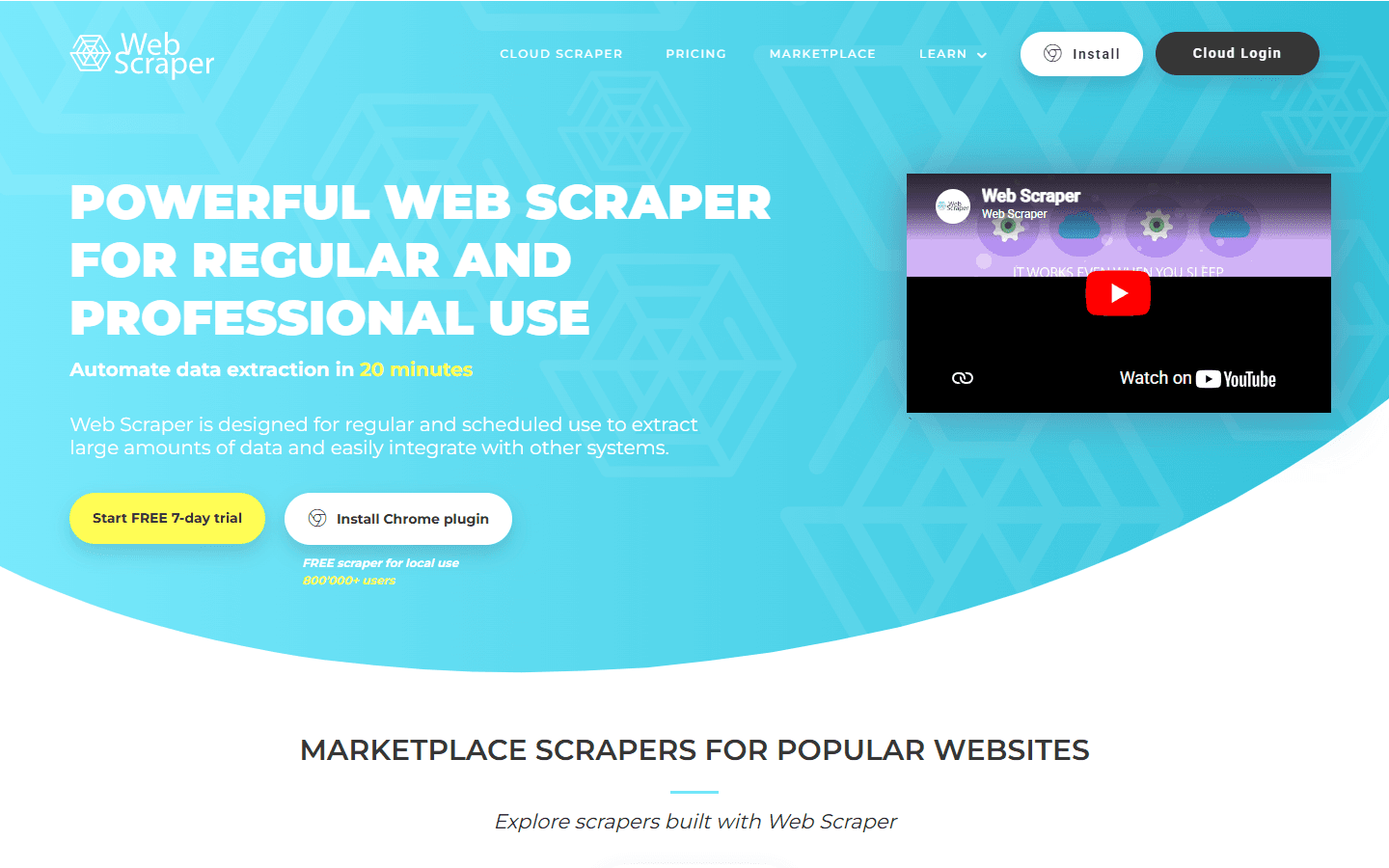
WebScraper.io — Chrome extension and cloud scraping platform
| Feature | What's Included | Limitations |
|---|---|---|
| Chrome extension | Free — installs in seconds, works in Chrome and Edge | Browser must be open and active during scraping |
| Sitemap model | JSON-based scraping config — shareable and importable | Requires understanding selector types and node hierarchy |
| Cloud scraping | Headless browser, no local machine required | URL-credit pricing — every page load counts, so detail-page scrapes add up |
| JavaScript support | Browser renders JS locally; cloud uses headless browser | Complex JS interactions harder than desktop tools |
| Data export | CSV and XLSX; JSON and cloud storage integrations on Professional and up | No direct CRM integration |
| Community sitemaps | Shared scraping configs for popular sites | Community maintained — quality varies by site |
WebScraper.io Chrome Extension: How It Works
The Chrome extension is WebScraper.io's core differentiator: zero installation friction. Open Chrome DevTools, find the WebScraper tab, and start building your sitemap. No app download, no account required for basic local scraping.
You create a sitemap by defining a start URL and adding selectors — each one a CSS selector — for every data field you want to extract. Pagination is handled with a dedicated Pagination selector (older sitemaps use a "Link" type selector that follows next-page buttons). The visual interface overlays your selector choices on the actual page you're configuring.
For straightforward structured pages — product listings, business directories, job boards — you can have a working scrape in 10–15 minutes. The learning curve is low enough that non-technical users can build basic scrapers after an hour with the documentation.
WebScraper.io Pricing Breakdown
WebScraper.io has a genuinely free Chrome extension tier and reasonably priced cloud plans. As of September 2026, cloud pricing is based on URL credits, not bandwidth: one credit is used every time Web Scraper Cloud loads a page, no matter how many records that page yields. The prices below are billed annually.
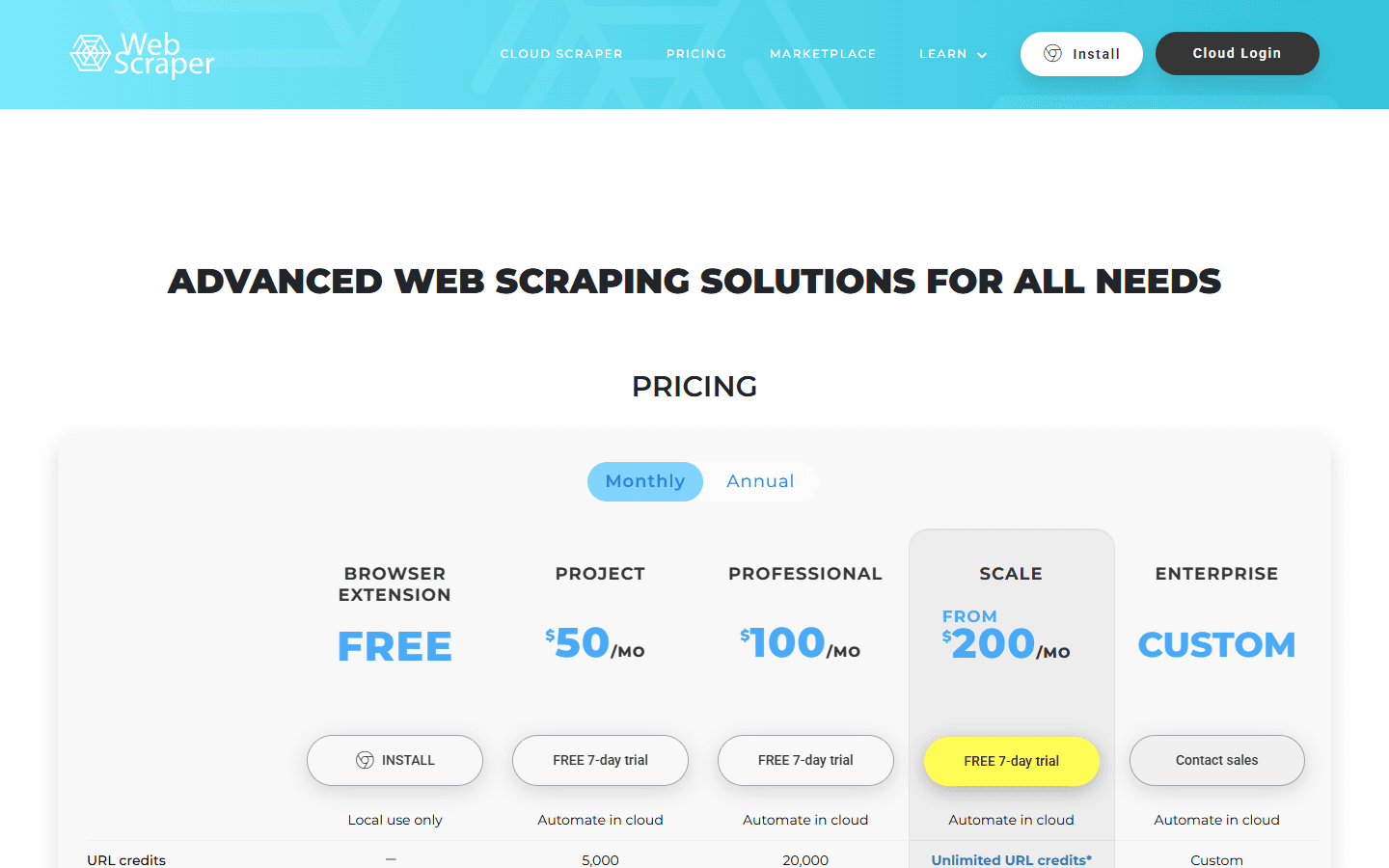
WebScraper.io cloud pricing — plans built on URL credits
- Free (Chrome extension): Unlimited local scraping. No cloud features. Browser must be open during runs.
- Project ($50/mo): 5,000 URL credits, 2 concurrent scrapers, 30-day data retention, CSV and XLSX export.
- Professional ($100/mo): 20,000 URL credits, 3 concurrent scrapers, JSON export, and integrations with Google Sheets, Google Drive, Dropbox, Amazon S3, Google Cloud, and Microsoft Azure.
- Scale (from $200/mo per concurrent scraper): Unlimited URL credits, 60-day data retention, and optional residential proxies at $2.5/GB.
- Enterprise (custom): Tailored limits and terms through sales.
Every cloud plan includes the API, scheduler, parser, data quality monitoring, login support for sites behind a sign-in, image download, and datacenter proxies.
What you actually pay: The credit model is worth scrutinizing. 5,000 URL credits on the Project plan sounds like a lot, but a scraper that visits a list page and then every detail page uses one credit per page load. A team scraping multiple sites daily can use up the Project allowance quickly. Estimate pages per run before committing; the worked example in the step-by-step section below shows how.
WebScraper.io Cloud: Scheduled and Headless Runs
The cloud tier removes the browser dependency. Your sitemaps run on WebScraper.io's servers on a schedule you define — without your local machine being active. Results are stored in your cloud account (30 days on Project and Professional, 60 days on Scale) and exportable via file download or API.
Scheduling options are flexible: hourly, daily, weekly, or custom cron syntax. For monitoring use cases — tracking price changes, new listings, or competitor content — this is the core value of the cloud tier.
The headless browser used in cloud runs handles most JavaScript rendering. It's not as configurable as the full browser interaction you get with desktop tools like Octoparse or ParseHub, but it covers the majority of standard dynamic page scenarios.
WebScraper.io Sitemaps: The Core Configuration Model
Sitemaps are JSON files that define your complete scraping configuration. They're portable — you can export a sitemap from one project and import it into another, or share it with the community for others to use on the same website.
The sitemap model has a learning curve compared to pure visual point-and-click tools. You need to understand selector types (Text, Link, Element, Attribute, HTML) and how they relate in the node tree. Once understood, it's a flexible and reproducible configuration system.
The community sitemap library has configurations for many popular sites — LinkedIn, Indeed, Yelp, Google Maps. Quality varies significantly — some are well-maintained, others are outdated due to site changes. Always test a community sitemap before depending on it.
What Are the Downsides of Using WebScraper.io?
1. Browser Must Be Active for Local Scraping
The Chrome extension only runs while your browser is open and the DevTools tab is active. You can't close Chrome and come back to completed scrapes — you have to be present. For anything longer than a quick extraction, you either upgrade to cloud or babysit your browser.
- No background scraping on the free tier — browser must stay open
- Large local scrapes can freeze Chrome tabs on lower-spec machines
- Session-based scraping means login cookies expire mid-run
2. Credit-Based Cloud Costs Add Up
Every page load costs a URL credit, so scrapers that open a detail page for each listing burn through credits quickly, and plans below Scale cap your allowance. Teams with variable scraping needs should estimate pages per run carefully before choosing between Project, Professional, and the unlimited credits on Scale.
3. Limited JavaScript Interaction
WebScraper.io handles most JavaScript rendering but has limited support for complex JavaScript interactions — dropdown menus, modal popups, infinite scroll triggered by complex events. For heavily interactive applications, desktop tools with full browser control perform better.
4. Raw Data Only
Like all scrapers, WebScraper.io delivers raw HTML-extracted data. No enrichment, no signal context, no email verification. For GTM workflows, the extracted data is just the starting point of a multi-tool pipeline.
How to Build Your First WebScraper.io Sitemap: Step-by-Step
The fastest way to judge WebScraper.io is to build one real scraper. Here is the workflow for a typical target, such as a business directory or job board, and where the free extension ends and the cloud tier begins.
- Open the Web Scraper panel. The extension lives inside Chrome DevTools, so open the target page, open DevTools, and switch to the Web Scraper tab.
- Create a sitemap. Give it a name and a start URL. The sitemap is the JSON configuration that stores every selector you add, and you can export or share it later.
- Mark the repeating block. Add an Element selector with Multiple enabled around each listing card, so every card becomes one row in your output.
- Add fields inside it. Under the Element selector, add Text selectors for names and titles, Element attribute selectors for URLs, and Image selectors if you need logos. Each selector ID becomes a column name.
- Handle navigation. Use a Pagination selector for next-page buttons, a Link selector to follow each listing to its detail page, and an Element click selector for content hidden behind buttons. Add a Delay to selectors on pages that load content asynchronously.
- Preview, then scrape. Preview the data for each selector, run the scrape, and export the results. Compare the row count with what the site shows; a mismatch usually means a selector is too narrow.
- Move to the cloud once it works. Import the sitemap into Web Scraper Cloud to run it on a schedule without keeping your browser open. Each page load uses one URL credit, so estimate pages per run before choosing a plan.
A worked example: a directory with 50 listings per page and a detail page for each listing needs 20 list pages and 1,000 detail pages to capture 1,000 listings, or roughly 1,020 URL credits per full run. On the Project plan's 5,000 URL credits, that is about four full runs, which is why the credit estimate matters more than the headline price.
Two habits save the most time. Keep sitemaps narrow, one site and one page type per sitemap, so a layout change breaks one scraper instead of all of them. And re-test community sitemaps before relying on them, since the sites they target change often.
Is WebScraper.io Worth It?
WebScraper.io is the best starting point for anyone new to web scraping. The free Chrome extension requires zero commitment and works for standard data extraction tasks immediately. The cloud tier starts at $50/mo (billed annually) for teams that need scheduled, browser-independent runs.
For power scraping users who need complex JavaScript interaction, Octoparse and ParseHub have more capable desktop tools. For teams that need high-volume production scraping, Apify's infrastructure scales further.
For GTM and sales teams: WebScraper.io gets you raw web data efficiently, but that data still needs cleaning, deduplication, and contact verification before it drives pipeline. Budget time for that step, or focus on sources where the fields you need are already structured on the page.
If WebScraper.io's raw, unverified output is a dealbreaker, SyncGTM is one alternative worth a look: it runs waterfall enrichment across 50+ data providers for verified emails, phone numbers, and firmographics.