

Add to CRM 2026: One-Click LinkedIn CRM Sync \u2014 Review and Pricing

By Kushal Magar · March 18, 2026 · 12 min read
Key Takeaway
Add to CRM is a Chrome extension that captures LinkedIn contacts into your CRM in one click. It connects to 29+ CRMs including Salesforce, HubSpot, Pipedrive, Zoho, and Attio. The tool claims 96% email accuracy across a 220M+ contact database. Pricing starts with a free plan (10 credits/month, no credit card required), moving up to Standard (250 credits/month) and Pro (1,000 credits/month). Credits do not roll over. The extension only works in Chrome and focuses on manual contact capture with no buying signal detection, workflow automation, or waterfall enrichment. For solo reps who need a quick way to capture LinkedIn leads into their CRM, Add to CRM gets the job done at low cost. For revenue teams that need enrichment depth, intent signals, or automated workflows, it lacks the infrastructure. SyncGTM offers waterfall enrichment across 20+ data sources, buying signal monitoring, and CRM automation from $99/month.
Add to CRM is a Chrome extension that lets you capture LinkedIn contacts and sync them to your CRM in one click. It pulls verified emails, phone numbers, and basic company data from a database of 220M+ professionals and pushes them into 29+ CRMs including HubSpot, Salesforce, Pipedrive, and Zoho. The free plan gives you 10 credits per month. Paid plans start with 250 credits.
You are probably here because you are spending too much time copy-pasting LinkedIn profiles into your CRM. That is exactly the problem Add to CRM solves. One click, and the contact is in your CRM with an email and phone number attached.
But contact capture is just step one. According to Salesforce's 2025 State of Sales report, 70% of B2B contact data decays annually. What happens after the contact lands in your CRM matters more. Does it get enriched with firmographic data? Does it trigger a follow-up workflow? Does your team get alerted when that prospect raises a buying signal?
This Add to CRM review covers what the extension does well, where it falls short, what it actually costs at scale, and whether SyncGTM is a better fit for teams that need capture plus enrichment plus action.
Add to CRM Review: What You Get (and What You Don't)
Add to CRM is a Chrome-only browser extension built for one-click contact capture from LinkedIn, Gmail, Outlook, and company websites. It targets sales reps and founders who want to skip manual data entry and push prospect data directly into their CRM.
| Feature | What's Included | Limitations |
|---|---|---|
| Contact Capture | One-click sync from LinkedIn, Gmail, Outlook, company sites | Chrome only — no Firefox, Safari, or Edge support |
| Email & Phone | Verified emails and phone numbers from 220M+ contacts | Each lookup costs a credit; free plan capped at 10/mo |
| CRM Integrations | 29+ CRMs including HubSpot, Salesforce, Pipedrive, Zoho | One-way sync only — no bidirectional CRM updates |
| Duplicate Detection | Checks if contact already exists in your CRM before adding | Only checks at time of capture — no ongoing dedup |
| Buying Signals | Not available | No job change, funding, hiring, or intent data |
| Workflow Automation | Not available | No automated follow-ups or enrichment triggers after capture |
The takeaway: Add to CRM nails the capture step. One click, and a contact lands in your CRM with an email and phone number. But everything after capture — enrichment, signals, automation — is missing.
LinkedIn Capture: How Add to CRM Works
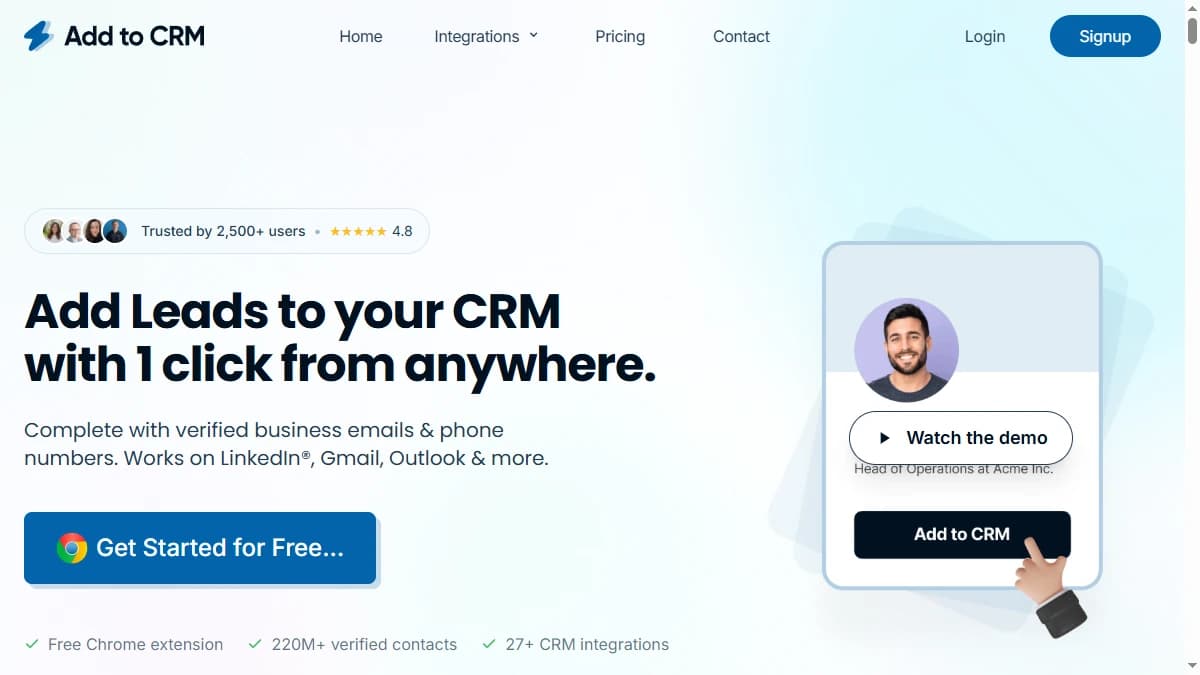
The workflow is straightforward. Install the Chrome extension, connect your CRM, visit a LinkedIn profile, and click the Add to CRM button. The extension pulls the contact's name, job title, company, email, phone number, and social links. Then it pushes the record into your CRM.
This process works on individual LinkedIn profiles, Gmail inboxes, Outlook, and company websites. The extension supports custom field mapping so you can control where data lands inside your CRM.
What works well
The one-click capture genuinely saves time. Instead of copying a name, searching for an email, pasting into your CRM, and repeating — you click once. Add to CRM claims this saves 4+ hours per week on CRM data entry, and for reps doing heavy LinkedIn prospecting, that number is believable.
Duplicate detection is a nice touch. The extension checks your CRM in real time and warns you if the contact already exists. This prevents the duplicate record mess that plagues most CRMs.
Where it stops
The contact lands in your CRM. Then nothing happens. No enrichment with firmographic data. No buying signal detection. No automated outreach or follow-up workflow. Add to CRM is a capture tool — not a GTM platform.
SyncGTM captures the same contact data but then enriches it across 20+ data sources, tags it with firmographic and technographic data, checks for buying signals, and triggers automated follow-up workflows. Capture is the starting line. What happens next determines whether that contact becomes a deal.
Data Quality: How Accurate Is Add to CRM?
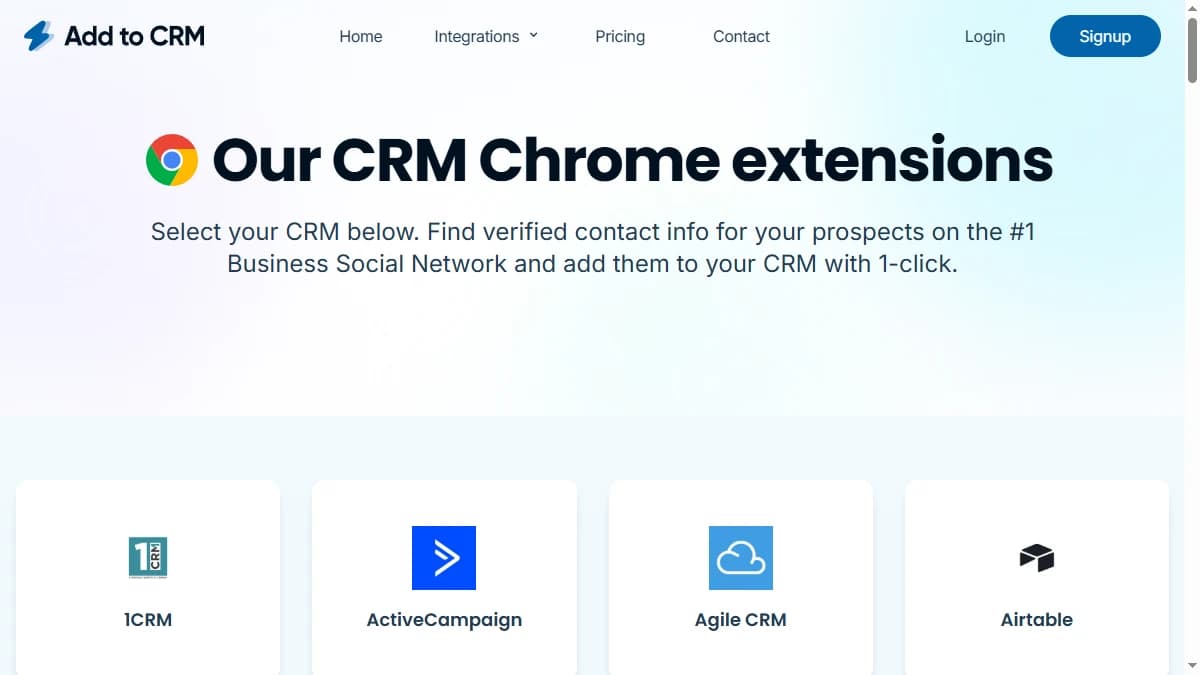
Add to CRM claims 96% email accuracy across a 220M-contact database (source: addtocrm.com, March 2026). That is a strong number — on par with dedicated email verification services.
The extension pulls data from multiple B2B data sources and cross-references them for verification. When it finds a match, you get an email, phone number, job title, company name, and social links.
What about enrichment depth?
This is where Add to CRM falls short. You get roughly 20 data points per contact. That covers the basics: name, email, phone, title, company, location, social URLs. It does not include firmographic data like company revenue, employee count, funding history, or tech stack.
For comparison, waterfall enrichment queries 20+ data providers in sequence to fill every available field. If one source has the email but not the phone, the next source fills the gap. This is how SyncGTM achieves 85-95% match rates across firmographic, technographic, and contact data — not just emails.
Single source vs. waterfall
Add to CRM pulls from its own database. When that database has gaps, you get gaps. No fallback. No secondary provider. The extension holds a 4.8-star rating on the Chrome Web Store, which suggests most users are satisfied with basic capture accuracy. But for international contacts, small companies, or niche roles, accuracy drops.
Add to CRM Pricing Breakdown
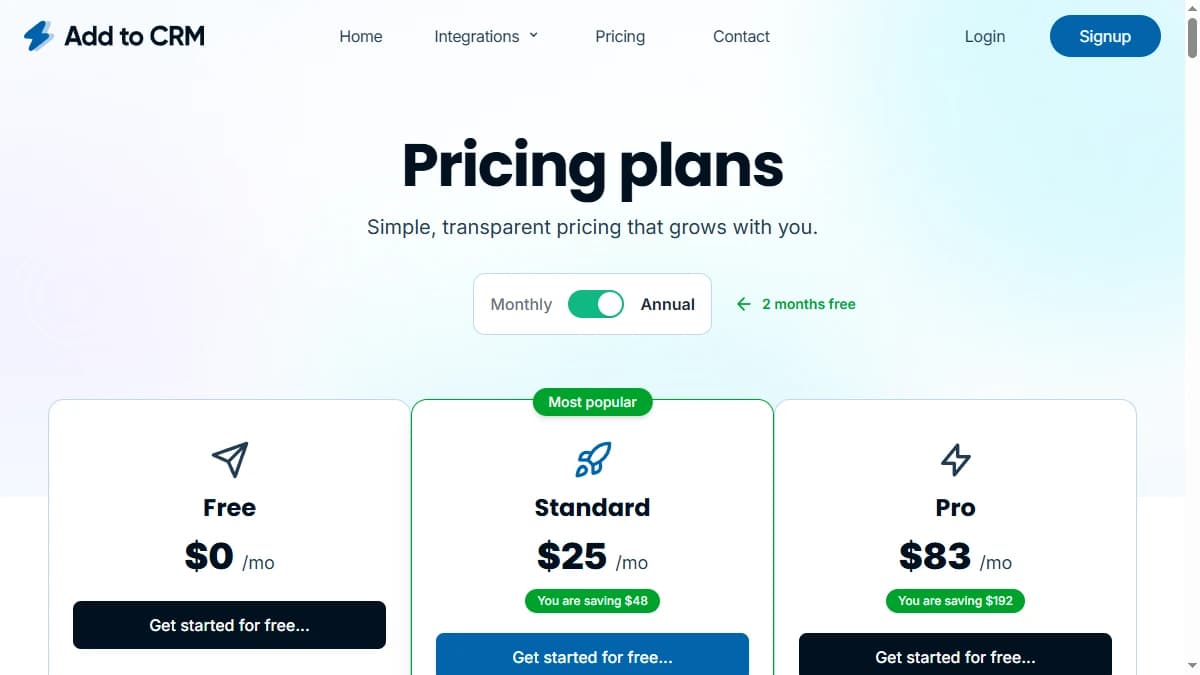
Add to CRM uses a credit-based pricing model. Each successful contact lookup consumes one credit. Credits reset monthly and do not roll over (source: Add to CRM pricing page, March 2026).
- --Free: 10 credits/mo (5 base + 5 bonus with CRM connection). No credit card required. Access to all 29+ CRM integrations.
- --Standard (most popular): 250 credits/mo. Custom field mapping, CRM record updates, activity and notes logging, team member support.
- --Pro (power users): 1,000 credits/mo. Company employee search, text snippets, AI message writer, dedicated account manager, custom training.
What you actually pay at scale
Consider a two-person SDR team doing 30 LinkedIn lookups per day, five days a week. That is 300 lookups per person per month — 600 total. The Standard plan's 250 credits is not enough for even one rep. You need the Pro plan at 1,000 credits, which covers both reps but leaves little room for growth.
Compare that to SyncGTM at $99/mo, which includes waterfall enrichment, buying signals, and CRM automation with no per-lookup credit burns.
Hidden costs to watch
- No credit rollover: Unused credits expire at the end of each billing cycle. Pay or lose.
- Per-credit scaling: High-volume teams burn through credits fast. Additional credits cost extra.
- No enrichment included: You get contact data but no firmographic enrichment. Adding a separate enrichment tool doubles your costs.
What Are the Downsides of Using Add to CRM?
Capture without enrichment
Add to CRM gets the contact into your CRM. It does not enrich it with the data your team needs to prioritize, segment, or personalize outreach. No company revenue. No employee headcount. No tech stack. No funding history. You get a name, email, and phone number — which is table stakes, not a competitive advantage.
No buying signals
Add to CRM does not tell you when a contact switches jobs, when their company raises funding, when they adopt a new technology, or when they show intent signals. You capture the contact and hope they are ready to buy. SyncGTM monitors for these signals and triggers outreach when timing is right.
Credit limits create friction
The credit model penalizes high-volume prospecting. Free users get 10 lookups per month. Even on the Pro plan, 1,000 credits goes fast for a team. Credits do not roll over, so you are always watching a counter instead of focusing on selling.
Chrome-only extension
Add to CRM only works in Google Chrome. Teams using Firefox, Safari, Arc, or Edge cannot use it. There is no web app, no API, and no desktop client. If Chrome is not your default browser, Add to CRM is not an option.
No workflow automation
After a contact lands in your CRM, nothing happens automatically. No enrichment trigger. No sequence enrollment. No task assignment. Your team has to manually follow up on every captured contact. Modern prospecting tools automate this entire post-capture workflow.
SyncGTM vs. Add to CRM: Feature-by-Feature Comparison
Here is how SyncGTM compares to Add to CRM across the features that matter for revenue teams:
| Feature | SyncGTM | Add to CRM |
|---|---|---|
| Starting Price | $99/mo (flat, all-inclusive) | Free (10 credits/mo) then paid tiers |
| Data Sources | 20+ waterfall providers | Single source (Add to CRM DB) |
| Buying Signals | Job changes, funding, hiring, intent | Not available |
| Enrichment Depth | Firmographic, technographic, intent, social | Email, phone, job title, company basics |
| CRM Automation | Auto-enrich on entry + workflow triggers | One-click manual sync only |
| Credit Rollover | Yes | No — credits expire monthly |
| Platform | Web app + API + integrations | Chrome extension only |
Waterfall Enrichment
SyncGTM queries 20+ data providers in sequence to fill every field. Add to CRM uses a single database — miss once and the field stays empty.
Buying Signals
SyncGTM monitors job changes, funding rounds, hiring spikes, and tech stack shifts. Add to CRM captures a static snapshot with no ongoing monitoring.
Automated Workflows
SyncGTM triggers follow-up sequences, enrichment jobs, and task assignments automatically. Add to CRM stops at the CRM door.
Flat Pricing
SyncGTM: $99/mo flat. Add to CRM: credit-based pricing that scales unpredictably as your team grows.
Is Add to CRM Worth It?
Add to CRM is worth it for solo reps and small teams doing manual LinkedIn prospecting. If your workflow is “find prospect on LinkedIn, get their email, add to CRM” — this extension does that job well. The 29+ CRM integrations, duplicate detection, and GDPR compliance are genuine strengths.
Add to CRM is not enough for teams that want to scale. If you need firmographic enrichment, buying signal monitoring, automated follow-up workflows, or data from multiple providers — you are going to outgrow this extension fast. The credit model also punishes growth: the more contacts you capture, the more you pay, with no added intelligence.
The verdict: solid one-click capture for individual reps. Not a GTM platform. For teams that need capture plus enrichment plus signals plus automation, SyncGTM delivers the full workflow from $99/mo.
Comparing other sales tools? Read our in-depth reviews of 11x.ai, Reply.io, Instantly, Lemlist, and Smartlead.