

Lead Forensics Review 2026: Enterprise Visitor Tracking and Pricing

By Kushal Magar · April 8, 2026 · 12 min read · Last updated: September 30, 2026
Key Takeaway
Lead Forensics is an enterprise IP-based website visitor identification tool with a database of 1.4 billion IP addresses and 55 million contacts added annually. It identifies which companies visit your website but not which individuals. Average pricing is $35,000/year with deployments ranging from $6,000 to $98,000 annually. Main limitations: company-level only (no person identification), outdated contact data (most common G2 complaint), aggressive annual contracts with 10-20% renewal increases, and CRM integration only on the higher Automate package. Run the one-week free trial on your own traffic before signing.
Lead Forensics uses reverse IP lookup to identify which companies visit your website — matching IPs against a database of 1.4 billion addresses. Average annual spend is $35,000. Pricing is never published on their site. They sell annual contracts that auto-renew, with cancellation windows as narrow as 30 days.
Here's the fundamental problem with IP-based identification in 2026: a significant share of B2B buyers work from home, co-working spaces, or use VPNs. Those visitors never show up in Lead Forensics. And even when a company is identified, the contacts surfaced are database entries — not necessarily the person who actually visited your site.
Lead Forensics Review: What You Get (and What You Don't)
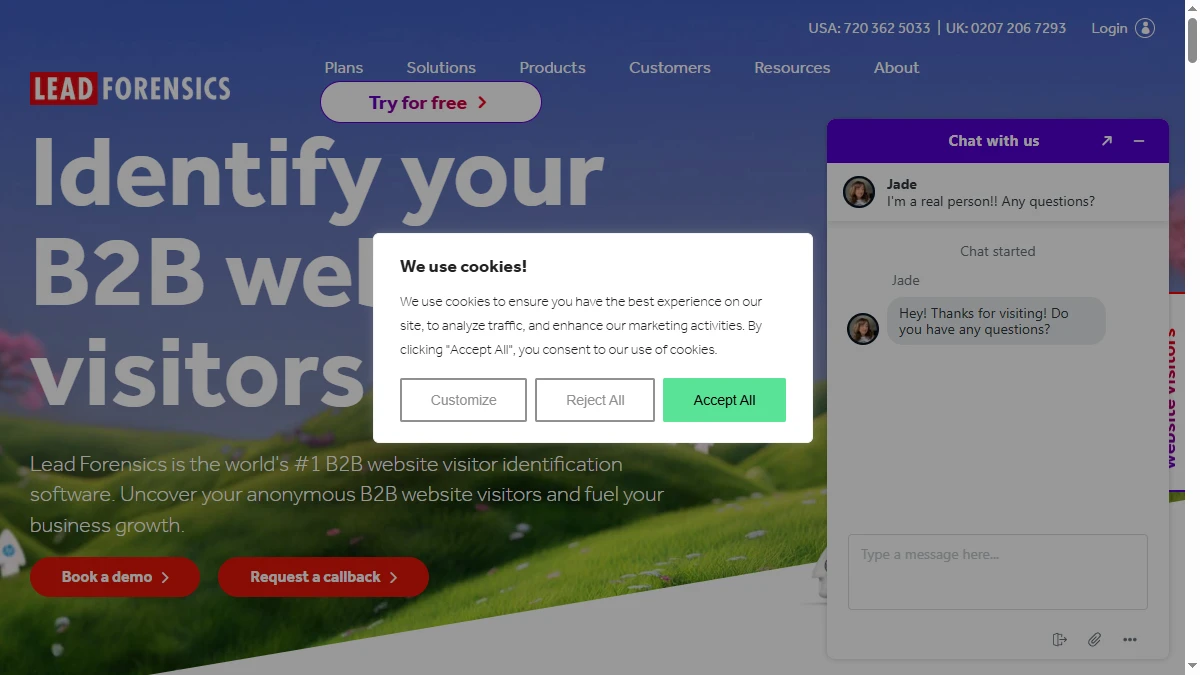
Lead Forensics uses reverse IP lookup to match website visitors to company records. When a visitor hits your site from a corporate network, Lead Forensics cross-references the IP against its database of 1.4 billion IP addresses to identify the company. Check user ratings on G2 (4.3/5 stars, though common complaints around data freshness).
| Feature | What's Included | Limitations |
|---|---|---|
| IP Identification | Company matching from 1.4B IP database | Company-level only — no individual person identification |
| Contact Database | 55M+ contacts added yearly | Outdated contacts is the #1 G2 complaint (cited 17 times) |
| Real-Time Alerts | Notifications when target accounts visit | Alerts tell you the company, not the person browsing |
| CRM Integration | Salesforce, HubSpot, Microsoft Dynamics, Pipedrive, and Zoho | Requires the Automate package — not included in Essentials (as of September 2026) |
| Remote Workers | Not supported | VPN and home office IPs are not matched to companies |
The takeaway: Lead Forensics tells you which companies visited from corporate networks. It does not tell you which person within that company is browsing, and the contacts it surfaces may have nothing to do with the actual website visit.
Lead Forensics IP Identification: How Company Matching Works
You install a JavaScript tracking snippet on your website. When a visitor loads a page, Lead Forensics captures their IP address and matches it against their proprietary database. If the IP belongs to a known corporate network, you get the company name, industry, size, location, and a list of contacts at that company pulled from their database.
The dashboard shows you which pages each company viewed, how long they spent on each page, and how many visits they have made over time. Real-time alerts can notify your team when high-priority accounts are on your site.
The remote work problem
In 2026, a significant percentage of B2B buyers work from home, co-working spaces, or use VPNs. Their IP addresses do not resolve to corporate networks. Lead Forensics cannot identify these visitors. The tool was built for an era when office-based browsing was the default. Remote-first companies are largely invisible to IP-based identification.
What the contacts actually tell you
Lead Forensics surfaces contacts at the identified company — but these are not the people who visited your site. They are database entries. The VP of Marketing at Acme Corp might appear in the contact list, but the person who actually browsed your pricing page could be a junior analyst. This distinction matters for outreach targeting: treat the contact list as a starting point for account research, not as a list of people who showed interest.
Lead Forensics Pricing Breakdown
Lead Forensics does not publish pricing on their website. Based on public sources, user reports, and pricing analysis, here is what you actually pay. Lead Forensics itself sells two packages, Essentials and Automate (compared in the next section); within them, cost scales with deployment size and traffic:
- •Smaller deployments (~$500/mo): Lower-traffic SMB sites, typically on the Essentials package
- •Mid-market deployments (~$2,000-$3,000/mo): Higher traffic volumes and larger contact allocations
- •Enterprise deployments ($5,000-$8,000/mo): High-traffic sites, usually on Automate for CRM integration, workflow automation, and a dedicated customer success manager
Average annual spend: approximately $35,000. Annual contracts range from $6,000 to $98,000 depending on traffic volume and deployment size.
What you actually pay
A mid-market B2B company with 20,000 monthly website visitors will land in the $2,000-$3,000/mo range — roughly $30,000/year. Factor in the Automate package if you need CRM integration, plus the 10-20% renewal increases users report, and year-two costs can climb toward $40,000. One cost that does not scale: both packages include unlimited users, so adding marketing and sales seats is free.
Hidden costs to watch
- CRM integration requires the higher Automate package — Essentials has no Salesforce or HubSpot sync
- Annual contracts with auto-renewal — multiple complaints about being locked in 1 day past the notice window
- 10-20% renewal price increases are standard — budget for cost escalation year over year
- Traffic-based pricing — successful marketing campaigns increase your Lead Forensics bill
- Outdated contacts — the data you are paying premium prices for may not be current
Lead Forensics Plans Compared: Essentials vs Automate
As of September 2026, Lead Forensics sells two packages: Essentials and Automate. Neither has a published price; both are quoted after a demo, with cost scaling by website traffic. The difference between them is less about identification quality and more about what happens to a lead after it is identified.
| Capability | Essentials | Automate |
|---|---|---|
| Website visitor identification + firmographic insight | Yes | Yes |
| Decision-maker contact data | Yes | Yes |
| Behavioral insights (pages viewed, engagement) | Yes | Yes |
| Real-time visitor alerts | Yes | Yes |
| Lead & pipeline manager | Yes | Yes |
| Users | Unlimited | Unlimited |
| CRM integration (Salesforce, HubSpot, Microsoft Dynamics, Pipedrive, Zoho) | No | Yes |
| Workflow automation + CRM lead creation | No | Yes |
| Automated lead routing | No | Yes |
| ABM account matching | No | Yes |
| Dedicated customer success manager + training academy | No | Yes |
Which package fits
Essentials suits teams that want visibility first: marketers checking which accounts engage with campaigns, or a small sales team that works a daily list of identified companies by hand from the Lead Forensics dashboard. Because both packages include unlimited users, sharing that view across marketing and sales costs nothing extra.
Automate is the package sales-led teams are likely to need, because it is the one that pushes identified companies into the CRM, creates leads, and routes them to the right rep automatically. If your reps live in Salesforce or HubSpot rather than a separate dashboard, budget for Automate from the start instead of treating it as a later upgrade.
Before signing either, use the one-week free trial. At the end of the week, your Lead Forensics representative walks you through the companies identified from your traffic. Compare that number with total sessions in your own analytics to see how much of your audience the tool can actually resolve, which matters most if many of your buyers work from home or behind VPNs.
What Are the Downsides of Using Lead Forensics?
Company-level identification is a 2015 approach
Knowing that someone from Microsoft visited your blog is not actionable intelligence. You do not know who, why, or whether they have any purchase intent. Tools like Leadfeeder offer similar company-level identification at a fraction of the cost. Person-level tools like RB2B go further by identifying the actual individual.
Outdated contact data is the #1 complaint
"Outdated contacts" appears 17 times as a complaint tag on G2. When you pay $35,000/year for a contact database, you expect current data. Users report reaching out to contacts who left the company months ago. In a market where B2B job tenure averages 2-3 years, static databases decay rapidly.
Enterprise pricing for mid-market features
At $35,000/year average, Lead Forensics costs 4-6x more than modern alternatives while offering fewer capabilities. No person-level identification. No intent data beyond visits to your own site. No chatbot. Even workflow automation, lead routing, and CRM lead creation sit on the higher Automate package. The pricing reflects a market position established before modern alternatives existed. Read our best buying intent data tools guide to see what $35K/year buys you elsewhere.
Aggressive contract practices
Users on Capterra report being locked into annual contracts that auto-renew, with cancellation windows as narrow as 30 days. Miss the window by one day and you owe another full year. Multiple public complaints document this pattern.
Is Lead Forensics Worth It?
Lead Forensics is worth it for large enterprise teams that need high-volume IP-based company identification across corporate office traffic and have the budget to support $35,000+/year for a single data source. The 1.4 billion IP database is extensive and the platform has been in market long enough to have deep enterprise integration workflows.
Lead Forensics is not worth it for mid-market teams, startups, or any company selling to remote-first buyers. The pricing is 4-6x more expensive than modern alternatives. The technology does not identify individuals. The contact database has documented freshness issues. And the contract terms are among the most aggressive in the category.
The verdict: capable company-level visitor tracking for office-based traffic, at premium, quote-only pricing with dated IP-only technology. Use the one-week trial to measure how much of your real traffic it can identify before signing an annual contract.
Comparing visitor identification tools? Read our reviews of Leadfeeder, Dealfront, and our roundup of best buying intent data tools for 2026.
If Lead Forensics' reliance on website visits as its only buying signal is a dealbreaker, SyncGTM is one alternative worth a look: it tracks real-time signals such as job changes, funding, and hiring, and scores leads against your ICP.