

Close CRM Review 2026: Built-In Calling and Email — Pricing Breakdown

By Kushal Magar · April 8, 2026 · 12 min read · Last updated: September 30, 2026
Key Takeaway
Close CRM is an inside-sales-focused CRM with built-in VoIP calling, SMS, and email sequences. Pricing ranges from $9/user/mo (Solo, 1 user only) to $139/user/mo (Scale), billed annually. G2 rating: 4.7/5 from 2,000+ reviews — one of the highest-rated CRMs. Strengths include the best built-in dialer in any CRM, clean UI (described as the best CRM UX available), and all communication channels in one platform. Best for: inside sales teams that rely on phone and email outreach and want all communication channels in one CRM without tab-switching. Weaknesses: limited marketing automation, fewer third-party integrations than Salesforce or Pipedrive, the power dialer and Workflows locked to Growth and above, and no built-in prospecting database or buying signals.
Close CRM is an inside-sales-focused CRM with a built-in VoIP dialer, SMS, and email sequences, priced from $9/user/mo to $139/user/mo. G2 rating: 4.7/5 from 2,000+ reviews — one of the highest-rated CRMs available. Calling, SMS, and email are all native to the platform. No third-party dialer, no separate email tool, no integrations to maintain.
You are probably here because you want a CRM that eliminates the tool sprawl that slows down inside sales teams. You want to know if Close actually delivers on that promise, or if the trade-offs in customization and integrations are too steep.
This Close CRM review covers how the built-in calling and email work, what the workflow automation delivers, what each plan costs, and where the platform falls short for teams that need more than a phone and an inbox.
Close CRM Review: What You Get (and What You Don't)
Close CRM is a CRM built specifically for inside sales teams that live on the phone and email. It holds a 4.7/5 rating on G2 from 2,000+ reviews — with 85% being five-star ratings.
| Feature | What's Included | Limitations |
|---|---|---|
| Built-In Calling | VoIP calling, call routing, and call recording on every plan; power dialer on Growth, predictive dialer on Scale | Call Assistant (AI transcripts and summaries) is a paid add-on ($50/mo + usage) |
| Email sync, sequences, templates, tracking | No marketing automation (newsletters, drip campaigns) | |
| SMS | Native SMS messaging from the CRM | SMS costs per message on top of plan fee |
| Pipeline | Visual pipeline with deal tracking | Less visual than Pipedrive, fewer customization options |
| Data Enrichment | AI enrichment fills contact fields from LinkedIn and the web, using monthly AI credits | No prospecting database; you supply your own lead lists |
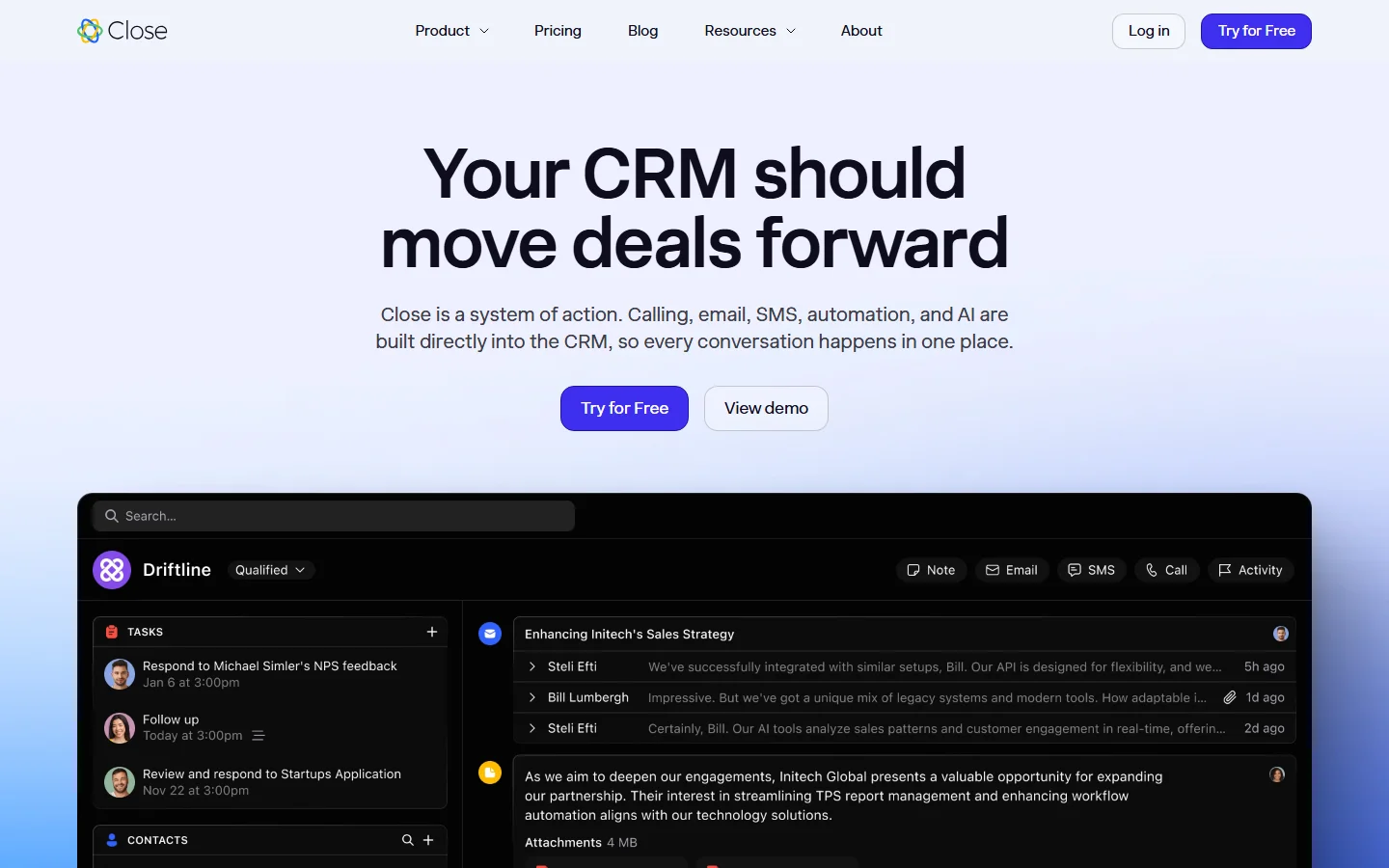
Close CRM homepage
The takeaway: Close gives you calling, email, and SMS in one CRM. What it does not give you is a source of new leads or buying signals, so the quality of your call lists is on you.
Close CRM Calling and Email: How the Built-In Channels Work
Close's built-in dialer is the standout feature. You click a phone number in a contact record and the call connects through VoIP. No third-party app. No browser extension. The power dialer (Growth and above) auto-dials through a list so reps spend time talking, not dialing. On the Scale plan, the predictive dialer dials multiple numbers simultaneously and connects reps only when someone picks up (plan availability as of September 2026).
Email is equally integrated. You connect your email account once, and all sent and received emails sync bidirectionally. Email sequences let you build multi-step follow-up cadences with automatic sends and manual review steps. Open and click tracking is included.
What works well
G2 reviewers consistently call it "the best built-in dialer in any CRM." The speed of going from lead record to live call is unmatched. Email sequences are simple to build — no complex workflow builder needed. The unified inbox shows calls, emails, and SMS in one timeline per contact. For inside sales teams doing 50+ calls per day, Close eliminates tool-switching friction that other CRMs create.
Where it falls short
Close tells you nothing about who to call. Your reps dial through lists in order — or random order — without knowing which contacts just got funding, changed roles, or started evaluating competitors. The dialer is only as good as the list you sort into it, so teams that want signal-based prioritization add a separate intent data source. See our best buying intent data tools guide for more context on signal-driven outreach.
Close CRM Workflows and Sequences
Close offers workflow automation on Growth plans and above. You can auto-assign leads, trigger tasks when deals move stages, and set up email sequences with timed follow-ups. The Workflows feature uses a simple if-then logic: when a lead status changes to "Qualified," assign to a specific rep and create a follow-up task.
Email Sequences are separate from Workflows. You build a multi-step cadence — Day 1: initial email, Day 3: follow-up, Day 7: break-up email — and enroll contacts. Manual steps can be inserted for calls or LinkedIn touches. The sequence pauses automatically when the contact replies.
Workflow limitations
Close's automation is intentionally simple. There is no visual workflow builder like HubSpot or Salesforce Flow. Complex multi-branch automations are not possible. This is a feature, not a bug — Close keeps things lean. But if your sales process requires multi-step approval workflows, conditional branching based on multiple criteria, or complex lead routing, you will outgrow Close's automation quickly.
Close CRM Pricing Breakdown
Close publishes pricing on their pricing page. Plans are per user, per month, and annual billing is cheaper on every tier (prices as of September 2026):
- •Solo ($9/user/mo annual, $19 monthly): 1 user and up to 10,000 leads. Built-in calling, SMS, email sync, pipeline view. Good for solo founders or freelancers.
- •Essentials ($35/user/mo annual, $49 monthly): Unlimited users and leads, call routing, custom fields, activity reports, and opportunity funnel analysis. The first team-ready plan, though Workflows and the power dialer require Growth.
- •Growth ($99/user/mo annual, $109 monthly): Power dialer, Workflows, bulk email and email scheduling, custom activities, Chloe in Workflows, and performance reports with leaderboards.
- •Scale ($139/user/mo annual, $149 monthly): Everything in Growth plus the predictive dialer, customizable roles and permissions, lead visibility rules, and unlimited call recording retention.
What you actually pay
A 5-person inside sales team on Growth (annual): $495/mo. Add Call Assistant for AI transcripts and summaries ($50/mo + $0.02/minute usage for ~2,000 minutes = ~$90/mo total). Real cost: ~$585/mo before telephony usage — phone numbers start at about $1/month and outbound calls run around $0.02/minute (as of September 2026). That covers CRM, dialer, email, SMS, and call recording — no separate tools needed.
Hidden costs to watch
- Call Assistant (AI transcripts and summaries) is a paid add-on: $50/mo + $0.02/minute usage
- Phone numbers (about $1/month each) and outbound call minutes (around $0.02/minute) are billed as usage
- Solo plan limited to 1 user and 10,000 leads — cannot add team members
- SMS costs per message on top of plan pricing
- Growth plan needed for power dialer — Essentials only gets basic calling
- No prospecting database — you supply your own contact lists
What Are the Downsides of Using Close CRM?
Limited marketing automation
Close is a sales CRM. It does not handle marketing workflows — no newsletter campaigns, no lead nurturing drip sequences, no landing page builders. If your team needs sales and marketing in one platform, HubSpot is a better fit. Close is built for teams where marketing hands off qualified leads and sales takes it from there.
Fewer integrations
Close offers 100+ native integrations — significantly fewer than Salesforce (7,000+) or Pipedrive (400+). For teams with complex tech stacks, this means more Zapier automations and more custom API work. The integration gap is real if you rely on niche tools.
Not built for complex sales processes
If your sales cycle involves multi-stakeholder deals with complex approval workflows, territory management, and advanced forecasting, Close will feel too simple. It is designed for velocity sales — high-volume, transactional deals where speed matters more than deal complexity. For enterprise sales processes, see our Salesforce review.
No buying signals or prospecting data
Close stores your contacts and helps you reach them. Its AI enrichment can fill in contact fields from LinkedIn and the web, but it does not tell you which contacts are in-market, which companies just raised funding, or which prospects are evaluating competitors right now. There is also no built-in B2B contact database, so new leads have to come from somewhere else.
How Close CRM Works: From Setup to First Calls
Close is quick to set up because there is less to configure than in a traditional CRM. Here is how a typical inside sales team gets from signup to a full calling session, and where plan limits show up along the way (plan details as of September 2026).
- Import your leads. Close does not ship with a prospecting database, so you start by importing a CSV or syncing records from tools you already use. Each lead is a company record with its contacts underneath. Solo caps you at 10,000 leads; every other plan is unlimited.
- Connect email, calendar, and phone. Sync Gmail or Microsoft 365 so every sent and received email logs to the right lead, then buy phone numbers inside Close. Numbers start at about $1/month and outbound calls run around $0.02/minute on top of the plan fee.
- Build Smart Views.Smart Views are saved, filtered lead lists, such as "demo no-shows this week" or "trial signups with no reply." They become the call lists and email segments reps work from each day.
- Start calling. Every plan includes click-to-call, SMS, and call recording. The power dialer, which moves through a list one lead after another, starts on Growth. The predictive dialer, which dials several numbers at once and connects a rep only when someone answers, is Scale-only.
- Automate follow-up.On Growth and Scale, Workflows handle timed multi-step follow-up, bulk email, and email scheduling, and Chloe, Close's AI assistant, can run inside those Workflows. On Solo and Essentials, follow-up stays manual.
- Put the AI credits to work. Every plan includes a monthly AI credit allotment that grows with the tier (500 credits on Solo, 2,000 on Scale). Credits cover Chloe features such as AI lead summaries and enrichment that fills contact fields from LinkedIn and the web.
- Review performance. Solo and Essentials include activity reports and opportunity funnel analysis. Growth and Scale add email template and workflow performance reports, leaderboards, and custom graphs.
The practical takeaway: most teams that live on the phone end up on Growth, because that is where the power dialer and Workflows unlock. Essentials works for teams that dial one call at a time and handle follow-up by hand. If you want to test the full setup first, the 14-day free trial needs no credit card and includes $5 of calling and enrichment credits.
Is Close CRM Worth It?
Close CRM is worth it for inside sales teams (5-50 reps) that rely on phone and email outreach and want everything in one platform. The built-in dialer alone saves $20-$50/user/mo on a separate phone tool. The UI is the cleanest of any CRM reviewed — reps spend less time navigating and more time selling.
Close is not enough for teams that need marketing automation, complex enterprise sales processes, or deep integration ecosystems. It is built for velocity sales — high-volume outreach where speed and simplicity matter more than workflow complexity.
The verdict: the best CRM for inside sales teams that live on the phone. Budget for Growth if you want the power dialer and Workflows, and plan where your leads will come from — Close has no prospecting database, and calling speed means nothing if you are calling the wrong people.
Comparing CRM options? Read our reviews of Salesforce, Pipedrive, Attio, and our guide to best sales prospecting tools for B2B teams.
If Close having no prospecting database or buying signals is a dealbreaker, SyncGTM is one alternative worth a look: it pairs waterfall enrichment across 50+ data providers with real-time buying signals and syncs natively with Close.