

Pipedrive Review 2026: Sales-First CRM Tested — Pricing and User Reviews

By Kushal Magar · April 8, 2026 · 12 min read · Last updated: September 30, 2026
Key Takeaway
Pipedrive is a visual, sales-first CRM with pricing from $14/user/mo (Lite) to $79/user/mo (Ultimate). G2 rating: 4.3/5 from 2,700+ reviews. Ranked #6 on G2 Best Sales Software 2026 list. Strengths include an intuitive drag-and-drop pipeline (8.9/10 ease of use on G2), fast setup, and activity-based selling methodology. Best for: small to mid-size sales teams that want an intuitive, visual CRM focused on pipeline management and activity-based selling. Weaknesses: reporting is limited compared to Salesforce or HubSpot, email marketing and lead generation require paid add-ons on lower plans ($16-$41/mo each; LeadBooster is bundled from Premium up as of September 2026), calling is basic with no native SMS, and built-in data enrichment is basic with no buying-signal tracking.
Pipedrive is a visual, sales-first CRM with pricing from $14/user/mo that organizes your entire sales process around a drag-and-drop pipeline, used by over 100,000 companies worldwide. G2 rating: 4.3/5 from 2,700+ reviews, ranked #6 on G2 Best Sales Software 2026. No complex configuration or six-month implementation. You sign up, set up your stages, and start selling.
You are probably here because you want a CRM that does not require a certification to use, and you want to know whether Pipedrive delivers on that promise — or whether the simplicity comes with too many trade-offs.
This Pipedrive review covers how the pipeline management works in practice, what the automation and AI features actually do, what each plan costs (including the add-ons nobody mentions upfront), and where the tool falls short for teams that need more than pipeline tracking.
Pipedrive Review: What You Get (and What You Don't)
Pipedrive is a cloud-based CRM designed for sales teams who want to manage deals visually. It ranked #6 on G2's Best Sales Software 2026 list with a 4.3/5 rating from 2,700+ reviews.
| Feature | What's Included | Limitations |
|---|---|---|
| Visual Pipeline | Drag-and-drop deal management, custom stages | One pipeline on Lite; multiple on Growth+ |
| Automation | Workflow automation with triggers and actions | Limited to 30 active automations on Growth |
| Email Integration | Email sync, templates, open tracking (Growth+) | Email marketing requires paid Campaigns add-on |
| Calling | Web-to-mobile calls from Lite up (as of September 2026) | No power dialer; phone-heavy teams add a third-party tool |
| Data Enrichment | Smart Contact Data on Growth+ (basic enrichment) | Limited data sources, no buying signals |
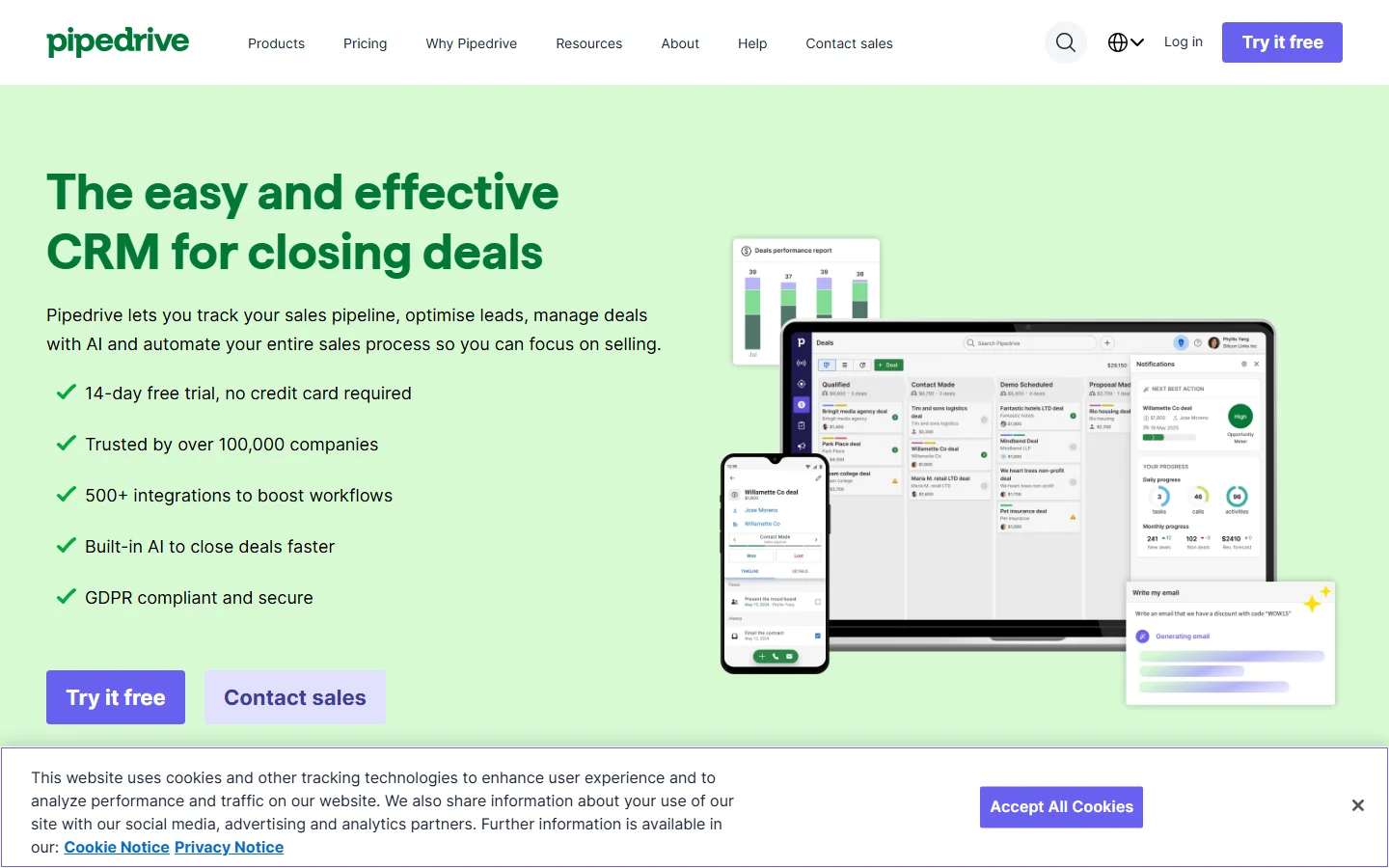
Pipedrive homepage
The takeaway: Pipedrive is excellent at visual pipeline management and activity tracking. What it does not do is tell you which deals in your pipeline are backed by real buying signals.
Pipedrive Pipeline Management: How It Actually Works
Pipedrive's pipeline is the core product experience. You create stages (Lead In, Contacted, Demo Scheduled, Proposal Sent, Negotiation, Won/Lost), add deals, and drag them between stages. Each deal shows the contact, value, expected close date, and next scheduled activity.
The activity-based selling approach is what sets Pipedrive apart. Instead of obsessing over deal amounts, Pipedrive focuses on actions: calls made, emails sent, meetings booked. The philosophy is simple — control the activities, and the deals follow.
What works well
The pipeline view is genuinely intuitive. G2 rates Pipedrive 8.9/10 for ease of use — higher than HubSpot and most enterprise CRMs. Setting up a pipeline takes minutes, not weeks. The mobile app is clean. Activity reminders keep reps accountable. For teams that live in their pipeline view, Pipedrive is hard to beat.
Where it falls short
A visual pipeline only works if the deals in it are qualified. Pipedrive shows you a board of deals — but it does not tell you which ones have buying signals behind them. A $50K deal from a company that just raised funding is very different from a $50K deal from a company that is quietly downsizing, and Pipedrive leaves that research to your reps. See how enrichment works in our guide to CRM data enrichment for B2B teams.
Pipedrive Automation and AI Features
Pipedrive added workflow automation on Growth plans and above. You can trigger actions when deals move stages, contacts are created, or activities are completed. For example: when a deal moves to "Demo Scheduled," auto-send a calendar prep email and assign a follow-up task for 48 hours later.
The AI Sales Assistant analyzes your pipeline and suggests actions: deals going stale, activities overdue, contacts you have not followed up with. On Premium plans, AI-powered email writing helps reps draft messages faster. Lead scoring on Premium routes leads to the right rep based on fit criteria.
Automation limitations
Growth plan caps active automations at 30. For teams with multiple pipelines and complex processes, that fills up fast. The automation builder is simpler than Salesforce Flow or HubSpot workflows — which is a strength for basic needs but a limitation for complex multi-step processes. Branching is capped too: as of September 2026, Growth allows 3 if/else steps per automation and Premium allows 10, with up to 150 automations.
Pipedrive Pricing Breakdown
Pipedrive publishes pricing on their pricing page. Plans are per user, per month. Annual billing saves 25-40%:
- •Lite ($14/user/mo annual, $24 monthly): 1 pipeline, basic email integration, AI assistant, web-to-mobile calls, 300+ integrations, 2,500 leads and deals per user. Good for solopreneurs.
- •Growth ($39/user/mo annual, $49 monthly): Multiple pipelines, email sync with templates and tracking, Sequences, forecast view, 30 automations, Smart Contact Data enrichment, meeting scheduler.
- •Premium ($49/user/mo annual, $79 monthly): AI email writing, lead scoring and routing, Smart Docs with e-signatures, LeadBooster included, 150 automations with up to 10 if/else steps, and 250 reports (limits as of September 2026).
- •Ultimate ($79/user/mo annual, $99 monthly): Everything in Premium plus enhanced security, phone support, and the highest limits (500 custom fields and 500 reports as of September 2026).
What you actually pay
A 5-person team on Growth (annual): $195/mo. That is very competitive for a CRM. But add the LeadBooster add-on ($32.50/mo), Campaigns ($16/mo), and Web Visitors ($41/mo), and your real cost jumps to $284.50/mo. Most teams end up needing at least one add-on.
Two billing details matter here. Since the 2025 plan update, LeadBooster is bundled into Premium and Ultimate, so a team that needs lead capture should compare the per-seat jump to Premium against the add-on price. And Pipedrive charges per seat whether or not the seat is assigned to a user, so remove unused seats before renewal.
Hidden costs to watch
- Add-ons: LeadBooster ($32.50/mo, bundled from Premium up), Campaigns ($16/mo), Web Visitors ($41/mo)
- Monthly billing costs 30-40% more than annual
- Seats are billed whether or not they are assigned to a user
- No power dialer — phone-heavy teams need a separate calling tool
- Smart Contact Data enrichment is basic compared to dedicated tools
- Lite plan is severely limited for serious sales teams
What Are the Downsides of Using Pipedrive?
Reporting is limited
Pipedrive's reporting is functional for basic pipeline metrics — win rates, deal velocity, activity counts. But if you need custom reports with complex filters, multi-pipeline comparisons, or revenue attribution, you will hit walls. G2 reviewers frequently cite reporting as the platform's biggest gap compared to Salesforce or HubSpot.
Add-on fatigue
Pipedrive's base price looks competitive until you realize email marketing, lead generation, and web visitor tracking are all paid add-ons on the lower plans (LeadBooster is bundled into Premium and Ultimate as of September 2026). A team that needs the full sales toolkit ends up paying $40-$90/mo in add-ons on top of per-user CRM fees. Competitors like Close CRM include calling and email in the base price.
Calling is basic
For teams that rely on phone outreach, calling is a real gap. Plans include web-to-mobile calls (as of September 2026), but there is no power dialer, so phone-heavy teams add a third-party integration like Aircall or JustCall, which adds another subscription and another tab to manage. Compare our Close CRM review — Close includes calling, SMS, and email in every plan.
No buying signal intelligence
Pipedrive tracks deals. It does not tell you which deals are backed by real buying intent — funding events, hiring spikes, technology adoption, or competitor churn. You are managing a pipeline of deals without knowing which ones have urgency behind them.
How Pipedrive Works: From Setup to First Results
Pipedrive's biggest selling point is how quickly a team goes from signup to a working pipeline. Here is the typical order of operations, with the plan limits that apply at each step as of September 2026 (Pipedrive reworked its plans in 2025).
- Build your stages. Create a pipeline that mirrors your sales process, from Lead In to Won/Lost. Lite covers one pipeline; Growth and above support multiple pipelines.
- Import leads and deals. Bring in contacts and open deals from a spreadsheet or your old CRM. Watch the per-user caps: 2,500 leads and deals per user on Lite and 5,000 on Growth.
- Schedule activities. Add calls, emails, and meetings to every deal so reps always see a next step. This is the activity-based selling approach at the heart of the product.
- Connect email and sequences. Sync your inbox, then use templates, tracking, and Sequences (Growth and above) to follow up without leaving the CRM.
- Automate the busywork. Set triggers for stage changes and new records. Branching is capped by plan: 3 if/else steps per automation on Growth and 10 on Premium, which also raises the ceiling to 150 automations.
- Capture inbound leads. LeadBooster adds a chatbot, live chat, web forms, and the Prospector lead database. It is bundled into Premium and Ultimate and sold as an add-on below that.
- Review and forecast. Growth unlocks the forecast view and up to 50 reports; Premium raises that to 250 and Ultimate to 500.
Most teams can work through steps one to four in a day, which is why Pipedrive wins on time-to-value. The plan decision usually comes at steps five and six: if you need more branching in your automations or built-in lead capture, Premium is where the math changes, so price the per-seat jump against the LeadBooster add-on before you upgrade.
Is Pipedrive Worth It?
Pipedrive is worth it for small to mid-size sales teams (3-30 reps) that want an intuitive, visual CRM without the complexity of Salesforce or the bloat of HubSpot. The Growth plan at $39/user/mo is the sweet spot — you get multiple pipelines, email sync, and automations at a fair price.
Pipedrive is not enough for teams that need advanced reporting, built-in calling, or intelligence about which pipeline deals are backed by real buying intent. The add-on pricing model means the true cost is higher than the base price suggests.
The verdict: the best visual pipeline CRM for sales teams that prioritize simplicity — but a pipeline is only as good as the data inside it. Start on Growth, and move to Premium only when you need LeadBooster, higher automation limits, or deeper branching.
Comparing CRM options? Read our reviews of Salesforce, Close CRM, Attio, and our roundup of best CRM data enrichment tools.
If Pipedrive's lack of buying-signal tracking is a dealbreaker, SyncGTM is one alternative worth a look: it adds real-time buying signals such as job changes, funding, and hiring, with a native Pipedrive integration.