

Datanyze Review 2026: Technographic Data, Pricing, and Current State

By Kushal Magar · April 8, 2026 · 11 min read · Last updated: September 30, 2026
Key Takeaway
Datanyze is a technographic data provider with a Chrome extension for finding contacts on LinkedIn. Nyze Lite is free (10 credits/mo for 90 days). Pro 1 costs $29/mo (80 credits). Pro 2 costs $55/mo (160 credits). Technographic tracking is reliable for well-known technologies. Main limitations: outdated contact data, credit-gated reveals, inconsistent data outside North America, poor customer support, and no buying signals beyond tech adoption.
Datanyze was one of the first technographic tools — acquired by ZoomInfo and now operating as a standalone Chrome extension for tech stack research. Nyze Pro 1 costs $29/mo (80 credits). Pro 2 costs $55/mo (160 credits). It identifies which technologies a company uses while you browse their website or LinkedIn profile.
The technology tracking still works for well-known software categories. What's showing its age: the contact database has documented freshness issues, customer support has deteriorated since the ZoomInfo acquisition, and competitors like BuiltWith cover more technologies with more detailed data. Datanyze in 2026 is a budget technographics tool, not a comprehensive sales intelligence platform.
Datanyze Review: What You Get (and What You Don't)
Datanyze (owned by ZoomInfo since 2018) combines technographic intelligence with a contact finding Chrome extension. It scans websites to detect which technologies companies use and provides demographic, firmographic, and technographic data. See what users say on G2.
| Feature | What's Included | Limitations |
|---|---|---|
| Technographic Data | Technology tracking across websites and company infrastructure | Limited to web-detectable technologies |
| Chrome Extension | Contact finding on LinkedIn and company websites | Each contact reveal costs one credit |
| Contact Data | Emails and phone numbers for contacts at target companies | Frequently outdated, especially outside the US |
| Tech Stack Alerts | Notifications when target accounts adopt or drop technologies | No alerts for hiring, funding, or other buying signals |
| CRM Integration | Basic export to Salesforce and HubSpot | No two-way sync or automated enrichment |
The takeaway: Datanyze tells you what technology a company uses. It does not tell you if they are in-market to buy something new.
Datanyze Technographic Data: How Tech Stack Tracking Works
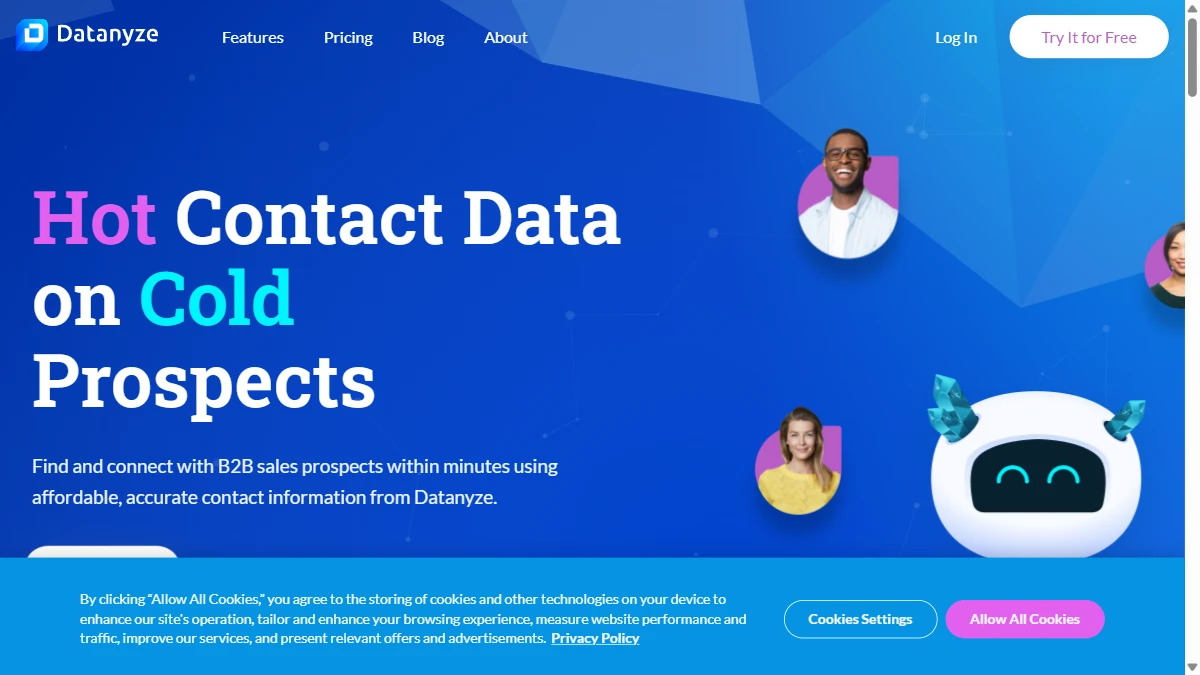
Datanyze scans company websites and public infrastructure to identify which technologies are in use. It detects CRMs, marketing automation tools, analytics platforms, ecommerce software, hosting providers, and hundreds of other categories. You can search for companies using a specific tool — say, all companies running Marketo — and build a prospect list.
The technographic tracking also monitors changes. When a company adds or removes a technology, Datanyze flags it. This is useful for competitive displacement campaigns — if a prospect drops a competitor's product, that is a buying signal worth acting on.
What works well
The technology detection is reliable for well-known SaaS products. If a company runs HubSpot, Salesforce, Shopify, or WordPress, Datanyze will catch it. The search filters let you combine technology data with firmographics — find companies using Marketo with 50\u2013200 employees in the healthcare vertical.
Where it falls short
Datanyze only detects technologies that leave public traces on websites. Backend tools, internal platforms, and enterprise software that do not embed client-side scripts are invisible. Tech stack data also says little on its own about whether a company is actively buying. Read our best buying intent data tools guide for the complete signal stack.
Datanyze Chrome Extension: Contact Finding on LinkedIn
The Chrome extension is how most users interact with Datanyze day-to-day. Visit a LinkedIn profile or company page, and Datanyze overlays contact information — email addresses, phone numbers, and the company's technology stack. Each contact reveal costs one credit.
The extension also works on company websites. Visit a prospect's website and Datanyze shows what technologies that company runs, plus available contact details for employees. It is quick and convenient for individual SDRs who prospect on LinkedIn.
Credit consumption adds up fast
On the Pro 1 plan ($29/mo), you get 80 credits. That is 80 contact reveals per month. An active SDR prospecting 20\u201330 contacts per day will burn through those credits in 3\u20134 days. The Pro 2 plan ($55/mo) doubles it to 160 credits, but that is still only about a week of heavy prospecting. For teams that need enrichment at scale, the credit model makes Datanyze expensive quickly. Compare to our best CRM data enrichment tools for more scalable options.
Datanyze Pricing Breakdown
Datanyze pricing is published on their pricing page. Plans are per user with credit-based contact reveals:
- •Nyze Lite (free): 10 credits/mo for 90 days, basic technographic data, Chrome extension access — requires business email
- •Pro 1 ($29/mo or $21/mo annual): 80 credits/mo, full technographic data, Chrome extension, email and phone reveals, list building
- •Pro 2 ($55/mo): 160 credits/mo, everything in Pro 1 with double the contact reveals
What you actually pay
An SDR prospecting seriously needs Pro 2 at $55/mo. A 3-person team: $165/mo. That sounds affordable until you realize 160 credits per rep per month means roughly 8 contact reveals per working day. Heavy prospectors will hit the wall fast. Additional credits require upgrading or contacting sales.
Hidden costs to watch
- Credit system burns through fast for active prospectors
- Free tier is too limited (10 credits) to properly evaluate the tool
- Contact data accuracy is inconsistent — wasted credits on outdated info
- No buying signals beyond tech adoption — you miss hiring, funding, and intent
- No CRM automation — manual export and import workflows
What Are the Downsides of Using Datanyze?
Contact data accuracy is inconsistent
Datanyze claims 90% accuracy, but user reviews on G2 and Capterra tell a different story. Emails bounce. Phone numbers are outdated. The problem is worse outside North America — APAC and Middle East data is particularly thin. You end up burning credits on contacts that do not connect.
Customer support is unresponsive
Multiple G2 reviewers flag poor customer support as a recurring issue. Users report unresolved tickets, slow response times, and difficulty getting help even as paying customers. For a tool owned by ZoomInfo, the support quality is surprisingly low.
Technographic data alone is not enough
Knowing that a company uses Salesforce does not tell you they are in-market for your product. Technology data is one signal among many. Without hiring trends, funding events, leadership changes, and content engagement signals, you are prospecting with a partial picture.
The interface feels dated
Users on Capterra describe the layout as cluttered and difficult to navigate. Basic tasks like updating billing information or managing lists take more clicks than they should. The browser compatibility issues — the site reportedly does not support Firefox well — add to the frustration.
How Datanyze Works: From Install to First Contact Reveal
Datanyze is built around a short, browser-first workflow. Here is how a typical SDR gets from sign-up to a usable prospect list, and where the plan limits show up along the way.
- Start on Nyze Lite. Sign up with a business email to get 10 credits per month for 90 days, then install the Chrome extension. Ten reveals is enough to spot-check data quality on a handful of accounts, not to run a real campaign.
- Build a technographic target list. Search for companies running a specific tool (for example, every company on Marketo) and layer firmographic filters such as headcount and industry. This is where Datanyze is strongest.
- Research accounts in the browser.On a company website or LinkedIn page, the extension overlays the company's tech stack and the employee contacts it has on file, so research happens without leaving the page.
- Spend credits deliberately. Every email or phone reveal costs one credit: 80 per month on Pro 1 and 160 on Pro 2. Reveal only the decision-makers who fit your ICP rather than whole buying committees.
- Set tech stack alerts.Track target accounts so you are notified when they adopt or drop a technology. A prospect dropping a competitor's product is the most actionable trigger Datanyze produces.
- Export to your CRM. Push contacts to Salesforce or HubSpot through the basic export. There is no two-way sync, so records do not update on their own after export.
Two habits get more out of the credits. First, verify revealed emails before sequencing them: contact accuracy is the most common complaint in reviews, and a bounced email is a credit spent for nothing. Second, weight your lists toward North American accounts, where coverage is strongest, and treat APAC and Middle East contacts as a starting point for manual research rather than send-ready data.
Used this way, Datanyze works as a lightweight technographic research layer for competitive displacement campaigns. It is not built to be a team's main contact database, and the credit caps make that clear within the first week of heavy prospecting.
Is Datanyze Worth It?
Datanyze is worth it for individual SDRs or small teams that specifically need technographic data for competitive displacement campaigns in the North American market. The Pro 1 plan at $29/mo is affordable for light prospecting. The Chrome extension is convenient for LinkedIn-based workflows.
Datanyze is not worth it for teams that need high-volume contact enrichment, global data coverage, buying signals beyond tech adoption, or automated CRM workflows. The credit model scales poorly and the data accuracy outside the US creates more problems than it solves.
The verdict: useful technographic layer for budget-conscious US-focused teams, but too narrow and too credit-restricted for serious sales operations.
Comparing technographic tools? Read our reviews of Clearbit, ZoomInfo, and our best sales prospecting tools for B2B teams roundup.
If tech stack changes being Datanyze's only buying signal is a dealbreaker, SyncGTM is one alternative worth a look: it tracks job changes, funding, headcount growth, hiring, and web traffic signals, and scores leads against your ICP.