


AeroLeads Review 2026: B2B Data Coverage, Pricing, Pros & Cons

By Kushal Magar · May 27, 2026 · 11 min read · Last updated: September 30, 2026
Key Takeaway
AeroLeads is a fast, easy LinkedIn-driven email finder sold as one-time credit packs from $49 (1 credit per verified email, 5 per phone number). But it relies on a single database, publishes no accuracy or bounce benchmark, and offers no buying signals or outreach, so it fits light prospecting better than high-volume outbound.
This AeroLeads review covers what the email finder actually delivers in 2026: one-time credit packs from $49, a Chrome extension built for LinkedIn prospecting, and a single database with no published accuracy benchmark. Our rating: 3.7/5.
AeroLeads is a B2B prospecting tool that finds business emails and phone numbers from a claimed 750M+ record database. You work it through a browser extension alongside LinkedIn, click to add a record, and it returns the contact data it can find.
The speed and simplicity are real. So are the gaps: AeroLeads publishes no hit rate or bounce benchmark, a personal phone number costs five credits, and the product stops at the data layer with no signals or outreach.
This review breaks down the pricing math for each credit pack, what we know about data accuracy, the key features, how the workflow runs day to day, and an honest list of where AeroLeads falls short.
What Is AeroLeads?
AeroLeads is a B2B email finder and prospecting platform built around a Chrome extension that works alongside LinkedIn and other sites. Its core promise is simple: find verified business emails and phone numbers fast, without leaving the page you are browsing.
The product leans on a claimed database of 750M+ profiles, which AeroLeads says includes 200M+ business emails, 120M+ personal emails, and 20M+ phone numbers. You add a prospect, AeroLeads attempts to return an email and phone number, and you export to CSV or push to a CRM — HubSpot, Salesforce, Pipedrive, and Zoho are all supported.
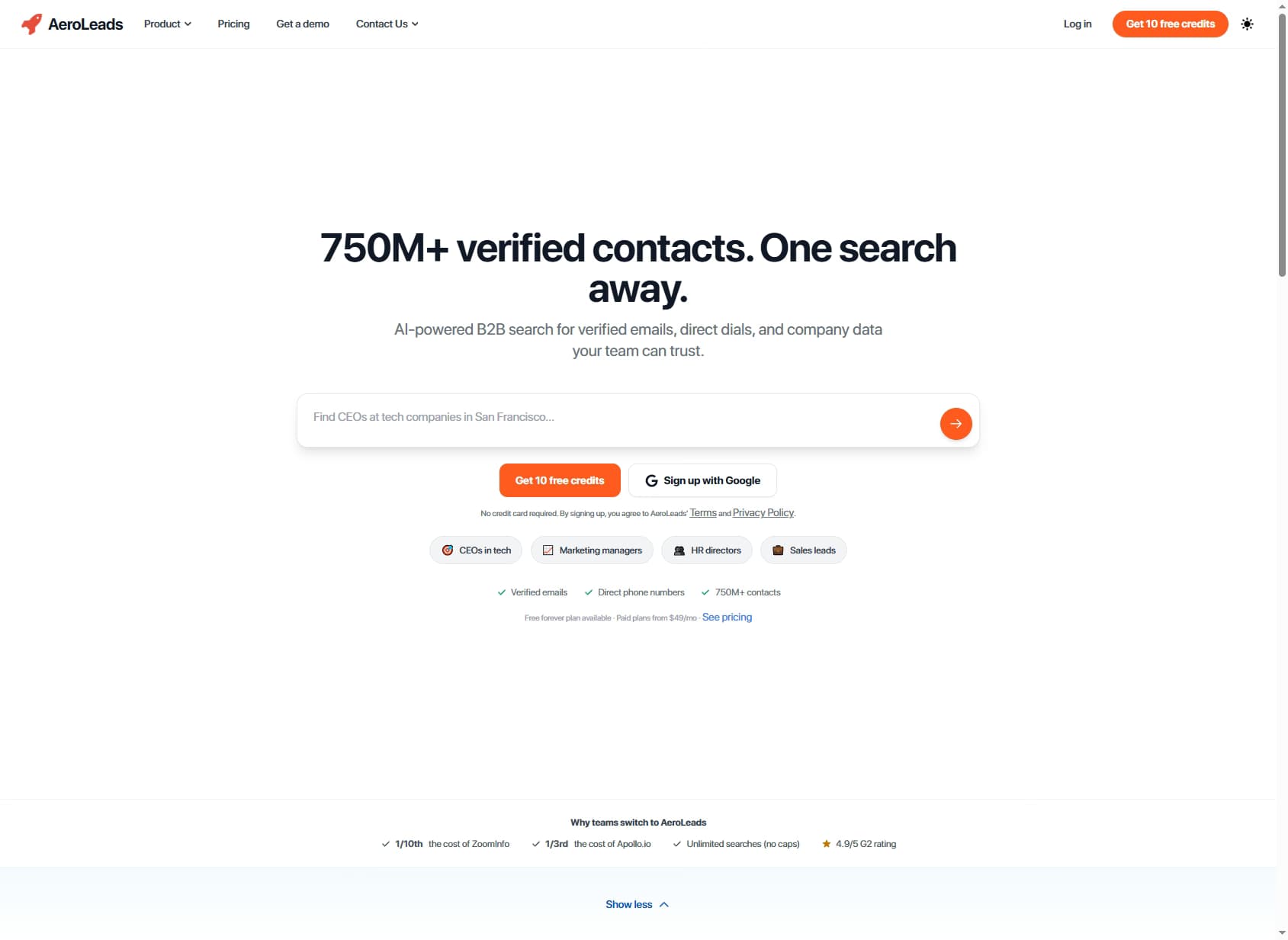
Where AeroLeads stops matters as much as what it does. There is no buying-signal layer and no built-in outreach or sequencing. It finds and exports contacts; acting on them happens in another tool.
| Capability | What AeroLeads Provides | Notable Gaps |
|---|---|---|
| Email Finding | Single database, 1 credit per verified business email. Fast retrieval via LinkedIn extension. | No published hit rate — and no fallback source when the database misses. |
| Email Verification | Built-in verification on returned emails. | No published bounce-rate benchmark to size deliverability. |
| Phone Data | Personal phone numbers at 5 credits each (up to 400–4,000 per pack). | Phone lookups drain credits five times faster than emails. |
| Prospecting Database | LinkedIn/extension-driven lookups against a 750M+ profile claim. | Stale-data reports; no published refresh cycle. |
| API & Integrations | API plus native HubSpot, Salesforce, Pipedrive, Zoho. | No no-code workflow builder beyond CRM push. |
| Outreach / Signals | Not available. | No sequences, no buying signals — AeroLeads stops at the data layer. |
AeroLeads Pricing: Plans, Credits, and What You Actually Pay
As of September 2026, AeroLeads sells pay-as-you-go credit packs rather than monthly plans. Each of the three packs is a one-time purchase with no subscription, no contract, and no automatic renewal. New accounts start with 10 free credits, no credit card required.
The detail that shapes the real cost is how credits are spent: a verified business email uses 1 credit, while a personal phone number uses 5. Your email-to-phone mix decides how far a pack goes.
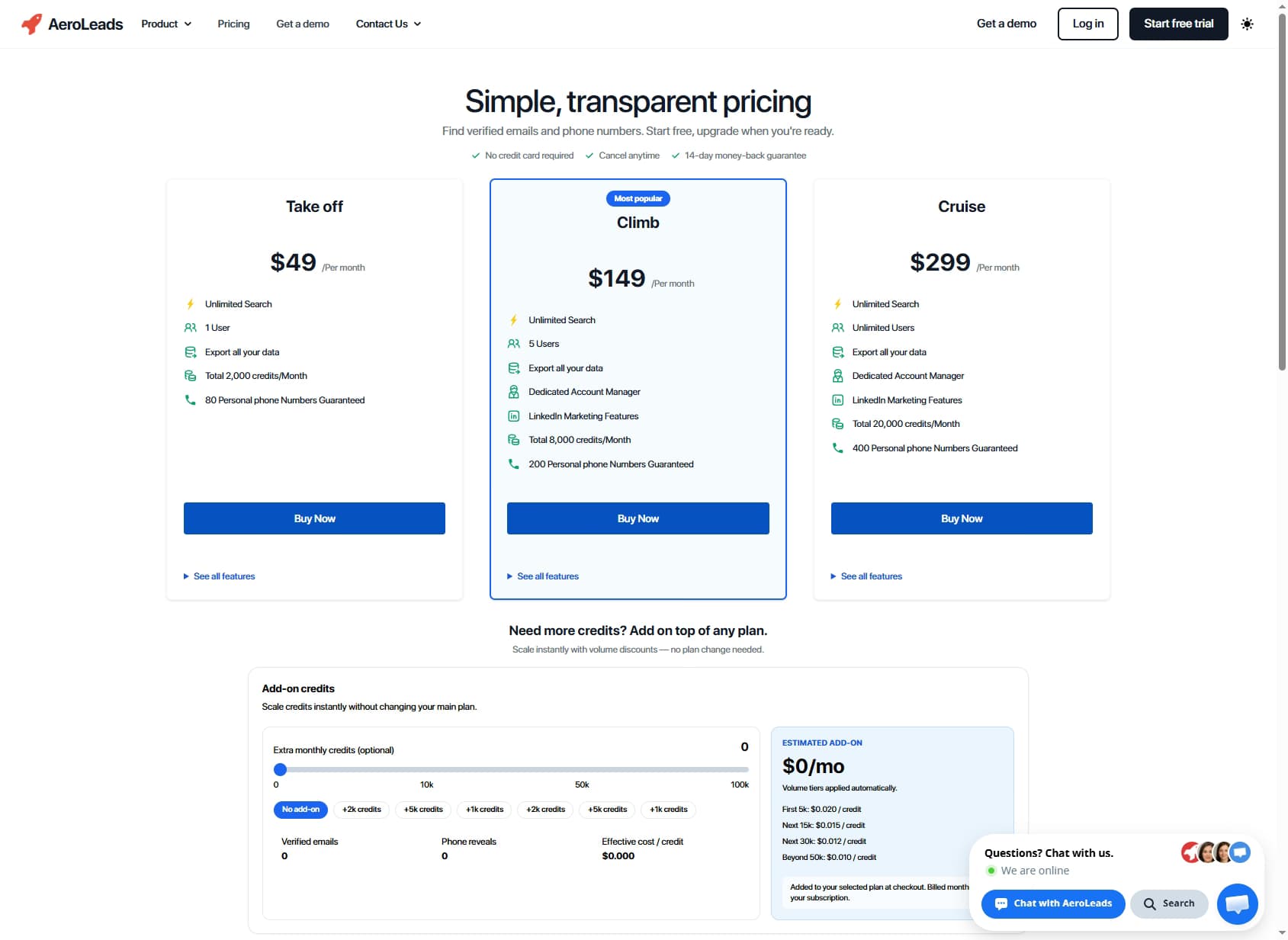
| Pack | One-Time Price | Credits | Max Phone Numbers |
|---|---|---|---|
| Free | $0 | 10 | 2 |
| Take Off | $49 | 2,000 | 400 |
| Climb | $149 | 8,000 | 1,600 |
| Cruise | $299 | 20,000 | 4,000 |
The real cost math
Bigger packs lower the unit price. A credit works out to about 2.5 cents on Take Off, 1.9 cents on Climb, and 1.5 cents on Cruise. Because a phone number costs five credits, the same packs price a personal phone number at roughly 12, 9, and 7.5 cents.
What you cannot model is yield. With no published hit rate, there is no way to estimate how many verified contacts a list of 5,000 names will actually produce before you buy a pack. Test the free credits on a sample of your own target accounts first.
For low-volume LinkedIn prospecting, a one-time pack with no renewal is easy to justify. For high-coverage outbound, compare it with a waterfall email finder that checks several providers before giving up on a contact.
AeroLeads Review: Data Coverage and Accuracy Tested
Coverage and accuracy are where any email finder lives or dies, so this AeroLeads review weights them heavily. The problem is that AeroLeads gives you little to measure against.
There is no published enrichment rate, no bounce-rate benchmark, and no stated data-refresh cycle. That alone separates AeroLeads from tools that report a hit rate you can plan around.
| Metric | AeroLeads | What It Means |
|---|---|---|
| Published Hit Rate | None disclosed | You cannot estimate how many of a list will be matched before you buy credits. |
| Bounce-Rate Benchmark | None disclosed | No way to size deliverability risk on a cold campaign in advance. |
| Database Size | 750M+ profiles (claimed) | Large on paper, but size means little without a refresh cycle. |
| G2 Rating | 4.0/5 (~66 reviews) | Praised for ease of use; recurring complaints about stale data. |
User sentiment is mixed in a telling way. On G2 (4.0/5 from roughly 66 reviews) reviewers consistently praise speed and ease of use, while a recurring criticism is that the data is "not up to date." The pattern repeats on Capterra. Speed without freshness is a fragile trade.
The structural reason is the same one that limits any single-source tool. AeroLeads queries one database. When that database has no record, the lookup simply fails; there is no second source to try. A waterfall enrichment setup solves exactly this: query provider one, and if it misses, fall through to providers two, three, and beyond until a verified contact is found. That is why multi-waterfall tools consistently post higher hit rates than any single source.
AeroLeads Key Features
AeroLeads keeps a focused feature set around finding, verifying, and exporting contacts. Here is what you actually get.
- LinkedIn Chrome extension. Add prospects to your list directly from LinkedIn and other sites without switching tabs — the core workflow most users rely on.
- Email and phone finding. Returns business emails and personal phone numbers. A verified business email costs 1 credit; a personal phone number costs 5.
- Bulk upload and search. Upload a list or run a search to enrich contacts at scale — every verified email and phone returned draws down your pack.
- CRM integrations. Native push to HubSpot, Salesforce, Pipedrive, and Zoho, plus Mailchimp, CSV export, and API access.
- Real-time verification. Emails are verified on return, though AeroLeads does not publish the resulting bounce rate.
- Large claimed database. AeroLeads cites 750M+ profiles, including 200M+ business emails, 120M+ personal emails, and 20M+ phone numbers.
How AeroLeads Works: From Free Credits to First Export
AeroLeads is simple to start, but a few decisions early on decide how far each credit pack goes. Here is the typical path from signup to a usable list.
- Test on the free credits. New accounts get 10 credits with no credit card. Spend them on prospects you already know the correct email for, so you can judge accuracy rather than just match rate.
- Install the Chrome extension. The extension is the core of the product. It sits in the browser while you research people and companies on LinkedIn and other sites, so you can capture contacts without switching tabs.
- Decide what to reveal. A verified business email costs 1 credit and a personal phone number costs 5. Pull phones only for prospects you actually plan to call, or a pack drains five times faster.
- Scale with search or bulk upload. Once the extension workflow proves out, run a search or upload a list to enrich contacts in bulk instead of one profile at a time.
- Export or push to your CRM. Send contacts to HubSpot, Salesforce, Pipedrive, or Zoho, export a CSV, or pull data through the API.
- Measure bounces yourself. Because AeroLeads publishes no bounce benchmark, send the first campaign to a small batch and track bounce rate before loading the full list into a sequencer.
Two gaps show up at the end of this workflow. AeroLeads has no sequencing, so outreach happens in a separate tool such as a dedicated cold email platform. And it has no buying-signal layer, so deciding who to contact and when still depends on your own research.
Buying the right pack is mostly a question of volume. Because packs are one-time purchases with no automatic renewal, there is little risk in starting with Take Off, measuring how many verified contacts you get per 100 lookups, and moving up to Climb or Cruise only once the unit economics hold on your own market.
AeroLeads Pros: What It Does Well
- ✓Fast, easy LinkedIn workflow. The Chrome extension lets you add prospects without leaving LinkedIn, and data returns in seconds. Reviewers consistently cite ease of use as the standout strength.
- ✓Accessible entry pricing. The $49 Take Off pack and 10 free credits make it cheap for a solo founder or small team to start prospecting.
- ✓Broad CRM integrations. Native push to HubSpot, Salesforce, Pipedrive, and Zoho means contacts land where your team already works.
- ✓Email and phone in one tool. The same credits cover business emails and personal phone numbers, so you get two data points without a second subscription.
- ✓No subscription lock-in. Credit packs are one-time purchases with no contract, recurring billing, or automatic renewal, which suits teams that prospect in bursts.
AeroLeads Cons: Where It Falls Short
- ✕Phone numbers cost five credits. A verified business email uses 1 credit, but a personal phone number uses 5, so the 2,000-credit Take Off pack covers at most 400 phone numbers. Phone-heavy prospecting drains a pack quickly.
- ✕No published accuracy or bounce-rate benchmark. AeroLeads does not disclose a hit rate, a refresh cycle, or a bounce-rate figure, so you cannot estimate deliverability before buying.
- ✕Stale-data reports. Users describe AeroLeads data as not up to date, and the company does not publish how often the database is refreshed.
- ✕Enrichment-and-export scope. There are no buying signals and no built-in outreach or sequencing — AeroLeads finds contacts but cannot move them into a campaign or surface intent.
- ✕Single-source coverage. AeroLeads queries one database; when that database has no record, the lookup fails with no fallback — exactly what a multi-provider waterfall is built to recover.
Who Should Use AeroLeads?
AeroLeads is a good fit when it plays a specific, light-touch role rather than carrying the whole GTM stack.
- Solo founders and small teams. The extension and $49 entry pack make it cheap to do targeted LinkedIn prospecting in small batches.
- LinkedIn-first prospectors. If most of your sourcing happens on LinkedIn, the browser workflow is genuinely fast and frictionless.
- Teams already living in a supported CRM. Native HubSpot, Salesforce, Pipedrive, and Zoho push keeps data flowing without middleware.
- Low-stakes, bursty use. When the occasional miss or stale record is acceptable and you would rather buy credits once than carry a subscription, the pack model fits well.
AeroLeads is the wrong choice if you need high coverage, transparent accuracy, phone-heavy prospecting, buying signals, or built-in outreach. For that, start with one of these enrichment tools instead.
Final Verdict: Is AeroLeads Worth It in 2026?
AeroLeads earns 3.7/5. It is a fast, easy LinkedIn email finder with broad CRM integrations and an accessible entry price — a reasonable tool for light, low-volume prospecting.
The ceiling is transparency and scope. No published accuracy rate, no stated refresh cycle, a single database with no fallback, and phone numbers at five credits each make AeroLeads a risky bet for accuracy-critical, high-volume outbound.
If you want a quick LinkedIn finder and can tolerate the trade-offs, AeroLeads does the job, and the one-time packs keep the commitment small. If you need to source, enrich, and act on leads in one place, plan on pairing it with a sequencer and a signal source, or test a broader platform before buying a larger pack.
If AeroLeads relying on a single database with no fallback is a dealbreaker, SyncGTM is one alternative worth a look: it runs waterfall enrichment across 50+ data providers for verified emails and phone numbers.