

AirOps Review 2026: Features, Pricing, Pros and Cons

By Kushal Magar · March 15, 2026 · 12 min read
Looking for an honest AirOps review? Your team is drowning in AI tools. One for content. One for enrichment. One for outreach. One for analytics. Every month, a new platform promises to "automate your GTM workflow" — and every month, you end up stitching together more duct-tape integrations.
AirOps is one of the louder names in this space. It bills itself as a content engineering platform — a no-code workflow builder that helps teams scale content production with AI. Companies like Webflow, Ramp, and Carta use it. It has real traction.
But here is the question most AirOps review posts dodge: is it the right tool for your team? If you are in sales, RevOps, or running a full GTM motion — not just content — the answer gets complicated fast.
This review breaks down what AirOps actually does, what it costs, where it falls short, and whether it is the right fit for teams that need more than content automation.

AirOps Review: What You Get (and What You Don't)
AirOps is a no-code AI workflow platform focused on content operations. It connects data sources, AI models, and CMS platforms into automated pipelines. Think of it as a content assembly line: you design the steps, AirOps runs them at scale.
Here is a quick-reference table of what is included and what is missing:
| Feature | What's Included | Limitations |
|---|---|---|
| Workflow Builder | Drag-and-drop automation pipelines | Steep learning curve; complex setup for non-technical users |
| Grids | Spreadsheet-style content planner with AI execution | Performance slows on large datasets (100+ rows) |
| Brand Kits | Tone guidelines, writing samples, formatting rules | 1 brand kit on Solo; limited knowledge bases |
| CMS Publishing | Direct publish to WordPress and Webflow | Limited CMS options; no Shopify or custom CMS support |
| AI Search Visibility | Answer Engine diagnostic tool | ChatGPT only on Solo; multi-engine requires Pro ($2,000/mo) |
| Data Enrichment | Not available | No lead enrichment, no waterfall data, no contact discovery |
The takeaway: AirOps is strong for content production and SEO workflow automation. It is not a GTM platform. There is no lead enrichment, no buying intent signals, no outbound sequence builder, and no native CRM sync below the Pro tier.
Workflow Builder: Powerful but Steep
The drag-and-drop workflow builder is the core of AirOps. You chain together steps — Google search for keyword research, competitor page scraping, AI-driven content drafting, internal linking, meta tag generation — and run them in sequence or parallel.
For teams that already know their content process, this is genuinely useful. You can codify a 15-step editorial workflow into a reusable template. Run it on 50 articles at once. Human-in-the-loop checkpoints let editors approve before publishing.
The learning curve is real
Building your first workflow takes time. AirOps uses its own step types, configuration panels, and data mapping conventions. If you have built automations in n8n or Zapier, the concepts are familiar — but the interface is different enough that you will spend hours in their docs before your first workflow runs cleanly.
G2 reviewers consistently flag this. One paraphrased complaint: "The platform is powerful once you learn it, but the initial setup took our team two weeks before we felt comfortable."
Does AirOps work for non-content workflows?
Technically, you can build non-content workflows. But every template, every integration, and every piece of documentation is optimized for content operations. If you try to use AirOps for lead enrichment or outbound prospecting, you are fighting the platform. It was not built for that.
Grids: Content Planning at Scale
Grids is AirOps' take on a content calendar. Each row is a content piece. Each column is a process stage — research, draft, review, publish. You can run AI workflows directly from the grid, turning it into an execution engine rather than a passive tracker.
This is one of AirOps' strongest features. For content teams managing 50+ articles per month, the grid view keeps everything visible. You see the status of every piece at a glance. No Slack threads. No lost Google Docs.
Performance limitations
Multiple reviewers report that grids slow down noticeably when handling large datasets. If you are running 200+ rows with multiple AI-powered columns, expect lag. This is a known issue that AirOps has been working on, but it is worth flagging if your team operates at high volume.
AI Features: What's Real vs. What's Marketing
AirOps connects to multiple LLMs — ChatGPT, Google Gemini, Perplexity, and Google AI Studio. But the LLM access is tiered. The Solo plan only gives you ChatGPT. Multi-engine access requires the Pro plan at approximately $2,000/mo.
Brand Kits keep content on-voice
Brand Kits let you upload tone guidelines, writing samples, and formatting rules. The AI references these when generating content. This works well for maintaining consistency across a high volume of articles — especially when multiple team members are running workflows.
The catch: Solo users get 1 brand kit and 3 knowledge bases. If you manage multiple brands or product lines, you need the Pro tier.
Answer Engine visibility tool
AirOps offers a free Answer Engine diagnostic that evaluates how your content performs in AI search results (ChatGPT, Perplexity, Google AI Overviews). It checks freshness signals, authority cues, schema markup, and snippet extractability.
On the Solo plan, this only tracks ChatGPT. Getting insights across Google, Perplexity, and other engines requires Pro. For a tool that markets itself on AI search readiness, gating the full feature behind a $2,000/mo plan feels like a miss.
Content quality requires human oversight
The AI-generated drafts are decent but not publish-ready. Without careful prompt tuning and Brand Kit configuration, outputs can drift from your intended tone. Human-in-the-loop review is not optional — it is a requirement for quality content. Plan for editor time on top of the platform cost.
Integrations: CMS, SEO, and Beyond
AirOps integrates with WordPress, Webflow, Semrush, and several data providers. The CMS integrations are the strongest piece — you can draft, review, and publish directly from AirOps without switching tools.
SEO integrations pull keyword data and competitor analysis into your workflows. This is useful for teams that want to combine research and production in a single pipeline.
What's missing for GTM teams
If you are running a GTM motion beyond content, AirOps leaves gaps. There is no native CRM integration with HubSpot or Salesforce below the Pro tier. No enrichment data providers. No outbound email or sequence integrations. No buying intent data feeds.
For content-only teams, this is fine. For GTM teams, it means AirOps covers one piece of your stack while you still need separate tools for enrichment, signals, and outreach. Platforms like getCargo and Bitscale attempt to bridge this gap with combined enrichment and workflow automation.
AirOps Pricing Breakdown
AirOps pricing starts at $0/mo for a free Insights plan with 1,000 tasks, jumps to approximately $200/mo for Solo with 20,000 tasks, and reaches $2,000/mo for Pro with 75,000 tasks and unlimited seats. There is no mid-tier option between Solo and Pro.
- --Insights (Free): 1,000 tasks/mo, 1 user, basic templates, 1 brand kit, 5 knowledge base sources, community support
- --Solo (~$200/mo): 20,000 tasks, 100 tracked prompts and pages, ChatGPT insights only, 1 brand kit, 3 knowledge bases, single user, monthly opportunity reports
- --Pro (~$2,000/mo): 75,000 tasks, 250 tracked prompts and pages, multi-engine insights (ChatGPT, Google, Perplexity, Google AI Studio), unlimited seats, weekly opportunity reports, CMS and SEO integrations, live cohort trainings, priority support
- --Enterprise (custom): Custom limits, multiple regions, personas and languages, unlimited knowledge bases, dedicated account manager, 1:1 onboarding
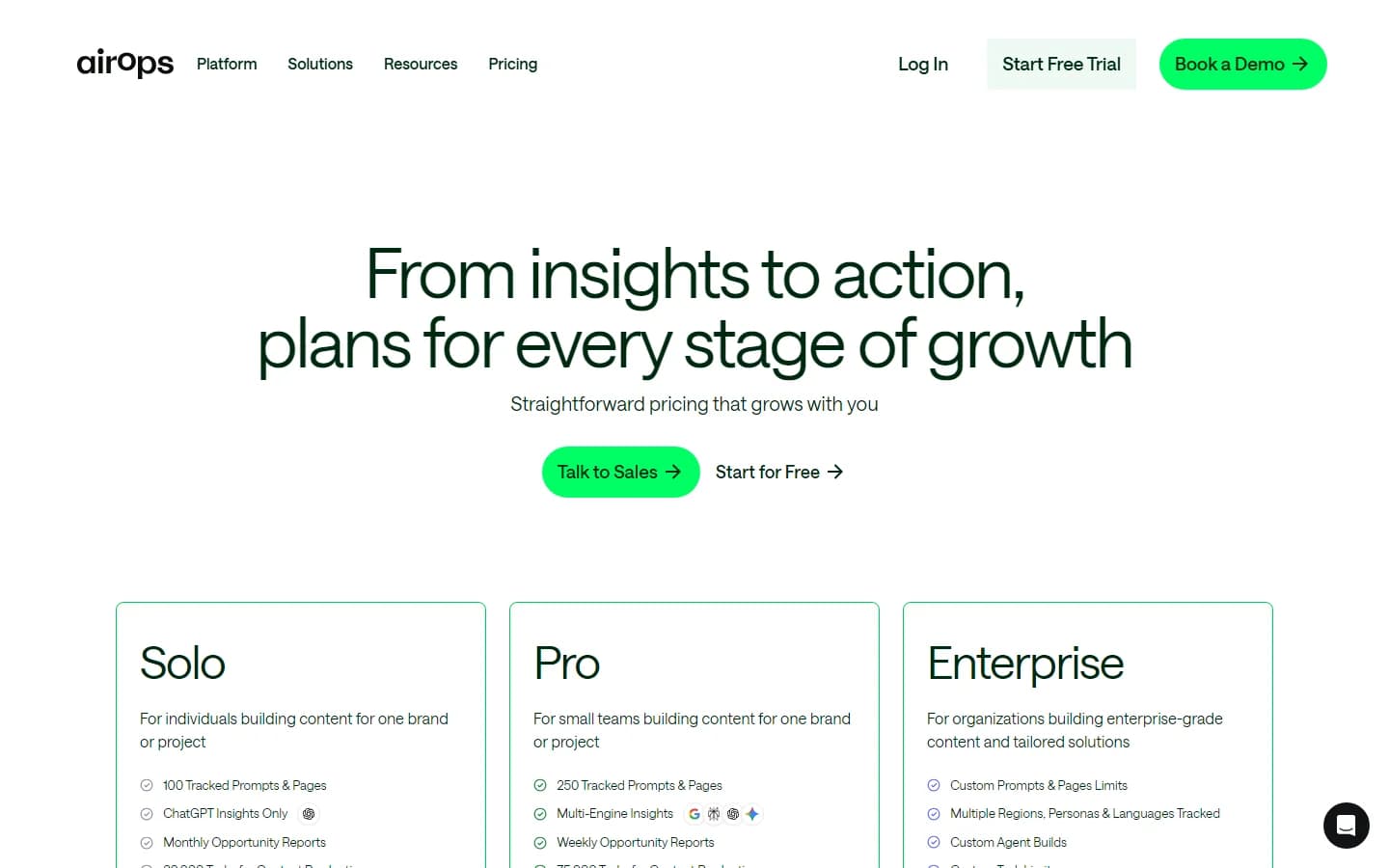
AirOps pricing page — March 2026
What you actually pay
Here is a realistic scenario. A two-person content team producing 30 articles per month:
- Each article consumes approximately 500-800 tasks (research, draft, review, publish)
- 30 articles = 15,000-24,000 tasks/mo
- Solo plan covers 20,000 tasks — you might hit overage charges
- Overage rate: $0.025 per additional task
- If you exceed by 4,000 tasks: $100 in overages
- Realistic monthly cost: $200-$300 on Solo
If you need multi-engine AI insights or team collaboration, you jump to Pro at $2,000/mo. There is no mid-tier option. That is a 10x price jump with no stepping stone.
Hidden costs to watch
- Overage billing: $0.025 per task beyond your plan limit adds up fast at scale
- Testing credits: Workflow testing consumes tasks from your monthly allotment
- Bring-your-own API keys: Required as a paid add-on for Solo; included only on higher tiers
- No annual discount transparency: Pricing page does not show annual vs. monthly billing differences
What Are the Downsides of Using AirOps?
The biggest downsides of AirOps are its steep pricing jumps between tiers, a significant learning curve that delays time-to-value, a content-only focus that leaves GTM teams without enrichment or outbound tools, and task credits that deplete faster than most teams expect.
Pricing jumps are brutal
The gap between Solo ($200/mo) and Pro ($2,000/mo) is enormous. There is no $500 or $800 mid-tier plan for growing teams. You either stay on Solo with limited features or commit to a 10x price increase. For startups and mid-market companies, this pricing structure forces a difficult decision too early.
The learning curve delays time-to-value
Building effective workflows requires understanding AirOps' specific step types, data mapping, and prompt engineering best practices. Multiple G2 reviewers report a 2-3 week onboarding period before their team felt productive. That is 2-3 weeks of paying $200-$2,000/mo while generating minimal output.
Content-only focus leaves GTM teams stranded
AirOps has no data enrichment. No contact discovery. No buying intent signals. No outbound sequence builder. If your team runs sales and marketing — not just content — AirOps covers maybe 20% of your workflow. You still need Clay or Apollo for prospecting, a separate tool for signals, and another for outreach.
Tasks deplete faster than expected
Each workflow step — every generation, query, validation, and API call — consumes tasks. A single article might use 500-800 tasks across research, drafting, and optimization steps. The free plan's 1,000 tasks are enough for testing, not production. Solo's 20,000 tasks can run out mid-month if you are publishing daily.
Desktop-only with no mobile access
AirOps is a desktop-only platform. There is no mobile app and no responsive mobile interface for monitoring workflow status or approving content on the go. For teams that need to review drafts between meetings, this is a friction point.
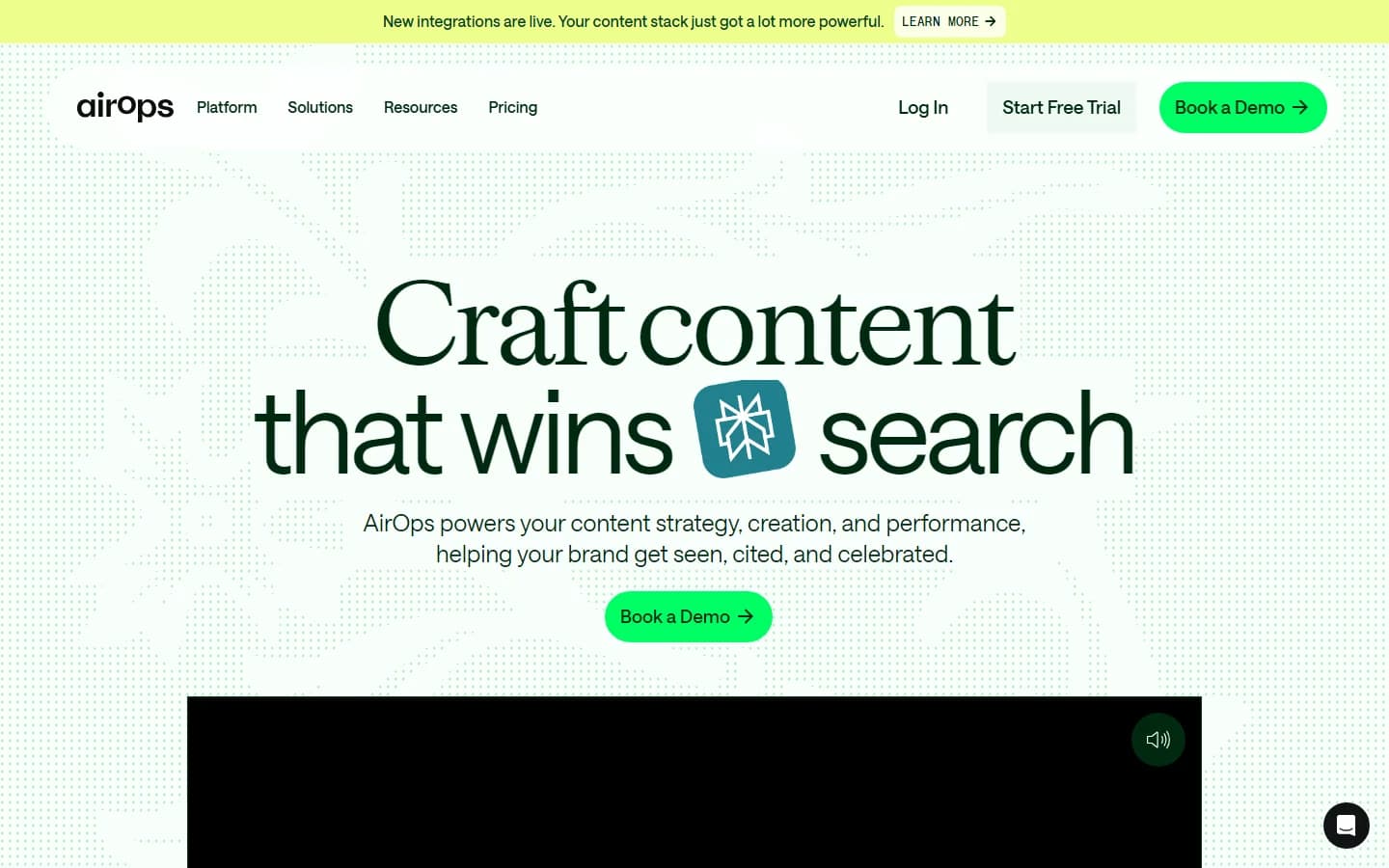
AirOps platform interface — content engineering dashboard
Is AirOps Worth It?
AirOps is a good fit for established content and SEO teams that already have a proven editorial process and need to scale production. If your team publishes 20+ articles per month, uses WordPress or Webflow, and has the budget for the Solo plan, AirOps will save you time. The workflow builder is powerful. The CMS integrations are seamless. The Brand Kit feature keeps quality consistent at volume.
AirOps is not a good fit for GTM teams, sales teams, or anyone who needs more than content automation. There is no lead enrichment. No outbound prospecting. No CRM sync below $2,000/mo. No buying intent data. If your team runs a full go-to-market motion — content, enrichment, signals, and outreach — AirOps covers one quarter of the stack at a premium price. See our best CRM data enrichment tools guide for platforms that cover the full GTM workflow.
The verdict: AirOps is a solid content ops tool trapped behind aggressive pricing tiers. For content-only teams with budget, it delivers. For GTM teams that need enrichment, signals, and outreach, you will need to pair AirOps with other tools — or look for a more comprehensive platform.