

Docket Review 2026: AI Meeting Notes for Sales Teams — Pricing Guide

By Kushal Magar · April 7, 2026 · 11 min read · Last updated: September 30, 2026
Key Takeaway
Docket is a meeting management platform focused on shared agendas, collaborative notes, action items, and CRM logging. As of September 2026, the Free plan covers up to 5 workspaces with 5 docs each, Plus costs $49/month for unlimited workspaces and docs, and Pro costs $99/month with audit and compliance tools. Docket integrates with Zoom, Slack, Evernote, HubSpot, and Salesforce. It is useful for structuring recurring meetings and tracking follow-ups, but it has no AI transcription, so someone still has to type notes during the call, and its integration ecosystem is smaller than Fellow's or Fireflies'.
Docket is a meeting management tool that helps teams plan agendas, take collaborative notes, and track action items. The pitch: stop running disorganized meetings. Create shared agendas before the call, capture notes during it, assign follow-ups after, and log everything to your CRM automatically.
You are probably here because your sales meetings lack structure. Action items fall through the cracks. Meeting notes live in random Google Docs. Nobody follows up on what was agreed.
Docket is built for exactly that problem. The question is whether a manual, agenda-first tool is enough in a year when most meeting software transcribes calls automatically.
This Docket review covers the meeting workflow, integrations, what it costs as of September 2026, where it falls short for sales teams, and who should use it instead of an AI note-taker like Fireflies or Otter.
Docket Review: What You Get (and What You Don't)
Docket positions itself as a meeting productivity platform. You create structured agendas before meetings, collaborate on notes during them, assign action items to team members, and archive everything for future reference.
| Feature | What's Included | Limitations |
|---|---|---|
| Meeting Agendas | Shared agenda builder with templates and prioritization | No AI-generated agenda suggestions |
| Collaborative Notes | Real-time shared notepad during meetings | No AI transcription or speech-to-text |
| Action Items | Assign tasks to team members with tracking | Basic task management — no Kanban or workflow views |
| CRM Integration | Syncs notes and action items to HubSpot and Salesforce | Meeting artifact sync only — no prospect research or enrichment |
The takeaway: Docket handles meeting structure well. What it lacks is automation: there is no transcription or speech-to-text, so the quality of your notes still depends on whoever is typing.
Docket Meeting Workflow: Agendas, Notes, and Action Items
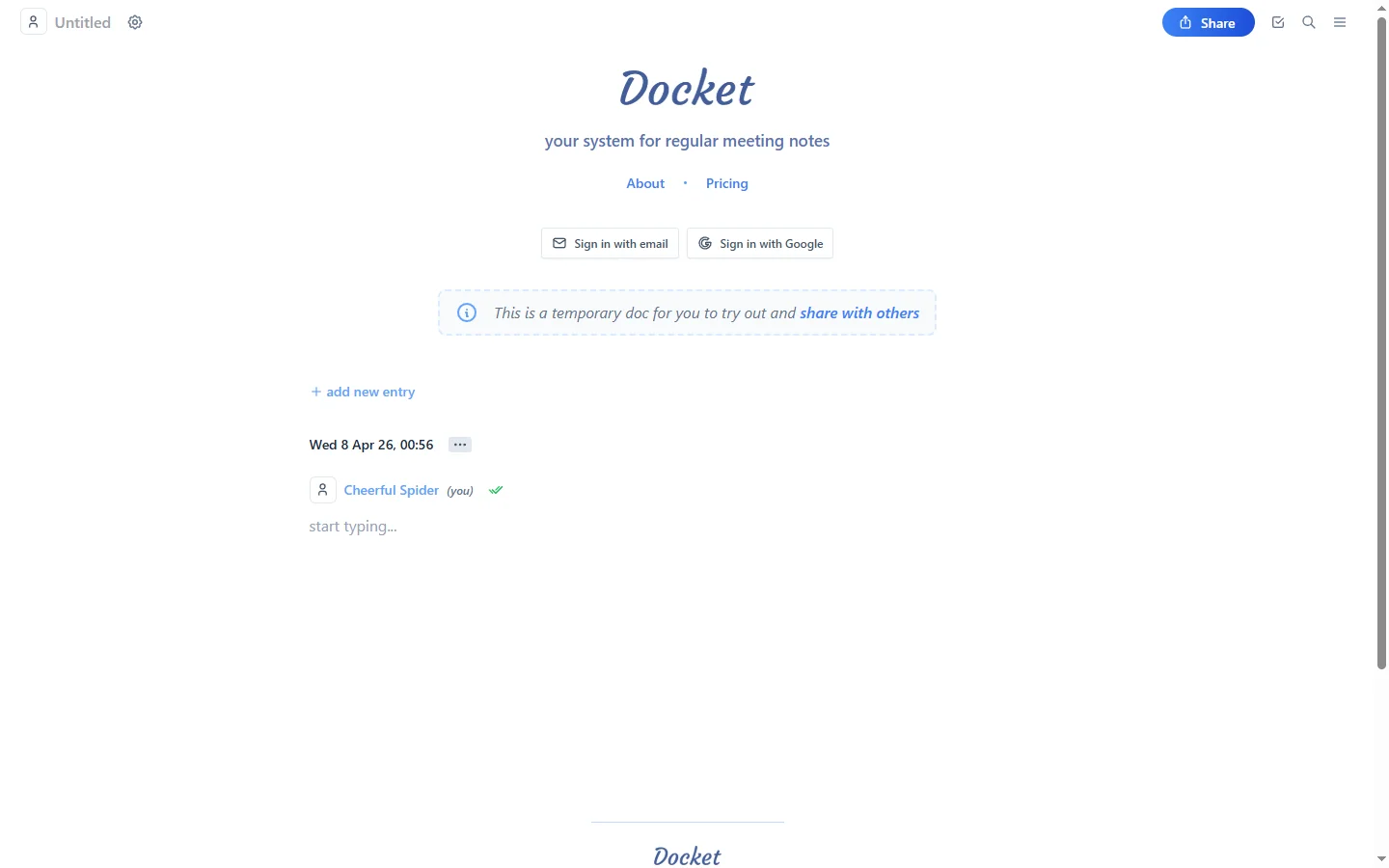
Docket's workflow runs in three stages. Before the meeting, you create a shared agenda with prioritized topics and attach relevant docs. During the meeting, participants take notes in a shared workspace. After the meeting, action items get assigned and tracked.
What works well
The agenda builder is genuinely useful. Templates save time for recurring meetings like weekly standups, pipeline reviews, and one-on-ones. Participants can add topics before the meeting, so everyone walks in prepared.
Action item tracking keeps follow-ups visible. You assign tasks during the meeting, set owners, and check them off as they get done. This alone eliminates the “wait, who was supposed to do that?” problem.
Where it falls short
Docket does not transcribe meetings. Unlike Fireflies.ai or Otter.ai, there is no AI turning speech into text. You still need someone typing notes manually during the call. For sales teams running 5–10 calls per day, that is a significant gap.
Docket Integrations: Zoom, Slack, and CRM Sync
Docket integrates with Zoom (in-meeting agenda and notes panel), Slack (meeting notifications and reminders), Evernote (note sync), and CRM platforms including HubSpot and Salesforce. The Zoom App launched in 2021 and lets participants access agendas and notepads directly inside the Zoom window.
CRM sync details
When a meeting ends, Docket syncs conversation summaries, pain points, qualification answers, and next steps directly into Salesforce or HubSpot contact and deal records. This saves the manual copy-paste from notes to CRM that eats 15–30 minutes per rep per day.
Integration gaps
The integration ecosystem is smaller than competitors like Fellow or Fireflies. No native connections to outreach tools (Instantly, Lemlist, Reply.io), no webhook support for custom workflows, and no data enrichment integrations. If your stack extends beyond CRM and Zoom, you may hit walls.
Docket Pricing Breakdown
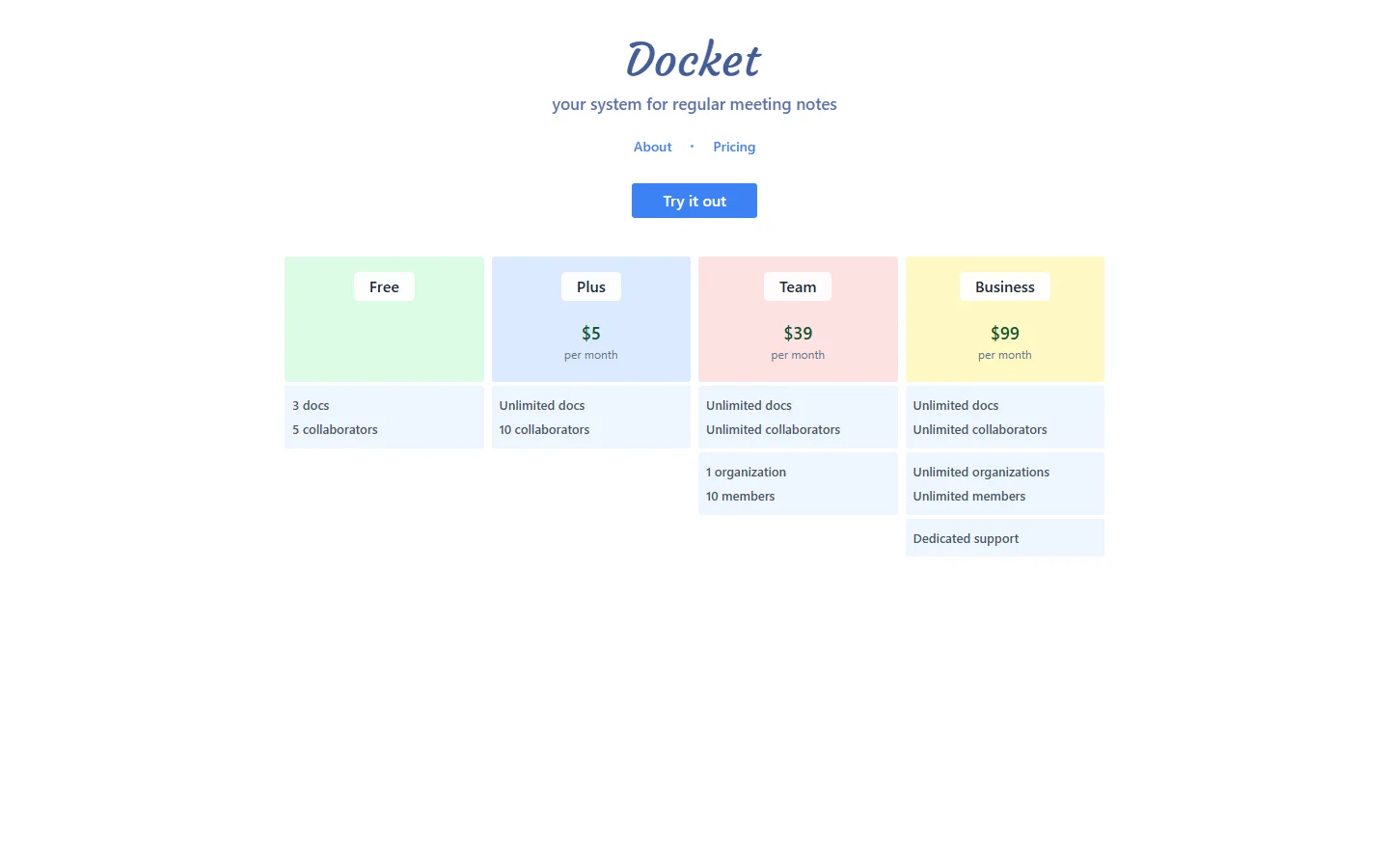
Docket publishes pricing on its website. The screenshot above shows the lineup at the time of our original review in April 2026, when plans were priced per user. As of September 2026, Docket's pricing page lists three plans at flat monthly rates:
- •Free ($0): Up to 5 workspaces, up to 5 docs per workspace, and export as text
- •Plus ($49/mo): Unlimited workspaces and docs, PDF export with images, and dedicated support
- •Pro ($99/mo): Everything in Plus plus priority support and audit and compliance tools
Annual billing is discounted on both paid plans.
What you actually pay at scale
Because the paid plans are listed as flat monthly prices rather than per-seat rates, cost does not climb with every rep you add: a 5-person team pays $49/mo on Plus or $99/mo on Pro. That makes Docket cheaper per person as a team grows, but confirm any seat limits with Docket before rolling it out widely, since the pricing page does not spell them out.
Hidden costs to watch
- Free plan caps: 5 workspaces with 5 docs each, which a team with many recurring meetings will outgrow quickly
- Compliance features gated: audit and compliance tools require the $99/mo Pro plan
- No AI transcription: you may need to add Fireflies or Otter, increasing total spend
What Are the Downsides of Using Docket?
No AI transcription
In 2026, most meeting tools offer AI-powered transcription. Fireflies.ai, Otter.ai, and Grain all convert speech to text automatically. Docket requires manual note-taking. For sales teams running back-to-back discovery calls, this is a dealbreaker.
Meeting management is a narrow slice
Docket helps you run better meetings, but it only covers the meeting itself. It does not book meetings, research prospects beforehand, record calls, or trigger follow-up sequences afterwards, so sales teams still need a separate sequencer and, if they want recordings, a conversation tool like Gong or Fireflies.
Smaller integration ecosystem
Fellow integrates with 40+ tools. Fireflies connects to every major video platform and CRM. Docket's integration list is shorter — Zoom, Slack, Evernote, and CRM. No native connections to outreach tools, enrichment platforms, or workflow automation systems.
Tight free plan and gated compliance tools
As of September 2026, the free plan caps you at 5 workspaces with 5 docs each and text-only export. PDF export with images needs Plus ($49/mo), and audit and compliance tools are reserved for Pro ($99/mo). The current pricing page also no longer lists the meeting metrics and advanced dashboards that the earlier Business tier advertised, so ask Docket directly if reporting matters to you.
Who Should Use Docket (and Who Shouldn't)
Docket is a narrow tool by design, which makes the fit question easier to answer than it is for all-purpose meeting software.
Docket is a good fit if
- •You run recurring internal meetings (weekly standups, pipeline reviews, one-on-ones) and want shared agendas that participants fill in beforehand.
- •Action items keep slipping, and you want owners assigned and tracked in the same place as the notes.
- •You log meeting outcomes in HubSpot or Salesforce and want summaries, next steps, and qualification answers synced to contact and deal records.
- •You want to trial the workflow on a free plan with a small team before paying.
Look elsewhere if
- •Your reps run back-to-back discovery or demo calls and need automatic transcription. Docket requires manual note-taking.
- •You want call recordings, AI summaries, or conversation analytics. Fireflies.ai, Otter.ai, and Gong are built for that.
- •Your workflow depends on webhooks or native connections to outreach tools. Docket's integration list is short.
A practical way to decide: run one recurring meeting on Docket's free plan for a few weeks. If agendas get filled in before the call and action items get closed, Plus is worth paying for. If the doc stays empty because nobody has time to type during calls, an AI note-taker will serve your team better.
Is Docket Worth It?
Docket is worth using if your meetings lack structure. The free plan is enough to test shared agendas, notes, and action items on a handful of recurring meetings, and Plus ($49/mo as of September 2026) removes the workspace and doc limits for teams that adopt it.
Docket is a weaker fit for sales teams running back-to-back discovery calls. Without transcription, reps still type notes by hand, and teams that want recordings, AI summaries, or call analytics will get more from Fireflies, Otter, or Gong.
The verdict: useful meeting management at a fair price for teams that value structure over automation. If automatic transcription matters more to you than agendas, start with an AI note-taker instead.
Comparing other meeting and sales tools? Read our in-depth reviews of Gong, Fireflies.ai, Apollo.io, Reply.io, Folk CRM, Gojiberry.ai, and MarketBetter.
Building out the rest of your sales stack? Our guides explain what waterfall enrichment is, compare buying intent data tools, and rank the best sales prospecting tools for B2B teams.
If Docket's meeting-only scope, with no prospect data before the call, is a dealbreaker, SyncGTM is one alternative worth a look: it adds pre-call context through waterfall enrichment across 50+ data providers and real-time buying signals.