

Kendo Review 2026: B2B Data Coverage, Pricing & Accuracy

By Kushal Magar · May 30, 2026 · 11 min read · Last updated: September 30, 2026
Key Takeaway
Kendo Email Finder is a low-cost, easy-to-use email and phone finder (from $14/mo, a forever-free 50-credit tier, a 95% vendor accuracy claim) but a single-index tool that caps on coverage, locks phones behind paid plans, and has no prospecting, signals, or outreach. It works best as a focused component for LinkedIn-first sales and recruiting teams, not as a complete GTM platform.
This Kendo review covers what the email finder actually delivers in 2026: credit-based plans from $14/month, a forever-free tier of 50 credits, an index of 250M+ professional contacts, and a 95% vendor accuracy claim. Our rating: 4.0/5.
Kendo is a B2B email and phone finder that runs mostly as a Chrome extension. You open a LinkedIn profile, click the icon, and it returns a verified personal or business email plus a direct dial.
Ease of use is the product's headline. Reviewers praise the near-zero learning curve and the quality of the contacts it surfaces. The trade-off is coverage: a single index has no fallback when a contact is missing from its database.
This review breaks down the pricing math at each tier, the real accuracy and coverage picture (including how a single index differs from waterfall enrichment), the key features, how a typical workflow runs, and an honest list of where Kendo falls short.
What Is Kendo Email Finder?
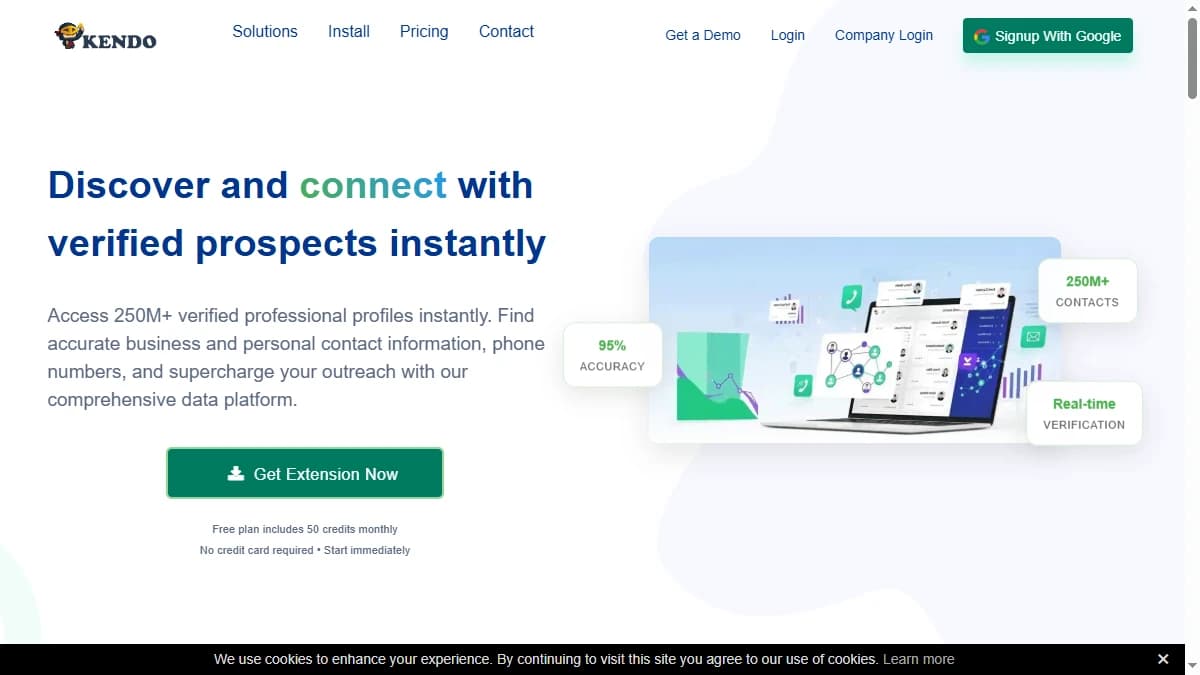
Kendo Email Finder — a Chrome extension that returns verified personal and business emails plus direct phone numbers.
Kendo Email Finder is a B2B contact discovery tool built around a proprietary index of 250M+ professional contacts, 125M+ verified email addresses, and 25M+ direct phone numbers. Its core promise is simple: verified personal and business emails straight from LinkedIn, at a low per-credit price.
Most users live in the Chrome extension. Open a LinkedIn profile or a company page, click the Kendo icon, and it surfaces the contact's email and phone. Beyond the extension, Kendo offers domain search to find decision makers at a target company and a reverse email lookup that returns a name and gender from an address.
Kendo serves both sales and recruiting teams. It ships native connectors for HubSpot, Salesforce, Zoho, and Pipedrive on the CRM side, plus Greenhouse, Recruitee, and Manatal for ATS workflows, Zapier for 1,000+ apps, and API access on the custom Enterprise plan (as of September 2026). The company reports over 40,000 users.
| Capability | What Kendo Provides | Notable Gaps |
|---|---|---|
| Email Finding | 250M+ contact index, 125M+ verified emails. Personal + business addresses. | Single source — no fallback when a contact is missing from the index. |
| Email Verification | Real-time verification, 95% accuracy claimed. | Vendor claim, not independently benchmarked. |
| Phone Data | 25M+ direct dials on paid plans. | Locked entirely on the free plan. |
| Prospecting Database | Domain search returns emails on a known domain. | No lead lists — you bring the targets, Kendo finds the contacts. |
| API & Integrations | API on the custom Enterprise plan. Native HubSpot, Salesforce, Zoho, Pipedrive, ATS, Zapier. | API not included on the self-serve plans. |
| Outreach / Signals | Not available. | No sequences, no buying signals — Kendo stops at the data layer. |
Kendo Pricing: Plans, Credits, and What You Actually Pay
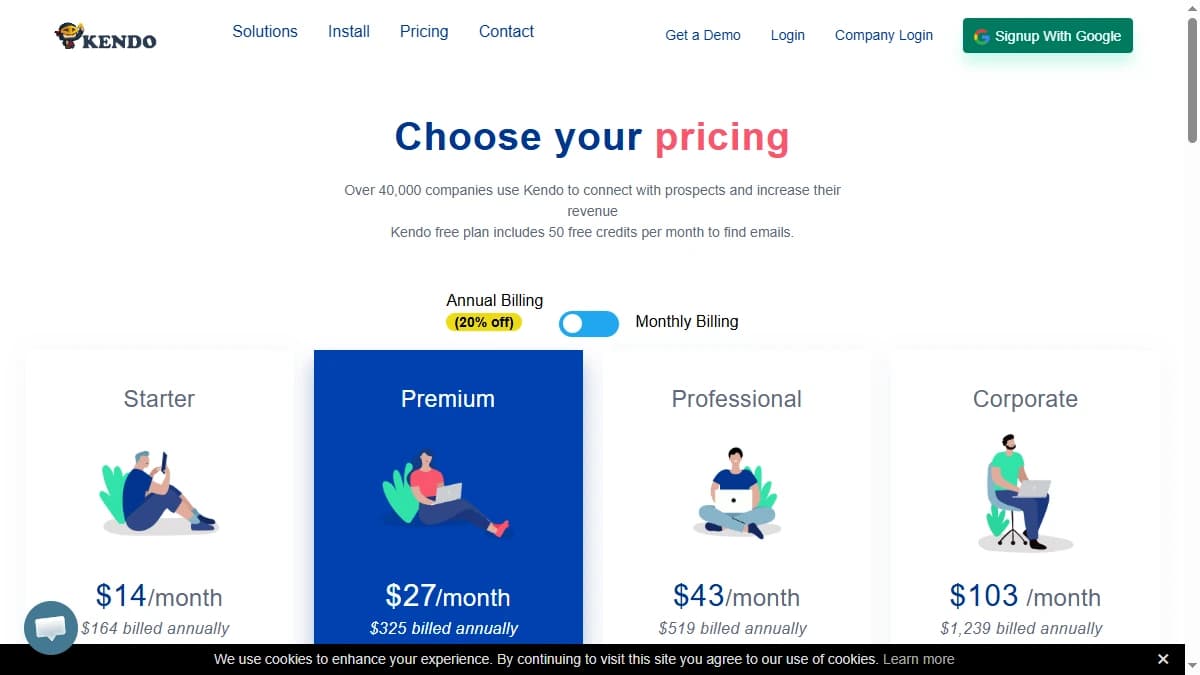
Kendo pricing — a forever-free 50-credit plan and paid tiers from $14/month on annual billing.
Kendo runs on credit-based pricing with a free tier of 50 credits per month, forever, and no card required. Annual billing cuts roughly 20% off the monthly rate.
The credit rule is straightforward: one credit is deducted for each contact detail revealed, and Kendo does not charge a credit when a search returns nothing. Phone numbers are the catch — they are excluded from the free plan and unlock only on paid tiers.
| Plan | Monthly Price | Credits / Mo | Best For |
|---|---|---|---|
| Free | $0 | 50 (no phones) | Light testing |
| Starter | $14–$17/mo | 600 | Solo founders, small lists |
| Premium | $27–$34/mo | 1,500 (+3 seats) | Small teams |
| Professional | $43–$54/mo | 3,000 (+10 seats) | Active prospecting teams |
| Corporate | $103–$129/mo | 10,000 (+30 seats) | High-volume teams |
The real cost math
Per-credit pricing only tells half the story. On the Starter plan, 600 credits at $14/month works out to roughly 2.3 cents per contact detail revealed — cheap by category standards, and the no-charge-on-misses rule keeps it honest.
Factor in coverage and the effective cost rises. A credit only spends when Kendo finds a contact, but the contacts it cannot find still cost you time, and you may need a second tool to recover them — which quietly doubles your stack.
For low-volume or single-vertical use, the math works well. For high-volume prospecting across industries, run a test batch first and measure cost per usable record rather than cost per credit, then compare that figure against other email finders on the same list.
Kendo Review: Data Coverage and Accuracy Tested
Coverage and accuracy are where any email finder lives or dies, so this Kendo review weights them heavily. The headline number is a 95% accuracy claim with real-time verification.
Read that figure carefully. It is a vendor claim, not an independent 5,000-lead benchmark, and it measures the validity of emails Kendo returns — not how many contacts on a list it can actually find. User reviews on G2 and Capterra back the quality of returned data, but coverage is the metric that sets cost per usable lead.
| Metric | Kendo Result | What It Means |
|---|---|---|
| Claimed Accuracy | 95% (vendor figure) | Strong on validity of returned emails — but not independently tested. |
| Coverage / Match Rate | Capped by single index (varies by industry) | Strong in tech/SaaS; lower in niche or offline sectors. |
| Data Index | 250M+ contacts, 125M+ emails, 25M+ phones | Sizable for one source, but no fallback when a record is missing. |
The two numbers that matter most pull in different directions. Returned-email accuracy is high, but coverage is capped by the single index and drops in non-tech verticals — so a slice of every list is structurally harder to reach.
The reason is architectural. Kendo queries one proprietary index. When that index has no record, the lookup fails — there is no fallback. Multi-provider waterfall tools like FullEnrich work around this by querying several sources in sequence, at the cost of more setup and usually a higher price. Kendo trades that coverage for simplicity and a low entry price.
Kendo Key Features
Kendo keeps a focused feature set around finding and verifying professional contacts. Here is what you actually get.
- Email & phone finder. Pull a verified personal or business email and a direct dial straight from a LinkedIn profile or company page via the Chrome extension.
- Domain email search. Enter a company domain to surface decision makers and their emails across that organization.
- Reverse email lookup.Feed in an email address and Kendo returns the contact's name and gender detection.
- Email verification. Real-time validation on returned addresses, with a 95% accuracy claim.
- Bulk search & export. Process lists at scale and export to CSV, Excel, or JSON.
- Integrations & API. Native HubSpot, Salesforce, Zoho, and Pipedrive plus ATS connectors (Greenhouse, Recruitee, Manatal), Zapier for 1,000+ apps, and an API on the custom Enterprise plan.
Kendo Pros: What It Does Well
- ✓Effortless Chrome extension. Reviewers consistently call out the near-zero learning curve — open a LinkedIn profile, click once, get a verified email and phone.
- ✓Low, transparent pricing. A forever-free 50-credit tier, paid plans from $14/month, and a no-charge-on-misses credit model — strong unit economics for a focused finder.
- ✓Personal and business emails. Unlike domain-only finders, Kendo returns personal addresses too — useful for founders, freelancers, and contacts off corporate email.
- ✓Multiple search methods. Find by profile, domain search, and reverse email lookup — more discovery paths than most single-purpose email finders.
- ✓Sales and recruiting integrations. Native CRM connectors plus Greenhouse, Recruitee, and Manatal on the ATS side make Kendo a fit for both prospecting and sourcing workflows.
Kendo Cons: Where It Falls Short
- ✕Single-source coverage ceiling. Kendo queries one proprietary index, so when it has no record the lookup fails with no fallback — coverage caps out and drops in non-tech verticals.
- ✕Enrichment-only scope. There is no prospecting database to build target lists, no buying signals, and no outreach or sequencing. Kendo finds and verifies contacts, but cannot source new accounts or run a campaign.
- ✕Accuracy claim is unverified. The headline 95% figure is a vendor number, not an independent benchmark, and it measures validity of returned emails — not how much of a list Kendo can actually match.
- ✕Tight free plan, phones locked. The 50 free credits a month run out fast, and direct phone numbers are excluded entirely from the free tier — a real evaluation needs a paid plan.
- ✕Account-management friction. Reviewers report difficulty signing out and trouble unsubscribing, a recurring complaint across G2 and Capterra.
- ✕Accuracy varies by industry. Tech and SaaS verticals perform best; niche or offline sectors return lower match rates, so the headline accuracy does not hold evenly across every target market.
How Kendo Works: From Install to First Export
Kendo is quick to learn, but the order of operations still decides how far your credits go. Here is how a typical workflow runs.
- Start on the free plan. Sign up for 50 credits a month with no card required and install the Chrome extension. The free tier includes every feature except phone numbers, so it is enough to judge email quality on your own targets.
- Find contacts from LinkedIn.Open a LinkedIn profile or company page and click the Kendo icon. Credits are only charged when you click "Show" to reveal full contact details, and nothing is deducted when a search comes back empty.
- Work accounts by domain. When you know the company but not the person, domain email search surfaces decision makers and their emails across that organization.
- Put names to unknown addresses. Reverse email lookup returns the name behind an email address, which helps qualify inbound form fills and replies from unfamiliar senders.
- Scale with bulk search. Upload lists for bulk lookups and verification, then export results to CSV, Excel, or JSON.
- Push records into your stack. Send contacts to HubSpot, Salesforce, Zoho, or Pipedrive, or to Greenhouse, Recruitee, or Manatal for recruiting, and use Zapier for everything else. API access sits on the custom Enterprise plan.
The main cost lever is reveal discipline. Every revealed contact detail spends a credit, so review results and reveal only the contacts that match your ICP. Once you know your monthly volume, annual billing cuts roughly 20% off every tier.
The main coverage lever is testing. Run a batch of your real target list through the free plan or a Starter month, record how many contacts come back, and use that match rate, not the 95% accuracy claim, to estimate your cost per usable lead.
Who Should Use Kendo?
Kendo is a good fit when it plays a focused role rather than carrying the whole GTM stack.
- LinkedIn-first prospectors. The Chrome extension is the fastest way to pull a contact straight from a profile.
- Recruiters. Personal-email coverage plus Greenhouse, Recruitee, and Manatal connectors make Kendo a genuine sourcing tool.
- Budget-conscious, single-tool users. A forever-free tier and $14/month entry plan make it cheap to start.
- Tech and SaaS sales teams. Coverage is highest in these verticals, so Kendo returns the most for the money.
Kendo is the wrong choice if you need high coverage across every industry, a prospecting database, buying signals, or built-in outreach. For that, compare these Hunter.io alternatives and the best waterfall contact providers before you commit.
Final Verdict: Is Kendo Worth It in 2026?
Kendo earns 4.0/5. It is one of the easiest and cheapest email and phone finders available, with a slick Chrome extension, a forever-free tier, and both personal and business email coverage.
The ceiling is coverage. A single index caps out when its database has no record, drops in non-tech verticals, locks phones behind paid plans, and offers no prospecting, signals, or outreach — so Kendo works as a component, not a complete platform.
If you prospect mostly on LinkedIn in tech and want a cheap, fast contact source, Kendo is a strong pick. If you need higher coverage across industries, a prospecting database, or outreach built in, weigh it against the wider field of email finders before you commit.
If Kendo's single-index coverage ceiling is a dealbreaker, SyncGTM is one alternative worth a look: it runs waterfall enrichment across 50+ data providers to find verified emails and phone numbers.