

Name2Email Review 2026: B2B Data Coverage, Pricing & Accuracy

By Kushal Magar · May 30, 2026 · 11 min read · Last updated: September 30, 2026
Key Takeaway
Name2Email is a free Gmail extension by Reply that guesses email patterns one person at a time. It does no verification, returns no phone or company data, and breaks after Chrome updates (3.5/5 across 252 ratings). Keep it for occasional one-off lookups, and verify every guess before you send.
Name2Email is a free Chrome extension by Reply that guesses work email addresses from inside Gmail. It is genuinely free and handy for the occasional one-off lookup — but it verifies nothing, processes one person at a time, and returns no phone or company data. Chrome Web Store rating: 3.5/5 across 252 ratings. Our rating: 2.8/5.
The pitch is simple. Type a name and a company domain into a Gmail compose window, and Name2Email suggests what the email address probably is. No signup, no credit card, no cost.
The problem is equally simple. A “probably” is not a verified email. Name2Email guesses common patterns and never checks whether the inbox actually exists or accepts mail. For a few emails a week that is fine. For real outbound, unverified guesses inflate bounce rates and damage your sender reputation.
This review covers what Name2Email is, how it works inside Gmail, whether it is really free, its accuracy and verification gaps, and a direct comparison with Hunter and Apollo for teams weighing their email-finding options in 2026.
What Is Name2Email?
Name2Email is a free email finder Chrome extension built by Name2Email, a tool from Reply, the sales engagement platform. It lives inside Gmail and exists to do one narrow thing: turn a name plus a company domain into a likely work email address.
The target user is a salesperson, recruiter, or founder who already works out of Gmail and wants a quick guess at someone's email without leaving the inbox. With more than 80,000 users, it is one of the better-known free email-finder extensions.
What it is not is an enrichment platform. There is no database you query, no bulk list processing, no verification engine, and no phone or firmographic data. It is a pattern guesser bolted onto Gmail's compose window. If you already use Reply for outreach, you can read our full Reply.io review to see how the paid platform compares.
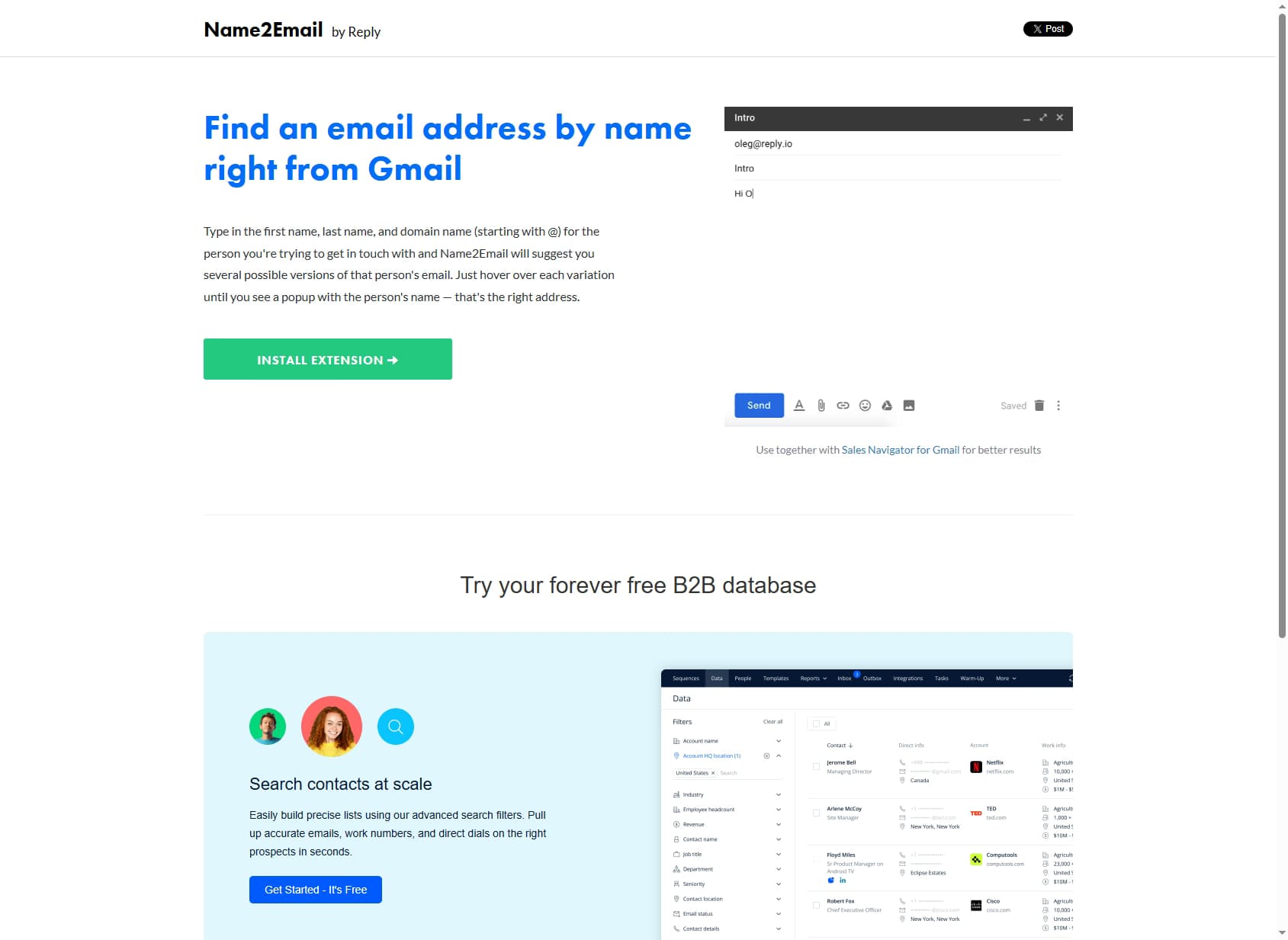
Name2Email — find a work email by name from inside Gmail, for free.
How Name2Email Works Inside Gmail
Name2Email runs entirely inside Gmail's compose window. There is no separate dashboard and nothing to log into.
The workflow is three steps:
- Open a new Gmail compose window and click into the To: field.
- Type the person's first name, last name, and company domain starting with @ (for example, jane doe @acme.com).
- Name2Email generates a list of likely email patterns. Hover over each one and a popup tries to confirm the matching person's name, with a green indicator on its best guess.
Under the hood, the extension applies common corporate naming conventions — firstname@, firstname.lastname@, f.lastname@, firstnamel@— and cross-references them against Gmail's own autocomplete. That cross-reference is the entire “confirmation” mechanism.
This matters: the green checkmark is a pattern match, not a verified inbox. The extension never sends an SMTP probe, never checks for a catch-all domain, and never confirms the mailbox is real or monitored. It tells you what the email probably is, then leaves the rest to you.
Name2Email Pricing: Is It Really Free?
Name2Email is 100% free. There is no paid tier, no credit limit, and no signup. You install the Chrome extension and start guessing emails immediately.
The honest answer to “what's the catch?” is that Name2Email is a top-of-funnel tool for Reply. The extension nudges you toward Reply Data— Reply's B2B contact database, which offers a free tier of email searches and then paid plans — and the broader Reply sales engagement platform.
| Product | Cost | What You Get |
|---|---|---|
| Name2Email extension | Free, unlimited | One-at-a-time email pattern guessing inside Gmail. No verification. |
| Reply Data | Free tier, then paid | B2B contact database with search filters and bulk export. |
| Reply platform | Paid plans | Full multichannel sequencing, AI writing, and outreach. |
The real cost of Name2Email is not money — it is deliverability. Each unverified guess you send is a bounce risk, and bounces compound into sender-reputation damage that hits your entire domain. A free tool that quietly tanks your inbox placement is not free. Tools that verify before you send, like the paid platforms in our best waterfall contact providers roundup, cost more upfront but protect the channel you depend on.
Name2Email Data Coverage and Accuracy
Name2Email publishes no accuracy figure, and that omission is telling. The tool guesses patterns rather than querying a verified database, so there is no hit rate to publish in the way a real enrichment provider would.
Reply's own email-finders guide concedes that typical email finders locate only 70–80% of addresses. A Name2Email guess is a notch weaker than that baseline, because a “green” suggestion is a pattern match, not a confirmed deliverable mailbox.
The catch-all problem
Many companies run catch-all domains that accept mail to any address. On those domains, every guess looks “accepted” — even when the specific inbox does not exist or is never read. Name2Email has no way to detect this, so its confirmations are most misleading exactly where you most need accuracy.
What users actually report
On the Chrome Web Store, Name2Email sits at 3.5 out of 5 stars across 252 ratings. A representative review from April 2025 sums up the consensus: “Works rarely... confirmed IDs... only sometimes correct.” The recurring complaint is that the extension breaks after Chrome updates, and the last release — version 3.1.6 — shipped on April 8, 2025, with no update in over a year.
On coverage, the picture is narrow by design. Name2Email returns email guesses only: no mobile numbers, no direct dials, no firmographics, no social profiles, and no bulk processing. You get a single guessed address for a single person, inside Gmail.
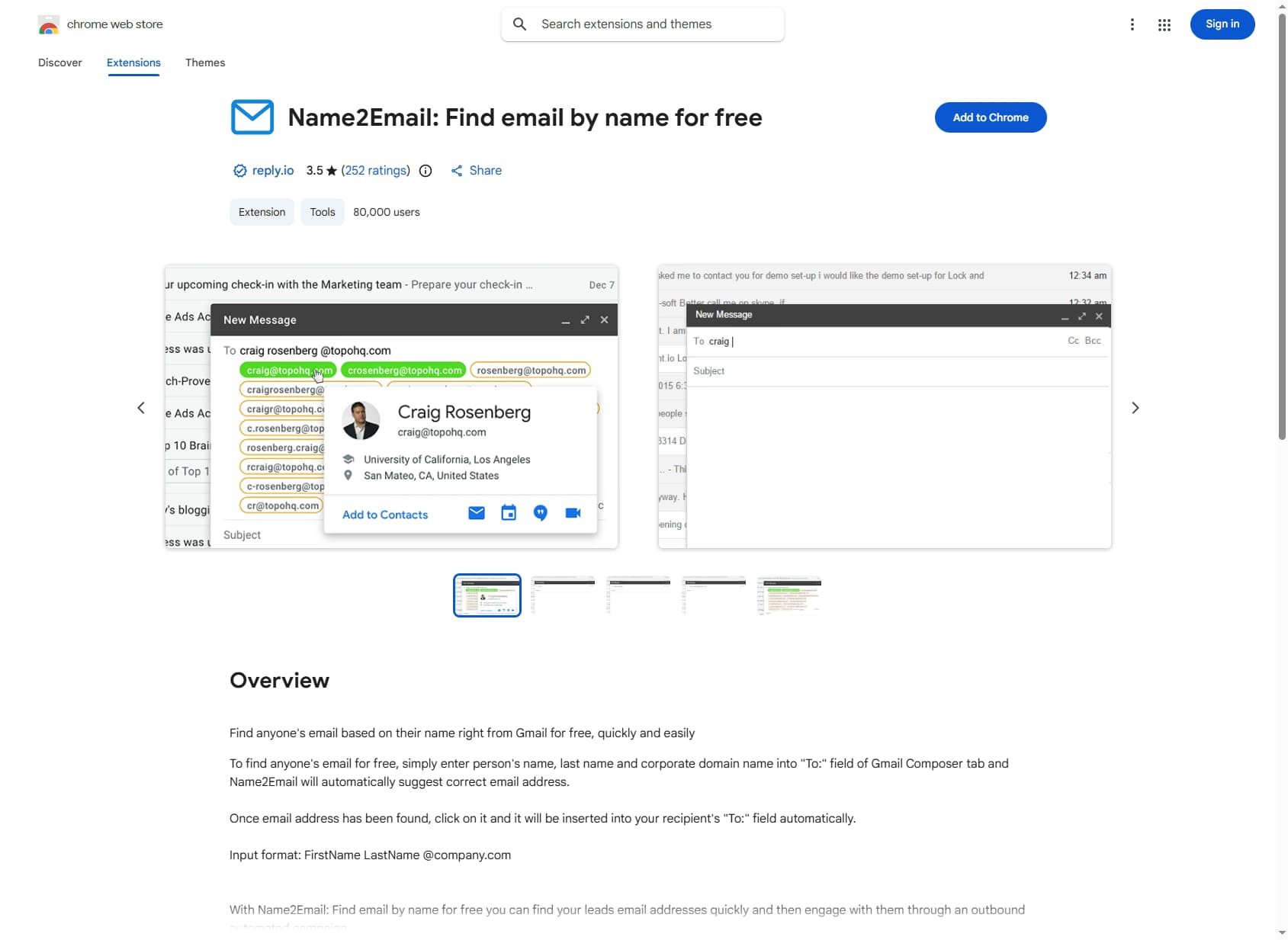
Name2Email on the Chrome Web Store — 3.5/5 from 252 ratings, 80,000 users, last updated April 2025.
Name2Email Pros: What It Does Well
- ✓Genuinely free, with no limits. No signup, no credit card, no credit cap. For occasional lookups this is the cheapest tool in the category — because it is free.
- ✓Lives inside Gmail. No separate app or dashboard. If you already work out of Gmail, the email guess appears right in the compose window where you send from.
- ✓Fast for one-off lookups. Type a name and domain, get a pattern instantly. For finding one person's likely email before a single email, it is quicker than opening a separate finder.
- ✓Backed by an established vendor. Reply is a known sales engagement platform, so the extension is not a fly-by-night project — even if it is clearly a lead funnel.
Name2Email Cons: Where It Falls Short
- No verification at all. Name2Email guesses email patterns and never checks whether the inbox actually exists or accepts mail. A 'confirmed' suggestion is still a guess, and on catch-all domains every guess looks accepted.
- No bulk or CSV processing. You look up one person at a time inside a Gmail compose window. There is no way to enrich a list, no API, and no export — a dealbreaker for any real outbound volume.
- Email only — no phone, no firmographics. No mobile direct dials, no company data, no social profiles. You get a guessed email address and nothing else.
- Reliability is shaky. The Chrome Web Store rating is 3.5/5 across 252 ratings, and reviews repeatedly report the extension breaking after Chrome updates. It was last updated April 8, 2025 (version 3.1.6).
- It is a lead funnel for Reply. The extension exists to push you toward Reply Data and the paid Reply platform once free guessing stops scaling.
- No deliverability protection. Sending to unverified guesses inflates bounce rates, which damages sender reputation and inbox placement for your whole domain.
Name2Email vs Hunter vs Apollo
Name2Email sits at the free, manual end of the email-finding spectrum. The moment you need verification, bulk processing, or any data beyond an email address, you are comparing against real enrichment tools. Here is how the three stack up on what matters for outbound in 2026.
| Feature | Name2Email | Hunter | Apollo |
|---|---|---|---|
| Starting Price | Free | $49/mo (free tier) | $59/mo (free tier) |
| Data Method | Pattern guessing in Gmail | Pattern + crawled database | Proprietary database |
| Email Verification | None — unverified guesses | Built-in verifier | Built-in verifier |
| Mobile / Phone Data | None | None | Limited direct dials |
| Bulk / CSV Enrichment | None — one lookup at a time | Yes | Yes |
| Buying Signals | None | None | Basic intent (Bombora) |
| Native Outreach | None (manual Gmail send) | Campaigns add-on | Yes — sequences included |
| CRM Enrichment | None | Via integrations | HubSpot/Salesforce native |
The honest take on each option
Name2Email wins on price (free) and convenience for a single manual lookup. It loses on everything that makes a data tool dependable: verification, scale, and coverage.
Hunter is the sensible mid-tier upgrade from Name2Email: it combines pattern logic with a crawled database, adds a built-in verifier and a per-email confidence score, and supports bulk processing. It still lacks phone data and buying signals.
Apollo bundles a proprietary database with built-in sequencing and basic intent data. For teams that want a database plus a sequencer in one place, it is a reasonable all-in-one.
If none of these fit, our Findymail alternatives comparison covers more email finders with built-in verification.
Who Should Use Name2Email?
Name2Email is the right tool in one narrow scenario: you send a handful of emails a week, you work entirely out of Gmail, and you are fine eyeballing and double-checking each guess yourself before you hit send.
Use Name2Email if:
- You need an occasional one-off email and want it without leaving Gmail.
- You are a founder, freelancer, or solo seller doing low-volume outreach.
- You treat the result as a starting guess and verify it elsewhere before sending.
Do not use Name2Email if:
- You run outbound at any real volume — unverified guesses inflate bounce rates and burn sender reputation.
- You need bulk enrichment, a CSV upload, or an API. Name2Email processes one person at a time.
- You need phone numbers, firmographics, or buying signals. Name2Email returns email guesses only.
- Deliverability matters. Without verification, you are guessing with your domain's reputation on the line — compare a waterfall enrichment tool instead.
Is Name2Email Worth It in 2026?
Name2Email earns 2.8/5. It is genuinely free and unlimited, and Name2Email's own site is explicit that it is not a trial and has no paid version to graduate to. A name plus a domain in a Gmail compose window returns a likely address in seconds.
The trade-off is trust. Every suggestion is a pattern guess checked only against Gmail's own contact recognition, with no SMTP verification, no catch-all detection, no bulk processing, and no phone or company data. As of September 2026, the extension is still on version 3.1.6 from April 2025, and its 3.5-star Chrome Web Store rating reflects the reliability complaints.
Bottom line: keep Name2Email installed for the occasional one-off lookup, and run every guess through an email verifier before you send. For anything resembling a prospecting list, start with a tool that verifies before delivery, such as the options in our Hunter.io alternatives roundup.
If Name2Email's unverified, one-at-a-time guesses are a dealbreaker, SyncGTM is one alternative worth a look: its waterfall enrichment across 50+ data providers returns verified emails, phone numbers, and firmographics.