

SignalHire Review 2026: B2B Data Coverage, Pricing, Pros & Cons

By Kushal Magar · May 28, 2026 · 11 min read · Last updated: September 30, 2026
Key Takeaway
SignalHire is a fast, recruiter-friendly email and phone finder with unlimited seats and pricing from $69/month — but its single-source database caps hit rates, its 95% accuracy claim is vendor self-reported, phone credits cost more than twice as much as email credits, and the 'unlimited' plans hide a 5,000-credit fair-usage cap. It fits manual, profile-by-profile sourcing best.
This SignalHire review covers the tool's data coverage, pricing, and accuracy in 2026 — and where its single-source design falls short. SignalHire is a browser-based email and phone finder built for recruiters and sales teams, with a proprietary database marketed at 900M+ profiles, paid plans from $69/month, and unlimited seats. Our rating: 3.8/5.
SignalHire's appeal is simple: install the Chrome or Firefox extension, open a LinkedIn or GitHub profile, click once, and get the person's work email and mobile number. For a recruiter sourcing candidates one profile at a time, that workflow is hard to beat.
The structural limit is just as simple. SignalHire pulls every contact from a single proprietary index. When that one database doesn't have a record, there is no second source to fall back on. That is the core trade-off behind waterfall enrichment, which queries several providers in sequence instead of one.
This review breaks down SignalHire's pricing math, the real accuracy picture versus the marketed numbers, its key features, the honest pros and cons, and a practical workflow for getting the most out of its credits in 2026.
What Is SignalHire?
SignalHire is a B2B contact-finding platform built around a browser extension that reveals emails and phone numbers from professional profiles in real time. It works on LinkedIn, GitHub, Facebook, X, and Meetup, and is aimed squarely at recruiters, sales reps, and marketers who prospect profile by profile.
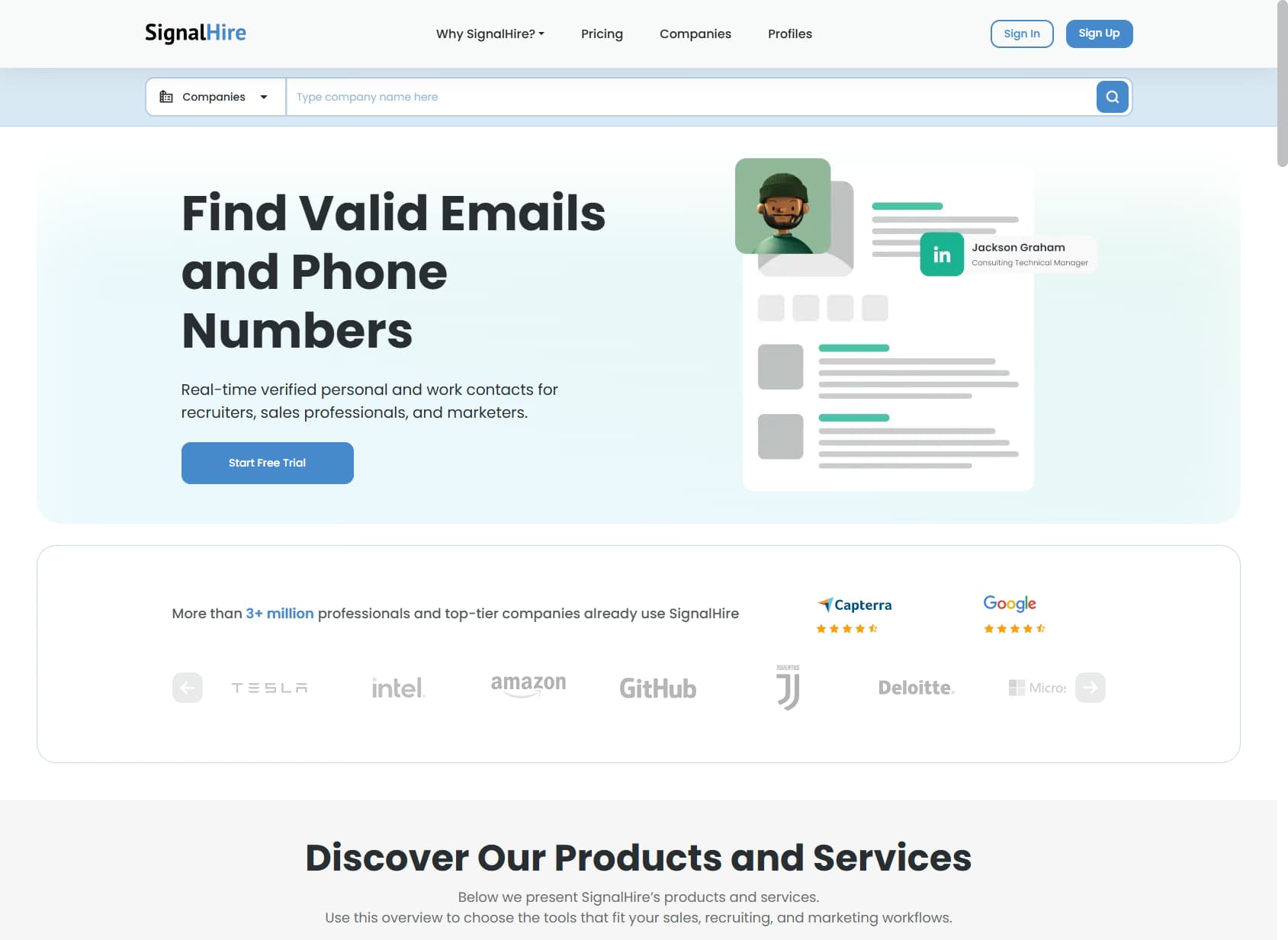
Behind the extension sits a proprietary database that SignalHire markets at 900M+ profiles across 30M+ companies as of September 2026. The platform surfaces both work and personal emails plus mobile numbers, and offers bulk search, CSV enrichment, ATS and CRM integrations, and API access on paid plans. Pricing is per-credit with no per-seat fee, which makes it a natural fit for agency teams with many light users.
The headline distinction from multi-provider tools is the data model. SignalHire is single-source: every lookup hits one index. A waterfall enrichment tool queries several providers in sequence and returns whichever one resolves the contact — a structural difference that shows up directly in hit rate, which we cover in the data-coverage section below.
SignalHire Pricing: Plans, Credits, and What You Actually Pay
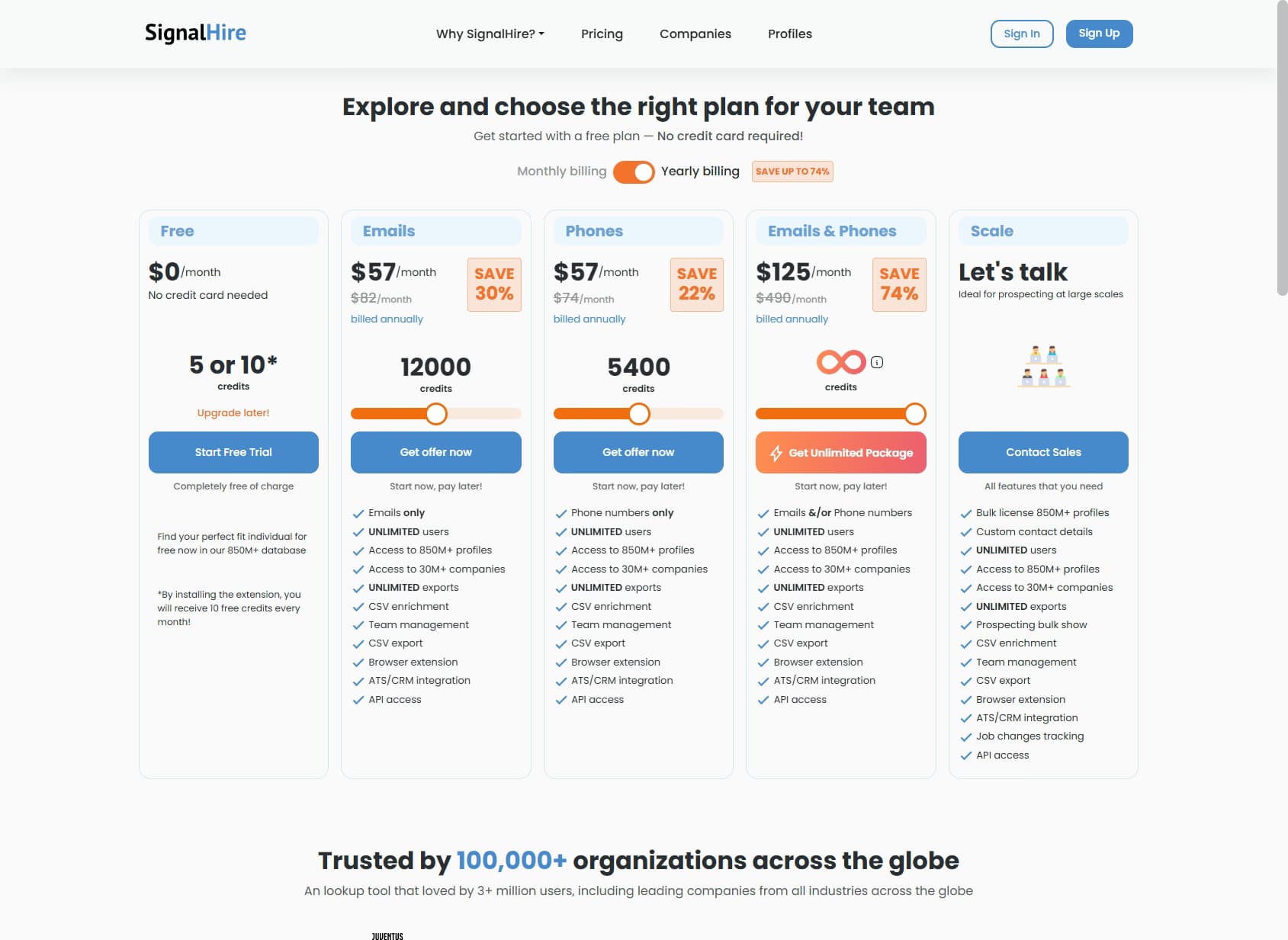
SignalHire pricing starts at $69/month and is structured around credits, with separate plans for emails, phone numbers, or both. One credit is consumed only when SignalHire returns a result, and there is no per-seat fee on any plan.
| Plan | Monthly Price | Credits | Effective Cost / Contact |
|---|---|---|---|
| Free | $0 | 5 (10 with extension) | — |
| Emails | $69/mo | 1,000 emails | ~$0.069 |
| Phones | $69/mo | 435 phone numbers | ~$0.159 |
| Emails & Phones | $69/mo | 435 credits (emails or phones) | ~$0.159 |
| Scale | Custom | Bulk license | Negotiated |
The real cost math
Per SignalHire's pricing page as of September 2026, annual billing drops each plan to $57/month billed yearly, about 17% off the $69 monthly price. SignalHire also advertises “unlimited” annual options — but those carry a fair-usage policy that caps extraction at around 5,000 credits per month, a detail disclosed only in tooltip text on the pricing page.
The phone economics are the sharpest gotcha. For the same $69 the Emails plan spends on 1,000 emails, the Phones plan returns just 435 numbers — more than 2x the per-contact cost. The combined Emails & Phones plan is priced like the Phones plan, so teams that need both emails and mobile numbers at volume should model the credit split carefully before choosing. For a broader market view, see our roundup of the best B2B email finder tools.
SignalHire Review: Data Coverage and Accuracy Tested
SignalHire's accuracy claims look excellent on paper and thinner in practice. The vendor markets 95%+ email accuracy and publishes its own figures of about 97% valid emails, 80% valid phone numbers, and a 3–5% bounce rate.
Those are self-reported numbers from SignalHire's own database, not independent benchmarks. SignalHire is notably absent from the large public enrichment studies — the kind that test 15+ tools against tens of thousands of real contacts — and in those studies, even the strongest single-source tools land real enrichment rates in the 40–77% range, well short of 95%.
Where the gap comes from
The 95% figure describes accuracy for contacts SignalHire actually has — clean, recently active profiles. It does not describe coverage across a full prospecting list, where a meaningful share of contacts simply won't resolve in any single database. That distinction between accuracy and coverage is where single-source tools lose ground.
G2 reviewers reinforce this. SignalHire holds a 3.7 out of 5 on G2 across a small review base, with data quality — outdated or incomplete records — the most frequently cited complaint. Its Capterra profile tells the same story. The 51% five-star, 12% one-star split is the signature of a tool that works well for some ICPs and poorly for others.
If coverage is your main concern, compare SignalHire with multi-provider options as well — see our roundup of waterfall email finders for how that model differs from single-source tools.
SignalHire Key Features
SignalHire's feature set is built around fast, manual contact-finding rather than automated GTM workflows. The highlights:
| Feature | What It Does |
|---|---|
| Browser extension (Chrome / Firefox) | Reveals work and personal emails plus mobile numbers directly on LinkedIn, GitHub, Facebook, X, and Meetup profiles in a single click. |
| Bulk profile search | Search the 900M+ profile database by name, company, title, and location, then export contacts in bulk to CSV. |
| CSV enrichment | Upload a list of names and companies and SignalHire appends emails and phone numbers where it finds matches. |
| ATS & CRM integrations | Push contacts directly into Salesforce, Pipedrive, Zoho, and supported applicant tracking systems. |
| API access | Programmatic lookups available on paid plans, though the API is webhook-based with 7–10 second response times and no preview enrichment. |
| Job-change tracking | Available on the Scale plan — flags when a saved contact moves companies, useful for re-engaging past champions. |
SignalHire Pros: What It Does Well
- ✓Fast, recruiter-friendly extension. One click on a LinkedIn or GitHub profile returns work and personal emails plus mobile numbers. For profile-by-profile sourcing, the workflow is genuinely quick.
- ✓No per-seat pricing. Unlimited users on every paid plan suits agency and recruiting teams where many people each do low-volume lookups — a real cost advantage over per-seat tools.
- ✓Pay only for results. Credits are consumed only when SignalHire actually returns a contact, so you don't burn budget on empty lookups.
- ✓Both emails and phone numbers. Many email-only finders skip mobile numbers entirely. SignalHire covers both, which matters for recruiters who call as much as they email.
- ✓Simple UI and responsive support. Reviewers consistently praise the clean interface and helpful support team — a low-friction tool for non-technical users.
SignalHire Cons: Where It Falls Short
- Single-source database. SignalHire pulls every email and phone from one proprietary index. When that index doesn't have a contact, there's no fallback source to try next.
- Accuracy claims outrun independent testing. The marketed 95%+ figure is vendor self-reported. SignalHire is absent from major public enrichment benchmarks, and G2 reviewers cite outdated and incomplete data as the top complaint.
- The 'unlimited' plans aren't unlimited. A fair-usage policy caps extraction at roughly 5,000 credits per month — and that limit is buried in tooltip text on the pricing page rather than disclosed up front.
- Credit math gets expensive at scale. At $0.069 per email and $0.159 per phone number, high-volume sourcing adds up fast. The phone plan returns only 435 numbers for the same $69 the email plan spends on 1,000 emails.
- Polarized reviews. SignalHire holds a 3.7/5 on G2 across a small review base, with 51% five-star but 12% one-star — a split that usually signals inconsistent data quality across different ICPs.
- No native buying signals beyond job changes. Outside the Scale plan's job-change tracking, SignalHire offers no hiring, funding, or tech-adoption signals to prioritize which accounts to work first.
How SignalHire Works: A Practical Workflow
SignalHire is easy to start with: the free tier needs no credit card, and paid plans are self-serve. The trick is matching the plan to how your team actually looks people up. Here is a practical path from first lookup to a working team setup.
- Install the extension and use the free credits. The free tier gives 5 credits a month, or 10 with the browser extension installed. A credit is only spent when SignalHire returns at least one email or phone number, so test it on profiles your current tools miss.
- Look up profiles where you already work. Open a LinkedIn, GitHub, Facebook, X, or Meetup profile and click the extension to reveal work and personal emails and, on a phone-enabled plan, mobile numbers.
- Pick the plan that matches your channel.The Emails plan buys 1,000 credits for $69/month, while the Phones and Emails & Phones plans buy 435 credits for the same price. If your team mostly emails, the Emails plan stretches more than twice as far.
- Move to bulk search and CSV enrichment. Search the database by name, company, title, and location, or upload a list of names and companies and let SignalHire append emails and phone numbers where it finds matches. Track the match rate on your own list: it decides your real cost per contact.
- Push results into your ATS or CRM. Send contacts to Salesforce, Pipedrive, Zoho, or a supported applicant tracking system instead of exporting spreadsheets by hand.
- Automate carefully with the API. API access comes with paid plans, but it is webhook-based with 7–10 second response times, so plan for asynchronous lookups rather than instant, in-form enrichment.
- Consider Scale for volume and job changes. The custom Scale plan adds bulk licensing and job-change tracking, which flags when saved contacts move companies — useful for re-engaging past champions or placed candidates.
Check the fair-usage cap before you buy an “unlimited” annual option. At roughly 5,000 credits per month, it comfortably covers manual sourcing but not automated, high-volume enrichment. If you plan to run thousands of lookups a week through the API, get the limit in writing first.
Who Should Use SignalHire?
SignalHire is the right tool in a specific scenario: manual, low-volume contact-finding by a team that prospects profile by profile and values unlimited seats over maximum coverage.
Use SignalHire if:
- You are a recruiter or agency team sourcing candidates directly on LinkedIn, GitHub, or other profile sources.
- You have many light users and want to avoid per-seat fees — the unlimited-seat model is a genuine cost advantage.
- You need both emails and mobile numbers and are doing manageable volumes that stay inside the credit limits.
- You want a simple, fast extension with minimal setup and no technical overhead.
Look elsewhere if:
- Coverage is your bottleneck — a single-source database will miss harder-to-find contacts, so compare it with a waterfall contact provider before committing.
- You prospect at high volume and the 5,000-credit fair-usage cap or per-contact phone cost would slow you down.
- You want buying signals — hiring, funding, tech adoption — to prioritize accounts, not just contact data.
- You need automated CRM enrichment and workflow orchestration rather than manual, one-click lookups.
If SignalHire's lack of buying signals beyond job changes is a dealbreaker, SyncGTM is one alternative worth a look: it tracks real-time buying signals such as funding, hiring, headcount growth, and web traffic alongside waterfall enrichment across 50+ data providers.