

LeadLeaper Review 2026: B2B Data Coverage, Pricing & Verdict

By Kushal Magar · May 30, 2026 · 11 min read · Last updated: September 30, 2026
Key Takeaway
LeadLeaper is a free-to-start LinkedIn email finder with paid plans from $29/month, month-to-month billing, and a lightweight CRM — but it relies on a single source plus LinkedIn scraping, returned blanks on 38% of profiles in independent testing, publishes no accuracy metric, documents its newer phone data only loosely, and shows signs of minimal active development. It suits solo prospectors doing light, email-first capture off LinkedIn.
This LeadLeaper review covers the tool's data coverage, pricing, and accuracy in 2026 — and where it falls short. LeadLeaper is a Chrome-extension LinkedIn email finder with a free 100-credit plan, paid tiers from $29/month, and a lightweight CRM. Our rating: 3.4/5.
LeadLeaper's appeal is its free tier and simplicity. Run a LinkedIn search, fire the LeadLeaper bot, and it captures emails off your results — no onboarding, no contract, and unlimited exports.
The structural limit is just as clear. LeadLeaper leans on a single source plus LinkedIn scraping. When that doesn't resolve a contact, there is no second source to fall back on — the core difference between LeadLeaper and waterfall enrichment tools that query several providers in turn.
This review breaks down LeadLeaper's pricing math, the real accuracy picture behind a 38% blank rate, its key features, the honest pros and cons, and a practical workflow for getting the most out of it in 2026.
What Is LeadLeaper?
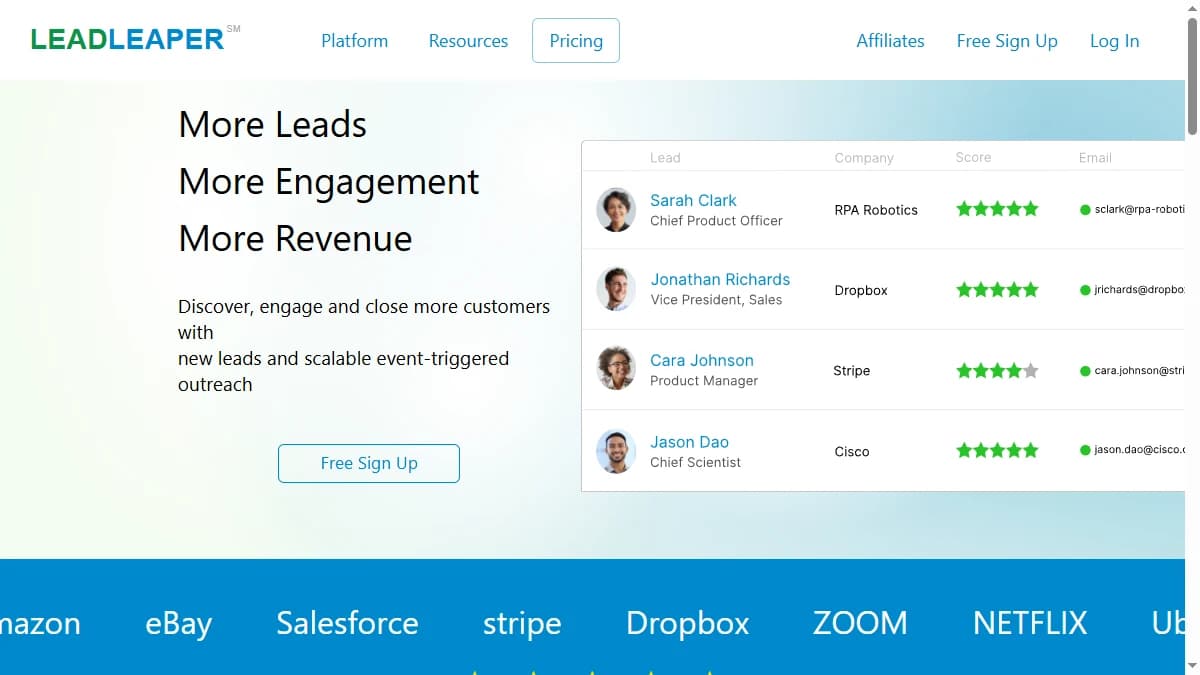
LeadLeaper is a Chrome extension that finds work email addresses (and, according to its site, phone numbers) from LinkedIn profiles, with a lightweight CRM and basic email-sequence tooling bundled in. It is built for sales reps, recruiters, and solo prospectors who live in LinkedIn and want to capture contacts without leaving the page.
The workflow is the product. You run a LinkedIn or Sales Navigator search, activate the LeadLeaper bot, and it cycles through your results — up to 10 pages at a time — pulling names and titles, guessing and validating likely emails, and saving them to your account. From there you export to CSV or push contacts into the built-in CRM.
The defining trait is the data model. LeadLeaper is single-source: every lookup leans on one index plus LinkedIn scraping and pattern guessing. A waterfall contact provider queries dozens of vendors in sequence and returns whichever one resolves the contact — a structural difference that shows up directly in hit rate, which we cover in the data-coverage section below.
LeadLeaper Pricing: Plans, Credits, and What You Actually Pay
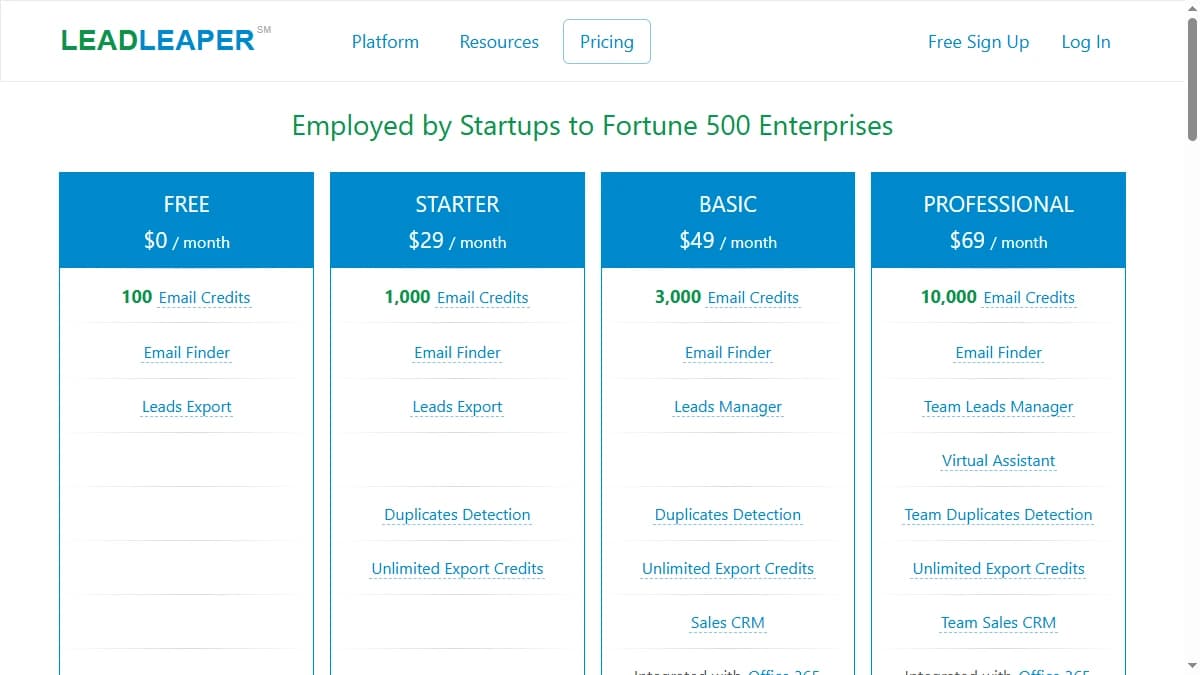
As of September 2026, LeadLeaper pricing starts free with 100 email credits per month, then climbs through three paid tiers billed month-to-month, with annual discounts available on request. Credits are consumed only when a business email is found, and paid plans include unlimited export credits, so you can export your captured leads as often as you like.
| Plan | Monthly Price | Email Credits | What You Get |
|---|---|---|---|
| Free | $0 | 100/mo | Email finder + leads export |
| Starter | $29/mo | Higher quota | Adds duplicates detection + unlimited export credits |
| Basic | $49/mo | Higher quota | Sales CRM + email sequences + tracking |
| Professional | $69/mo | Highest quota | Team CRM + reply tracking + round-robin |
The real cost math
The free tier is genuinely useful, and the paid sticker prices look cheap. But the credit allocations per paid tier are not consistently published — G2, GetApp, and third-party reviews list conflicting prices and credit counts — so it is hard to know your true cost per contact before you subscribe.
The bigger hidden cost is coverage. A credit only burns when an email is found, but with a 38% blank rate, a third of your prospecting effort produces nothing — and you still spent the time. Teams pricing LeadLeaper against a waterfall provider should compare cost per verified contact, not the headline plan price — see our roundup of the best B2B email finder tools.
LeadLeaper Review: Data Coverage and Accuracy Tested
LeadLeaper's accuracy picture is defined by what it does not publish. There is no accuracy rate, no deliverability benchmark, and no bounce-rate data anywhere on the site or in its marketing.
The hard number that does exist comes from independent testing. In a side-by-side LinkedIn email-finder comparison, LeadLeaper returned blanks on 38% of profiles, while competing tools stayed under 15%. That means roughly one in three contacts you try to capture comes back empty — a coverage gap that single-source tools can't close.
Where the gap comes from
The emails LeadLeaper does return are reported as generally accurate, though not perfect — some are outdated or incorrect. But accuracy on the emails it finds is a different question from coverage across a full prospecting list, where 38% of profiles resolve to nothing. That distinction between accuracy and coverage is exactly where single-source LinkedIn scrapers lose ground.
The public footprint adds caution. LeadLeaper carries a 4.5/5 rating on G2 (45 reviews) and 4.2/5 on GetApp, but the G2 profile has been dormant for over a year and support is described as largely absent — signs of a product with minimal active development behind the scores.
The practical implication: treat LeadLeaper as a first pass, not a complete answer. If the blanks matter, you will need a second source for the profiles it misses — our explainer on waterfall email finders covers how multi-provider tools approach that gap.
LeadLeaper Key Features
LeadLeaper's feature set is built around capturing contacts off LinkedIn and running light outreach — not automated GTM workflows. The highlights:
| Feature | What It Does |
|---|---|
| LinkedIn email finder | A Chrome extension that captures names, titles, and work emails from LinkedIn and Sales Navigator search results — up to 10 pages of results per run. |
| Bulk capture bot | Activate the LeadLeaper bot on a search and it cycles through results automatically, finding and validating emails without manual clicking on each profile. |
| Unlimited lead export | On paid plans, export captured leads to CSV as often as you want — unlimited export credits are included from Starter up, unlike many credit-based finders. |
| Lightweight CRM | Store and organize captured contacts with duplicates detection on paid tiers, plus Office 365 and Google Workspace integration on the Basic plan and up. |
| Email sequences | Send follow-up sequences with open and link tracking from the Basic plan, and reply tracking plus round-robin sending on the Professional team plan. |
| Leads scoring | Behavioral lead scoring and custom tracking domains are bundled into the Professional tier to help prioritize warmer contacts in your outreach. |
LeadLeaper Pros: What It Does Well
- ✓Genuinely free tier. 100 email credits a month with no credit card is one of the more useful free plans for a solo prospector doing light, daily lookups off LinkedIn.
- ✓Works out of the box. Install the Chrome extension, run a LinkedIn search, fire the bot — there is no onboarding or setup, which is exactly what a one-person team wants.
- ✓Unlimited exports. Paid plans include unlimited export credits, so you can re-capture and download your leads as often as you want without burning your quota.
- ✓Bulk LinkedIn capture. The bot cycles through up to 10 pages of search results at a time, so you are not clicking through profiles one by one to build a list.
- ✓Month-to-month billing. Paid plans are month-to-month with online cancellation and no contracts — low commitment if you only need it for a short campaign.
LeadLeaper Cons: Where It Falls Short
- Poor data coverage. In an independent LinkedIn email-finder test, LeadLeaper returned blanks on 38% of profiles while competing tools stayed under 15%. Roughly a third of the contacts you try to capture come back empty — and there is no fallback source when LeadLeaper's own lookup fails.
- No published accuracy metrics. LeadLeaper markets no deliverability rate, no bounce benchmark, and no third-party validation. You are buying contact data with no number to hold the tool to.
- Phone data is thinly documented. LeadLeaper now advertises phone numbers alongside business emails, but it publishes no phone quotas, coverage figures, or number types, so teams that call as well as email should test it before relying on it.
- LinkedIn suspension risk. Because it automates your logged-in LinkedIn and Sales Navigator sessions, users report temporary one-day account suspensions from heavy use, plus freezing and glitches mid-scrape.
- Minimal active development. The G2 profile has been dormant for over a year, support is described as largely absent, and the Chrome listing is reportedly shadow-banned despite 100,000+ installs — signs of an under-maintained product.
- No API and weak CRM. There is no API for programmatic enrichment, the built-in CRM is basic contact storage only, and it builds duplicates into lists rather than deduplicating — so serious teams export to Salesforce or HubSpot anyway.
How to Get the Most Out of LeadLeaper
LeadLeaper is simple to start, but a few habits make the difference between a clean list and a week of blanks, duplicates, and LinkedIn warnings. Here is a practical workflow, with the plan limits that apply at each step as of September 2026.
- Start on the free plan. 100 email credits a month is enough to measure your own blank rate on a real Sales Navigator search before paying anything. Credits are only consumed when a business email is found, so misses cost you time rather than credits.
- Tighten the search before you run the bot. The bot works through up to 10 pages of results per run, so filter hard by title, seniority, and company size first. A narrower search means fewer wasted runs and fewer profiles that come back blank.
- Pace your runs. Users report one-day LinkedIn suspensions after heavy use. Run smaller batches spread across the day rather than one long session, especially on an account you depend on.
- Turn on duplicates detection. It starts on the $29/mo Starter plan. Without it, repeat captures pile up in your lists, one of the most common complaints about the built-in CRM.
- Decide where contacts live.If you already run Salesforce or HubSpot, export to CSV (paid plans include unlimited export credits) and import there. The Basic plan's Sales CRM and Office 365 or Google Workspace integration make more sense for solo users without a CRM.
- Only upgrade for sequences you will use. Email sequences with open and link tracking start on Basic ($49/mo). Reply tracking, round-robin sending, and behavioral lead scoring need Professional ($69/mo).
- Test phone data separately. LeadLeaper now advertises phone numbers alongside business emails but publishes no phone quotas or coverage figures. Check a sample before you plan calling campaigns around it.
Track two numbers from day one: the share of profiles that come back blank and the bounce rate on your first sends. If blanks stay near the 38% seen in independent testing, budget for a second email source for the profiles LeadLeaper misses. For a LinkedIn-native tool that also covers mobile numbers, see our SignalHire review, and for how enrichment fits a wider workflow, our guide to B2B lead enrichment.
Who Should Use LeadLeaper?
LeadLeaper is the right tool in a specific scenario: light, email-first contact-finding off LinkedIn by a solo prospector who wants a free or cheap start and doesn't depend on phone numbers, signals, or team workflows.
Use LeadLeaper if:
- You are a solo prospector or recruiter doing 10–20 LinkedIn email lookups a day and the free 100-credit tier covers you.
- Your outreach is email-first, so LeadLeaper's loosely documented phone data is a bonus rather than a requirement.
- You want one-click capture off LinkedIn search results without onboarding or a contract.
- Unlimited exports and month-to-month billing matter more to you than maximum coverage.
Look elsewhere if:
- Coverage is your bottleneck — a 38% blank rate will miss the harder-to-find contacts that a waterfall contact provider resolves.
- You need reliable phone coverage — LeadLeaper advertises phone numbers but publishes no quotas or coverage data, so call-heavy teams should test it against a dedicated phone source.
- You run team-based outbound and want shared workflows, an API, and real CRM enrichment rather than a single-user Chrome extension.
- Protecting your LinkedIn account matters — scraping your own logged-in session carries suspension risk that provider-sourced enrichment avoids. See our ContactOut alternatives for LinkedIn-data options.
If a 38% blank rate on LinkedIn profiles is a dealbreaker, SyncGTM is one alternative worth a look: it runs waterfall enrichment across 50+ data providers for verified emails and phone numbers.