

Dripify Review 2026: LinkedIn Automation Tested — Pricing and Safety Verdict

By Kushal Magar · April 8, 2026 · 11 min read · Last updated: September 30, 2026
Key Takeaway
Dripify is a cloud-based LinkedIn automation platform that runs drip campaigns for connection requests, message sequences, profile visits, follow-ups, and email steps. As of September 2026, Basic is $39/mo billed annually ($59 monthly) with 1 campaign, Pro is $59/mo annually ($79 monthly) with unlimited campaigns and a dedicated inbox, and Advanced is $79/mo annually ($99 monthly) with A/B testing and team management. Every plan includes a 7-day free trial and 100 email finder credits a month. Dripify uses dedicated IP addresses and daily limits to reduce LinkedIn ban risk. Main limitations: personalization trails Expandi, A/B testing is reserved for Advanced, and you supply your own prospect lists.
Dripify is a LinkedIn automation tool that runs drip campaigns on autopilot. You build a sequence — connection request, follow-up message, profile visit, endorsement — set your daily limits, and let it run. The pitch: book more LinkedIn meetings without spending 3 hours per day on manual outreach.
You are probably here because you need to scale LinkedIn outreach but are worried about two things: getting your account banned and running sequences to people who will never buy.
This Dripify review covers how the automation works, whether it is actually safe for your LinkedIn account, what each plan costs, and where the tool falls short for teams that need more than just automated connection requests.
Dripify Review: What You Get (and What You Don't)
Dripify is a cloud-based LinkedIn automation tool — meaning it runs from their servers, not a browser extension on your laptop. This matters for safety. See how users rate it on G2.
| Feature | What's Included | Limitations |
|---|---|---|
| Drip Campaigns | Multi-step LinkedIn and email sequences with conditions | Basic plan allows 1 campaign and 30 messages a day |
| Safety Controls | Dedicated IP, human-like activity pacing, daily limits | Still requires staying within LinkedIn's limits |
| Personalization | 20+ smart variables, including an AI-powered icebreaker | No image/GIF personalization like Expandi |
| Channels | LinkedIn plus email steps in the same sequence | Built LinkedIn-first; email is a supporting step |
| Lead Data | Email finder and profile enrichment | 100 email finder credits/month on self-serve plans; you supply your own prospect lists |
The takeaway: Dripify automates LinkedIn outreach efficiently. What it does not do is tell you which LinkedIn prospects are worth reaching out to.
Dripify LinkedIn Automation: How the Drip Campaigns Work
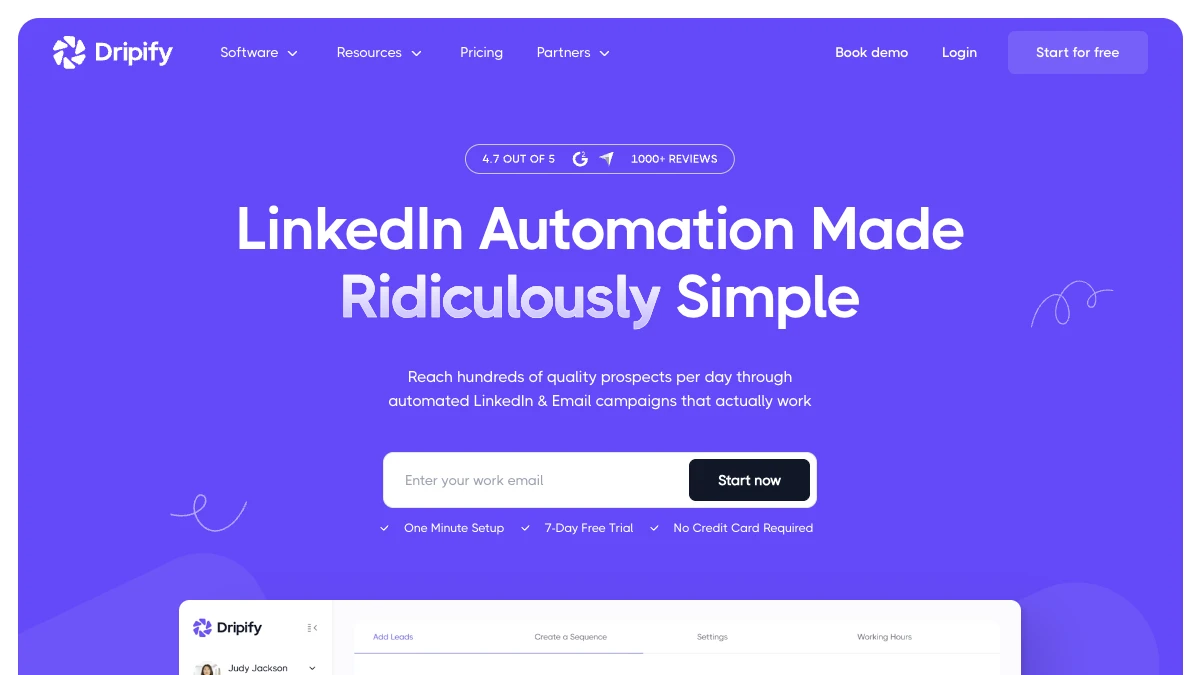
You build a campaign by uploading a CSV of LinkedIn profile URLs or connecting a Sales Navigator search. Then you design a sequence: connection request on day 1, follow-up message 3 days after acceptance, profile visit on day 5, second message on day 8.
Conditional branching lets you split sequences based on whether someone accepted your connection, viewed your profile, or replied. For example: if they accepted the connection but did not reply to message 1, send message 2; if they replied, stop the sequence and alert you.
What works well
The campaign builder is intuitive. Setting up a 5-step LinkedIn sequence takes under 20 minutes. Analytics are clear — you can see acceptance rates, reply rates, and which steps are underperforming. The Personal Inbox feature (Pro and above) consolidates all LinkedIn conversations so you do not miss replies buried in LinkedIn's native inbox.
Where it falls short
Dripify has added email steps to its sequences, but it is still built LinkedIn-first: email finder credits are capped at 100 a month per user on self-serve plans, and A/B testing is reserved for the Advanced plan. If email carries as much weight as LinkedIn in your outreach, compare our LaGrowthMachine review for true multichannel automation. More critically: Dripify does not tell you which of your LinkedIn prospects are in-market right now, so the quality of your campaigns depends entirely on the list you import.
Dripify Safety: Will LinkedIn Ban Your Account?
LinkedIn actively detects automation tools. The risk: account restriction, temporary suspension, or permanent ban. Dripify's safety approach includes three main protections:
First, dedicated IP addresses. Each Dripify account gets its own IP, so your activity does not look like it is coming from an automation service. Second, human-like activity simulation — actions are spaced out with random delays rather than firing at exact intervals. Third, configurable daily limits — you set how many connection requests, messages, and profile views run per day.
Realistic safety expectations
Most Dripify users stay safe by keeping connection requests under 20–25 per day. Users on Reddit and G2 who got restricted were typically exceeding those limits or using overly templated, spammy messaging. The tool does not guarantee safety — LinkedIn keeps updating its detection — but it is one of the safer browser-extension-free options available. For a broader comparison, read our HeyReach review covering agency-scale LinkedIn safety.
Dripify Pricing Breakdown
Dripify publishes pricing openly on their pricing page. Plans are priced per user, meaning one LinkedIn account each. As of September 2026, every plan comes with a 7-day free trial (no credit card required), and annual billing saves 20–34% depending on the plan:
- •Basic ($39/mo annual, $59 monthly): 1 drip campaign, 30 messages/day, 100 email finder credits/month, no A/B testing, no inbox, no CSV export, no webhooks
- •Pro ($59/mo annual, $79 monthly): Unlimited campaigns, 100+ messages/day, dedicated inbox, CSV export, webhooks and Zapier, 100 email finder credits/month
- •Advanced ($79/mo annual, $99 monthly): Everything in Pro plus A/B testing, team management, lead tagging, activity control
- •Enterprise (custom): Custom email finder credits and a dedicated customer success manager
What you actually pay
An individual SDR running LinkedIn outreach seriously needs at minimum the Pro plan at $59/mo billed annually ($79 month-to-month). A 3-person team on Advanced: $237/mo total on annual billing, or $297/mo month-to-month. That is reasonable for LinkedIn automation, but only if the prospects in your sequences are actually worth reaching.
Hidden costs to watch
- Basic plan severely limits usage — 1 campaign and 30 messages a day, so most serious users need Pro at minimum
- Per-account pricing: each LinkedIn account needs its own subscription
- Month-to-month billing costs $20/mo more per user than annual on every plan
- A/B testing requires the Advanced plan
- 100 email finder credits a month per user on self-serve plans — larger volumes need extra credit packs
What Are the Downsides of Using Dripify?
Email is a secondary channel
In 2026, B2B outreach works best when LinkedIn and email are coordinated. Dripify now supports email steps inside its sequences, so older reviews calling it LinkedIn-only are out of date. But the product is still built LinkedIn-first, with email finder credits capped at 100 a month per user on self-serve plans. Multichannel tools like LaGrowthMachine or Expandi also handle both channels in one platform.
Personalization is basic
Variable substitution with {{firstName}} and {{companyName}} is table stakes in 2026. Dripify goes a step further with 20+ smart variables, including an AI-powered icebreaker, but it does not advertise the image or GIF personalization that competitors like Expandi now provide.
No prospect intelligence
Dripify runs your sequences to whoever is on your list. It does not know which of those prospects recently got funding, changed jobs, or started hiring for roles that signal buying intent. You are automating outreach blind without a signal layer upstream. Review our best buying intent data tools guide for the signal layer that Dripify is missing.
Safety is your responsibility
Dripify reduces ban risk but does not eliminate it. LinkedIn changes its detection methods regularly. Users who push limits or run overly templated sequences still get restricted. You carry the risk to your account.
How to Run Your First Dripify Campaign
Dripify is quick to learn, but the order you set things up in affects both results and account safety. Here is a practical setup sequence, with the plan limits that apply at each step.
- Start the free trial on your real account. Every plan comes with a 7-day free trial and no credit card, which is enough to run one small campaign end to end. Plans are per LinkedIn account, so test with the account you will actually automate.
- Build a tight lead list. Import a Sales Navigator search or a CSV of LinkedIn profile URLs. Dripify automates outreach but does not qualify prospects, so narrow the list by role, company size, and a recent trigger such as a job change or new funding round before you import it.
- Design a short sequence. A reasonable starting point: connection request on day 1, a follow-up message 3 days after acceptance, a profile visit on day 5, and a second message on day 8. Add an email step for prospects who never accept, using the email finder (100 credits a month per user on self-serve plans) to fill in addresses.
- Set conservative limits.Keep connection requests to 20–25 per day while the account warms up. Basic caps you at 30 messages a day; Pro and above allow 100+.
- Personalize beyond first name.Use Dripify's smart variables and the AI icebreaker for the opener, then review a sample of messages before launch. Overly templated sequences are what most often get accounts restricted.
- Route replies. On Pro and above, work replies from the dedicated inbox and use webhooks or Zapier to push accepted connections and replies into your CRM. Dripify also lists a HubSpot integration.
- Test, then scale. After the first week, check acceptance and reply rates by step. Split-testing messages inside Dripify requires the Advanced plan, since A/B testing is not included in Basic or Pro.
The most common mistake is scaling volume before the sequence works. Get acceptance and reply rates where you want them on a small list first, then raise daily limits gradually rather than all at once.
Is Dripify Worth It?
Dripify is worth it for SDRs and AEs who rely on LinkedIn as their primary outreach channel and need to scale connection and follow-up volume. The Pro plan at $59/mo (billed annually) delivers solid automation at a fair price. The safety approach is reasonable — most users stay safe within LinkedIn's limits.
Dripify is not enough for teams that need email-first multichannel outreach, sophisticated personalization, or intelligence about which prospects are actually in-market. LinkedIn automation only gets you so far if you are targeting the wrong people.
The verdict: solid LinkedIn automation at a fair price, with basic personalization and A/B testing locked to the top self-serve plan. Use the 7-day free trial to run one real campaign before choosing a plan.
Comparing LinkedIn automation tools? Read our reviews of HeyReach, LaGrowthMachine, and our roundup of best LinkedIn outreach automation tools for B2B.
If Dripify's lack of buying-signal data on your prospects is a dealbreaker, SyncGTM is one alternative worth a look: it tracks real-time buying signals such as job changes, funding, and hiring, and scores leads against your ICP with AI.