


Anymail Finder Review 2026: B2B Data Coverage, Pricing & Verdict

By Kushal Magar · May 26, 2026 · 13 min read · Last updated: September 30, 2026
TL;DR: Anymail Finder Review 2026 Verdict
Anymail Finder is a B2B email-finder tool with a pay-per-verified pricing model that starts at $29/mo for 400 credits (as of September 2026). The billing model is fair — you only pay for emails marked Valid, Risky and Not Found are free. The 97% accuracy claim covers Valid results only, the API runs about 155 minutes per 1,000 lookups, and a single pattern-and-probe engine has no fallback when a lookup fails. Our rating: 3.8/5.
The case for Anymail Finder is billing honesty. You are never charged for a bounce, never charged for a guess, and unused credits roll over with no cap while you stay subscribed. For developers integrating an email API at low volume, that is real.
The case against it is structural. Bulk processing is roughly 39x slower than the fastest competitor. The product is email-only — no phone, no firmographics, no signals, no outreach. The 97% accuracy number applies to the Valid bucket, while reviewer-reported real-world bounce rates including Risky results land near 30%. For any team running modern outbound, the workflow ceiling is low.
This review covers real pricing math across the eight live tiers, hit rates by region, the API speed problem nobody benchmarks against, what is missing from the product, and a direct comparison with Hunter.io and Findymail for teams evaluating their B2B data stack in 2026.
What Is Anymail Finder?
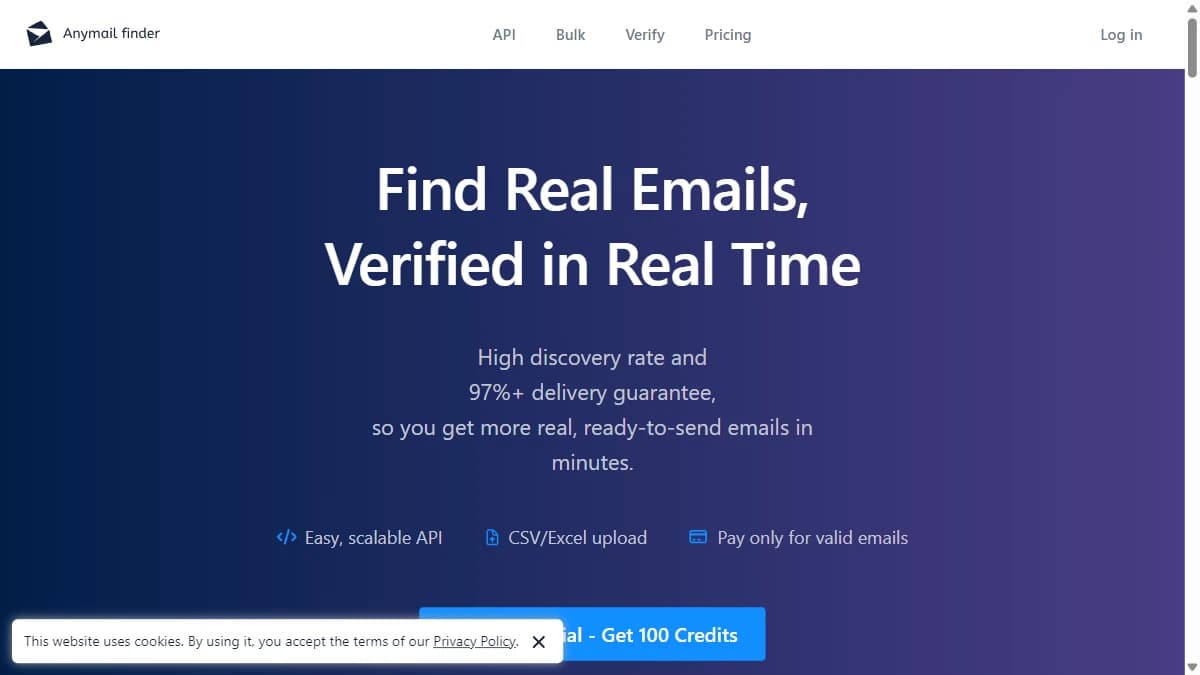
Anymail Finder is a B2B email-finder tool that returns professional email addresses from a name and company domain. The defining commercial feature is pay-per-verified pricing — you are charged credits only for emails the platform marks as Valid (97%+ deliverability claim). Risky and Not Found results are free.
Under the hood, Anymail Finder combines email pattern matching, SMTP probing, MX record validation, and public-source crawling. The verification pipeline filters catch-all domains and disposable addresses, then assigns each result to one of three buckets: Valid (billable), Risky (estimated ~70% deliverable, not billable), or Not Found (not billable).
The product surfaces are a web app for one-off lookups, a bulk CSV uploader for batch jobs, and a REST API used by developers building enrichment into their own tools. The target user is either a small sales team that wants a low-volume, fair-billing email finder, or a developer integrating email lookup into a custom workflow. The product is intentionally narrow — email-only — which is the single most important architectural fact for anyone comparing it against Clay or any multi-provider waterfall enrichment platform.
| Capability | What Anymail Finder Provides | Notable Gaps |
|---|---|---|
| Database | Single-source pattern + SMTP probing + crawl. | No waterfall — missing records mean dead ends. |
| Email Finder | Lookup by name + domain, bulk CSV, REST API. | No fallback to other sources when a lookup fails. |
| Verification | Bundled verification + standalone bulk verifier (0.2 credits/check). | Cannot recover records the underlying database missed. |
| Mobile Direct Dial | Not available. | No phone data layer at all. |
| Chrome Extension | Finds verified emails as you browse; LinkedIn URLs also work as search input. | Surfaces emails only, not full prospect profiles. |
| Buying Signals | Not available. | No hiring, funding, tech-change, intent monitoring. |
| Native Outreach | Not available. | Push to Instantly, Smartlead, lemlist, etc. |
| Integrations | REST API, Zapier, Make, n8n, Google Sheets, and an MCP server for AI assistants. | No native CRM connectors — CRM refreshes are DIY. |
Anymail Finder Pricing: How Pay-Per-Verified Actually Works
Anymail Finder runs a tiered credit-based subscription with the unusual property that credits are only consumed on Valid (verified-deliverable) results. Risky and Not Found queries return data but cost nothing. Credits roll over with no cap while you remain subscribed, which is genuinely rare in this category.
As of September 2026, monthly plans start at $29/mo for 400 credits and climb through eight tiers to $799/mo for 100,000 credits. A person email search costs 1 credit, a company search returns up to 20 verified emails for 1 credit, Decision Maker lookups cost 2 credits, and standalone verification runs 0.2 credits per check. Repeating the same search within 30 days is free.
| Plan | Price | Credits / Month | Effective Cost / Email |
|---|---|---|---|
| Free Trial | $0 | 100 credits | $0 (card verified, not charged) |
| 400 credits | $29/mo | 400 | $0.073 |
| 1k credits | $49/mo | 1,000 | $0.049 |
| 2k credits | $89/mo | 2,000 | $0.045 |
| 5k credits | $149/mo | 5,000 | $0.030 |
| 10k credits | $199/mo | 10,000 | $0.020 |
| 25k credits | $299/mo | 25,000 | $0.012 |
| 50k credits | $499/mo | 50,000 | $0.010 |
| 100k credits | $799/mo | 100,000 | $0.008 |
USD list rates from Anymail Finder's pricing page as of September 2026, excluding tax. Plans bill monthly and can be cancelled anytime; one-time credit packs, valid for 12 months, are the subscription-free alternative.
The real cost math
At the $29/mo entry tier, effective cost lands at about $0.07 per verified email. The per-credit price falls steadily with volume — $0.030 at 5,000 credits and under $0.01 from 50,000 credits up — so the model pays off most for teams with enough monthly throughput to consume the allocation. Decision Maker searches cost 2 credits, so role-based lookups effectively double the per-email price.
The hidden cost is the Risky bucket. Anymail Finder does not charge for Risky results, but reviewer reports indicate Risky results bounce roughly 30% of the time. If you treat free Risky results as usable in your campaigns, you are paying for the deliverability hit downstream — usually in domain reputation and sender warm-up cost.
Two policies soften the math. Credits roll over with no cap while you stay subscribed, so buying a slightly larger tier costs less than it would with tools that expire credits monthly. And if an email returned as verified bounces, you can report it and get the credit back. The catch: cancel, and unused credits expire at the end of the current billing cycle.
Anymail Finder Data Coverage: What You Get and What's Missing
Anymail Finder does not publish a database headcount and does not need to — the architecture is pattern-and-probe rather than static-index. The product takes a name + domain, generates candidate email patterns, verifies them in real time, and returns a verdict. That changes the coverage question from "is this person in the database?" to "can we resolve this person against this domain?"
In practice, coverage tracks the same shape as every other single-source email-finder tool: strong on US and Western European mid-market, weaker on SMB domains without strong public footprint, and meaningfully thin across APAC, LATAM, MENA, and Africa per G2 and Capterra reviewer reports.
| Region / Segment | Coverage Quality | Notes |
|---|---|---|
| US Mid-Market | Strong | Densest pattern coverage; cleanest SMTP probing. |
| UK & Western Europe | Strong | Solid on standard corporate domain patterns. |
| US Enterprise (500+ emp) | Solid | Catch-all domains push results into Risky bucket. |
| US SMB (<50 emp) | Mixed | Better than most single-source DBs at SMB pattern guessing. |
| APAC | Weak | Japan/Korea/SEA inconsistent; Risky bucket grows. |
| LATAM / MENA / Africa | Weak | High Risky and Not Found rates; little value at the entry tier. |
What is missing from the data layer matters more than what is in it. There are no phone numbers, no firmographic enrichment (company size, revenue, industry, tech stack), no buying signals (hiring, funding, tech changes, job changes), no intent data, and no people-graph relationships. Modern outbound runs on those signals. The argument for waterfall enrichment tools is that querying several providers at the moment of lookup beats relying on any single source — and it applies directly here.
Anymail Finder Accuracy: Hit Rates and the 97% Asterisk
Anymail Finder's headline is "97%+ delivery guarantee" — and the asterisk matters. The 97% number applies only to emails marked Valid. Your real-world result mix is three-bucket: Valid (billable, 97%+ deliverable), Risky (free, estimated ~70% deliverable), and Not Found (free, no result). When you blend the three, the real hit rate is meaningfully lower.
Anymail Finder's own benchmark on 5,000 real contacts reports a 77.5% verified rate (3,875 out of 5,000), compared to Hunter at 37.6% and Snov.io at 20.1%. That number is interesting but vendor-run on a vendor-selected sample. Independent reviewer reports across G2, Capterra, and third-party benchmarks paint a more layered picture.
- US enterprise + Western Europe mid-market: 55–70% Valid hit rate, ~5–8% bounce rate on Valid bucket. Best case.
- US SMB + secondary EU markets: 40–55% Valid hit rate; Risky bucket grows; reviewer-reported ~30% combined bounce when Risky is used in campaigns.
- APAC + LATAM: 30–45% Valid hit rate, larger Risky + Not Found shares. Real result quality drops noticeably.
- MENA + Africa: 20–35% Valid hit rate. Expect to fall back to Risky results, which compounds deliverability cost.
The honest pattern: Valid results from Anymail Finder are genuinely high-quality. Risky results are a coin-flip-plus and need their own treatment in a campaign (separate sending IP, lower volume per inbox). And the Not Found bucket is real — pattern-and-probe architectures cannot find a person whose domain rejects SMTP probing or whose email pattern does not match any guessable form.
One recent change targets the Risky bucket. As of September 2026, Anymail Finder says it runs extra checks on catch-all domains instead of flagging every catch-all address as risky, and only calls an address verified once it passes — which it says recovers valid contacts other tools skip. If your list is heavy on catch-all enterprise domains, re-test it on the free credits before relying on older benchmarks.
The Speed Problem: 155 Minutes per 1,000 Lookups
This is the limitation almost nobody benchmarks against, and the one most likely to ruin an SDR team's week. Independent tests documented in the Prospeo benchmark measured Anymail Finder at roughly 155 minutes to process 1,000 email lookups via the API — about 6.5 lookups per minute. The same test put Findymail at 4 minutes for the same volume.
The cause is the verification model. Pay-per-verified requires real-time SMTP probing for every candidate pattern, and SMTP servers throttle aggressive probing. Anymail Finder slows down deliberately to maintain Valid-bucket accuracy. The accuracy is real — and the throughput cost is also real.
| Volume | Anymail Finder | Findymail |
|---|---|---|
| 1,000 contacts | ~155 minutes | ~4 minutes |
| 5,000 contacts | ~13 hours | ~20 minutes |
| 10,000 contacts | ~26 hours | ~40 minutes |
For developers integrating Anymail Finder into a long-running async workflow (overnight enrichment job, weekly CRM refresh), the speed is fine. For SDR teams that need fresh contacts in time for Tuesday's sequence launch, the speed is a hard blocker. Plan around it or pick a faster tool.
Key Features: Finder, Verifier, and API
Email Finder
The headline tool. Submit a name + company domain (or LinkedIn URL + domain) and Anymail Finder returns a verdict bucket: Valid (with email), Risky (with email + caveat), or Not Found. Bulk CSV upload handles batch jobs up to credit allocation. The Decision Maker search costs 2 credits and returns the most likely senior decision maker for a given company + role title — useful when you do not have a specific name yet.
Email Verifier
The standalone bulk verifier runs at 0.2 credits per check — useful for cleaning a list pulled from another source (old CRM export, event registration, purchased list). The verification pipeline checks syntax, MX records, SMTP handshake, and catch-all detection. Bounce rates on the cleaned list typically land at 4–8% on US/EU data when used against an already-decent source.
REST API
The most distinctive surface. Anymail Finder offers a clean REST API that, per its integrations page as of September 2026, has no rate limits, plus uncapped credit rollover and predictable pay-per-verified billing. For developers embedding email finding into a custom workflow — a recruiting tool, a competitive-intelligence dashboard, a CRM enrichment cron — the API is the reason to choose Anymail Finder. The speed limit applies, but for async or batch workloads it is workable.
Chrome Extension and Integrations
A Chrome extension finds verified emails as you browse, and duplicate lookups within 30 days stay free there too. For automation, Anymail Finder connects to Google Sheets, an official n8n community node, Zapier, and Make, works inside Clay through Clay's HTTP API tool, and offers an MCP server so AI assistants such as Claude, ChatGPT, and Cursor can run lookups.
Free Trial
100 free credits, with card verification but no charge and no auto-enrollment. The credits work across single search, bulk, and the API — enough to actually test API integration and result quality on a real list before committing to a tier.
What's missing
No phone-number lookups. No firmographic enrichment. No buying signals. No intent data. No native CRM integrations (Zapier, Make, n8n, and the API fill that gap). No outreach sender. Anymail Finder is intentionally narrow — and the missing pieces define who fits and who does not.
Anymail Finder Pros: What It Does Well
- ✓Genuinely fair billing. You only pay for Valid (verified-deliverable) emails. Risky and Not Found queries are free. In a category dominated by tools that charge for guesses, this is rare and honest.
- ✓Credit rollover with no cap. Unused credits roll forward while you remain subscribed — structurally friendlier to seasonal, episodic, or project-based outbound motions than competitors that expire credits monthly.
- ✓High accuracy on the Valid bucket. The 97%+ deliverability claim on Valid results holds up in practice. Bounce rates on Valid-only lists land at 4–8% on clean US/EU data — comparable to dedicated verification tools.
- ✓Clean REST API with no rate limits. For developers integrating email finding into a custom workflow, the API surface is well-documented, predictable, and priced for high-volume async use.
- ✓Unlimited team members + SSO on all plans. Seat-based pricing penalties are common in this category; Anymail Finder skips them. Useful for agencies or distributed teams sharing a single credit pool.
- ✓Decent SMB-domain coverage. Pattern-and-probe architecture handles smaller-company domains better than most database-only single-source competitors. Where a static-DB misses, an SMTP probe can still resolve.
Anymail Finder Cons: Where It Falls Short
- API speed bottleneck. Independent benchmarks measure roughly 155 minutes to process 1,000 lookups — about 6.5 lookups per minute. Findymail processes the same volume in 4 minutes. For SDR teams running 5,000-contact bulk enrichments, that turns into 13 hours of wall-clock processing per batch.
- Email-only scope. No phone numbers, no mobile direct dial, no firmographic enrichment, no buying signals. Anymail Finder is one piece of a stack, never the full stack — every adjacent capability is a separate vendor.
- The 97% accuracy claim has asterisks. The number applies only to Valid results. Your real campaign hit rate blends Valid (charged) + Risky (free, ~70% deliverable) + Not Found, and reviewer reports cite around 30% combined bounce/fail rates when Risky is included.
- Single-source engine caps coverage. When Anymail Finder cannot resolve a contact, there is no fallback to another data source — the result is simply Not Found.
- Coverage outside US and Western Europe is documented as inconsistent. APAC, LATAM, MENA, and African contacts return lower hit rates and a larger Risky bucket per reviewer reports on G2 and Capterra.
- No native outreach sender. You export results into a separate cold email tool (Instantly, Smartlead, lemlist) — another vendor, another bill, another integration to maintain.
- No native CRM connectors. Keeping HubSpot, Salesforce, or Pipedrive records fresh means building the workflow yourself through Zapier, Make, n8n, or the API.
Anymail Finder vs Hunter.io vs Findymail
The B2B email-finder market splits into four categories: pay-per-verified APIs (Anymail Finder), domain-first finders (Hunter.io), speed-optimized single-source tools (Findymail), and waterfall enrichment platforms (Clay, FullEnrich). Here's how Anymail Finder stacks against its two closest single-source rivals.
| Feature | Anymail Finder | Hunter.io | Findymail |
|---|---|---|---|
| Pricing Model | Pay-per-verified credit | Tiered subscription | Credit-based subscription |
| Entry Price | $29/mo (400 credits) | $34/mo (Starter) | $49/mo (1,000 credits) |
| Effective Cost / Verified Email | $0.008 – $0.073 | $0.03 – $0.07 | $0.025 – $0.05 |
| Database Source | Single-source + email pattern | Domain crawl + verification | Single-source + LinkedIn scrape |
| Mobile Direct Dial | Not available | Not available | Mobile add-on |
| Bulk Processing Speed | ~155 min / 1,000 lookups | Fast — ~5 min / 1,000 | Fast — ~4 min / 1,000 |
| Credit Rollover | Yes — no cap while subscribed | Monthly allocation | Monthly allocation |
| Native Outreach | None — API only | Campaigns (basic) | None |
| Best For | Developers, low-volume teams | Domain-based prospecting | Speed-focused SDRs |
The honest take on each option
Anymail Finderwins on billing fairness and API cleanliness at low to medium volume. One credit per verified result, free Risky and Not Found, generous rollover, clean REST API. Best fit for developers building enrichment into custom tools and small teams doing <500 lookups a month.
Hunter.io is the domain-first specialist at $34/mo entry. Best when you have target domains in hand and need clean email patterns, with a stronger Chrome extension and lightweight campaigns. Wider review base than Anymail Finder, more mature deliverability tooling, but no rollover and no Decision Maker search. See the broader Hunter.io alternatives roundup.
Findymailoptimizes for speed — 1,000 lookups in 4 minutes vs Anymail Finder's 155 — making it the obvious pick when SDR teams need fresh contacts in time for a campaign launch. Single-source database with similar coverage shape to Anymail Finder, but throughput closes the gap for time-pressured workflows. See the detailed Findymail review.
If none of the three single-source tools covers enough of your list, the next step up is a waterfall enrichment platform. Compare the options in our 6 best waterfall email finders roundup.
Who Should Use Anymail Finder?
Anymail Finder is the right tool in two specific scenarios: developers embedding email finding into a custom async workflow, and small teams running fewer than 500 monthly lookups who care more about billing fairness than throughput.
Use Anymail Finder if:
- You are a developer integrating an email-finder API into a recruiting tool, a CRM enrichment cron, a competitive-intel dashboard, or any product where speed is not the bottleneck.
- Your monthly volume is low (~50–500 lookups) and pay-per-verified meaningfully beats per-credit competitors that charge for guesses.
- You need credit rollover for seasonal, episodic, or project-based outbound — unused credits carry forward with no cap while you stay subscribed.
- Your ICP is primarily US, UK, or Western Europe at mid-market or larger — where Valid-bucket coverage is densest.
- You only need email addresses and have a separate stack for phone, firmographics, signals, CRM, and outreach already.
Do not use Anymail Finder if:
- You are running sustained outbound at 5,000+ contacts/month — the 155-minutes-per-1,000 speed ceiling and single-source hit-rate cap start to cost real pipeline. See our Anymail Finder alternatives roundup for faster options.
- You need phone numbers, firmographic data, buying signals (hiring, funding, tech, job changes), or native CRM enrichment — none of these exist in Anymail Finder.
- Your ICP is heavily APAC, LATAM, MENA, or Africa — Valid-bucket coverage drops and Risky bucket grows, eating into real deliverability.
- You need to build prospect lists from scratch — every search starts from a name, company, domain, or LinkedIn URL you already have.
- You need a native outreach sender or unified workflow — Anymail Finder is an API, not a platform.
- You need native CRM connectors that keep records fresh without building your own Zapier, Make, or API workflow.
Conclusion: Is Anymail Finder Worth It in 2026?
Anymail Finder is a competent, narrowly-focused email-finder tool with one of the cleanest billing models in the category. The pay-per-verified pricing is genuinely fair, credit rollover is generous, and the REST API is well-built. Valid-bucket accuracy holds up in practice. For developers and very-low-volume teams, the $29/mo entry tier is a defensible choice.
But the structural limits show up the moment your motion gets serious. The 155-minute-per-1,000-lookups speed ceiling makes bulk SDR enrichment impractical. The 97% accuracy headline applies only to the Valid bucket, while reviewer-reported real-world bounce rates including Risky results land near 30%. The product is email-only — no phone, no firmographics, no signals, no outreach — so it is always one piece of a multi-vendor stack. And the single-source pattern-and-probe architecture has no fallback when a lookup fails.
Our recommendation:Use the 100 free credits to test data quality against your specific ICP. If you are a developer building enrichment into a custom async workflow, or a small team running <500 lookups a month, one of the lower Anymail Finder tiers is a clean fit. If you are running outbound at scale and need waterfall coverage, mobile numbers, or signals, compare the 6 best waterfall email finders first. The full alternatives breakdown lives in our 9 best Anymail Finder alternatives roundup. External benchmarks worth reading before deciding: G2 reviews, Capterra, and GetApp.
If Anymail Finder's email-only scope is a dealbreaker, SyncGTM is one alternative worth a look: its waterfall enrichment across 50+ data providers returns verified emails, phone numbers, and firmographics.