


AnyMailFinder Review 2026: Pay-Per-Verified-Email Model — Worth It?

By Kushal Magar · March 16, 2026 · 10 min read · Last updated: September 30, 2026
Key Takeaway
AnyMailFinder is a B2B email finder that charges only for verified, deliverable email addresses. As of September 2026, monthly plans start at $29 for 400 credits and scale to $799 for 100,000 credits, and unused credits roll over while a subscription stays active. The pay-per-verified model is genuinely fair: searches that do not return a verified email are free, and verified emails that bounce can be reported for a credit refund. You can search by name and company, domain, company name, role, or LinkedIn URL, and the bulk finder takes files of up to 100,000 rows. Integrations cover a REST API, Google Sheets, Clay, a Chrome extension, and Zapier, Make, and n8n connectors, but there is no native CRM sync. The scope is narrow: no phone numbers, no company data enrichment, and no buying signals, so teams that need more than email addresses will need a second tool.
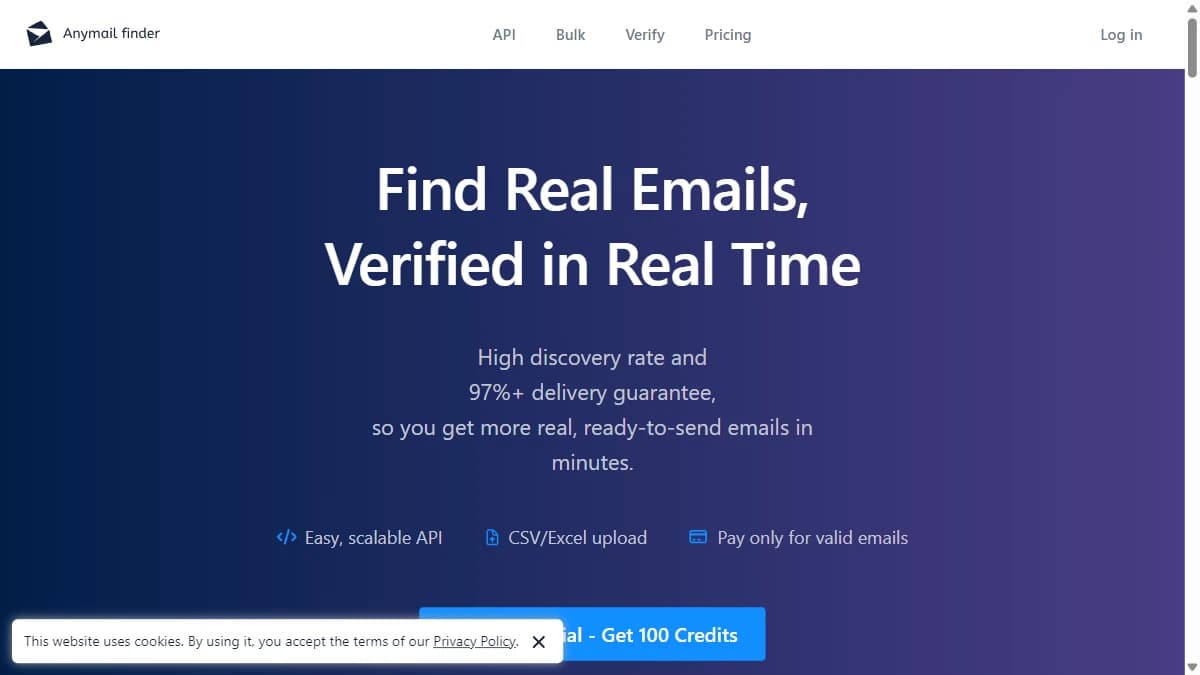
AnyMailFinder is a B2B email finder with a pay-per-verified-email pricing model — you only pay for emails that pass verification. As of September 2026, plans start at $29/mo for 400 credits. The tool focuses exclusively on email finding, with single lookups, bulk file uploads, a Chrome extension, and a REST API. It does not cover phone numbers, company data, or buying signals.
The pay-per-verified model is AnyMailFinder's core pitch. You do not pay for unverified guesses or bounced addresses. Only confirmed, deliverable emails count against your quota. Fair pricing for a narrow use case. For alternative email finders, see our Hunter.io review and Findymail review.
AnyMailFinder Review: What You Get (and What You Don't)
| Feature | What's Included | Limitations |
|---|---|---|
| Email Finding | Verified business emails only | Email only — no phone, no company data |
| Search Types | Name + company, domain, company name, role, LinkedIn URL | Every search starts from a company, domain, or profile you supply |
| Pricing Model | Pay only for verified results | Unverified but correct emails do not count — potential misses |
| API and Integrations | REST API, Google Sheets, Clay, Chrome extension, Zapier, Make, n8n | No native CRM integrations |
| Buying Signals | Not available | No signals of any kind |
Pay-Per-Verified: AnyMailFinder's Pricing Model
The model is simple: submit a name and domain, and AnyMailFinder searches for the email. If it finds a verified result, it counts against your quota. If it cannot verify the email, you do not pay.
This is genuinely fair pricing. You never pay for a bounce: as of September 2026, verified emails carry a 97%+ accuracy guarantee, and one that bounces anyway can be reported from the dashboard or API for a credit refund. The downside: AnyMailFinder is conservative about what counts as verified, so some lookups come back empty. You get fewer results than a finder that returns unverified guesses, but what you get works.
AnyMailFinder Pricing Breakdown
As of September 2026, AnyMailFinder sells monthly subscriptions by credit volume, with no annual plans listed. Credits are only spent on searches that return a verified email, so the per-credit price is effectively your cost per verified result.
| Credits per Month | Price | Cost per Credit |
|---|---|---|
| 400 | $29/mo | ~$0.073 |
| 1,000 | $49/mo | ~$0.049 |
| 2,000 | $89/mo | ~$0.045 |
| 5,000 | $149/mo | ~$0.030 |
| 10,000 | $199/mo | ~$0.020 |
| 25,000 | $299/mo | ~$0.012 |
| 50,000 | $499/mo | ~$0.010 |
| 100,000 | $799/mo | ~$0.008 |
- --Free credits: 100 credits at signup after card verification. The card is not charged.
- --Rollover: Unused credits roll over with no cap while your subscription stays active.
- --Credit packs: Non-subscription packs, valid for 12 months, for irregular lookup volume.
- Email only: No phone data, company enrichment, or signals.
- No native CRM integration: HubSpot or Salesforce connect through the API, Zapier, Make, or n8n rather than a built-in sync.
What Are the Downsides of Using AnyMailFinder?
Extremely narrow scope
AnyMailFinder does one thing: find verified emails. No phone numbers, no company data, no signals, and no native CRM sync. You need additional tools for a complete workflow. Tools like Snov.io and Clearout offer broader email toolkits.
Unverifiable contacts return nothing
Conservative verification means some lookups return no result. You are not charged for them, but you also get no address to send to. AnyMailFinder says it can confirm catch-all addresses, including Google Workspace and Microsoft 365 domains, that many verifiers flag as risky, so test it on a sample of your own list before buying volume, especially if your targets skew toward catch-all domains.
Rolled-over credits depend on staying subscribed
Unused credits roll over only while your subscription is active. If you cancel, the remaining balance expires, so buying a large plan to stockpile credits is a gamble. For irregular volume, the 12-month credit packs are the safer option.
How AnyMailFinder Works: Search Types, Bulk Lookups, and Integrations
AnyMailFinder keeps the workflow short. You give it what you know about a contact, it runs a live verification, and it returns a verified email or nothing. Here is how the pieces fit together as of September 2026.
- Pick a search type. There are five: a person's name plus their company, a domain search that returns professional emails at that domain, a company-name search for when you do not have the domain, a decision-maker search by role or department, and a LinkedIn URL lookup.
- Run single or bulk lookups. Single searches run in the web app or the Chrome extension. The bulk finder takes a CSV or Excel file of up to 100,000 rows and bills only for the verified matches it finds.
- Let verification decide the charge. Credits are only spent on emails that pass live verification. If AnyMailFinder cannot verify an address, the search is free. The company also says it can confirm addresses on catch-all domains, including Google Workspace, Microsoft 365, and domains behind security gateways like Mimecast, Proofpoint, and Barracuda, which many verifiers mark as risky.
- Report bounces for credit back. Verified emails come with a 97%+ accuracy guarantee. If one bounces, you report it from the dashboard or API, AnyMailFinder checks it, and the credit is returned.
- Connect it to the rest of your stack. Integrations include the REST API, a Google Sheets formula, a Clay integration, an MCP server for AI assistants such as Claude, ChatGPT, and Cursor, and Zapier, Make, and n8n connectors. There is no native CRM integration, so HubSpot or Salesforce records get updated through the API or one of those automation tools.
In practice, AnyMailFinder works best as the email step inside a larger workflow rather than as a full prospecting platform. It does not add phone numbers, company data, or buying signals, so plan the rest of the pipeline around it. Teams already building lists in Clay or Google Sheets can add it with very little setup.
The simplest way to judge fit is a small test. Run the 100 free signup credits against a sample of your real target list, including a few contacts at catch-all domains, and check how many come back verified before choosing a volume tier.
Is AnyMailFinder Worth It?
AnyMailFinder is worth it for developers who need a simple email-finding API and for teams whose main need is verified email addresses at a predictable cost per result. It also slots in cleanly as the email step for teams already building lists in Clay or Google Sheets. The pay-per-verified model is honest, and at the top volume tiers the cost drops under a cent per credit.
AnyMailFinder is not worth it for any team that needs more than email addresses. The scope is too narrow for modern GTM workflows. Check AnyMailFinder reviews on G2 for additional perspectives, or browse our guide to the best CRM data enrichment tools for more complete platforms.
The verdict: AnyMailFinder is a fair-priced email lookup API. If email addresses are your only need, it works. For everything else, look elsewhere.
If AnyMailFinder's email-only scope is a dealbreaker, SyncGTM is one alternative worth a look: it runs waterfall enrichment across 50+ data providers for verified emails, phone numbers, and firmographics.