

Embers Review 2026: LinkedIn Engagement Signals Without Automation

By Kushal Magar · September 21, 2026 · 13 min read · Last updated: September 30, 2026
Key Takeaway
Embers turns LinkedIn post likes, comment replies, competitor-profile activity, and tracked keywords into a scored lead queue — each entry shows an ICP-fit score, the evidence behind it, and a draft opener you edit and send yourself. It requires no LinkedIn password, cookies, or browser extension, and it never posts, comments, connects, or messages on your behalf. Plans start at $49/mo for 5 watched profiles and 10 keywords, scaling to $199/mo for 20 profiles. Embers never sends anything itself, so LinkedIn outreach stays manual unless you route leads into a connected tool like HeyReach or Instantly.
This Embers review breaks down what actually happens after someone likes your LinkedIn post, replies to your comment, or posts about a phrase you're tracking. Embers scores that person against your ICP, shows the evidence behind the score, and drafts an opener — but it never sends anything for you. Our rating: 4.1/5.
The pitch behind Embers is that most warm LinkedIn leads get missed, not because they aren't there, but because nobody is watching the engagement feed closely enough to act on it.
Instead of scraping profiles or automating LinkedIn actions, Embers watches public engagement — post likes and comments, comment replies, competitor-profile activity, keyword mentions — and ranks the people behind it by fit and timing. No password, no browser extension, no login handover.
This review covers how the signal tracking actually works, the full pricing breakdown, the honest pros and cons, and how Embers stacks up against Trigify and Dux-Soup for teams building a warm LinkedIn pipeline in 2026.
What Is Embers?
Embers is a LinkedIn signal-monitoring tool built for founder-led and small B2B sales teams that already post and engage on LinkedIn but have no systematic way to act on who responds.
It sits upstream of outreach: Embers finds and ranks the people already engaging with your content or your market, and hands you a queue with the reasoning attached. What you do with that queue — enrich it, sequence it, ignore it — is entirely up to you.
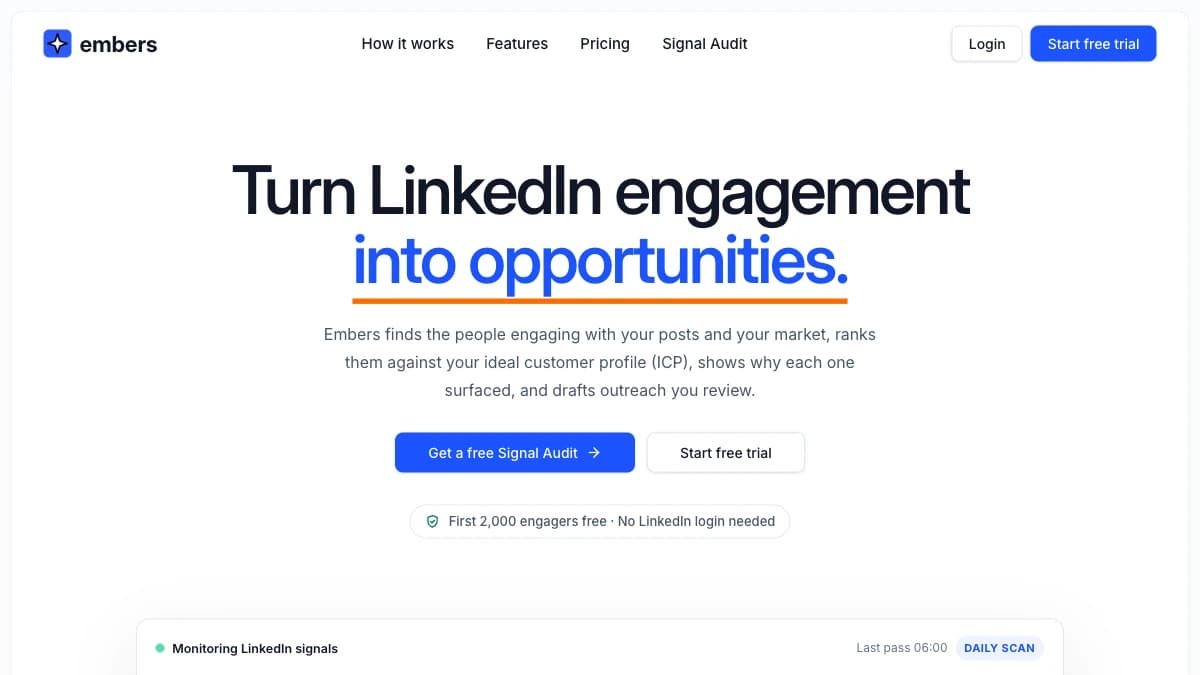
Embers' homepage — LinkedIn engagement signals turned into a prioritized, ICP-scored lead queue
The target user is a founder, an SDR, or a 1-10 person sales team running an engagement-first LinkedIn motion who wants a shortlist of warm names instead of a raw activity feed.
| Capability | What Embers Provides | Notable Gaps |
|---|---|---|
| Lead Discovery | Watches your posts, your comments, competitor or investor profiles, and tracked keywords for LinkedIn engagement. | Public LinkedIn signals only — no email, ad, or web-intent data. |
| ICP Scoring | 0-100 score per lead with fit, signal strength, recency, and exclusion reasoning shown alongside the evidence. | Scoring logic isn't independently auditable beyond what Embers surfaces. |
| Outreach Drafts | Editable opener grounded in the specific post, comment, or keyword match that triggered the lead. | Never sends on LinkedIn — messages go out by hand or through a connected tool like HeyReach or Instantly. |
| Delivery | Slack, HubSpot, HeyReach, Instantly, Emelia, signed webhooks, CSV export, and AI assistants via MCP on every plan. | No dialer integration; sequencing runs in the connected tools, not in Embers. |
| Reporting | Shareable engagement and ICP-match reports per period. | Covers signals, not pipeline or closed-revenue outcomes. |
How Embers Tracks LinkedIn Engagement Signals
Embers monitors four distinct LinkedIn signal sources: post engagement, comment engagement, watchlist tracking, and keyword tracking. Each one catches a genuinely different kind of buying intent.
1. Post engagement
Anyone who reacts to or comments on your own LinkedIn posts enters the queue. This is the most direct signal — they saw your content and chose to engage with it publicly.
2. Comment engagement
Embers also watches replies and reactions on comments you leave under other people's posts — including larger creators' content you don't control. If someone replies to your comment, that's a signal too.
3. Watchlist tracking
You can add any public profile — a competitor, an investor, an influencer, a teammate — and Embers surfaces the people engaging with their content, filtered against your ICP.
4. Keyword tracking
Embers monitors public posts for phrases your buyers use — a pain point, a tool name, a competitor mention — and surfaces the author as a lead when the phrase and the profile both match your ICP.
Every lead that surfaces carries source context: which post, comment, or keyword match caused them to enter the queue, plus an ICP score from 0-100 based on fit, signal strength, recency, and any exclusions you've set. That evidence trail is what turns a noisy engagement feed into something you can act on — a pattern covered in more depth in our guide to turning LinkedIn post engagement into warm leads.
Embers Pricing: Plans, Credits, and What You Actually Pay
Embers costs $49/month for Solo, $99/month for Growth, and $199/month for Enterprise, with a $999/month Signal War Room tier above that. Full pricing is public with no hidden enterprise-only tier for the core product — everything except Agency and Signal War Room is a flat monthly rate.
There is no free plan. As of September 2026, the trial covers your first 2,000 engagers or 7 days, whichever comes first, with no card required, but contact details only unlock once you choose a paid plan.
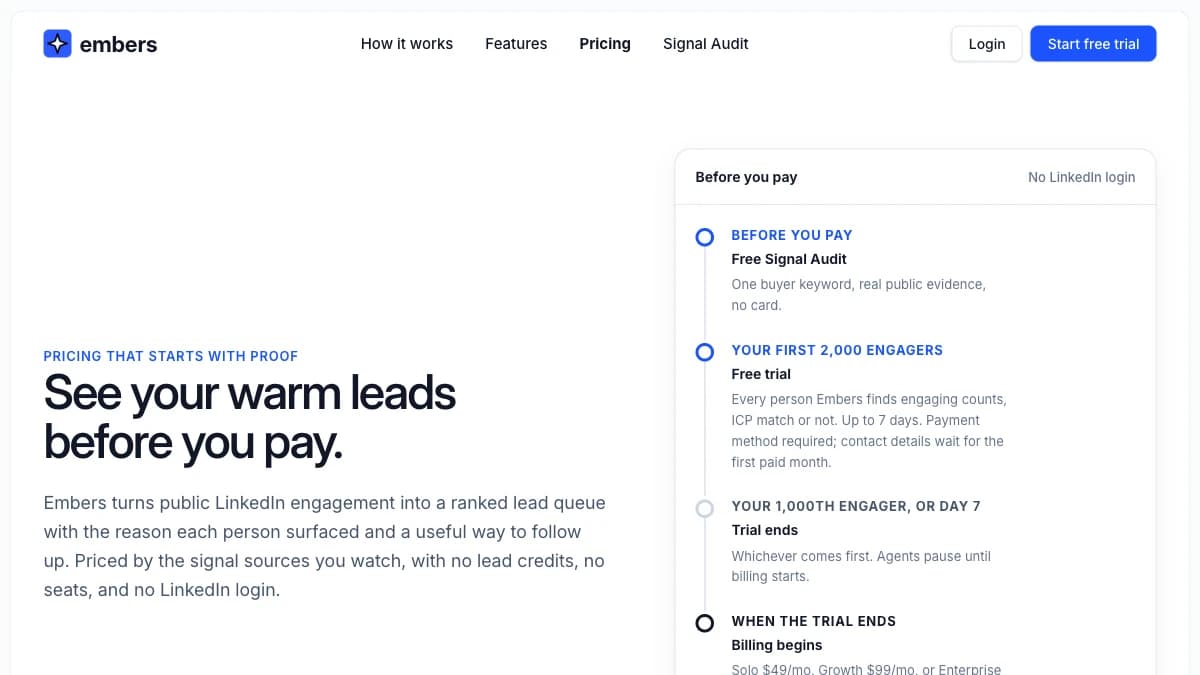
Embers pricing — Solo, Growth, Enterprise, Agency, and Signal War Room tiers
| Plan | Monthly Price | Members | What You Get |
|---|---|---|---|
| Solo | $49/mo ($39/mo billed annually) | 1 member | 5 watched profiles, 10 keywords, all core features and integrations, standard email support |
| Growth | $99/mo ($79/mo billed annually) | Unlimited members | 10 watched profiles, 25 keywords, white-label reports, priority email support |
| Enterprise | $199/mo ($159/mo billed annually) | Unlimited members | 20 watched profiles, 50 keywords, dedicated onboarding |
| Agency | Custom | Unlimited per client workspace | 20 profiles and 50 keywords per client, dedicated onboarding |
| Signal War Room | $999/mo | Custom scope | Signal coverage scoped with the Embers team, weekly signal review |
The real cost math
Growth at $99/month (or $79/month billed annually) is the practical starting point for most teams — Solo's 10 keywords and 5 watched profiles get tight fast once you're tracking your own posts plus two or three competitors.
Every tier is priced on watched profiles and keywords, not on leads generated, so cost doesn't scale with pipeline the way it would with a per-lead or per-credit model. Budget separately for the sequencing tool you push leads into, such as HeyReach or Instantly, since Embers itself never sends.
Embers Key Features
- Four signal sources. Post engagement, comment engagement, watchlist tracking on any public profile, and keyword tracking across public posts — detailed on Embers' features page.
- Explainable ICP scoring. Every lead gets a 0-100 score plus the specific fit, recency, and signal-strength reasoning behind it — not a black-box number.
- Source-grounded drafts. The suggested opener references the exact post, comment, or keyword match that surfaced the lead, editable before you send it.
- Delivery integrations. Push qualified leads to Slack, HubSpot, HeyReach, Instantly, Emelia, CSV, or a signed webhook carrying name, title, company, score, and ICP match status. AI assistants can also work the queue via MCP.
- Contact details. Email and phone for qualified leads, with where each came from, from your first paid month.
- Shareable pipeline reports. Track total engagements, unique engagers, ICP-matched engagers, and match rate over a given period.
- Zero account handover. No LinkedIn password, no session cookies, no Chrome extension — Embers never takes an action on LinkedIn on your behalf.
Embers Pros: What It Does Well
- ✓Genuinely low account risk. No password, cookies, or extension means nothing for LinkedIn's automation detection to flag — a real advantage over browser-automation tools.
- ✓Four signal types, not one. Post engagement, comment replies, competitor watchlists, and keyword tracking cover more ground than a single-signal engagement tool.
- ✓Explainable, not a black box. Every score comes with the evidence and reasoning behind it, so you can sanity-check the queue instead of trusting it blindly.
- ✓Fits an existing workflow. Slack, HubSpot, HeyReach, Instantly, and webhook delivery mean the queue shows up where your team already works, not in a new inbox to check.
- ✓Visible signal ROI. Shareable engagement and match-rate reports make it easy to show a founder, a client, or a teammate that the signal is real.
Embers Cons: Where It Falls Short
- Every LinkedIn message is manual. Embers drafts an opener grounded in the engagement, but it never sends anything — you copy, paste, and send from your own LinkedIn account for every lead unless you route leads into a connected tool like HeyReach or Instantly.
- No free plan. The trial needs no card, but it ends at 2,000 engagers or day 7, whichever comes first, and contact details only unlock once you pick a paid plan.
- Pricing scales on watched profiles and keywords, not leads. Solo's 5 profiles and 10 keywords is thin if you're tracking your own posts plus a few competitors and a handful of buyer phrases at once.
- LinkedIn is the only signal surface. There's no email, website, or firmographic signal layer — Embers is one input to a pipeline, not a full prospecting stack.
- Contact data is a side feature. Embers adds email and phone for qualified leads from your first paid month, with the source of each, but its site doesn't publish verification or coverage rates, so test deliverability before loading leads into a sequence.
- Signal War Room jumps to $999/mo from Enterprise's $199/mo. The public pricing page doesn't spell out exactly what changes beyond scoped coverage and a weekly review call, which makes a 5x jump hard to evaluate from outside.
Embers vs Trigify vs Dux-Soup
Three different archetypes show up when teams compare Embers: manual signal tracking (Embers), broader social-selling signals (Trigify), and browser automation (Dux-Soup). Here is how they stack up.
| Feature | Embers | Trigify | Dux-Soup |
|---|---|---|---|
| Starting Price | $49/mo ($39/mo billed annually) | From $49/mo | From ~$14.99/mo |
| Signal Sources | Post engagers, comment repliers, watchlist profiles, keyword mentions | Social selling signals across LinkedIn | None — it automates actions, it doesn't track signals |
| LinkedIn Login Required | No — public data only, no password or extension | No — signal-based tracking | Yes — Chrome extension runs inside your logged-in session |
| Sends Actions For You | Never — drafts an opener, you send it | N/A — signal tracking only | Yes — auto-visits, auto-connects, auto-messages |
| Contact Details | Email and phone for qualified leads on paid plans | Limited | None |
| Outreach Sequencing | None built in — hands leads to HeyReach or Instantly campaigns | None | Built-in LinkedIn automation (that is the product) |
| Best Fit | Founder-led teams wanting a safe, manual signal queue | Teams wanting broader social-selling signals | Teams accepting account risk for connection volume |
The honest take on each option
Embers wins on safety and simplicity. If your LinkedIn motion is engagement-first and you want a scored queue without touching your account's automation risk, it does exactly that job well.
Trigify covers a wider band of social-selling signals across LinkedIn, which suits teams that want breadth over Embers' more tightly scoped four-source model. Read our full Trigify review for the detailed breakdown.
Dux-Soup sits at the opposite end of the risk spectrum entirely — it automates profile visits, connection requests, and messages from inside your logged-in session. It moves faster at volume, but it is the kind of browser automation that Embers was explicitly built to avoid. Teams weighing that trade-off should also see our roundup of LinkedIn outreach tools ranked by safety.
Want a longer shortlist before you commit? See our full breakdown of 5 Embers alternatives for LinkedIn signal prospecting.
Who Should Use Embers?
Embers fits a specific motion well: you post or comment on LinkedIn regularly, you want to know who is engaging and whether they match your ICP, and you are comfortable sending every message yourself.
Use Embers if:
- You run a founder-led or small-team LinkedIn motion and post or comment often enough to generate real engagement.
- Account safety matters more than speed — you don't want to hand over a password, cookies, or install an extension.
- You want an explainable, evidence-backed queue rather than a raw notifications feed.
- Manual, personalized sends are your actual outreach style, not a bottleneck you're trying to remove.
Do not rely on Embers alone if:
- You need sequencing built into the same tool — Embers stops at the draft and hands leads off to tools like HeyReach or Instantly.
- Your buying signals live outside LinkedIn — funding, hiring, tech changes, or website intent.
- You need contact data with published verification rates — Embers adds email and phone for qualified leads, but it is a signal tool first, not a dedicated enrichment provider.
- You're scaling outbound past a handful of conversations a week, where reviewing and sending one lead at a time becomes the bottleneck.
If Embers' LinkedIn-only signal coverage is a dealbreaker, SyncGTM is one alternative worth a look: it tracks real-time buying signals such as job changes, funding, headcount growth, hiring, and web traffic.