

FindEmails.com Review 2026: B2B Data Coverage, Pricing & Verdict

By Kushal Magar · May 29, 2026 · 11 min read · Last updated: September 30, 2026
Key Takeaway
FindEmails.com (formerly Toofr) is a budget email finder and verifier with plans from $29/month and a prospect-lists marketplace — but it relies on a single source plus email guessing, its 98% accuracy claim is vendor self-reported with no independent benchmark, it returns no phone numbers, and its track record is thin. It suits light, email-only prospecting on a tight budget.
This FindEmails.com review covers the tool's data coverage, pricing, and accuracy in 2026 — and where it falls short. FindEmails.com (formerly Toofr) is a B2B email finder and verifier with a prospect-lists marketplace, paid plans from $29/month, and a 98% accuracy claim. Our rating: 3.5/5.
FindEmails.com's appeal is price and simplicity. Type a name and a company, get a work email back with a confidence score, and verify it before you send — all for as little as $29/month.
The structural limit is just as simple. FindEmails leans on a single proprietary index plus pattern-based email guessing. When neither resolves a contact, there is no second source to fall back on — which is where multi-provider waterfall enrichment has a structural edge.
This review breaks down FindEmails.com's pricing math, the real accuracy picture versus the marketed 98%, its key features, the honest pros and cons, how a typical workflow runs, and who should use it in 2026.
What Is FindEmails.com?
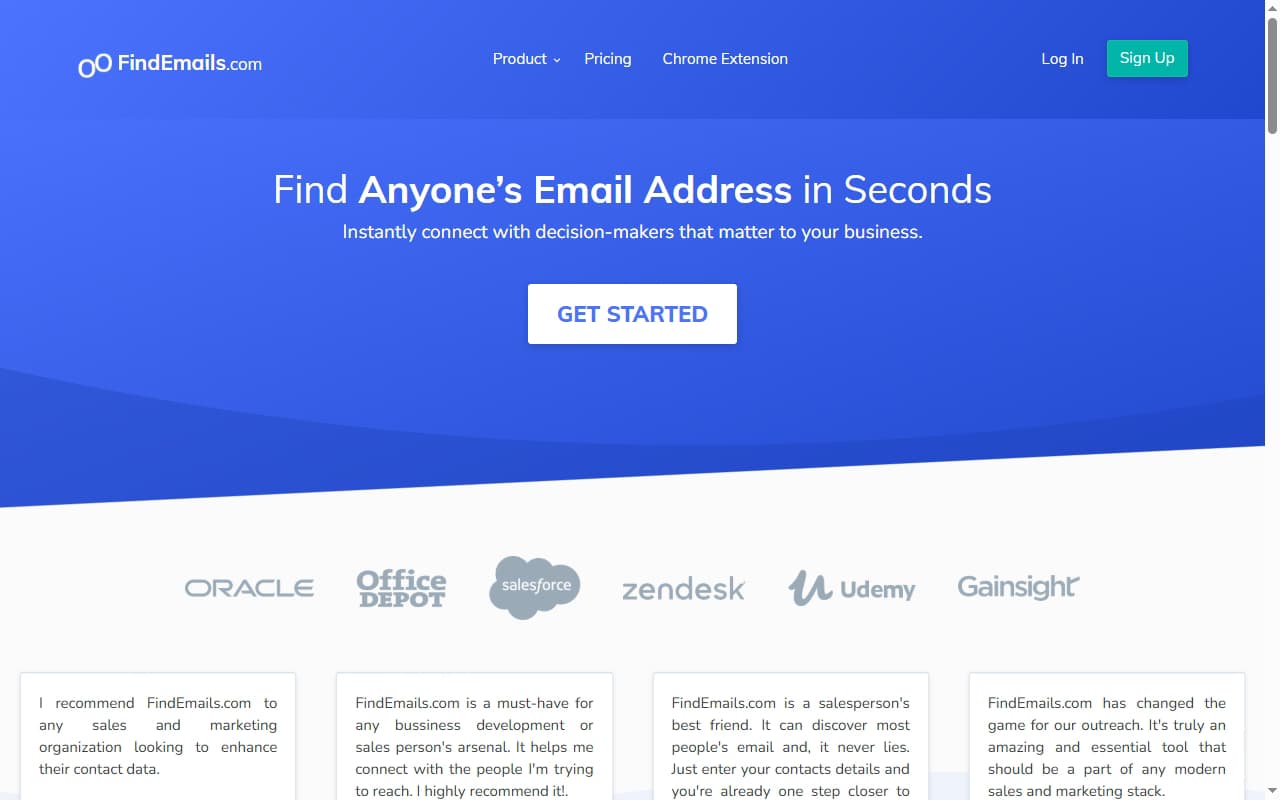
FindEmails.com is a B2B email finder and verifier built for sales, marketing, and recruiting teams who need work emails for decision-makers. You search by a person's name and company, or by company and job role, and the tool returns an email with a confidence score that estimates how safe it is to send.
FindEmails.com is the rebranded version of Toofr, an email finder that launched in the mid-2010s. The underlying engine carried over: a proprietary contact index combined with pattern-based guessing that constructs likely email formats for a domain and validates them with mailserver tests. Beyond finding, the platform includes an email verifier, a Chrome extension, an API, and a prospect-lists marketplace where members buy and sell pre-built lead lists.
The headline limitation is the data model. FindEmails is single-source: every lookup hits one index plus guessing. A waterfall contact provider queries several vendors in sequence and returns whichever one resolves the contact — a structural difference that shows up directly in hit rate, which we cover in the data-coverage section below.
FindEmails.com Pricing: Plans, Credits, and What You Actually Pay
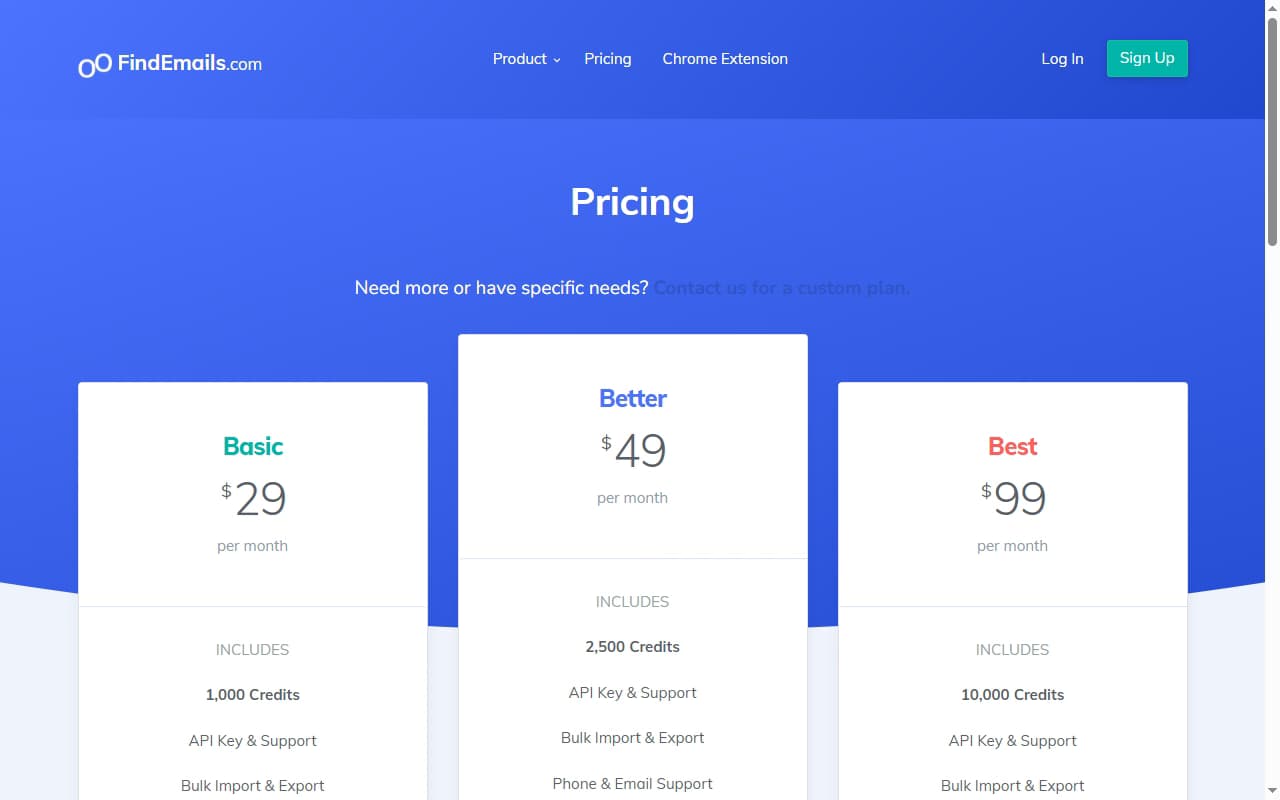
FindEmails.com pricing starts at $29/month and is structured around credits. One credit is consumed whenever you find an email, verify an email, or pull a prospect list — across the web app, spreadsheet imports, the Chrome extension, and the API.
| Plan | Monthly Price | Credits | Effective Cost / Credit |
|---|---|---|---|
| Basic | $29/mo | 1,000 credits | ~$0.029 |
| Better | $49/mo | 2,500 credits | ~$0.020 |
| Best | $99/mo | 10,000 credits | ~$0.010 |
| Extra credits | Add-on | Pay-as-you-go | $0.02 each |
The real cost math
The per-credit price looks cheap — as low as $0.01 on the Best plan — but the credit model hides a cost. Because both finding and verifying consume credits, a single usable, verified contact can spend more than one credit before it lands in your CRM.
As of September 2026, the pricing page also advertises no free trial or free credits, although every plan is cancel-anytime. And the per-credit price says nothing about coverage: if FindEmails can't resolve a contact, you still spent a credit attempting it. Teams pricing this against a waterfall provider should compare cost per verified contact, not cost per credit — see our roundup of the best B2B email finder tools.
FindEmails.com Review: Data Coverage and Accuracy Tested
FindEmails.com's accuracy claim looks excellent on paper and thin in practice. The vendor markets a 98% accuracy rate, framed around email deliverability and the mailserver tests its verifier runs.
That figure is self-reported, not an independent benchmark. FindEmails is notably absent from the large public email-finder studies — the kind that run thousands of identical searches across a dozen-plus tools — so there is no third-party number to confirm or contradict the 98% claim. Independent tests of single-source finders routinely land real enrichment rates well below 80%, far short of 98%.
Where the gap comes from
The 98% figure describes accuracy for emails FindEmails actually returns — addresses it found and verified. It does not describe coverage across a full prospecting list, where a meaningful share of contacts won't resolve in any single source. That distinction between accuracy and coverage is where single-source tools lose ground, especially ones that fall back on pattern guessing.
The public footprint reinforces the caution. 6sense technographics show FindEmails with roughly 20 tracked customers, and the tool has almost no presence on G2 and only a single review on its Capterra profile. With no benchmark and no meaningful review base, the 98% number is impossible to pressure-test against real user data.
This is the core argument for multi-provider enrichment. By checking several providers in sequence and keeping the first verified result, a waterfall raises coverage on the exact contacts a single index plus guessing misses — see our explainer on why waterfall email finders beat single-source tools on hit rate.
FindEmails.com Key Features
FindEmails.com's feature set is built around manual email finding and verification rather than automated GTM workflows. The highlights:
| Feature | What It Does |
|---|---|
| Email finder | Search by name and company, or by company and job role, to return a work email with a confidence score estimating deliverability. |
| Email verifier | Validates addresses with mailserver tests to flag risky or invalid emails before you send — billed per credit like finding. |
| Prospect-lists marketplace | Buy curated lead lists with verified contacts from other members, or sell your own — a feature most email finders don't offer. |
| Chrome extension | Find and verify emails while browsing the web, pulling addresses without leaving the page you're researching. |
| Bulk import & export | Upload a spreadsheet of names and companies and FindEmails appends emails where it finds matches, then exports the enriched list. |
| API access | Programmatic email finding, verification, and prospect extraction available on all paid plans for embedding into your own apps. |
| Zapier integration | Connect FindEmails to other apps through Zapier, so found emails can flow into the tools you already use without custom code. |
FindEmails.com Pros: What It Does Well
- ✓Low entry price. At $29/month for 1,000 credits, FindEmails is one of the cheaper ways to start finding work emails — a fit for solo founders and small teams testing outbound.
- ✓Finder and verifier in one. You can both find new emails and verify a list you already have inside the same tool, without paying for a separate verification service.
- ✓Prospect-lists marketplace. The ability to buy pre-built lead lists from other members is unusual among email finders and can jump-start list-building for a defined ICP.
- ✓Chrome extension and API. Find emails while browsing, or wire FindEmails into your own apps through the API — both available on paid plans, including the entry tier.
- ✓Confidence scores on results. Each found email comes with a confidence score, giving you a quick read on how risky an address is to send to before you add it to a sequence.
FindEmails.com Cons: Where It Falls Short
- Single-source plus guessing. FindEmails leans on one proprietary index combined with pattern-based email construction. When neither resolves a contact, there is no fallback to a second data source.
- The 98% accuracy claim is unverified. The figure is vendor self-reported and frames deliverability, not coverage. FindEmails is absent from every major public email-finder benchmark, so there is no independent number to back it up.
- Emails only — no phone numbers. FindEmails returns work emails but no mobile or direct-dial data. Teams that call as well as email need a second tool to cover phone numbers.
- Verifying spends credits too. Because both finding and verifying consume credits, the real cost per usable contact runs higher than the $0.01–$0.03 headline per-credit price implies.
- Thin track record. 6sense technographics show roughly 20 tracked customers, and the tool has almost no presence on G2 or Capterra — making it hard to validate quality against real user reviews.
- Little automation beyond Zapier and the API. FindEmails is a manual finder and verifier. Anything more than a simple Zapier trigger, such as enriching CRM records on a schedule, has to be built on the API yourself.
How FindEmails.com Works: From Search to Verified Email
FindEmails.com is simple enough to learn in one sitting, but the order of operations matters for credit spend. Here is how a typical prospecting session runs:
- Start with a known sample. Before loading a full list, run 20–30 contacts whose emails you already know through the finder. Comparing the results against known addresses shows how often FindEmails resolves a contact and how reliable its confidence scores are — the only practical way to test the 98% claim on your own market.
- Search one of two ways. Look up a specific person by name and company, or search by company and job role when you know the account but not the contact. Each find uses one credit.
- Generate prospects when you need names. Prospect generation builds a list from job role, company, and location. It is billed per row, so a 50-prospect list costs 50 credits before anything has been verified.
- Verify before you send. Run found or imported emails through the verifier. Verification also costs one credit per email, so budget roughly two credits for every contact that goes into a sequence.
- Scale with bulk, the extension, or the API. Upload a spreadsheet for bulk finding and verification, use the Chrome extension while researching accounts, or call the API from your own tools. The API, bulk import and export, and phone and email support are included on every plan, and a Zapier integration covers simple automations.
- Use the marketplace for niche lists. Pre-built lists from other members sell at roughly $0.03–$0.04 per record. Treat them like any purchased data: check when the list was built and verify it before use.
The practical cost rule is two credits per usable contact — one to find, one to verify. On that math, the Basic plan's 1,000 credits cover at most about 500 verified contacts a month, Better's 2,500 credits about 1,250, and Best's 10,000 credits about 5,000. If a plan runs short mid-month, extra credits cost $0.02 each.
Because FindEmails is email-only, teams that call prospects will need a separate phone data source — see our guide to the best waterfall phone finders for options that cover mobile numbers.
Who Should Use FindEmails.com?
FindEmails.com is the right tool in a specific scenario: light, email-only contact-finding by a small team or solo founder who wants the cheapest sticker price and doesn't need phone numbers, signals, or automation.
Use FindEmails.com if:
- You are a solo founder or small team testing outbound and want the lowest entry price to start.
- You only need work emails — not mobile or direct-dial phone numbers.
- You want a finder and a verifier in one tool rather than paying for a separate verification service.
- The prospect-lists marketplace appeals to you as a way to buy pre-built lead lists for a defined ICP.
Look elsewhere if:
- Coverage is your bottleneck — a single source plus guessing will miss the harder-to-find contacts that a waterfall contact provider resolves.
- You need phone numbers — FindEmails returns emails only, so you'd need a second tool for mobile data.
- You want buying signals — hiring, funding, tech adoption — to prioritize accounts, not just contact data.
- You need automated CRM enrichment and workflow orchestration rather than a manual finder and verifier.
If FindEmails.com's email-only, single-source data is a dealbreaker, SyncGTM is one alternative worth a look: it runs waterfall enrichment across 50+ data providers for verified emails and phone numbers.