

Kondo Review 2026: LinkedIn Inbox Manager Pricing and Features

By Kushal Magar · October 28, 2026 · 13 min read
Key Takeaway
Kondo is a keyboard-first LinkedIn and WhatsApp inbox manager with labels that act as split inboxes, archive that syncs to LinkedIn, reminders, snippets, voice notes, team analytics, and an MCP for AI assistants. Basic is $28/user/mo billed yearly ($35 monthly), Business is $36 ($45), and Enterprise is $52 ($65). CRM sync to HubSpot, Salesforce, Attio, and Clarify, plus the Sales Navigator inbox, start at Business. Gaps: per-seat cost, no unified multi-account inbox, no free trial, and no published security certification. Our rating: 4.1/5.
This Kondo review answers one question: is a $28-a-month LinkedIn inbox worth paying for when LinkedIn's own inbox is free? For anyone who lives in DMs, yes, but most sales teams will need the $36 Business plan to get the CRM sync they actually came for.
We read Kondo's homepage, pricing page, help docs, privacy policy, and Chrome Web Store listing in October 2026. We did not run a paid account test, so vendor claims are labeled as claims.
One thing to know first: the Kondo reviews that rank today disagree on price. Some quote $30, $40, and $50 plans that no longer appear on Kondo's pricing page, and most skip the fact that Kondo now handles WhatsApp too.
TL;DR: Kondo Review 2026
- What it is:A fast, keyboard-driven inbox for LinkedIn and WhatsApp DMs, pitched as "Superhuman for DMs."
- Best for: Founders, SDRs, recruiters, and creators who get more LinkedIn messages than they can track.
- Price: $28, $36, or $52 per user a month billed yearly; $35, $45, or $65 billed monthly.
- Trial: No free plan. A 14-day money-back guarantee instead.
- Biggest gaps: CRM sync and Sales Navigator need Business, there is no unified inbox for multiple LinkedIn accounts, and no security certification is published.
- Rating: 4.1/5.
What Is Kondo?
Kondo is a LinkedIn inbox manager that turns your DMs into a triage queue with labels, reminders, snippets, and keyboard shortcuts. Its homepage calls it "The Pro DM Inbox for LinkedIn, WhatsApp and iMessage" and "Superhuman for DMs."
It does not send cold outreach for you. Kondo sits on top of conversations you already have and helps you answer them faster, then pushes the record into your CRM.
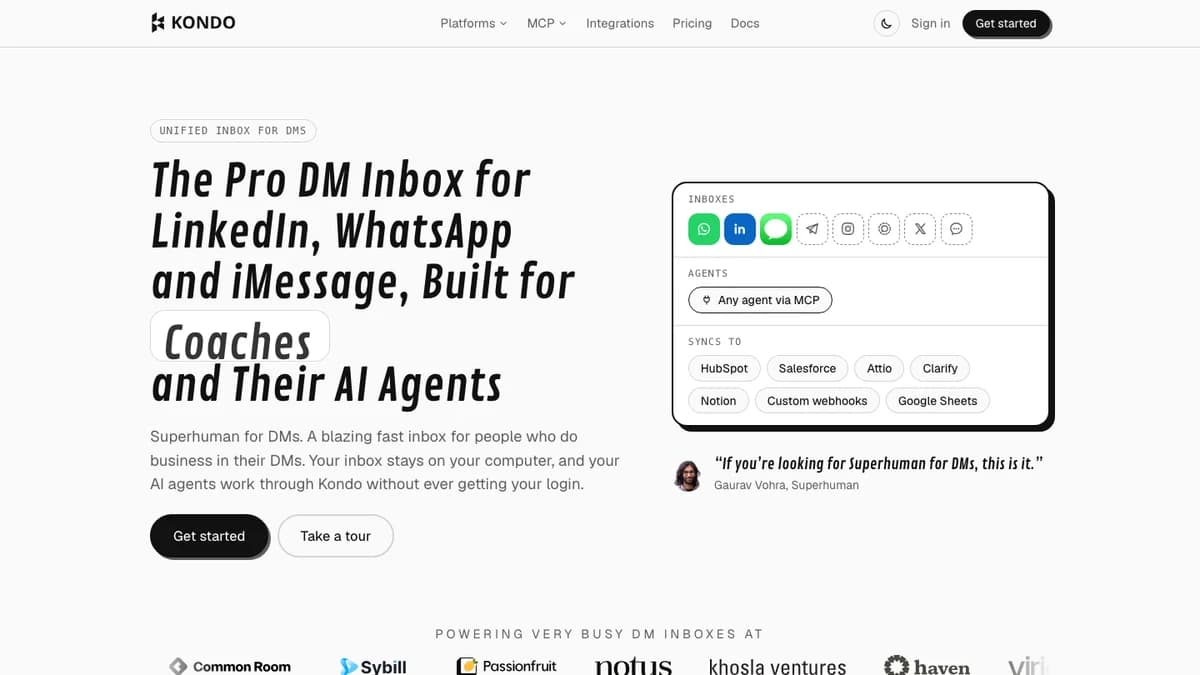
Kondo homepage, October 2026: LinkedIn and WhatsApp inboxes, MCP for AI agents, and sync to HubSpot, Salesforce, Attio, Clarify, Notion, webhooks, and Google Sheets.
Kondo is built by Team Beluga Pte. Ltd. in Singapore. Its homepage names founders, coaches, recruiters, investors, creators, and sales teams as the audience, with testimonials from LinkedIn creators and a Superhuman executive.
How Kondo Works
Kondo for LinkedIn runs as a browser app at app.trykondo.com, installed as its own window in Chrome, Edge, or Brave, with a companion Chrome extension. It reads your LinkedIn messages through your own browser session, so you never hand Kondo your LinkedIn password.
Actions you take in Kondo flow back to LinkedIn. Archive a chat with E and it moves to LinkedIn's archive too; both versions unarchive when the person replies.
WhatsApp runs through a separate app, Kondo Desktop, for macOS 13.3+, 64-bit Windows 10+, and Linux. The docs say chats stay on your device and only labels, reminders, and snippets live in your Kondo account.
The working loop is inbox zero. Every chat gets answered, labeled, snoozed with a reminder, or archived, until the inbox is empty.
Kondo Key Features
Kondo's feature set covers four jobs: sort the inbox, reply faster, follow up on time, and log everything to a CRM. Here is what each feature does, based on Kondo's docs.
Labels and split inboxes
Press L to label a chat. Every label gets its own inbox in the sidebar, so "Hot leads," "Candidates," or "Investors" each become a separate queue.
Labels are unlimited on every plan, and a chat can carry several. An optional Focused inbox hides labeled, archived, and sponsored chats so only untriaged messages remain.
Reminders (snooze)
Press H to set a reminder, either a preset or typed text like "in 4 days." The chat leaves your inbox and returns to the top with a purple dot when it is due.
If the person replies first, the reminder cancels and the chat jumps back up. LinkedIn's own inbox has no snooze or follow-up reminder, so this fills a real gap.
Keyboard shortcuts and Command K
Kondo is built to be driven from the keyboard: E archives, L labels, H snoozes, V records a voice note, and ? shows the full shortcut list. Cmd+K opens a command menu for everything else.
Snippets
Type a semicolon plus a snippet name, such as ";hi," to drop in a saved reply. Kondo fills {{first_name}} automatically and prompts you for custom placeholders before you send.
Snippets are unlimited on every plan. Teams can share them, which keeps SDR and recruiter replies consistent.
Voice notes
LinkedIn only lets you record voice notes in its mobile app. Kondo adds a mic button (or V) so you can record and send them from your desktop.
Sales Navigator inbox
On Business and above, Kondo merges Sales Navigator messages into the same inbox as regular LinkedIn DMs, marked with a blue indicator. You open the Sales Navigator inbox once on LinkedIn to start the sync.
Team analytics
Business and Enterprise teams get weekly messages sent, new chats, replies, and reply rate per member, with CSV export. It also tracks label activity and snippet usage across the team.
MCP for AI assistants
Kondo's MCP server lets Claude, ChatGPT, Cursor, or VS Code read chats, save draft replies, apply labels, archive, and set reminders. It cannot send messages, so a human approves every reply.
It needs Business and an open Kondo tab. If you already draft LinkedIn replies with AI, our guide to Claude for LinkedIn outreach shows where an inbox MCP like this fits.
Kondo Pricing: Plans, Seats, What You Actually Pay
Kondo pricing starts at $28 per user a month for Basic billed yearly and runs to $52 for Enterprise. Monthly billing costs 25% more: $35, $45, and $65 per user.
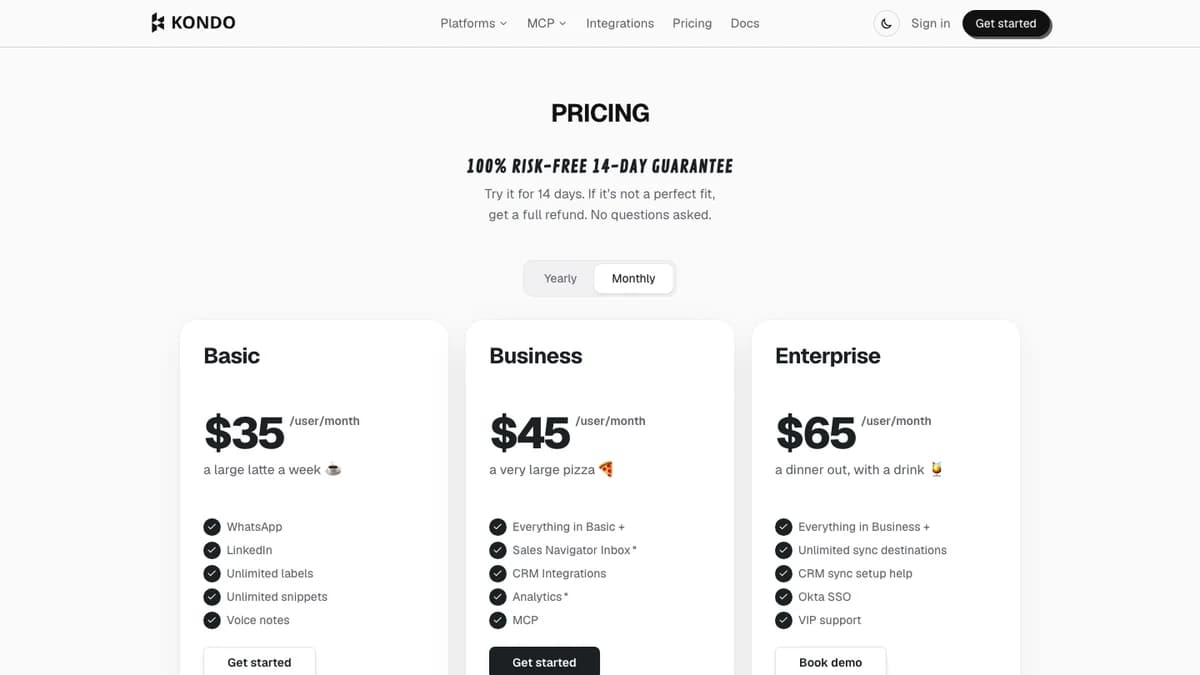
Kondo pricing page with the Monthly toggle on, October 2026. The Yearly toggle shows $28, $36, and $52.
| Plan | Per user/mo (yearly) | Per user/mo (monthly) | Per user/yr (yearly / monthly) | What you get |
|---|---|---|---|---|
| Basic | $28 | $35 | $336 / $420 | LinkedIn and WhatsApp inboxes, unlimited labels, unlimited snippets, voice notes |
| Business | $36 | $45 | $432 / $540 | Everything in Basic, plus Sales Navigator inbox, CRM integrations, analytics, MCP |
| Enterprise | $52 | $65 | $624 / $780 | Everything in Business, plus unlimited sync destinations, CRM sync setup help, Okta SSO, VIP support |
Source: trykondo.com/pricing, checked October 2026. Enterprise is sold through a demo call.
What you actually pay
- Solo founder or recruiter on Basic: $336 a year billed yearly, or $420 paid monthly.
- Five-person SDR team on Business: $2,160 a year billed yearly, or $2,700 paid monthly.
- Same team on Enterprise: $3,120 a year billed yearly, before any negotiated discount.
Billing details worth knowing
- No free trial.Kondo offers a "100% risk-free 14-day guarantee": pay, try it, and get a full refund if it is not a fit.
- Pausing is monthly-only. The pause docs say yearly plans cannot be paused without contacting support.
- Two asterisks. Sales Navigator inbox and analytics carry an asterisk on the pricing page with no footnote, so ask sales what it means before you buy.
- Business is the real entry plan for sales. CRM sync, the Sales Navigator inbox, team analytics, and MCP all start there.
Kondo CRM Sync and Integrations
Kondo syncs LinkedIn DMs, labels, and notes into HubSpot, Salesforce, Attio, and Clarify natively, and into Notion and Google Sheets through add-ons. CRM sync requires the Business plan, and Enterprise adds unlimited sync destinations.
| Destination | Connection | What syncs (per Kondo docs) |
|---|---|---|
| HubSpot | Native | DMs as LinkedIn Message activities, a Note with the full chat, labels and notes to contact properties |
| Salesforce | Managed package | DMs as completed Tasks, a Kondo LinkedIn History field, labels and notes to contact fields |
| Attio | Native | DMs and mapped fields to People records |
| Clarify | Native | DMs and mapped fields, with labeled, all, or manual sync |
| Notion | Add-on | Contact and chat data into a Notion database |
| Google Sheets | Add-on | Contact and chat data into a spreadsheet |
| Zapier, Make, webhooks | Webhook-based | Chat events routed to any other CRM or tool you run |
Source: Kondo integrations docs, checked October 2026.
How the sync behaves
- Matching: Kondo matches records by LinkedIn profile URL. A toggle creates a new contact when no match exists.
- Sync modes:Auto-sync labeled chats, auto-sync all chats, or manual only. Kondo's docs suggest starting with manual.
- Two-way context:A link to the CRM record, plus any fields you choose, shows in Kondo's side panel while you reply.
- WhatsApp: The homepage marks HubSpot, Notion, webhooks, and Google Sheets as supporting WhatsApp as well as LinkedIn.
One conflict to flag: Kondo's CRM sync solution page still says Salesforce connects through Zapier or Make. The newer Salesforce docs describe a native managed package, which we treat as current.
Connection requests and profile visits are not listed as synced data. If you need every LinkedIn touch logged, check that the Business plan covers it before you commit.
Kondo Privacy, Security, and LinkedIn Account Safety
Kondo keeps message content on your device and stores only metadata on its servers. Its privacy policy lists conversation identifiers, participants, timestamps, labels, reminders, drafts, and notes as server-side data.
The policy says LinkedIn session cookies are never sent to Kondo and data is encrypted in transit and at rest. It does not mention a SOC 2 or ISO 27001 report, which some security teams will require.
On account safety, LinkedIn's prohibited software policy bans tools that scrape, change the site, or automate activity. Kondo does not auto-send messages or invites, so it is far from the bot pattern, but it is still a third-party tool reading your inbox.
Treat the risk as low, not zero. If you also run automation tools on the same account, the automation is the bigger exposure; our Dripify alternatives guide covers how those tools handle limits.
What Kondo Users Say
Kondo's independent review record is thin but positive. The Chrome Web Store listing shows 5.0 stars from 26 ratings and 8,000 users as of October 2026.
We could not find a G2 or Capterra rating for Kondo to quote. That leaves Kondo's own testimonials, which are named and specific but chosen by the vendor.
- Speed:Amos Bar-Joseph of Swan.ai says Kondo "saves me at least 30 mins each day."
- Positioning:Gaurav Vohra of Superhuman says, "If you're looking for Superhuman for DMs, this is it."
- Who uses it: Most quotes come from LinkedIn creators, founders, and GTM operators with heavy DM volume, not large SDR floors.
The ranking third-party reviews mostly come from vendors selling competing tools. They praise the shortcuts and reminders and push back on per-seat pricing and the lack of outreach automation.
Kondo Pros and Cons
Pros
- Keyboard-first triage makes inbox zero realistic at high DM volume.
- Labels become split inboxes, and archive syncs back to LinkedIn.
- Reminders cancel themselves when the person replies.
- Unlimited labels and snippets on every plan, including Basic.
- Native CRM sync to HubSpot, Salesforce, Attio, and Clarify, with profile-URL matching.
- WhatsApp included on every plan, which most LinkedIn tools skip.
- Message content stays on your device; no LinkedIn password shared.
- MCP lets AI assistants draft and organize without sending.
Cons
- Per-seat pricing adds up fast for teams: $2,160 a year for five on Business.
- CRM sync, Sales Navigator, analytics, and MCP all need Business.
- No unified inbox across multiple LinkedIn accounts.
- No free plan or card-free trial, only a refund window.
- No published SOC 2 or ISO 27001 report.
- No outreach automation, so you still need a separate tool to start conversations.
- Few independent reviews outside the Chrome Web Store.
Who Should Use Kondo (and Who Shouldn't)
Kondo fits people whose pipeline lives in LinkedIn DMs and who lose deals to missed follow-ups. It is a poor fit for teams that want automation or one inbox for many sender accounts.
Good fit
- Founders: Inbound DMs from buyers, investors, and hires mix in one feed. Labels split them, and Basic at $28 covers a solo user.
- SDRs and AEs: Reminders keep follow-ups on time, and Business merges Sales Navigator and syncs every thread to the CRM. Pair it with a LinkedIn B2B sales process so the inbox has conversations worth triaging.
- Recruiters:Labels like "Screening" and "Offer" turn the inbox into a candidate board, and snippets speed up repeat replies.
- Creators and coaches: High DM volume, many repeat questions, and WhatsApp follow-ups make Kondo a natural fit.
Not a fit
- Teams that want automated outreach: Kondo sends nothing on its own. Look at outreach tools such as those in our Waalaxy vs Aimfox comparison.
- Agencies running many sender accounts: Each LinkedIn account needs its own Chrome profile, with no shared inbox.
- Low DM volume:If you get a handful of messages a week, LinkedIn's free inbox is enough.
- Security-reviewed buyers: No published certification may stall procurement.
Kondo Alternatives
The right Kondo alternative depends on which gap bothers you most: CRM logging, multi-account inboxes, or outreach automation.
- LinkedIn's inbox and Sales Navigator: Free or already paid for, with filters and archive but no label-based split inboxes or reminders. See our Sales Navigator review.
- Hublead: Built around logging LinkedIn activity into HubSpot and Salesforce, with less focus on inbox triage.
- Surfe: Puts CRM data inside LinkedIn and pushes profiles and conversations into your CRM.
- Breakcold: A social-selling CRM with its own pipeline, for teams that want the CRM and the inbox in one tool.
- HeyReach: Runs outreach from many LinkedIn accounts with one shared inbox, the agency setup Kondo lacks. Read our HeyReach review.
For more LinkedIn tools ranked on safety and price, see our LinkedFusion alternatives and Expandi review.
Kondo Review: Final Verdict
Our rating: 4.1/5. On features and user reports, Kondo is one of the fastest ways to run a busy LinkedIn inbox, and its CRM sync goes deeper than most LinkedIn inbox tools.
Solo founders, recruiters, and creators should start on Basic. Sales teams should skip straight to Business, because CRM sync and the Sales Navigator inbox are the reason to buy.
The rating loses points for per-seat cost, no unified inbox across LinkedIn accounts, and no published security certification. Use the 14-day refund window to clear your inbox once and run one CRM sync; if both stick, Kondo earns its seat.
If Kondo's focus on replies rather than finding new prospects is a dealbreaker, SyncGTM is one alternative worth a look: it finds and enriches LinkedIn prospects with verified emails and phone numbers before the first message goes out.