

Minelead Review 2026: B2B Data Coverage, Pricing & Accuracy

By Kushal Magar · May 31, 2026 · 11 min read · Last updated: September 30, 2026
Key Takeaway
Minelead is a cheap, API-friendly real-time email finder with a 25-credit free tier, plans from $39/month, and a claimed 500M+ email index. It only consumes credits on successful searches, but it publishes no accuracy metric, ships no phone data, returns only email and domain fields, and routes most CRM connections through Zapier. It fits developers and solo operators who need occasional lookups, not teams running high-volume outbound.
This Minelead review covers the tool's data coverage, pricing, and accuracy in 2026 — and where it falls short. Minelead is a real-time email finder with a 25-credit free tier, paid plans from $39/month, and a claimed 500M+ email index across 100M+ businesses — but no published third-party accuracy figure. Our rating: 3.4/5.
Minelead's appeal is price and the API. The Free plan covers 25 credits per month at no cost, the Starter plan at $39/month unlocks 1,000 credits with unlimited results, and the API is developer-friendly enough for light scripting work.
The structural limit is scope. Minelead returns email and domain fields only — no phone numbers, no LinkedIn URLs, no firmographics beyond the company domain.
When that single index can't resolve a contact, there is no second or third source behind it — the gap that multi-provider waterfall enrichment tools are designed to fill.
This review breaks down Minelead's plan math, the accuracy picture, key features, the honest pros and cons, how the workflow runs, and who it fits in 2026.
What Is Minelead?
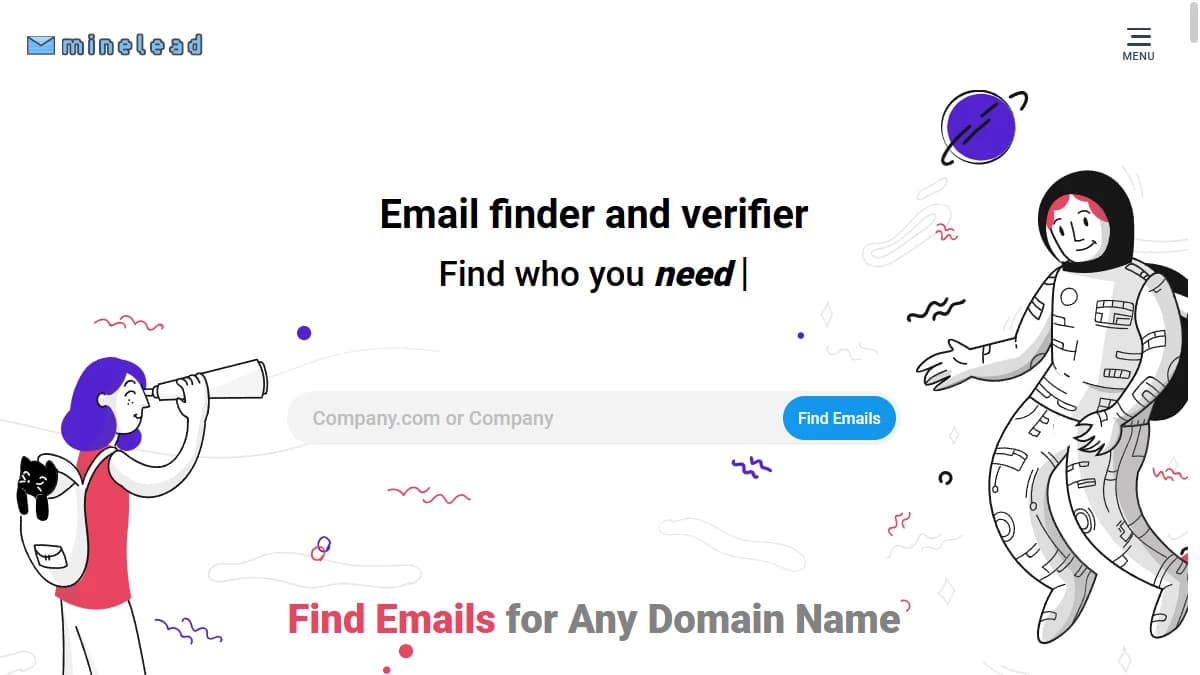
Minelead is a real-time email finder and verifier built for sales reps, marketers, and developers who need to pull work emails on demand from a company domain or a name plus company.
The platform indexes a claimed 500M+ emails across 100M+ businesses and runs lookups live rather than serving cached snapshots.
Beyond the core finder, Minelead packs in an email verifier, bulk operations sized to plan, a public API with a 60-second throttle on the Free tier, Chrome and Firefox browser extensions, and no-code routes via Zapier, Gmail, Google Sheets, Zoho, and HubSpot.
It is positioned as a cheap, developer-friendly alternative to larger contact databases — a 25-credit free tier, a $39/month Starter plan, and a 30% advertised discount on annual billing.
The key thing to understand is the data model. Minelead is single-source — every lookup hits one real-time index.
A waterfall contact provider queries dozens of vendors in sequence and returns whichever one resolves the contact, which is the structural difference that shows up directly in real, deliverable hit rate.
Minelead Pricing: Plans, Credits, and What You Actually Pay
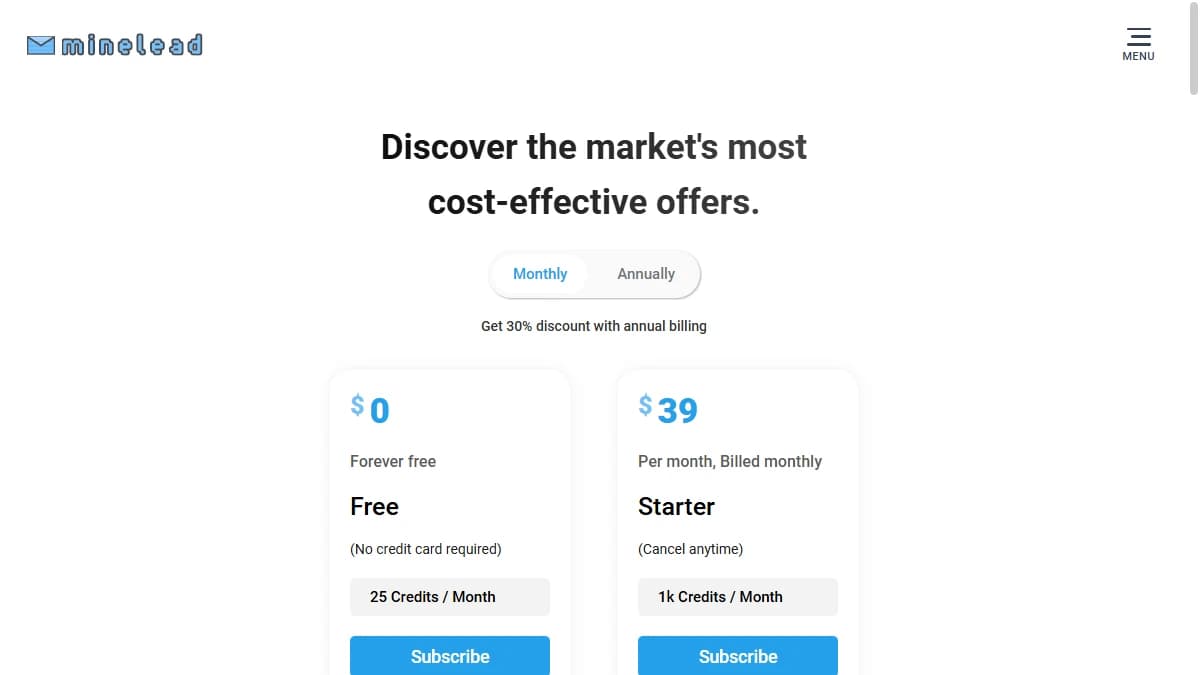
Minelead pricing starts at $0/month for a Free plan with 25 credits, then climbs through five paid tiers to a $299/month Enterprise and a custom Large tier above 200k credits per month.
As of September 2026, Minelead says a credit is only consumed on a successful search: lookups that return no emails, or only bouncing emails, are free. Annual billing is advertised at 30% off the monthly rate. Unused monthly credits do not roll over, and annual credits expire at the end of the subscription year.
| Plan | Monthly Price | Credits | Notes |
|---|---|---|---|
| Free | $0 | 25 credits/mo | API access with throttling, bulk per 50 |
| Starter | $39/mo | 1,000 credits/mo | Unlimited results, bulk per 50, campaigns |
| Pro | $69/mo | 10,000 credits/mo | Bulk per 100, all integrations, 2 multi-users |
| Business | $149/mo | 50,000 credits/mo | Bulk per 1,000, API support, 5 multi-users |
| Enterprise | $299/mo | 200,000 credits/mo | Unlimited bulk, 10 multi-users |
| Large | Custom | 200k+/mo | Up to 15 multi-users, agreement-based |
The real cost math
The per-credit price looks attractive — Starter lands at $0.039 per credit, and Pro at $0.0069 per credit on volume.
The catch is the missing accuracy number. Minelead does not publish a third-party hit rate or bounce figure, so cost per verified, deliverable contact can't be computed cleanly before you pilot.
Because blanks and bouncing results don't consume credits, the per-credit price is close to your cost per returned email. What it doesn't tell you is how many of those emails reach the right person, so budget for an external verifier or a pilot before scaling up.
The 25-credit free tier is enough to spot-check the interface and the API but too small to stress-test real validity on a meaningful outbound list.
Teams comparing finders should look at cost per verified, deliverable contact — not cost per credit. See our roundup of the best B2B email finder tools for a like-for-like view.
Minelead Review: Data Coverage and Accuracy Tested
Minelead claims a 500M+ email index across 100M+ businesses with real-time lookup and "guaranteed deliverability." The vendor does not publish a third-party accuracy or bounce-rate number.
That gap is the single biggest blocker on a meaningful Minelead review.
Public ratings sit on small sample sizes. G2 shows a 4.x rating across a handful of reviews, Capterra lists 3.3/5 across just 3 reviews, and SaaSworthy puts the platform at 3.8/5.
Where the gap shows up
User feedback skews to the same pair of themes. On the upside, reviewers describe Minelead as a cost-effective alternative to pricier email finders, with one report of a 78% outreach lift over a two-month run.
On the downside, reviewers flag occasional unreliable searches and slow customer support — typical of a smaller vendor with a thin support team.
There is also a scope distinction. Minelead returns email and domain fields only. No phone, no LinkedIn URL, no role, no seniority, no firmographics beyond the company domain.
For a single-task email finder that pairs well with a separate data tool, that scope is workable. For an integrated B2B outbound workflow, every missing field is another integration or another subscription to plug the gap.
And there is the coverage-versus-accuracy distinction. "500M+ emails indexed" describes the size of the lookup universe, not real-world deliverability across a working outbound list.
That is why a pilot matters more than the headline number. Run a list you have already verified elsewhere, then measure how many contacts Minelead resolves and how many of those bounce.
If coverage turns out to be the bigger concern, our guide to waterfall email finders explains how multi-provider tools approach the same problem.
Minelead Key Features
Minelead's feature set is narrow but coherent — built around real-time email finding, verification, and bulk operations. The highlights:
| Feature | What It Does |
|---|---|
| Real-time email finder | Look up work emails by company domain or by full name plus company, with results generated on demand rather than served from a cached snapshot. |
| 500M+ email index | A claimed 500M+ emails across 100M+ businesses backs the lookup engine, with company-level domain search to pull all known emails for a given organization. |
| Email verifier | Validate single emails or upload bulk files to check deliverability before sending — a separate workflow from the finder, billed against the same credit pool. |
| Bulk operations | Upload CSV files to run domain search, email finding, or verification in batches, sized to plan: 50 per file on Starter, 100 on Pro, 1,000 on Business, unlimited on Enterprise. |
| Chrome & Firefox extensions | Pull emails directly inside the browser while viewing a company website or LinkedIn profile, without switching tabs to the Minelead dashboard. |
| API + Zapier integrations | A public API powers custom scripts and dev workflows; Zapier, Gmail, Sheets, Zoho, and HubSpot connectors cover the most common no-code routes into a CRM or sequencer. |
Minelead Pros: What It Does Well
- ✓Cheap, API-friendly entry point. Starter at $39/month for 1,000 credits and a usable Free tier make Minelead one of the cheapest paid email finders with a proper public API.
- ✓No charge for empty results. A credit is only consumed on a successful search, so lookups that return nothing, or only bouncing emails, cost nothing.
- ✓Real-time lookup model. Results are generated on demand rather than served from a stale snapshot, which helps freshness on small, targeted queries.
- ✓Free plan with no card. The 25-credit free tier lets you sanity-check the finder and the API before paying — useful for a developer evaluation.
- ✓Bulk and verifier in one tool. Domain search, finder, and verifier all sit in the same dashboard and share a credit pool, which keeps a basic workflow inside one subscription.
- ✓Browser extensions plus Zapier. Chrome and Firefox extensions cover quick lookups inside the browser, and Zapier hooks the platform into HubSpot, Zoho, Gmail, and Sheets without a developer.
Minelead Cons: Where It Falls Short
- No published accuracy or bounce-rate number. Minelead markets 'verified' emails and 'guaranteed deliverability' but does not publish a third-party hit rate or bounce figure, which makes effective cost per usable contact impossible to calculate before you pilot.
- No phone numbers. Minelead returns email and domain fields only. There is no mobile dial, no direct line, and no LinkedIn URL — anything beyond email requires another tool.
- Credits don't roll over. Unused monthly credits expire at the end of each billing cycle, and annual credits expire at the end of the subscription year, so uneven usage leaves paid capacity on the table.
- No native Salesforce or Pipedrive sync. Beyond the listed HubSpot and Zoho integrations, CRM connections route through Zapier, which adds latency and a second subscription rather than a real-time push from a verified lookup.
- Single-source data model. Minelead queries one real-time index — if that source can't resolve a contact, there is no second or third provider behind it.
- Thin review footprint. G2, Capterra, and SaaSworthy each carry only a handful of reviews, and Capterra sits at 3.3/5 — so claimed accuracy is harder to triangulate than for more established email finders.
How Minelead Works: From Domain Search to a Clean List
Minelead is simple to learn, but a little planning keeps credits and plan limits from getting in the way. A typical workflow looks like this:
- Start with a domain search. Enter a company domain to pull the emails Minelead can find for that organization. A credit is only consumed when the search succeeds, so testing a long list of target domains costs nothing for the misses.
- Find specific people. When you know who you want, search by full name plus company instead of pulling every address on the domain. It keeps lists tight and credits focused.
- Verify before you send. Run addresses through the built-in verifier, which draws on the same credit pool. For anything going into a cold campaign, a second check with an independent verifier is cheap insurance given the missing accuracy figure.
- Scale with bulk files. Upload CSVs for domain search, finding, or verification. Bulk limits depend on plan: 50 on Free and Starter, 100 on Pro, 1,000 on Business, and unlimited on Enterprise.
- Look up contacts in the browser. The Chrome and Firefox extensions pull emails while you are on a company website or LinkedIn profile.
- Route the data. Export results, call the public API from your own scripts, or use the Zapier, Gmail, Google Sheets, Zoho, and HubSpot connections. The full integration set and multi-user access start on Pro (2 users), rising to 5 users on Business and 10 on Enterprise.
Two plan details are easy to miss. Unused monthly credits expire at the end of each billing cycle, and annual credits expire at the end of the subscription year, so size your plan to real monthly volume rather than peak months. And because Minelead only returns email and domain fields, decide up front where phone numbers, job titles, and firmographics will come from before you build a workflow around it. For other options, see our roundup of the best Minelead alternatives.
Who Should Use Minelead?
Minelead is the right tool in a narrow scenario: a developer, solo founder, or freelancer who needs cheap, API-friendly email lookups and can plug missing data fields from a separate tool.
Use Minelead if:
- You need a low-cost email finder with a real API for a script, a tool, or a light automation flow.
- The 25-credit free tier is enough to test before paying, and Starter at $39/month covers your monthly usable lookup volume.
- Email and domain are the only fields you need — phone numbers, LinkedIn URLs, and firmographics are not part of the workflow.
- Zapier covers your CRM routing, and you do not need native real-time sync into Salesforce or Pipedrive.
Look elsewhere if:
- Deliverability is critical and you need a published, independent accuracy number you can plan around — Minelead does not publish one.
- You run ongoing outbound at volume and need more coverage than one index can deliver — a waterfall contact provider queries several sources in sequence.
- You need phone numbers, LinkedIn URLs, role, seniority, or firmographics — Minelead returns email and domain fields only.
- You want buying signals or deep firmographics to prioritize accounts beyond basic contact data.
If Minelead returning only email and domain fields is a dealbreaker, SyncGTM is one alternative worth a look: its waterfall enrichment across 50+ data providers returns verified emails, phone numbers, and firmographics.