

We Tried Surfe for LinkedIn-to-CRM Sync — 2026 Review and Pricing

By Kushal Magar · March 16, 2026 · 13 min read
Surfe is a Chrome extension that syncs LinkedIn profiles, messages, and contact data into your CRM with one click. It pulls emails and phone numbers from 15+ data sources and pushes them to HubSpot, Salesforce, or Pipedrive without leaving LinkedIn. Plans start at $39/user/mo (Essential) and $79/user/mo (Pro). The LinkedIn overlay is fast and the message sync is genuinely useful. But there is no firmographic enrichment, no buying signals, and every contact reveal burns credits from a limited annual pool. Our rating: 3.6/5.
You are probably here because you spend too much time copying contact details from LinkedIn into your CRM. Tab switching, manual entry, forgotten follow-ups — the usual pain. Surfe promises to fix that with a Chrome extension that lives directly on LinkedIn.
Surfe has built a loyal following for that one-click sync. A 4.6/5 rating on G2 from 460+ reviews. Users love the speed and simplicity. It does what it advertises.
But speed is not the same as scale. This Surfe review breaks down exactly what the tool does well — the LinkedIn overlay, message sync, contact enrichment — and where it falls short for teams that need more than manual one-at-a-time CRM updates.
If you are comparing Surfe against tools like Apollo.io, Lusha, or SyncGTM, this review will help you decide whether Surfe fits your workflow — or whether you need something that does more than sync.
Surfe Review: What You Get (and What You Don't)
Surfe is a Chrome extension built for sales teams that live on LinkedIn. You browse profiles, click a button, and push contacts directly into your CRM. The extension also syncs LinkedIn messages into CRM records and lets you find email addresses and phone numbers using a cascade engine that checks 15+ data providers.
Here is a quick-reference table of what is included and what is missing:
| Feature | What's Included | Limitations |
|---|---|---|
| LinkedIn Overlay | One-click add contacts to CRM directly from LinkedIn profiles | Free plan limits to 1 contact per day; requires active LinkedIn browsing |
| Contact Enrichment | Cascade engine across 15+ sources (Apollo, Hunter, RocketReach, Dropcontact) | 20 email credits/yr on free; 150 on Essential; 1,000 on Pro. Phone credits even scarcer. |
| Message Sync | LinkedIn conversations logged in CRM timeline automatically | Free plan capped at 10 message syncs per month |
| CRM Integrations | HubSpot, Salesforce, Pipedrive, Copper, Google Sheets | No two-way sync; data flows from LinkedIn to CRM only |
| Firmographic Data | Not available | No company revenue, tech stack, funding data, or hiring signals |
| Buying Signals | Not available | No job change alerts, funding triggers, or intent-based outreach automation |
The takeaway: Surfe is excellent at bridging LinkedIn and your CRM for manual workflows. It is not a data enrichment platform. There is no firmographic intelligence, no buying signals, and no automation beyond the click-to-sync action.
Surfe LinkedIn Overlay: Fast Manual Sync
The Chrome extension is the product. Install it, open LinkedIn, and you see a Surfe widget on every profile. One click adds the contact to your CRM. Another click enriches their email or phone number. A third syncs your LinkedIn conversation history into the CRM record.
For SDRs who spend their day on LinkedIn, this removes real friction. No more switching tabs to HubSpot. No more copying names and job titles into contact forms. The extension handles it in seconds.
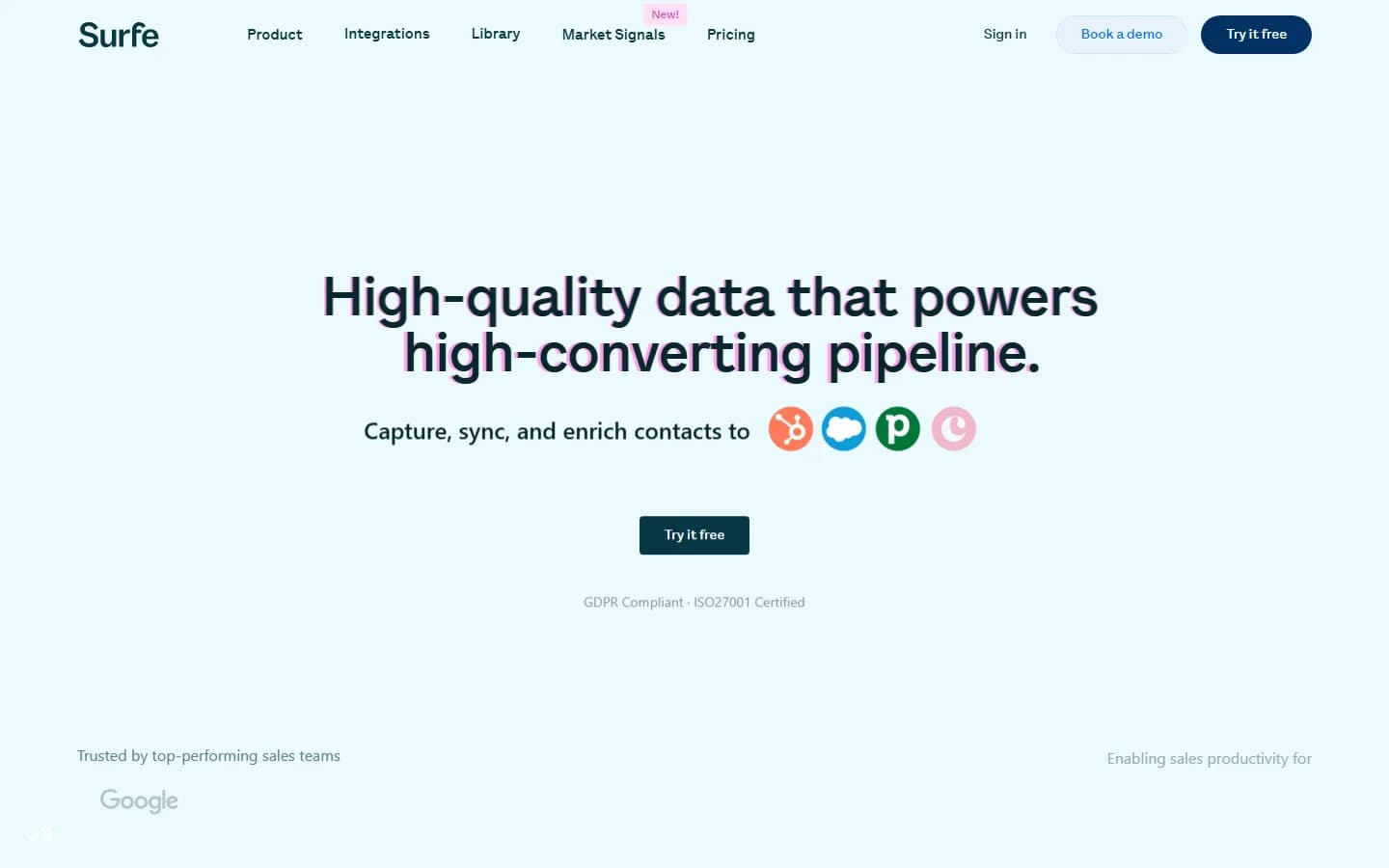
Surfe homepage — March 2026
The manual dependency is the bottleneck
Every sync requires you to be on LinkedIn, looking at a profile, clicking a button. There is no way to enrich a list of 500 leads in the background. There is no automation that monitors your CRM for new records and enriches them automatically. The entire workflow depends on a human browsing LinkedIn.
This works fine for a solo SDR doing 30-50 prospects per day. It breaks down for a team of 10 trying to enrich thousands of records weekly. The tool scales linearly with manual effort — not with automation.
Does Surfe work with LinkedIn Sales Navigator?
Yes. Surfe works with both regular LinkedIn and Sales Navigator. On Sales Navigator, the overlay lets you sync leads and accounts directly from search results. The Prospect List Builder on the Pro plan ($79/mo) adds advanced filtering with up to 10,000 results per day.
Contact Enrichment: 15+ Sources, Credit-Gated
Surfe's enrichment engine is its strongest technical feature. When you click "Find email" or "Find phone," Surfe runs a cascade across 15+ data providers — including Apollo, Hunter, RocketReach, and Dropcontact — and returns the best verified result. Email validation is unlimited on all plans.
The cascade approach is smart. Instead of relying on a single database, Surfe checks multiple sources in sequence. If the first provider does not have the email, the second one might. This is similar to waterfall enrichment — a pattern that consistently outperforms single-source lookups on match rates.
The credit math is harsh
The enrichment quality is good. The credit limits are not. Here is what each plan gives you per year:
- Free: 20 email finder credits + 5 phone credits per year
- Essential ($39/mo): 150 email credits + 50 phone credits per year
- Pro ($79/mo): 1,000 email credits + 100 phone credits per year
Those are annual credits, not monthly. On the Essential plan, 150 email credits per year means roughly 12 per month. If an SDR enriches 10 contacts per day, they burn through the entire annual allotment in two weeks.
Phone credits are even tighter. 50 phone credits per year on Essential means less than 1 per day. For any team that prioritizes phone outreach, this is functionally useless without buying add-on credit packs.
Contact data only — no firmographic enrichment
Surfe finds emails and phone numbers. That is the extent of the enrichment. There is no company revenue data. No tech stack detection. No funding history. No employee count trends. No hiring velocity.
For teams running account-based motions, this is a significant gap. You get the contact's name and number, but you do not get the context that tells you whether their company is a good fit. That firmographic layer is what separates a contact list from a qualified pipeline — and it is exactly what tools like SyncGTM add automatically.
CRM Sync: The Core Selling Point
This is what most people buy Surfe for. The LinkedIn-to-CRM sync is fast, clean, and removes a real pain point. Click a button on a LinkedIn profile and the contact appears in your CRM with name, title, company, and LinkedIn URL pre-filled.
The message sync is the underrated feature. LinkedIn conversations get logged in your CRM timeline automatically. For sales teams that do outreach via LinkedIn messages, this creates a complete interaction history without manual note-taking.
Supported CRMs and limitations
Surfe supports HubSpot, Salesforce, Pipedrive, Copper, and Google Sheets. Integration setup takes minutes — connect your CRM, authorize LinkedIn, and the overlay appears.
The limitations are in the details. The free plan caps you at 1 CRM add per day. Bulk exports on Essential are limited to 100 contacts per day. And the sync is one-directional — data flows from LinkedIn to your CRM, but changes in the CRM do not flow back to update your LinkedIn view.
For teams that need bidirectional sync, automated deduplication, or CRM enrichment that runs without someone actively browsing LinkedIn, Surfe does not solve the problem. Those workflows require a tool that connects directly to your CRM and enriches records in the background — which is how CRM enrichment platforms like SyncGTM are designed.
Surfe features page — March 2026
Surfe Pricing Breakdown
Surfe pricing starts at $0/mo for a free plan and scales through three tiers. All paid plans include a 14-day free trial. Annual billing saves up to 25% compared to monthly.
- --Free ($0/mo): 20 email credits + 5 phone credits per year, 1 CRM add per day, 1 message template, 10 message syncs per month, 100 search results per week
- --Essential ($39/user/mo): 150 email credits + 50 phone credits per year, unlimited CRM adds, unlimited message templates, conversation syncing, bulk exports (100/day cap), reply-rate tracking
- --Pro ($79/user/mo): 1,000 email credits + 100 phone credits per year, 10,000 search results per day, Account Lookalikes, Prospect List Builder with advanced filtering — marked as "Most popular"
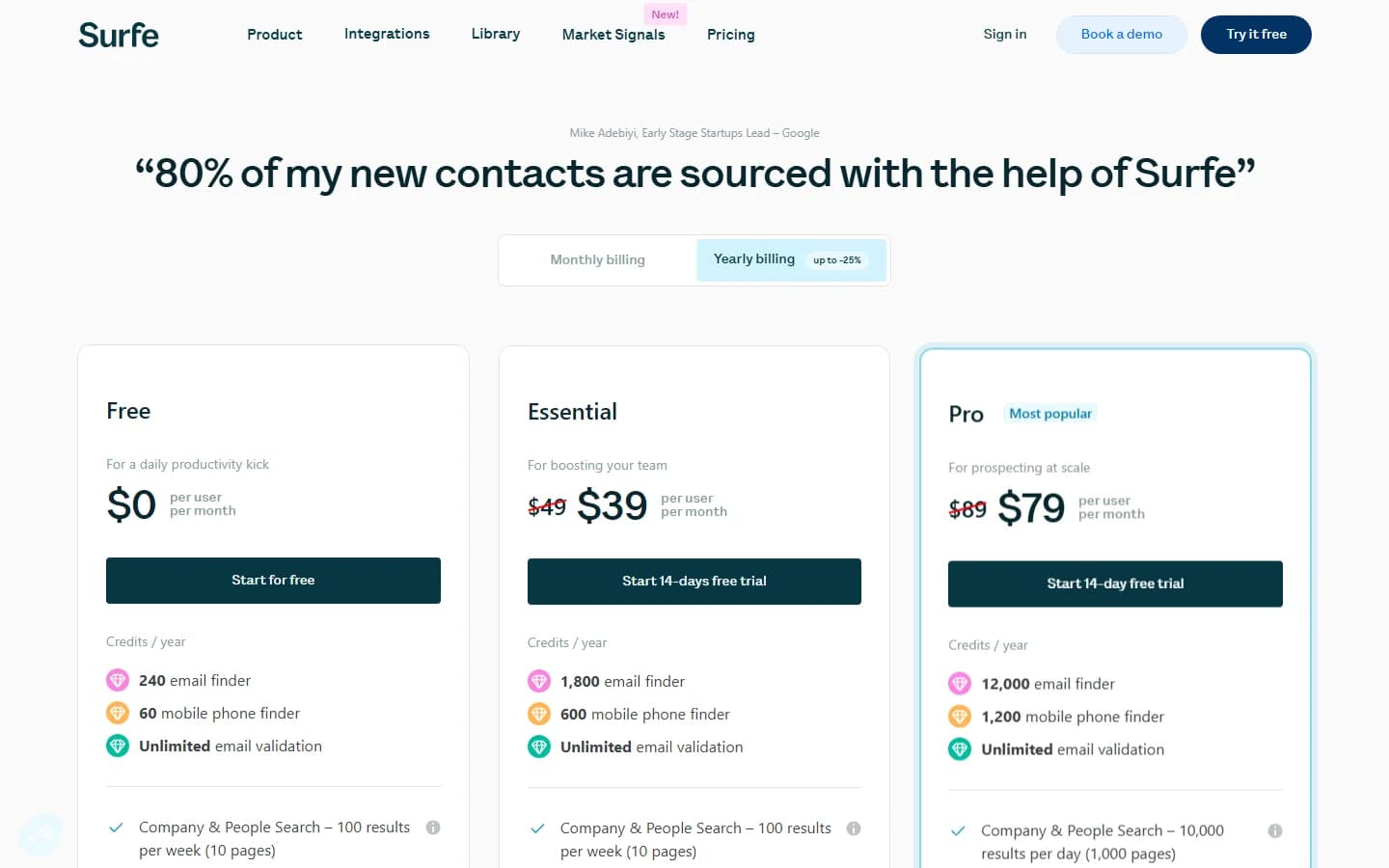
Surfe pricing page — March 2026
What you actually pay: a realistic scenario
Here is what a 3-person SDR team pays on the Pro plan:
- 3 users x $79/mo = $237/mo ($2,844/year)
- Each user gets 1,000 email credits per year — roughly 83 per month
- Each user gets 100 phone credits per year — roughly 8 per month
- If an SDR enriches 15 contacts per day (mix of email and phone), they exhaust annual email credits in about 3 months
- Phone credits run out in under 2 weeks of daily use
- Additional credit packs required — adding unpredictable cost on top of the base subscription
The per-seat price looks reasonable. The per-enrichment cost is where the math falls apart for any team doing volume prospecting.
Hidden costs to watch
- Annual credit allotments: Credits are yearly, not monthly. Burn through them early and you are stuck buying add-ons or waiting for the next cycle
- Phone credit scarcity: 100 phone credits per year on Pro means about 2 per week. Any phone-heavy workflow hits the wall fast
- No enrichment without the extension: You cannot enrich CRM records that did not come through the LinkedIn overlay. Background enrichment is not available
- Export caps: Essential limits bulk exports to 100 contacts per day — a bottleneck for teams running list-based campaigns
What Are the Downsides of Using Surfe?
The biggest downsides of Surfe are the limited annual credit allotments that gate enrichment, the complete absence of firmographic data and buying signals, the reliance on manual LinkedIn browsing for every action, and reports of functionality degrading after upgrading to paid plans.
Annual credits run out fast
This is the most common friction point. Credits are allocated annually — not monthly — and the numbers are low. Even on the Pro plan at $79/mo, you get 1,000 email credits for the entire year. A single SDR doing moderate prospecting burns through that in 3-4 months.
Phone credits are worse. 100 per year on Pro translates to about 8 per month. For any outbound team that values direct dial, this is a non-starter without buying additional credit packs.
No firmographic or behavioral enrichment
Surfe finds contact details — name, email, phone. It does not enrich company-level data. There is no revenue information, no tech stack detection, no funding history, no employee growth trends. If your ICP filtering depends on firmographic criteria, Surfe cannot help you qualify accounts. You get the person but not the context.
Every action requires manual LinkedIn browsing
Surfe has no background automation. Every contact sync, every enrichment, every message log requires someone to be on LinkedIn, looking at a profile, clicking a button. There is no way to set up a workflow that says "enrich all new HubSpot contacts automatically" or "monitor these accounts for job changes."
For a solo SDR, this is fine. For a RevOps team trying to keep CRM data fresh across 10,000 records, it is a non-solution.
No buying signals or outreach triggers
Surfe tells you nothing about timing. There is no job change detection, no funding round alerts, no competitor install monitoring, no intent data. You find the contact, but you have no signal telling you when that contact is most likely to buy.
Modern GTM tools like SyncGTM monitor these signals and trigger outreach automatically when they fire. That is a fundamentally different approach to pipeline generation — and it is the main gap in Surfe's product.
Post-upgrade functionality issues
Multiple Trustpilot reviewers report that enrichment features stopped working after upgrading from the free plan to a paid tier. One reviewer described the experience: "Once I upgraded to a paid plan it stopped functioning as expected and no longer enriched any contacts." Customer support went unresponsive after the issue was reported.
This is a single data point, not a systemic pattern. But for a tool where the entire value proposition is "it just works," post-upgrade breakdowns are concerning — especially when support goes silent.
SyncGTM vs. Surfe: Feature-by-Feature Comparison
Surfe and SyncGTM solve different problems. Surfe is a LinkedIn overlay that manually syncs contacts to your CRM. SyncGTM is a GTM automation platform that enriches data with firmographic intelligence, monitors buying signals, and triggers outreach when those signals fire.
| Feature | SyncGTM | Surfe |
|---|---|---|
| Enrichment Model | Waterfall (multiple providers) | Cascade across 15+ sources (credit-gated) |
| Firmographic Data | Company size, revenue, tech stack, funding | Not available |
| Buying Signals | Real-time monitoring + auto-triggers | Not available |
| CRM Sync | Automated, all plans, no manual action | Manual via Chrome extension |
| Outreach Automation | Signal-triggered sequences | Not available |
| Credit System | No per-contact credits | 20-1000 email credits/yr depending on plan |
| LinkedIn Overlay | Not primary workflow | Core feature, fast one-click sync |
| Message Sync | Not primary workflow | LinkedIn conversations synced to CRM |
Waterfall Enrichment
SyncGTM checks multiple data providers in sequence and returns the best match. No single-source dependency, no cascade credit burn.
Firmographic Intelligence
Company size, revenue, tech stack, funding history, and hiring trends — data Surfe does not provide at all.
Signal-Based Outreach
When a buying signal fires — job change, funding round, tech install — SyncGTM triggers outreach automatically. No manual LinkedIn browsing.
No Credit System
Flat pricing. No per-contact credits. No mental math about whether a phone number lookup is worth the credit burn.
The fundamental difference: Surfe syncs contacts one at a time from LinkedIn. SyncGTM enriches your entire CRM automatically, adds firmographic data Surfe does not provide, and triggers outreach when buying signals fire — starting at $99/mo with no per-credit fees. If your team needs scalable CRM enrichment that does not depend on someone browsing LinkedIn all day, that is a different category of tool.
Is Surfe Worth It?
Surfe is a good fit for individual SDRs and small sales teams that spend most of their day on LinkedIn and want a faster way to push contacts into their CRM. The Chrome extension is genuinely well-built. The message sync is useful. The enrichment cascade is technically sound. If your workflow is "browse LinkedIn, find prospects, add them to CRM" — Surfe does that faster than any manual process.
Surfe is not a good fit for GTM teams that need automated enrichment, firmographic intelligence, buying signals, or outreach automation. The annual credit caps throttle volume. The manual LinkedIn dependency does not scale. And the complete absence of company-level data and signal monitoring means you are always doing the qualification and timing work yourself.
The verdict: Surfe is a well-executed LinkedIn overlay that solves a narrow problem well. If you need more than manual sync — if you need your CRM enriched automatically with firmographic data and outreach triggered by real buying signals — you need a different tool.