By Kushal Magar · March 12, 2026 · 11 min read · Last updated: March 23, 2026
Top 7 CRM Automation Tools That Save Hours Every Week in 2026
Your reps spend 28% of their week updating CRM records instead of selling. These seven CRM automation tools eliminate the busywork -- automatic data entry, smart deal routing, and pipeline hygiene that runs itself.
CRM data decay is silent and expensive. Every manual entry is a chance for a typo. Every skipped update is a dead lead rotting in your pipeline. The average rep spends over 5 hours per week on CRM admin -- time that should go to actual selling. CRM automation tools fix this by handling data entry, enrichment, and pipeline management without human intervention.
We evaluated seven CRM automation platforms on data entry automation, deal routing intelligence, pipeline hygiene features, and integration depth. From lightweight tools for 3-person teams to enterprise platforms managing thousands of reps, this guide covers the full spectrum.
Quick Summary
Seven CRM automation tools are compared on data entry automation, deal routing, pipeline hygiene, and workflow depth. SyncGTM is the top pick for automated CRM enrichment via waterfall data from 50+ providers, while HubSpot and Salesforce lead for built-in workflow automation at different price tiers.
TL;DR
- SyncGTM ($49/mo) -- Best for automated CRM enrichment with waterfall data from 50+ providers synced directly to your CRM
- HubSpot Sales Hub ($20/mo+) -- Best all-in-one CRM with built-in automation, sequences, and marketing tools
- Salesforce Sales Cloud ($25/mo+) -- Best for enterprise teams needing complex workflow automation and custom objects
- Pipedrive ($14/mo+) -- Best visual pipeline CRM for small teams that want simplicity over power
- Freshsales ($9/mo+) -- Best budget CRM with AI scoring and workflow automation included
- Zoho CRM ($14/mo+) -- Best value CRM with Blueprint process automation and deep customization
- Salesflare ($29/mo+) -- Best for automatic data entry from email signatures and social profiles
What We Evaluated
- Data entry automation -- auto-capture from emails, calls, and web activity
- Deal routing -- assignment rules, territory management, round-robin distribution
- Pipeline hygiene -- stale deal alerts, duplicate detection, data validation rules
- Enrichment depth -- built-in data providers, third-party enrichment integrations
- Workflow builder -- triggers, conditions, branching logic, scheduled actions
1. SyncGTM — Teams that want automatic CRM enrichment from 50+ data providers without manual data entry
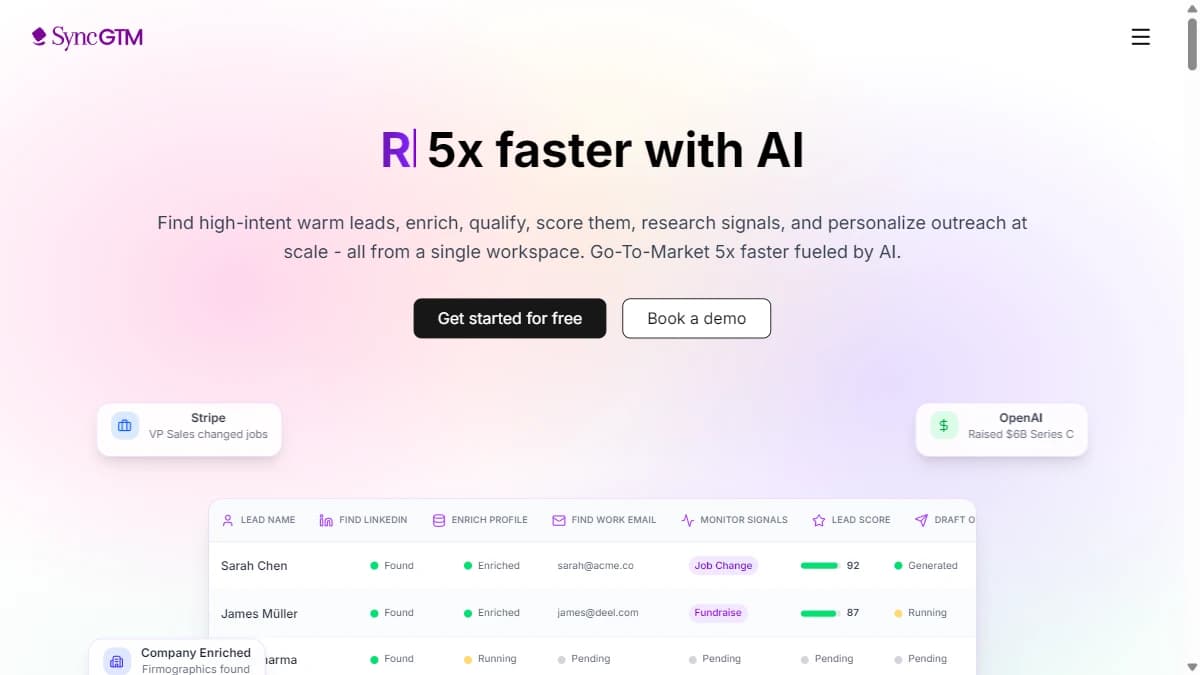
SyncGTM — Teams that want automatic CRM enrichment from 50+ data providers without manual data entry
SyncGTM automates the part of CRM management that eats the most time: keeping records enriched and accurate. Its waterfall enrichment engine queries 50+ data providers to fill in contact details, firmographics, technographics, and custom signals -- then syncs everything directly to your CRM without manual exports or CSV uploads.
The workflow builder connects enrichment triggers to CRM actions. When a new lead enters HubSpot, SyncGTM can automatically enrich the record, score it against your ICP, and route it to the right rep -- all in one automated flow. AI research agents scrape company websites for custom data points that no standard provider captures.
Native two-way sync with HubSpot, Salesforce, Pipedrive, Attio, and Zoho means changes flow both directions. Your CRM stays clean without reps lifting a finger. The free tier makes it accessible for teams testing automation before committing budget.
Pros
- +Waterfall enrichment across 50+ data providers in one workflow
- +AI web scraper and research agents for custom data
- +Native CRM integrations (HubSpot, Salesforce, Pipedrive, Attio, Zoho)
- +Workflow builder with drag-and-drop automation
- +Free tier available with no feature gates
Cons
- −Newer platform -- smaller community than established players
- −Advanced workflows have a learning curve
Best for: Teams that want automatic CRM enrichment from 50+ data providers without manual data entry
Pricing: Free tier available. Solo $49/mo. Growth $99/mo. Pro $249/mo. Business $649/mo.
2. HubSpot Sales Hub — Teams that want CRM, marketing, and sales automation in one ecosystem
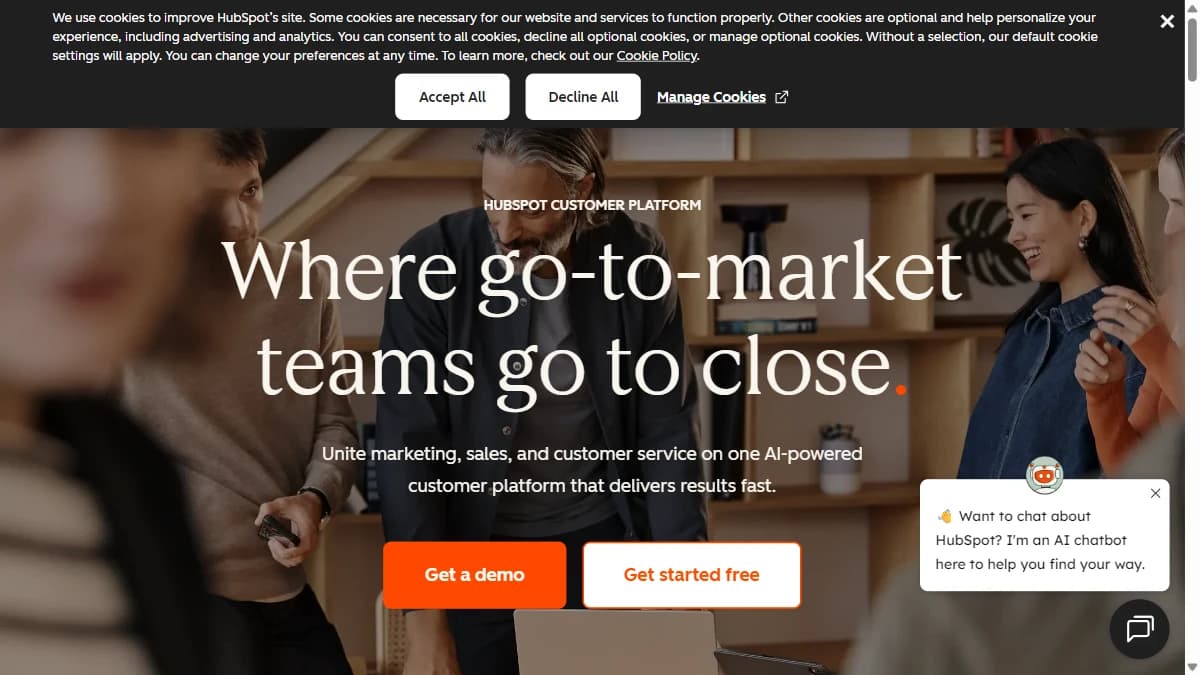
HubSpot Sales Hub — Teams that want CRM, marketing, and sales automation in one ecosystem
HubSpot Sales Hub is the CRM automation default for a reason. Workflow automation, email sequences, deal pipelines, and reporting all live in one platform. The Starter plan at $20/seat/mo covers basic automation -- task triggers, email logging, and meeting scheduling -- enough for small teams to eliminate the worst admin work.
Professional ($90/seat/mo) is where real automation kicks in. Multi-step workflows with branching logic, automated lead rotation, deal stage triggers, and sequence enrollment based on CRM properties. Breeze Intelligence (formerly Clearbit) adds native enrichment, though it is less deep than dedicated providers.
The ecosystem advantage is unmatched. 1,500+ integrations, a massive app marketplace, and HubSpot Academy training mean your team is never stuck. The tradeoff: onboarding fees ($1,500 for Pro, $3,500 for Enterprise) and annual contracts make the true cost significantly higher than the sticker price.
Pros
- +Free CRM with marketing and sales tools
- +All-in-one ecosystem (CRM, marketing, sales, service)
- +Extensive app marketplace
- +Strong workflow automation
Cons
- −Expensive at scale ($890/mo+ for Professional)
- −Per-contact pricing adds up
- −Feature-gated tiers limit flexibility
- −Migration complexity from other CRMs
Best for: Teams that want CRM, marketing, and sales automation in one ecosystem
Pricing: Free CRM. Starter $20/mo. Professional $890/mo. Enterprise $3,600/mo.
3. Salesforce Sales Cloud — Enterprise teams needing complex workflow automation, custom objects, and multi-territory routing
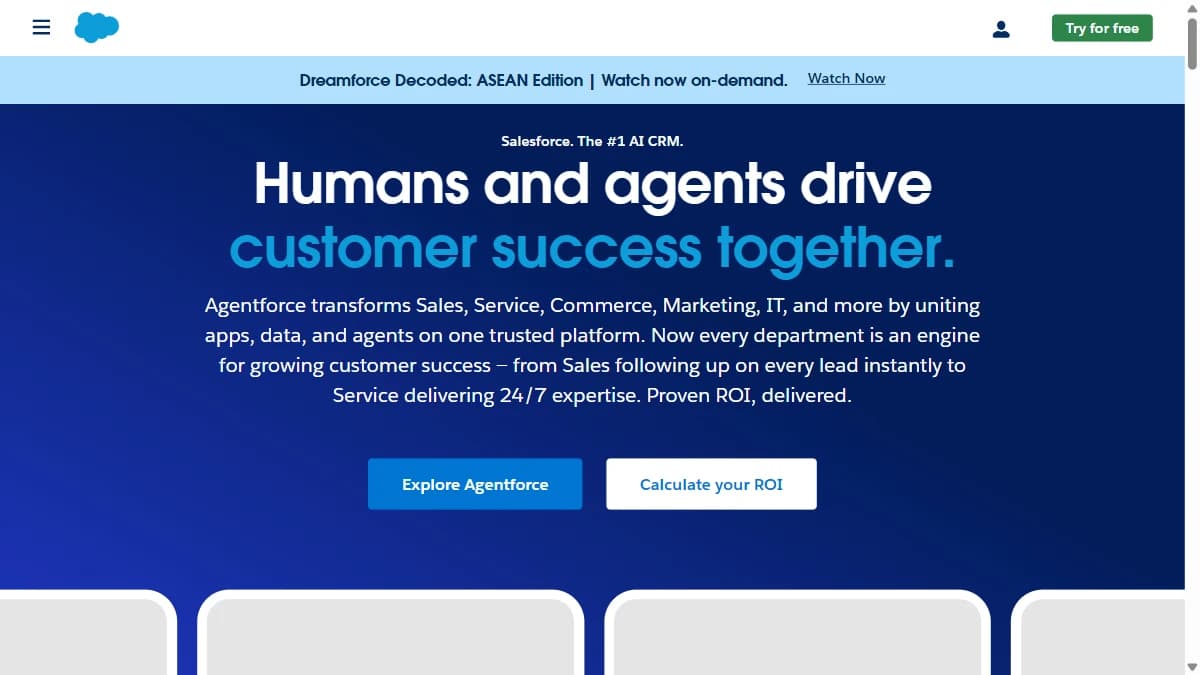
Salesforce Sales Cloud — Enterprise teams needing complex workflow automation, custom objects, and multi-territory routing
Salesforce is the enterprise CRM automation heavyweight. Flow Builder creates complex multi-step automations with conditional logic, scheduled triggers, and cross-object updates that no other CRM can match in flexibility. If you can describe the workflow, Salesforce can automate it.
The Starter Suite ($25/user/mo) covers basic pipeline management and contact tracking. But real automation requires Enterprise ($175/user/mo) for Flow Builder, advanced reporting, and territory management. Agentforce ($550/user/mo) adds AI-powered deal routing and predictive pipeline scoring.
Power comes with complexity. Salesforce implementations take weeks or months, and most teams need a dedicated admin or consultant. The platform is overkill for teams under 20 reps, but indispensable for enterprise orgs with complex approval chains and multi-territory routing.
Pros
- +Most customizable CRM platform
- +Largest app ecosystem (AppExchange)
- +Enterprise-grade security and compliance
- +Advanced workflow automation (Flow Builder)
Cons
- −Complex and expensive to implement
- −Requires admin/developer resources
- −Per-user pricing adds up fast
- −Steep learning curve
Best for: Enterprise teams needing complex workflow automation, custom objects, and multi-territory routing
Pricing: Starter $25/user/mo. Professional $80/user/mo. Enterprise $165/user/mo.
4. Pipedrive — Small sales teams that want a visual, easy-to-learn CRM with basic automation

Pipedrive — Small sales teams that want a visual, easy-to-learn CRM with basic automation
Pipedrive wins on simplicity. The visual pipeline board makes deal management intuitive -- drag deals between stages, and automations fire based on stage changes. Small teams get running in 1-2 days instead of the weeks that Salesforce or HubSpot require. The Lite plan at $14/seat/mo covers basic pipeline tracking.
The Growth plan ($39/seat/mo) unlocks the automation builder with event-based triggers for follow-ups, deal assignment, and stage notifications. Premium ($49/seat/mo) adds AI-powered sales assistant and custom reporting. However, automation complexity is limited compared to Salesforce or HubSpot -- no advanced branching logic or multi-object workflows.
Add-ons are where Pipedrive gets expensive. LeadBooster (chatbots and web forms), Smart Docs (document tracking), and Projects (task management) each cost extra. A real-world setup with core add-ons runs $300-350/mo for a small team.
Pros
- +Visual pipeline management
- +Drag-and-drop deal boards
- +Fast setup and easy to learn
- +Affordable per-seat pricing
Cons
- −Limited marketing automation
- −Basic reporting compared to Salesforce
- −No built-in enrichment
- −Fewer integrations than HubSpot
Best for: Small sales teams that want a visual, easy-to-learn CRM with basic automation
Pricing: Lite $14/seat/mo. Growth $39/seat/mo. Premium $49/seat/mo. Ultimate $79/seat/mo. Annual billing.
5. Freshsales — Budget-conscious teams that want AI scoring and workflow automation without enterprise pricing

Freshsales — Budget-conscious teams that want AI scoring and workflow automation without enterprise pricing
Freshsales is the budget CRM that punches above its weight on automation. The Growth plan at $9/user/mo includes workflow automation with event-based triggers, email templates, and built-in phone with call recording. For teams that need CRM automation without enterprise pricing, Freshsales delivers real value.
The Pro plan ($39/user/mo) adds Freddy AI for lead scoring, sales sequences, auto-assignment rules, and multiple pipeline support. These are features that HubSpot charges $90/seat/mo for. Enterprise ($71/user/mo) includes custom modules, AI forecasting, and sandbox environments for testing workflow changes safely.
The free plan supports up to 3 users with basic contact management -- enough to trial the platform. The downside: the Growth plan lacks AI scoring and sequences, so you will need Pro for meaningful automation. And the marketing automation (landing pages, email campaigns) requires the separate Freshsales Suite product.
Pros
- +Freddy AI lead scoring
- +Free plan for up to 3 users
- +Built-in phone and email
- +Workflow automation included
Cons
- −Smaller ecosystem than Salesforce or HubSpot
- −Advanced features require expensive tiers
- −Limited third-party integrations
- −Reporting less customizable
Best for: Budget-conscious teams that want AI scoring and workflow automation without enterprise pricing
Pricing: Free (3 users). Growth $9/user/mo. Pro $39/user/mo. Enterprise $71/user/mo.
6. Zoho CRM — Teams that want deep process automation and customization at mid-market pricing

Zoho CRM — Teams that want deep process automation and customization at mid-market pricing
Zoho CRM offers the deepest customization of any mid-market CRM. Blueprint, its visual process automation tool, lets you map out entire sales processes step by step -- ensuring reps follow the right workflow every time. The Professional plan ($23/user/mo) includes Blueprint, scheduled actions, and inventory management.
The free plan supports 3 users with basic workflows and contact management. Standard ($14/user/mo) adds email integration and enhanced automation. Enterprise ($40/user/mo) unlocks Zia AI for predictions, anomaly detection, and smart suggestions. The pricing-to-feature ratio beats most competitors at every tier.
The Zoho ecosystem is both a strength and a limitation. Zoho One bundles 40+ apps (mail, projects, analytics, HR) for $45/user/mo -- incredible value if you commit to the ecosystem. But integrations outside Zoho are weaker than HubSpot or Salesforce, and the UI feels dated in places.
Pros
- +Blueprint visual process automation
- +Deep customization options
- +Part of 45+ Zoho app ecosystem
- +Affordable mid-market pricing
Cons
- −UI less modern than competitors
- −Complex setup for advanced features
- −Support quality varies by tier
- −Integration ecosystem smaller than HubSpot
Best for: Teams that want deep process automation and customization at mid-market pricing
Pricing: Free (3 users). Standard $14/user/mo. Professional $23/user/mo. Enterprise $40/user/mo. Annual billing.
7. Salesflare — Small B2B teams that want a CRM that fills itself in from email and social data

Salesflare — Small B2B teams that want a CRM that fills itself in from email and social data
Salesflare is the CRM that fills itself in. It automatically pulls contact and company data from email signatures, social profiles, and web activity -- then logs meetings and calls without reps doing anything. If your team's biggest CRM problem is empty records, Salesflare solves it by design.
The Growth plan ($29/user/mo) includes automatic data entry, email tracking, workflow automation, and a visual pipeline. Pro ($49/user/mo) adds multi-currency support, custom dashboards, and user permissions. Enterprise ($99/user/mo, 5-user minimum) adds dedicated support and data migration assistance.
The automatic data capture is genuinely impressive for small B2B teams. But it works best with email-heavy workflows -- if your team sells via LinkedIn or phone, the auto-capture is less useful. The platform also lacks the deep workflow automation of HubSpot or Salesforce -- no complex branching or multi-object triggers.
Pros
- +Automatic data entry from email and social
- +Minimal manual input required
- +Smart follow-up reminders
- +LinkedIn integration
Cons
- −Limited customization options
- −Small team focus -- not for enterprise
- −Fewer integrations than HubSpot
- −No marketing automation
Best for: Small B2B teams that want a CRM that fills itself in from email and social data
Pricing: Growth $29/user/mo. Pro $49/user/mo. Enterprise $99/user/mo (5-user minimum).
Comparison Table
| Tool | Best For | Free Tier | Starting Price | Standout Feature |
|---|---|---|---|---|
| SyncGTM | Teams that want automatic CRM enrichment from 50+ data providers without manual data entry | Yes | $49/mo | Waterfall enrichment across 50+ providers with two-way CRM sync that eliminates manual data entry |
| HubSpot Sales Hub | Teams that want CRM, marketing, and sales automation in one ecosystem | Yes | $20/mo | Most complete GTM ecosystem with CRM, marketing, and sales in one platform |
| Salesforce Sales Cloud | Enterprise teams needing complex workflow automation, custom objects, and multi-territory routing | No (30-day trial) | $25/user/mo | Flow Builder creates the most complex CRM automations available -- conditional logic, scheduled triggers, and cross-object workflows |
| Pipedrive | Small sales teams that want a visual, easy-to-learn CRM with basic automation | No (14-day trial) | $14/seat/mo | Best visual pipeline management with drag-and-drop deal boards and fast setup |
| Freshsales | Budget-conscious teams that want AI scoring and workflow automation without enterprise pricing | Yes (3 users) | $9/user/mo | Freddy AI lead scoring and workflow automation at a fraction of enterprise CRM pricing |
| Zoho CRM | Teams that want deep process automation and customization at mid-market pricing | Yes (3 users) | $14/user/mo | Blueprint visual process automation ensures every rep follows the exact right workflow |
| Salesflare | Small B2B teams that want a CRM that fills itself in from email and social data | No (free trial) | $29/user/mo | Automatic data entry from email signatures, social profiles, and web activity |
How to Choose
- SyncGTM if you need teams that want automatic CRM enrichment from 50+ data providers without manual data entry
- HubSpot Sales Hub if you need teams that want CRM, marketing, and sales automation in one ecosystem
- Salesforce Sales Cloud if you need enterprise teams needing complex workflow automation, custom objects, and multi-territory routing
- Pipedrive if you need small sales teams that want a visual, easy-to-learn CRM with basic automation
- Freshsales if you need budget-conscious teams that want AI scoring and workflow automation without enterprise pricing
- Zoho CRM if you need teams that want deep process automation and customization at mid-market pricing
- Salesflare if you need small B2B teams that want a CRM that fills itself in from email and social data