

Claude Code Sales Plugin: Extend Your Sales Stack With AI in 2026

By Kushal Magar · April 25, 2026 · 15 min read
Key Takeaway
A Claude Code sales plugin connects your entire sales stack — CRM, enrichment, email, and LinkedIn — into a single AI workflow. The official Anthropic Sales plugin handles call prep and pipeline reviews out of the box. Add SyncGTM's MCP server for verified contact data, and you have a prospecting engine that runs in one terminal session.
Anthropic shipped a plugin marketplace for Claude Code in early 2026. The Claude Code sales pluginis one of the most installed — bundling call summaries, pipeline reviews, outreach drafting, and account research into one installable package.
The out-of-the-box plugin is just the starting point. Pair it with MCP servers for your CRM, enrichment provider, email sender, and LinkedIn — and Claude Code becomes an execution layer that runs your entire sales stack from a single terminal.
This guide walks through the full setup: installing the official plugin, connecting SyncGTM's enrichment MCP, and building a custom plugin with your ICP and outreach templates baked in.
What does a Claude Code sales plugin actually do?
A Claude Code sales plugin is an installable extension that adds sales-specific skills to your Claude Code session. The official Anthropic Sales plugin includes five automatic skills (account research, call prep, daily briefings, outreach drafting, competitive intelligence) and three commands (/call-summary, /forecast, /pipeline-review). Custom plugins let you add MCP server connections to external tools — CRM, enrichment, email, LinkedIn — and encode your specific sales workflows as reusable skills your whole team can run.
TL;DR
- Claude Code sales plugin — install with
/plugin install sales@claude-plugins-official. Adds account research, call prep, pipeline review, outreach drafting, and competitive intel. - MCP servers extend the plugin — connect HubSpot, Salesforce, SyncGTM, and LinkedIn data sources. Claude Code reads and writes to them directly.
- SyncGTM MCP is the fastest path to verified contact data. Waterfall enrichment across 50+ providers, buying signals, tech stack detection, and CRM sync in one connection.
- Custom plugins encode your ICP, templates, and routing logic so every rep runs the same workflow without re-explaining context each session.
- Full stack takes 2–3 hours to configure. Individual workflows (prospecting, enrichment, outreach) take 30 minutes each to build and test.
- Pricing: Plugin is free. Claude Pro ($20/mo) for solo use. Claude Max ($100–$200/mo) for team deployments with heavy automation.
What Is a Claude Code Sales Plugin?
A Claude Code sales plugin is an installable package that extends Claude Code with sales-specific capabilities. It bundles skills, MCP server connections, hooks, and agents into a single install.
Before plugins, sales teams configured each tool connection separately and re-explained workflow context every session. One install command now drops your entire sales configuration into Claude Code — tools connected, skills loaded, context set.
The official Anthropic plugin marketplace now contains over 100 plugins as of early 2026. The Sales plugin ranks among the most installed.
What a plugin can contain
| Component | What It Does | Sales Example |
|---|---|---|
| Skills | Instruction sets Claude runs on demand | ICP-filtered prospect research, email personalization |
| MCP servers | Live connections to external tools | HubSpot CRM, SyncGTM enrichment, Instantly email |
| Hooks | Triggers that run on specific events | Auto-enrich every file Claude writes to leads folder |
| Agents | Specialized subagents with defined scope | Prospecting agent, pipeline review agent |
| settings.json | Default Claude Code behavior for the plugin | Auto-activate sales agent as main thread |
Plugin vs MCP vs Skill: Which to Use for Sales?
Three overlapping terms trip up sales teams setting up Claude Code for the first time. Here is the practical distinction.
MCP server
An MCP (Model Context Protocol) server is a data or tool connection. It gives Claude Code live access to an external service — your CRM, enrichment provider, email platform, or LinkedIn data.
Think of it as a pipe. MCP servers provide raw capability but encode zero sales workflow logic — they just make data and actions available.
Skill
A skill is a Markdown instruction set that tells Claude Code how to run a specific workflow. Example: “Search for companies matching this ICP, run enrichment via SyncGTM, score each lead, and export a CSV.”
Standalone skills live in your .claude/skills/ directory and are only available in that project.
Plugin
A plugin bundles skills, MCP servers, hooks, and agents into a portable package. Install it once and the entire configuration applies — shareable across team members, versioned, and distributed through marketplaces.
Which one to start with?
Start with standalone skills in .claude/skills/ while you iterate. Add MCP servers for the tools you need data from. Convert to a plugin when you want to share the setup across your sales team or across multiple projects.
Anthropic's Official Sales Plugin: What It Includes
The official Anthropic Sales plugin ships in the built-in marketplace. Install it with one command:
/plugin install sales@claude-plugins-official
After installing, run /reload-plugins to activate it. The plugin adds the following capabilities immediately.
Slash commands
- /call-summary — processes call notes or transcripts into structured summaries with action items and draft follow-up emails
- /forecast — generates weighted pipeline forecasts (best / likely / worst scenarios) from a CSV export or pipeline description
- /pipeline-review — analyzes pipeline health, flags stale deals, and produces a weekly action plan
Automatic skills (context-triggered)
- Account research — when you paste a company name or domain, Claude researches it automatically: funding, headcount, tech stack, recent news, key contacts
- Call prep — generates a suggested agenda and discovery questions when you describe an upcoming call
- Daily briefing — surfaces pipeline alerts, deal risks, and follow-up reminders at the start of each session
- Outreach drafting — generates personalized outreach copy from research context you provide or that Claude gathers live
- Competitive intelligence — produces differentiation matrices and talk tracks when you mention a competitor in conversation
Honest limitation: the plugin does not have verified contact data
The Sales plugin is excellent for research summaries and workflow structure, but it cannot produce verified emails or phone numbers on its own. One reviewer noted that the competitive intelligence output “looked finished but contained wrong data.” Pair it with an enrichment MCP (like SyncGTM) to ground the output in verified, real-time data rather than model-generated estimates.
The plugin works standalone — paste notes, upload CSVs, describe your situation. But its ceiling rises when you connect it to live tool data via MCP servers.
Connect Your CRM via MCP Server
CRM MCP servers let Claude Code read deal data, update contact records, create activities, and trigger sequences — directly from a prompt. Zero copy-paste.
HubSpot MCP
The official HubSpot MCP plugin lives in the Anthropic marketplace. Install it, then authenticate with your HubSpot API key:
/plugin install hubspot@claude-plugins-official

# Or add via MCP directly:
claude mcp add hubspot \
  --url https://mcp.hubspot.com \
  --header "Authorization: Bearer YOUR_HUBSPOT_API_KEY"
Once connected, Claude Code can run prompts like: “Show me all deals in the Proposal stage that haven't had activity in 10 days” or “Update the contact record for [Name] with their new title and add a note from today's call.”
Salesforce MCP
Salesforce's MCP server connects Claude Code to your Salesforce org. Pair it with the Claude Code Salesforce MCP guide for detailed setup. Once connected, Claude Code can query SOQL, update objects, and trigger flows — all from natural language prompts.
claude mcp add salesforce \
  --url https://your-org.salesforce.com/services/mcp \
  --header "Authorization: Bearer YOUR_SF_ACCESS_TOKEN"
What you can do with CRM connected
- Pull your pipeline and run a deal risk analysis in under 60 seconds
- Update contact records with enriched data from SyncGTM without switching tabs
- Generate a pipeline review document for your Monday meeting, automatically
- Create new contacts and companies when Claude Code identifies prospects
- Flag stale deals and draft coaching notes for your manager 1:1s
Connect Enrichment and Signals via SyncGTM MCP
The Sales plugin handles research and workflow structure. SyncGTM's MCP handles verified contact data. Together, they cover the full prospecting loop.
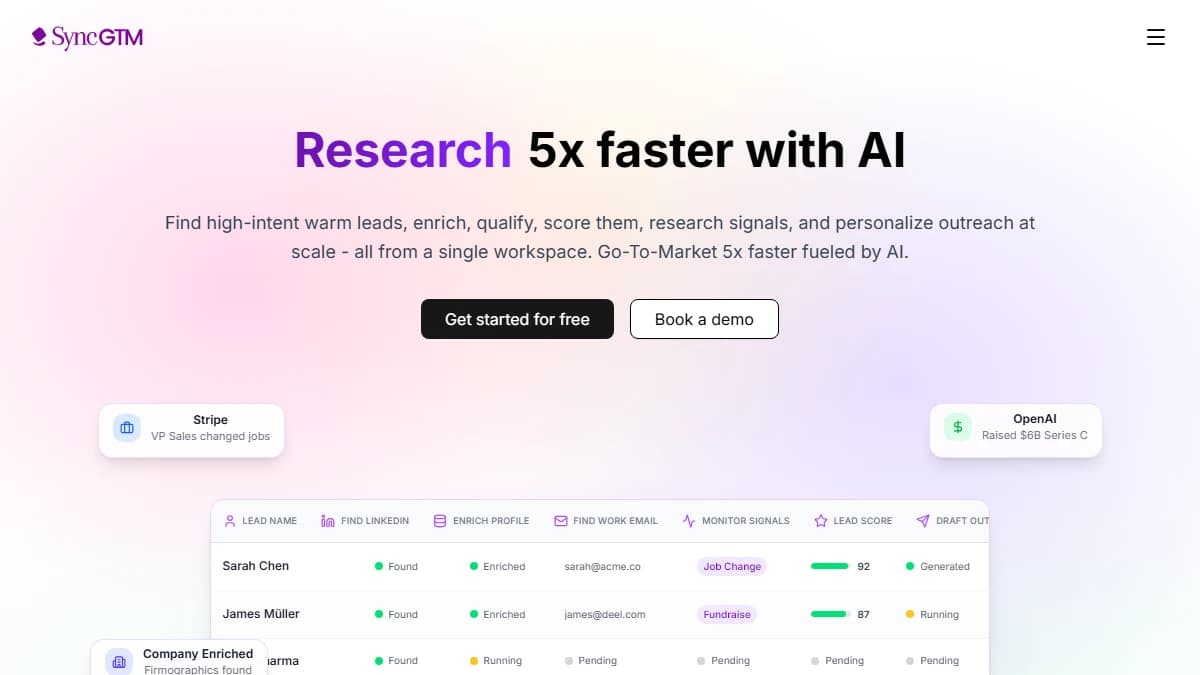
SyncGTM is a GTM data platform with an MCP server built for Claude Code. One connection gives Claude Code waterfall enrichment across 50+ providers — when it identifies a prospect, it immediately finds their verified email, phone, LinkedIn URL, and tech stack.
Add SyncGTM as an MCP server
claude mcp add syncgtm \
  --url https://mcp.syncgtm.com \
  --header "Authorization: Bearer YOUR_SYNCGTM_API_KEY"
Claude Code discovers all SyncGTM tools automatically after this command. No additional configuration required. Your API key is available in your SyncGTM account settings.
What SyncGTM adds to your sales plugin stack
| SyncGTM Capability | What Claude Code Can Do |
|---|---|
| Waterfall email enrichment | Find verified emails for every prospect (87% avg hit rate) |
| Phone number enrichment | Append mobile and direct dials to prospect records |
| Job change signals | Trigger outreach when a champion changes companies |
| Tech stack detection | Identify companies using competitor tools or relevant tech |
| Firmographic data | Pull headcount, revenue, funding stage, HQ location |
| CRM sync | Write enriched data directly to HubSpot or Salesforce |
This layer turns the Sales plugin's research into actionable, verified data. Instead of Claude guessing at an email address, it calls SyncGTM's waterfall enrichment and gets a verified result from the highest-coverage provider for that contact.
For more detail on how waterfall enrichment works, see the complete waterfall enrichment guide.
Build Your Own Claude Code Sales Plugin
The official Sales plugin covers general workflows. A custom plugin encodes your specific ICP, voice guidelines, email templates, scoring criteria, and routing logic.
Once built, every rep installs it and runs the same workflows — no re-explaining context each session.
Plugin directory structure
my-sales-plugin/
├── .claude-plugin/
│   └── plugin.json          # Plugin manifest
├── skills/
│   ├── prospect/
│   │   └── SKILL.md         # ICP-filtered prospecting
│   ├── enrich-leads/
│   │   └── SKILL.md         # Waterfall enrichment via SyncGTM
│   └── outreach-draft/
│       └── SKILL.md         # Personalized email generation
├── .mcp.json                # MCP server connections
└── settings.json            # Default Claude Code config
Step 1: Create the plugin manifest
Create my-sales-plugin/.claude-plugin/plugin.json:
{
  "name": "my-sales-plugin",
  "description": "Sales workflows for [Your Company] — ICP research, enrichment, outreach",
  "version": "1.0.0",
  "author": {
    "name": "Your GTM Team"
  }
}
Step 2: Wire up MCP servers in .mcp.json
Add your tool connections to my-sales-plugin/.mcp.json:
{
  "mcpServers": {
    "syncgtm": {
      "url": "https://mcp.syncgtm.com",
      "headers": {
        "Authorization": "Bearer {SYNCGTM_API_KEY}"
      }
    },
    "hubspot": {
      "url": "https://mcp.hubspot.com",
      "headers": {
        "Authorization": "Bearer {HUBSPOT_API_KEY}"
      }
    }
  }
}
Use environment variables for API keys — never hardcode them in the plugin file.
Step 3: Write your prospecting skill
Create skills/prospect/SKILL.md with your ICP baked in:
---
description: Build an ICP-filtered prospect list with enriched contacts.
  Use when asked to prospect, find leads, or build a target list.
---

# Prospect Skill

Build a prospect list matching our ICP:
- Industry: B2B SaaS
- Company size: 50–500 employees
- Stage: Series A or B
- Tech stack: Uses HubSpot or Salesforce
- Geography: North America

For each matching company:
1. Identify VP of Sales, Head of Revenue, or CRO
2. Run SyncGTM waterfall enrichment to find verified email and phone
3. Pull one recent trigger (funding, new hire, product launch)
4. Score the lead 1–10 against our ICP (9–10 = hot, 7–8 = warm)

Export as CSV to /leads/[date]-prospects.csv
Push hot leads (score ≥ 9) to HubSpot as new contacts with ICP score note.

Arguments: $ARGUMENTS (use to filter by industry, geo, or size if provided)
Step 4: Test and install
# Test locally
claude --plugin-dir ./my-sales-plugin

# Run the skill
/my-sales-plugin:prospect fintech companies in NYC

# Install for your user account
/plugin install ./my-sales-plugin --scope user
Share the plugin directory via your company's git repo. Team members install it with one command — same ICP, same enrichment workflow, same output format.
Full-Stack Sales Workflow: CRM + Enrichment + Email + LinkedIn
With the Sales plugin installed, SyncGTM MCP connected, and a CRM MCP active, a full prospect-to-outreach workflow runs in a single Claude Code session.
Full workflow prompt
Build me a list of 25 Series B SaaS companies in the HR tech space
that have hired a VP of Sales in the last 90 days (job change signal).

For each:
1. Find the new VP of Sales via SyncGTM enrichment
2. Get their verified work email and LinkedIn URL
3. Pull one company trigger (funding, product, growth signal)
4. Write a personalized first line referencing their new role + company trigger
5. Generate a full cold email using our tone guidelines from CLAUDE.md
6. Create a HubSpot contact with all enriched data + notes
7. Add them to the "New VP Outreach" sequence in HubSpot

Export a summary CSV to /leads/new-vp-outreach-2026-04-25.csv
One session. Claude Code calls SyncGTM for job change signals and enrichment, connects to HubSpot for contact creation and sequence enrollment, and generates personalized emails. You never switch tabs.
Time comparison
- Manual workflow: 8–12 minutes per prospect × 25 = 3–5 hours
- Claude Code workflow: 20–35 minutes total (mostly compute)
- Net time saved: 2.5–4.5 hours per campaign
Teams using Claude Code for sales automation consistently report 3–5x faster list-building and 2–3x better reply rates when outreach is personalized from live signals rather than static templates.
Best MCP Servers for Sales Teams in 2026
The right MCP stack depends on your tools. These are the most impactful MCP servers for sales workflows, ranked by how much they expand Claude Code's capability.
1. SyncGTM MCP — Enrichment and Signals
SyncGTM is the highest-ROI MCP for sales teams. It adds waterfall enrichment across 50+ providers, job change detection, tech stack signals, and CRM sync in one connection.
Best for: teams that need verified contact data at scale and want buying signals to time outreach.
Pricing: starts at $0 with a free tier for small volumes.
2. HubSpot MCP — CRM Read/Write
The official HubSpot MCP connects Claude Code to your full CRM — deal queries, contact updates, sequence enrollment, and activity logging through natural language.
Best for: HubSpot-primary teams that want to automate CRM hygiene and pipeline reviews.
Pricing: free (requires HubSpot API access, included in all plans).
3. Salesforce MCP — Enterprise CRM
For Salesforce shops, the Salesforce MCP enables SOQL queries, object updates, flow triggers, and report generation — all from Claude Code. See the Claude Code Salesforce integration guide for setup details.
Best for: enterprise sales teams with complex Salesforce setups, custom objects, and multi-territory pipelines.
4. Slack MCP — Signal Delivery
The official Slack MCP lets Claude Code post enriched prospect briefs, deal risk alerts, and pipeline summaries to your team's Slack channels. Pair with SyncGTM's buying signals for a real-time sales intelligence feed.
Best for: teams that want Claude Code to surface alerts and briefings without requiring a rep to run a command.
5. Linear / Notion MCP — Deal Tracking
For teams tracking deals in Notion or running sales in Linear, these MCPs let Claude Code create deal pages, update status, and log research automatically.
| MCP Server | Key Capability | Install | Cost |
|---|---|---|---|
| SyncGTM | Enrichment + signals + CRM sync | claude mcp add syncgtm | Free tier available |
| HubSpot | CRM read/write | /plugin install hubspot@… | Free |
| Salesforce | Enterprise CRM + flows | claude mcp add salesforce | Free |
| Slack | Signal delivery to team | /plugin install slack@… | Free |
| Notion | Deal docs + research logs | /plugin install notion@… | Free |
For a full list of GTM-relevant MCP servers and how to evaluate them, see the top GTM MCPs for Claude Code guide.
Limitations to Know Before You Start
Plugins are highly trusted code — review before installing
Per Anthropic's plugin documentation, plugins execute code with your user privileges. Only install from sources you trust — the official marketplace is Anthropic-verified; third-party plugins need manual review.
The official Sales plugin can hallucinate data without enrichment
Early testers found the Sales plugin produced “flashy output with wrong data” for competitive or company info. This is a model limitation, not a plugin flaw — pair it with SyncGTM or another verified enrichment MCP to ground outputs in real data.
Setup has a terminal learning curve
The plugin install is one command. The MCP configuration and CLAUDE.md setup require basic terminal comfort. Most reps will need a GTM engineer or sales ops person to build the initial plugin. Day-to-day use requires no coding.
Context window limits large list processing
Lists over 500 contacts or pipeline exports over 1,000 rows may exceed Claude's context window. For high-volume workflows, chunk your data or use a script that calls Claude Code in batches of 50–100 records.
Not a replacement for dedicated data platforms
Apollo, ZoomInfo, and SyncGTM have purpose-built databases and UI workflows that Claude Code cannot replicate. Claude Code's value is orchestration — connecting those platforms, executing logic, and automating the workflow between them. The best sales stacks use Claude Code as the automation layer on top of specialized data tools.
Final Verdict: Is the Claude Code Sales Plugin Worth Setting Up?
Yes — especially for teams already on Claude Max or planning to upgrade. The official Sales plugin handles call prep, pipeline reviews, outreach drafting, and competitive research out of the box.
The upgrade that makes it powerful: connect SyncGTM's MCP. That single addition turns Claude Code into a prospecting engine with verified contact data, buying signals, and direct CRM writes — the full outbound loop without switching tools.
Start with the official plugin and one MCP server. SyncGTM if enrichment is your bottleneck. HubSpot or Salesforce if CRM hygiene is. Build one custom skill around your biggest workflow pain and run it for a week.
Teams investing in this infrastructure now will have a repeatable sales automation advantage that required a full-time ops team just two years ago. The tools are here.
This post was last reviewed in April 2026.