

eGrabber Review 2026: B2B Data Coverage, Pricing & SyncGTM Comparison

By Kushal Magar · June 16, 2026 · 13 min read
Key Takeaway
eGrabber's LeadGrabber Pro delivers solid US enterprise email accuracy from $3,495/yr — but it's a Windows-only desktop app that requires LinkedIn Sales Navigator, charges annual-only, imposes a 500-lead/day cap, and offers no cloud access or buying signals. SyncGTM's 50+ provider waterfall achieves 75–90% hit rates at $99/mo with no annual commitment and no platform restrictions.
eGrabber is a US-based B2B data company that has been building prospecting tools since 1996. Its flagship product, LeadGrabber Pro, is a Windows desktop application that appends verified work emails and direct dials to contacts you identify on LinkedIn and LinkedIn Sales Navigator. Plans start at $3,495/year (35,000 credits). A LinkedIn Sales Navigator subscription is required, pushing the real cost to $4,455–$9,695/year. Our rating: 3.7/5.
eGrabber has a strong track record for US enterprise contact accuracy. Customer support is consistently rated highly across G2 and Capterra. The US-patented email appending technology delivers solid hit rates for VP-level and above targets at large North American companies.
The constraints are harder to overlook in 2026. LeadGrabber Pro is a Windows-only desktop application — no Mac, no browser, no API. It imposes a 500-lead/day cap across all pricing tiers. It cannot surface buying signals, intent data, or job change alerts. And the annual-only billing model means committing to $3,495+ before you have validated coverage on your specific ICP.
This review covers eGrabber's data coverage by region, what each pricing tier actually delivers, where the accuracy claims hold and where they do not, and a direct comparison with SyncGTM, eGrabber alternatives, Apollo, and ZoomInfo for teams making an enrichment tool decision in 2026.
What Is eGrabber?
eGrabber is a B2B prospecting software company founded in 1996 and headquartered in San Jose, California. It holds several US patents for email appending technology — the process of finding a verified work email address from a name and company. LeadGrabber Pro is its core sales product, designed for SDRs and sales ops teams who build targeted prospect lists from LinkedIn, professional directories, and web sources.
Unlike cloud-based tools that maintain a pre-built contact database, LeadGrabber Pro performs real-time deep-web searches at the moment you request a contact's data. You identify a prospect on LinkedIn Sales Navigator, click the LeadGrabber Pro overlay, and the tool queries multiple web sources simultaneously to find and verify the work email and direct dial — returning the result within seconds.
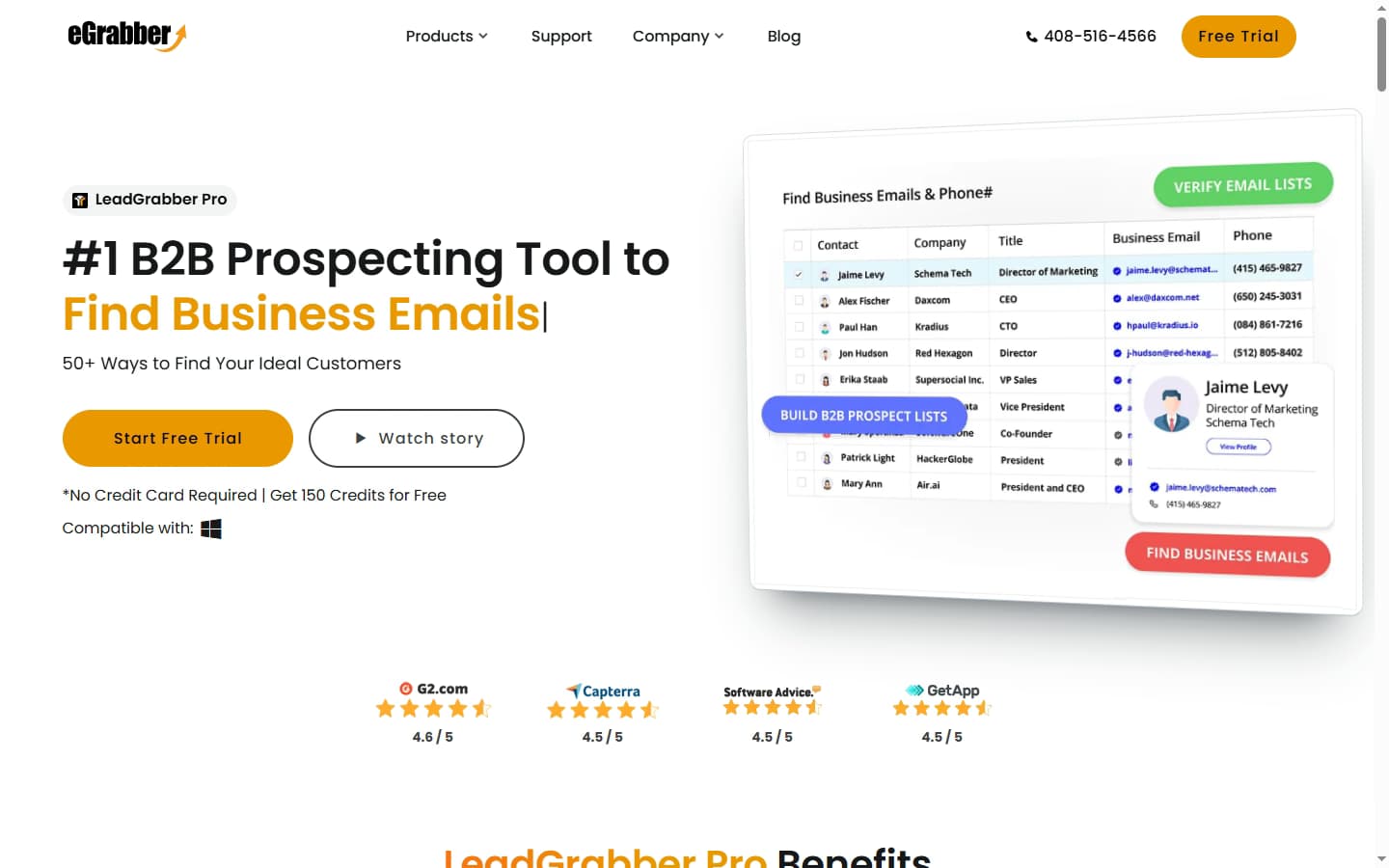
eGrabber's LeadGrabber Pro — a Windows desktop application that appends verified emails and direct dials from LinkedIn Sales Navigator.
eGrabber markets "50+ ways to find your ideal customers," covering LinkedIn extraction, event attendee prospecting, directory scraping, and job change detection. All of these run through the Windows desktop client — there is no web dashboard, no browser extension for cloud-based enrichment, and no API for programmatic access.
| Capability | What eGrabber Provides | Notable Gaps |
|---|---|---|
| Email Appending | Real-time deep-web search. US-patented. Verified at point of delivery. | Single-source model — no waterfall cascade to backup providers. |
| Phone / Direct Dial | AI-driven real-time phone appending alongside email. | Lower hit rates than email; geographic accuracy drops outside the US. |
| Firmographics | Company name, industry, headcount, revenue, location pulled at enrichment time. | Firmographic depth varies; no technographic or intent data layer. |
| LinkedIn Integration | Overlays on LinkedIn Sales Navigator. Extracts full lists from search results. | Requires paid Sales Navigator subscription — not included in pricing. |
| CRM Export | Direct export to Salesforce, MS Dynamics, Outlook, PC Recruiter, Excel. | Windows-only; no CRM sync via API. HubSpot export is CSV-only. |
| Buying Signals / Intent | Basic job change detection (new hire filter). | No funding signals, no tech stack changes, no intent data. |
eGrabber Pricing: Plans, Credits & What You Actually Pay
eGrabber publishes its LeadGrabber Pro pricing — a transparency advantage over tools like ZoomInfo and SalesIntel that force you into a sales conversation first. All plans are billed annually with no monthly option. A 150-credit free trial is available without a credit card.
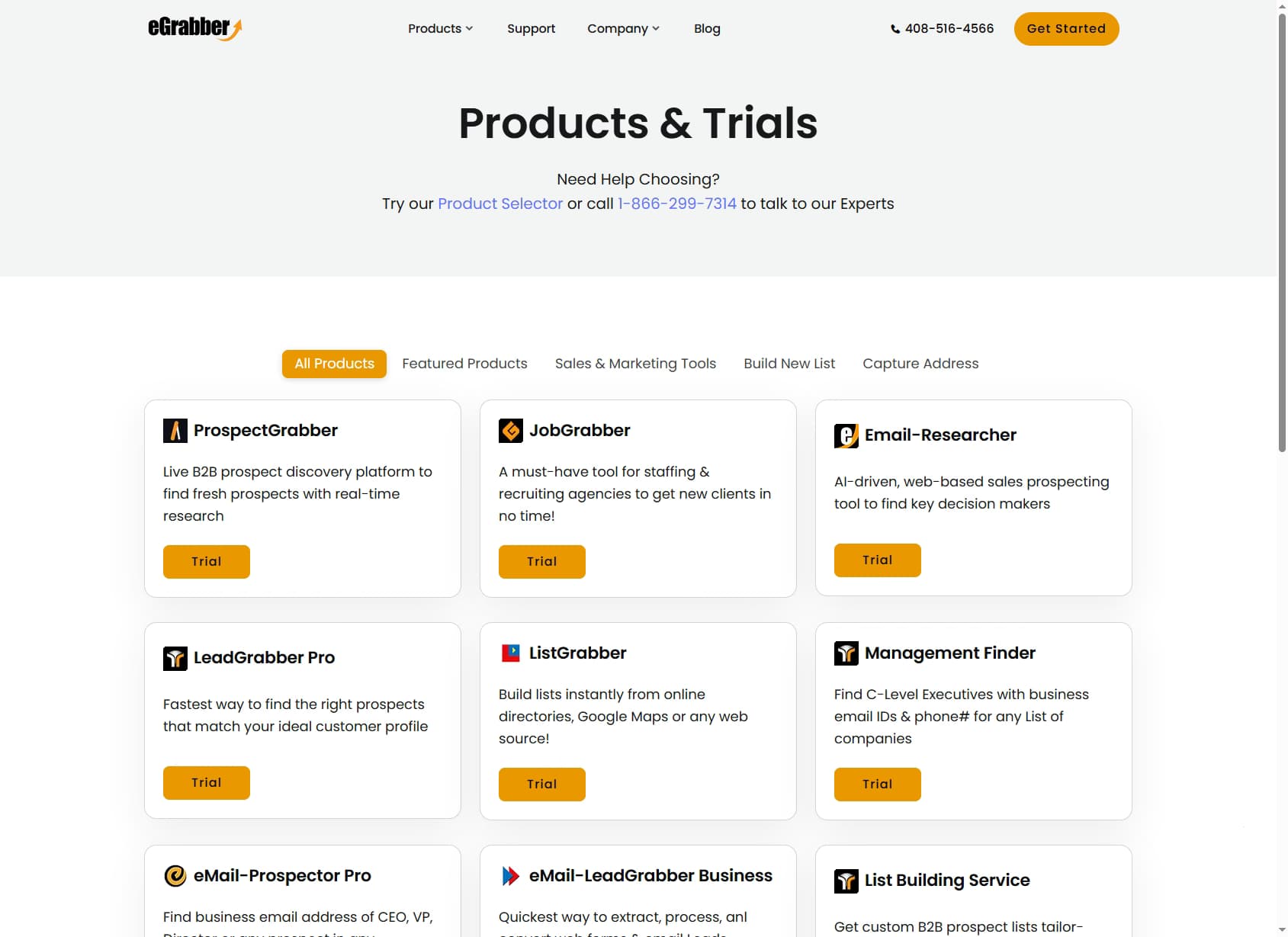
eGrabber's LeadGrabber Pro pricing — annual plans from $3,495/yr with no monthly billing option.
| Plan | Annual Price | Credits/Year | Cost Per Credit | Real Cost (with Sales Nav) |
|---|---|---|---|---|
| Basic | $3,495/yr | 35,000 | ~$0.10 | ~$4,455–$4,695/yr |
| Small Teams | $5,495/yr | 60,000 | ~$0.09 | ~$6,455–$7,095/yr |
| Medium Teams | $8,495/yr | 100,000 | ~$0.085 | ~$9,455–$9,695/yr |
| Free Trial | $0 | 150 credits | — | No card required |
The hidden cost: LinkedIn Sales Navigator
The sticker price is not the total cost. eGrabber's primary prospecting workflow — extracting contacts from LinkedIn search results — requires a LinkedIn Sales Navigator subscription that eGrabber does not provide.
LinkedIn Sales Navigator Professional costs $959.88/year ($79.99/month). Team plans run $1,599.96+/year. Add this to every eGrabber tier: the Basic plan's "$3,495/year" becomes $4,455–$4,695/year in practice — a 27–34% premium above the published price. For the medium team tier, total cost reaches $9,455–$9,695/year.
This is not unique to eGrabber — many LinkedIn-native tools have the same dependency — but it is worth factoring into any comparison with cloud-native alternatives. SyncGTM's published pricing starts at $99/month with no Sales Navigator requirement.
Credit math: what you actually get
One credit in LeadGrabber Pro represents one contact enriched. At 35,000 credits on the Basic plan, you get 35,000 enriched contacts per year — roughly 135 per working day, well below the 500/day cap. Not every credit yields a deliverable email: at a 75% hit rate, 35,000 credits produce approximately 26,250 usable contacts, pushing the effective cost per usable contact to around $0.13 — not $0.085 as eGrabber's per-lead marketing implies.
For a realistic benchmark: according to G2's 2026 sales intelligence category data, the median B2B email finder delivers usable contacts at $0.08–$0.15 per verified email at scale. eGrabber sits in the middle of that range on the medium teams plan, slightly above on the basic plan.
eGrabber Data Coverage: Email, Phone & Firmographics
Email coverage
eGrabber's real-time deep-web search model means hit rates vary by how much information is publicly available about a contact. For US enterprise targets — VP-level and above at companies with 500+ employees — expect 75–85% email hit rates in practice. The patented email appending logic is strongest for contacts with active LinkedIn profiles and corporate email formats that follow discoverable patterns.
For US mid-market contacts (50–500 employees), hit rates drop to 60–75%. SMB contacts below 50 employees see further drops. Outside North America, the real-time search model finds less English-language source material — EU, APAC, and LATAM hit rates are materially lower than US enterprise. User reports on G2 and Capterra consistently note this geographic gap.
Phone and direct dial coverage
eGrabber appends phone numbers alongside email in the same enrichment pass. The AI-driven phone appending pulls from web directories, company websites, and aggregated public sources. For US enterprise contacts, phone hit rates run 45–60% — solid for a tool at this price point. Direct dial accuracy is lower: many returned phone numbers are switchboard or main office lines rather than direct extensions.
Phone coverage outside North America is significantly weaker. EU contacts are hit-or-miss; APAC and LATAM phone coverage is thin. Teams with a call-heavy outreach strategy targeting non-US markets should factor this into the evaluation.
Firmographic data
LeadGrabber Pro pulls company-level data at enrichment time — industry, headcount, revenue range, location, and company website. The firmographic fields are useful for basic segmentation and CRM record creation. There is no technographic layer (installed tech stack) and no intent data. For teams running signal-triggered outreach — targeting companies that just raised funding, added headcount, or changed CTO — eGrabber provides none of that.
| Region / Segment | Email Hit Rate | Phone Hit Rate | Notes |
|---|---|---|---|
| US Enterprise (500+ emp) | 75–85% | 45–60% | Strongest region — patented email appending well-calibrated for US formats |
| US Mid-Market (50–500 emp) | 60–75% | 35–50% | Good for active LinkedIn users; drops for low-footprint companies |
| EU / UK Enterprise | 55–70% | 30–45% | Solid for English-language multinationals; weaker for local EU companies |
| APAC | 40–55% | 20–35% | Significantly weaker — real-time search finds less source material outside English-language web |
| LATAM | 35–50% | 15–30% | Brazil and Mexico have better coverage; rest of LATAM is thin |
eGrabber Key Features
LinkedIn list extraction
LeadGrabber Pro's most-used feature: load a LinkedIn Sales Navigator search result, run the extraction, and the tool appends email and phone to every contact in the list. You can extract and enrich entire saved lists from Sales Navigator, including search filters like "senior director+ at SaaS companies 201–500 employees in the US." The 500-lead/day cap applies here.
This workflow saves significant manual time versus one-by-one lookup. For SDRs building targeted lists from Sales Navigator saved searches, this is the core value prop of LeadGrabber Pro.
Real-time email verification
Unlike tools that pull from a pre-built database, eGrabber searches and verifies at delivery time. This means the email returned is checked for validity at the moment of enrichment — not pulled from a database entry that may be months old. The trade-off is speed: real-time verification takes a few seconds per contact versus instant database lookup. At scale, this matters less than accuracy.
Reverse LinkedIn ID lookup
If you have a LinkedIn profile URL but no name or company, LeadGrabber Pro can enrich in reverse — starting from the LinkedIn URL to find the contact's work email and company data. This is useful for teams processing LinkedIn connection exports or engaging with inbound leads who connected via LinkedIn but provided no other contact info.
Event attendee prospecting
eGrabber can extract and enrich attendees from virtual event attendee lists published online, webinar registration pages, and conference directories. For teams that do event-based outreach — following up with trade show attendees or targeting people who registered for a competitor's webinar — this is a differentiated capability that most cloud-native tools do not replicate.
CRM and Outlook integration
On Windows, LeadGrabber Pro integrates directly with Salesforce, Microsoft Dynamics, PC Recruiter, and Microsoft Outlook. Enriched contacts push to CRM records with a single click. CSV export to Excel is available for all other platforms. The best waterfall enrichment providers comparison covers how CRM integration depth varies across tools.
eGrabber Pros: What It Does Well
- ✓Transparent pricing with no sales call required. Unlike ZoomInfo, SalesIntel, and Cognism, eGrabber publishes all three plan prices on its website. You can calculate your cost and sign up without talking to a sales rep — a genuine advantage for small teams that want to validate before engaging.
- ✓Strong US enterprise email accuracy (75–85%). The US-patented email appending technology performs well for senior contacts at large US companies. For SDRs targeting Fortune 5000 or mid-large enterprise with well-structured email patterns, eGrabber's real-time approach delivers reliable results.
- ✓Consistently praised customer support. Across G2 (4.2/5), Capterra (4.3/5), and user forums, eGrabber's support team is a recurring positive. Users describe it as "wonderfully helpful," with fast response times and a willingness to troubleshoot specific ICP coverage issues. For a tool this technical, good support is a real differentiator.
- ✓Real-time verification means fresher data. Database tools pull from records that may be weeks or months old. eGrabber's real-time search checks email validity at enrichment time — reducing bounces from stale data. For SDRs whose ICP changes roles frequently, this freshness advantage is meaningful.
- ✓150-credit free trial with no credit card. You can test eGrabber's actual hit rate on your specific ICP before committing to an annual plan. 150 contacts is enough to run a meaningful sample on a target segment.
- ✓Event attendee prospecting is genuinely unique. The ability to extract and enrich conference attendee lists, webinar registrants, and virtual event directories is a workflow no major cloud-native tool replicates at this price point.
eGrabber Cons: Where It Falls Short
- Windows-only desktop application. LeadGrabber Pro runs only on Windows 7–11 — no Mac, no Linux, no browser access. Teams where SDRs use MacBooks (the majority of B2B sales teams in 2026) cannot use the tool without a virtual machine or a separate Windows device.
- LinkedIn Sales Navigator required for core workflow. eGrabber's primary prospecting model depends on LinkedIn Sales Navigator — not included in the eGrabber subscription. Add $960–$1,600+/year to the already $3,495–$8,495/year sticker price. Real cost of ownership runs 27–37% above published pricing.
- Annual billing only — no monthly option. There is no month-to-month plan. Every tier requires a 12-month commitment. Teams that want to validate hit rates on their specific ICP before committing cannot do so beyond the 150-credit trial.
- 500-lead/day extraction cap on all plans. The daily limit constrains high-volume outbound workflows. A team of five SDRs sharing one license can exhaust the day's cap before each rep has 100 leads. High-volume teams need multiple licenses or a different tool.
- Single-source enrichment with no waterfall fallback. eGrabber's real-time deep-web search is a single-source model — when a contact is not surfaced by the search, there is no cascade to secondary providers. Tools like SyncGTM pull from 50+ providers in sequence, filling gaps that any single source misses.
- No cloud access or API. There is no way to use LeadGrabber Pro through a web browser, integrate it into a CRM workflow via API, or trigger enrichment from external systems. All enrichment happens on the local Windows machine running the application.
- No buying signals or intent data. eGrabber provides contact and firmographic data — it cannot surface hiring signals, funding events, job changes, or technology stack changes. Teams running signal-triggered outreach need a separate tool for those layers.
eGrabber vs SyncGTM vs Apollo vs ZoomInfo
eGrabber competes in an unusual position: it publishes pricing (unlike ZoomInfo) and uses real-time verification (unlike most database tools), but it is the only major player in 2026 that remains Windows-only and Sales Navigator-dependent. Here is how it compares across the dimensions that matter most for enrichment tool decisions. For the full category landscape, G2's sales intelligence category tracks 200+ verified reviews.
| Feature | eGrabber | SyncGTM | Apollo | ZoomInfo |
|---|---|---|---|---|
| Starting Price | $3,495/yr (35K credits) | $99/mo | $59/mo (Basic) | $14,995+/yr |
| Billing | Annual only | Monthly or annual | Monthly or annual | Annual only |
| Enrichment Model | Single source (deep-web search) | 50+ provider waterfall | Single database (275M contacts) | Single database |
| Platform | Windows desktop app only | Cloud / API | Cloud + Chrome extension | Cloud + Chrome extension |
| Mac Support | No | Yes | Yes | Yes |
| LinkedIn Sales Navigator Required | Yes — core workflow dependency | No | No | No |
| Email Hit Rate (US Enterprise) | 65–80% (claimed ~90%) | 75–90% | 60–75% | 65–80% |
| Daily Lead Cap | 500 leads/day | No daily cap | No daily cap | No daily cap |
| Buying Signals | No | Hiring, funding, tech changes, job changes | Basic intent (Bombora) | Yes — intent + technographics |
| Transparent Pricing | Yes — published on website | Yes — published on website | Yes — published | No — quote-based |
| Free Trial | 150 free credits | Free plan available | Free tier (limited) | No |
| CRM Integration | Salesforce, Dynamics, Outlook (Windows only) | HubSpot, Salesforce, API | All major CRMs | All major CRMs |
The honest verdict on each option
eGrabber is a proven tool for Windows-based, US-focused SDR teams doing LinkedIn-sourced prospecting. The data quality is real for the US enterprise segment. The constraints — Windows-only, Sales Nav dependency, 500/day cap, annual billing, no cloud — are also real, and they matter more in 2026 than they did in 2015 when most of those architectural decisions were made.
SyncGTM is the stronger choice for teams that need higher hit rates (75–90% vs. eGrabber's 65–85%), Mac compatibility, no Sales Navigator dependency, buying signals alongside contact data, and monthly billing without annual commitment. The 50+ provider waterfall catches contacts that any single-source model — including eGrabber's real-time search — misses. See the best SDR prospecting tools comparison for the full category breakdown.
Apolloat $59/mo is the most accessible paid option in the comparison. The built-in sequencing layer makes it a complete outbound stack — enrichment plus email sequences — at a fraction of eGrabber's total cost. Hit rates are lower than waterfall tools but higher than single-source database alternatives for US contacts.
ZoomInfo at $14,995+/year competes with eGrabber on accuracy but requires a sales conversation and annual commitment with no published pricing. ZoomInfo wins on firmographic depth, technographic data, and intent signals. eGrabber wins on real-time verification freshness and transparent pricing.
Who Should Use eGrabber?
eGrabber is a good tool in a narrow context. That context is narrower in 2026 than it was five years ago.
Use eGrabber if:
- Your entire team runs Windows and already pays for LinkedIn Sales Navigator — the tool integrates cleanly into that existing stack.
- Your ICP is US enterprise (500+ employees), VP-level and above — the segment where eGrabber's 75–85% email hit rate is most consistently reported.
- You do event-based outreach and need to enrich conference attendee lists or webinar registrant exports — eGrabber handles this better than most alternatives.
- You value real-time email verification freshness over instant database retrieval and are willing to accept per-contact latency for better bounce rates.
Choose SyncGTM instead if:
- You or your team use Macs — eGrabber does not run on macOS.
- You need higher email hit rates (75–90%) on US enterprise without the $3,495+/yr annual commitment and Sales Navigator dependency.
- You want buying signals — hiring surges, funding rounds, job changes, tech stack changes — alongside contact enrichment in one platform.
- Your ICP extends beyond North America into APAC, LATAM, or EU non-English markets.
- You need API access for programmatic enrichment or CRM-triggered workflows.
- You prefer monthly billing and the ability to pause or cancel without a 12-month commitment.
For teams evaluating the full B2B contact data market, B2B sales prospecting tools guide covers 15+ tools with pricing and accuracy breakdowns across segments.
eGrabber Review: Frequently Asked Questions
What is eGrabber and how does it work?
eGrabber is a US-based B2B data company founded in 1996. Its flagship product, LeadGrabber Pro, is a Windows desktop application that runs deep-web searches to find and append business emails and phone numbers for contacts you identify on LinkedIn, LinkedIn Sales Navigator, and other professional directories. You select a contact on LinkedIn, LeadGrabber Pro queries multiple web sources in real time, and returns a verified work email and direct dial — along with firmographic data like company size, industry, and revenue. The tool is not cloud-based; it runs locally on your Windows PC and requires LinkedIn Sales Navigator for its core prospecting workflow. Credits are consumed per contact appended, with plans ranging from 35,000 credits/year at $3,495 to 100,000 credits/year at $8,495.
How accurate is eGrabber's contact data?
eGrabber claims US-patented email appending technology and markets high accuracy, but independent user reports tell a more nuanced story. For US enterprise contacts — VP-level and above at companies with 500+ employees — email accuracy runs 75–85% in practice. For mid-market US contacts, expect 65–75%. Outside North America, accuracy drops significantly: eGrabber's deep-web search model skews toward English-language sources and US LinkedIn profiles. Phone accuracy is lower than email accuracy across all segments. The 2026 G2 profile shows 4.2/5 stars from 100+ reviews, with accuracy praised for US enterprise targets but noted as inconsistent for APAC, LATAM, and EU non-English markets.
How much does eGrabber cost in 2026?
eGrabber's LeadGrabber Pro pricing in 2026 is annual-only with three main tiers: Basic at approximately $3,495/year (35,000 credits), Small Teams at $5,495/year (60,000 credits), and Medium Teams at $8,495/year (100,000 credits). These sticker prices do not include the LinkedIn Sales Navigator subscription required for the primary workflow — add $960–$1,200/year for Sales Navigator Professional or $1,600+/year for Sales Navigator Team. Total cost of ownership ranges from approximately $4,455 to $9,695/year. There is no monthly billing option. eGrabber offers 150 free credits (no card required) to test the tool before committing to an annual plan.
Does eGrabber work on Mac?
No. eGrabber's LeadGrabber Pro is a Windows desktop application and is not compatible with macOS or Linux. It supports Windows 7 through Windows 11. Mac users cannot use LeadGrabber Pro directly — you would need a Windows virtual machine or a separate Windows device. This is a material constraint for teams where SDRs use MacBooks, which is the majority of B2B sales teams in 2026. Cloud-native alternatives like Apollo, SyncGTM, or RocketReach work on any operating system via browser without requiring a local install.
How does eGrabber compare to SyncGTM?
eGrabber and SyncGTM serve different enrichment architectures. eGrabber is a Windows desktop app that performs real-time deep-web searches for individual contacts — you manually select prospects on LinkedIn, and the tool appends contact data one at a time or in batches. SyncGTM is a cloud-native waterfall enrichment platform that cascades records through 50+ data providers simultaneously, achieving 75–90% email hit rates on US enterprise contacts versus eGrabber's 65–80%. eGrabber requires a LinkedIn Sales Navigator subscription and annual billing ($3,495–$8,495/yr total ~$4,455–$9,695 with Sales Nav). SyncGTM publishes its pricing ($99/mo with monthly billing), requires no annual commitment, adds buying signals — hiring surges, funding rounds, job changes, tech stack changes — that eGrabber cannot surface, and works on any platform without a Windows install. For teams needing high-volume cloud enrichment, signal-triggered automation, or Mac compatibility, SyncGTM is the stronger choice.
What is the daily lead cap on eGrabber?
LeadGrabber Pro imposes a 500-lead-per-day extraction limit across all pricing tiers. This is both a tool constraint and a LinkedIn rate-limit safeguard — eGrabber enforces it to reduce the risk of LinkedIn flagging or banning the associated Sales Navigator account. For SDR teams running high-volume prospecting, 500 leads/day is often sufficient for individual reps but becomes a bottleneck at team scale. A team of 5 SDRs sharing one LeadGrabber Pro license hits the cap before each rep reaches 100 leads. For high-volume enrichment workflows — appending emails to lists of 10,000+ contacts — cloud-native waterfall tools with no daily cap are a better fit.