

FinalScout Review 2026: B2B Data Coverage, Pricing, Pros & Cons

By Kushal Magar · May 29, 2026 · 11 min read · Last updated: September 30, 2026
Key Takeaway
FinalScout is a smooth LinkedIn email finder with ChatGPT outreach, from $50/month with unlimited single email finding. But it's single-source and LinkedIn-dependent, its 98% figure is deliverability — not find rate — and it actually locates an email only 50–70% of the time, with no phones, signals, or sending. It fits solo reps and recruiters who live in LinkedIn; test the find rate on your own list before scaling up.
This FinalScout review covers the tool's data coverage, pricing, and accuracy in 2026 — and where it falls short. FinalScout is a LinkedIn email finder and AI outreach tool that locates business emails from LinkedIn profiles and drafts messages with ChatGPT, with paid plans from $50/month. Our rating: 3.8/5.
FinalScout's appeal is simple: open a LinkedIn profile or scrape a list, and it returns a verified work email plus an optional AI-written draft. The interface is smooth and the learning curve is almost flat.
The structural limit is just as simple. FinalScout pulls every email from a single LinkedIn-derived index. When a profile is thin or a contact lives outside LinkedIn, there is no second source to fall back on, which is the gap multi-provider waterfall enrichment tools are built to close.
This review breaks down FinalScout's pricing math, the accuracy picture (and why its 98% figure isn't what it sounds like), its key features, the honest pros and cons, how the day-to-day workflow runs, and who it fits best in 2026.
What Is FinalScout?
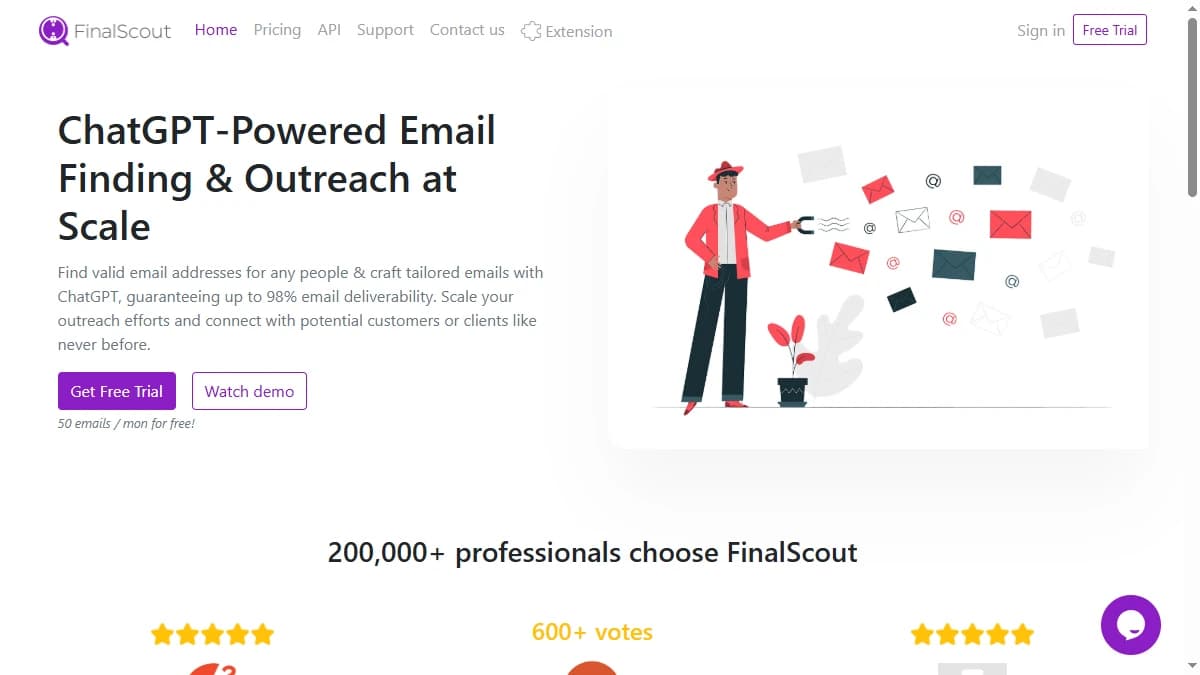
FinalScout is a B2B email finder and AI outreach platform that locates business emails from LinkedIn profiles, Sales Navigator, Recruiter, groups, events, and company pages, then writes personalized emails with ChatGPT. It runs against an index of roughly 500M business profiles, 20M companies, and 200M emails — aimed at sales reps, recruiters, and marketers who prospect on LinkedIn.
FinalScout markets a 98% deliverability figure and the line that 200,000+ professionals use it. Email verification is built in at no extra cost, and the AI writing layer (EmailAI) turns a profile into a first-draft email in seconds — but FinalScout is a prospecting tool, not a sending platform, so you export contacts and drafts to send elsewhere.
The most important thing to understand is the data model. FinalScout is single-source and LinkedIn-dependent: every lookup hits one index keyed to LinkedIn presence. That shows up directly in find rate, which we cover in the data-coverage section below.
FinalScout Pricing: Plans, Credits, and What You Actually Pay
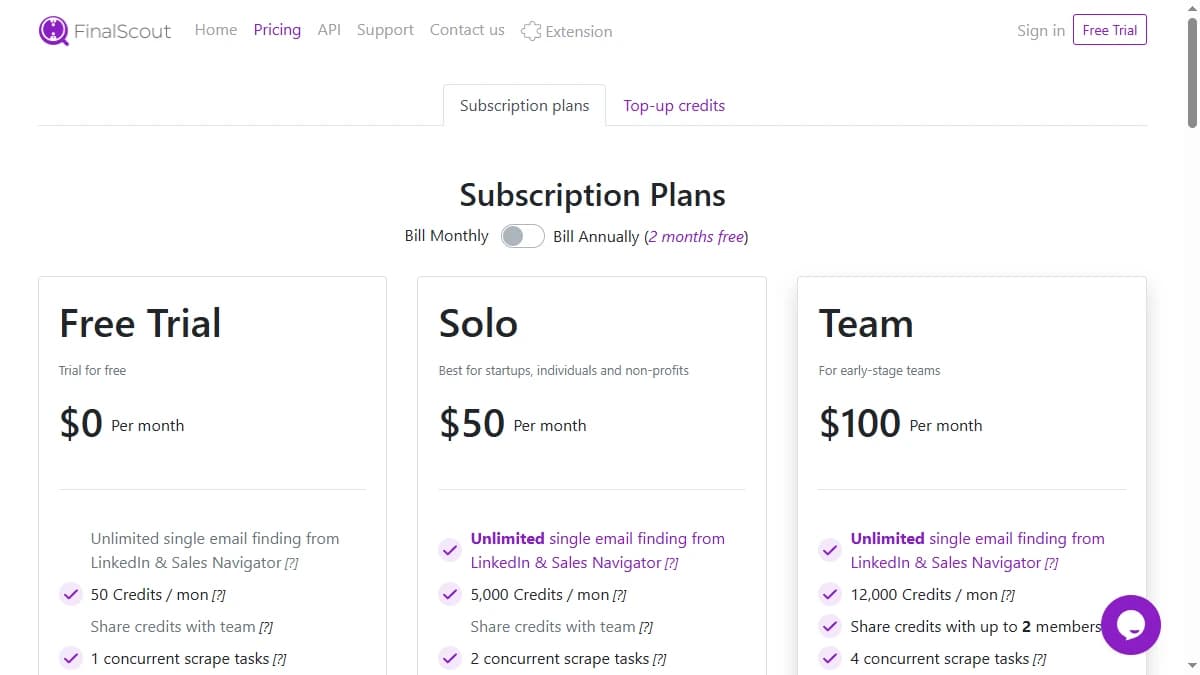
FinalScout pricing starts at $50/month for the Solo plan, with email finding included on every tier. Plans advertise unlimited single email finding, with bulk scraping capped at 2,500 profiles per task, and team plans add shared seats.
| Plan | Monthly Price | Team Seats | Scrape Cap / Task |
|---|---|---|---|
| Free Trial | $0 | 1 | 100 profiles |
| Solo | $50/mo | 1 | 2,500 profiles |
| Team | $100/mo | Up to 2 | 2,500 profiles |
| Business | $300/mo | Up to 10 | 2,500 profiles |
| Corporate | $800/mo | Up to 50 | 2,500 profiles |
| Custom | Quote | Custom | Custom volume |
The real cost math
Annual billing gives two months free — roughly a 17% discount across all tiers. On paper, “unlimited single email finding” sounds like a flat-rate bargain next to credit-metered competitors.
The catch is the find rate. If FinalScout only locates an email on 50–70% of your list, the effective cost per contact you can actually reach is well above the headline price, and the gap widens at volume. Teams pricing this against a waterfall contact provider should compare cost per resolved contact, not cost per lookup. For a broader market view, see our roundup of the best B2B email finder tools.
FinalScout Review: Data Coverage and Accuracy Tested
FinalScout's biggest transparency gap is how it frames accuracy. The headline 98% figure is real — but it measures the deliverability of emails FinalScout has already found, not how often it finds one in the first place.
Those are two different metrics, and the second one is what determines whether your campaign has enough contacts to send to. By FinalScout's own materials, the find rate sits around 50–70% for English-speaking profiles — meaning a third to a half of your list comes back empty.
Where the gap comes from
FinalScout is single-source and LinkedIn-dependent. When a profile is thin, dormant, or the contact simply isn't active on LinkedIn, there is no second database to fall back on. Independent benchmarks put comparable single-source tools at 40–55% real enrichment, and reviewers specifically flag incorrect or outdated data on smaller companies and startups, where inferred email patterns are weaker.
That distinction — between accuracy on the contacts a database has and coverage across the contacts you actually need— is where single-source tools lose ground. You can verify the wider picture on FinalScout's G2 profile and on Capterra, where ease-of-use scores high but coverage on harder contacts is a recurring caveat.
The practical test is simple: run FinalScout on a sample of your real target list, including contacts at smaller companies, and count how many come back with an email. For background on how single-source and multi-provider data differ, see our explainer on B2B lead enrichment.
FinalScout Key Features
FinalScout's feature set is built around LinkedIn-based contact-finding and AI drafting rather than full GTM automation. The highlights:
| Feature | What It Does |
|---|---|
| LinkedIn email finder | Finds business emails directly from LinkedIn search, Sales Navigator, Recruiter, groups, events, and company pages — the core of the product. |
| ChatGPT email writing (EmailAI) | Generates personalized outreach drafts from a contact's profile data and your templates, cutting first-pass writing time. |
| Bulk profile scraping | Scrape and enrich lists of profiles in a single task, capped at 2,500 profiles per scrape on paid plans. |
| Built-in email verification | Validates found addresses at no extra cost, backing the deliverability claim on the emails it resolves. |
| Contact management & export | Tag, filter, and organize found contacts, then export to CSV to load into your sequencer or CRM. |
| GDPR & CCPA compliance | Markets adherence to data-privacy regulations, relevant for teams prospecting into the EU and California. |
FinalScout Pros: What It Does Well
- ✓Smooth, near-zero learning curve. Reviewers consistently call FinalScout one of the easiest tools to pick up — you can find an email and draft a message within minutes of signing up.
- ✓Deep LinkedIn coverage. It works across LinkedIn search, Sales Navigator, Recruiter, groups, events, and company pages — a genuine advantage for teams that prospect inside LinkedIn all day.
- ✓ChatGPT drafting saves time. EmailAI turns a profile into a personalized first draft, cutting the time spent writing the opening line for each prospect.
- ✓Verification included, no per-credit fee. Email verification is built in at no extra cost, and plans advertise unlimited single email finding rather than a metered credit pool.
- ✓High deliverability on what it finds. The 98% figure does hold for emails FinalScout returns — so the contacts it resolves tend to land, protecting sender reputation on that subset.
FinalScout Cons: Where It Falls Short
- LinkedIn-dependent, single-source data. FinalScout resolves contacts from one index keyed to LinkedIn presence. When a profile is thin or missing, there's no second data source to fall back on, unlike multi-provider waterfall tools.
- The 98% claim is about deliverability, not find rate. FinalScout's headline accuracy refers to emails it has already found delivering, not how often it finds one. By its own materials, the find rate is ~50–70%, so a meaningful share of any list goes unresolved.
- Data quality dips on smaller companies. Reviewers report incorrect or outdated data on startups and SMBs, where LinkedIn signal and inferred email patterns are weaker.
- No phone numbers. FinalScout is email-only. Reps and recruiters who call as well as email need a separate phone-data source.
- Not a sending platform. It drafts emails with ChatGPT but doesn't send them — you export to a separate sequencer, adding a step and breaking the workflow.
- Real cost per usable contact is higher than it looks. With a 50–70% find rate, the effective price per contact you can actually reach is well above the headline plan price, and the math gets worse at volume.
- No buying signals. FinalScout is contact data only. It offers no hiring, funding, or tech-adoption signals to help you prioritize which accounts to work first.
How FinalScout Works: From LinkedIn Profile to Ready-to-Send Draft
FinalScout's workflow is short, which is a big part of its appeal. Here is how a typical prospecting session runs, and where the plan limits show up along the way.
- Install the Chrome extension. FinalScout works on top of LinkedIn, so the extension is where most of the work happens. As of September 2026, even the $0 Free Trial needs a card to activate.
- Find single emails. Open a profile in LinkedIn or Sales Navigator and FinalScout looks up a business email and verifies it. Every plan, including the trial, lists single email finding as unlimited, so one-off lookups never eat into a quota.
- Scrape lists in bulk. For search results, groups, events, or company pages, you run a scrape task. Each task is capped at 100 profiles on the trial and 2,500 on paid plans, and plans differ in how many tasks run at once: 2 on Solo, 4 on Team, and 8 on Business and Corporate.
- Draft with EmailAI. EmailAI, powered by OpenAI, turns a profile into a personalized first draft. Treat it as a starting point and give each draft a human pass before it goes out.
- Organize and export.Found contacts land in a contact manager where you can filter by tags and email status, then export to CSV for your sequencer or CRM. Teams that want to automate that hand-off can use FinalScout's API and webhooks.
Two practical notes. First, the 2,500-profile cap applies per task, so large lists have to be split across several scrapes. Second, FinalScout also advertises finding emails from a company domain, but its plans are built around LinkedIn and Sales Navigator lookups, which is why LinkedIn presence drives the find rates covered above.
The sending step always happens somewhere else. FinalScout drafts but does not send, so budget for a separate sequencer and check its CSV import format before you build a large list.
Who Should Use FinalScout?
FinalScout is the right tool in a specific scenario: LinkedIn-native prospecting by a solo rep or small team that values an easy interface and AI drafting over maximum coverage and multi-channel data.
Use FinalScout if:
- You prospect primarily inside LinkedIn, Sales Navigator, or Recruiter and want email plus an AI draft in one flow.
- You are a solo SDR, recruiter, or small team that wants the smoothest possible learning curve.
- Email-only contact data is enough — you don't need phone numbers or buying signals.
- You can accept a 50–70% find rate and already have a separate tool to send your sequences.
Look elsewhere if:
- Coverage is your bottleneck — a single LinkedIn-derived index will miss the harder-to-find contacts that a waterfall email finder resolves.
- You prospect from a CRM, a CSV, or intent data, not just LinkedIn profiles.
- You need phone numbers and direct dials alongside email, which FinalScout doesn't provide.
- You want buying signals — hiring, funding, tech adoption — and built-in outreach, not just contact-finding and AI drafts.
If FinalScout's single-source, LinkedIn-dependent lookups are a dealbreaker, SyncGTM is one alternative worth a look: it runs waterfall enrichment across 50+ data providers for verified emails and phone numbers.