

LinkedIn Scraper MCP: Pull Profile and Post Data in 2026

By Kushal Magar · August 15, 2026 · 12 min read
Key Takeaway
A LinkedIn scraper MCP turns LinkedIn data extraction into tool calls your AI client can make mid-conversation. The three architectures differ sharply on account risk: browser automation drives your own logged-in session, hosted APIs never touch it. SyncGTM's MCP server takes the API route — one OAuth sign-in, no LinkedIn credential, and eight LinkedIn tools covering profiles, posts, commenters, reactors, reactions, comments, and job openings. Scraped profiles become contactable leads by chaining find_work_email and verify_email onto the same result set.
A linkedin scraper mcplets your AI assistant pull LinkedIn profile and post data as a tool call instead of a scraping script. You ask Claude Code for the people who commented on a competitor's post, and it returns a structured list in the same conversation — no browser extension, no CSV export, no cookie to babysit.
The catch is that "LinkedIn scraper MCP" describes three very different architectures with very different odds of getting your account restricted. This guide covers all three, then walks through connecting SyncGTM's MCP server end to end and turning what you pull into contactable leads.
TL;DR
- What it is: An MCP server that exposes LinkedIn data extraction as tools your AI client can call mid-conversation.
- Three architectures:Browser automation (highest account risk), hosted API (no session risk), and LinkedIn's official partner APIs (approval-gated, narrow scope).
- Setup: One command —
claude mcp add --transport http syncgtm https://api.syncgtm.com/mcp— then OAuth in the browser. No API key. - LinkedIn tools:
linkedin_profile_enrich,linkedin_profile_posts,linkedin_page_posts,linkedin_post_commenters,linkedin_post_engagers,linkedin_profile_reactions,linkedin_profile_comments, andsearch_linkedin_job_openings. - Cost: 0.2–0.3 credits per LinkedIn read, 1 credit for a full profile enrich, 1 credit for a work email. Checking your balance is free.
- Compliance:Public data only, and scraping still breaches LinkedIn's User Agreement even where courts have ruled it is not a computer-crime offence. Architecture choice is your real risk control.
- Next step: Chain
find_work_emailonto any scraped profile to make it contactable.
What Is a LinkedIn Scraper MCP?
A LinkedIn scraper MCP is a server that implements the Model Context Protocol and exposes LinkedIn data extraction as named, typed tools. MCP is an open standard from Anthropic that gives AI clients a common way to discover and call external services.
The practical difference is where the data lands. A traditional scraper writes a CSV that you then upload somewhere; an MCP tool returns JSON directly into the model's context, so the assistant can filter, rank, and act on it without a round trip.
Scraping script vs. MCP tool call
| Step | Traditional scraper | MCP tool |
|---|---|---|
| Trigger | Run a script or click a UI button | Ask in plain English |
| Output | CSV or JSON file on disk | Structured JSON in the model's context |
| Follow-up work | Manual import, dedupe, enrich | Chained tool calls in the same session |
| Auth | Your LinkedIn cookie or an API key | Depends on the server (see below) |
If you are choosing between standalone scraping tools and an MCP-based approach, our roundup of the top LinkedIn scrapers in 2026 covers the non-MCP options in detail.
Three Kinds of LinkedIn Scraper MCP (and Their Risk Profiles)
Search any MCP registry for "LinkedIn scraper" and you will get dozens of servers that share a label but not an architecture. The difference determines whether your personal LinkedIn account is exposed.
1. Browser automation
These wrap Playwright, Patchright, or Selenium and sign in to LinkedIn as you, usually via a stored li_at session cookie. The MCP server launches a browser, navigates to the target URL, and parses the rendered page.
- Upside: Sees whatever your account can see, including first-degree connection detail and Sales Navigator views.
- Downside: Your account carries the risk. LinkedIn's automation detection can throttle, restrict, or permanently ban it.
- Downside: Brittle. A LinkedIn DOM change breaks the parser until someone ships a fix.
2. Hosted data API
These MCP servers are thin wrappers over a provider's own infrastructure. You authenticate to the provider, not to LinkedIn, and the provider returns public profile and page data from its own pipeline.
- Upside: No LinkedIn credential, no session cookie, no personal account to restrict.
- Upside: Stable schemas and predictable per-call pricing.
- Downside: Public data only. You will not get private connection notes or anything gated behind your own network.
SyncGTM's MCP server sits in this category — the same server that powers the data enrichment MCP workflow.
3. Official LinkedIn APIs
LinkedIn's Marketing Developer Platform and Talent Solutions APIs are the only fully sanctioned route. They are also approval-gated, scoped to your own pages and ad accounts, and useless for prospecting third-party profiles.
How to read a server before you install it:
Check what the setup asks for. If it wants a li_at cookie or your LinkedIn password, it is browser automation and your account is the one taking the risk. If it wants a provider login or key, it is a hosted API.
Prerequisites
The SyncGTM MCP server uses browser-based OAuth, so the list is short. Nothing here requires a LinkedIn credential.
- A SyncGTM account — free to create, and you must be signed in to it in your default browser, because that is where the authorization page opens.
- Credits on the account — LinkedIn reads start at 0.2 credits per call. See pricing for plan credit allowances.
- An MCP client with streamable HTTP support — Claude Code, Claude Desktop, ChatGPT, Cursor, Codex, Gemini CLI, or Manus.
- No API key — if a client prompts you for a token or an
Authorizationheader, leave it blank. You have picked the wrong transport.
Step-by-Step: Connect the SyncGTM LinkedIn MCP
Setup takes about two minutes. The example below uses Claude Code — every other client points at the same server URL, https://api.syncgtm.com/mcp, with the transport set to streamable HTTP.
Per-client instructions for Claude Desktop, ChatGPT, Cursor, Codex, Gemini CLI, and Manus live in the SyncGTM MCP setup docs.
Step 1: Add the server
# Project scope
claude mcp add --transport http syncgtm https://api.syncgtm.com/mcp

# Or make it available in every project
claude mcp add --scope user --transport http syncgtm https://api.syncgtm.com/mcp
The --transport http flag matters. Pick stdio by mistake and the client will ask for credentials that do not exist.
Step 2: Authenticate in the browser
Restart Claude Code, then run /mcp. Select syncgtm, choose Authenticate, and approve the request on the SyncGTM page that opens in your default browser.
# Inside Claude Code
/mcp

# syncgtm → Authenticate → approve in browser
# Status should return to "connected"
Claude Code stores the session and reconnects on its own after that. Re-run /mcp any time to check status.
Step 3: Verify with a free call
Do not spend credits proving the connection works. The check_credits tool is free.
# Prompt to Claude Code:
"What's my SyncGTM credit balance?"

# → calls check_credits (free)
Step 4: Pull your first profile
# Prompt to Claude Code:
"Enrich linkedin.com/in/williamhgates and summarize their
current role, company, and last three positions."

# → calls linkedin_profile_enrich (1 credit)
You get work experience, education, and skills back as structured JSON. Claude Code summarizes it inline, and the raw payload stays available for follow-up tool calls.
Reference implementation:
The public SyncGTM MCP repo ships agent definitions for common workflows — engagement-based lead lists, profile signal audits, hiring-signal tracking — that you can drop into a Claude Code project as a starting point.
The LinkedIn Tools You Get
Eight tools cover LinkedIn specifically. All of them are prefixed mcp__syncgtm__ in the client, and all of them accept either a full URL or a bare username or company slug.
| Tool | What it returns | Cost |
|---|---|---|
| linkedin_profile_enrich | Full profile — work experience, education, skills | 1 credit |
| linkedin_profile_posts | A person's recent posts with engagement counts and timestamps | 0.3 credits |
| linkedin_page_posts | Recent posts from a company page | 0.3 credits |
| linkedin_post_commenters | People who commented on a specific post | 0.3 credits |
| linkedin_post_engagers | People who reacted to a specific post | 0.3 credits |
| linkedin_profile_reactions | Posts a person has reacted to, with authors and content | 0.2 credits |
| linkedin_profile_comments | Comments a person left on other people's posts, plus replies | 0.2 credits |
| search_linkedin_job_openings | Market-wide job search with title, location, seniority, and company filters | 0.3 credits per job |
The two directions are easy to mix up. linkedin_post_engagers answers "who reacted to this post?"; linkedin_profile_reactionsanswers "what has this person been reacting to?"
The same split applies to comments. Use linkedin_post_commenters when the post is the anchor, and linkedin_profile_comments when the person is.
Useful parameters worth knowing:
max_postson the post tools caps results (default 10, max 100).page_numberon commenters and engagers pages through up to 10 pages of results.sort_orderon commenters switches between "Most relevant" and "Most recent".posted_limiton reactions and comments narrows to 24h, week, month, 3months, or 6months.
Three Workflows to Run First
A single tool call is a lookup. Chained calls are where an MCP setup beats a scraper, because the assistant carries results from one step into the next without an export.
1. Warm leads from a competitor's post
# Prompt to Claude Code:
"Pull the commenters and reactors on this LinkedIn post: <post URL>.
Keep only people with Head of / VP / Director in their title at
companies with 50+ employees. Enrich each one and find their work
email. Give me a table with name, title, company, email."

# Chain: linkedin_post_commenters + linkedin_post_engagers
#        → linkedin_profile_enrich → find_work_email
Filtering happens in the model, not in a spreadsheet afterwards. That matters for cost — you only pay the 1-credit enrich and 1-credit email lookup on people who survive the filter.
We wrote up the manual version of this play in how to get warm leads from LinkedIn posts. The MCP version collapses it into one prompt.
2. Pre-call research on a single prospect
# Prompt to Claude Code:
"For linkedin.com/in/<prospect>: enrich the profile, pull their
last 10 posts, and show what they've reacted to in the past month.
Then draft three opener lines grounded in what they actually said."

# Chain: linkedin_profile_enrich → linkedin_profile_posts
#        → linkedin_profile_reactions (posted_limit: "month")
Reactions are the underused signal here. What someone quietly upvotes is often a better read on their priorities than what they publish.
3. Buying committees from hiring signals
# Prompt to Claude Code:
"Find RevOps job openings posted in the last 30 days at US companies
with 200-2000 employees. For each hiring company, pull their last
5 LinkedIn page posts so I can see what they're announcing."

# Chain: search_linkedin_job_openings (published_at: "r2592000",
#        company_size_min: 200, company_size_max: 2000)
#        → linkedin_page_posts
A company hiring for RevOps is a company rebuilding its GTM stack. Pairing the opening with the company's own posts gives you the "why now" that a job title alone never does.
For more chained patterns across other data sources, see the B2B database MCP guide.
Turn Scraped Profiles Into Contactable Leads
A scraped LinkedIn profile is not a lead. It is a name, a title, and a company — with no way to reach the person outside LinkedIn's own message limits.
The gap closes with two more tool calls on the same result set. Both live on the same MCP server, so there is no second integration to configure.
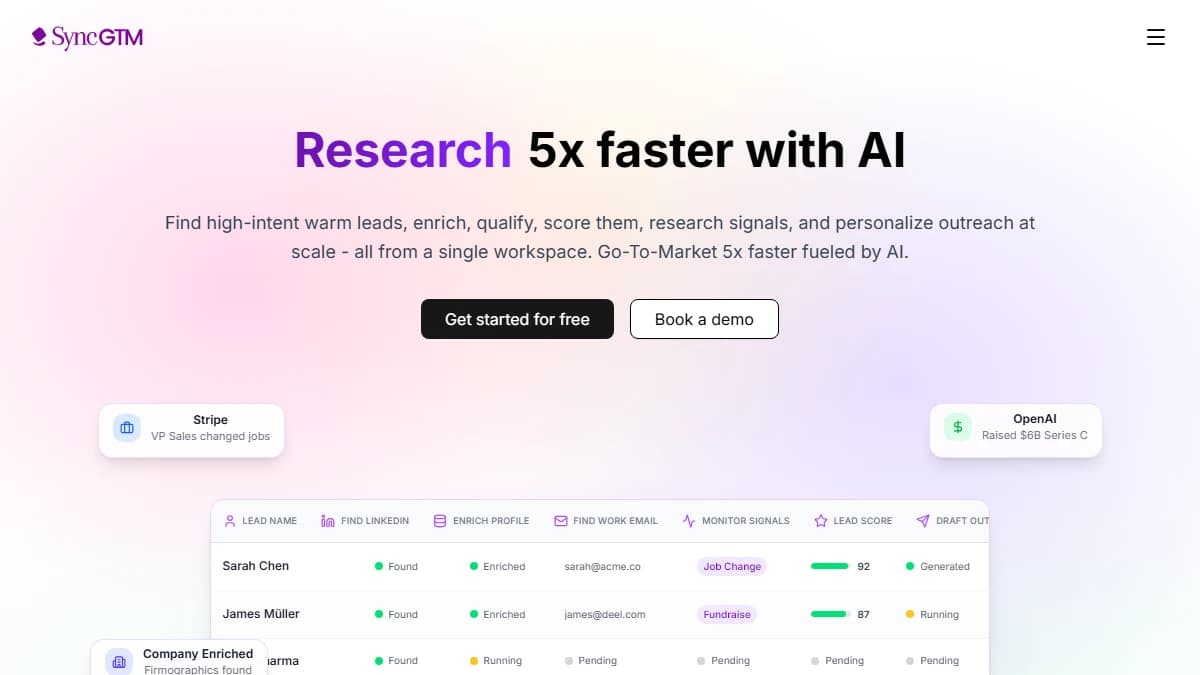
find_work_email(1 credit) — takes the LinkedIn URL you already have and runs waterfall enrichment across multiple providers until one returns a business email.verify_email(0.3 credits) — checks deliverability before the address enters a sequence.find_personal_email(3 credits) — fallback when the work email comes back empty.find_mobile_number(15 credits) — the expensive one. Reserve it for accounts you have already qualified.
Order matters for cost control. Enrich, then find the work email, then verify — and only reach for personal email or mobile on the records that survive.
# Prompt to Claude Code:
"For the 20 profiles above, find work emails, verify each one,
and drop anyone whose email comes back undeliverable or catch-all.
Export the survivors as CSV."

# Chain: find_work_email → verify_email
From there the list can go straight into a sequencer or a CRM. If you are already running the HubSpot MCP alongside Claude Code, the same session can write the enriched records into your CRM without an intermediate file.
For the wider picture on running this continuously rather than ad hoc, see our guide to automated LinkedIn prospecting.
LinkedIn Terms of Service: What Is Actually Allowed
Be clear-eyed about this rather than optimistic. LinkedIn's User Agreement explicitly prohibits using bots, scrapers, or other automated methods to access the service or copy profile data. No MCP server changes that.
The legal picture is more nuanced than the ToS alone suggests. In hiQ Labs v. LinkedIn, the Ninth Circuit held in April 2022 that scraping publicly available profiles does not trigger liability under the Computer Fraud and Abuse Act, because the CFAA's "without authorization" language does not reach public websites.
That was not a win for scrapers. The case ended in December 2022 with a $500,000 consent judgment against hiQ and a permanent injunction — on breach-of-contract and state tort grounds, not the CFAA.
The practical takeaway:
Public LinkedIn data is not a criminal-access problem, but collecting it still breaches LinkedIn's contract with you, and LinkedIn enforces that contract. Your exposure is proportional to how directly your own account and identity are involved — which is exactly why architecture choice is a compliance decision, not just a technical one.
GDPR applies separately if you touch EU or UK personal data. You need a lawful basis — legitimate interest is the usual one for B2B prospecting — plus a documented balancing test, a privacy notice, and a working route to honour deletion requests.
None of this is legal advice. If you are scraping at meaningful volume or across regulated markets, have counsel review your process before you scale it.
Lower-risk practices:
- Prefer hosted-API servers over anything that wants your session cookie.
- Collect only the fields you will actually use in outreach.
- Keep a deletion path for anyone who asks to be removed.
- Do not resell raw scraped profile data.
- Cap volumes at what a human GTM team could plausibly act on.
Tips and Best Practices
Cap results before you run anything wide
Per-result tools bill per result. Set max_results or max_posts explicitly rather than trusting the default, especially on search_linkedin_job_openings, where 100 results is 30 credits.
Filter before you enrich
Commenter and engager lists are cheap at 0.3 credits. Profile enrichment and email lookup are 1 credit each, so let the model discard off-ICP people first.
Check the balance before batches
check_credits is free and takes a second. Running out mid-batch leaves you with a half-enriched list and no clean record of where it stopped.
Save the workflow as a project instruction
If you run the same chain weekly, write it into a Claude Code project file or a custom agent. The SyncGTM MCP repo has ready-made agent definitions you can adapt instead of starting from a blank prompt.
Expect blanks, and plan for them
Public data is uneven. Some profiles have no recent posts, some people have locked down reactions, and some work emails simply are not findable — build the fallback into the prompt rather than treating an empty field as a failure.
Conclusion
The value of a LinkedIn scraper MCP is not the scraping. It is that extraction, filtering, and enrichment happen in one conversation instead of three tools and two CSV exports.
Pick the architecture deliberately. Browser-automation servers see more but put your own LinkedIn account on the line; hosted-API servers see public data only and leave your account untouched.
Start narrow. Connect the server, run check_credits, pull one profile, then chain a commenters call into find_work_email on a post you already know performed well.
Once that loop works, SyncGTM scales it — same tools, same credits, no per-seat licence and no scraper to maintain.