

Top 5 LinkedIn Scrapers to Use in 2026

By Kushal Magar · March 11, 2026 · 11 min read
Key Takeaway
This guide compares the top five LinkedIn scrapers for sales and recruiting teams in 2026: SyncGTM, PhantomBuster, Evaboot, Skrapp, and Captain Data. SyncGTM is the best choice for teams wanting scraping plus enrichment plus CRM push in one platform, starting at 99 dollars per month. PhantomBuster offers 50-plus LinkedIn automations including auto-connect and message sequences from 69 dollars per month. Evaboot provides clean Sales Navigator exports with automatic data cleaning from 29 dollars per month. Skrapp delivers bulk email extraction with 92 percent verification accuracy and a free tier of 100 emails per month. Captain Data handles enterprise workflow orchestration across platforms from 399 dollars per month. LinkedIn has over one billion members making it the largest B2B prospecting source. The key differentiator between tools is what happens after scraping. Basic scrapers give you raw data that requires manual enrichment and CRM import. SyncGTM automates the full pipeline from scraping through waterfall enrichment across 20-plus providers to automatic CRM push with buying signals.
LinkedIn scrapers let sales, recruiting, and GTM teams extract profile data, company info, and verified emails from LinkedIn at scale. The right tool saves hours of manual prospecting. The wrong one gets your account restricted.
Most roundups list 15 to 25 tools, and half of them are unmaintained Chrome extensions from 2023. This post covers five LinkedIn scrapers that are actively maintained, widely used by B2B teams, and worth evaluating in 2026 -- with honest pricing, real pros and cons, and clear recommendations for who each tool fits. If you are also evaluating prospecting databases alongside scrapers, see our guide to the best Apollo alternatives in 2026.
TL;DR: Top LinkedIn Scrapers in 2026
- SyncGTM -- Best all-in-one platform. Scrape LinkedIn post engagement, commenters, profile posts, and company pages -- then enrich and push to your CRM automatically.
- PhantomBuster -- Best for multi-step LinkedIn automation. 50+ pre-built sequences for scraping, connecting, and messaging.
- Evaboot -- Best for Sales Navigator users. One-click export with automatic data cleaning and email enrichment.
- Skrapp -- Best for bulk email extraction. Verified business emails from LinkedIn profiles at 25 profiles/second.
- Captain Data -- Best for enterprise teams. Multi-source workflow orchestration with API-first architecture.
Why LinkedIn Scraping Still Matters for GTM Teams
LinkedIn has over 1 billion members and remains the single largest source of B2B professional data. For outbound sales teams, recruiters, and GTM operators, LinkedIn profiles contain the exact data you need to start a conversation: job title, company, seniority, location, and career history.
The problem is extraction. LinkedIn limits what you can export natively. Even with Sales Navigator, you cannot bulk-export search results with emails or direct dials. Manual copy-paste does not scale past 20 prospects a day. That is why most GTM teams pair scrapers with a waterfall enrichment workflow to fill in verified emails, phones, and firmographics after extraction.
LinkedIn scrapers automate this extraction. They pull structured data from profiles and search results, enrich it with verified emails, and export it to your CRM or outreach tool. The best ones handle rate limiting, proxy rotation, and data cleaning automatically -- so you get usable data without risking your account. Once extracted, most teams run scraped profiles through a CRM data enrichment platform to fill gaps and push clean records to HubSpot, Salesforce, or Pipedrive.
What we evaluated
- Data quality: How clean and accurate is the scraped output? Does it require manual cleanup?
- Email enrichment: Can the tool find verified business emails, or does it only extract LinkedIn profile fields?
- Account safety: Does the tool use rate limiting, delays, and proxy rotation to minimize LinkedIn detection risk?
- CRM integrations: Can scraped data push directly to HubSpot, Salesforce, or your outreach tool?
- Pricing transparency: Is the pricing published? Are key features locked behind enterprise tiers?
1. SyncGTM -- LinkedIn Scraping, Enrichment, and CRM Push in One Platform
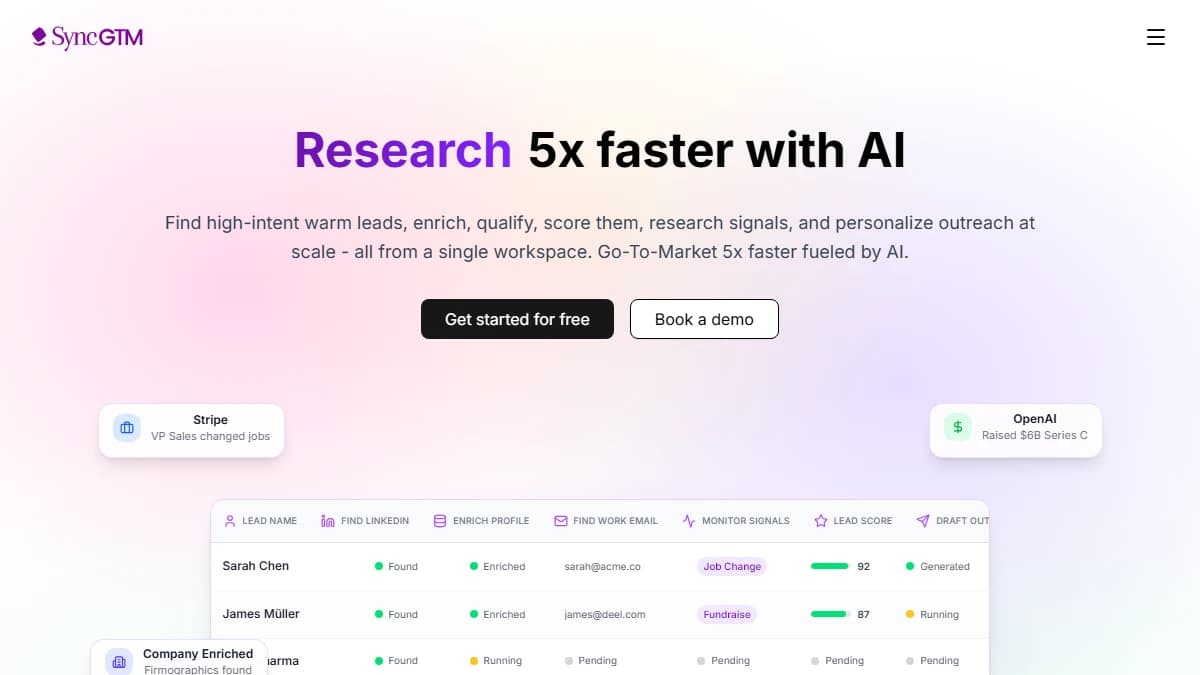
SyncGTM -- scrape LinkedIn data and enrich it with 50+ providers in a single workflow
SyncGTM is a GTM automation platform with built-in LinkedIn scraping that goes beyond basic profile extraction. It is the best LinkedIn scraper for teams that want to scrape, enrich, and push data to their CRM without stitching together multiple tools.
SyncGTM offers four dedicated LinkedIn scraping actions: Scrape LinkedIn Post Engagement (extract likes, comments, and shares), Scrape LinkedIn Post Commenters (get profiles of people engaging with posts), Scrape LinkedIn Profile Posts (pull recent posts from any user), and Scrape LinkedIn Company Posts (fetch posts from company pages). These are built directly into the platform -- no Chrome extension or browser session required.
What makes SyncGTM different from dedicated scrapers is what happens after extraction. Scraped LinkedIn data flows directly into waterfall enrichment across 50+ data providers -- adding verified emails, phone numbers, firmographics, and technographics. The enriched data pushes automatically to HubSpot, Salesforce, or Pipedrive via native CRM integrations. You also get LinkedIn automation features: send connection requests, DMs, and monitor prospect activity at scale using the browser extension.
Pros
- + Scrape + enrich + CRM push in one platform -- no tool stitching
- + 4 LinkedIn scraping actions (posts, commenters, profiles, companies)
- + Waterfall enrichment across 50+ data providers
- + LinkedIn automation: connection requests, DMs, activity monitoring
- + Free tier available with LinkedIn automation included
Cons
- - Not a pure scraping tool -- broader GTM platform with LinkedIn as one capability
- - Browser extension needed for connection requests and DMs
- - No Sales Navigator-specific export (use Evaboot for that)
Best for: GTM, sales, and recruiting teams that want LinkedIn scraping bundled with enrichment, automation, and CRM sync -- eliminating the need for separate scraper + enrichment + outreach tools. For a broader look at prospecting platforms, see our roundup of the best sales prospecting tools for B2B teams.
Pricing: Free tier available with LinkedIn automation included in all plans. Starter $49/mo. Pro and Business tiers for higher volume.
2. PhantomBuster -- Multi-Step LinkedIn Automation for Outbound Teams
PhantomBuster -- 50+ LinkedIn automations for scraping, connecting, and messaging
PhantomBuster is a cloud-based LinkedIn automation platform with over 50 pre-built "Phantoms" for scraping, connecting, and messaging on LinkedIn and Sales Navigator. It is the most versatile LinkedIn scraper for teams that need more than just data extraction -- it chains scraping into outreach sequences automatically.
The LinkedIn Profile Scraper extracts name, headline, company, location, education, and experience from any list of profile URLs. The Sales Navigator Search Export pulls results from Navigator searches in bulk. You can chain these into multi-step flows: scrape a search, enrich with emails, then auto-connect with a personalized message.
PhantomBuster runs in the cloud, so automations continue without your browser open. Built-in rate limiting and randomized delays help avoid LinkedIn detection, though heavy usage on a personal account still carries risk. The platform supports CSV export, webhook triggers, and CRM integrations via Zapier or native connections.
Pros
- + 50+ pre-built LinkedIn automations ready to use
- + Cloud-based -- no browser required during execution
- + Multi-step sequences: scrape, enrich, connect, message
- + Built-in rate limiting and human-like delay settings
- + CSV, webhook, and CRM export options
Cons
- - Execution time limits on lower tiers (1 hr/day on Starter)
- - Requires LinkedIn cookie authentication -- session can expire
- - Learning curve for chaining multi-step automations
- - Email enrichment requires additional credits or third-party integration
Best for: Outbound sales teams and agencies that want to scrape LinkedIn and run automated connection and messaging sequences from a single platform.
Pricing: Free trial available. Starter $69/mo (20 hr/mo execution). Pro $159/mo (80 hr/mo). Team $439/mo (300 hr/mo).
3. Evaboot -- The Fastest Way to Export and Clean Sales Navigator Data

Evaboot -- one-click Sales Navigator export with automatic data cleaning
Evaboot is a Chrome extension built specifically for LinkedIn Sales Navigator. It is the best LinkedIn scraper for teams that already pay for Sales Navigator and want clean, enriched exports without manual data cleanup.
The tool adds an "Export with Evaboot" button directly inside Sales Navigator. One click scrapes the current search results and automatically cleans the data -- fixing capitalization, removing emojis from names, standardizing job titles, and filtering out prospects who do not actually match your search criteria (a known Sales Navigator accuracy issue).
Built-in email enrichment finds verified business emails during the export, so you get a ready-to-outreach CSV without needing a separate enrichment tool. Evaboot also detects and flags leads who have changed jobs since your Navigator search, reducing bounce rates on outreach.
Pros
- + One-click export directly inside Sales Navigator
- + Automatic data cleaning (names, titles, formatting)
- + Built-in email enrichment with verification
- + Detects leads who changed jobs since search
- + Under 3% email bounce rate (per Evaboot's published benchmarks)
Cons
- - Requires a Sales Navigator subscription ($99+/mo separately)
- - Chrome extension only -- no cloud or API option
- - Cannot scrape standard LinkedIn (Navigator only)
- - No built-in outreach sequences -- export-only
Best for: Sales teams and recruiters who already use Sales Navigator and want a clean, enriched export with zero manual data work.
Pricing: Free trial available. $29/mo for 100 leads. $49/mo for 500 leads. $99/mo for 2,000 leads. Email enrichment credits sold separately.
4. Skrapp -- Bulk Email Extraction from LinkedIn Profiles at Scale
Skrapp -- verified email extraction from LinkedIn at 25 profiles/second
Skrapp is a LinkedIn email finder used by over 2 million professionals for extracting verified business emails from LinkedIn profiles. It is the best LinkedIn scraper for teams whose primary goal is building email lists from LinkedIn data at high volume.
Skrapp works as both a Chrome extension and a web app. The extension lets you extract emails while browsing LinkedIn profiles and search results. The web app supports bulk operations -- paste a list of LinkedIn profile URLs and Skrapp returns verified emails at up to 25 profiles per second, with a 92% average email verification success rate.
The platform includes a built-in email verifier that checks deliverability in real-time, reducing bounces before you hit send. Integrations with HubSpot, Salesforce, and Pipedrive let you push enriched contacts directly to your CRM. For teams focused purely on email-based outreach from LinkedIn data, Skrapp does one thing well and at speed.
Pros
- + 92% email verification accuracy
- + 25 profiles/second bulk processing speed
- + Free tier: 100 verified emails/month
- + Native CRM integrations (HubSpot, Salesforce, Pipedrive)
- + Chrome extension + web app for flexibility
Cons
- - Focused on email extraction only -- no LinkedIn automation
- - Profile data extraction is limited (name, company, title)
- - No outreach or connection request features
- - Credit-based pricing can get expensive at high volumes
Best for: Sales teams and agencies that need verified email addresses from LinkedIn at scale for cold email campaigns.
Pricing: Free (100 emails/mo). Starter $29/mo (1,000 emails). Seeker $79/mo (5,000 emails). Enterprise $199/mo (20,000 emails). All plans include email verification.
5. Captain Data -- Enterprise Workflow Orchestration for LinkedIn and Beyond

Captain Data -- multi-source scraping workflows with API-first architecture
Captain Data is an API-first data extraction and enrichment platform designed for enterprise GTM teams that need to orchestrate multi-source scraping workflows. It is the best LinkedIn scraper for teams that need LinkedIn data combined with scraping from Google Maps, Crunchbase, websites, and other platforms in a single pipeline.
Unlike browser-extension tools, Captain Data runs serverless workflows that chain multiple data sources. A typical pipeline might scrape LinkedIn Sales Navigator results, enrich with Dropcontact emails, cross-reference with Crunchbase funding data, and push the combined output to HubSpot -- all automated and scheduled.
The platform provides managed proxies and account rotation for LinkedIn scraping, which reduces detection risk significantly compared to tools that rely on your personal LinkedIn session. The API-first architecture makes it a strong fit for RevOps teams that integrate scraping into existing data infrastructure.
Pros
- + Multi-source workflows: LinkedIn + Google Maps + Crunchbase + more
- + Managed proxies and account rotation for safety
- + API-first -- integrates into existing data pipelines
- + Native CRM push to HubSpot, Salesforce, Pipedrive
- + Serverless execution -- no browser dependency
Cons
- - Expensive: starts at $399/mo -- not for small teams
- - Steeper learning curve than single-purpose tools
- - Overkill if you only need LinkedIn profile scraping
- - No built-in outreach sequences
Best for: Enterprise GTM and RevOps teams that need to orchestrate multi-source data extraction workflows with LinkedIn as one of several inputs.
Pricing: Free trial available. Scale $399/mo. Enterprise custom pricing. All plans include managed proxies and API access.
Side-by-Side Comparison: LinkedIn Scrapers in 2026
| Tool | Best For | Free Tier | Starting Price | Standout Feature |
|---|---|---|---|---|
| SyncGTM | LinkedIn scraping + enrichment + CRM push in one platform | Yes | $49/mo | Scrape LinkedIn posts, commenters, and profiles -- then enrich and sync to CRM automatically |
| PhantomBuster | Multi-step LinkedIn automation and sequencing | Yes (trial) | $69/mo | 50+ LinkedIn automations including auto-connect and message sequences |
| Evaboot | Clean Sales Navigator exports with email enrichment | Yes (trial) | $29/mo | One-click Sales Navigator export with automatic data cleaning |
| Skrapp | Bulk email extraction from LinkedIn profiles | Yes (100 emails/mo) | $29/mo | 92% email verification accuracy at 25 profiles/second |
| Captain Data | Enterprise workflow orchestration across platforms | Yes (trial) | $399/mo | Multi-source scraping pipelines with API-first architecture |
How to Choose the Right LinkedIn Scraper
- If you want scraping + enrichment + CRM push in one platform -- go with SyncGTM. Scrape LinkedIn posts, commenters, and profiles, then enrich with 50+ providers and sync to your CRM automatically.
- If you need scraping + outreach sequences in one tool -- go with PhantomBuster. It chains scraping into connection requests and messages.
- If you use Sales Navigator and want clean exports -- go with Evaboot. One-click export with data cleaning is hard to beat for Navigator-heavy workflows.
- If verified emails are your primary output -- go with Skrapp. 92% verification accuracy and native CRM push make it the fastest path from LinkedIn to outreach-ready email lists.
- If you need multi-source workflows at enterprise scale -- go with Captain Data. It costs more, but the ability to orchestrate LinkedIn + other data sources in a single pipeline justifies the price for large GTM teams.
Whichever LinkedIn scraper you choose, the scraped data needs a home. Most teams push LinkedIn profiles into an enrichment platform like SyncGTM to run waterfall enrichment, verify emails, and sync the complete records to their CRM -- turning raw scraped data into outreach-ready prospects.
Final Verdict
The LinkedIn scraper market is crowded, but most tools fall into one of five categories: all-in-one platforms (SyncGTM), automation platforms (PhantomBuster), Navigator exporters (Evaboot), email finders (Skrapp), and workflow orchestrators (Captain Data). Pick the one that matches your primary use case. For a dedicated comparison of tools that enrich scraped LinkedIn data, see our guide to the best enrichment tools for LinkedIn leads in 2026.
For most B2B sales and GTM teams, the real value is not in the scraping itself -- it is in what happens after. If you want to eliminate tool stitching entirely, SyncGTM handles LinkedIn scraping, waterfall enrichment across 50+ providers, verified emails and phone numbers, and automatic CRM push -- all from $49/mo. If you need a specialist tool for a specific use case, pair it with SyncGTM for enrichment and CRM sync.
Scrape LinkedIn data. Enrich it in SyncGTM. Push to your CRM automatically. Start free -- no credit card required. Or book a demo to see the enrichment workflow live.
This post was last reviewed in March 2026. Pricing and feature data verified against vendor websites.