

Master Inbox Review 2026: Agency Reply Inbox for LinkedIn

By Kushal Magar · November 26, 2026 · 13 min read
Key Takeaway
Master Inbox is a reply inbox for outbound teams and agencies. It syncs LinkedIn replies from HeyReach and email replies from EmailBison, Smartlead or Instantly into one queue, threads them per prospect and labels each one with AI on the provider you pick. The Sales plan is $799 a month on an annual plan billed monthly, with unlimited users, mailboxes and client workspaces under fair use; CRM sync sits on the Revenue plan, priced on a call. It is not Smartlead's built-in 'Master Inbox'. Our rating: 4.0/5.
This Master Inbox review covers a reply inbox built for outbound teams and the agencies that run outbound for them. It pulls LinkedIn replies from HeyReach and email replies from EmailBison, Smartlead or Instantly into one queue, threaded per prospect.
We read Master Inbox's homepage, pricing page, FAQ, integration pages, security page and changelog on November 26, 2026. We did not run a paid account, so vendor claims are labeled as claims.
Two corrections up front. Listings such as ColdIQ still quote plans from $299 a month, but the live pricing page shows one $799 Sales plan, and Smartlead uses the name "Master Inbox" for a different product.
TL;DR: Master Inbox Review 2026
- What it is: A reply inbox that sits behind your senders. Email and LinkedIn replies land in one queue, one thread per prospect.
- HeyReach and EmailBison: Both connect by API key. Reps answer LinkedIn and email from one place, and labels sync back to each tool.
- Price: Sales is $799 a month on an annual plan billed monthly, with unlimited users and mailboxes, per the pricing page. Revenue, with CRM sync, is priced on a call.
- For agencies: One workspace per client, scoped logins, and a partner program with white-label.
- Not Smartlead's: Smartlead's "Master Inbox" is the reply view inside Smartlead.
- Biggest gaps: High price floor, CRM sync on an unpriced plan, SOC 2 in progress, almost no independent reviews.
- Rating: 4.0/5.
What Is Master Inbox?
Master Inbox is a unified reply inbox that sits behind your outbound tools. Its homepage headline is "Helping sales teams never miss a reply."
It does not send campaigns. Your sequencer and LinkedIn tool keep sending, and Master Inbox handles what happens after a prospect writes back.
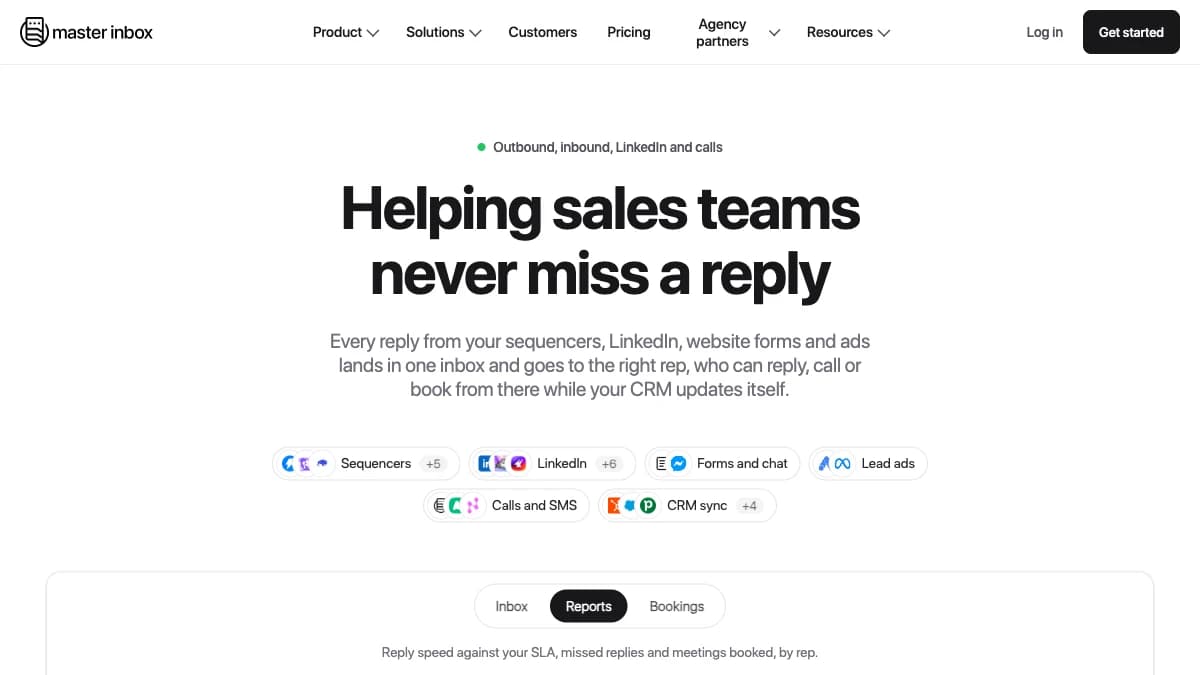
Master Inbox homepage, November 2026: sequencers, LinkedIn, forms, lead ads, calls and CRM sync feeding one inbox.
The site now speaks to in-house sales teams first. Agencies are still a core audience: partner agencies such as Growth Engine X, Cleverly and Leadbird run it for their clients, per the homepage.
It ships quickly. The changelog lists 299 updates since May 2026, 195 of them new features, with entries dated November 2026.
Master Inbox vs Smartlead's Master Inbox
Search "master inbox" and many results are about Smartlead. Smartlead names the reply view inside its cold email tool "Master Inbox", and its help center describes it as the place that collects replies from all your Smartlead campaigns.
That built-in inbox filters by category, campaign, email account, team member and client name. On Pro and higher plans replies show in near real time, while on Trial, Base and Popular plans a reply can take about 1 to 2 hours to appear, per the same article.
Master Inbox at masterinbox.com is a separate company that connects to Smartlead as one sender among many. Its comparison page argues that reading the mailboxes directly catches forwards, CC replies and new-address replies a campaign inbox misses.
How Master Inbox Works with HeyReach and EmailBison
Master Inbox connects to each sending tool through that tool's API, then syncs replies into a workspace. Mailboxes can also connect directly with Google or Microsoft sign-in, per the FAQ.
HeyReach: LinkedIn replies
The HeyReach integration takes three steps: enter your HeyReach API key, pick the LinkedIn senders to sync, and replies start flowing in. Each HeyReach account uses its own key, with unlimited senders per workspace.
Your LinkedIn accounts stay in HeyReach. Reps read and send LinkedIn replies from Master Inbox, and labels applied in either tool sync to the other.
EmailBison: email replies
The EmailBison integration needs an API key and your API URL. EmailBison replies then sit in the same queue, filterable by campaign, label, mailbox or rep.
Two workflows on that page matter most for a HeyReach plus EmailBison stack. One stops email and LinkedIn follow-ups the moment a prospect replies, and a global do-not-contact list suppresses prospects across both tools.
Every other sender
The integrations page lists 52 live integrations. Email senders include Smartlead, Instantly, Reply.io, PlusVibe, Salesforge, Mixmax and QuickMail, and LinkedIn tools include Expandi, Aimfox, Salesflow, SalesRobot, Lemlist, Valley and GetSales.
A profile that runs no automation can connect as a native LinkedIn seat. That seat is a per-account add-on, and the FAQ says its price is shared on the sales call.
Master Inbox Key Features
Master Inbox's features cover four jobs: thread every reply, label it, route it to a person and push it downstream. Here is what each one does, based on the vendor's own pages.
One thread per prospect
An email reply and a LinkedIn reply from the same person merge into one conversation. The LinkedIn inbox page shows a meeting request that arrived on LinkedIn two days after the email, easy to spot only because both sit in one thread.
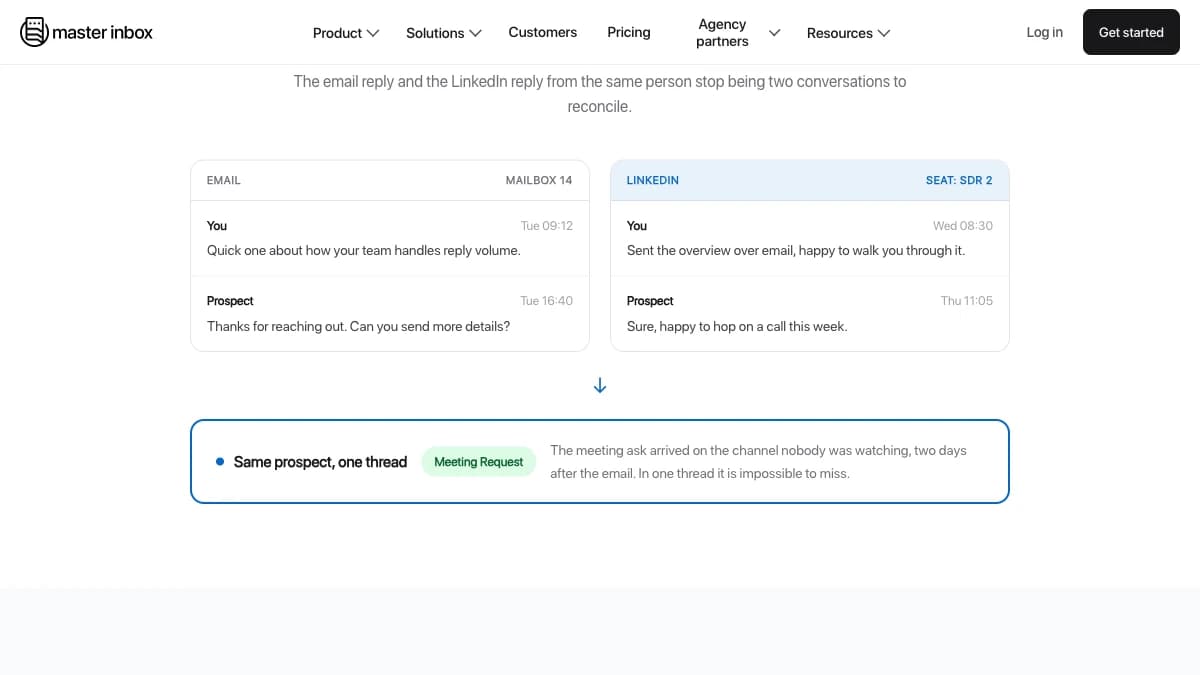
Master Inbox's LinkedIn inbox page: an email from Mailbox 14 and a LinkedIn reply to seat SDR 2, shown as one prospect thread.
Forwarded duplicates fold into the original chain, and warm-up emails are filtered out before labeling, per the FAQ. For agencies this is the core feature: one client's prospect never shows up as two leads.
AI labels
Every reply gets an intent label as it lands, from 13 defaults such as Interested, Meeting Request, Not Right Now and Wrong Person. You can rename them or replace the set with your own prompt, per the AI labeling page.
The AI runs on the provider you pick: OpenAI, Anthropic or OpenRouter. Your provider bills the tokens at its own rate, and Master Inbox says it adds no markup.
Labels can be tuned per channel, since a four-word LinkedIn reply reads differently from an email. They also drive views, routing, reply agents, SLA reporting and CRM lead status.
Workspaces per client
Each workspace holds its own mailboxes, LinkedIn accounts, labels, members, timezone and limits, per the workspaces page. Agencies run one per client, and a scoped login sees only that workspace.
You can clone a workspace to launch the next client with the same labels, views and AI settings. Managers get one Needs Reply view across every workspace, with the workspace name on each row.
Reply agents
Reply agents draft answers from your offer, the thread, live calendar slots and your tone rules. They send on their own only for labels you grant autonomy, and the vendor suggests a human reviews every draft in week one.
Treat autonomy as opt-in. An agency that lets an agent answer a client's "Interested" replies should agree that with the client first.
Assignment, SLAs and reporting
Replies route by round robin, by rule-based groups, or to the first rep who answers. Reports show replies, labels, meetings booked and time to lead by rep and campaign, per the pricing page.
Workflows, API and CRM sync
Every plan includes workflows, webhooks and an API with 215 endpoints, per the pricing page. Reps can also answer from Slack or Microsoft Teams, with the AI draft attached.
Native two-way CRM sync is a Revenue feature, covering HubSpot, Salesforce (beta), Pipedrive, Attio, Close and GoHighLevel. LinkedIn replies log to HubSpot as native LinkedIn activities, while other CRMs receive them by webhook, per the LinkedIn inbox page.
Master Inbox Pricing: $799 Flat, and Why Listings Disagree
Master Inbox has two self-serve plans plus Enterprise, and only one has a public price. Figures below come from Master Inbox's pricing page on November 26, 2026.
| Plan | Price | What it includes |
|---|---|---|
| Sales | $799/mo, annual plan billed monthly | Unlimited mailboxes (fair use) and users; replies from every sequencer and LinkedIn tool; AI labels and reply agents; lead assignment; calendar booking; reports and time to lead; replies from Slack or Teams; workflows, webhooks and API |
| Revenue | Priced on a call | Everything in Sales, plus two-way CRM sync, dialer handoff, enrichment from your own provider, AI Ark company data with 1,000 enrichments included, inbound forms and DMs, ad conversion sync and pipeline analytics |
| Enterprise | Priced on a call | For teams that need SSO, white label, a security review or procurement terms |
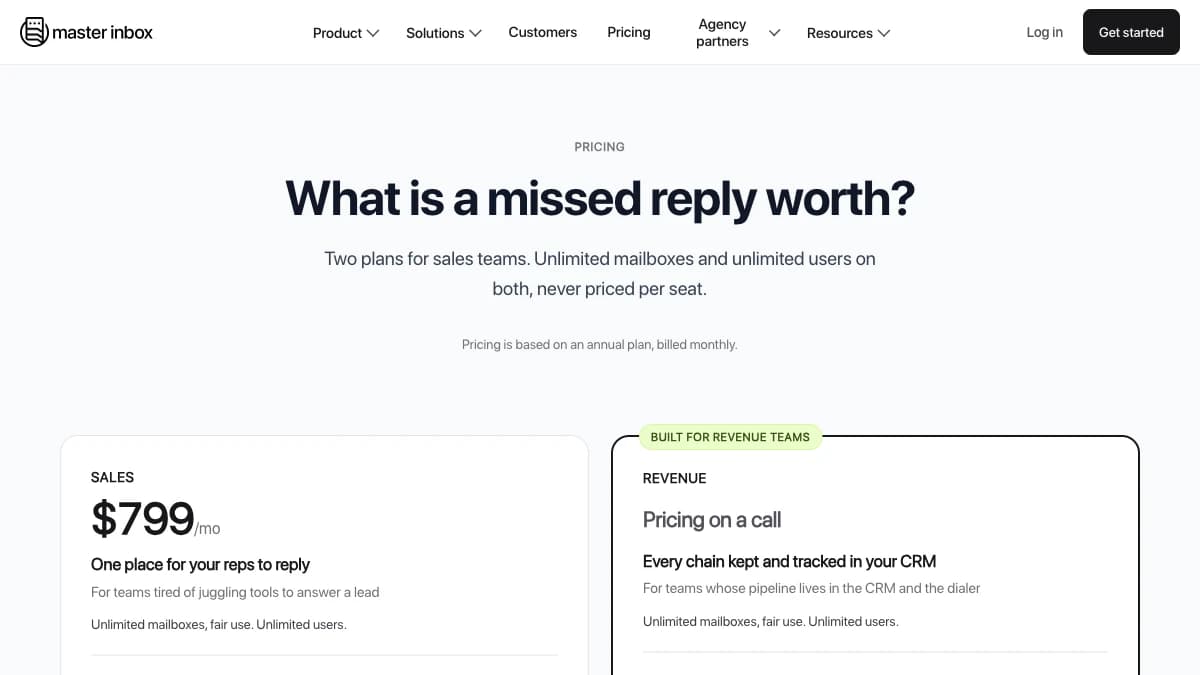
Master Inbox pricing page, November 2026: two plans, unlimited mailboxes and users on both, never priced per seat.
What you actually pay
- Sales plan: $799 a month, and the pricing page says pricing is based on an annual plan, billed monthly.
- Agency buying for itself: the same $799 covers unlimited client workspaces, mailboxes and users under fair use, which the FAQ puts at about 20 workspaces and 10,000 mailboxes per account.
- Trial: a 14-day free trial of Sales. You add a card, and nothing is charged before day 15.
- Extras: AI tokens are billed by your own provider, and native LinkedIn seats are priced on the call.
The FAQ says every plan includes a 45-minute setup call valued at about $499, a 30-minute team session every two weeks and a dedicated Slack channel. That hands-on onboarding is the vendor's main case for the price.
Why third-party listings disagree
ColdIQ lists Growth at $299, Agency at $499 and Unlimited at $1,297 a month, with Growth covering 1,500 mailboxes and 10 workspaces. The HubSpot Marketplace listing shows $349, $579 and $1,497, marked display-only with a "pricing last updated" date of 09/08/2026.
Those are older tiered plans. Master Inbox's agency page says existing agency plans stay as they are, but new buyers see the flat Sales plan.
If a listing quotes you a lower number, confirm it on a call before you budget. The pricing page FAQ says your price is locked at signup.
The "more replies" claim
The pricing page says Master Inbox finds 14% more replies on average than the sending tool's own inbox. The FAQ puts the gap at roughly 12%, and both figures are Master Inbox internal data, not an independent test.
The mechanism is believable, because it reads the mailboxes and catches forwards and new-address replies. Measure it on your own replies during the trial before you count on it.
Master Inbox vs HeyReach Unibox: Who Needs Which
If you only run LinkedIn through HeyReach, you already have a unified inbox. HeyReach's Unibox pulls every sender's replies into one place, filters by sender, campaign and tag, auto-tags interested replies and gives each client its own workspace.
It comes with every HeyReach plan. Growth is $79 per sender a month for fewer than 10 senders and $59 at 10 or more, and Agency is $999 a month for 25 senders, per HeyReach's pricing guide.
| Factor | HeyReach Unibox | Master Inbox |
|---|---|---|
| Channels | LinkedIn only: DMs, InMails and voice notes | Email from Smartlead, Instantly, EmailBison and more, plus LinkedIn from HeyReach, Expandi, Aimfox and more |
| One thread per prospect across email and LinkedIn | No | Yes |
| Separate workspace per client | Yes | Yes, with scoped logins and a cross-workspace manager view |
| Reply labeling | Auto-tags interested replies | 13 default AI labels or your own prompt, on your AI provider |
| Help answering replies | Inbox Manager role for a teammate who replies in your name | AI reply agents, with autonomy granted per label |
| CRM sync | Native integrations or API | Two-way sync on the Revenue plan |
| Cost | Included in every HeyReach plan | A separate subscription on top of your senders |
Stick with HeyReach's Unibox if
- LinkedIn is your only channel, or someone else handles email replies.
- Each client runs on HeyReach and only needs campaign conversations, kept apart from personal DMs.
- A flat monthly fee on top of your senders would eat a small retainer.
Add Master Inbox if
- The same prospects get HeyReach LinkedIn steps and EmailBison or Smartlead emails, and a reply on one channel must stop the other.
- You run more than one LinkedIn tool or several email sequencers across clients.
- Clients or leadership want response-time SLAs, per-rep reporting or a white-labeled reply portal.
HeyReach can already send email steps through its native Instantly and Smartlead integrations, but those replies still land in the email tool. Our HeyReach review covers its senders, Unibox and plans in more depth.
Security and What Users Say
Master Inbox hosts customer data in the EU, across data centers in Finland and Germany. Data is encrypted in transit and at rest, and each workspace is logically isolated, per its security page.
The same page says SOC 2 is in progress. Buyers with a formal security review should ask for the status in writing; SSO and security reviews sit on the Enterprise tier.
What users say
Independent feedback is thin. We found no G2 or Capterra profile for Master Inbox, and its HubSpot Marketplace app showed under 10 installs and 0 reviews when we checked.
Ranking reviews come with angles too. Salesforge's review is written by a competitor and lists older plans starting at $149 a month.
Vendor testimonials are strong but chosen by the vendor. On the agency page, Leadbird's founder says its home-built reply tool was "the number one reason for churn" on its LinkedIn service until it embedded Master Inbox.
Master Inbox Pros and Cons
Pros
- Threads LinkedIn and email replies from the same prospect into one conversation.
- Works with HeyReach, EmailBison, Smartlead, Instantly and dozens more, so you keep your senders.
- Flat price with unlimited users and mailboxes; no seat math.
- Per-client workspaces with scoped logins, cloning and a cross-client manager view.
- AI labels on your own OpenAI, Anthropic or OpenRouter account, with no token markup.
- Labels sync back to HeyReach, EmailBison and Smartlead, so campaign status stays aligned.
- Fast release pace, with hands-on onboarding included.
Cons
- The flat Sales price is a high floor for a small agency or one client.
- CRM sync, dialer and enrichment sit on Revenue, which has no public price.
- Annual commitment, billed monthly.
- No G2 or Capterra profile, and no reviews on its HubSpot app.
- SOC 2 is still in progress.
- Native LinkedIn seats are an add-on with an unpublished price.
- Outdated third-party pricing makes early budgeting confusing.
Who Should Use Master Inbox (and Who Shouldn't)
Master Inbox fits agencies and sales teams that run LinkedIn and email to the same prospects at volume. It is a poor fit for solo senders, single-channel teams and small per-client budgets.
Good fit
- Agencies on HeyReach plus EmailBison: One thread per prospect, one workspace per client and an optional white-labeled portal through the partner program.
- SDR teams with several sequencers: One queue, lead assignment and time to lead per rep.
- Agencies that resell tools: The partner program pays 15% recurring as an affiliate or up to 30% as a preferred partner, and the client pays Master Inbox directly.
Not a fit
- LinkedIn-only HeyReach users: Unibox already covers it.
- Email-only Smartlead teams in one workspace: Smartlead's built-in Master Inbox may be enough. Our Smartlead review covers what it includes.
- Founders managing their own DMs: A personal LinkedIn inbox tool is cheaper. See our LinkedIn inbox managers comparison.
- Low reply volume: If replies fit into an hour a day, a LinkedIn inbox management system beats one more subscription.
Master Inbox Alternatives
The most realistic Master Inbox alternative is often the inbox your sender already includes. Here are the options worth comparing.
- HeyReach Unibox: Included with HeyReach, LinkedIn only, with per-client workspaces. See our HeyReach alternatives if HeyReach itself is the question.
- Smartlead's Master Inbox: Included with Smartlead, email only, with a client-name filter and white-labeled client dashboards.
- Instantly Unibox: Instantly's built-in reply inbox for its own campaigns. Read our Instantly review.
- Kondo: A keyboard-first inbox for one person's LinkedIn DMs rather than an agency's senders. See our Kondo review.
For a wider list of tools that sort and answer replies across email and LinkedIn, see our reply manager roundup.
Master Inbox Review: Final Verdict
Our rating: 4.0/5. Master Inbox does one job well: it puts HeyReach LinkedIn replies and EmailBison or Smartlead email replies from the same prospect into one labeled thread.
Agencies running both channels for several clients should run the 14-day trial on real client replies. Teams on one channel should stay with their sender's built-in inbox.
The rating loses points for the price floor, CRM sync on an unpriced plan, SOC 2 still in progress and almost no independent reviews. If the trial surfaces replies your sender's inbox was missing, the price is easier to justify; if not, the built-in inbox was enough.
Master Inbox works the replies after the send. Upstream, SyncGTM builds the signal-based, enriched lists those campaigns send to and pushes them into HeyReach or Smartlead; it does not send messages itself.