

7 Best LinkedIn Inbox Managers for Sales Teams in 2026

By Kushal Magar · November 25, 2026 · 12 min read
Key Takeaway
syncIn is the top pick for closers who run pipeline in their DMs — AI intent labels, job-title filters, folder organization, and drafted replies in a browser extension that only sends on your click. For inbox speed and CRM sync, Kondo is the best individual SDR tool. For multi-account agency teams, HeyReach Unibox.
LinkedIn's native inbox was built for networking, not selling. It has no job-title filters, no deal-stage folders, no snooze, no saved replies, and no way to tell a hot prospect from a cold pitch at a glance. A LinkedIn inbox manager adds those missing pieces.
For sales teams managing 50–200+ conversations in their LinkedIn inbox, that means hours of scrolling, missed follow-ups, and warm leads buried under recruiter pings and cold outreach replies.
A dedicated LinkedIn inbox manager — also called a LinkedIn inbox tool — fixes this. It adds the organizational layer LinkedIn left out: filters by job title or company, tags by deal stage, snooze with reminders, AI triage that surfaces who to reply to first, and CRM sync so DM conversations don't die in a silo.
This guide ranks seven tools on what matters for sales teams: filters, tags, AI triage, snooze, saved replies, CRM sync, and whether the tool runs in your own browser session or a cloud session. Pricing is per seat.
TL;DR — Best LinkedIn Inbox Managers in 2026
- syncIn — Best for closers running active pipeline in DMs. AI intent labels, job-title filters, folders, drafted replies. Browser extension only. Basic $29/seat, Pro $55/seat (early access).
- Kondo — Best for high-volume SDRs who need inbox speed. Keyboard shortcuts, snippets, Sales Nav inbox, CRM sync. From $28/seat/month.
- Breakcold — Best for social sellers managing LinkedIn, email, and WhatsApp in one CRM. From $49/seat/month.
- Surfe — Best for teams that live in HubSpot, Salesforce, or Pipedrive. Real-time CRM sync from LinkedIn. Free plan; paid from €29/seat/month.
- Waalaxy Inbox — Best add-on for existing Waalaxy outreach users. Tags, reply templates, follow-up scheduling. Plans from €19/user/month; the inbox is a €20/month add-on.
- HeyReach Unibox — Best for agencies running multiple LinkedIn senders. All accounts in one inbox. From $79/sender/month.
- Botdog — Best for teams wanting automation plus a shared inbox. Solo $79/month per account, Agency $299/month.
What LinkedIn's Native Inbox Lacks
LinkedIn's messaging UI has improved slowly since it was designed for passive networking. For a sales rep managing active pipeline in their DMs, the gaps are severe.
There are no filters by job title, company, or seniority — every message lands in a flat chronological list. There are no tags or folders, so you cannot organize conversations by deal stage, intent level, or sequence status. There is no snooze, so a prospect who says “follow up in two weeks” disappears from your mental queue entirely.
Saved reply templates do not exist in the native inbox, which means every common response — “Happy to connect. What does your team use today for X?” — gets typed fresh each time.
And LinkedIn conversations are siloed from your CRM. Unless someone manually pastes notes, the full context of a DM thread never makes it into Salesforce, HubSpot, or wherever the team tracks pipeline. By the time a lead converts, the discovery conversation is six screens deep in the LinkedIn app.
A strong LinkedIn inbox tool closes all of these gaps. The seven tools below address them in different ways — from lightweight productivity add-ons to full social CRMs.
One structural note: some tools run as browser extensions inside your own LinkedIn session. Others are cloud platforms that connect to LinkedIn via API. Architecture matters for LinkedIn policy compliance — cloud platforms that send automatically carry more account risk than extensions that require your direct click. See our LinkedIn account restriction guide for context on what triggers flags.
1. syncIn — Best LinkedIn Inbox Manager for Closers
syncIn is an AI-powered LinkedIn inbox manager built specifically for sales teams who run active pipeline in their DMs. It is currently in early access, with a waitlist at syncgtm.com/product/syncin-linkedin-inbox.
Where most LinkedIn inbox tools focus on outreach automation, syncIn focuses on the reply side: organizing the conversations that come back so closers can triage, respond, and move deals forward without losing track.
It syncs your LinkedIn inbox, archive, and 1st-degree connections, then adds new messages as they arrive. Conversations can be tagged, filed into folders, and filtered by job title, seniority, or department — the exact slices that matter when you are prioritizing who to reply to first.
AI intent labels are the standout feature. syncIn reads incoming messages and tags conversations as “Buying intent,” “Needs reply,” or “Not interested” — surfacing warm leads automatically in a prioritized queue. The Pro plan adds warm lead tagging for new connection chats, so a prospect who says something that signals interest gets flagged the moment they connect.
Spam filtering moves cold pitches out of the main view automatically. Pro adds custom-prompt filtering, so you can define exactly what counts as spam for your inbox.
Drafted replies are another differentiator: AI writes response drafts for you to review before sending. Crucially, syncIn blocks sending if template placeholders are unfilled — a small detail that prevents embarrassing “Hi [First Name]” sends. Sending only happens on your direct click, which means LinkedIn sees activity that is indistinguishable from manual use. No tool can guarantee an account will never be reviewed — but this architecture minimizes the signal.
The Pro plan also includes an MCP connector, letting you work your inbox from Claude or other AI agents — search threads, tag people, snooze or archive, and save drafts without opening LinkedIn. CRM sync is listed as coming soon.
syncIn works as a browser extension for Edge, Chrome, and Brave. It is not available on the Chrome Web Store — installation follows a direct link from the product page.
Pros
- AI intent labels surface warm leads without manual sorting
- Job-title and department filters cut triage time significantly
- Drafted replies with placeholder validation prevent send errors
- Sends only on user click — activity mirrors manual behavior
- MCP connector for Claude-based inbox workflows (Pro)
- Spam filtering with custom prompts (Pro)
Cons
- Early access only — not yet generally available
- No Chrome Web Store listing — requires direct installation
- CRM sync not yet live at launch
- No Sales Navigator inbox support listed yet
Best for: Closers and AEs who manage active pipeline in their LinkedIn DMs and want AI-assisted triage without auto-send risk.
Pricing: Basic $29/seat/month · Pro $55/seat/month. 25% off on annual billing.
2. Kondo — Best for Individual SDRs and Recruiters
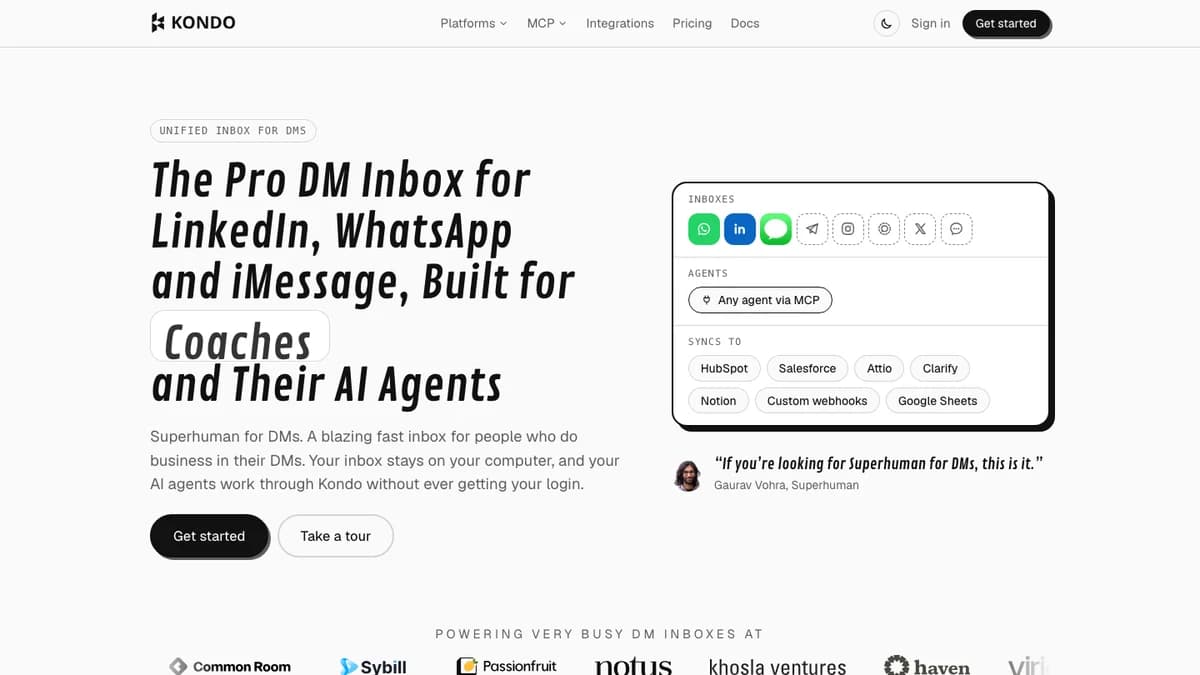
Kondo — LinkedIn inbox productivity tool with keyboard shortcuts, snippets, and CRM sync.
Kondo is a LinkedIn inbox productivity tool designed for high-volume SDRs, recruiters, and founders who process large numbers of DMs daily and need to work faster without letting anything fall through the cracks.
Kondo's approach is speed-first. Keyboard shortcuts let you archive, label, snooze, and reply without taking your hands off the keyboard. Unlimited labels and snippets (saved reply templates) are available on every paid plan — there is no upsell gate on the core organizational features.
The Business plan ($36/seat/month billed annually) adds Sales Navigator inbox support, which is a significant differentiator for teams that use Sales Nav as their primary LinkedIn layer. CRM integrations — connecting LinkedIn conversations to Salesforce, HubSpot, or Pipedrive — are also Business-tier. The Enterprise plan ($52/seat/month) adds unlimited sync destinations, Okta SSO, and CRM setup support.
Kondo does not have AI intent labeling on par with syncIn's approach. The tool is built around human-driven organization rather than AI triage. For SDRs who prefer full control over labeling and want maximum speed rather than AI suggestions, that is a strength. For teams that want the AI to surface warm leads automatically, it is a limitation. See our full Kondo review for a deeper look at CRM sync and pricing details.
Pros
- Keyboard-driven workflow — fastest inbox for high-volume users
- Unlimited labels and snippets on all paid plans
- Sales Navigator inbox support (Business plan)
- Native CRM sync to Salesforce, HubSpot, Pipedrive (Business plan)
- Runs as a browser extension — no cloud session risk
Cons
- No AI intent labeling or warm-lead triage
- No free plan — paid only
- CRM sync locked behind Business tier ($36/seat/month)
Best for: SDRs, recruiters, and founders processing 50+ DMs/day who need keyboard-speed inbox management and CRM sync.
Pricing: Basic $28/seat/month · Business $36/seat/month · Enterprise $52/seat/month (all billed annually).
3. Breakcold — Best Multi-Channel Social CRM
Breakcold is a social CRM with a unified inbox that combines LinkedIn, email, WhatsApp, and Telegram conversations in one feed, automatically synced across all connected accounts.
For sellers who manage conversations across multiple channels simultaneously, Breakcold removes the need to context-switch between apps. A LinkedIn DM, an email reply, and a WhatsApp message from the same prospect all appear in a single thread inside Breakcold.
Beyond the unified inbox, Breakcold includes a social engagement feed (track and engage with prospects' content), meeting recorder, and workspaces for managing multiple clients or brands. It is a full social CRM — not just a LinkedIn inbox tool — which means it carries more setup and configuration than a pure inbox add-on.
Pricing is per seat. The 14-day trial requires a credit card, which is unusual at this price point.
Pros
- Unified inbox across LinkedIn, email, WhatsApp, and Telegram
- Auto-sync across all connected accounts
- Social engagement feed for content-driven outreach
- Workspaces for agency or multi-brand management
Cons
- Credit card required for trial — friction at evaluation stage
- Cloud-based platform — higher LinkedIn API exposure than extensions
- Heavier setup than a pure LinkedIn inbox tool
- Extra accounts cost $10/month each beyond the included 2
Best for: Social sellers managing outreach and conversations across LinkedIn, email, and WhatsApp simultaneously.
Pricing: X1 $49 · X5 $99 · X20 $199 per seat a month.
4. Surfe — Best for CRM Sync Without Switching Tabs
Surfe — sync LinkedIn messages and contacts to your CRM in real time without leaving LinkedIn.
Surfe (formerly Leadjet) is a browser extension that syncs LinkedIn messages, contacts, and notes to HubSpot, Salesforce, or Pipedrive in real time — without ever leaving LinkedIn.
Surfe's core value is CRM parity: every LinkedIn conversation, contact field, and note appears in your CRM automatically. For sales teams that treat their CRM as the system of record for all pipeline activity, this removes the most painful manual step in social selling.
It also enriches LinkedIn profiles with verified work emails and phone numbers, and lets users send emails and place calls directly from a prospect's LinkedIn profile without opening another app. The workflow compression — view profile, enrich contact, log activity, reply to DM, all from one browser tab — is what makes Surfe distinctive.
Surfe is not a full inbox management tool. It does not add job-title filters, conversation tags, or AI triage to your LinkedIn inbox. It functions as a CRM sync layer on top of LinkedIn's native interface, not a replacement for it. If your primary need is inbox organization, look at syncIn or Kondo first. For a deeper look, see our Surfe review.
Pros
- Real-time CRM sync to HubSpot, Salesforce, Pipedrive from LinkedIn
- Built-in email finder and phone enrichment
- Free plan available — no credit card for entry
- Runs as browser extension — activity stays within your session
Cons
- Not a full inbox tool — no filters, tags, or AI triage
- Pricing in EUR, which adds FX unpredictability for US teams
- Email enrichment quality varies by company size and geography
Best for: Sales teams whose primary need is keeping LinkedIn contacts and conversations synced to an existing CRM in real time.
Pricing: Free plan · Essential €29/seat/month (annual) · Pro €69/seat/month (annual).
5. Waalaxy Inbox — Best Add-on for Outreach Teams
Waalaxy — LinkedIn outreach automation with an inbox add-on for managing replies.
Waalaxy is primarily a LinkedIn outreach automation platform, but its Inbox add-on brings meaningful inbox management features: conversation tags, saved reply templates, follow-up scheduling, and CRM export.
Waalaxy Inbox makes the most sense if you are already running outreach sequences inside Waalaxy and want to manage replies without switching to a separate tool. It is an add-on to the core Waalaxy platform, not a standalone inbox product — so the value compounds when you use Waalaxy for both outbound and reply management.
The Unified LinkedIn Inbox is an optional add-on at €20 a month on top of a Waalaxy plan. Every plan comes with a 14-day free trial, so you can test the inbox before paying.
For teams that are not already on Waalaxy, the inbox features alone do not justify the platform switch. If your existing outreach tool is HeyReach, Dux-Soup, or a similar platform, its own inbox or a dedicated tool like Kondo is a better fit. See our Waalaxy review for the full feature breakdown.
Pros
- Replies live in the same tool as your Waalaxy campaigns
- 14-day free trial on every plan
- Tags, reply templates, and follow-up scheduling in one place
- CRM export for downstream pipeline tracking
Cons
- Inbox is a paid add-on (€20/month), not a standalone product
- Cloud-based — LinkedIn can detect unusual session patterns
- Limited value for teams not using Waalaxy for outreach
- No AI intent triage
Best for: Existing Waalaxy users who want to manage outreach replies inside the same platform.
Pricing: Pro €19 · Advanced €49 · Business €69 per user a month, plus €20/month for the inbox add-on.
6. HeyReach Unibox — Best for Multi-Account Teams
HeyReach Unibox — manage replies from all your LinkedIn senders in one unified inbox.
HeyReach is a LinkedIn outreach platform for teams running campaigns at scale. Its Unibox feature merges conversations from all connected LinkedIn accounts — including team members' profiles — into one shared inbox so the team can triage and reply without jumping between sessions.
HeyReach's pricing model is per LinkedIn sender, not per seat. Teammates access the Unibox for free; only the LinkedIn accounts sending messages incur cost. This makes it economical for agencies managing many client accounts or teams where multiple people reply but only some accounts initiate.
HeyReach is a cloud platform — it manages LinkedIn activity from its own servers rather than your browser session. For teams doing high-volume outreach, LinkedIn can detect abnormal activity patterns. HeyReach has built-in rate limiting and safety features, but no cloud tool eliminates this risk entirely. See our HeyReach review for safety details and campaign setup.
Pros
- All senders in one inbox — no session-switching for multi-account teams
- Teammates are free — cost scales only with sending accounts
- Built-in outreach campaigns + inbox in one platform
Cons
- $79/sender/month is expensive for individual users
- Cloud platform — higher LinkedIn detection risk than extensions
- Inbox features are secondary to outreach automation
Best for: Agencies and sales teams running multiple LinkedIn sender accounts who need one shared inbox for all replies.
Pricing: Growth $79/sender/month for 1–9 senders, or $59/sender/month from 10 senders (monthly billing). Agency and Unlimited plans are flat monthly rates for larger sender counts. 14-day trial, no card required.
7. Botdog — Best Lightweight Automation with Inbox
Botdog — LinkedIn automation with a team inbox and snippets for managing shared accounts.
Botdog is a LinkedIn automation tool — connection requests, follow-up sequences, reply management — with team inbox functionality that lets multiple users share and manage conversations across LinkedIn accounts from one dashboard.
Botdog's inbox includes a unified inbox, snippets (saved reply templates), blacklists to suppress unwanted contacts, and Zapier integration for routing conversation data to your CRM or other tools. It supports importing contacts from LinkedIn Searches, Sales Navigator lists, Recruiter projects, and third-party sources.
The Agency plan ($299/month, 5–40 senders) is built for teams managing shared LinkedIn inboxes across several accounts. The Solo plan is $79/month per account, or $55.33/month billed yearly.
Botdog is a cloud-based platform, which means activity runs from Botdog's servers rather than your own browser session. The automation features introduce more LinkedIn detection risk than extension-based tools, so review the vendor's current LinkedIn compliance documentation before connecting accounts. Our Botdog review covers safety limits and campaign setup in detail.
Pros
- 14-day free trial, no credit card required
- Team inbox for shared account management
- Snippets, blacklists, and Zapier integration included
- Broad contact import from LinkedIn, Sales Nav, Recruiter, and CSV
Cons
- Cloud-based automation — LinkedIn detection risk on high volumes
- Agency plan ($299/month) is a big jump from Solo
- Limited CRM-native integration — Zapier required for most CRMs
- No AI intent triage
Best for: Small teams that want shared LinkedIn inbox management alongside automation for connection sequences, without committing to a full platform like HeyReach.
Pricing: Solo $79/month per account ($55.33 billed yearly) · Agency $299/month ($209.33 billed yearly) · Managed from $690/month.
LinkedIn Inbox Manager Comparison Table
| Tool | Best For | Architecture | Free Tier | Starting Price | Standout Feature |
|---|---|---|---|---|---|
| syncIn | AI-powered inbox for closers managing active pipeline | Browser extension | Early access (waitlist) | $29/seat/mo | AI intent labels, job-title filters, folders, drafted replies |
| Kondo | High-volume SDRs and recruiters who need inbox speed | Browser extension | No | $28/seat/mo | Keyboard shortcuts, snippets, Sales Nav inbox, CRM sync |
| Breakcold | Social sellers who also manage email and WhatsApp | Cloud CRM | 14-day trial | $49/seat/mo | Unified inbox: LinkedIn + email + WhatsApp + Telegram |
| Surfe | Teams that live in HubSpot, Salesforce, or Pipedrive | Browser extension | Free plan | €29/seat/mo | Real-time CRM sync from LinkedIn, email finder, call |
| Waalaxy Inbox | Waalaxy users who want to manage replies inside the platform | Cloud platform | 14-day trial | €19/user/mo + €20/mo inbox add-on | Tags, templates, follow-up scheduling, CRM export |
| HeyReach Unibox | Agencies and teams running multiple LinkedIn senders | Cloud platform | 14-day trial | $79/sender/mo | All senders in one unified inbox, team reply management |
| Botdog | Teams that want shared inboxes across LinkedIn accounts | Cloud platform | 14-day trial | $79/mo per account | Team inbox, snippets, blacklists, Zapier integration |
How to Choose the Right LinkedIn Inbox Tool
The right LinkedIn inbox manager depends on where you spend the most time and what you need the tool to do beyond basic messaging.
- If you close deals in LinkedIn DMs: syncIn. Its AI intent labels, job-title filters, and drafted replies are built for closers who manage real pipeline in their inbox — not for outreach volume.
- If you send 50–200+ DMs/day and need inbox speed: Kondo. Keyboard shortcuts, unlimited snippets, and Sales Navigator inbox support make it the fastest tool for high-volume individual users.
- If LinkedIn is one channel among several: Breakcold. Unified inbox across LinkedIn, email, WhatsApp, and Telegram means no tab-switching for social sellers managing multiple channels.
- If CRM sync is your primary need: Surfe. Real-time bidirectional sync with HubSpot, Salesforce, or Pipedrive, with an email enrichment layer built in. Starts with a free plan.
- If you are already running Waalaxy sequences: Waalaxy Inbox. Already included in your subscription — no incremental cost for reply management inside the platform.
- If you manage multiple LinkedIn sender accounts as a team or agency: HeyReach Unibox. All senders in one shared inbox, with teammates at no extra cost.
- If you want automation and a shared inbox in one tool: Botdog. Solo is $79/month per account and covers sequences, the unified inbox, and Zapier for CRM routing.
One decision that cuts across all tools: browser extension vs. cloud platform. Extension-based tools — syncIn, Kondo, Surfe — operate inside your own browser session, so LinkedIn sees standard user activity. Cloud platforms such as Waalaxy, HeyReach, and Botdog manage activity from external servers. Cloud tools offer more automation headroom but carry higher detection risk. For teams doing pure reply management (not automated sending), an extension-based tool is almost always the safer architecture.
For more context on LinkedIn safety, see our guide on LinkedIn InMail and messaging strategy and the broader LinkedIn playbook for SDRs.
Final Verdict
LinkedIn's inbox was not built for sales. The tools in this list each address that in a different way — from AI-driven triage to CRM sync to multi-account consolidation.
For closers who manage active pipeline in their DMs, syncIn is the most purpose-built tool in this list. It surfaces warm leads automatically with AI intent labels, filters conversations by job title so you triage by ICP fit, drafts replies with placeholder validation, and runs as a browser extension that only sends on your click. It is in early access — join the waitlist at syncgtm.com/product/syncin-linkedin-inbox.
For teams that need inbox speed and Sales Navigator support, Kondo is the most mature dedicated tool. For multi-account agencies, HeyReach Unibox removes the session-juggling problem entirely. For teams where CRM sync is the priority, Surfe starts free and integrates tightly with the major CRMs.
All seven tools are meaningfully better than leaving LinkedIn's native inbox unmanaged. Start with whichever most closely matches your primary use case — most offer free trials or free tiers to evaluate before committing to a seat.