

Aimfox Review 2026: LinkedIn Automation Pricing and Features

By Kushal Magar · October 29, 2026 · 14 min read
Key Takeaway
Aimfox is a cloud LinkedIn outreach tool built for agencies and multi-account teams. An Outreach seat costs $49 per seat a month with the Unibox included, Agency starts at $499 for 20 seats (+$20 per extra seat) with full white-label, and rented avatars cost $387 a month. Each seat sends up to 200 connection requests and 200 message requests a week, with 7, 14, or 30-day warmup and automatic cooldowns. Gaps: no native email steps, two-flow split tests, basic analytics, and rented profiles that conflict with LinkedIn's terms. Our rating: 4.2/5.
This Aimfox review answers one question: is a $49 LinkedIn seat worth it when cheaper tools start at $19? For one LinkedIn account, often not. For an agency running 11 or more profiles, Aimfox's $499 Agency plan becomes one of the cheapest per-seat deals in LinkedIn automation.
We read Aimfox's homepage, pricing page, integrations page, and the help center articles on limits, warmup, cooldowns, multi-account campaigns, and the inbox in October 2026. We did not run a paid account test, so vendor claims are labeled as claims.
The Aimfox reviews ranking today have a problem: one is written by a competitor selling its own tool, and another still quotes a $59 lifetime deal and a $39 starting price that no longer appear on Aimfox's pricing page. Here is what the product and the price look like now.
TL;DR: Aimfox Review 2026
- What it is: A cloud LinkedIn outreach platform for connection, message, InMail, and engagement campaigns across many LinkedIn profiles.
- Best for: Lead-gen agencies and sales teams running 5 to 50+ LinkedIn accounts from one workspace.
- Price: $49 per seat a month; Agency from $499 for 20 seats; avatars $387 a month. Up to 25% off yearly.
- Trial: 14 days free, no credit card.
- Biggest gaps:No email steps, split tests capped at two flows, basic analytics, and rented profiles that break LinkedIn's User Agreement.
- Rating: 4.2/5.
What Is Aimfox?
Aimfox is a cloud-based LinkedIn automation tool that sends connection requests, follow-up messages, InMails, post reactions, and skill endorsements from one or many LinkedIn profiles. Its homepage pitches lead-gen agencies, sales teams, and GTM experts with the line "Supercharge your LinkedIn pipeline. At scale."
What sets it apart from most LinkedIn tools is scale: you can connect your own profiles or rent ready-made ones (Aimfox calls them avatars), then run them all from one dashboard and one shared inbox.
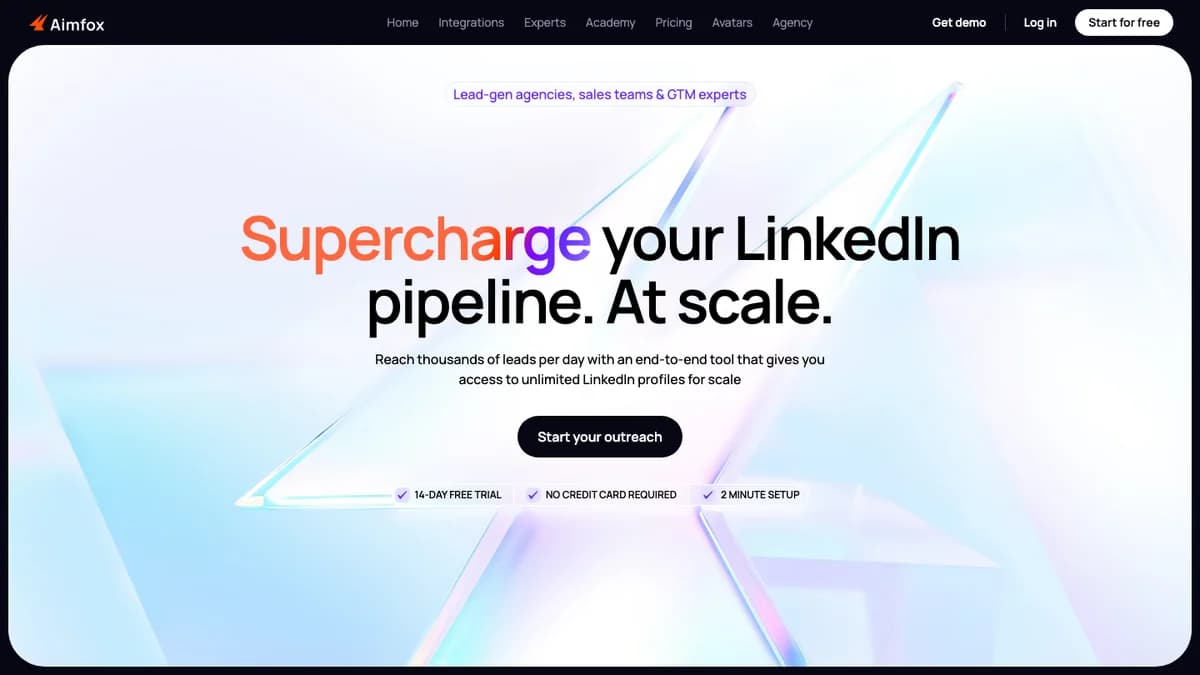
Aimfox homepage, October 2026: aimed at lead-gen agencies, sales teams, and GTM experts, with a 14-day trial and no card required.
Aimfox is run by SocialGrowth LLC FZ, according to its site footer, and claims more than 10,000 outreach users. Because it runs in the cloud, campaigns keep sending when your laptop is closed.
Aimfox Pricing 2026: Seats, Agency, and Avatars
Aimfox pricing is per seat: $49 a month for each LinkedIn profile you run, with every core feature, including the Unibox, on every seat. Agencies pay from $499 a month for 20 seats, and rented avatars cost $387 a month.
| Plan | Price | Seats | Weekly limits | Includes |
|---|---|---|---|---|
| Outreach seat | $49 per seat / month | 1 seat per LinkedIn profile | 200 connection requests + 200 message requests a week | Inbound and outbound campaigns, Unibox, integrations, all core features |
| Agency | From $499 / month | 20 seats included, +$20 per extra seat | 200 connection requests + 200 message requests a week | Full white-label, Slack onboarding, team collaboration, profile migration help |
| Outreach avatar | $387 / month | Card lists 3 profiles and 3 Outreach seats | 100 connection requests + 150 message requests a week | Rented, customized LinkedIn profiles with a replacement guarantee |
Source: aimfox.com/pricing, checked October 2026. Monthly list prices in USD.
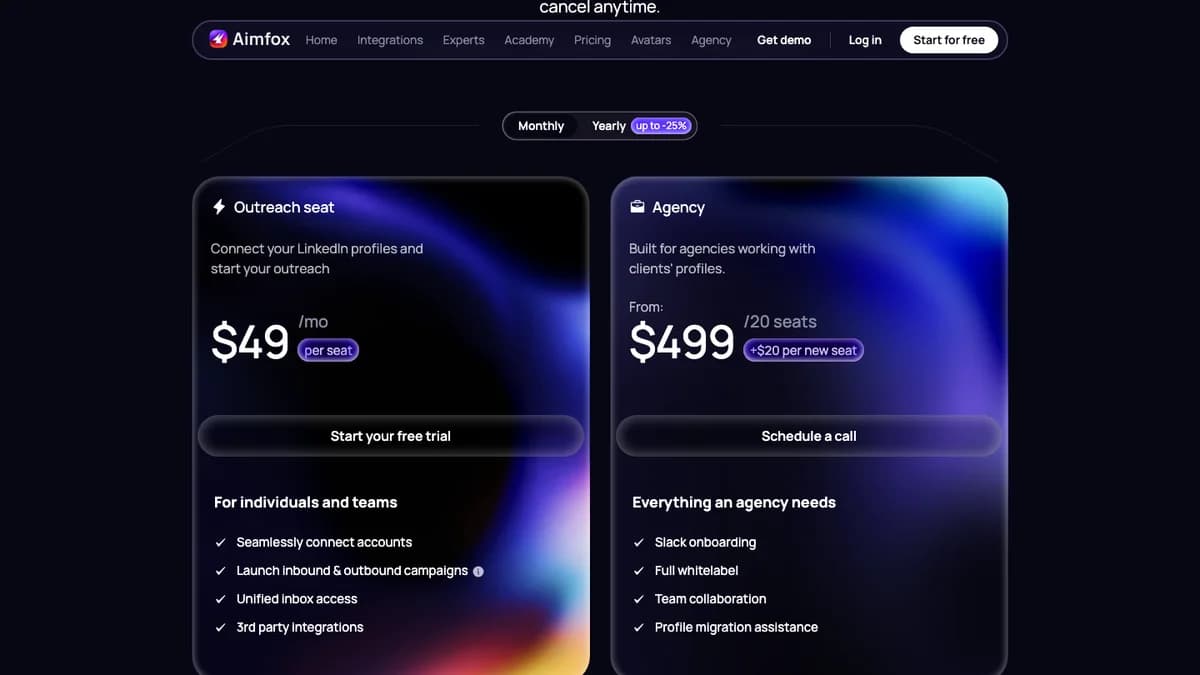
Aimfox pricing cards: $49 per Outreach seat, or $499 for 20 Agency seats plus $20 per new seat.
What you actually pay per LinkedIn account
The Agency plan needs a sales call and a 20-seat minimum, but it costs less than buying Outreach seats once you run 11 or more LinkedIn profiles.
| LinkedIn accounts | Outreach seats | Agency plan | Cheaper option |
|---|---|---|---|
| 1 | $49 | Not offered below 20 seats | Outreach seat |
| 5 | $245 | Not offered below 20 seats | Outreach seats |
| 10 | $490 | $499 (20 seats) | Outreach seats, by $9 |
| 11 | $539 | $499 (20 seats) | Agency, by $40 |
| 20 | $980 | $499 | Agency, by $481 |
| 30 | $1,470 | $699 ($499 + 10 x $20) | Agency, by $771 |
Yearly billing is shown at "up to -25%." At the full discount, a seat would land near $37 a month, but the page does not print the yearly figure, so confirm it at checkout.
The trial is 14 days with no card. Aimfox's subscription docs say you must add a payment method before day 14, or the subscription cancels and lead import and campaign creation switch off. Added seats apply immediately, while removed seats drop off at the next billing date.
Aimfox Campaign Builder and Audience Sources
The Aimfox campaign builder runs in five steps: pick an outreach type and audience, choose LinkedIn accounts and exclusion rules, build the message flow, set a schedule, then review and launch. Campaigns sit as drafts until you launch them.
Campaign types
- Outbound: Targets 2nd and 3rd-degree connections with a connection request (plus an optional note of up to 300 characters) or with InMail only.
- InMail optimization:Sends free InMails to Open Profiles and connection requests to everyone else, so Open Profiles don't use your weekly invite budget.
- Inbound: Messages your existing 1st-degree connections.
- Engagement steps: Post reactions (like, love, insightful, funny, celebrate, support) and skill endorsements.
Notes on connection requests need LinkedIn Premium or Sales Navigator on the sending account, per Aimfox's pricing table.
Eight audience sources
Aimfox's help center lists LinkedIn Search, Sales Navigator, post reactors, event attendees, group members, 1st-degree connections, CSV lists with custom variables, and Instantly lists. Sales Navigator campaigns need an active Sales Navigator subscription on at least one connected profile (see our LinkedIn Sales Navigator review for whether that seat is worth it).
Post reactors and event attendees are the warmest sources, since those people already showed interest in a topic. Our guide on warm leads from LinkedIn posts covers how to pick the right posts.
Personalization and testing
- Variables with fallbacks, AI variables, voice notes, attachments, and videos in campaign steps.
- Auto-translation and sending in each target's time zone within working hours you set.
- A/B split tests on connection and message request campaigns, limited to two flows per campaign. Aimfox shows acceptance and reply rates but does not pick a winner for you.
- User and company blacklists, plus duplicate checks that skip anyone already contacted in your workspace.
Sequences stop when a lead replies. The help docs describe linear flows with delays; we found no if/then branching like the smart sequences in our Expandi review.
Aimfox Account Safety: Limits, Warmup, and Proxies
Aimfox caps each seat at 200 connection requests and 200 message requests a week, ramps new accounts up with a 7, 14, or 30-day warmup, and pauses actions automatically when LinkedIn pushes back. These are the settings that decide whether an account survives.
| Action | Outreach seat | Avatar | Agency seat |
|---|---|---|---|
| Connection requests | 200 / week | 100 / week | 200 / week |
| Message requests | 200 / week | 150 / week | 200 / week |
| Messaging sequences | Unlimited | Unlimited | Unlimited |
| Free InMails (Open Profiles) | Set by LinkedIn per account | Set by LinkedIn per account | Set by LinkedIn per account |
Limits from the aimfox.com/pricing comparison table, October 2026. The pricing page says free InMail allowances usually run 100 to 800 a month, depending on the account.
Weekly limits you control
According to Aimfox's interaction limits guide, you can set connection requests, message requests, and InMails anywhere from 10 to 200 a week per account. Aimfox then spreads the weekly budget across days based on your schedules and warmup. The same guide suggests about 100 connection requests a week for standard accounts and up to 200 for trusted or Premium ones.
Warmup speeds
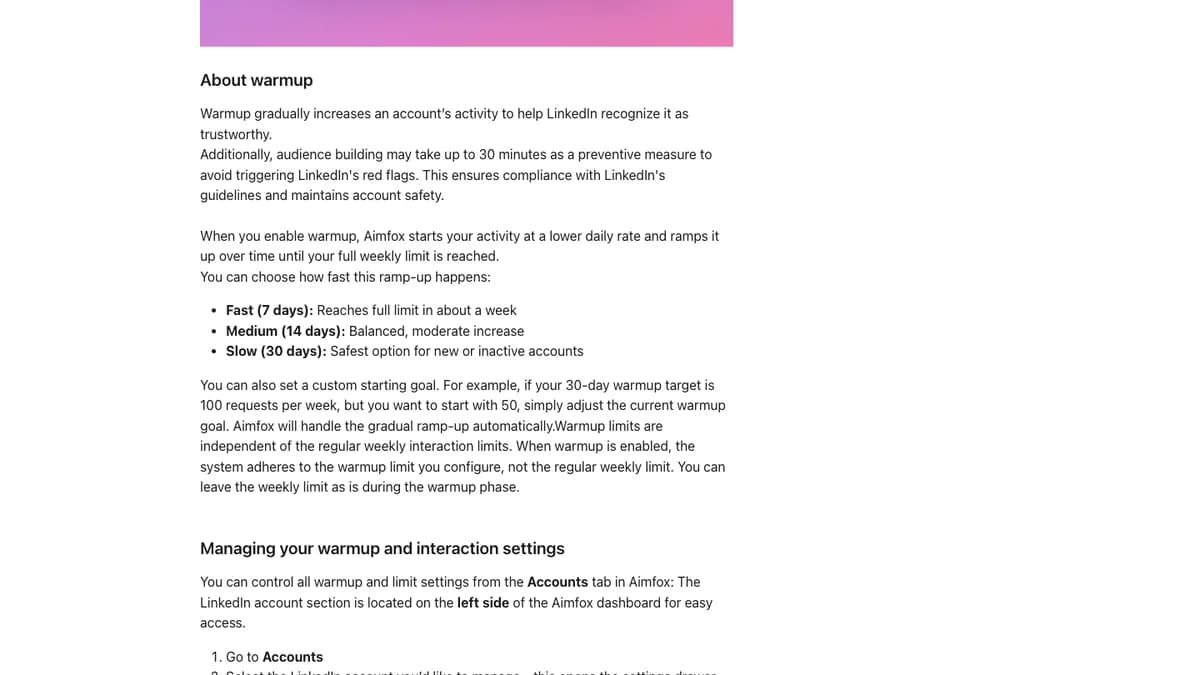
Aimfox warmup options: Fast (7 days), Medium (14 days), or Slow (30 days), with a custom starting goal.
Warmup starts at a lower rate and climbs to your weekly limit. While it runs, its limit replaces the regular weekly limit. Aimfox's help center advises warming new accounts up gradually, so we would pick Slow (30 days) for a fresh or dormant profile.
Cooldowns when LinkedIn says no
When LinkedIn restricts an action, Aimfox's cooldown system pauses only that action. Invites, messages, and free InMails stop, profile views continue, and everything resumes on its own. A blue snowflake marks a connection request cooldown and a purple one marks an InMail cooldown.
Login, IPs, and proxies
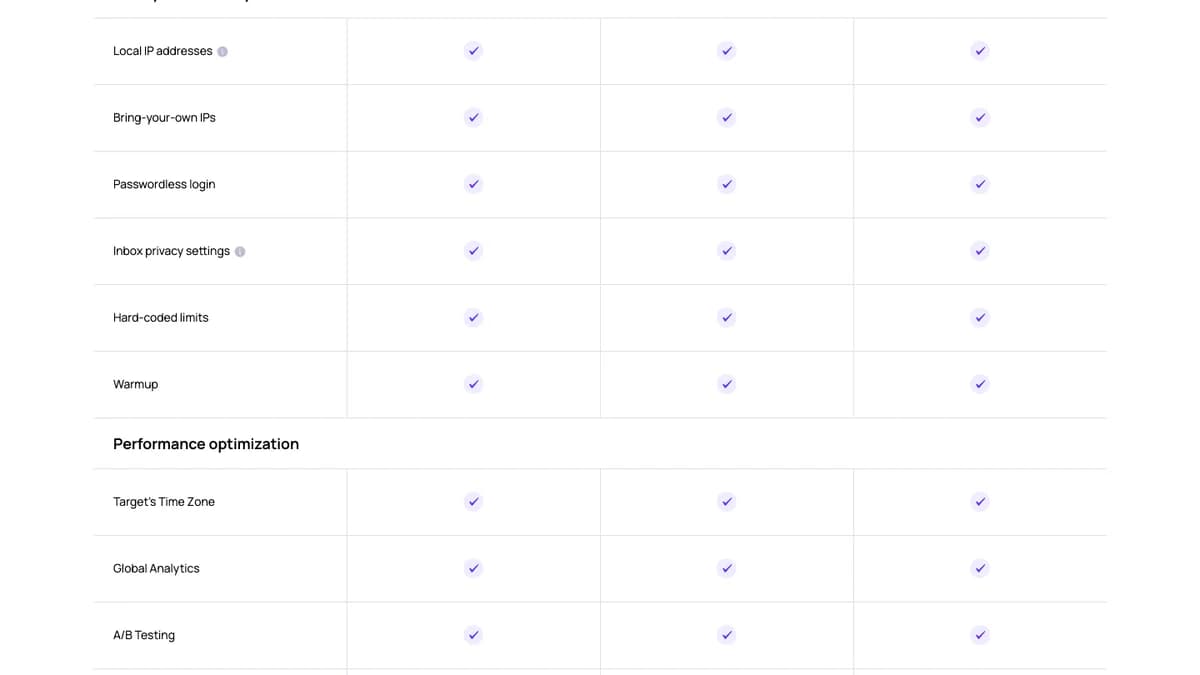
Aimfox safety features on every plan: local IPs, bring-your-own IPs, passwordless login, inbox privacy, hard-coded limits, and warmup.
- Passwordless login:The Aimfox Chrome extension connects the LinkedIn session already open in your browser, so you don't type your password. Email and password login is the fallback.
- Login location: The help center lists 60+ countries and 10,000+ IPs; the pricing page says 70+ countries. You can switch location per account at any time.
- Custom proxies: Bring your own static or rotating residential or datacenter proxies.
None of this makes automation risk-free. LinkedIn's User Agreement (section 8.2) bans bots and unauthorized automated methods that add contacts or send messages, and it bans using another person's account. That second rule is why rented avatars carry more risk than your own aged profile.
Multi-Account Management and Agency White-Label
Multi-account management is the core reason to pick Aimfox. One campaign can run from many LinkedIn profiles at once, and every profile's conversations land in one inbox.
How multi-account campaigns work
Per Aimfox's multi-account campaign docs, Aimfox splits the audience across worker accounts in batches. Once an account sends a lead a connection request or InMail, that lead is locked to it, so nobody gets two invites from your team.
- Each worker account needs its own Outreach seat.
- If an account disconnects, it goes on standby and the campaign keeps running. Remove it and its unassigned leads move to the other accounts.
- Inbound campaigns don't support multiple accounts.
- Event and group campaigns need every sending account to attend the event or belong to the group.
Teams and permissions
You can invite unlimited teammates, but they need a company email address. Access is set page by page (Full, Limited, or None), and invites apply to one workspace at a time.
Agency white-label
The Agency plan adds dashboard branding, connection-flow branding, a master view across clients, a brand-neutral login extension, branded email flows, and a branded knowledge base. Clients can connect their LinkedIn profiles without seeing the Aimfox name.
For comparison, HeyReach's Agency plan costs $999 for 25 senders (see our HeyReach review), so Aimfox costs about half as much at 20 to 25 accounts on list price.
Aimfox Unified Inbox (Unibox)
The Aimfox Unibox puts LinkedIn conversations from every connected account in one view, and it is included on every seat. Connecting an account syncs its existing conversations too, not just new campaign replies.
- Filters: By LinkedIn account, campaign, and lead label.
- In-chat tools: Internal notes, labels, file attachments, voice notes, emojis, and variables such as first name or role.
- Privacy: Limited access shows a teammate only campaign conversations, hiding personal and older non-campaign threads. Fully separating one campaign needs a separate workspace on its own plan.
Aimfox's inbox overview does not mention AI reply drafting or assigning chats to a rep. Teams that need a heavier triage layer often add a dedicated inbox tool, like the one in our Kondo review.
Compared with Waalaxy, where the LinkedIn inbox is a paid add-on, the Unibox is one of Aimfox's clearest wins. Our Waalaxy vs Aimfox comparison runs the numbers.
Analytics, Integrations, and API
Aimfox covers workspace and campaign reports, global analytics across accounts, and split-test results with acceptance and reply rates. It is enough to see which campaign and account work best. G2's review summary notes that users want deeper reporting, so plan to export data for anything more advanced.
Integrations
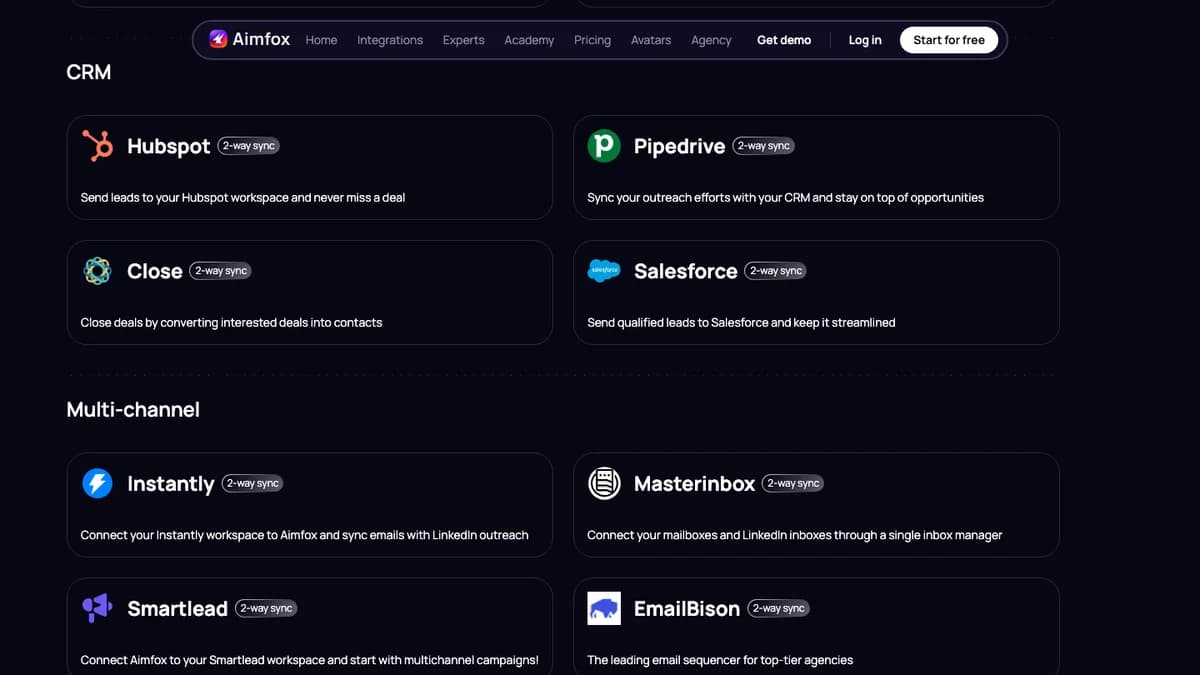
Aimfox integrations: 2-way CRM and email sequencer sync, October 2026.
- CRM (2-way sync): HubSpot, Pipedrive, Close, and Salesforce.
- Email and multichannel (2-way sync): Instantly, Smartlead, EmailBison, and Masterinbox.
- Automation: n8n, Zapier, Make, and Pabbly, plus Slack alerts when a lead engages.
Aimfox has no native email steps. If you want LinkedIn and email in one sequence, you connect a sequencer, which is one more tool to pay for.
API
You create API keys in workspace settings with full or read-only access, and keys don't expire. The Aimfox API can send messages, set lead labels and notes, change account limits, sync leads, and add profiles to campaigns. Building campaigns and detailed analytics still happen in the dashboard.
What Aimfox Users Say
Aimfox's user reviews are positive but few. Search snippets in October 2026 showed about 4.7/5 from roughly 40 reviews on G2 and about 4.9/5 from around 20 on Capterra. Aimfox's own pricing page shows 4.8 and 4.9. We could not open either review site directly, so treat these as approximate.
Common praise
- Fast, hands-on support, including through Slack.
- Easy campaign setup and a clean interface.
- Running many accounts from one workspace, and the option to rent profiles.
- Good price compared with similar tools at agency scale.
Common complaints
- Analytics and reporting are basic.
- One G2 reviewer reported messages that stopped syncing and leads that dropped out of sequences.
- A Trustpilot reviewer said there was no reminder before the trial ended and a refund was refused.
Aimfox Pros and Cons
Pros
- Unibox included on every seat.
- Agency plan cheaper than Outreach seats from 11 accounts.
- Full white-label for client work.
- Eight audience sources, including post reactors and event attendees.
- Adjustable weekly limits, three warmup speeds, and automatic cooldowns.
- Passwordless login, local IPs, and bring-your-own proxies.
- 2-way sync with major CRMs and email sequencers.
Cons
- No native email steps.
- $49 per seat is high for a single account.
- Split tests capped at two flows, no auto-winner.
- No if/then branching described in the docs.
- Analytics that users call basic.
- Rented avatars conflict with LinkedIn's User Agreement.
- Small review base on G2 and Capterra.
Who Should Use Aimfox (and Who Shouldn't)
Aimfox fits
- Lead-gen agencies running 11+ client profiles, where the $499 Agency plan and white-label pay for themselves.
- Sales teams with several SDRs who want one inbox and no double-touching of the same lead.
- Teams already on Instantly or Smartlead who want LinkedIn steps synced to their email sequencer.
Look elsewhere if you are
- A solo founder on one account who wants the lowest price; cheaper per-user plans exist.
- A team that wants LinkedIn and email in one toolwith branching logic.
- Risk-averse about your LinkedIn account; any automation, and rented profiles especially, carries risk.
Aimfox Alternatives
The main Aimfox alternatives are Waalaxy for solo users, HeyReach for large agencies, and Expandi or Dripify for teams that want email steps. Prices below come from our own reviews.
| Tool | Starting price | Pick it if you are |
|---|---|---|
| Waalaxy | From $19 per user / month | Solo founders who want template campaigns and a lower entry price |
| HeyReach | $79 per sender / month; Agency $999 for 25 senders | Agencies that want sender rotation across many accounts |
| Expandi | $99 per account / month ($79 yearly) | Teams that want if/then sequences with email steps |
| Dripify | From $59 / month ($39 yearly) | Small teams running simple LinkedIn plus email drips |
| SalesRobot | From $39 per account / month (yearly) | Reps who want AI-written messages on top of their own list |
For a wider shortlist ranked on safety and price, see our best LinkedIn automation tools for lead generation and LinkedFusion alternatives.
Aimfox Review: Final Verdict
Our rating: 4.2/5. Aimfox is one of the best-value LinkedIn automation tools for agencies and multi-account teams, and an expensive one for a single profile.
The Unibox on every seat, multi-account campaigns that lock each lead to one sender, adjustable limits with warmup and cooldowns, and a $499 Agency plan with full white-label make it a strong agency pick.
It loses points for having no email steps, two-flow split tests, basic analytics, and leaning on rented profiles that conflict with LinkedIn's terms. Use the 14-day trial to connect one real account on Slow warmup, run one split test, and check that replies sync to your CRM before you add seats.
Aimfox works the list you give it. If you need to build that list first, SyncGTM is one option: it pulls LinkedIn post engagers and finds verified work emails, so the same leads can get an email touch your Aimfox seat can't send. Credit costs are on the pricing page.