

Dropcontact Review 2026: GDPR-Compliant Email Enrichment — Pricing and Verdict

By Kushal Magar · March 16, 2026 · 11 min read · Last updated: September 30, 2026
Key Takeaway
Dropcontact is a GDPR-compliant B2B email enrichment tool that uses proprietary algorithms to generate and verify professional email addresses without relying on a purchased database. As of September 2026, the Starter plan starts at 79 EUR per month for 500 credits and Growth at 120 EUR per month, with prices scaling by credit volume, 20 percent off for annual billing, and custom Enterprise pricing. Credits are pay-on-success: searches that find no email are re-credited. Growth adds mobile numbers, company data, LinkedIn enrichment, and company change detection. Dropcontact integrates natively with HubSpot, Salesforce, and Pipedrive through a separate CRM enrichment subscription. Verified email accuracy reaches 98 percent on standard corporate domains, but overall match rates sit around 60 to 70 percent because the algorithm cannot confirm non-standard email patterns. The main limitations are lower match rates compared to database-backed tools, Growth-only mobile and company data, separately billed CRM enrichment, and no funding, hiring, or intent signals.
Dropcontact is a GDPR-compliant B2B email enrichment tool that uses proprietary algorithms to generate and verify professional email addresses — without relying on a purchased database. As of September 2026, pricing starts at 79 EUR/mo for 500 credits, and credits are only consumed when an email is found. The core product focuses on email finding and verification, the Growth plan adds mobile numbers and company data, and native CRM integrations cover HubSpot, Salesforce, and Pipedrive.
You are probably here because GDPR compliance matters to your team. If you sell into European markets, using a data provider that respects privacy regulations is not optional — it is a requirement.
Dropcontact's approach is different from most enrichment tools. Instead of maintaining a database of scraped contacts, it algorithmically generates email patterns and verifies them in real time. This is smart from a compliance perspective. But the tradeoff is scope: Dropcontact is fundamentally an email-first tool. Compare this to broader email finders like Hunter.io and Findymail, which use database-backed approaches.
Dropcontact Review: What You Get (and What You Don't)
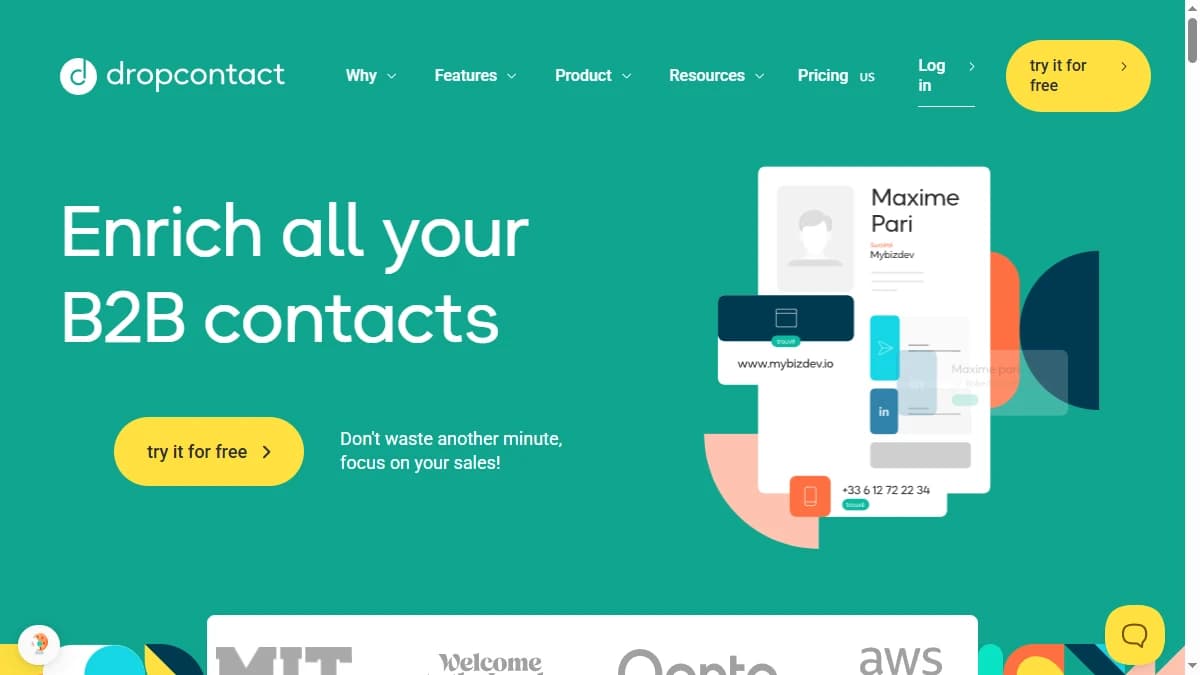
Dropcontact generates business email addresses using algorithms and verifies them in real time. It also normalizes and deduplicates CRM data. The tool integrates natively with HubSpot, Salesforce, and Pipedrive through a separate CRM enrichment subscription.
| Feature | What's Included | Limitations |
|---|---|---|
| Email Finding | Algorithm-based email generation and verification | Works best for standard corporate domains; catch-all verification included on every plan |
| CRM Enrichment | Auto-enrich contacts in HubSpot, Salesforce, Pipedrive | Separate CRM subscription; Email Finder credits do not apply |
| Company Data | Firmographics, headcount, LinkedIn enrichment, domain matching | Growth plan and above only |
| Data Cleaning | Deduplication, normalization, format standardization | Basic cleaning; not a full data hygiene platform |
| Phone Numbers | Mobile numbers on Growth and above | Sourced from email-signature data, not a phone database; check coverage on your list |
| Buying Signals | Company change detection on Growth | No funding, hiring, or intent signals |
GDPR Compliance: Dropcontact's Core Differentiator
Dropcontact built its reputation on not maintaining a contact database. It generates email addresses algorithmically based on name and company domain patterns, then verifies them via SMTP checks. For email finding, that means contact data is generated on demand rather than pulled from scraped sources or bought from third-party brokers.
For European teams, this is a meaningful advantage. Under GDPR, using enrichment tools that rely on scraped databases can create compliance risk. Dropcontact's approach sidesteps this by generating data on demand rather than storing it.
The approach has limits: algorithms can generate email addresses, but not phone numbers or firmographics. Dropcontact's Growth plan now adds both, and its pricing FAQ says mobile numbers are sourced from signatures extracted from email flows with five years of history and updated daily. Include those fields in your own GDPR assessment rather than assuming the email-finding logic covers them.
Dropcontact Data Quality: How Accurate Is It?
Dropcontact claims 98% accuracy on verified emails. In practice, this holds for standard corporate domains where email patterns are predictable (firstname.lastname@company.com). For catch-all domains, the tool cannot confirm delivery and marks them accordingly.
Match rates sit around 60-70% overall. This is lower than database-backed tools because the algorithm can only generate emails when patterns are recognizable. For niche companies, small businesses, or non-standard email formats, Dropcontact returns no result rather than a bad result.
This conservative approach is good for deliverability — you get fewer bounces. But it also means more gaps in your data that need filling from another source. Because credits are re-credited when no email is found, those gaps cost you coverage, not credits.
Dropcontact Pricing Breakdown
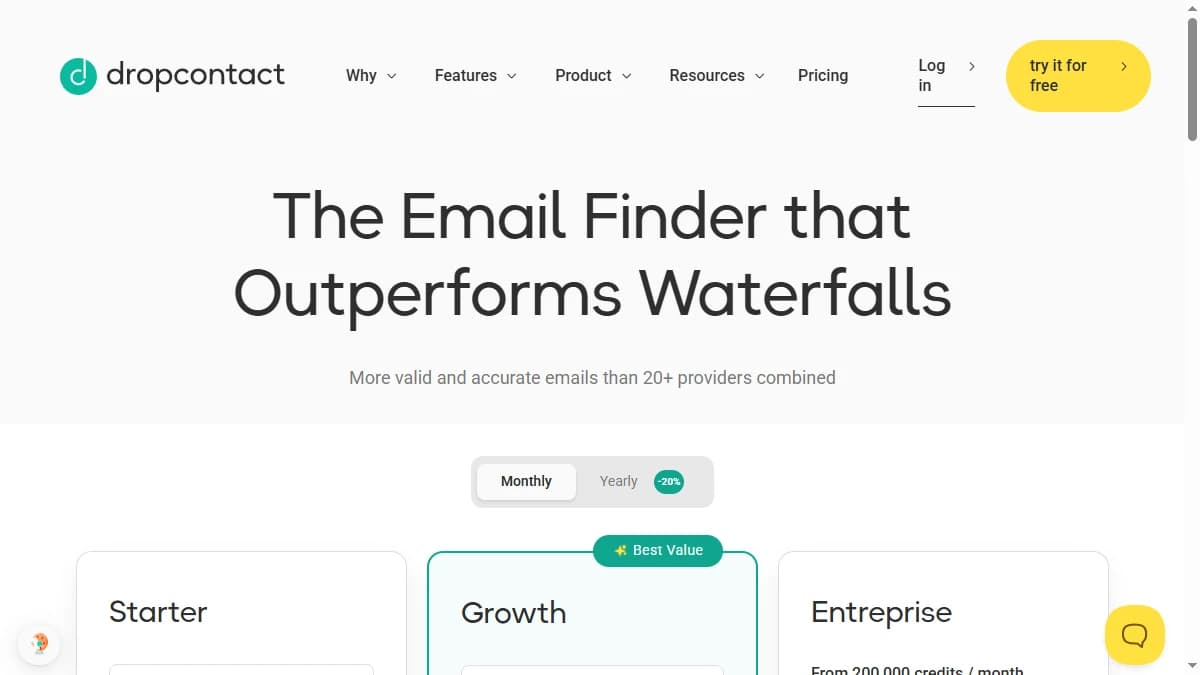
As of September 2026, Dropcontact prices by plan and by monthly credit volume, with a selector that runs from 500 to 150,000 credits. Credits are pay-on-success: if no email is found, the credit is re-credited. Annual billing saves 20%.
- --Starter (from 79 EUR/mo, or 63.20 EUR/mo billed yearly): 500 credits at the entry tier, B2B email enrichment, email validation, catch-all verification, file enrichment (CSV/XLS/TXT), API and MCP access, and a Google Sheets add-on.
- --Growth (from 120 EUR/mo, or 96 EUR/mo billed yearly): Everything in Starter plus credit carryover, LinkedIn enrichment, job cleaning, AI job classification, company change detection, domain matching, company data enrichment, and mobile numbers.
- --Enterprise (custom): 200,000+ credits per month, priority enrichment, real-time notifications, and dedicated support.
New accounts get 50 free credits. CRM enrichment for HubSpot, Salesforce, and Pipedrive is a separate subscription, and Email Finder credits do not apply to CRM use.
Hidden costs
- Growth for anything beyond email: Mobile numbers, company data, and LinkedIn enrichment all require the Growth plan.
- Separate CRM subscription: Enriching records inside HubSpot, Salesforce, or Pipedrive is billed separately from Email Finder credits.
- Lower match rates: The 60-70% match rate means you need to supplement with another tool for the remaining 30-40%.
- No carryover on Starter: Credit carryover is a Growth feature, so unused Starter credits do not accumulate.
What Are the Downsides of Using Dropcontact?
The biggest downsides are lower match rates compared to database-backed tools, the jump to Growth for mobile numbers and company data, a separate subscription for CRM enrichment, and no funding, hiring, or intent signals.
Starter is email-only
Starter covers email finding, validation, and catch-all verification. Mobile numbers, firmographics, LinkedIn enrichment, and company change detection all sit on Growth, and CRM enrichment is billed on top. Teams that want phone numbers for cold calling or company data for segmentation should price Growth from the start. For comparison, Clearout combines email verification with list cleaning, while BetterContact routes across multiple providers for higher match rates.
Match rates lag behind waterfall tools
A 60-70% match rate means 3-4 out of every 10 contacts come back empty. Waterfall enrichment tools query several providers in sequence, so they typically fill more of those gaps. The difference adds up at scale, even though Dropcontact does not charge credits for misses.
Thin signal layer
Dropcontact tells you an email address, not when to use it. Growth adds company change detection, but there are no funding triggers, hiring signals, or intent data, so timing outreach around buying moments needs a separate source.
How Dropcontact Works: From Upload to Enriched Contacts
Dropcontact is simple to run once you know where each piece sits. Here is the typical path from sign-up to enriched records, and where plan limits (as of September 2026) come in.
- Start with the free credits. New accounts get 50 credits. Because credits are re-credited when no email is found, a test on your own list shows the real hit rate for your market without spending credits on misses.
- Send in contacts. Upload a CSV, XLS, or TXT file, use the Google Sheets add-on, or call the API. Each contact needs a name plus a company name or domain, since the algorithm builds email patterns from those.
- Let the algorithm work. Dropcontact generates candidate addresses, verifies them, and runs catch-all verification on domains that accept any address. Emails it cannot confirm come back empty rather than as a guess.
- Clean and qualify on Growth. Growth adds job cleaning, AI job classification, LinkedIn enrichment, domain matching, company data, and mobile numbers, which turns an email finder into lightweight contact and company enrichment.
- Connect your CRM. Native enrichment for HubSpot, Salesforce, and Pipedrive runs on a separate CRM subscription. Zapier, n8n, the API, and MCP access cover other workflows.
- Keep records current. Growth's company change detection helps flag contacts who may have moved on, and Enterprise adds real-time notifications and priority enrichment.
The practical takeaway: run a test on a real export before committing. If the hit rate on your market holds up and email is all you need, Starter is enough. If your reps also need mobile numbers, company data, or clean job titles for routing, price Growth from day one, and budget the CRM subscription separately if you want enrichment to run inside your CRM.
Is Dropcontact Worth It?
Dropcontact is worth it for European teams that need a strictly GDPR-compliant email finding tool and are willing to accept lower match rates in exchange for compliance confidence. The algorithmic approach is genuinely differentiated.
Dropcontact is not the right fit for teams that need high match rates, broad phone coverage, or buying signals. Mobile numbers and company data only arrive on Growth, and CRM enrichment is a separate subscription, which drives up total cost and complexity.
The verdict: Dropcontact is a compliance-first email tool that has grown into lightweight contact and company enrichment on its Growth plan. If GDPR compliance is your top concern, it delivers. If you need a full GTM data stack, check our roundup of the best CRM data enrichment tools for platforms with broader coverage. You can also read Dropcontact reviews on G2 for additional user perspectives.
If Dropcontact's lower match rate on non-standard email formats is a dealbreaker, SyncGTM is one alternative worth a look: it runs waterfall enrichment across 50+ data providers for verified emails and phone numbers.