

Emailsearch.io Review 2026: B2B Data Coverage, Pricing & Alternatives

By Kushal Magar · June 15, 2026 · 14 min read · Last updated: September 30, 2026
TL;DR: Emailsearch.io Review 2026 Verdict
Emailsearch.io is a B2B email finder with a claimed 600M contact database and a LinkedIn Sales Navigator Chrome extension. Plans start at $29/mo. On paper, the Expert plan's 20,000 searches for $99/mo looks competitive. In practice, independent review data is nearly absent — and what exists is damaging. Our rating: 3.2/5.
The case for Emailsearch.io is price. The Basic plan at $29/mo is one of the cheaper entry points in the email-finder category. The Chrome extension for LinkedIn Sales Navigator enables bulk export without visiting individual profiles — a genuine workflow accelerator for LinkedIn-heavy prospecting teams. ISO 27001 and GDPR/CCPA claims add a compliance surface.
The case against is harder to dismiss. One Capterra reviewer gave it 1.0/5 and reported the tool failed to return a single email or phone number from 30,000 entries, with zero support response. Scamadviser rates the domain with a low trust score. There are no independent accuracy benchmarks validating the 92% claim. The Chrome extension carries documented LinkedIn ToS risk. There is no fallback provider when a lookup misses, no buying signals, and no continuous CRM enrichment.
This review covers real pricing math, what the 600M contact claim actually means, how the LinkedIn extension works and where it risks your account, support quality concerns, and a direct comparison with Hunter.io and Apollo for teams evaluating their B2B data stack in 2026.
What Is Emailsearch.io?
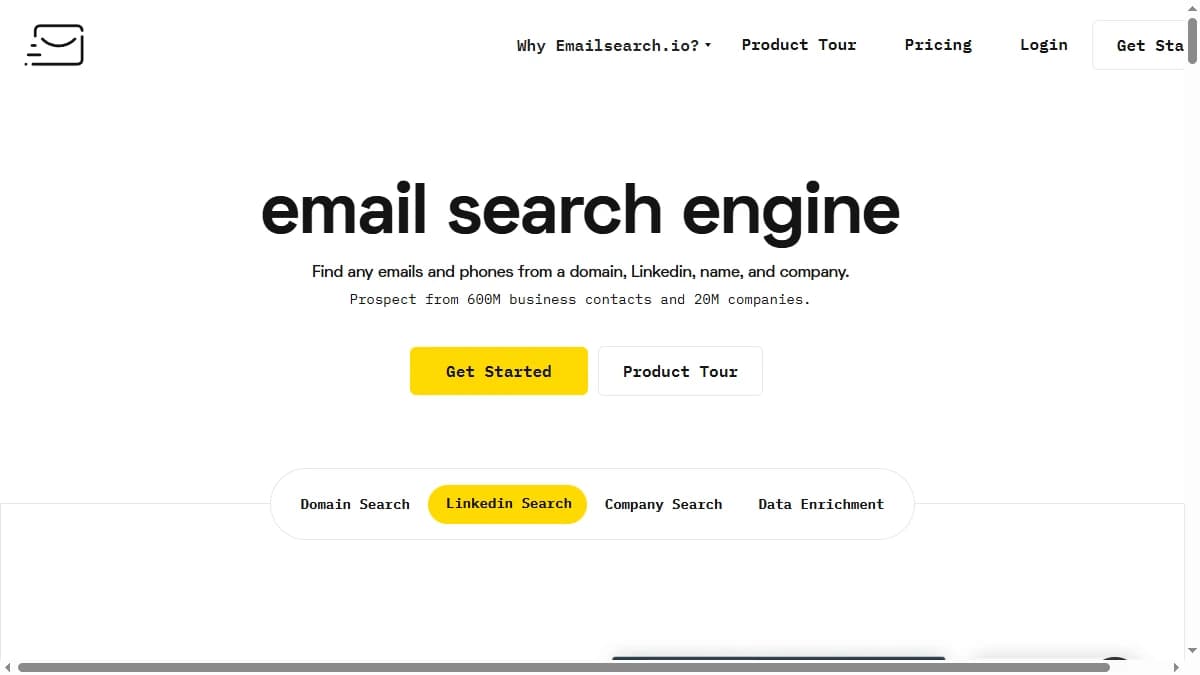
Emailsearch.io is a B2B email search engine and data enrichment tool that claims a database of 600 million business contacts across 20 million companies. The platform describes itself as an "end-to-end personalization" tool that helps sales teams build prospect lists, enrich contacts with email and phone data, and push results to CRM or drip campaign tools.
The defining feature is a Chrome extension for LinkedIn Sales Navigator that enables bulk extraction of emails and phone numbers without visiting individual profiles. This is the tool's main differentiation versus simpler lookup-by-name tools, and it is the feature most prominently marketed to LinkedIn-heavy prospecting teams.
Emailsearch.io also provides a web application for individual lookups, a domain search tool, a company search covering 20M+ B2B companies, bulk CSV upload, and an API. The platform claims ISO 27001 certification and GDPR/CCPA alignment. The product is used by a claimed 50,000 professionals worldwide.
| Capability | What Emailsearch.io Provides | Notable Gaps |
|---|---|---|
| Database | 600M contacts, 20M companies, 200B+ websites crawled. | No waterfall — single source, dead end on misses. |
| Email Finder | Lookup by name + domain, bulk CSV, API, domain search. | Hit rates unverified externally; one enterprise user reported 0% match on 30K entries. |
| LinkedIn Extension | Bulk export from Sales Navigator without profile visits. | Violates LinkedIn ToS — account suspension risk. |
| Phone Numbers | Claimed via Chrome extension extraction. | No dedicated phone data layer or direct dial database. |
| Buying Signals | Not available. | No hiring, funding, tech-change, intent monitoring. |
| CRM Integrations | HubSpot, Salesforce, Pipedrive, Outreach, Zoho, Zapier. | No continuous CRM enrichment — manual re-runs required. |
| Compliance | ISO 27001, GDPR/CCPA aligned, crawls public data only. | LinkedIn ToS compliance is a separate, unresolved risk. |
Emailsearch.io Pricing: Four Plans Decoded
Emailsearch.io runs a subscription model across four paid tiers plus a free plan. The free tier provides 50 credits per month with no card required — useful for testing result quality against a small real-world list before committing. As of September 2026, paid plans step up through Basic, Pro, Expert, and Agency, and the tiers differ on monthly searches and user seats rather than features.
| Plan | Price | Best For | Key Features |
|---|---|---|---|
| Free | $0/mo | Testing data quality | 50 credits/month, no card required |
| Basic | $29/mo | Individual SDRs / low-volume teams | 1,000 searches/month, 1 seat, email finder, Chrome extension, bulk CSV, API and webhooks |
| Pro | $49/mo | Growing sales teams | 5,000 searches/month, 2 seats, all Basic features |
| Expert | $99/mo | High-volume prospecting teams | 20,000 searches/month, 2 seats, all Basic features |
| Agency | $279/mo | Agencies and enterprise | Unlimited searches and unlimited seats |
Pricing reflects publicly advertised USD list rates as of September 2026. Every paid plan includes drip email campaigns, email verification, data enrichment, and API/webhook access, and comes with a money-back guarantee. Annual plans are offered, but annual rates are not displayed, and the free tier is not listed on the pricing page, so confirm its allocation at signup.
The real cost math
On list price, a search costs about $0.029 on Basic ($29 for 1,000), $0.0098 on Pro, and $0.005 on Expert. But a search is not a verified email: the effective cost per usable contact depends entirely on your hit rate — and with no public benchmark of what percentage of inputs actually return results, this is difficult to evaluate in advance.
If the tool returns zero emails for a significant portion of your list (as documented in the Capterra review), the effective cost per usable contact is infinite regardless of the list price per search. The 50-credit free tier is genuinely useful here: test the tool against 50 real contacts from your target ICP before upgrading.
Seats matter as much as searches. Basic includes one user, Pro and Expert include two, and only Agency ($279/mo) removes the seat cap. A three-person team therefore pays Agency pricing regardless of volume, which changes the per-contact math considerably.
Emailsearch.io Data Coverage: 600M Contacts — What That Really Means
Emailsearch.io claims a database of 600 million business contacts, 400 million verified email addresses, and 200 billion websites crawled — with data refreshed weekly. On paper, this is a large dataset. In practice, database size numbers are among the least meaningful metrics in the email-finder category, and they tell you little about your actual hit rate on a target ICP.
Raw contact counts include duplicates, historical records, and contacts outside any given team's ICP. The question that actually matters — what percentage of your specific input list returns a verified, deliverable email address — is not answered by the 600M figure. Independent benchmarks that test email finders against the same input lists consistently show that database-size claims are poor predictors of real-world hit rates.
The more important architectural fact: Emailsearch.io is a single-source database. When a contact is not found, you get nothing — there is no cascade to a second or third provider to recover the record. This is the key structural difference vs waterfall enrichment platforms that query several providers in sequence, recovering contacts that any single source misses.
| Region / Segment | Coverage Quality | Notes |
|---|---|---|
| US Mid-Market | Claimed strong | Not independently benchmarked; test on your ICP. |
| UK & Western Europe | Claimed good | GDPR compliance claimed; actual hit rates unverified. |
| APAC | Unknown | No independent reviewer data; typical single-source tools perform poorly outside US/EU. |
| LATAM / MENA | Unknown | No reviewer data; high-risk segment for single-source tools. |
| SMB (<50 emp) | Likely variable | SMB domains with limited public footprint hit hardest by single-source limits. |
The one publicly documented real-world data point is damaging. A verified Capterra reviewer reported purchasing multiple packages and processing 30,000 entries without the tool returning a single email or phone number. That is a single data point, and it could reflect a specific ICP mismatch — but the absence of counterbalancing positive reviews makes it difficult to dismiss.
Emailsearch.io Accuracy: The 92% Claim Under the Microscope
Emailsearch.io claims "92% accurate emails" and "industry-leading accuracy rates." This number is not supported by publicly available independent benchmarks as of June 2026. The claim is not explained in terms of methodology — it is unclear whether the 92% refers to deliverability of emails returned, hit rate across all inputs, or something else.
For context, industry-standard accuracy claims from leading email finders in 2026 range from 90–97%+ — all measured on the delivered subset, not the full input list. The meaningful number is your verified hit rate: what percentage of your specific ICP input list returns a usable, deliverable email address. That number varies significantly by region, company size, and the freshness of the underlying database.
- Emailsearch.io claims: 92% accuracy, 400M+ verified emails, weekly data refresh. Not independently verified.
- Capterra reality check: One user reported 0% match rate on 30,000 entries. This is the only detailed public test result available.
- No G2 benchmark data: G2 lists the product but shows minimal validated reviews — making peer comparison impossible.
- Comparison baseline: Independent benchmarks of leading single-source email finders (Hunter, Findymail, Snov.io) on US/EU mid-market data return verified hit rates of 55–75%.
The honest recommendation: use the 50-credit free tier to test against 50 real contacts from your actual ICP before upgrading. Self-reported accuracy claims from any email finder are insufficient proof of real-world performance on your specific prospect universe.
LinkedIn Chrome Extension: The Core Feature and Its Risks
The Chrome extension for LinkedIn Sales Navigator is Emailsearch.io's most differentiated feature. It enables bulk export of emails and phone numbers from Sales Navigator search results without visiting individual profiles — a meaningful workflow accelerator for LinkedIn-heavy prospecting teams. The extension integrates with existing Sales Navigator licenses and pushes results directly to CRM or CSV.
The risk is real and needs to be stated clearly. LinkedIn's Terms of Service explicitly prohibit automated scraping of user data, including bulk extraction via third-party tools. LinkedIn actively detects and bans accounts using unauthorized scraping extensions. Consequences include:
- Permanent suspension of your LinkedIn account.
- Loss of your paid Sales Navigator license (typically $800–$1,600+ per seat per year).
- Potential legal action — LinkedIn has pursued litigation against scraping tool providers, with the HiQ Labs case and subsequent rulings establishing precedent.
Emailsearch.io claims GDPR and CCPA compliance and states it "crawls public data only." LinkedIn ToS compliance is a separate question, and the platform does not appear to address it prominently. Tools that use a Chrome extension to extract Sales Navigator data are operating in a ToS grey zone that LinkedIn actively polices.
Teams with high-value LinkedIn accounts should evaluate this risk carefully. Emailsearch.io's web app, bulk CSV upload, and API do not depend on the extension, so teams that want to avoid the risk can build lists outside LinkedIn and enrich them through those channels instead.
Key Features: What You Actually Get
Email Finder (Web App)
The web application allows individual name + domain lookups, domain search to find all indexed emails at a company, and company search across the claimed 20M+ B2B company database. Bulk CSV upload handles batch enrichment jobs against the credit allocation.
LinkedIn Sales Navigator Chrome Extension
The headline feature. The extension overlays Sales Navigator search results and exports emails and phone numbers in bulk without requiring individual profile visits. This is the primary workflow differentiation vs. lookup-only tools. The LinkedIn ToS risk (detailed in the section above) applies here.
API Access
As of September 2026, API and webhook access is included on every paid plan, from Basic up. Technical documentation is not prominently published; API capabilities appear to cover the core email lookup and bulk enrichment endpoints. Developers evaluating the API should request documentation and rate limit details before committing to a tier.
CRM Integrations
Native integrations with HubSpot, Salesforce, Pipedrive, Outreach, and Zoho are listed, plus Zapier for broader workflow automation. These are push integrations — you export enriched data from Emailsearch.io into your CRM. There is no continuous, real-time CRM enrichment that keeps records fresh automatically.
Free Trial
50 credits per month on the free tier, no card required. This is genuinely useful for testing. Run your actual ICP against those 50 credits before upgrading to any paid plan.
What's Missing
No fallback provider when the database misses. No buying signals (hiring, funding, tech stack, job changes). No continuous CRM enrichment. No phone number database beyond Chrome extension extraction. Emailsearch.io is intentionally narrow as a contact finder — and the missing pieces define who it fits and who it does not.
Emailsearch.io Pros: What It Does Well
- ✓Low entry price. The $29/mo Basic plan is one of the cheaper entry points in the category. For individual SDRs testing email-finder tooling on a limited budget, the upfront cost is not a blocker.
- ✓Free tier with no card required. 50 free monthly credits with no credit card requirement is genuinely useful for testing data quality on your specific ICP before any spend commitment.
- ✓LinkedIn Sales Navigator bulk export. The Chrome extension enabling bulk export from Sales Navigator without visiting individual profiles is a meaningful workflow accelerator for LinkedIn-first prospecting. No other standard lookup tool delivers this natively.
- ✓Large claimed database. 600M contacts and 20M+ companies, updated weekly, is a substantial claimed dataset. Whether that translates to good real-world hit rates on your ICP requires testing, but the volume indicates meaningful crawl breadth.
- ✓Compliance certifications. ISO 27001 certification and GDPR/CCPA alignment are documented. For enterprise buyers with compliance requirements on data vendor procurement, these credentials check a real box.
- ✓Broad CRM integration roster. HubSpot, Salesforce, Pipedrive, Outreach, Zoho, and Zapier cover the majority of CRM stacks used by B2B sales teams. Push integrations are functional even without continuous enrichment.
Emailsearch.io Cons: Where It Falls Short
- Extremely thin public review record. One Capterra reviewer rated Emailsearch.io 1.0/5 after the tool failed to return a single email or phone number from a 30,000-entry input list. G2 shows minimal validated reviews. Scamadviser assigns a low trust score. The absence of a verifiable independent benchmark makes it impossible to validate the 92% accuracy claim before committing budget.
- Reported support unresponsiveness. The Capterra reviewer explicitly noted that after purchasing multiple packages and receiving zero results, support failed to respond at all — via email. For a tool where core functionality is in question, unresponsive support is a critical risk.
- LinkedIn Chrome extension carries ToS risk. Bulk extraction of Sales Navigator data via a third-party Chrome extension violates LinkedIn's Terms of Service. Account suspension — including your paid Sales Navigator license — is a documented consequence. Tools in this category rarely disclose this risk prominently.
- Single-source database caps coverage. A Not Found from Emailsearch.io is a dead end: there is no fallback to a second provider, which hurts most on SMB domains and on contacts outside the US and Western Europe.
- No buying signals or intent data. There is no hiring signal monitoring, funding alert tracking, tech stack change detection, or job change alerts. Modern outbound strategies that sequence contacts based on trigger events cannot run on Emailsearch.io alone.
- No continuous CRM enrichment. The platform does not natively keep HubSpot, Salesforce, or Pipedrive records fresh in real time. Every data refresh requires a manual re-run or API call — adding operational overhead for RevOps teams running live databases.
- Seat limits push teams up the tiers. Pro and Expert include only 2 user seats, so a team of three or more lands on Agency at $279/mo even if it does not need unlimited searches.
Emailsearch.io vs Hunter.io vs Apollo
The B2B email-finder market in 2026 spans single-source finders (Emailsearch.io, Hunter.io), all-in-one sales intelligence platforms (Apollo), and waterfall enrichment platforms (Clay, FullEnrich). Here is how Emailsearch.io stacks against the most common alternatives teams evaluate.
| Feature | Emailsearch.io | Hunter.io | Apollo |
|---|---|---|---|
| Pricing Model | Tiered search subscription | Tiered subscription | Tiered subscription |
| Entry Price | $29/mo (Basic, 1,000 searches) | $34/mo (Starter) | $49/mo (Basic) |
| Free Trial | 50 credits/month free | 25 searches/month free | Free plan available |
| Database Size | 600M contacts claimed | Domain-crawled database | 210M+ contacts |
| Accuracy Claim | 92% — unverified externally | Verified deliverability | Varies by tier |
| LinkedIn Chrome Extension | Yes — Sales Navigator bulk | Yes — basic | Yes — advanced |
| Mobile Direct Dial | Claims phone extraction | Not available | Yes (higher tiers) |
| Buying Signals | None | None | Basic intent signals |
| CRM Integrations | HubSpot, Salesforce, Pipedrive, Zoho | HubSpot, Salesforce, Pipedrive | HubSpot, Salesforce, and more |
| Native Outreach | CRM + drip campaigns | Campaigns (basic) | Full sequences |
| Support Quality | Reported unresponsive (Capterra: 1.0/5) | Chat + email | Chat + email |
| Best For | SMBs wanting LinkedIn extraction | Domain-based prospecting | All-in-one sales intelligence |
The honest take on each option
Emailsearch.io is best evaluated on a free trial before any commitment. The price is low, the Chrome extension for LinkedIn is genuinely useful if you use Sales Navigator heavily, and the compliance certifications are real. The public review record is too thin to rely on vendor claims alone. Test your specific ICP on the free tier before spending. For a broader view of alternatives, see the Emailsearch.io alternatives roundup.
Hunter.io is the domain-first specialist with the widest independent review base in the category. Starting at $34/mo, Hunter is the safest default for teams that have target company domains in hand and want reliable, benchmarked email pattern finding. Chrome extension for LinkedIn without the same ToS controversy, mature deliverability tooling, lightweight outreach campaigns built in. See the Hunter.io review for a detailed breakdown.
Apollo is the most feature-complete all-in-one in the category — 210M+ contacts, intent signals, sequences, and a free plan that is more generous than most. For teams that want to consolidate data, sequencing, and signals into one platform and are willing to accept Apollo's database as their primary source, it covers the widest surface area. Apollo's data quality is independently benchmarked and generally regarded as strong on US enterprise, with better coverage than most single-source alternatives. See the Apollo.io review for a full breakdown.
Waterfall enrichment tools such as Clay and FullEnrich take a different approach: instead of one database, they query several providers per lookup and move on when one comes up empty. If single-source coverage is your main concern with Emailsearch.io, compare the 6 best waterfall email finders to see the full landscape.
Who Should Use Emailsearch.io?
Emailsearch.io is worth testing in a narrow set of scenarios — primarily when LinkedIn Sales Navigator bulk export is the primary workflow requirement, budget is constrained, and you are willing to validate data quality on the free tier before committing.
Consider Emailsearch.io if:
- Your primary prospecting workflow is LinkedIn Sales Navigator, and bulk export without visiting profiles would meaningfully accelerate list building.
- You are testing email-finder tooling at very low volume and budget ($29/mo Basic) and want to compare result quality across tools before standardising.
- Your ICP is US or Western European mid-market and you can validate hit rates on your specific contacts with the 50 free credits before committing.
- Compliance certifications (ISO 27001, GDPR, CCPA) are a procurement requirement and the vendor's claims are sufficient for your security review.
Do not use Emailsearch.io if:
- You need reliable, independently benchmarked data quality before committing budget — the public review record is too thin and too negative to rely on vendor claims.
- Your LinkedIn account or Sales Navigator license is high-value — the Chrome extension carries documented ToS risk and potential for permanent account suspension.
- You are running sustained outbound at 1,000+ contacts/month and need verified hit rates with known bounce rates — the thin review record makes those hard to establish before you buy.
- You need phone numbers from a dedicated direct-dial database — the phone extraction is extension-dependent and not backed by a proper phone data layer.
- You need buying signals (hiring, funding, tech changes, job changes) to time outreach. Emailsearch.io has none.
- You need continuous CRM enrichment that keeps records fresh without manual re-runs — Emailsearch.io is a push tool, not a real-time enrichment layer.
Conclusion: Is Emailsearch.io Worth It in 2026?
Emailsearch.io has an attractive price point, a large claimed database, and a genuinely useful LinkedIn Sales Navigator Chrome extension. ISO 27001 and GDPR/CCPA certifications check compliance boxes. The 50-credit free tier with no card required is a genuinely low-risk entry point.
The structural problem is the review record. The only detailed independent user report on Capterra rates it 1.0/5 and documents complete failure to return any results from 30,000 entries with zero support response. Scamadviser assigns a low trust score. The 92% accuracy claim has no independent validation. For a data tool where the core value proposition is delivering verified contact information, this is a critical gap.
The LinkedIn Chrome extension is useful — and it carries a meaningful ToS risk that is not prominently disclosed. Teams with high-value LinkedIn accounts need to evaluate that trade-off carefully before deploying at scale.
Our recommendation: Start with the 50-credit free trial and test against your actual ICP before spending. If results match your needs and the LinkedIn extension workflow is important, the $29/mo Basic is low-risk. If you need reliable, scalable B2B data with verified hit rates, compare the full alternatives landscape in our Emailsearch.io alternatives roundup. For the broader email-finder category, the best B2B email finder tools guide covers the full 2026 landscape. External reviews worth checking before deciding: G2 reviews and Capterra.
If a single-source database with no fallback on misses is a dealbreaker, SyncGTM is one alternative worth a look: it runs waterfall enrichment across 50+ data providers to find verified emails and phone numbers.