

GMass Review 2026: Gmail Mail Merge Pricing, Limits and Verdict

By Kushal Magar · October 23, 2026 · 13 min read
Key Takeaway
GMass is a Chrome extension that turns Gmail into a mail merge and cold email tool. You build the list in Google Sheets, write in the Gmail compose window, and GMass handles personalization, unlimited auto follow-up stages, tracking, and scheduling. Pricing: Standard $29.95/mo ($249/yr), Premium $39.95/mo ($349/yr), Professional $59.95/mo ($599/yr); teams start at $175/mo for 5 users. Most cold emailers need Premium, because Standard has no follow-ups. The ceiling is Google, not GMass: about 500 sends a day on free Gmail and 2,000 on Workspace, no Outlook, no warmup since 2022, and inbox rotation only on Professional. Our rating: 4.0/5.
This GMass review answers one question: is a Gmail extension enough to run cold email in 2026? For a lot of founders and small sales teams, the answer is yes, up to a point.
We read GMass's pricing page, FAQ, and product pages in October 2026, checked Google's published sending limits, and went through user reviews on Capterra, G2, and Trustpilot. We did not run a paid sending test, so vendor claims are labeled as claims.
You will get the real plan math, the sending limits that actually cap you, the deliverability gaps, and a clear call on when to move to a dedicated cold email platform.
TL;DR: GMass Review 2026
- What it is: A Gmail mail merge and cold email extension used by 400,000+ people (vendor claim).
- Best for: Founders, recruiters, and small teams sending from one or two Google inboxes.
- Price: $20 to $49 a month billed yearly; Premium ($29/mo yearly) is the real starting point for cold email.
- Hard limits: About 500 sends a day on free Gmail and 2,000 on Workspace, unless you add an SMTP server.
- Biggest gaps: No Outlook, no warmup, and rotation locked to the $59.95 Professional plan.
- Rating: 4.0/5.
What Is GMass?
GMass is a Chrome extension that adds mail merge, cold email sequences, and campaign reports to Gmail and Google Workspace. It has been around since 2015 and sells itself as a way to send newsletters, announcements, cold email, and transactional email from inside Gmail.
Its homepage cites 400,000+ users, 1M+ Google Workspace Marketplace installs, and a 4.8/5 Chrome Web Store rating from about 9,200 reviews. Those are vendor-reported numbers, but they match its ratings on review sites.
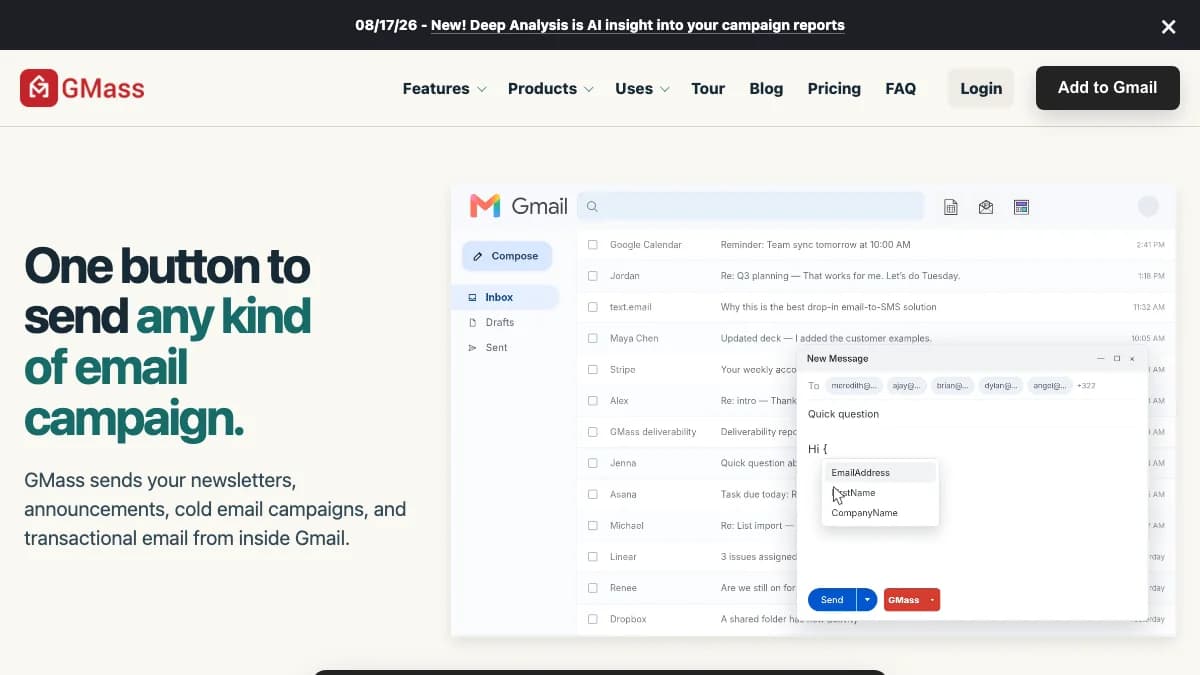
GMass homepage, October 2026: one button in Gmail to send a full campaign.
How GMass Works Inside Gmail
GMass works by adding a GMass button and settings panel to the Gmail compose window. Your campaign is a normal Gmail draft, and every message goes out from your own account.
The Google Sheets workflow
The core loop is simple. You connect a Google Sheet, GMass turns each row into a recipient, and each column becomes a merge field like {FirstName} or {Company}.
GMass refreshes the sheet before sending, so edits land in the next send. It can also auto-send to new rows as they appear, which turns a sheet into a lightweight trigger for form fills or new leads.
A typical cold email campaign
- Build or import your list into Google Sheets.
- Connect the sheet from the Gmail compose window.
- Write the email with merge fields and optional spintax.
- Add follow-up stages and the wait time between each one.
- Set a schedule, daily cap, and sending window.
- Send, then track opens, clicks, and replies in Gmail labels and reports.
Replies land in your normal inbox. That is the main appeal: no new tool to learn, and no separate reply inbox to monitor.
GMass Key Features
GMass covers the full cold email basics for a Gmail sender: merge, follow-ups, scheduling, testing, and reporting.
- Mail merge personalization: Merge fields from Sheets or CSV, fallback values, and conditional content.
- Auto follow-ups:Unlimited follow-up stages, per GMass's July 2025 update. Each stage can trigger on no reply, no open, or no click.
- Scheduling and throttling: Future sends, recurring sends, daily caps, and end-of-day cutoffs that spread a list across days.
- A/B testing: Split-test subject lines and copy on Premium and Professional.
- Triggered emails and API: REST API, webhooks, and Zapier on Premium and above.
- Reports: Opens, clicks, replies, and bounces inside Gmail. Deep Analysis, added in August 2026, adds AI commentary on campaign reports.
- MultiSend: Inbox rotation across several mailboxes with a combined reply view, Professional plan only.
If you write variations by hand, GMass supports spintax. Our guide to spintax tools covers how to use it without making copy sound robotic.
GMass Sending Limits Explained
GMass does not cap paid plans, but Google does: about 500 emails a day from free Gmail and 2,000 a day from Google Workspace. The "unlimited emails" on the pricing page carries an asterisk for exactly this reason.
| Account type | Daily limit | Source |
|---|---|---|
| GMass free trial | 50 emails per day for 7 days | GMass FAQ |
| Free Gmail (@gmail.com) | About 500 recipients per day | GMass FAQ / Google |
| Google Workspace | 2,000 messages per day; 3,000 external recipients per day | Google Workspace admin help |
| Google Workspace trial | 500 messages per day | Google Workspace admin help |
| Gmail + external SMTP | "Virtually unlimited" per GMass; set by your SMTP provider | GMass FAQ |
Google's Workspace sending limits page also lists a lower 1,500-a-day cap for mail merge sends. Account age and reputation matter too, so a new Workspace inbox should not start anywhere near 2,000.
For cold email, the real ceiling is lower. Most teams keep each inbox at 30 to 50 cold emails a day to protect reputation, which means one Gmail account supports roughly 1,000 new contacts a month with follow-ups.
The SMTP workaround
GMass lets you connect an external SMTP server, such as SendGrid or its own ColdSMTP, and claims "virtually unlimited" sends. Gmail stays the interface while the SMTP provider does the sending.
That removes the cap but not the risk. Bulk relays are built for opted-in mail, and cold email through a shared relay can hurt placement fast.
GMass Pricing: Plans and What You Actually Pay
GMass pricing starts at $29.95 a month for Standard, $39.95 for Premium, and $59.95 for Professional, or $249, $349, and $599 a year. Every plan lists unlimited emails, contacts, and campaigns, so you pay for features, not volume.
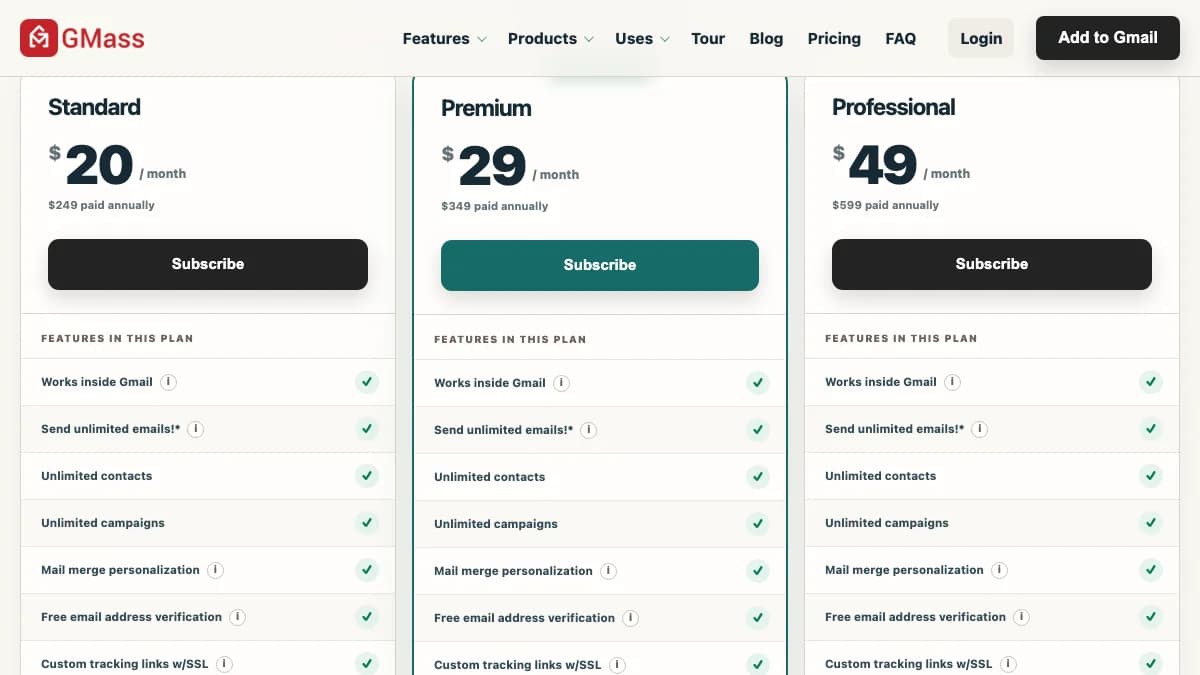
Source: GMass pricing page, US pricing, checked October 2026.
Individual plans
| Plan | Monthly | Annual | Includes | Missing |
|---|---|---|---|---|
| Standard | $29.95 | $20/mo ($249/yr) | Mail merge, unlimited contacts and campaigns, verification, tracking links, Spam Solver | Sequences, follow-ups, API, A/B tests, MultiSend |
| Premium | $39.95 | $29/mo ($349/yr) | Everything in Standard + auto follow-ups, API and Zapier, A/B tests, triggered emails | MultiSend inbox rotation, priority support |
| Professional | $59.95 | $49/mo ($599/yr) | Everything in Premium + MultiSend inbox rotation and high-priority support | Nothing gated; all individual features |
The key detail: Standard has no sequences or follow-ups. For cold email, that makes Premium the real entry plan at $349 a year.
Professional only adds MultiSend rotation and priority support. Pay for it once one inbox is no longer enough.
Team plans
Team plans bundle the full feature set, including MultiSend, for a fixed seat count.
| Users | Monthly | Annual | Per seat (monthly / annual) |
|---|---|---|---|
| 5 | $175 | $1,750/yr | $35.00 / $29.17 |
| 10 | $295 | $2,950/yr | $29.50 / $24.58 |
| 25 | $725 | $7,250/yr | $29.00 / $24.17 |
| 50 | $1,350 | $13,500/yr | $27.00 / $22.50 |
| 100 | $2,200 | $22,000/yr | $22.00 / $18.33 |
What a real setup costs
- Solo founder, one Workspace inbox: Premium at $349 a year plus about $7 to $8 a month for Workspace.
- Founder with three sending inboxes: Professional at $599 a year for MultiSend, plus Workspace seats, plus a separate warmup tool.
- Five-person SDR team: $1,750 a year on the team plan, before mailboxes, domains, warmup, and data.
The trial is 7 days at 50 emails a day, with no SMTP connection. That is enough to test the workflow, not deliverability.
GMass Deliverability Tools (and What's Missing)
GMass ships solid pre-send checks, but no warmup and no multi-domain infrastructure. Here is what you get.
- Spam Solver: Tests your copy and setup and suggests changes to reach the inbox.
- Inbox placement test: Shows whether a message lands in Inbox, Spam, or Promotions across seed accounts.
- Email verification: Free address checks before sending, on every plan.
- SPF and tracking-domain checks: Real-time SPF checks and custom tracking links with SSL.
The big gap is warmup. GMass built a free warmup tool, then shut it down after Google told it to turn the system off in late 2022, as GMass's own blog explains.
So you need a separate tool. Our guides to Gmail warmup and how long to warm up an email account cover the setup.
Placement matters too. If campaigns land in the wrong tab, see how to avoid the Gmail Promotions tab, and run an email deliverability test before every new campaign.
Google's email sender guidelines also require SPF, DKIM, and DMARC for bulk senders and a spam rate under 0.3%. GMass checks some of this, but you still own the DNS work.
What GMass Users Say
GMass scores well on software review sites and only middling on Trustpilot. Both tell you something useful.
| Site | Rating | Reviews |
|---|---|---|
| Capterra | 4.8/5 | About 1,370 |
| G2 | 4.7/5 | About 1,320 (per GMass homepage) |
| Trustpilot | 3.0/5 | About 39 |
What users like
- Setup takes minutes for anyone already living in Gmail.
- The Google Sheets integration is the most-praised feature.
- Detailed docs and a long history of product blog posts.
- Low price compared with dedicated cold email platforms.
What users complain about
- The settings panel feels cluttered for first-time users.
- Gmail's daily limits stop bigger campaigns mid-send.
- A few Trustpilot reviewers report Gmail account suspensions after heavy sending, plus billing and support complaints.
The suspension stories are the important part. GMass sends through your Google account, so Google's enforcement lands on you, not on GMass.
GMass Pros and Cons
Pros
- Works inside Gmail, so there is almost nothing new to learn.
- Google Sheets as a live list, including auto-send to new rows.
- Unlimited follow-up stages with reply, open, and click triggers.
- Free verification, Spam Solver, and placement tests on every plan.
- Low entry price: $249 a year for Standard, $349 for Premium.
- API, webhooks, and Zapier on Premium and above.
Cons
- Gmail and Google Workspace only; no Outlook or Microsoft 365.
- Bound by Google's daily limits unless you add SMTP.
- No warmup since the 2022 shutdown.
- Standard has no follow-ups, so cold emailers must buy Premium.
- MultiSend rotation is locked to the $59.95 Professional plan.
- Middling 3.0 Trustpilot score with account suspension complaints.
Who Should Use GMass (and Who Shouldn't)
GMass is a good fit if you
- Send from one or two Gmail or Workspace inboxes.
- Keep your lead list in Google Sheets already.
- Send fewer than about 1,500 new cold emails a month.
- Mix cold email with newsletters, announcements, or recruiting mail.
Skip GMass if you
- Run 5+ sending inboxes across several domains.
- Send from Outlook or Microsoft 365.
- Want warmup, rotation, and a unified inbox in one product.
- Run outbound for clients as an agency.
If you are still configuring a Gmail inbox for outbound, read our Gmail IMAP settings guide first. Most cold email tools need IMAP to read replies.
GMass Alternatives
The best GMass alternatives are dedicated cold email platforms that connect many inboxes, warm them up, and rotate sends across them.
| Tool | Best for | Key difference |
|---|---|---|
| Instantly | Teams that need many inboxes, warmup, and rotation in one place | Unlimited Gmail, Outlook, and SMTP accounts with built-in warmup; lives outside Gmail |
| Smartlead | Agencies running outbound for several clients | Unlimited mailboxes, client workspaces, and rotation across any provider |
| Woodpecker | Careful, low-volume sequences with conditions | Prospect-based pricing and condition-based follow-ups |
| Mailshake | SDR teams that also make calls | Email sequences plus a built-in phone dialer and LinkedIn steps |
For pricing and a full side-by-side, read our list of the best GMass alternatives for cold email or our wider roundup of cold email automation tools.
GMass Review: Final Verdict
Our rating: 4.0/5. GMass is the best way to run cold email from inside Gmail, and it stops scaling when one inbox is no longer enough.
The strengths are real. Sheets-driven mail merge, unlimited follow-ups, and free verification for $29 a month billed yearly is hard to beat for a solo sender.
The ceiling is Google. Daily limits, no Outlook, no warmup, and rotation on the top plan push growing teams toward dedicated platforms.
Start with the 7-day trial and Premium. Move on when you need more than two or three inboxes.
If a hand-built Google Sheet of unverified contacts is the weak link, SyncGTM is one alternative worth a look: it builds lead lists and finds verified work emails through waterfall enrichment across 50+ providers.