

Botdog Review 2026: LinkedIn Automation Pricing and Safety

By Kushal Magar · October 29, 2026 · 14 min read
Key Takeaway
Botdog is a cloud LinkedIn automation tool, not a browser extension. It gives every action its own daily limit with safe, moderate, and risky zones by account type, starts new accounts at 20 invitations a day, and runs 14 step types with if/then branches. Solo is $79 per sender a month ($55.33 billed yearly) with every feature, Agency is $299 a month for 5 senders ($209.33 yearly) up to 40 senders, and Managed starts at $690 per seat. Gaps: no email steps, no native CRM sync, no standard refunds, and safety claims you cannot verify. Our rating: 4.0/5.
This Botdog review answers the two questions buyers actually ask about a LinkedIn automation tool: what will it cost, and will it get my account restricted? The short answer is $55 to $79 per sender a month, and "less likely than a browser extension, but never zero."
We read Botdog's homepage, pricing page, feature pages, FAQ, changelog, terms, and privacy policy in October 2026, and captured the screenshots below. We did not run a paid campaign, so every safety and performance figure here is labeled as Botdog's claim, not our test result.
One warning before you read other Botdog reviews: most of the ones that rank still quote Starter, Professional, and Professional + AI plans at $69 to $99 a month. Botdog's pricing page no longer shows those tiers. It now sells Solo, Agency, and Managed.
TL;DR: Botdog Review 2026
- What it is: Cloud LinkedIn automation for invitations, follow-ups, InMails, voice notes, and post engagement.
- Best for: Founders, small sales teams, and agencies that want LinkedIn-only outreach without a browser extension.
- Price: Solo $79 per sender a month or $55.33 billed yearly; Agency from $299 a month for 5 senders; Managed from $690 per seat.
- Safety:Per-action daily limits by account type, random delays, and working hours. Safety claims are Botdog's own.
- Biggest gaps: No email steps, no native CRM sync, no standard refunds, and FAQ copy that contradicts newer pages.
- Rating: 4.0/5.
What Is Botdog?
Botdog is a cloud-based LinkedIn automation tool that schedules connection requests, follow-up messages, and InMails from your LinkedIn or Sales Navigator account. Its homepage pitch is "Automation for LinkedIn Sales Navigator" and promises to "triple your connection rate while saving 10+ hours per week."
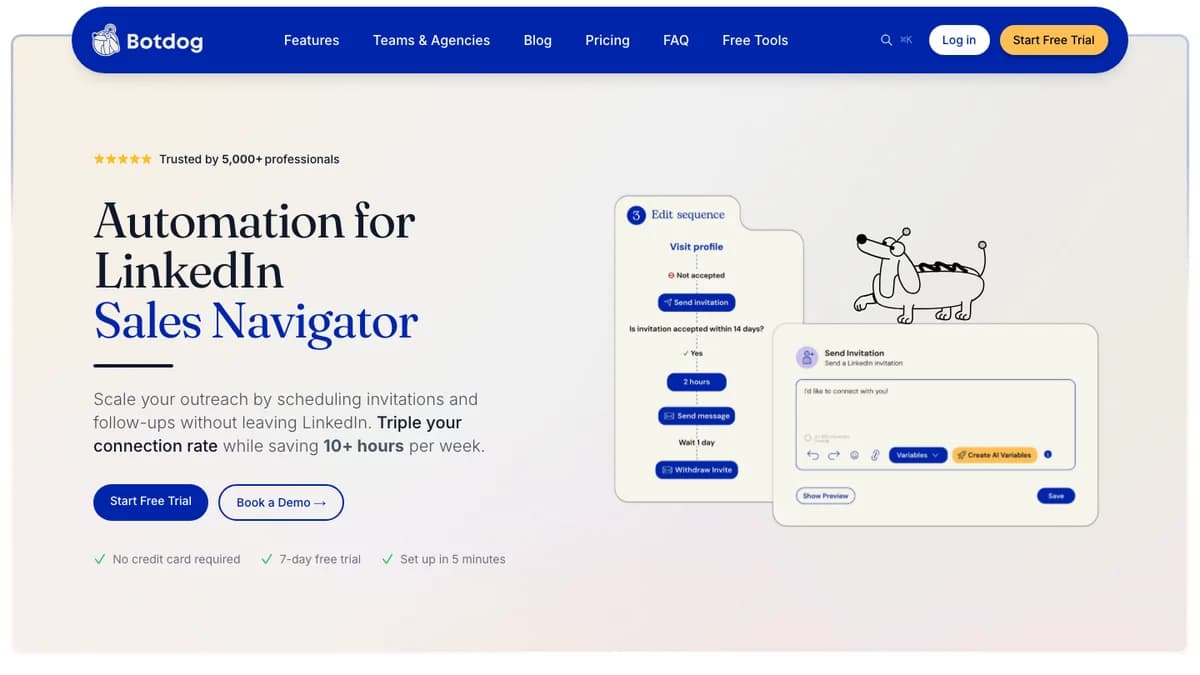
Botdog homepage, October 2026. The sequence graphic shows a condition ("Is invitation accepted within 14 days?") followed by a message or an invite withdrawal.
Botdog says it is trusted by 5,000+ professionals and 800+ teams across 31 countries, sending 3.2M+ invites a month. Those are vendor numbers.
Ownership changed this year. A Botdog blog post dated April 16, 2026 says Scale Shift Ventures acquired the company from founders Robin Choy and Guillaume Miara, with existing accounts and subscriptions unaffected. The changelog has shipped updates almost weekly since, including a team performance dashboard on October 13.
Cloud vs Browser Automation: How Botdog Runs
Botdog runs on its own servers, not in your browser. There is no Chrome extension and nothing to install, so campaigns keep running when your laptop is closed.
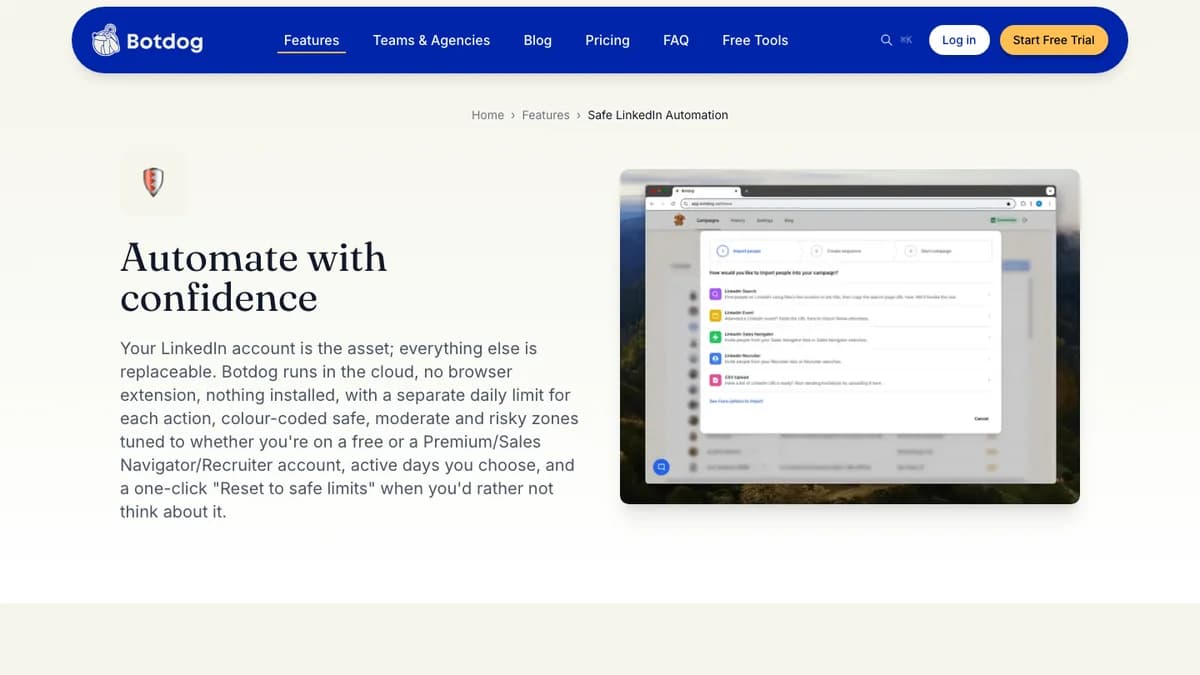
Botdog's safety page, October 2026: "Botdog runs in the cloud, no browser extension, nothing installed."
That matters for two reasons. Browser extensions only work while your machine is on, and LinkedIn's prohibited software page names browser plugins and extensions that automate activity. Cloud tools avoid the extension footprint, though they still act on your account.
How you connect LinkedIn
- Credentials: Sign in with your LinkedIn email and password inside Botdog.
- Cookies: Paste your li_at session cookie, plus li_a for Sales Navigator or Recruiter. Botdog says SSO-secured accounts must use this route.
- Re-connecting: Cookies expire, so you repeat the step now and then. Botdog emails you when it happens.
Botdog's public pages do not say which IP addresses or proxy locations your account runs from. Expandi, by contrast, advertises a dedicated country-based IP per account. If IP location is a hard requirement for you, ask Botdog support before you connect a high-value profile.
Botdog Daily Action Limits
Botdog sets a separate daily limit for each LinkedIn action, with safe, moderate, and risky zones based on whether your account is free or Premium, Sales Navigator, or Recruiter. New accounts start at 20 invitations a day.
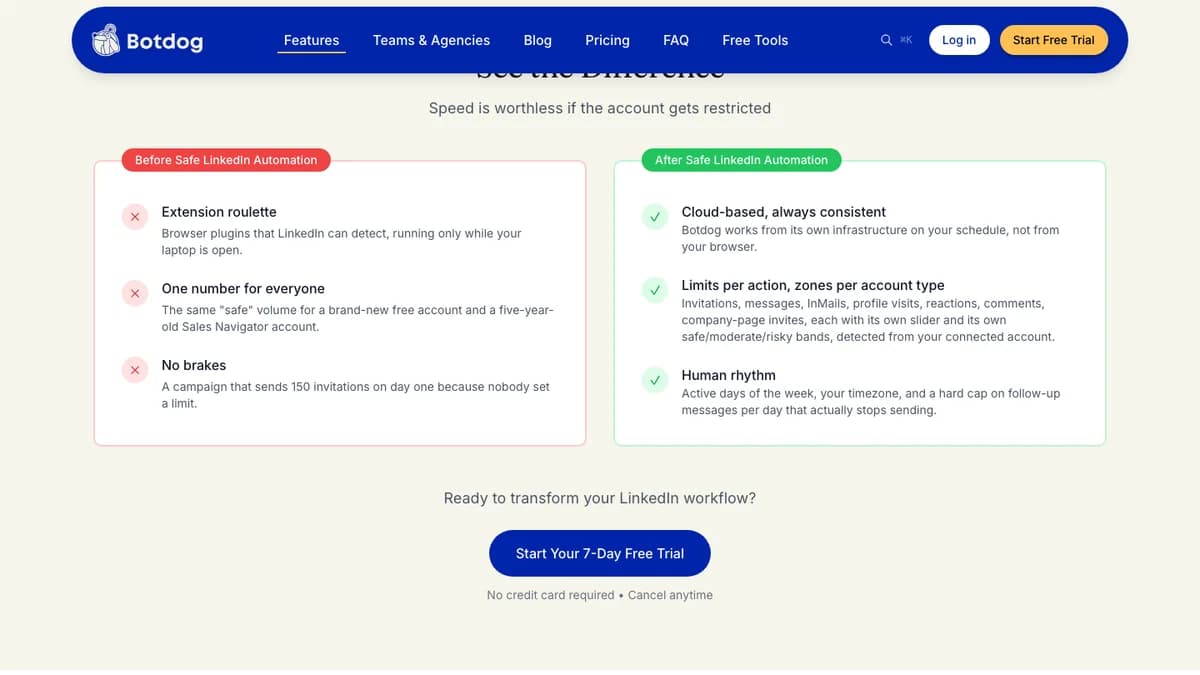
Botdog lists limits per action, zones per account type, and a hard cap on daily follow-ups, October 2026.
| Control | What Botdog documents |
|---|---|
| Per-action daily limits | Separate sliders for invitations, messages, InMails, profile visits, reactions, comments, and company-page invites |
| Safe, moderate, and risky zones | Bands set by account type (free vs Premium, Sales Navigator, or Recruiter). Zones are guidance, not caps |
| New-account default | 20 invitations a day |
| Weekly invitation guidance | 100 to 200 connection requests a week (Botdog FAQ) |
| Delays between actions | Random, 30 seconds to 5 minutes |
| Working hours | 8 AM to 7 PM in your timezone, on the active days you pick |
| Follow-up cap | A hard daily cap on follow-up messages that stops sending |
| Pending invitations | Auto-withdraw after 30 days by default, including invites sent by hand |
| Reset | One button puts every action back in the safe zone |
Sources: Botdog safe automation page, FAQ, and auto-withdraw page, checked October 2026.
What the limits do not do
The zones are advice, not a ceiling. Botdog's own page says "Zones are guidance, not caps": drag a slider into the red and that is the rate it sends at.
Botdog also does not publish the exact numbers behind each zone. The info icon in the app shows the thresholds for your connected account, so you only see them after you sign up.
For context, the 100 to 200 invitations a week Botdog recommends sits in the range most LinkedIn automation vendors cite. At 20 a day on five weekdays, a new account sends about 100 a week.
Is Botdog Safe? Account Safety and LinkedIn's Rules
Botdog is built to lower restriction risk, not remove it. Every LinkedIn automation tool, Botdog included, operates against LinkedIn's User Agreement, which in section 8.2 says members must not "use bots or other unauthorized automated methods to access the Services, add or download contacts, send or redirect messages."
What Botdog claims
- Human-like pacing: Random 30-second to 5-minute delays, activity only from 8 AM to 7 PM, and no batch requests.
- Account Health: A live risk score with suggested fixes, plus disconnect alerts by email and Slack.
- Auto-withdraw: Pending invitations are pulled after 30 days by default. Botdog claims 99% of accepted invites land within that window but cites no source.
- Track record:The safety page says "We've never had restrictions with Premium LinkedIn accounts" when users follow its guidelines, and that it "cannot guarantee zero risk for free accounts."
Botdog's FAQ goes further, saying it has operated "safely since 2020 with zero account bans." We could not verify that, and it sits awkwardly next to the safety page's more careful wording. Treat both as marketing claims.
What the terms say
Botdog's terms of service ask you not to violate LinkedIn's terms, then add that if you raise activity above Botdog's defaults, "you assume full responsibility for any resulting LinkedIn account restrictions, flags, or bans." In short, the safe zone is Botdog's promise; the risky zone is yours.
How to run Botdog more safely
- Use a Premium or Sales Navigator account, as Botdog recommends.
- Leave new accounts on the 20-a-day default for the first weeks.
- Keep auto-withdraw on so pending invites never pile up.
- Use AI Lead Review to skip poor-fit leads, so fewer invites go unaccepted.
- Never run a second automation tool on the same LinkedIn account.
Botdog Campaign Features
Botdog campaigns chain up to 14 LinkedIn step types with if/then branches and stop when a lead replies. Every feature below is included on the Solo plan.
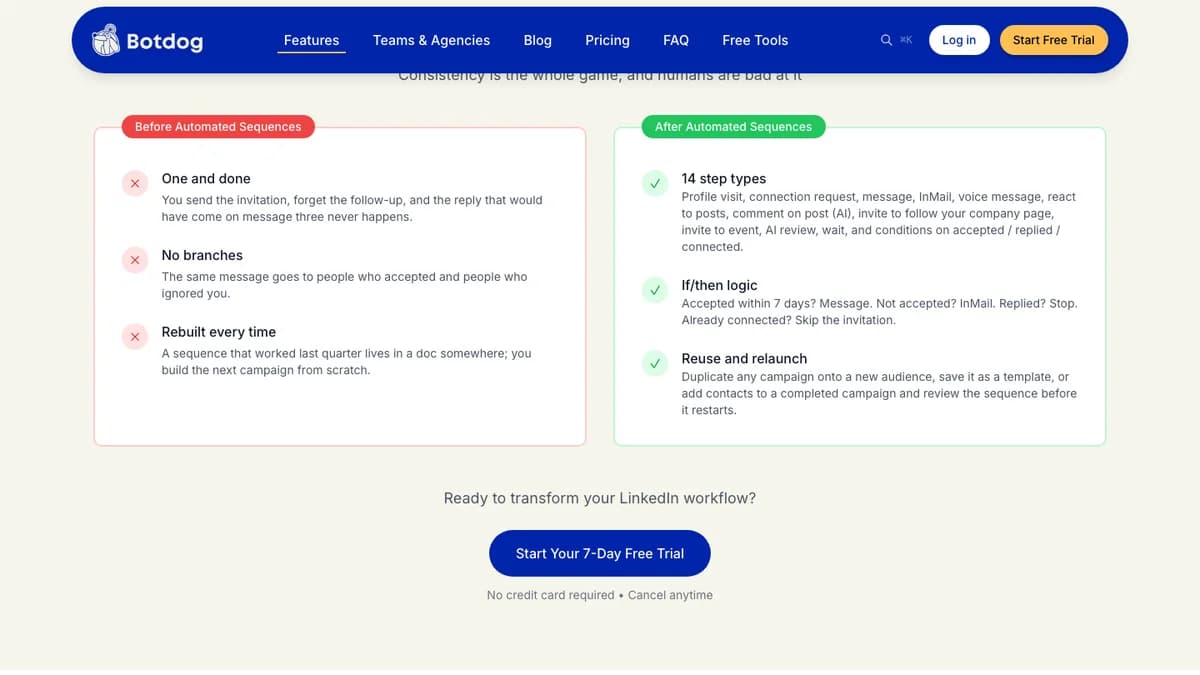
Botdog's sequence page lists 14 step types and conditions on accepted, replied, or already connected, October 2026.
Sequence steps and conditions
Steps include profile visits, connection requests, messages, InMails, voice messages, post reactions, AI-written post comments, company-page follow invites, event invites, AI review, and waits.
Conditions branch on accepted, replied, or already connected. Botdog's example: accepted within 7 days gets a message, not accepted gets an InMail, a reply stops the sequence, and an existing connection skips the invite.
Message variations (A/B testing)
Since September 2026, you can write up to four versions of any connection note, message, or InMail. Botdog rotates them and shows which version gets replies, and a "Rewrite with AI" button cleans up drafts.
AI Lead Review and AI Variables
AI Lead Review lets you describe your ideal prospect in plain English, then screens each lead before an invitation is spent. AI Variables write a unique opener per prospect from their profile, role, or recent activity.
Lead sources
Botdog lists nine ways to add people: LinkedIn searches, Sales Navigator searches and lists, Recruiter projects, post likers, post commenters, event attendees, CSV files, profile URLs, and the API. A blacklist stops messages to clients or competitors mid-campaign.
Botdog only works with people you can reach on LinkedIn. It does not find email addresses or phone numbers, so pair it with a Sales Navigator seat for targeting and a separate data source if you need contact details.
Unified inbox and AI inbox assistant
Replies from every connected account land in one inbox with summaries, smart replies, auto-tags, and suggested next steps. Campaign Insights sorts replies by sentiment and can export a PDF report for a client.
If your bottleneck is answering DMs rather than starting them, a dedicated inbox tool may fit better; our Kondo review covers one.
Botdog for Teams and Agencies
Botdog lets one workspace run many LinkedIn senders, each with its own limits, from a shared dashboard. Managed Identities let you work as a client or teammate without logging into their LinkedIn profile.
- Roles: Owner, Manager, and Client viewer.
- Shared inbox:Reply on a teammate's or client's behalf from one place.
- Client workspaces: Each client gets its own dashboard context.
- Team Performance: Every campaign across the team in one report, added October 13, 2026.
- Agency extras: White-glove onboarding, done-for-you migration from another tool, priority campaign support, and dedicated technical support.
One gap for large agencies: Botdog's pages do not mention sender rotation, where one campaign spreads across several LinkedIn accounts. That is the core of HeyReach's pitch, covered in our HeyReach review.
Botdog Pricing 2026: Solo, Agency, Managed
Botdog pricing starts at $79 per sender a month on Solo, or $55.33 a month billed yearly ($664 a year). Agency starts at $299 a month for 5 senders ($209.33 billed yearly), and Managed starts at $690 a month per seat.
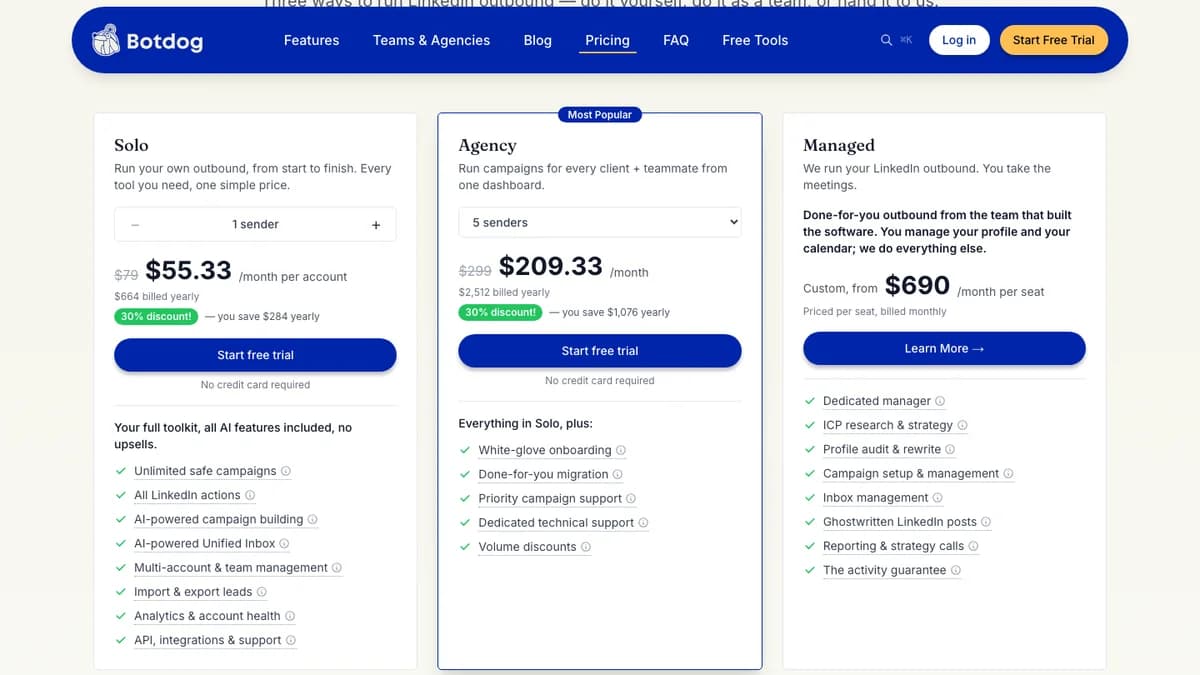
Botdog pricing page on yearly billing, October 2026. Monthly prices ($79 and $299) appear struck through.
| Plan | Senders | Monthly billing | Yearly billing (per month) | Billed yearly | Per sender (monthly / yearly) |
|---|---|---|---|---|---|
| Solo | 1 (priced per sender) | $79 | $55.33 | $664 | $79 / $55.33 |
| Agency 5 | 5 | $299 | $209.33 | $2,512 | $59.80 / $41.87 |
| Agency 10 | 10 | $499 | $349.33 | $4,192 | $49.90 / $34.93 |
| Agency 20 | 20 | $799 | $559.33 | $6,712 | $39.95 / $27.97 |
| Agency 30 | 30 | $1,199 | $839.33 | $10,072 | $39.97 / $27.98 |
| Agency 40 | 40 | $1,598 | $1,118.58 | $13,423 | $39.95 / $27.96 |
| Managed | Per seat | From $690 | Billed monthly | n/a | From $690 |
Source: botdog.co/pricing, checked October 2026. Per-sender figures are our math.
What you actually pay
- One founder or SDR: $79 a month, about $71 on 3-month billing (10% off), or $664 a year on yearly billing (30% off).
- Five senders: Agency at $299 a month beats five Solo seats at $395. On yearly billing it is $209.33 versus $276.65.
- Twenty senders or more: Agency falls to under $28 per sender a month on yearly billing, among the lowest per-seat rates in LinkedIn automation.
Billing details worth knowing
- No feature gating. Solo includes every AI feature, the unified inbox, analytics, account health, and the API. Agency adds service, not features.
- 7-day free trial, no card. Full access, cancel anytime. Managed got its own 7-day trial in September 2026.
- No standard refunds.The pricing FAQ says "we don't offer refunds," and the terms cap any discretionary refund at 50% of the amount paid. Use the trial fully before paying for a year.
- Cancel anytime. Service runs to the end of the billing period.
For how this compares with Dripify, Expandi, Waalaxy, Skylead, and Aimfox per seat, see our Dripify alternatives breakdown, which includes a five-sender cost table.
Botdog Integrations, API, and the Email Gap
Botdog has no native CRM integration. Its API and integrations page says so directly: HubSpot, Salesforce, Pipedrive, and other CRMs connect through Zapier, Make, or n8n, which Botdog says takes about 15 minutes.
- REST API: Campaigns, leads, lists, blacklists, messaging, snippets, sender limits, and team analytics, with scoped API keys and an OpenAPI spec.
- Webhooks and Slack: Eleven real-time events pushed to any URL or straight into a Slack channel.
- MCP server: Ask Claude, ChatGPT, or Cursor about campaigns, or have them add leads.
Watch for conflicting pages. Botdog's FAQ still says it "integrates with popular CRMs like Salesforce, HubSpot, and Pipedrive" and refers to Professional and Enterprise plans that no longer exist. The newer API page says there are no direct CRM integrations. We treat the API page as current.
No email steps
None of Botdog's 14 step types sends email. If you want LinkedIn and email in one sequence, you need a second tool and a webhook or Zapier handoff, or a tool like Expandi or Skylead that runs both natively.
What Botdog Users Say
Botdog's review record is positive but small. Search snippets and third-party reviews put it at about 4.9/5 on G2 from roughly 60 reviews, and around 4.3/5 on Capterra from only three. G2 and Capterra blocked our direct checks, so treat those as approximate.
- Praise: Fast setup, a clean interface, and campaigns that run reliably in the background.
- Complaints: LinkedIn-only scope, integrations that need Zapier, and fewer advanced features than enterprise tools.
- Bias check: The Botdog reviews that rank on Google are mostly written by competing vendors, and several still quote retired plans.
Botdog Pros and Cons
Pros
- Cloud-based, so campaigns run with your laptop closed.
- Per-action daily limits banded by account type, with one-click reset.
- Every feature on Solo, including AI, inbox, analytics, and API.
- 14 step types with if/then branches, InMail, and voice notes.
- Message variations for A/B testing notes, messages, and InMails.
- Agency pricing drops below $28 per sender a month at 20+ senders.
- REST API, webhooks, and an MCP server for AI assistants.
- 7-day free trial with no credit card.
Cons
- No email steps, so multichannel needs a second tool.
- No native CRM integrations; HubSpot and Salesforce go through Zapier, Make, or n8n.
- No standard refunds, and discretionary refunds cap at 50%.
- Safety zones are guidance, and the terms shift risk to you above defaults.
- No public detail on IPs or proxies.
- Stale FAQ copy that contradicts the pricing and API pages.
- No published SOC 2 report, data region, or subprocessor list.
- No documented sender rotation for agency campaigns.
Who Should Use Botdog (and Who Shouldn't)
Botdog fits people who want LinkedIn-only outreach on autopilot without managing an extension. It is a weaker fit for teams that need email, native CRM sync, or a security review.
Good fit
- Founders and solo sellers: $55.33 a month on yearly billing gets every feature with no upsell.
- Small sales teams: Shared inbox, roles, and per-sender limits work well for two to ten reps. Pair it with a clear automated LinkedIn prospecting process.
- Agencies with 10 to 40 senders: Per-sender cost falls fast, and client workspaces plus Client viewer roles keep accounts separate.
- Recruiters: Recruiter project import and InMail steps fit candidate outreach.
Not a fit
- Multichannel teams: No email steps means you rebuild sequences across two tools.
- CRM-first orgs: No native HubSpot or Salesforce sync; every field mapping runs through middleware.
- Security-reviewed buyers: No published certification, data region, or proxy details may stall procurement.
- Anyone unwilling to risk a LinkedIn account:No automation tool is compliant with LinkedIn's User Agreement.
Botdog Alternatives
The best Botdog alternative depends on which gap matters most: email steps, IP control, sender rotation, or price.
- Expandi: Cloud automation with a dedicated country-based IP and email follow-ups in the same sequence. Read our Expandi review.
- HeyReach: Built for agencies, with sender rotation across many LinkedIn accounts and a unified inbox. See our HeyReach review.
- Waalaxy and Aimfox: Waalaxy is the budget pick from $19 per user a month; Aimfox adds IP control from $49 per seat. Compare them in Waalaxy vs Aimfox or read our Aimfox review.
- Dripify: A similar cloud tool from $59 per user a month billed annually. See our Dripify review and Dripify alternatives, where Botdog ranks as the best value for agencies.
- SalesRobot: Stronger AI personalization that reads prospect activity. Read our SalesRobot review.
For wider shortlists, see our best LinkedIn automation tools for lead generation and LinkedFusion alternatives.
Botdog Review: Final Verdict
Our rating: 4.0/5. Botdog is a capable, fairly priced cloud LinkedIn automation tool with more honest limit controls than most, and its agency pricing is hard to beat at 20+ senders.
Solo users get every feature for $55.33 a month on yearly billing, and the per-action limits with account-type zones are a real step up from one global daily cap. Agencies get the lowest per-sender cost once they pass 20 accounts.
It loses points for no email steps, no native CRM sync, no standard refunds, and safety claims that only Botdog can vouch for. Use the 7-day trial to run one real campaign on default limits before you commit, because there is no refund window afterward.
Botdog only works with people you can already find on LinkedIn. If the list is your bottleneck, SyncGTM finds and enriches leads with verified emails and phone numbers, then pushes them to HeyReach for LinkedIn or Instantly and Smartlead for email; plans are on the pricing page.