This LinkedNav review covers what the tool ships in November 2026: cloud LinkedIn automation, three signal agents, a shared Unibox, an AI SDR reply flow, and a done-for-you service. The short version is a lot of product for $49 to $99 a month, from a young vendor with no public user reviews yet.
We read LinkedNav's homepage, pricing page, feature pages, safety guide, integrations page, and terms on 29 November 2026, and clicked through every pricing toggle. We did not run a paid campaign, so every reply-rate and safety figure below is labeled as LinkedNav's claim.
One warning before you compare listings: directories disagree on the entry price, and some still show older plans. LinkedNav's own pricing page lists Standard at $49 a month, so budget from that.
TL;DR: LinkedNav Review 2026
- What it is: Cloud LinkedIn automation with signal agents, an AI SDR reply flow, a shared Unibox, email enrichment, and a Claude MCP server.
- Best for: Founders, small sales teams, and agencies who want signal-triggered LinkedIn outreach they approve before it sends.
- Price: Standard $49, Pro $99 for 3 senders, Agent $249 a month; done-for-you from $597 a month for 500 prospects.
- Standout: Three senders, three Unibox inboxes, full API access, and Gmail or Outlook follow-ups on one Pro plan.
- Biggest gaps: No public user reviews, HubSpot as the only native CRM, conflicting free-plan and trial details, and the account risk every LinkedIn automation tool carries.
- Rating: 3.6/5.
What Is LinkedNav?
LinkedNav is a cloud LinkedIn outreach platform for founders, SDR teams, and lead-gen agencies. It finds people showing buying signals, warms them up, finds their email, and reaches out across LinkedIn and email.
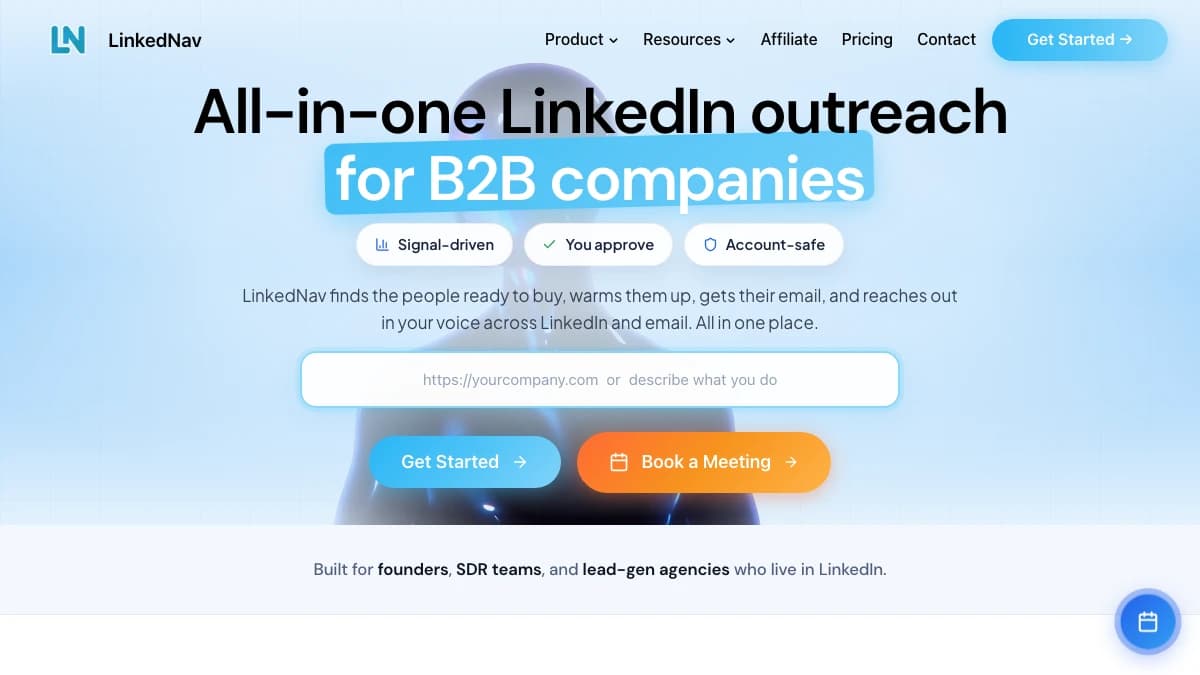
LinkedNav homepage, November 2026.
The homepage pitch is three words: signal-driven, you approve, account-safe. The approval step is the core design choice, since every message is drafted for you and autopilot is something a campaign has to earn.
Most competitors start from a list and a sequence. LinkedNav starts from a signal, such as someone engaging with a competitor, and builds the sequence around why that person showed up.
How LinkedNav Works: Cloud Senders and Sequences
LinkedNav runs campaigns on its own servers, not in your browser. Its homepage FAQ says each task spins up a headless browser in the cloud that clicks, scrolls, and types like a person.
Each connected sender gets a dedicated proxy. LinkedNav says it health-checks every sender and auto-pauses any account LinkedIn flags.
The Chrome extension and lead sources
You still install a Chrome extension. It connects your LinkedIn account and bulk-exports leads from LinkedIn searches, posts, companies, events, and Sales Navigator, per the pricing comparison.
The automation page adds Sales Navigator search URLs, CSV uploads, group members, and competitor followers as lead sources. Sales Navigator is optional; LinkedNav says a free or Premium LinkedIn account works.
What a sequence looks like
- Like the latest post to warm the lead before connecting.
- Send a connection request, with or without a note.
- Send a welcome message when the request is accepted.
- Follow up, with an optional email step from your own Gmail or Outlook on Pro.
- Hand replies to the AI reply agent, which drafts or sends answers depending on your mode.
Standard also includes comment campaigns, where LinkedNav leaves template or AI-written comments on posts. Standard lists "unlimited" connects and messages, which means no plan quota, not unlimited daily volume; per-account caps still apply.
Signal Monitoring: Competitor, Influencer, and Intent Agents
LinkedNav runs three signal agents: Competitor Intelligence, Influencer Tracking, and Intent Signal. Its buying signals page lists what they watch for.
- People who like, comment on, or follow a competitor.
- Engagement with influencers and topics in your space.
- Post engagers and profile viewers.
- New followers of your company page.
- Job changes and growing teams.
- Funding rounds and budget signals.
Each captured person is scored against an ICP you define once, using signal strength, profile fit, and freshness. Qualified leads are enriched with a verified business email and can be pushed straight into a campaign.
What changes by plan
Standard runs competitor and influencer signals. Pro adds intent signals and auto-imports signal leads into campaigns and Instantly, per the plan comparison.
Watch the wording: the signals page calls detection "real-time," while the pricing page describes daily scheduled monitoring. Plan for a daily feed of warm leads, not instant alerts.
If signal-based selling is new to you, our guide to buying signals tools explains which triggers tend to matter.
The AI SDR Flow: Approval Mode vs Autopilot
The AI SDR flow is LinkedNav's name for the full Pro sequence: like, connect, multiple follow-ups, and an AI agent that answers replies. Standard stops at the connection note, welcome message, and an automatic first message.
The Reply AI Agent runs in one of two modes. In approval mode, every drafted reply waits in a queue for you to approve, edit, or discard; in autopilot, it sends on its own.
LinkedNav's AI SDR page describes a middle path. The agent can auto-send polite declines on threads you authorize, while high-value threads always come back to you.
The Agent plan
LinkedNav Agent is Pro run for you. It adds an agent in Slack you brief in plain English, done-for-you setup, a morning brief on who replied, one-tap approvals, and weekly clean-up of old invites.
The pricing page says a person on LinkedNav's team checks the agent's work. Replies still send only when you tap approve.
LinkedNav's terms call AI drafts suggestions, not final outputs, and make you responsible for what gets sent. Treat autopilot accordingly. For a wider view of the category, see our best AI SDR tools roundup.
LinkedNav Unibox: One Inbox for Every Sender
LinkedNav Unibox puts LinkedIn replies from every connected sender into one queue. Each thread keeps its sender, and your reply goes out as that sender with no logging in and out.
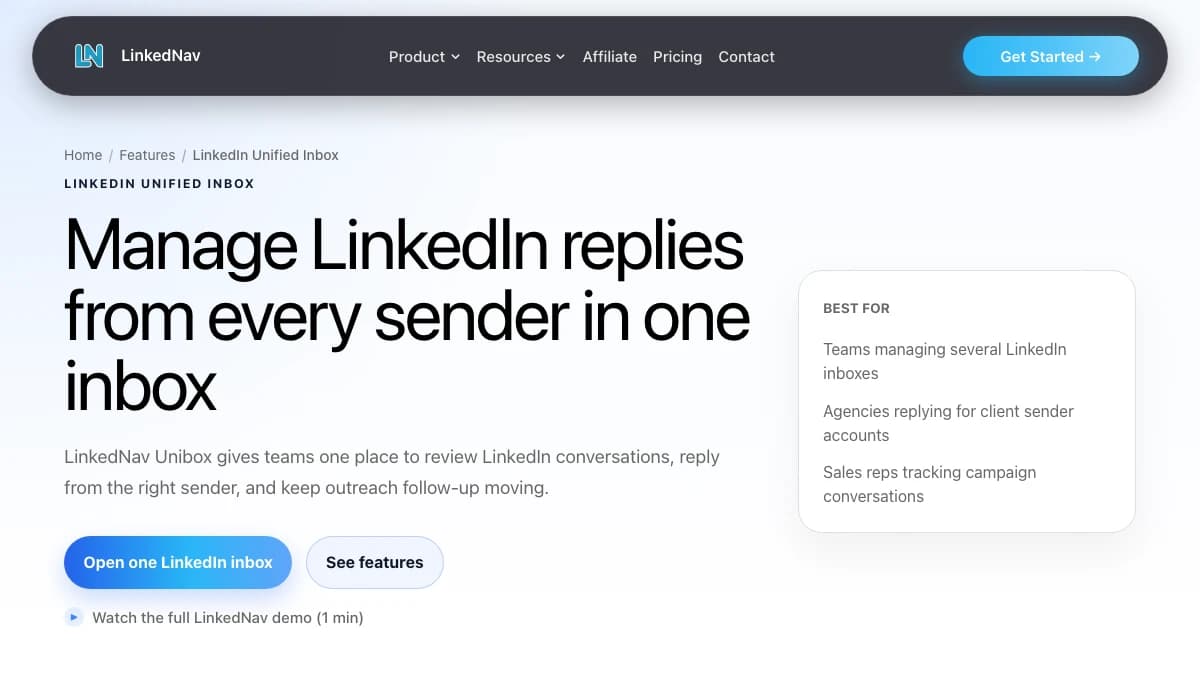
LinkedNav Unibox page, November 2026.
- Replies from all connected senders in one view.
- Filters by campaign, account, and status.
- AI-drafted replies with full thread context.
- Lead status updates from the same screen.
Capacity follows your plan: one inbox on Standard and three on Pro, per the pricing page. The Unibox page doesn't mention tags, notes, or snooze, so test those during setup if your team relies on them.
If you mainly need to manage replies rather than automate sending, a dedicated tool may fit better. Our list of LinkedIn inbox managers covers them.
Email Enrichment, HubSpot, API, and Claude MCP
Email enrichment
LinkedNav finds a business email from a LinkedIn profile and checks it against the mail server. Each result is labeled Valid, Catch-all, or not found.
Its email finder page claims a 60 to 80 percent match rate across a real list, depending on seniority and industry. A single lookup is free with no signup.
Paid plans include 50 free credits a month on Standard and 200 on Pro, per the plan comparison. We couldn't find a published price for extra credits.
CRM, email, and API
The integrations page lists HubSpot sync for leads and activity, plus Instantly for email sequences. HubSpot is the only native CRM; for anything else, LinkedNav points you to MCP or the API.
Standard gets a limited API with enrichment and social listening endpoints. Pro unlocks the full API, including signals, connect, and messaging endpoints, for n8n, Zapier, or your own scripts.
Claude MCP
LinkedNav's MCP server exposes 145 tools to Claude, Cursor, or any MCP client. They cover contacts, lists, campaigns, enrichment, signals, and the Unibox.
Some of those tools can write and queue Unibox replies or approve AI drafts. If you connect an assistant, scope what it may approve.
LinkedNav Pricing 2026: Standard, Pro, Agent, Done-for-You
LinkedNav pricing is a flat monthly fee per plan, with extra senders added on Pro. Quarterly billing saves 10% and annual billing saves 20%, per the pricing page checked on 29 November 2026.
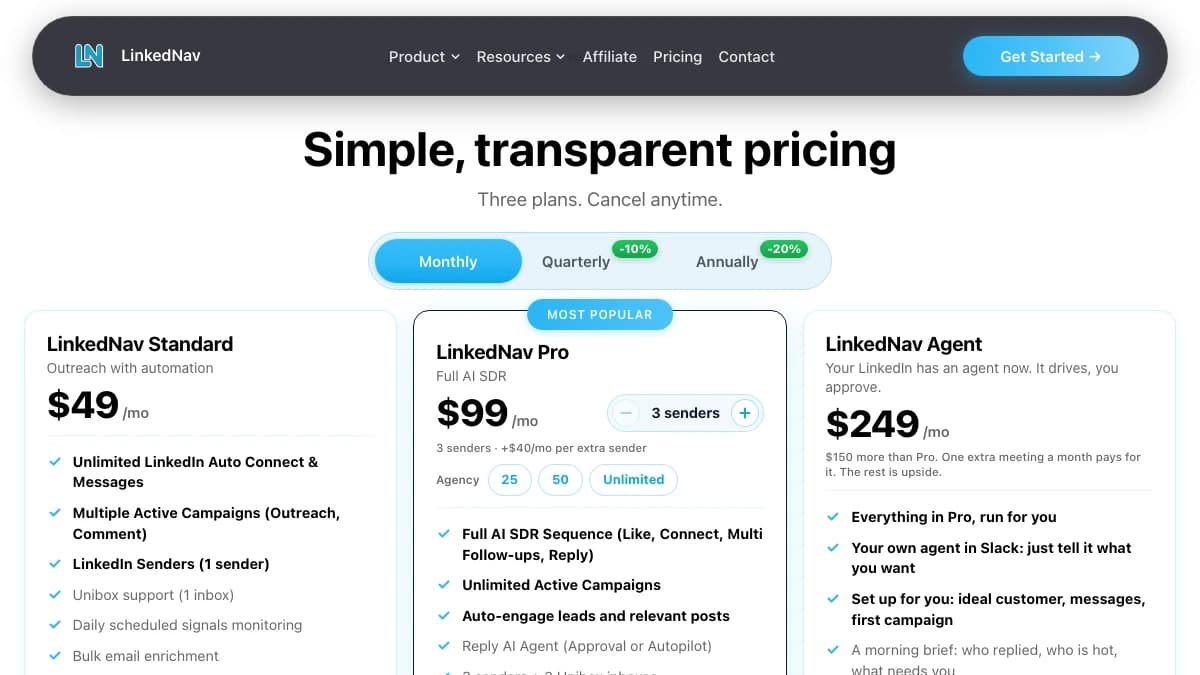
LinkedNav pricing page, monthly billing, November 2026.
| Plan | Monthly | Quarterly / annual | Senders and inboxes | Active campaigns | Free credits | AI automation |
|---|
| Standard | $49 a month | $132 a quarter or $470 a year | 1 sender, 1 Unibox inbox | 2 active campaigns | 50 a month | Connect, welcome, and auto first message |
| Pro | $99 a month (3 senders, +$40 per extra sender) | $267 a quarter or $950 a year | 3 senders, 3 Unibox inboxes | Unlimited | 200 a month | Full AI SDR flow plus Reply AI Agent |
| Agent | $249 a month | $672 a quarter or $2,390 a year | Everything in Pro | Unlimited | As Pro | Pro, run by an agent in Slack, set up for you, human-checked |
Source: linkednav.com/pricing, monthly, quarterly, and annual toggles, 29 November 2026.
Standard vs Pro: what the upgrade buys
| Feature | Standard | Pro |
|---|
| Chrome extension lead export (search, posts, events, Sales Navigator) | Yes | Yes |
| Signal monitoring | Competitor and influencer | Competitor, influencer, and intent, auto-imported to campaigns and Instantly |
| Reply AI Agent (approval or autopilot) | No | Yes |
| Email enrichment | Bulk | Automatic |
| Email follow-ups from your Gmail or Outlook | No | Yes |
| API access | Enrichment and social listening endpoints | Full API, including connect and messaging endpoints |
| Team-shared workspace | No | Yes |
| Support | Email | Priority chat and email |
Agency sender bundles
Pro has agency sizes on the pricing page: 25 senders for $891 a month and 50 senders for $1,039 a month. Unlimited senders are priced on a call.
The comparison copy promises "no per-seat fees," but Pro charges $40 a month for each sender past three. Read that as a low per-sender price, not a flat fee.
Done-for-you outreach
The done-for-you service costs $597 a month for 500 prospects, $1,194 for 1,000, and $2,388 for 2,000. Volume scales in steps of 500 at the same price per step.
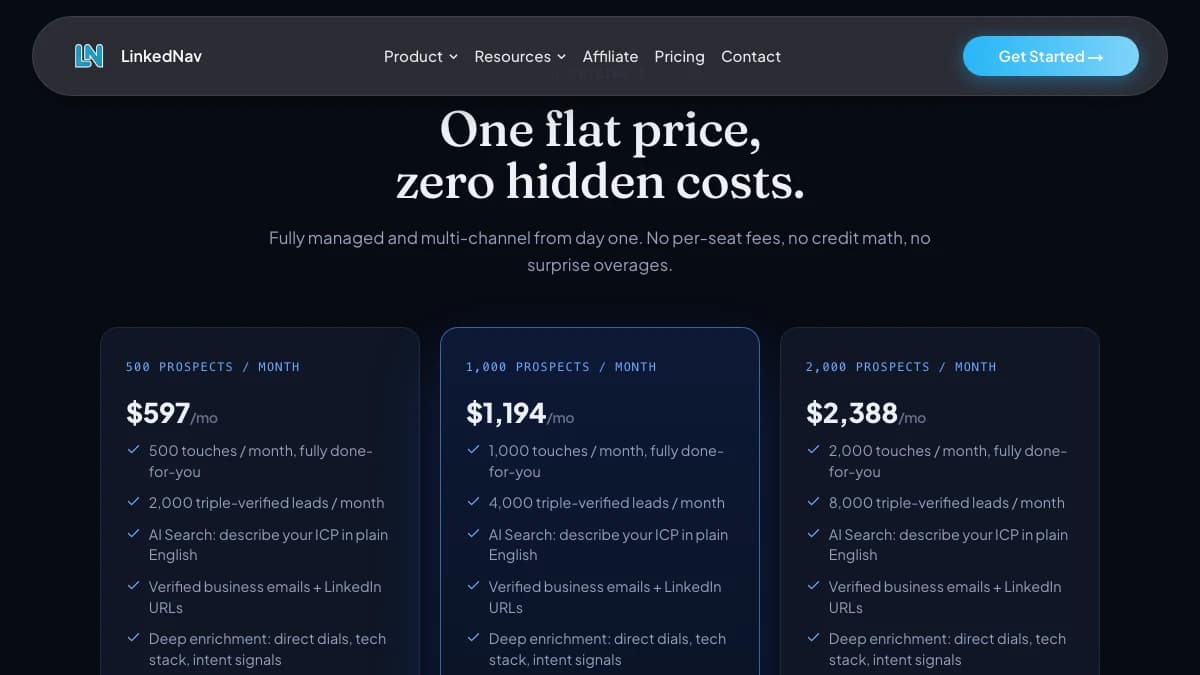
LinkedNav done-for-you pricing, November 2026.
LinkedNav's team builds the list, writes and checks messages, sends from your own LinkedIn and email accounts, works the replies, and reports weekly. You keep the lists, copy, and inbox, and you can cancel anytime.
Free plan and trial: the fine print
The pricing page says "Three plans" and shows no free tier. LinkedNav's terms, last updated 19 May 2026, still describe a Free plan with the Chrome extension and one sender.
Most feature pages, including the integrations page, advertise a 7-day free trial with no credit card. Check what the signup flow offers before you plan around either.
Refunds are case by case under the terms, and subscriptions renew until you cancel. The pricing FAQ says you cancel inside the account in two clicks and keep access to the end of the billing period.
Account Safety: What LinkedNav Does and Can't Promise
LinkedNav's safety model rests on five controls. All of them lower the odds of a restriction; none of them remove it.
- Cloud execution: headless browsers on LinkedNav's servers, so nothing runs from your laptop.
- Dedicated proxy per sender: each account acts from its own IP.
- Conservative daily caps: the automation page defaults to 15–20 connection requests a day, while the homepage says about 20 to 30.
- Human pacing: randomized timing instead of bursts.
- Auto-pause: sending stops on a sender LinkedIn flags.
LinkedNav's terms recommend no more than 100 connection requests a week. The terms also make you responsible for complying with LinkedIn's rules.
The risk that stays: automated LinkedIn sending carries account risk whatever tool you use. LinkedIn's
prohibited software page says it doesn't permit third-party software that automates activity on its website, and members who use it risk restriction.
LinkedNav's FAQ answers "Is LinkedNav safe?" with a yes. Its own safety guide is more careful, saying no reputable vendor can promise zero risk.
Trust the guide, not the FAQ. Start with one sender, keep caps low, and read our guide to a restricted LinkedIn account before you scale.
Data security
The security page says LinkedNav builds on SOC 2 Type II certified infrastructure and vendors and encrypts traffic in transit. That describes its providers, not a SOC 2 report for LinkedNav itself, so ask for one if procurement needs it.
Deleting your account hard-deletes lead data, and the terms say LinkedNav does not use your data to train AI models. Prompts and lead context are sent to an AI model provider when you use AI features.
What LinkedNav Users Say
At the time of writing, we found no published user reviews for LinkedNav on G2, Capterra, or SourceForge. That is normal for a young tool, but it means there is no independent record on uptime, support, or restriction rates.
Directory listings also disagree on price. AI Gear Base shows "From $69/mo" and aimojo shows "From $49/month," so trust the vendor page over any listing.
LinkedNav publishes its own benchmarks: 40-60% connection acceptance and 25-55% reply rates for B2B offers, per its homepage FAQ. Those are vendor numbers, not independent tests, and the same FAQ says results vary by ICP, offer, and message.
LinkedNav Pros and Cons
Pros
- Three senders and three Unibox inboxes on one Pro plan.
- Signal agents for competitor, influencer, and intent activity, built into the same tool that sends.
- Approval mode on AI replies, with autopilot as an opt-in.
- Cloud execution with a dedicated proxy per sender.
- Claude MCP server with 145 tools and a full API on Pro.
- LinkedIn plus Gmail or Outlook follow-ups in one sequence.
- A done-for-you option if you would rather not run it.
Cons
- No published user reviews on G2, Capterra, or SourceForge.
- HubSpot is the only native CRM.
- Standard caps you at one sender and two active campaigns.
- Site copy conflicts on the free plan, trial, daily caps, and signal timing.
- SOC 2 claim covers infrastructure, not LinkedNav itself.
- Automated sending carries LinkedIn restriction risk, as with any tool.
Who Should Use LinkedNav (and Who Shouldn't)
Good fit
- Founders and small teams running two or three LinkedIn accounts who want signals and sending in one place.
- HubSpot and Instantly users who want LinkedIn leads and email sequences fed from the same list.
- Claude users who want to brief campaigns in chat through MCP.
- Agencies at 25 to 50 senders that want bundled pricing instead of per-seat plans.
Look elsewhere
- Salesforce or Pipedrive teams that need native CRM sync.
- Buyers who want a long review history or a vendor SOC 2 report before they commit.
- Anyone who can't accept any restriction risk on their main LinkedIn account.
LinkedNav Alternatives
Most LinkedNav alternatives are other cloud LinkedIn tools priced per sender. Here is how they compare on entry price and reply handling.
- HeyReach: $79 per sender a month for 1-9 senders, with a Unified Inbox. Read our HeyReach review.
- Expandi: $99 a month on the monthly plan, with a Global Inbox. See our Expandi review.
- Waalaxy: From €19 a month; the LinkedIn Inbox is a €20/month add-on. See our Waalaxy review.
- SalesRobot: AI-written LinkedIn and email sequences from $59 a month on monthly billing. If it's on your list, our SalesRobot alternatives roundup compares six options.
- Quicklead: Per-account cloud automation with a Smart Inbox and free Open Profile InMails. See our Quicklead review.
- Replygrow: Per-account LinkedIn automation with a unified inbox you can filter by campaign or unread. See our Replygrow review.
For a wider shortlist, see our best LinkedIn outreach tools and best LinkedIn automation tools for lead generation.
LinkedNav Review: Final Verdict
Our rating: 3.6/5. LinkedNav packs signals, multi-sender sequences, a shared inbox, and an approval-first AI SDR into one Pro plan, but it is too new to have a public track record.
Pro is the plan to judge it on. Three senders, three inboxes, intent signals, Gmail or Outlook follow-ups, and full API access cost $99 a month, less than two HeyReach senders at $79 each.
It loses points for zero public reviews, HubSpot-only CRM sync, and site copy that contradicts itself on the free plan, trial, and caps. Run one sender at conservative limits for a few weeks before you connect the rest.
If LinkedNav's HubSpot-only CRM sync is a dealbreaker, SyncGTM is one alternative worth a look: its buying signals and verified enrichment can feed any LinkedIn sender, via HeyReach or your CRM.