

Lookalike Company Search: How to Find Similar Companies 2026

By Kushal Magar · November 4, 2026 · 13 min read
Key Takeaway
A lookalike company search works when you start from 10 to 30 closed-won accounts, write down what they share across firmographics, tech stack, growth, and team shape, then search on those traits and score every match. Validate with a holdout test before any list goes to sales. Black-box 'similar company' buttons are fine for ideas, but explicit filters plus enrichment give you a list you can explain, refresh, and trust.
A lookalike company search finds businesses that look like the customers you already win. You describe your best accounts, then search for companies that share their industry, size, tech stack, and growth pattern.
Most guides stop at "paste a domain, get a list". This one shows how to pick seed accounts, which signals to match on, how to score matches, and how to test a list before your reps waste a month on it.
TL;DR
- Seed with winners: use 10 to 30 closed-won accounts with good retention, not your whole customer list.
- Match on four layers: firmographics, tech stack, growth and timing, and team shape. Industry plus headcount alone is too broad.
- Score, don't just filter: a simple 100-point model ranks matches so reps start at the top.
- Validate: hide 20% of your seeds and check the search finds them again.
- Pick your method by list size: manual research for under 50 accounts, tools for anything bigger.
Who This Guide Is For
This guide is for founders, SDR leaders, RevOps, and growth teams who have some paying customers and want more of the same. It works for outbound lists, ABM target lists, and paid-ad audiences.
You need a handful of customers you'd happily clone. If you have none yet, start with an ICP hypothesis and our guide to company research tools instead.
What Is a Lookalike Company Search?
A lookalike company search is the B2B version of a lookalike ad audience. Instead of finding people who resemble your buyers, it finds companies that resemble your best accounts.
There are two ways tools do it:
- Seed-based (similarity scoring): you paste customer domains and a model ranks other companies by how close they are. Fast, but you rarely see why a company matched.
- Filter-based (explicit recipe):you turn what your customers share into search filters, such as "B2B software, 50 to 500 employees, runs HubSpot, grew headcount 10%+ this year". Slower to set up, but transparent and repeatable.
The best lists usually combine both. Use a seed-based tool to spot traits you missed, then lock them into filters you can rerun every quarter.
What Makes Two Companies Similar
Two companies are similar for sales purposes when they share the traits that predicted your past wins. That means more than industry and size.
| Signal layer | Examples | Why it matters | Typical weight |
|---|---|---|---|
| Firmographics | Industry, NAICS/SIC code, employee count, revenue, HQ country, founding year, funding stage | Sets the basic shape: who can afford you and who has the problem | Filter (must-have) |
| Technographics | CRM, ecommerce platform, cloud provider, competitor tools, tool categories | Shows compatibility, budget, and displacement opportunities | High |
| Growth and timing | Headcount growth over 6 to 12 months, open roles, recent funding, new executives | Separates companies that fit from companies that are ready to buy now | High |
| Team shape | Size of sales, engineering, or marketing team; department growth | A 300-person company with five salespeople is not a sales-tool buyer | Medium |
| Business model | B2B vs B2C, sales-led vs product-led, self-serve pricing, marketplace | Two companies in the same industry can sell in completely different ways | Medium |
Use standard codes for industry where you can. The North American Industry Classification System (NAICS)splits sectors far more finely than LinkedIn's industry labels, which helps when your customers sit in a narrow niche.
Tech stack is often the most predictive layer. Our technographics guide explains how install data is collected and where it goes wrong.
How to Find Similar Companies in 6 Steps
This process works with any tool, or none. Budget about half a day for the first run and an hour for each quarterly refresh.
Step 1: Pick the right seed accounts
Your seeds decide everything downstream. Pick 10 to 30 accounts that closed in the last 12 to 18 months, renewed or expanded, and had a reasonable sales cycle.
Leave out these accounts, even if they are big logos:
- Friends-and-family deals and design partners on special terms
- Customers who churned or are flagged at risk
- One-off enterprise wins that took 14 months and a custom contract
If your winners fall into two clear groups, such as agencies and in-house teams, split them. One lookalike search per segment beats one blurry search across both.
Step 2: Enrich the seeds
CRM records are rarely complete enough to see patterns. Enrich every seed with employee count, revenue, funding, tech stack, headcount growth, and department sizes.
Clean the output before you read it. Standardize industry labels and size bands first, or "SaaS", "Software", and "Computer Software" will look like three segments. Our data normalization guide covers the fixes.
Step 3: Write the lookalike recipe
Put the enriched seeds in a sheet and look for traits shared by at least 60% of them. Sort each trait into must-have (hard filter) or nice-to-have (scoring points).
Example recipe
Must-have: B2B software, 50 to 500 employees, HQ in US, UK, or Canada, Series A to C.
Nice-to-have: runs HubSpot, 5+ people in sales, headcount up 10%+ in 12 months, hiring SDRs now.
Exclude: current customers, open opportunities, agencies, and competitors.
Keep must-haves to four or five. Every extra hard filter cuts the list, so push softer traits into scoring.
Step 4: Run the search
Run the must-have filters in your company database first. Then, if your tool supports it, run a seed-based or competitor-based search and merge the results.
Dedupe by root domain, not company name. "Acme", "Acme Inc.", and "Acme Labs" can be one company or three, and a company URL finder fixes rows with no domain.
Step 5: Score every match
A filtered list treats every company as equal. A score tells reps where to start, and a 100-point model like this one is enough:
| Signal | Rule | Points |
|---|---|---|
| Industry match | Same NAICS group as 3+ seeds | 20 |
| Employee band | Inside the seed range (e.g. 50 to 500) | 15 |
| Key technology | Runs the tool most seeds run (e.g. HubSpot) | 20 |
| Headcount growth | Grew 10%+ in the last 12 months | 15 |
| Team shape | 5+ people in the buying department | 15 |
| Timing trigger | Funding, hiring, or new exec in last 90 days | 15 |
Tier the results: 70+ is Tier 1 for personal outreach, 50 to 69 is Tier 2 for sequences, and anything lower waits for a trigger. Run every seed through the same model first, and if your real customers score under 70, adjust the weights.
Step 6: Validate before you send
Most lookalike lists never get checked, which is how teams burn a quarter on a bad segment. Two checks take under an hour:
- Holdout test. Hide 20% of your seeds, build the recipe from the rest, and see how many hidden customers the search finds. If it finds fewer than half, your recipe is missing a trait.
- Sample review. Pull 30 to 50 random matches and ask an AE to mark each one yes or no. Aim for at least 70% yes before scaling.
After launch, compare reply and meeting rates by tier. If Tier 2 converts like Tier 1, your weights are off.
Manual vs Tool-Based Lookalike Search
Manual research works for small ABM lists, and tools win once you need more than about 50 accounts. Here is how the four approaches compare.
| Approach | How it works | Best for | Limits |
|---|---|---|---|
| Manual research | Google "companies like X", G2 categories, competitor logo walls, conference sponsor lists | 20 to 50 named accounts for ABM | Slow, no tech or growth data, hard to repeat |
| Platform "similar" buttons | Crunchbase Similar Companies, Sales Navigator View Similar | Expanding from one account at a time | Black box, one seed at a time, limited export |
| Seed-based lookalike tools | Paste customer domains, get a similarity-ranked list | Fast first lists when your ICP is fuzzy | Hard to see why a company matched |
| Filter-based search + enrichment | Turn seed traits into explicit filters, then enrich and score | Repeatable lists you can explain and refresh | Needs a clear recipe up front |
Manual tactics that still work well in 2026:
- Search "alternatives to" and "companies like" for each seed. Comparison sites list direct peers.
- Read competitor logo walls and case studies. Their customers are often your lookalikes, and our roundup of competitive intelligence tools helps track them.
- Scan sponsor and exhibitor lists from events your best customers attend.
- Check investor portfolios. A VC that backed one customer often backs similar companies.
The catch is that manual research gives you names but not tech stack or growth data. You still need enrichment before scoring.
Lookalike Company Search Tools Compared
These tools take different routes to the same goal. Pricing below is from each vendor's site in October 2026 and may change.
| Tool | Approach | Best for | Starting price |
|---|---|---|---|
| Ocean.io | Seed-based, ranks companies against won deals | ML-ranked lookalikes from closed-won | Free start; paid plans vary |
| DiscoLike | Domain lookalike + website-content matching | Long-tail and local companies | From $99/mo |
| Store Leads | Filters on ecommerce platform, apps, est. sales | Selling to online stores | From $75/mo |
| BuiltWith | Lists by installed technology | Tech-stack lookalikes | From $295/mo |
| Crunchbase | ML Similar Companies tab on profiles | Funded startups, one seed at a time | Paid plan required |
| Sales Navigator | View Similar on saved accounts | Teams already living in LinkedIn | Paid seat |
Ocean.io
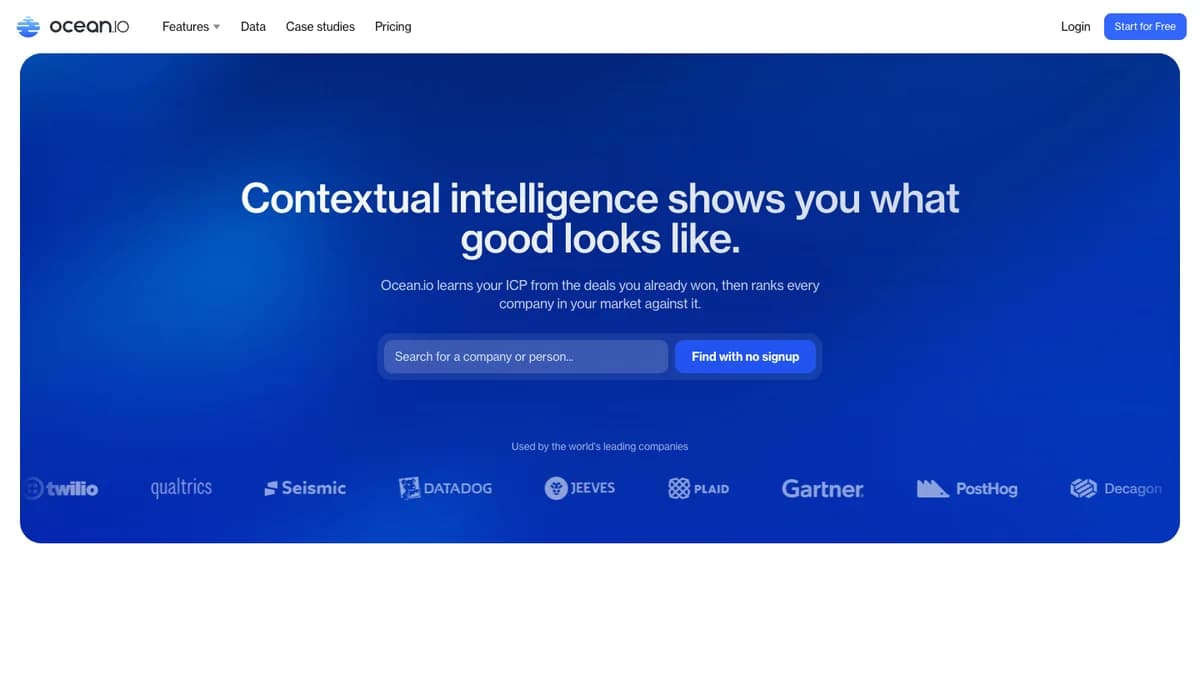
Ocean.iois a seed-based lookalike platform. Its homepage says it "learns your ICP from the deals you already won, then ranks every company in your market against it."
It suits teams that want a ranked list fast and are happy to trust the model. Published pricing varies by source, so check its pricing page before you budget.
DiscoLike
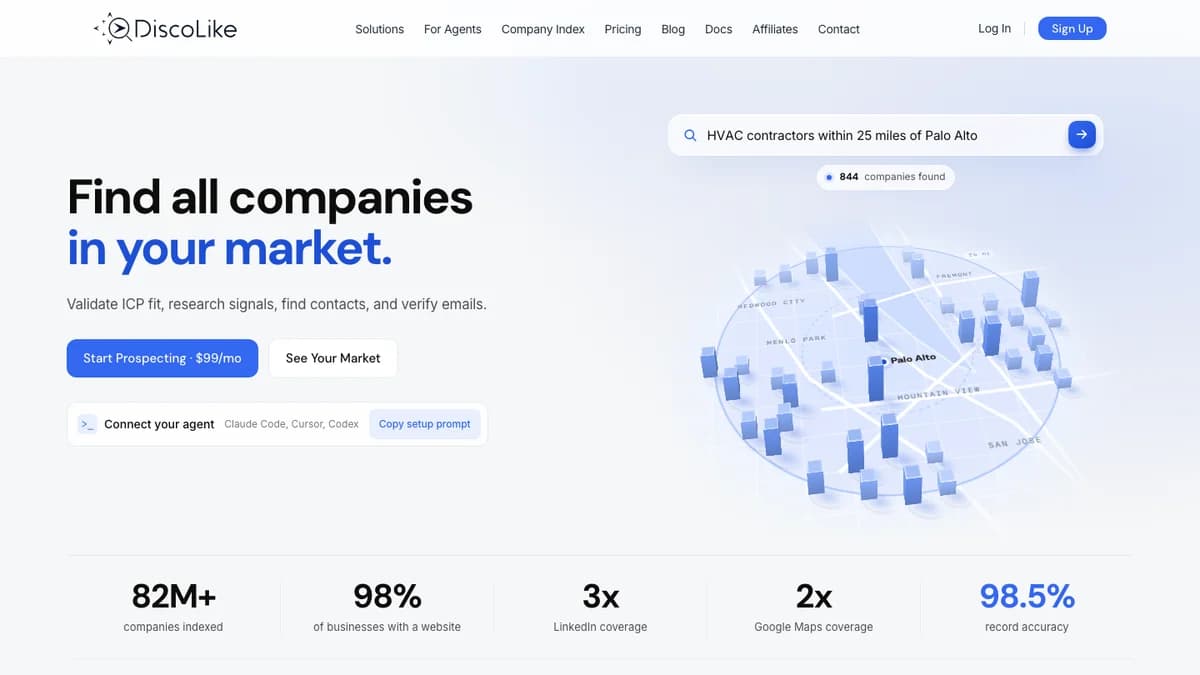
DiscoLike combines domain lookalike search with matching on homepage text. It claims more than 82 million indexed companies, and its pricing page lists lookalike search in every plan from $99 a month.
Website-text matching helps with small and local companies that have thin LinkedIn profiles. Expect to clean the long tail before outreach.
Store Leads
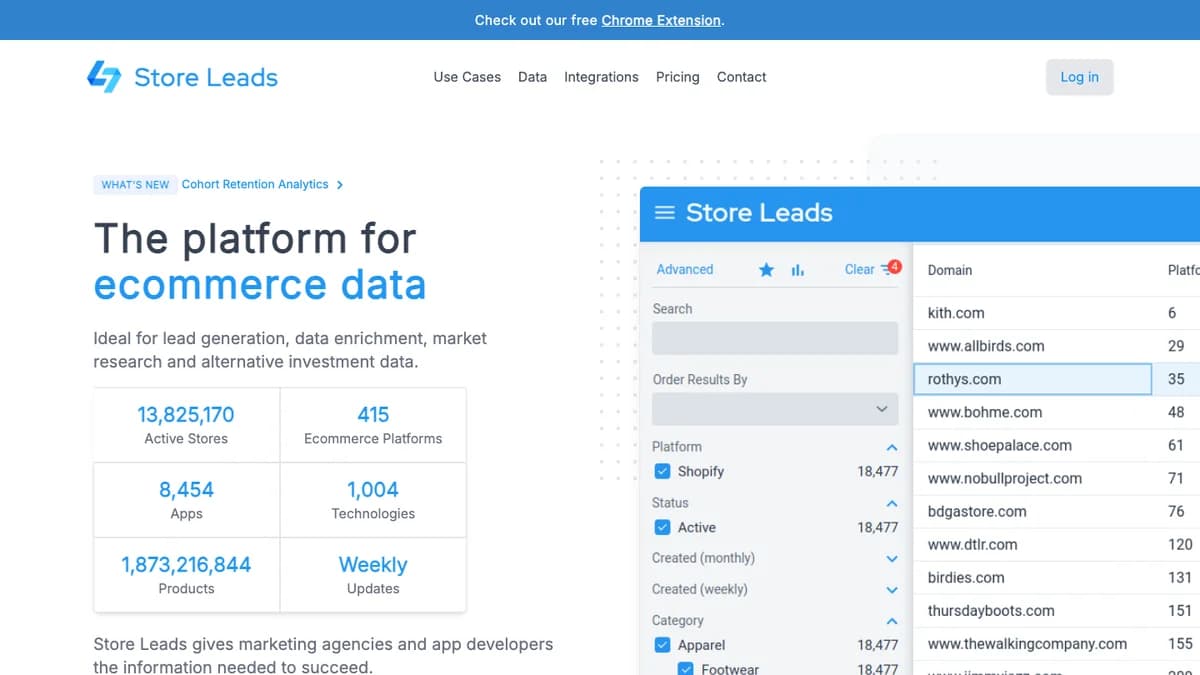
Store Leads is the specialist pick if you sell to ecommerce brands. Its homepage lists over 13.8 million active stores across 415 platforms, with filters for installed apps and estimated sales.
Lookalikes here are built from filters, such as "Shopify stores running app X with estimated sales over Y". Plans start at $75 a month, with exports from the $250 Pro plan.
BuiltWith
BuiltWith builds lists by installed technology and says it tracks 127,850+ web technologies. If your best customers share a stack, it is the most direct way to find more sites running it.
Its plans page starts at $295 a month. It covers web-facing tech well, but sees less of back-office tools.
Crunchbase and LinkedIn Sales Navigator
Crunchbase Similar Companies uses a machine learning model on industry tags, descriptions, firmographics, and financials to suggest peers on a profile. It is strongest for funded startups, and full access sits behind a paid Crunchbase plan.
LinkedIn Sales Navigator offers a View Similar option on saved accounts. It is handy for one-off expansion, but you work one seed at a time and exports are limited.
Build a Lookalike List With SyncGTM
SyncGTM doesn't have a button called "Lookalike". You build lookalike lists from company search plus enrichment, which keeps every match explainable.
- Enrich your seeds. Run your 10 to 30 winners through Company Tech Stack (1 credit per row) and Headcount Growth to see what they share.
- Turn the recipe into filters. Find Companies searches by industry, keywords, SIC/NAICS codes, employee size, revenue, web traffic, funding round and investors, founding year, and HQ location.
- Add the deeper layers. Premium company search adds technologies and technology categories, headcount growth over 1, 3, 6, or 12 months, and department headcount mix.
- Seed from one won account. The competitor filter finds companies that list a given site as a competitor. Use competitor_domains to source lookalikes from one account you already won.
- Add timing. Layer buying signals such as recent funding, hiring, and tech stack changes so Tier 1 means "fits and is active now".
- Score and personalize. Use AI columns to apply your 100-point score and generate a personalized first line per company.
- Sync and send. Push accounts to HubSpot or Salesforce with 2-way sync, and push contacts to Instantly, Smartlead, HeyReach, or Lemlist for outreach.
Company search is billed per company returned, at a fraction of a credit each, so set a result limit on every search. The Free plan includes 50 credits, and Solo is $49 for 1,000 credits; see the pricing page for current rates.
Once the list is live, keep it clean. Our guide to CRM data quality covers dedupe and decay rules for account records.
Common Lookalike Search Mistakes
- Seeding with your biggest logos. Big logos are often outliers. Seed with typical, profitable wins.
- Matching on industry and size only. You get a list that fits on paper and converts poorly. Add tech stack and growth.
- Ignoring timing. A perfect-fit company with no trigger can sit on a list for a year. Score recent funding, hiring, and new leaders.
- Never refreshing. Companies grow, shrink, and switch tools. Rerun the search every quarter and re-enrich anything older than 90 days.
- Skipping exclusions. Remove customers, open deals, partners, and competitors before the list reaches reps.
Final Thoughts
A lookalike company search is only as good as its seeds and its recipe. Start from 10 to 30 real winners, match on firmographics, tech stack, growth, and team shape, then score and validate before you scale.
Seed-based tools are great for ideas, and explicit filters plus enrichment give you a list you can explain and rerun. If you want to try the filter-first approach, start free with SyncGTM and build your first lookalike list from the customers you already have.