

LinkedIn Inbox API in 2026: 5 Ways to Read and Reply to DMs

By Kushal Magar · November 26, 2026 · 13 min read
Key Takeaway
LinkedIn has no public API for reading a member's inbox, and its Messages API is limited to approved partners. Developers who need full read and send access use Unipile or the HeyReach API and accept the account risk. Teams who want an AI agent in their own inbox use an MCP server like Kondo's or syncIn's, which read and draft but leave every send to a person.
There is no public LinkedIn inbox API. LinkedIn doesn't let outside developers read a member's DMs, and its Messages API is restricted to approved partners.
So every tool that reads or answers LinkedIn messages for you takes one of five routes. This guide compares them on what each can read, whether it can send, rate limits, price, and the risk to your LinkedIn account.
It's written for two readers: developers wiring LinkedIn DMs into a product or CRM, and sellers who want Claude or ChatGPT working inside their own inbox.
TL;DR: LinkedIn Inbox API Options in 2026
- LinkedIn partner programs: the only approved route. The Messages API sends and replies for approved partners only; no program offers general inbox reads to new applicants.
- Unipile: best for developers who need full read and send. From €49 ($55) a month for up to 10 accounts. Runs on your users' sessions, so the account risk is theirs.
- HeyReach API: best if you already run LinkedIn outreach in HeyReach. Inbox endpoints, 300 requests a minute, from $79 per sender a month.
- Kondo MCP: best for an AI agent in a busy solo inbox. Reads and drafts, never sends. Read-only on Basic ($28), full on Business ($36), per user a month billed yearly.
- syncIn MCP: best for closers who want Claude to triage, tag and draft. 18 MCP tools, no send tool. Pro $55 a seat a month, in early access.
Is There a LinkedIn Inbox API?
No. LinkedIn has no public API that reads a member's inbox, and none of its partner programs offers one to new applicants.
LinkedIn's Getting Access page lists what any developer can use without approval: Sign In with LinkedIn (profile and email) and w_member_social, which posts, comments and likes on a member's behalf. There is no messaging permission in that tier.
Everything else sits behind partner programs for Marketing, Sales Navigator (SNAP), Talent and Learning. The permissions that would come closest to inbox access, r_compliance for “compliance monitoring and archiving”, are marked “Access is closed and may not be requested.”
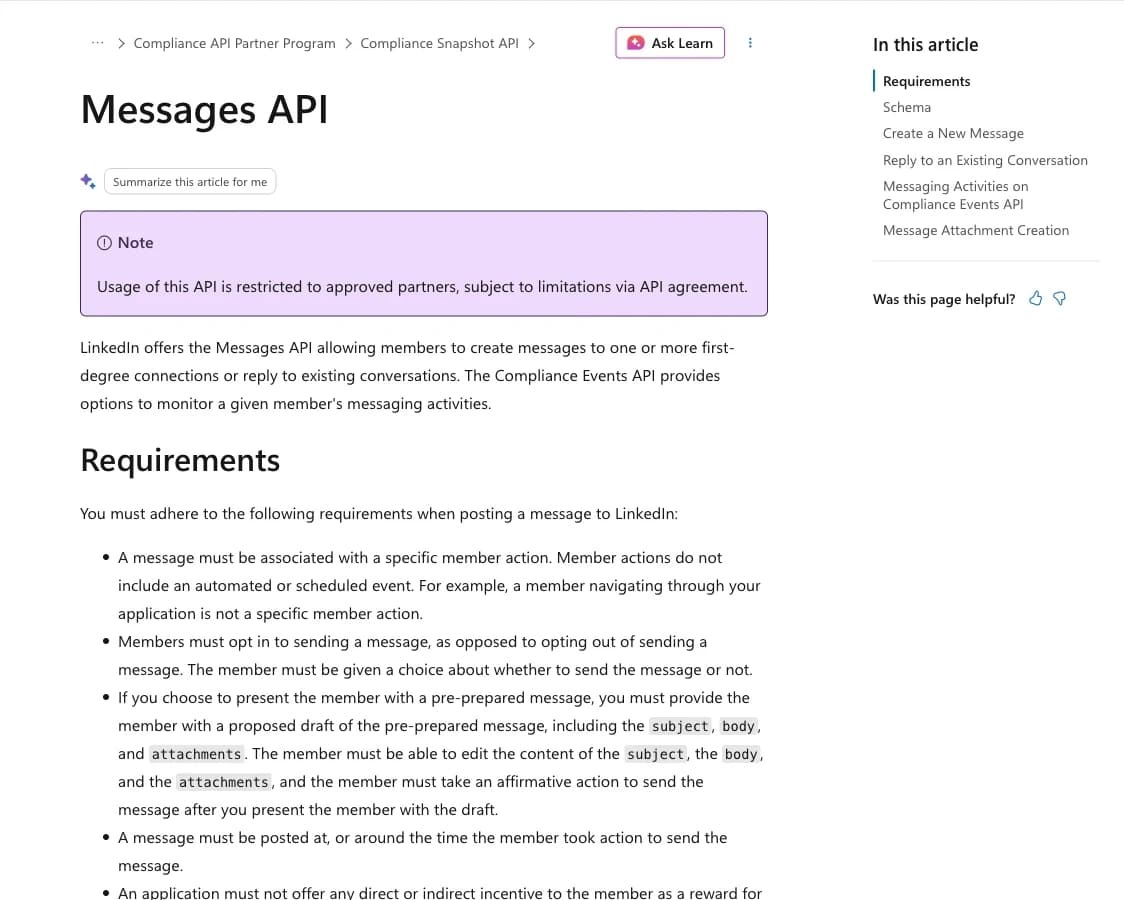
LinkedIn's Messages API docs, November 2026: “Usage of this API is restricted to approved partners.”
The Messages API does exist, but it writes rather than reads. It lets a member start a message to first-degree connections or reply to an existing conversation.
Its rules are strict. Each message must come from a specific member action, the member must be able to edit any pre-written draft, and automated or scheduled sends don't count as a member action.
That's why every tool below either works through a partner agreement or works around the official API. LinkedIn's prohibited software policy bars third-party tools that scrape, modify or automate activity on its website, so the second group carries account risk.
What LinkedIn's Own Inbox Already Does
Before you reach for an API, check whether LinkedIn's own filters and bulk actions cover the job.
On desktop, LinkedIn's messaging filters are Jobs, Unread, My Connections, Starred and InMail. Focused, Other, Archived and Spam are inbox categories in a dropdown, not filters, and the mobile app adds a Drafts filter.
For cleanup, More > Manage conversations lets you tick several threads and mark them read or unread, delete or archive them in bulk. Our LinkedIn message inbox guide walks through each one.
What's missing is anything a program can call. There are no job-title filters, no tags, no webhooks for new replies, and no way for an AI agent to read a thread. That gap is what the five routes below fill.
1. LinkedIn's Partner Programs: The Only Approved Route
LinkedIn's partner programs are the only sanctioned way to touch member messages, best suited to established software vendors whose use case fits an existing program.
Three pieces matter here. The Messages API sends new messages and replies for approved partners, and its docs sit inside LinkedIn's Compliance API partner program.
The Compliance read permission, which retrieves member activity for archiving, is closed. Recruiter System Connect (RSC) partners can use the InMail History API to pull InMails sent and received on a LinkedIn Recruiter contract, but that covers Recruiter InMail, not a seller's DMs.
For a sales team or a startup, that means no practical path to reading a personal inbox. If you're building an ATS, a CRM integration or a compliance archive, apply to the matching program and expect a review.
Pros
- LinkedIn's own API, so no policy conflict
- Clear written rules on how messages must be sent
- Recruiter InMail history is available to RSC partners
Cons
- No general inbox read for new applicants
- Approval required; the Compliance program is closed
- No automated or scheduled sends, even for partners
Best for: ATS, CRM and compliance vendors with a use case LinkedIn already supports.
Pricing: No public price. Access comes through a partner application and API agreement.
2. Unipile: A Messaging API for Developers
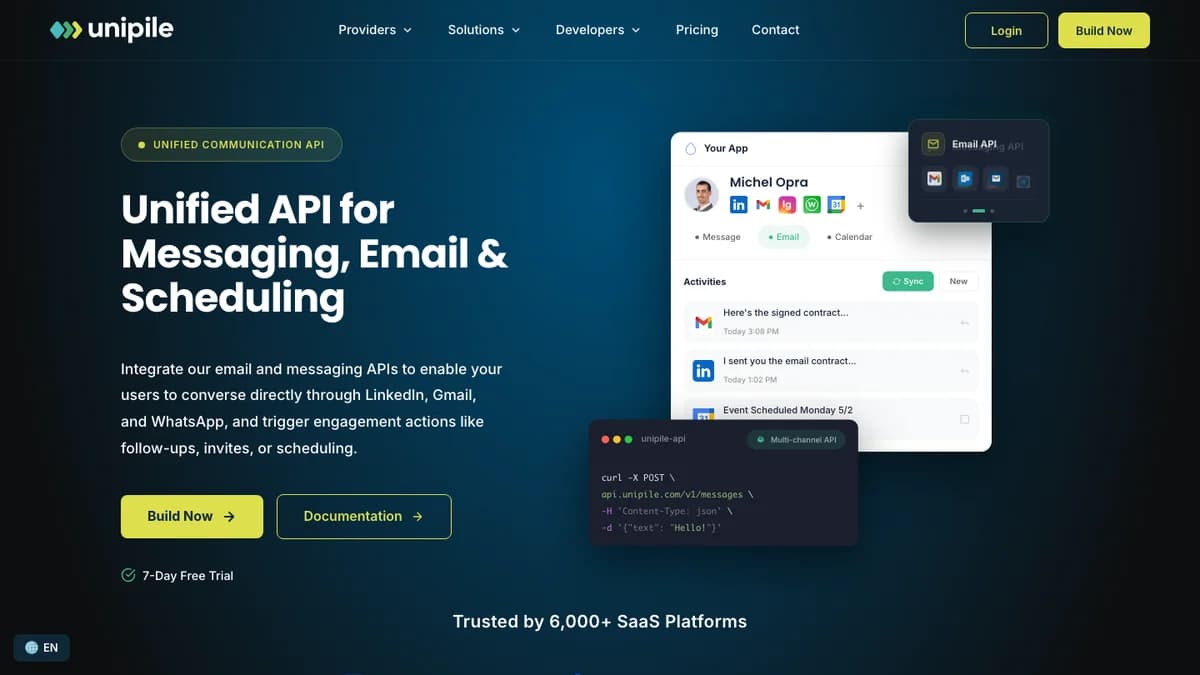
Unipile: one REST API for LinkedIn, WhatsApp, Instagram, Telegram and email accounts.
Unipile is a developer API that reads and sends LinkedIn messages through accounts your users connect, priced from €49 ($55) a month for up to 10 accounts.
Your users link LinkedIn through Unipile's hosted auth, a username and password, or the li_at session cookie, according to its LinkedIn guide. From there you list chats, fetch messages, send replies and get a webhook when a new message lands.
On rate limits, Unipile's provider limits page says it doesn't enforce LinkedIn limits itself and syncs chats on its side. LinkedIn's limits still apply per account, such as 80 to 100 invitations a day on a paid account.
The newer v2 API adds configurable limits per account and per route, set in the dashboard, and cached reads don't count against them. A Developer MCP helps coding agents build on the API, and a User MCP connects a person's AI client to their accounts over OAuth.
Pricing runs on connected accounts, not API calls. Our Unipile review breaks down the volume bands and the setup flow.
Pros
- Full read and send on LinkedIn chats through one REST API
- Webhooks for new messages, so you don't poll the inbox
- Same API also covers WhatsApp, Instagram, Telegram and email
Cons
- Not a LinkedIn program; it runs on your users' sessions
- You own the safety rules, pacing and user warnings
- Engineering work before anyone sees an inbox
Best for: SaaS teams building LinkedIn messaging into their own product.
Pricing: €49 ($55) a month for up to 10 accounts, then €5.00 ($5.50) per account at 11 to 50 accounts, with unlimited API calls, per Unipile's pricing page.
3. HeyReach API: Inbox Endpoints for Outreach Teams
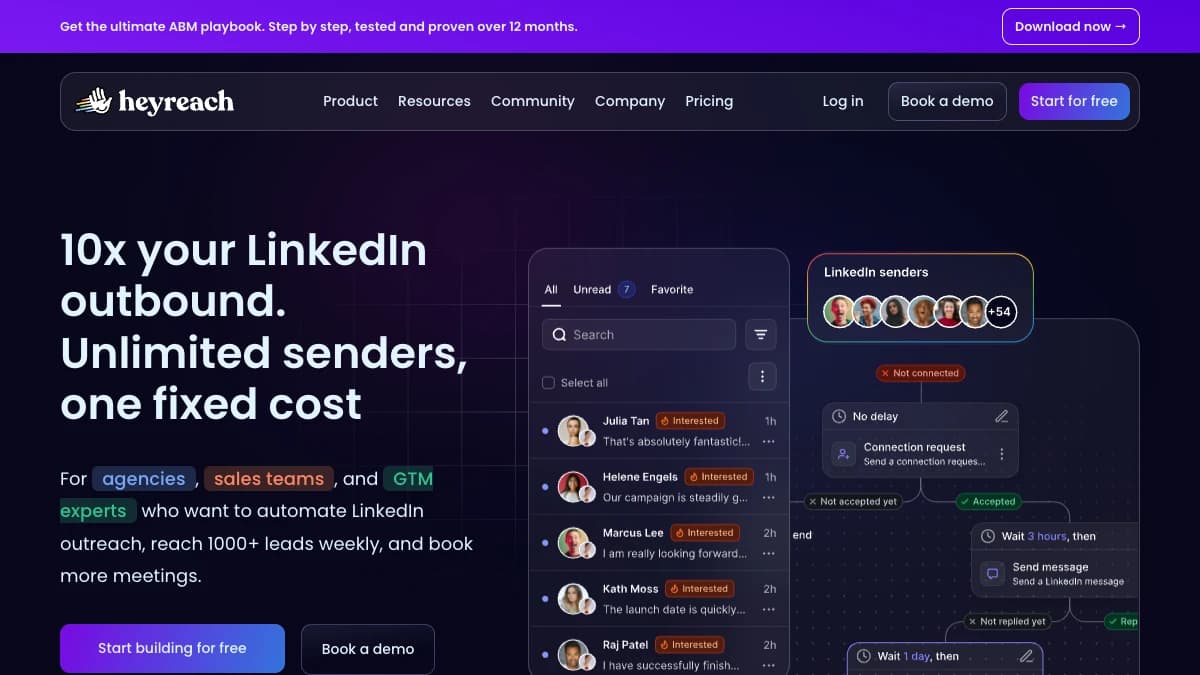
HeyReach: LinkedIn outreach across many sender accounts, with an API and webhooks.
HeyReach is a LinkedIn outreach platform whose API reads and replies to conversations on your connected sender accounts, from $79 per sender a month.
Its API docs include an Inbox group: GetConversationsV2 and V3 to list threads, GetChatroom to read one, SendMessage to reply, and SetSeenStatus. Requests use an X-API-KEY header and are capped at 300 a minute, with a 429 error above that.
Webhooks fire on events like a message reply received, so you can push replies into a CRM or a Slack channel. HeyReach also has an MCP server that lets AI agents build campaigns and tag replies by sentiment.
The catch: this is an inbox for HeyReach senders, not a general LinkedIn inbox API. HeyReach automates connection requests, messages and profile views, so it fits teams running campaigns, not someone who only wants to read their own DMs.
Our HeyReach review covers the campaign side in more depth.
Pros
- Documented inbox endpoints, including send
- Published rate limit of 300 requests a minute
- API, webhooks, unified inbox and MCP all on the Growth plan
Cons
- Only covers accounts you connect as HeyReach senders
- Priced per sender, built for outreach volume
- Automation platform, so LinkedIn's policy risk applies
Best for: agencies and outbound teams already running LinkedIn campaigns in HeyReach.
Pricing: Growth is $79 per sender a month for 1 to 9 senders and $59 from 10 senders, billed monthly, per HeyReach's pricing page.
4. Kondo MCP: An AI Agent That Reads and Drafts
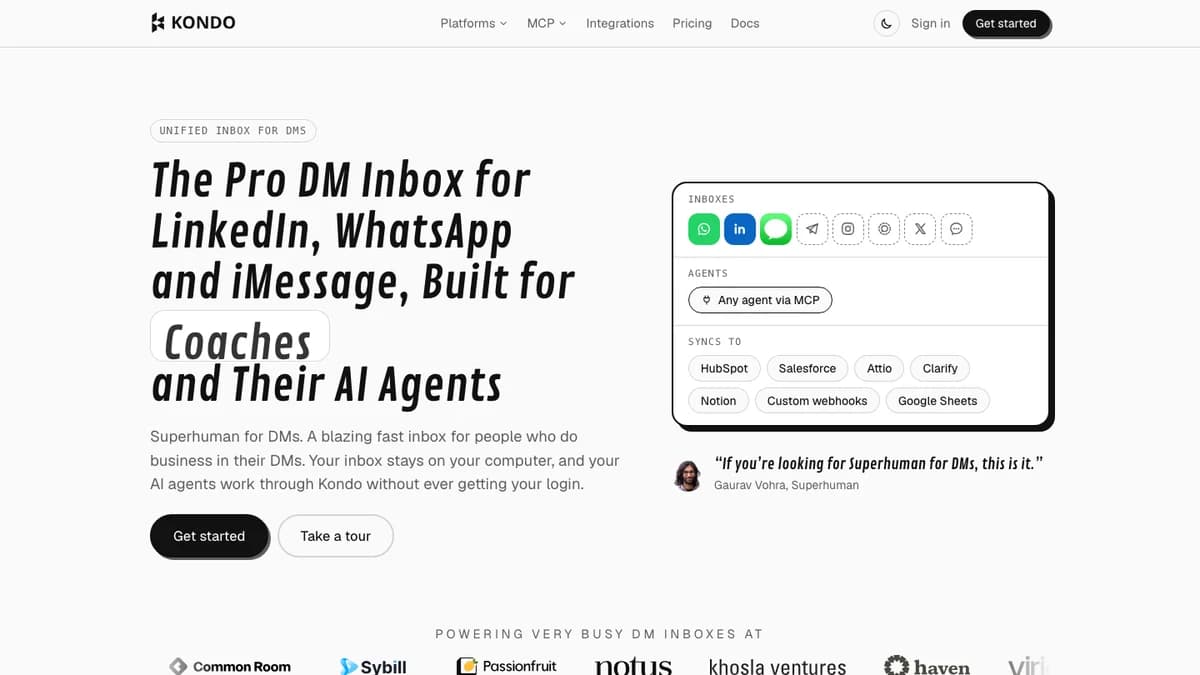
Kondo: a DM inbox for LinkedIn and WhatsApp, with an MCP server for AI agents.
Kondo is a LinkedIn inbox manager whose MCP server lets Claude, ChatGPT, Cursor and other AI clients read your DMs and save drafts, from $28 per user a month billed yearly.
Kondo's MCP docs list chat search, reply drafting, labels as folders, archive, reminders and connection lookup. On sending, the docs are blunt: “It never sends.” Your agent saves drafts and you send them from Kondo.
It works through the LinkedIn session already open in your browser, and the server only answers while a Kondo tab is open. Some actions still reach LinkedIn: archiving, reminders and invite responses change your real inbox.
Plan level matters. On Basic the MCP is read-only, covering chats, connections, inboxes, labels and snippets; drafting and every other change need Business or Enterprise. Our Kondo review covers the rest of the product.
Pros
- No send tool, so an agent can't message anyone by mistake
- Works with Claude, ChatGPT, Cursor, Codex and VS Code
- Reads mostly from messages Kondo already stores, not LinkedIn
Cons
- Read-only MCP on the Basic plan
- A Kondo tab must stay open while the agent works
- Not a developer API for building your own product
Best for: founders, SDRs and recruiters who want an AI assistant in a busy LinkedIn inbox.
Pricing: Basic $28, Business $36 and Enterprise $52 per user a month billed yearly, or $35, $45 and $65 billed monthly, per Kondo's pricing page.
5. syncIn MCP Connector: 18 Tools, No Send Tool
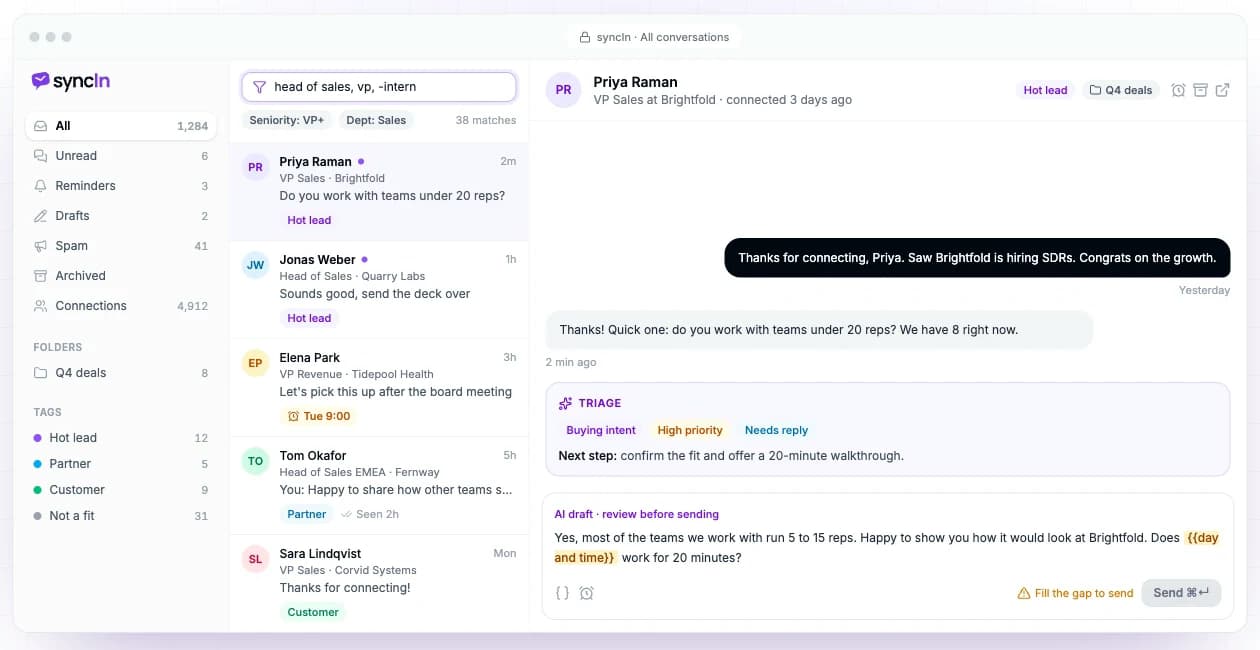
syncIn: job-title filters, tags, AI triage and a draft that waits for you to click Send.
syncIn is SyncGTM's LinkedIn inbox manager, and its Pro plan adds an MCP connector with 18 tools for $55 a seat a month.
The connector works with Claude on the web, desktop or phone, plus Claude Code and Cursor. Agents can search conversations, read history, tag people, snooze, archive and save drafts.
There is no send tool. Every message still goes out when a person clicks Send in syncIn, and syncIn only replies inside conversations you already have.
syncIn runs through a browser extension for Edge, Chrome and Brave, using the LinkedIn session you're already signed in to. The extension installs from syncIn directly, not the Chrome Web Store.
On pacing, syncIn makes one request at a time, seconds apart, within a daily request budget, and pauses if LinkedIn returns an error. No tool that works through LinkedIn's website can promise LinkedIn won't act on an account, and syncIn doesn't either.
It's in early access. You join the waitlist on the syncIn product page and get an invite by email.
Pros
- No send tool, and sends happen only on your click
- Job-title, seniority and department filters on DMs
- Tags, folders, snooze with reminders and AI triage
Cons
- Early access only, with a waitlist
- MCP needs the Pro plan; Basic doesn't include it
- CRM sync is still marked coming soon
Best for: closers and founders who sell in their DMs and want Claude to triage and draft without sending.
Pricing: Basic $29 and Pro $55 a seat a month, with 25% off yearly. The MCP connector is on Pro.
LinkedIn Inbox API Options Compared
Here are all five routes side by side. Prices are list prices from each vendor's site in November 2026, before any promotions.
| Route | Reads your inbox | Sends | Rate limits | Price | Account risk |
|---|---|---|---|---|---|
| LinkedIn partner programs | No general inbox read. Recruiter InMail history for RSC partners; Compliance read access is closed | Messages API: new messages or replies, member-initiated, approved partners only | Set by your API agreement | No public price; approval required | Lowest: LinkedIn's own API |
| Unipile | Yes: chats, messages, new-message webhooks | Yes, through the API | Per account and route, set in the dashboard; LinkedIn's own limits still apply | €49 ($55)/mo for up to 10 accounts, then €5.00 ($5.50) per account at 11–50 | Higher: runs on members' sessions, outside LinkedIn's API programs |
| HeyReach API | Yes, for LinkedIn accounts connected as senders | Yes: SendMessage endpoint | 300 requests per minute | $79/sender/mo (1–9 senders) or $59 (10+) on Growth | Higher: an outreach automation platform |
| Kondo MCP | Yes: search chats, read conversations | No: agents save drafts, you send from Kondo | No published number; most reads hit messages already stored | Read-only on Basic ($28/user/mo yearly); full MCP from Business ($36) | Lower: your own browser session, no auto-send |
| syncIn MCP | Yes: search conversations, read history | No send tool; you click Send in syncIn | One request at a time, seconds apart, daily request budget | Pro $55/seat/mo (Basic $29 has no MCP); early access | Lower: your own browser session, human send |
“Lower” risk is relative. LinkedIn's policy covers browser extensions too, so no third-party route is risk-free.
Which Route Should You Use?
Pick by who reads the messages: your product, your outreach platform, or an AI agent working for one person.
- You build software for LinkedIn users: use Unipile, and tell your users plainly that automation can trigger LinkedIn restrictions. Apply to a LinkedIn partner program only if your use case matches one.
- You run LinkedIn campaigns across many senders: use the HeyReach API to pull replies into your CRM or alerting.
- You want an AI agent in your own inbox today: Kondo's MCP is live now. Budget for Business if you want drafts, not just reads.
- You sell in DMs and want title filters plus Claude: join the syncIn waitlist. The Pro MCP connector triages, tags and drafts, and nothing sends without you.
- You only need filters and cleanup: LinkedIn's own filters and bulk actions may be enough. Our LinkedIn inbox manager comparison covers tools that add tags and snooze without an API, and our LinkedIn inbox app ranking compares how each one connects to your account.
If you plan to let Claude draft LinkedIn replies, our guide to Claude for LinkedIn outreach shows where an inbox MCP fits in that workflow.
Final Verdict
A true LinkedIn inbox API doesn't exist for most teams, so choose the workaround that matches who does the sending.
If software must read and send at scale, Unipile is the most flexible developer route, and the HeyReach API is the natural pick for teams already running HeyReach campaigns. Both put LinkedIn account risk on the people whose accounts are connected.
If you want an AI agent working your own DMs, an MCP server with no send tool is the safer design. Kondo is available today, and syncIn adds job-title filters, AI triage and an 18-tool Claude connector for closers. Neither can promise LinkedIn won't restrict an account, but both keep a person on every send.