

Unipile Review 2026: LinkedIn and Email Messaging API Pricing

By Kushal Magar · October 30, 2026 · 15 min read
Key Takeaway
Unipile is a developer API, not an outreach tool. One integration connects your users' own LinkedIn (including Sales Navigator and Recruiter), WhatsApp, Instagram, Telegram, Gmail, Outlook, and IMAP accounts, with hosted auth, webhooks, and what Unipile counts as 500+ endpoints. Pricing is per connected account: €49 ($55) a month covers up to 10, then every account is billed at €5.00 ($5.50) and falls to €3.00 ($3.50) at 5,000+, with unlimited API calls. You build the sequencing, pacing, and reply logic, and your users carry the LinkedIn account risk. Our rating: 4.3/5 for product teams.
This Unipile review is for one reader: a developer or product lead deciding whether to plug LinkedIn, email, and WhatsApp messaging into their own software through one API instead of building each integration. If you are a sales rep looking for a tool to send LinkedIn campaigns tomorrow, Unipile is the wrong product, and we will point you to better ones.
We read Unipile's homepage, pricing page, and developer docs on billing, provider limits, hosted auth, LinkedIn connection, webhooks, and v2 rate limits in October 2026. We did not connect a paid account or ship an integration, so vendor claims are labeled as claims.
The Unipile reviews ranking today are mostly written by companies selling a competing product. They quote the €49 price and stop. None of them explains that Unipile bills your whole volume at one band rate, what the LinkedIn limits actually are, or how the account-connection flow works. That is what this review covers.
TL;DR: Unipile Review 2026
- What it is:A unified REST API that reads and sends messages from your users' own LinkedIn, WhatsApp, Instagram, Telegram, and email accounts, plus calendars.
- Best for: SaaS teams building CRMs, ATS and recruiting tools, AI SDR agents, or shared inboxes.
- Price: €49 ($55) a month for up to 10 accounts, then €5.00 to €3.00 per account as volume grows. No per-call fees.
- Trial: 7 days free, no credit card, up to 10 accounts.
- Biggest gaps: No ready-made outreach UI, pacing is your job, LinkedIn and WhatsApp access is unofficial, and a few billing edge cases are not documented.
- Rating: 4.3/5 for product teams; not a fit for sales teams who want a finished tool.
What Is Unipile?
Unipile is a unified communication API. Your app sends one request, and Unipile reads or sends the message through the LinkedIn, WhatsApp, Gmail, or Outlook account your end user connected. The homepage headline is "Unified API for Messaging, Email & Scheduling."
Unipile claims 6,000+ SaaS platforms as customers, 500+ endpoints, and 99.9% uptime over the last 24 months. Its homepage shows logos including lemlist, Reply.io, Relevance AI, Zendesk, and Recruit CRM. It says it is SOC 2 Type II audited and GDPR compliant.
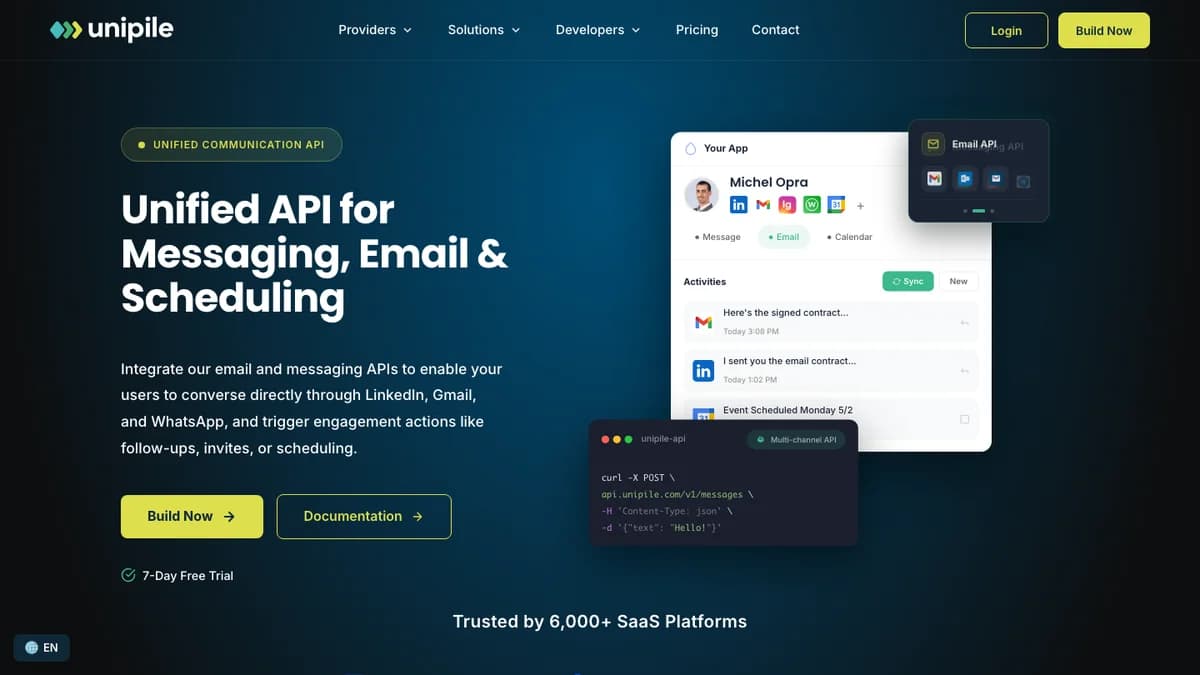
Unipile homepage, October 2026: one API for LinkedIn, Gmail, WhatsApp, and calendar actions inside your own app.
The key point: Unipile is plumbing. It does not find leads, write messages, warm up inboxes, or decide when to send. It gives your code a stable way to do those things on behalf of each user, and you build the product around it.
Unipile Pricing 2026: Per-Account Tiers
Unipile charges per connected account, not per API call. The minimum is €49 ($55) a month for up to 10 accounts. Above 10, every account is billed at one rate set by your total volume, from €5.00 ($5.50) down to €3.00 ($3.50). Here are the bands from the Unipile pricing page.
| Connected accounts | EUR per account / month | USD per account / month |
|---|---|---|
| Up to 10 accounts | €49.00 flat | $55.00 flat |
| 11 to 50 | €5.00 | $5.50 |
| 51 to 200 | €4.50 | $5.00 |
| 201 to 1,000 | €4.00 | $4.50 |
| 1,001 to 5,000 | €3.50 | $4.00 |
| 5,000+ | €3.00, custom quote | $3.50, custom quote |
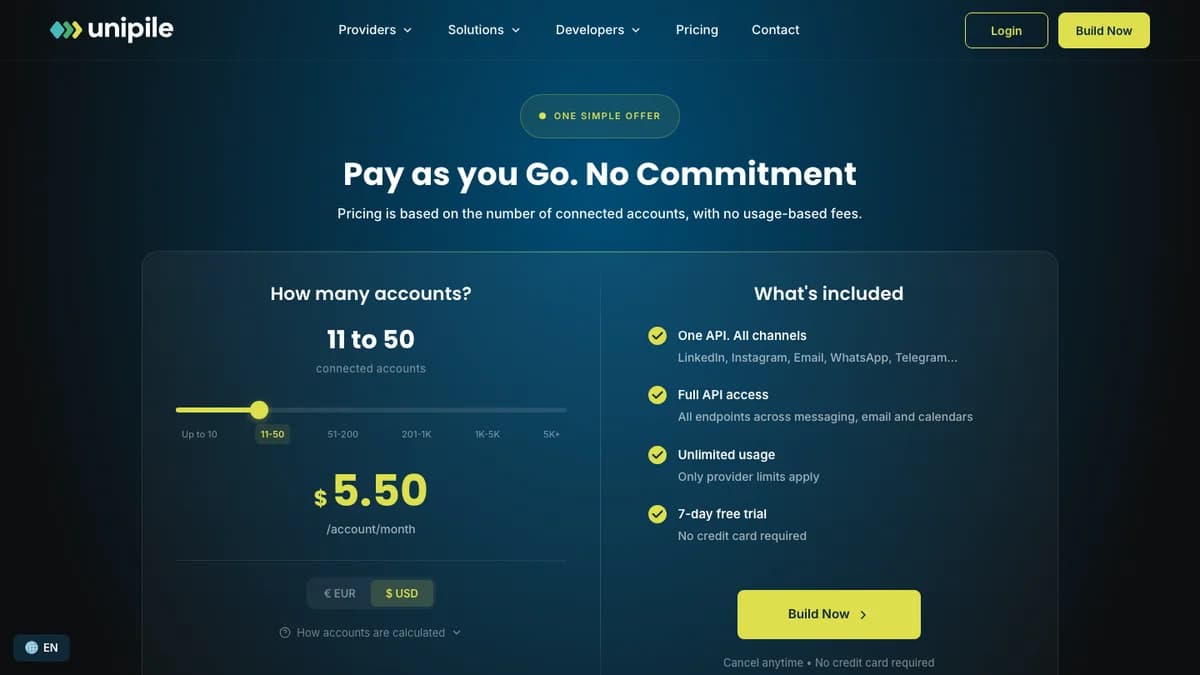
Unipile pricing calculator, October 2026: the 11 to 50 band at $5.50 per account a month.
What counts as an account
One linked identity is one account: one LinkedIn profile, one WhatsApp number, or one email address. A Gmail or Outlook mailbox with its calendar counts as one. The billing docs add three rules worth knowing before you launch:
- Peak billing. You pay for the highest number of accounts connected at the same time in the 30-day period. Peak at 15 and end at 10, and you pay for 15.
- Dev counts too. Development and production accounts are billed the same way, so test accounts add to the total.
- Post-paid, VAT excluded. Invoices arrive at the end of each period. Without an active subscription, accounts lock and API calls return
403 api/inactive_subscription.
What it costs at real volumes
The calculator applies one band rate to every account, not a graduated rate per band. Unipile's own FAQ example (20 users, each linking LinkedIn, WhatsApp, and Gmail) is 60 accounts × €4.50 = €270 a month.
| Accounts | EUR / month | USD / month | Note |
|---|---|---|---|
| 5 | €49 | $55 | Minimum charge |
| 11 | €55 (11 × €5.00) | $60.50 | Every account billed at the 11-50 rate |
| 60 | €270 (60 × €4.50) | $300 | Unipile's own example: 20 users × LinkedIn + WhatsApp + Gmail |
| 200 | €900 | $1,000 | Top of the 51-200 band |
| 201 | €804 | $904.50 | Cheaper than 200 because the whole volume drops a band |
| 1,000 | €4,000 | $4,500 | Top of the 201-1,000 band |
Two quirks fall out of that math. Going from 10 to 11 accounts moves you from €49 to €55. And 201 accounts (€804) costs less than 200 (€900), because the whole volume drops into the cheaper band. Ask Unipile to confirm before you design pricing around a band edge.
Unclear in the docs: whether Sales Navigator or Recruiter access on the same LinkedIn profile counts as a second account. Unipile's pages say one profile is one account; some third-party sites say LinkedIn plus Recruiter bills as two. If you sell to recruiters, get this in writing.
For comparison, finished LinkedIn tools charge per sender: HeyReach lists $79 per sender a month and Aimfox $49 per seat. Unipile's $5.50 per account (11 to 50 band) is a fraction of that, but you pay the difference in engineering time.
Supported Channels and Endpoints
Unipile supports LinkedIn, WhatsApp, Instagram, Telegram, Gmail, Outlook, IMAP, and Google and Outlook calendars from one API. X (Twitter) and Facebook Messenger are not available today: the docs mark them deprecated, while the pricing FAQ says coming soon.
| Channel | How users connect | What the API covers |
|---|---|---|
| Hosted auth, credentials, or li_at cookie + user agent | Classic, Sales Navigator, Recruiter and Recruiter Lite inboxes, company pages, invitations, InMail, search, posts, profiles, Recruiter jobs | |
| Hosted auth, QR code, or pairing code | Send and receive messages, attachments, voice notes, number check | |
| Hosted auth or custom auth | Direct messages, attachments, profiles | |
| Telegram | Hosted auth or custom auth | Messages, attachments, profiles |
| Gmail, Outlook, IMAP | Hosted auth, OAuth, or IMAP credentials | Send, reply, list, draft, move, delete, folders, open and click tracking |
| Google and Outlook Calendar | Hosted auth or OAuth | List calendars, create, read, edit, and delete events (scheduler listed as coming soon) |
LinkedIn endpoints
LinkedIn is where Unipile goes deepest. The pricing page's feature table groups the LinkedIn API like this:
| Group | Endpoints |
|---|---|
| Outreach (10) | Invite users, send InMail, retrieve InMail credit, create an outreach sequence, list and delete pending invitations, detect accepted invitations, follow, accept or decline incoming invitations, endorse skills |
| Search (4) | People (Classic, Recruiter, Sales Navigator), companies (Classic, Sales Navigator), posts and jobs (Classic), by URL or parameters |
| Posts and comments (7) | List posts of users and companies, create and retrieve a post, comment, list comments and reactions, react |
| Profiles (4) | Visit and retrieve profiles, list contacts and relations, company profiles, own profile viewers |
| Job posting (4) | Create and publish jobs, list jobs, retrieve applicants, download resumes |
| Inboxes (4) | Classic, Sales Navigator, Recruiter and Recruiter Lite, company page |
Two details stand out. Sales Navigator and Recruiter people searches return up to 2,500 results instead of 1,000, and Recruiter accounts get job posting, applicant lists, and resume downloads. That makes Unipile a natural fit for ATS and recruiting CRMs.
Messaging works the same across channels. You list chats with GET /api/v1/chats and reply with POST /api/v1/chats/:chatId/messages, whether the chat lives in LinkedIn, WhatsApp, or Instagram. Attachments, voice notes, reactions, and read receipts are supported on the messaging channels.
Account Connection: Hosted Auth vs Custom Auth
The fastest way to connect user accounts is Unipile's white-label hosted auth wizard. Your backend requests a short-lived link, the user logs in on Unipile's page, and Unipile calls your webhook with the new account ID.
Per the hosted auth docs, the request looks like this:
POST https://{your-dsn}/api/v1/hosted/accounts/link
X-API-KEY: <your access token>

{
  "type": "create",
  "providers": ["LINKEDIN", "WHATSAPP", "GOOGLE"],
  "api_url": "https://{your-dsn}",
  "expiresOn": "2026-11-01T12:00:00.000Z",
  "notify_url": "https://yourapp.com/unipile/notify",
  "success_redirect_url": "https://yourapp.com/connected",
  "name": "your-internal-user-id"
}
Use "*" in providers to offer every channel. The docs say to redirect users to the link rather than embed it in an iframe, and to keep the API key on your server.
Custom auth and checkpoints
If you want your own UI, the LinkedIn connection guide covers username and password, or the li_at session cookie plus the user agent of the browser it came from. Skipping the user agent risks disconnection. WhatsApp connects by QR code or pairing code.
The hard part is checkpoints. A LinkedIn login can return 2FA, OTP, IN_APP_VALIDATION, CAPTCHA, or PHONE_REGISTER challenges, and your app has 5 minutes to solve them before the request times out (408, then 400). Hosted auth handles this screen for you, which is the main reason to start there.
Proxies and reconnects
Unipile handles proxies for LinkedIn connections. You can pass a country code or an ip to pick a location, or bring your own proxy object. When a session expires, Unipile sends a CREDENTIALS account-status webhook; you email the user a new hosted link with type: "reconnect". Plan for this: LinkedIn sessions drop, and your support queue will feel it.
Webhooks and Real-Time Sync
Unipile pushes events to your server through five webhook types: account status updates, new messages, new emails, email tracking (opens and clicks), and new relations. You create them through the API, the SDK, or the dashboard, per the webhook docs.
- Delivery: your endpoint must return HTTP 200 in under 30 seconds, or Unipile retries up to five times with growing delays.
- Security: add a custom header with a secret (the docs use
Unipile-Auth) and check it on every call. - Content type: webhooks created through the API do not send a JSON content-type header by default. No-code tools like Make and Bubble need you to set one.
- New relations: use the new relation webhook to detect accepted invitations instead of polling the relations list on a fixed timer, which the docs warn against.
Unipile Rate Limits and LinkedIn Limits
Unipile's v1 API does not cap how often you call it; the real limits come from LinkedIn, Google, Meta, and the other providers. Unipile publishes conservative per-account recommendations, and going past them is at your own risk.
| Action | Recommended limit per account |
|---|---|
| LinkedIn invitations (paid account) | 80 to 100 a day, about 200 a week, note up to 300 characters |
| LinkedIn invitations (free account) | About 5 a month with a note (200 characters), about 150 a week without |
| LinkedIn profile retrievals | About 100 a day per account; Sales Navigator and Recruiter can go further |
| LinkedIn search results | 1,000 per search (2,500 on Sales Navigator or Recruiter); stay under 1,000 or 2,500 a day |
| Free InMails to Open Profiles | LinkedIn caps at 800 a month; Unipile suggests 30 to 50 a day |
| Other LinkedIn actions (messages, comments, reactions) | Default 100 a day per account |
| Gmail | Google allows 500 a day; Unipile suggests 50 to 100, max 150 |
| Google Workspace | Google allows 2,000 a day; Unipile suggests 100 to 150, max 300 |
| 100 actions a day, 10 an hour, randomly spaced | |
| Wait 24 hours after connecting; fresh numbers can be blocked after 2 to 3 new chats; space messages 10 to 20 seconds |
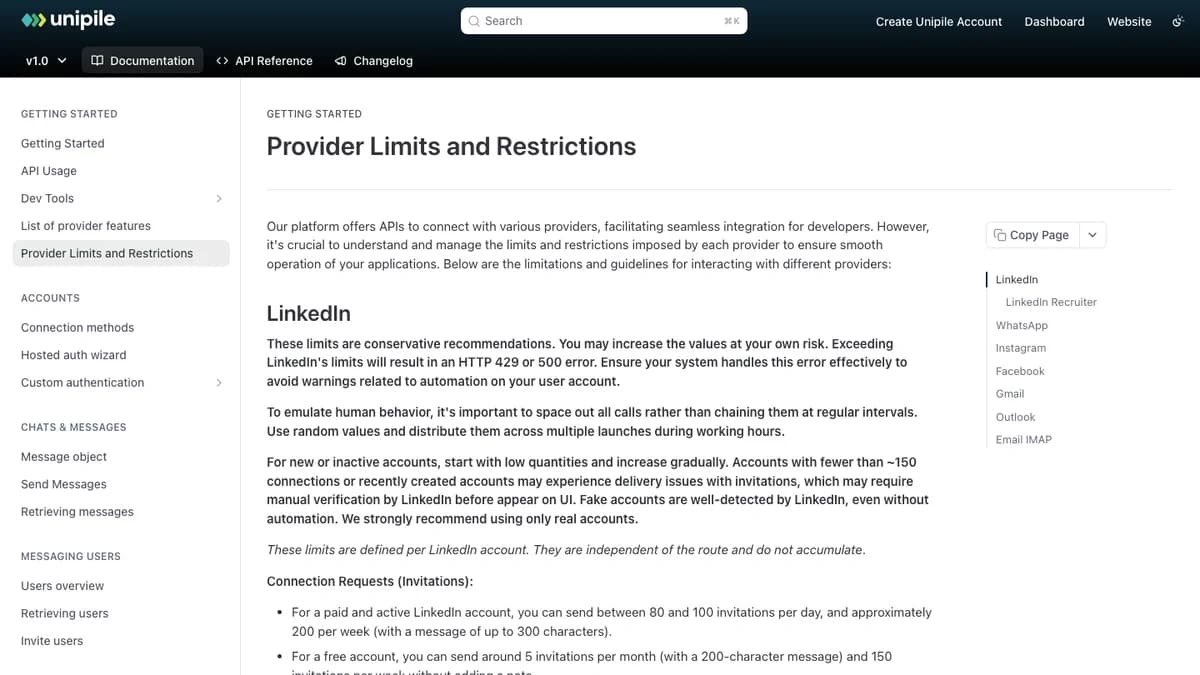
Unipile's provider limits page, October 2026: LinkedIn pacing advice comes first.
Going over a LinkedIn limit returns HTTP 429 or 500, and hitting the invitation cap returns 422 cannot_resend_yet. The docs also ask you to spread calls at random intervals during working hours and to start new or inactive accounts (under about 150 connections) at low volume.
The v2 docs change this. Limits are tracked per connected account, per route, with up to two time windows (for example, per minute and per day), and the values are set in the dashboard's Rate Limits tab. A Unipile-side block returns 429 api/too_many_requests with x-ratelimit-remaining and retry-after headers; a provider block returns provider/too_many_requests. If you are starting fresh, that built-in throttle is a good reason to build on v2.
Developer Docs, SDK, and MCP Server
Unipile's docs are solid for an API this broad: separate v1 and v2 sites, an API reference, a changelog, and migration guides. Setup is short. You sign up, copy your DSN (your dedicated API host) and access token from the dashboard, and connect test accounts from the dashboard before writing any auth code.
- SDK: the official Node SDK is unipile-node-sdk on npm (version 1.9.3 when we checked). We found no official Python package; other languages call the REST API directly.
- MCP server: the homepage lists a new MCP server with setup guides for Cursor, Claude Code, Codex, and Gemini CLI, so AI agents can read and send messages through connected accounts.
- v2 scopes: API keys can be scoped to specific connected accounts, which matters for multi-tenant products.
- Support: live chat, an onboarding call, and a developer Slack community that Unipile puts at 1,000+ members.
Unipile claims teams integrate in about two days and cut costs by 80% versus building in-house. Treat those as marketing numbers; checkpoint handling and reconnect flows are where real integrations slow down.
Is Unipile Safe for LinkedIn Accounts?
Unipile is not an official LinkedIn API, so it carries account risk you cannot fully remove. Unipile says it is "not affiliated with, endorsed by, or sponsored by LinkedIn" and calls itself an independent technical intermediary. LinkedIn's official APIs are limited to approved partners.
LinkedIn's User Agreement prohibits using bots or other unauthorized automated methods to access the service, add contacts, or send messages. That rule applies to the LinkedIn member whose account is connected, and to your product if it automates on their behalf. The practical risks are restrictions, forced verification, and lost sessions on the user's account.
LinkedIn does enforce. It sued the data provider Proxycurl in January 2025, alleging fake accounts and mass scraping, and Proxycurl shut down in July 2025. Unipile's model is different, since it acts through each user's own real account, but the case shows how seriously LinkedIn treats unauthorized access. This is not legal advice; get your own review if LinkedIn is core to your product.
Ways to lower the risk:
- Stay under Unipile's recommended limits, not LinkedIn's maximums.
- Ramp new accounts slowly and randomize timing.
- Only connect real accounts; the docs warn that fake ones are easy for LinkedIn to spot.
- Tell your users plainly that automation can trigger LinkedIn restrictions.
What Unipile Users Say
Independent user reviews are thin. Search snippets for Unipile's G2 listing show about 4.2 out of 5 from a small sample (around 14 reviews); G2 blocks automated fetches, so check the live page. Most other coverage comes from vendors that compete with Unipile or sell on top of it, so read it with that in mind.
The themes that repeat across those sources:
- Praised: one API across LinkedIn, email, and WhatsApp; quick setup; low per-account cost.
- Criticized: it is sending infrastructure, not an outbound system, so lead sourcing, sequencing, warmup, and reply handling are yours to build; per-account billing surprises teams whose users link several identities; and unofficial-channel risk can change without notice.
Unipile Pros and Cons
Pros
- One API for LinkedIn, WhatsApp, Instagram, Telegram, email, and calendars
- Deep LinkedIn coverage, including Sales Navigator, Recruiter, and company pages
- Unlimited API calls; you pay only per connected account
- White-label hosted auth that handles LinkedIn checkpoints
- Webhooks for messages, emails, tracking, status, and new relations
- Clear, conservative per-provider limit guidance
- Node SDK, MCP server, and v2 per-account rate limiting
Cons
- Not an outreach tool: no campaign UI, lead data, or reply logic
- Unofficial LinkedIn and WhatsApp access with restriction risk
- Peak billing counts accounts you disconnected mid-month
- Band edges create odd math (201 accounts cost less than 200)
- Recruiter and Sales Navigator billing not spelled out
- No official Python SDK
- X and Messenger not available
Who Should Use Unipile (and Who Shouldn't)
Use Unipile ifyou are building software where your customers message from their own accounts: a CRM or ATS with a LinkedIn inbox, a recruiting tool that posts jobs and pulls applicants, an AI SDR that sends on a rep's behalf, or a shared inbox that merges LinkedIn, WhatsApp, and email.
Skip Unipile if you are a sales team or agency that wants to launch LinkedIn campaigns this week. You would spend weeks building sequencing, pacing, and an inbox that tools like HeyReach and Expandi already ship. Also skip it if your legal team will not accept unofficial LinkedIn access.
Unipile Alternatives
The right Unipile alternative depends on whether you want to build or buy. If you need only email and calendar, an email-focused API such as Nylas avoids the LinkedIn risk entirely. If you only want to run LinkedIn campaigns, buy a finished tool. Prices below come from our own reviews.
| Tool | Type | Starting price | Pick it if you are |
|---|---|---|---|
| HeyReach | Finished LinkedIn outreach tool | $79 per sender / month | Agencies that want sender rotation without writing code |
| Expandi | Finished LinkedIn outreach tool | $99 per account / month | Teams that want if/then sequences with email steps |
| Aimfox | Finished LinkedIn outreach tool | $49 per seat / month | Multi-account teams that want a shared inbox on every seat |
| SendPilot | Finished LinkedIn outreach tool | $79 per sender / month | Agencies running many senders from one Unibox |
| Botdog | Finished LinkedIn outreach tool | Solo from $79 / month | Solo users who want per-action daily limits |
For a wider shortlist, see our best LinkedIn automation tools for lead generation and HeyReach alternatives. If you only need to read LinkedIn data, not send messages, our LinkedIn scrapers roundup covers lighter options.
Unipile Review: Final Verdict
Our rating: 4.3/5. Unipile is one of the most complete ways to put LinkedIn, WhatsApp, and email messaging inside your own product, and it is cheap per account. It is the wrong buy for anyone who wants a finished outreach tool.
Deep LinkedIn coverage (Sales Navigator, Recruiter, company pages), hosted auth that absorbs checkpoint pain, useful webhooks, and honest limit guidance make it a strong default for product teams.
It loses points for unofficial LinkedIn and WhatsApp access, peak billing that counts disconnected accounts, unclear Recruiter billing, and odd band-edge math. Use the 7-day trial to connect five real accounts through hosted auth, trigger a reconnect, and watch your webhook logs before you commit.
Unipile moves messages; it does not tell you who to message. If you need that list, SyncGTM pulls LinkedIn post engagers, enriches LinkedIn profiles, and finds verified work emails through a provider waterfall, then pushes leads to HeyReach, Instantly, or Smartlead. It does not send LinkedIn messages itself yet; that is on the roadmap. Credit costs are on the pricing page.