One connection, live in under five minutes. Claude, ChatGPT, Cursor, Codex, Perplexity — whichever your team runs, they all get the same verified contacts, firmographics, and buying signals.
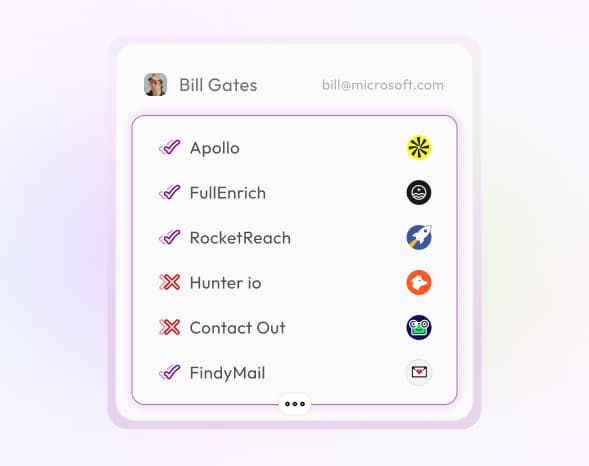
GTM MCP connects your AI assistant to waterfall enrichment that queries Forager, Crustdata, FullEnrich, and 20+ other providers in sequence. Each request automatically falls through to the next source until it finds the best match — delivering firmographics, techstack, funding history, revenue estimates, and 25+ data points in one call.
Simply provide a domain or company name and your AI handles the rest.
Large language models can only browse publicly accessible pages — they have no way to query LinkedIn APIs, pull verified email databases, or tap into premium intent providers. GTM MCP removes that limitation by routing your AI's requests through SyncGTM's data layer.
When your AI assistant calls a GTM MCP action, it receives data that no amount of web browsing could surface — verified contact details, gated company intelligence, and real-time intent signals.
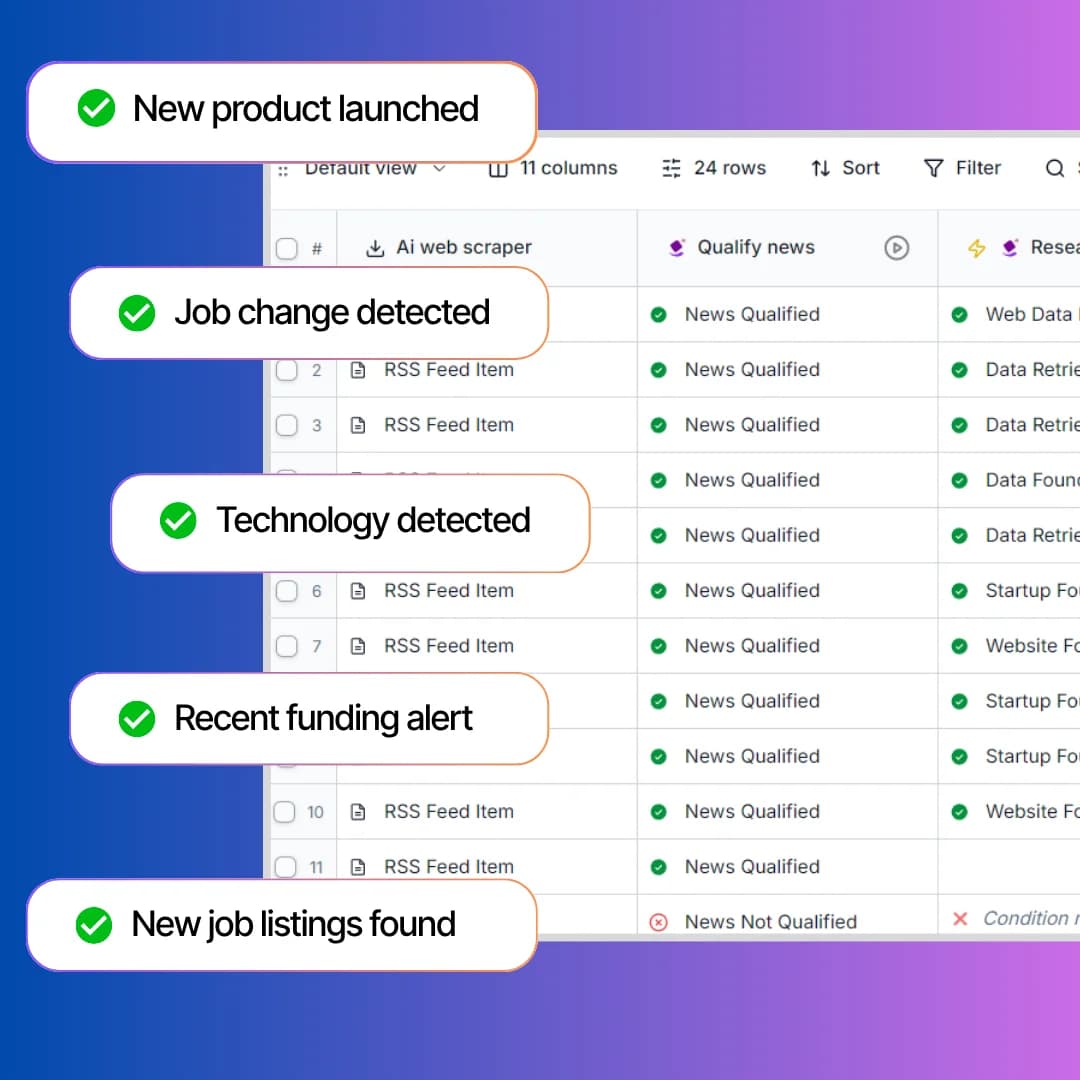
Instead of manually checking dashboards for buying signals, let your AI assistant monitor them for you. GTM MCP exposes 17+ signal actions — from funding announcements and leadership hires to tech stack changes and hiring surges — so your AI can flag in-market accounts in real time.
Pair live signal detection with your AI's reasoning to prioritize outreach and personalize messaging based on what's actually happening at target accounts.
GTM MCP connects your AI tools to 75+ go-to-market actions via the Model Context Protocol — so your AI assistant can source leads, enrich data, and detect buying signals without switching tools.
GTM MCP is a Model Context Protocol server purpose-built for go-to-market teams. It gives AI tools like Claude, ChatGPT, Cursor, and Windsurf direct access to 75+ actions spanning lead enrichment, account research, and buying signal detection. Instead of juggling multiple sales tools and browser tabs, your GTM team works through a single AI conversation — sourcing prospects, enriching records, detecting intent, and preparing outreach. Every action pulls from 20+ premium data providers through waterfall enrichment for maximum coverage.
Create a free SyncGTM account and copy your API key from workspace settings.
Configure the GTM MCP server in Claude Desktop, Cursor, Windsurf, or any MCP-compatible AI client.
Go to market — source leads, enrich accounts, detect signals, and launch outreach directly from your AI conversations.
All of these run directly inside your AI chat. Find leads, enrich contacts, surface buying signals, research competitors — from one conversation. No tab-switching.
Find a person's verified work email address using name and company data.
Find a person's personal email address from public data sources.
Find a person's direct work phone number using professional data sources.
Find a person's mobile phone number from public and professional data.
Get a full person profile including current role, company, location, and social links.
Verify whether an email address is valid, deliverable, and safe to send to before launching outreach.
Check if a phone number is registered on WhatsApp.
Resolve a person's LinkedIn profile URL from their verified work email address.
Resolve a person's LinkedIn profile URL from their personal email address.
Scrape and enrich any LinkedIn profile to get full details including headline, summary, experience, skills, and certifications.
Scrape recent LinkedIn posts published by a person's profile.
Get a full company profile including industry, size, location, and firmographic data from a domain or name.
Identify the technologies and tools a company uses across their website and infrastructure.
Estimate monthly website visits and traffic trends for a company's domain.
Find people working at a specific company by role, seniority, or department.
Find active job listings for any company from public job boards and career pages.
Find and enrich any LinkedIn company page to get follower count, specialties, industry, company size, and recent updates.
Get deep insights for a LinkedIn company page — growth trends, hiring patterns, and employee distribution.
Scrape recent LinkedIn posts published by a company page.
Track the growth rate of a company's open job postings over time to spot hiring surges and expansion signals.
Detect when a company increases employee headcount. Ideal for scoring growth stage accounts.
Search for people by job title, company, location, seniority, and more. Build targeted lead lists in seconds.
Search for companies by industry, headcount, location, tech stack, and funding stage.
Search LinkedIn job listings by keyword, location, and filters.
Retrieve job listings from a specific company's LinkedIn page.
Get people who commented on a LinkedIn post. Build warm lead lists from engaged audiences.
Get people who reacted to a LinkedIn post — likes, celebrates, and more.
See what a prospect has reacted to on LinkedIn — a read on what they care about before you reach out.
Pull comments a prospect has left on LinkedIn posts — their opinions in their own words.
Crawl a company website and extract publicly listed email addresses from contact, team, and about pages.
Crawl a company website and extract publicly listed phone numbers from contact, support, and footer pages.
Find companies using a specific technology stack via BuiltWith.
Get business listings and reviews from Google Maps.
Get total headcount or headcount filtered by department for a company.
Get traffic, top keywords, and backlink data for a domain via SemRush.
Get website traffic stats and audience insights from SimilarWeb.
Get active ads running from a Facebook/Meta page.
Search B2B ads running for a company — creative, targeting, and performance data.
Get recent posts from an Instagram profile.
Get recent posts from a TikTok profile.
Get recent posts from an X (Twitter) profile — content, engagement, and timestamps.
Get people who commented on an X (Twitter) post. Build warm lead lists from engaged audiences.
Collect comments and commenter profiles from a TikTok video to build warm lead lists.
Collect videos and related data from TikTok search results to monitor trends and competitors.
Detect recent product launch news for a company — a timely trigger for outreach.
AI-estimated annual revenue for a company based on available signals.
AI-estimated or scraped total funding and last round data.
Get a person's educational background from their LinkedIn profile.
Get a person's previous job titles and companies from LinkedIn history.
Question not answered above? Contact us here
Connect GTM MCP and start building pipeline in minutes. Free to start.