

6 Best Data Appending Services for B2B Contacts in 2026

By Kushal Magar · October 28, 2026 · 14 min read
Key Takeaway
The best data appending services for B2B contacts in 2026 are SyncGTM, Dropcontact, UpLead, FullEnrich, Datagma, and Prospeo. SyncGTM ranks first because it appends emails, mobiles, verification status, firmographics, and reverse email lookups to one CSV or CRM in a single waterfall pass, from $49/mo. Dropcontact has the strongest GDPR story, UpLead lets you preview matches before paying, FullEnrich runs a 25+ source waterfall, Datagma is cheapest per email at about $0.016, and Prospeo bundles firmographics with each contact. Every match rate quoted by these vendors is a marketing claim, so test 200 rows of your own list first.
Data appending services take a list you already own (a CSV, a spreadsheet, or CRM records) and fill in the blanks: work emails, mobile numbers, job titles, and company firmographics. You upload what you have, the service matches each row against its sources, and you get the same records back with new columns.
Most results for this keyword are consumer append bureaus built for postal mailing lists, or single-vendor pages with no comparison. This list covers six services that append B2B contact data. We ranked them on the fields they append, their match-rate claims, their GDPR posture, and the price of each appended record. All prices come from each vendor's own pricing page, checked in October 2026.
Shopping for a broader platform instead? Our top data enrichment tools roundup covers databases and enrichment APIs, and our guide to CRM data enrichment tools covers ongoing CRM hygiene. This post is narrower: you have a list, and you want the gaps filled.
TL;DR
- SyncGTM: best all-in-one append. Emails, mobiles, verification, firmographics, and reverse email lookups in one waterfall pass. From $49/mo.
- Dropcontact: best for GDPR-sensitive EU lists. No stored contact database, native HubSpot and Pipedrive append. From EUR 79/mo.
- UpLead: best for previewing matches before you pay. Upload contacts, companies, or emails. Enrichment from $199/mo.
- FullEnrich: best waterfall for email and mobile appends, with 1-credit reverse email lookups. From $55/mo.
- Datagma: cheapest per email at about $0.016, plus mobile and WhatsApp detection. Free plan, then $49/mo.
- Prospeo: low-cost email append with firmographics bundled into each contact. From $49/user/mo.
What Is Data Appending?
Data appending is the process of matching records in your existing database against outside sources and adding the fields that are missing or out of date. The records stay yours. The vendor only adds columns, so the job is "fill these 4,000 rows", not "find me 4,000 new leads".
Lists decay fast. Acxiom's data append guide cites a CDP Institute estimate that email marketing databases degrade by about 23% a year. A list you appended last year is already missing close to a quarter of its working emails.
Append vs. enrichment:the terms overlap. "Append" usually means a batch job on a file or CRM you already have. "Enrichment" also covers real-time lookups and building new lists. Every service below does both, but we judged them on the batch append job.
Types of Data Append
There are five common B2B append jobs. Each needs a different match key in your file, and each costs a different amount:
| Append type | What you upload | What comes back | Typical cost |
|---|---|---|---|
| Email append | Name + company domain, or LinkedIn URL | Verified work email (personal email on some tools) | 1 credit per found work email at most vendors |
| Phone append | LinkedIn URL, or name + company | Mobile number or direct dial | 10 to 30 times the price of an email |
| Firmographic append | Company domain | Industry, headcount, revenue, funding, location, tech stack | Often included with a contact; 2 credits per domain at SyncGTM |
| Reverse append | Email address you already hold | Name, LinkedIn profile, job title, company | 1 credit at FullEnrich; 4 credits at SyncGTM |
| Verification append | Emails already in your list | Valid, invalid, or catch-all status | 0.1 credit per email at SyncGTM |
One B2B catch: consumer append bureaus match on postal address. B2B append services match on name plus company domain, or on a LinkedIn URL. Make sure your file has one of those columns before you upload, or the match rate will crater no matter which vendor you pick.
How We Ranked These Data Appending Services
We scored each service on five things that matter for an append job:
- Fields appended: email, phone, firmographic, reverse, and verification appends.
- Match-rate claims:what the vendor claims, and whether it charges for rows it can't match.
- GDPR posture: what the vendor says about storage, EU processing, and its DPA.
- Price per appended record: on the cheapest plan that includes bulk append.
- Workflow: CSV upload, CRM append, and API access.
We did not run a controlled head-to-head match test for this roundup. Every match or accuracy figure below is the vendor's own claim and is labeled that way. The match-rate section shows how to run your own 200-row test.
1. SyncGTM
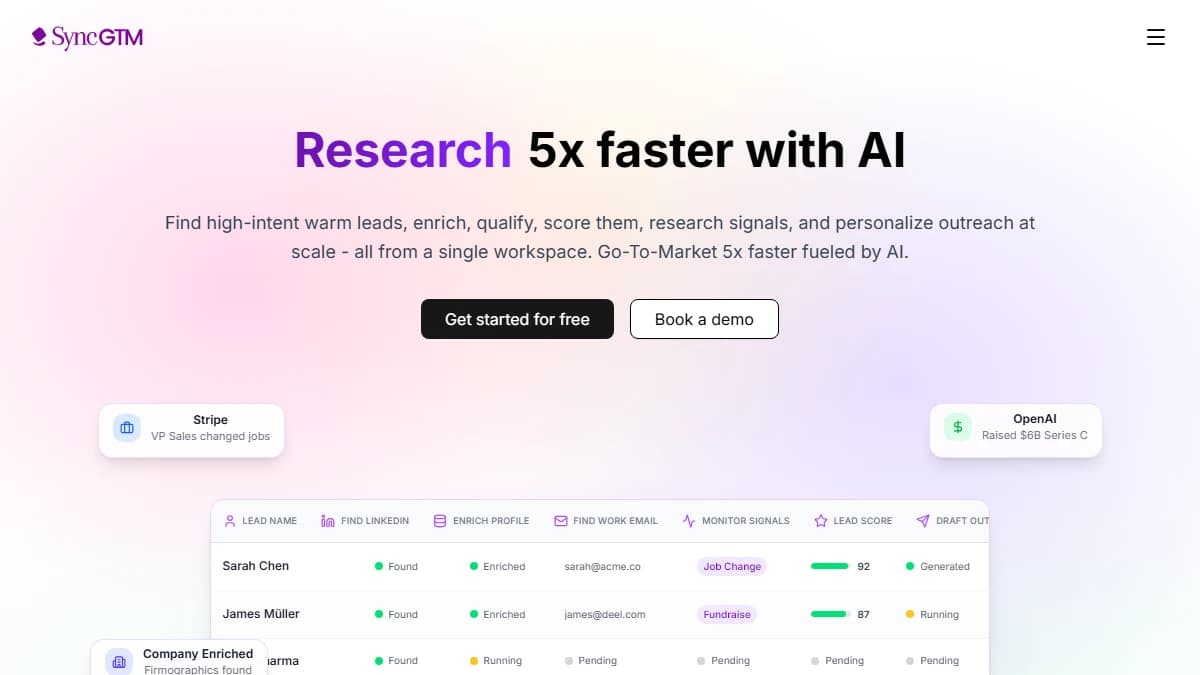
SyncGTM runs each appended column as a waterfall across several data providers.
SyncGTM appends contact and company data by running every row through a waterfall: if the first provider misses, the next one tries, until one returns a match. You import a CSV or pull records from your CRM, add a column for each field you want, and push the results back. Our explainer on what waterfall enrichment is covers why this beats a single database on match rate.
Each enrichment has its own credit price: work email 1 credit, personal email 3, mobile number 10, work phone 12, email verification 0.1, company firmographics 2 per domain, tech stack 1, and LinkedIn profile data 1. Reverse append is covered too: finding a LinkedIn profile from a work email costs 4 credits.
Because it's a table, one pass can do the whole job. Verify the emails you already have, find work emails only for blank rows, add mobiles only for decision makers, and append firmographics once per company. That gives up to 76+ data points per lead without stitching together four vendors.
- Fields appended
- Work and personal emails, mobile and work phones, email verification, firmographics, tech stack, LinkedIn profile data, reverse email to LinkedIn
- How you append
- CSV import, two-way CRM sync (HubSpot, Salesforce, Pipedrive, Attio), API, and an MCP server
- Match or accuracy claim
- No single published match rate. Each lookup tries several providers in turn, and email and phone misses are not billed.
- GDPR posture
- Uses third-party providers, so review the DPA and provider list before appending EU records. You remain the controller.
Pros
- ✓ Email, phone, firmographic, and reverse append in one table
- ✓ Pay only when an email or phone is found
- ✓ Per-field credit pricing, so you append only what you need
- ✓ Two-way CRM sync writes results back on paid plans
Cons
- ✗ More setup than a one-click file upload
- ✗ Mobiles cost 10 credits, so budget them for priority rows
- ✗ Newer brand with fewer third-party reviews
Best for: Teams that want emails, phones, verification, and firmographics appended to the same list in one pass, then written back to the CRM.
Pricing: Free plan, then Solo at $49/mo for 1,000 credits, Growth at $99/mo for 3,000, Pro at $249/mo for 10,000, and Business at $649/mo for 40,000. See SyncGTM pricing.
2. Dropcontact
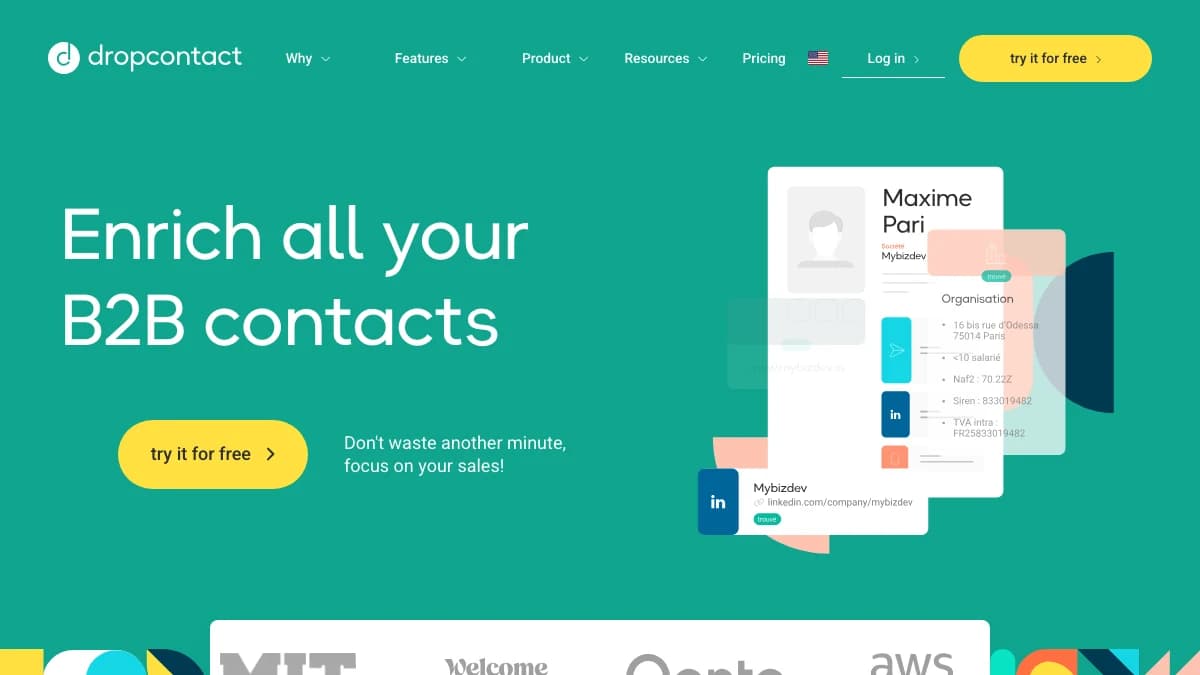
Dropcontact builds and checks emails with its own algorithms instead of a stored contact database.
Dropcontact is a French enrichment service that appends emails and company data without relying on a stored contact database. It generates and checks each email with its own algorithms, and that design is the core of its GDPR pitch.
It is built for cleaning lists you already have. Upload a file or connect HubSpot or Pipedrive, and each contact gets an email, a LinkedIn URL, and company fields. Contacts who have changed jobs can also get a new professional phone number.
The gap is mobiles. If your reps call, you'll need a second service for phone number lookups.
- Fields appended
- Nominative email, civility, LinkedIn URL, website, company size, industry, NAF code, SIREN/SIRET, VAT number, salary range, and a new work phone for job changers
- How you append
- CSV, Excel, or .txt upload; Google Sheets add-on; API with Zapier, Make, and n8n; native HubSpot and Pipedrive (Salesforce and Zoho listed as coming soon)
- Match or accuracy claim
- Vendor claim: 99% validity on nominative emails and 97% on catch-all emails, from its own 20,000-contact benchmark
- GDPR posture
- Says no personal information is stored or resold, and processing runs on EU-based servers
Pros
- ✓ Strongest GDPR story in this list
- ✓ Credits returned when no email is found
- ✓ French registry fields such as SIREN and VAT
- ✓ Appends inside HubSpot and Pipedrive
Cons
- ✗ No mobile number append
- ✗ Highest cost per email at the entry tier
- ✗ Registry fields are mostly useful for French accounts
Best for: EU teams whose legal or RevOps lead wants an append vendor that doesn't keep a personal-data database.
Pricing: Starter at EUR 79/mo for 500 credits and Growth at EUR 120/mo for 500 credits (adds credit carryover and LinkedIn enrichment), Enterprise from 200,000 credits a month, and about 20% off yearly. 50 free credits to start. Details on the Dropcontact pricing page and in our Dropcontact review.
3. UpLead
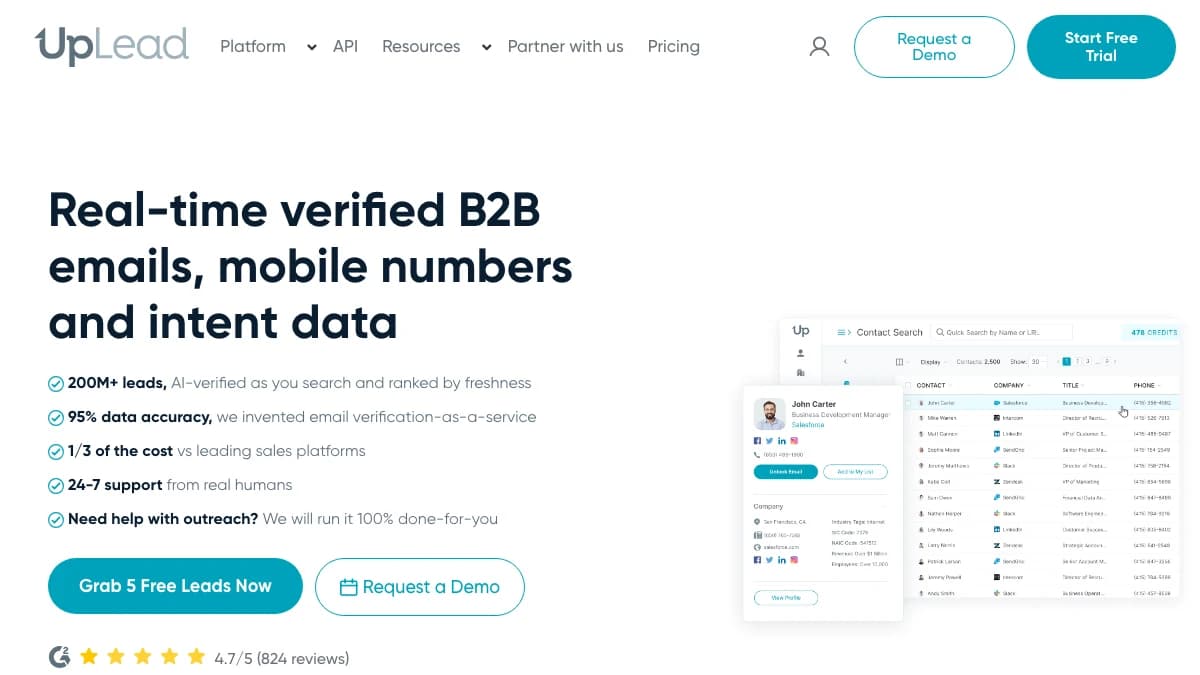
UpLead matches uploaded rows against its own B2B database and shows the match count before export.
UpLead appends data from its own B2B database. You upload a CSV of contacts, companies, or emails, and UpLead returns verified emails, direct phones, titles, and company details for every row it matches.
The useful part for append jobs is the preview. UpLead shows how many rows matched before you export, and email lookups with no match aren't charged. That makes it easy to test coverage on a sample.
The trade-off is price. Enrichment sits on the Plus plan, and at 400 credits for $199 you pay about $0.50 per contact, roughly ten times the per-email cost of the cheapest tools here.
- Fields appended
- Verified emails, direct phones, job titles, social links, and company details such as size, industry, and revenue (50+ data points claimed)
- How you append
- CSV upload of contacts (full name + company URL), companies (company URL), or emails; CRM integrations
- Match or accuracy claim
- Vendor claim: 95% data accuracy. This is an accuracy figure, not a match rate.
- GDPR posture
- The enrichment page makes no specific GDPR statement; ask for a DPA before appending EU records
Pros
- ✓ Preview the match count before you pay
- ✓ Accepts contact, company, and email lists
- ✓ One credit unlocks both email and phone
Cons
- ✗ Enrichment starts on Plus at $199/mo, not Essentials
- ✗ About $0.50 per credit on Plus
- ✗ Single database with no waterfall fallback
Best for: Mid-market teams that want to see how many rows will match before spending credits, and want email and phone together.
Pricing: Essentials at $99/mo ($74 billed yearly) for 170 credits does not include enrichment. Plus at $199/mo ($149 yearly) for 400 credits adds data enrichment, and Professional is custom. 7-day trial with 5 credits. See the UpLead pricing page and our UpLead review.
4. FullEnrich
FullEnrich checks 25+ sources in sequence for each email or mobile.
FullEnrich is a waterfall enrichment service. It runs each contact through more than 25 sources in sequence and returns the first verified email or mobile it finds. Upload a CSV, connect HubSpot, or call the API.
Its pricing maps cleanly onto append jobs: 1 credit per work email, 3 per personal email, 10 per mobile, and 1 for a reverse email lookup. Profile and company data come with an enrichment, or cost 0.25 credit on their own.
If you need firmographic appends like revenue, funding, or tech stack across the same list, you'll want a second tool or a platform that does both.
- Fields appended
- Work email, personal email, mobile number, reverse email lookup, and profile and company data
- How you append
- Bulk CSV upload, HubSpot integration, and API
- Match or accuracy claim
- Vendor claim: about 80% average find rate. It also says its verification removes about 30% of raw provider data.
- GDPR posture
- Homepage states GDPR and CCPA aligned
Pros
- ✓ Waterfall coverage across 25+ sources
- ✓ Reverse email lookup for 1 credit
- ✓ Credits roll over for 3 months (12 on yearly)
- ✓ Charges only when data is found
Cons
- ✗ A mobile costs 10 credits, ten times an email
- ✗ Light on firmographic depth
- ✗ Free tier is a 50-credit trial, not a plan
Best for: Outbound teams that mainly need emails and mobiles appended at high coverage and are happy to handle firmographics elsewhere.
Pricing: Free trial with 50 credits and no card. Pro from $55/mo for 1,000 credits, and Enterprise is custom. Work email costs 1 credit, personal email 3, mobile 10, and reverse email 1 (per the FullEnrich pricing page). See our FullEnrich review and how SyncGTM connects with FullEnrich.
5. Datagma
Datagma matches on name plus company, so your file doesn't need LinkedIn URLs.
Datagma is a phone and email finder built around mobile appends. It can match on name plus company alone, which helps when your list came from an event or a form and has no LinkedIn URLs.
Credit rules are simple: 1 credit per verified email, 30 credits per phone, and nothing charged when Datagma finds nothing. It also flags whether a number is on WhatsApp, which matters for teams selling into Europe, Latin America, or India.
At list price it is the cheapest email append in this roundup. Phones are a different story at about $0.49 each on the Regular plan.
- Fields appended
- Verified emails, direct mobile numbers, WhatsApp detection, and job change detection
- How you append
- File upload of up to 50,000 rows, API on every plan, and a Chrome extension
- Match or accuracy claim
- No overall match rate on its pricing page. You pay only when a verified email or phone is found.
- GDPR posture
- Describes itself as EU-compliant and publishes a DPA and Trust Center
Pros
- ✓ Cheapest email append here at about $0.016
- ✓ Matches on name plus company, no LinkedIn URL needed
- ✓ Catch-all emails are free
- ✓ Credits roll over for up to 12 months
Cons
- ✗ A phone costs 30 credits, so 3,000 credits buys 100 mobiles
- ✗ Few firmographic fields
- ✗ 50,000-row cap per uploaded file
Best for: Budget-conscious teams appending emails at volume, and anyone whose file has names and companies but no LinkedIn URLs.
Pricing: Free plan with 100 credits a month (100 emails or 3 phones). Regular at $49/mo ($39 yearly) for 3,000 credits, Popular at $99/mo ($79) for 7,500 with 3 seats, and Expert at $249/mo ($209) for 22,500 with 5 seats, per the Datagma pricing page. See our Datagma review and the SyncGTM and Datagma integration.
6. Prospeo
Prospeo appends emails and mobiles from its own database, with company data included in each export.
Prospeo is a B2B contact database with a CSV and CRM enrichment layer. Upload a file and it appends a verified business email, an optional mobile, and company data to each row it matches.
Credits are 1 per verified email (0 if none is found) and 10 per mobile. Each exported contact also includes company firmographics and 30+ more data points at no extra cost, which makes it good value for email-plus-company appends.
Watch the use-it-or-lose-it rule. Credits reset at every renewal, so a quarterly append job on a monthly plan wastes most of what you pay for.
- Fields appended
- Verified business emails, mobile numbers, company firmographics, and 30+ more data points per contact
- How you append
- CSV enrichment and API from the Starter plan; HubSpot and Salesforce CRM enrichment on Growth
- Match or accuracy claim
- No overall match rate on its pricing page. People exports cost 0 credits when no email is found.
- GDPR posture
- States GDPR compliant, with data refreshed weekly
Pros
- ✓ About $0.025 per email on Starter
- ✓ Firmographics included with each contact
- ✓ CRM enrichment for HubSpot and Salesforce on Growth
Cons
- ✗ Credits reset monthly and don't roll over
- ✗ Priced per user
- ✗ Free plan has no CSV enrichment
Best for: Small teams that want cheap email appends with company data attached, and can use their credits every month.
Pricing: Free plan with 100 credits a month. Starter at $49/user/mo ($37 yearly) for 2,000 credits a month, Growth at $99 ($74) for 5,000, and Pro at $249 ($187) for 15,000. Extra credits start at 1,000 for $10 (see the Prospeo pricing page). Prospeo changed its plans in 2026, so our earlier Prospeo review shows the previous tiers.
Data Appending Services Compared
The six data appending services side by side. Match figures are vendor claims, and prices are entry plans that include bulk append, checked in October 2026.
| Service | Fields appended | How you append | Match claim | GDPR posture | Starting price |
|---|---|---|---|---|---|
| SyncGTM | Emails, mobiles, work phones, verification, firmographics, tech stack, reverse email | CSV, two-way CRM sync, API, MCP | No single published rate; waterfall, misses not billed | Multi-provider; review DPA and provider list for EU data | Free plan; $49/mo for 1,000 credits |
| Dropcontact | Emails, LinkedIn, company size, industry, SIREN, VAT, new phone for job changers | CSV/Excel, Google Sheets, API, HubSpot, Pipedrive | 99% valid nominative emails (vendor) | No stored database; says nothing is stored or resold | EUR 79/mo for 500 credits |
| UpLead | Emails, direct phones, titles, social links, company data | CSV of contacts, companies, or emails; CRM | 95% data accuracy (vendor) | No specific GDPR claim on enrichment page | Enrichment from $199/mo for 400 credits |
| FullEnrich | Work and personal emails, mobiles, reverse email, profile and company data | CSV, HubSpot, API | About 80% average find rate (vendor) | States GDPR and CCPA aligned | $55/mo for 1,000 credits |
| Datagma | Emails, direct mobiles, WhatsApp detection, job changes | File upload up to 50k rows, API, Chrome | No overall rate published; pay only on verified finds | Describes itself as EU-compliant; DPA published | Free plan; $49/mo for 3,000 credits |
| Prospeo | Emails, mobiles, company firmographics, 30+ data points | CSV, API, HubSpot and Salesforce (Growth) | No overall rate published; 0 credits if no email | States GDPR compliant | Free plan; $49/user/mo for 2,000 credits |
What Each Appended Record Costs
Cost per found record is the fairest way to compare data appending services, because most of them don't charge for misses. Here is the list-price math on each entry plan with bulk append, billed monthly:
| Service | Plan used | Per found email | Per found mobile | Note |
|---|---|---|---|---|
| Datagma | Regular, $49/mo, 3,000 credits | $0.016 | $0.49 | Phone = 30 credits; catch-all emails free |
| Prospeo | Starter, $49/user/mo, 2,000 credits | $0.025 | $0.25 | Credits reset monthly, no rollover |
| SyncGTM | Solo, $49/mo, 1,000 credits | $0.049 | $0.49 | Verification about $0.005; firmographics $0.10 per domain |
| FullEnrich | Pro, $55/mo, 1,000 credits | $0.055 | $0.55 | Rollover 3 months (12 on yearly) |
| Dropcontact | Starter, EUR 79/mo, 500 credits | About EUR 0.16 | Not offered | Larger credit tiers lower the unit price |
| UpLead | Plus, $199/mo, 400 credits | About $0.50 per contact | Included in the same credit | One credit unlocks email and phone |
Datagma and Prospeo win on email-only appends. The math changes when you append several field types to the same list. On SyncGTM, appending a verified email, a mobile, and firmographics to a contact costs about 13.1 credits, or roughly $0.64 on Solo, in one run with one bill. Estimate your own mix with the credits estimator.
How to Read and Test Match-Rate Claims
A match rate is the share of uploaded rows that come back with the field you asked for. It is not the same as accuracy (the share of returned values that are correct) or deliverability (the share of emails that don't bounce). Vendors blur the three, so read every figure in this post as a claim:
- UpLead's 95% is an accuracy figure for its data, not a match rate.
- Dropcontact's 99% and 97% are email validity figures from its own benchmark.
- FullEnrich's roughly 80% is an average find rate across its customers' lists.
Your own list is the only benchmark that counts. Run this test before you buy a large plan:
- Pull 200 rows from your real list, including hard ones: EU contacts, small companies, and job changers.
- Keep 50 rows where you already know the correct email. Blank them out and use them as an answer key.
- Run the same file through two or three services on their free credits or trials.
- Score each on find rate, answer-key accuracy, and the share of catch-all results.
- Send a small batch from the winner and measure hard bounces before you roll it out.
Expect waterfall services to win on find rate, because a miss at one provider gets a second and third try. Our list of waterfall email finders covers that category in depth.
How to Append Data to a CSV or CRM
The same six steps work with any of the services above:
- Pick a match key. A LinkedIn URL matches best, name plus company domain is second, and an email is the key for reverse append.
- Clean the file.Split full names into first and last, strip "www." and paths from domains, and remove duplicates so you don't pay twice.
- Verify what you already have. Checking an existing email costs a fraction of finding a new one (0.1 credit on SyncGTM), so verify first and only append where the email is missing or invalid.
- Append emails first, phones second. Mobiles cost 10 to 30 times more, so add them only for the rows your reps will actually call.
- Append firmographics per company, not per contact. Ten contacts at one account need one company lookup, not ten.
- Write back with a source and date.Push results to your CRM with an "appended on" field so you know when each record is due for a refresh. SyncGTM's HubSpot integration handles the write-back automatically.
GDPR Checklist for B2B Data Appends
Appending personal data about EU or UK contacts is processing under GDPR, even when the data is a work email. The vendor's compliance badge doesn't cover how you use the data. Before you append an EU list:
- Document a lawful basis. Most B2B teams rely on legitimate interests, which needs a written assessment. The ICO's legitimate interests guidance explains the three-part test.
- Plan the notice. Under GDPR Article 14, when you get personal data from a third party you must tell the person within a month, or in your first message if you contact them sooner.
- Sign a DPA. Ask each vendor for its data processing agreement, where processing happens, and which subprocessors are involved.
- Ask whether appended data is stored or resold. Dropcontact says it stores and resells nothing. Database vendors keep their data by design.
- Honor opt-outs.Upload your suppression list before appending, so you don't pay to re-enrich people who asked to be left alone. California contacts fall under the CCPA.
This is not legal advice. Check with your counsel before appending EU or UK personal data at scale.
How to Choose
Match the service to the job your list needs done:
- "We need emails, phones, and company data on the same list." SyncGTM.
- "Our list is mostly EU contacts and legal is nervous." Dropcontact.
- "We want to see the match count before we pay." UpLead.
- "We need the highest coverage on emails and mobiles." FullEnrich.
- "We have names and companies, no LinkedIn URLs, and a small budget." Datagma.
- "We want cheap emails with firmographics attached." Prospeo.
Final Verdict
SyncGTM is the best data appending service for B2B contacts in 2026 when a list needs more than one kind of field. It appends emails, mobiles, verification status, firmographics, and reverse email lookups in one waterfall pass, and it doesn't bill for missed emails or phones.
For single jobs, the specialists are strong. Dropcontact is the GDPR-first pick, UpLead lets you preview matches, FullEnrich has deep waterfall coverage, Datagma is cheapest per email, and Prospeo bundles company data with every contact. Whichever you choose, test 200 rows of your own list before you trust any match rate.
Ready to fill the gaps in your list? Start free on SyncGTM or compare plans from $49/mo.