

6 Best Narrow Alternatives for LinkedIn Inbox Management 2026

By Kushal Magar · November 26, 2026 · 12 min read
Key Takeaway
Narrow is a cheap, solid single-user LinkedIn inbox, but its plans have no team seats, no self-serve CRM sync, and its built-in AI screens messages rather than writing replies. syncIn is the pick for AI drafts that only send on your click, Kondo for native HubSpot and Salesforce sync, Kanbox or Linxa for team pipelines, Breakcold for a full CRM, and Surfe for CRM sync without changing inboxes.
Narrow alternatives are worth a look once one person's LinkedIn inbox turns into a team's pipeline. Narrow handles labels, reminders and a Kanban board well, but its plans stop short of three things sellers ask for: team seats, a CRM handoff, and AI that drafts replies instead of only screening them.
This guide ranks six tools that close those gaps: syncIn by SyncGTM, Kondo, Kanbox, Linxa, Breakcold and Surfe. Each one is judged on AI triage and drafting, labels and pipeline, team features, CRM handoff and per-seat price, all checked on the vendors' own pages in November 2026.
If you want the full picture of Narrow itself first, read our Narrow review. For the wider category, our ranking of the best LinkedIn inbox managers covers seven more tools.
TL;DR: The 6 Best Narrow Alternatives
- syncIn: best for AI triage and drafts in your voice, with nothing sent until you click. $29 a seat a month, early access.
- Kondo: best for native HubSpot and Salesforce sync from a keyboard-first inbox. From $28 per user a month, billed annually.
- Kanbox: best for teams that want shared Kanban pipelines and outreach campaigns. From $12 a month, billed annually.
- Linxa: best free option, with intent sorting and 50 AI-drafted replies a month on the free plan.
- Breakcold: best if you'd rather replace your CRM with one that has a multi-channel inbox. From $49 a seat a month.
- Surfe: best if Narrow's inbox is fine and you only need contacts and conversations in your CRM. Free plan, paid from €29.
Why People Look for Narrow Alternatives
Narrow is a LinkedIn inbox and CRM workspace that connects through a Chrome extension. It keeps message history on your device and says it does no scraping, sequences or auto-sending.
Its core is strong for one person: labels, follow-up reminders, a Kanban board, snippets, notes and fast search. The Auto Screener sorts each new message as Lead, Network, Cold or Broadcast, and it doesn't send anything.
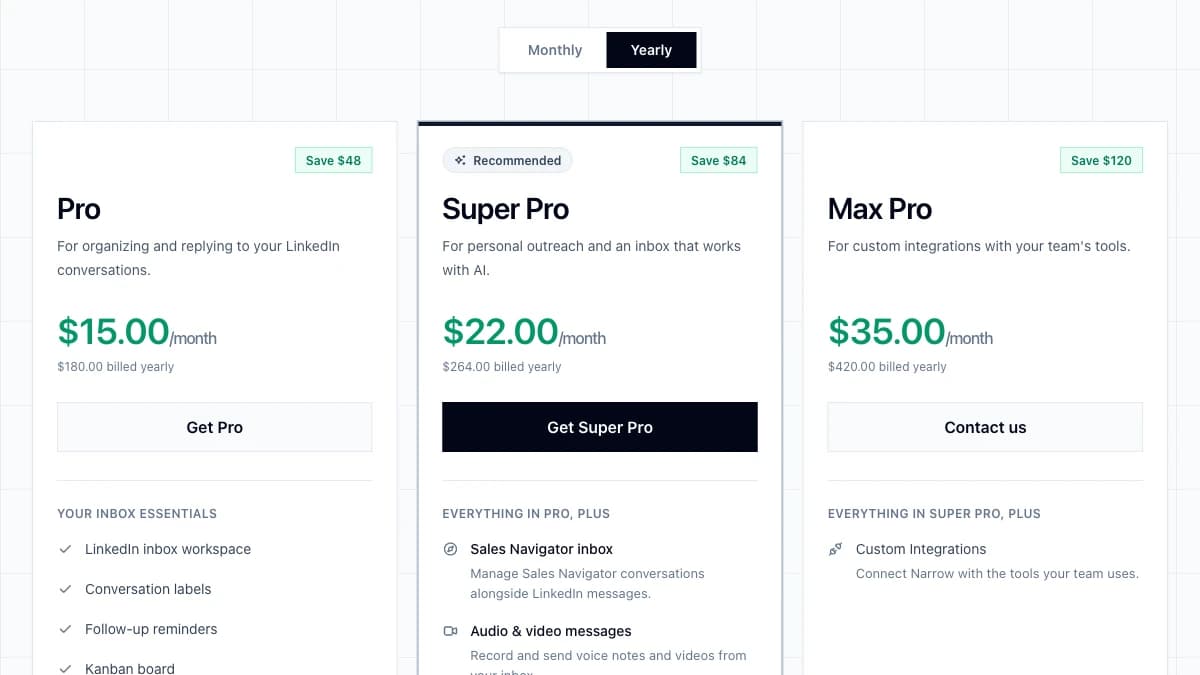
Narrow's plans, billed yearly: Pro, Super Pro and Max Pro.
Pricing is low. On Narrow's pricing page, Pro is $15 a month ($180 billed yearly), Super Pro is $22 a month ($264 billed yearly) and Max Pro is $35 a month ($420 billed yearly).
Super Pro adds the Sales Navigator inbox, voice and video messages, the MCP connection for AI apps, and 24,000 screener credits a year for AI message screening. Max Pro adds custom integrations, but you have to contact Narrow for it.
The gaps show up when your needs grow past one inbox:
- No team seats. The pricing page lists no team or per-seat plan, so there's no shared pipeline for several reps.
- No self-serve CRM handoff. Narrow's own FAQ says to keep your CRM or ATS as the system of record. Integrations sit behind the contact-us Max Pro plan.
- AI that screens, not writes. The built-in AI sorts incoming messages. Drafting happens in an outside AI app connected over Narrow's MCP on Super Pro, and that page also shows an AI app sending follow-ups on request.
If none of those gaps bother you, Narrow is still good value. If one does, the six tools below each close at least one of them.
1. syncIn: Best for AI Drafts That Wait for Your Click
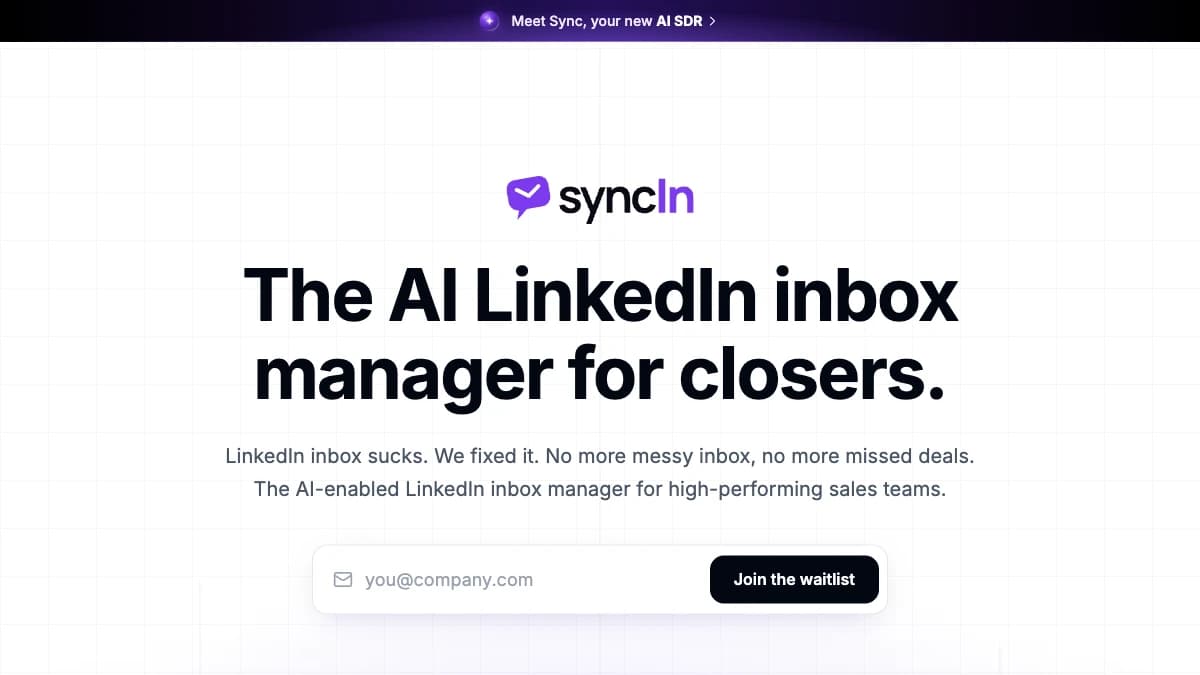
syncIn by SyncGTM: an AI LinkedIn inbox manager for closers, now in early access.
syncIn is a LinkedIn inbox manager from SyncGTM that adds AI triage, drafts in your voice, tags, folders and job-title filters, from $29 a seat a month. It's in early access, so you join the waitlist on the syncIn page rather than sign up on the spot.
It works through a small extension in Edge, Chrome or Brave, where you're already signed in to LinkedIn. The extension isn't on the Chrome Web Store, and syncIn never asks for your LinkedIn password.
The AI is where it differs most from Narrow. Triage gives every thread an intent, a priority, a needs-reply flag, a one-line summary and a next step.
Drafts are written in your voice from your product brief. Anything the AI doesn't know is left as a gap you fill before the draft can send.
Nothing goes out until you click Send. The MCP connector lets Claude search, tag, snooze, archive and save drafts, but it has no send tool.
Organization covers the rest. Tags become folders with counts, filters work on job title, seniority and department, and a snoozed thread comes back with a reminder.
Pros
- AI triage plus drafts in your voice, with gaps you fill before sending
- Sends only on your click; MCP agents can save drafts but can't send
- Filters by job title, seniority and department, and tags that act as folders
- An AI qualifier that labels new connections, like Hot lead or Not a fit, from your own prompt
Cons
- Early access only: you join a waitlist and wait for an invite
- CRM sync is listed as coming soon, so it doesn't close the CRM gap yet
- Desktop browser only, and the browser has to stay open and signed in to LinkedIn
- Costs more per seat than Narrow's Pro plan
Best for: closers who want AI to sort and draft LinkedIn replies but keep a person on every send.
Pricing: Basic is $29 and Pro is $55 a seat a month, with Pro adding the Claude MCP connector, AI filtering with your own prompt and auto spam for cold pitches. Yearly billing takes 25% off, per the syncIn pricing section.
2. Kondo: Best for CRM Sync From a Fast Inbox
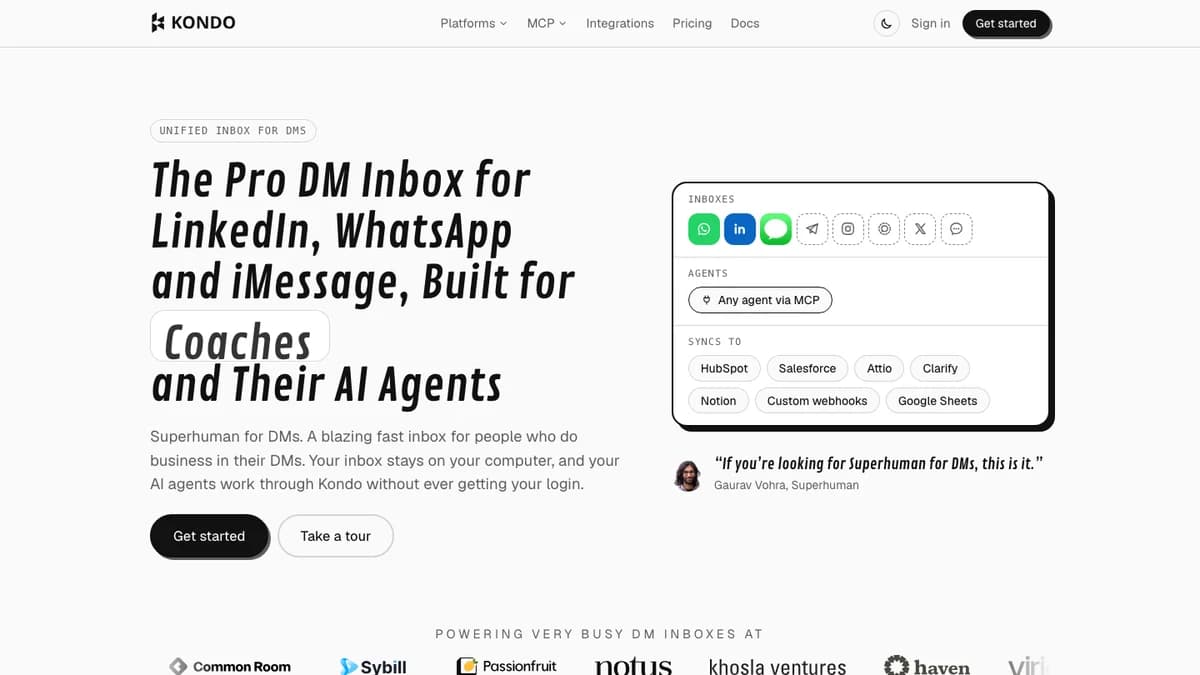
Kondo: a keyboard-first DM inbox with labels, reminders and CRM sync.
Kondo is a keyboard-driven DM inbox for LinkedIn, WhatsApp and iMessage that adds labels, split inboxes, reminders and native HubSpot and Salesforce sync. It starts at $28 per user a month, billed annually.
Labels open their own filtered inbox, and reminders cancel themselves if the other person replies first. Snippets, notes, and voice notes with transcripts come on every plan.
The CRM handoff is the reason to pick it over Narrow. The Business plan pushes LinkedIn conversation data to HubSpot, Salesforce, Attio, Notion, Google Sheets or a custom webhook, and adds the Sales Navigator inbox.
Kondo's AI runs through your own agent over MCP. Claude or ChatGPT can read messages, draft replies, add labels and set reminders, and Kondo says agents can't send.
For more depth, see our Kondo review.
Pros
- Native HubSpot and Salesforce sync, plus webhooks, on Business
- Fast keyboard workflow with labels, split inboxes and snooze
- Reminders cancel automatically when the contact replies
- One inbox for LinkedIn, WhatsApp and iMessage (iMessage in beta, Mac only)
Cons
- No free plan, only a 14-day money-back guarantee
- No built-in reply writer; drafts need your own AI agent
- MCP is read-only on Basic, so drafting and CRM sync both need Business
- Team extras such as Okta SSO sit on the top Enterprise tier
Best for: reps who want Narrow-style speed with conversations logged in HubSpot or Salesforce.
Pricing: Basic $28, Business $36 and Enterprise $52 per user a month, billed annually, on Kondo's pricing page. A 14-day guarantee gives a full refund.
3. Kanbox: Best for Team Pipelines Plus Outreach
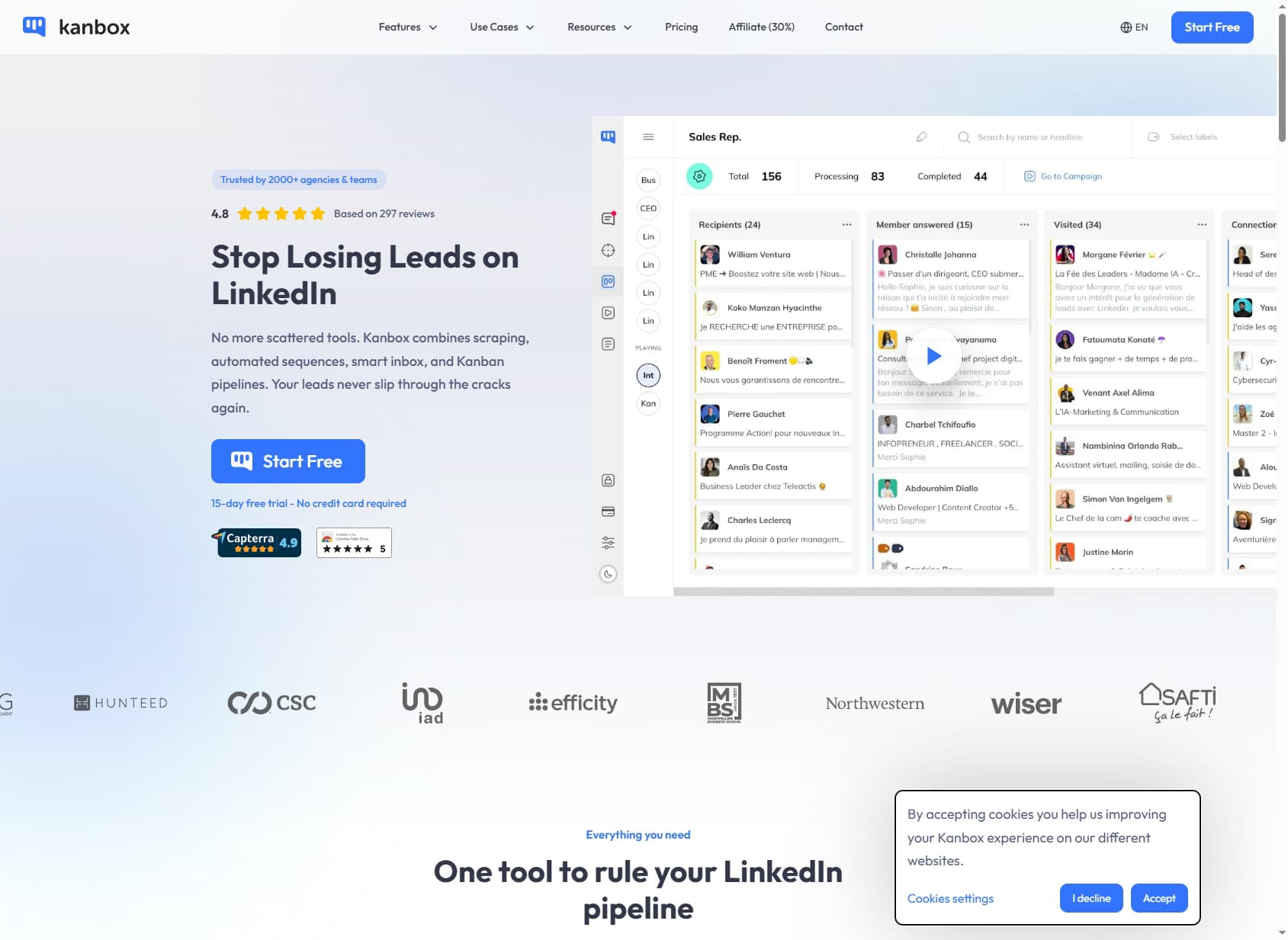
Kanbox: LinkedIn prospecting with a smart inbox and Kanban pipelines.
Kanbox is a cloud LinkedIn prospecting tool with a smart inbox, Kanban pipelines and team mode. It starts at $12 a month, billed annually, for one LinkedIn account.
Every plan includes the inbox with tags, filters, reminders and bulk actions. The Kanban board feels familiar if you liked Narrow's pipeline view.
Team mode is what Narrow lacks. From the Essential plan, Kanbox adds team and multi-account mode with unlimited account managers, along with shared Kanban pipelines and pooled lead lists.
AI sits on Pro: AI-written messages, ICP qualification, AI replies, the API, webhooks and an MCP server. One of those is an AI Response Agent that can auto-reply after a lead responds.
Kanbox also runs campaigns in the cloud with your browser closed. That is a bigger automation footprint than an inbox that only sends on your click.
Pros
- Smart inbox with tags, filters, reminders and bulk actions on every plan
- Team and multi-account mode from Essential, with unlimited account managers
- Kanban pipelines for sales or recruiting stages
- 15-day free trial with no credit card
Cons
- Built around outreach campaigns, so it's more tool than an inbox-only team needs
- Cloud automation and auto-reply raise account-risk questions
- AI features, webhooks and the API all need Pro
- CRM handoff runs through webhooks and the API, not a listed native CRM sync
Best for: small sales or recruiting teams that want a shared LinkedIn pipeline and are comfortable with automation.
Pricing: Starter $12 a month, Essential $30 and Pro $50 per LinkedIn account a month, all billed annually, on Kanbox's pricing page. Agency 10 starts at $279 a month, billed annually.
4. Linxa: Best Free Inbox With AI-Drafted Replies
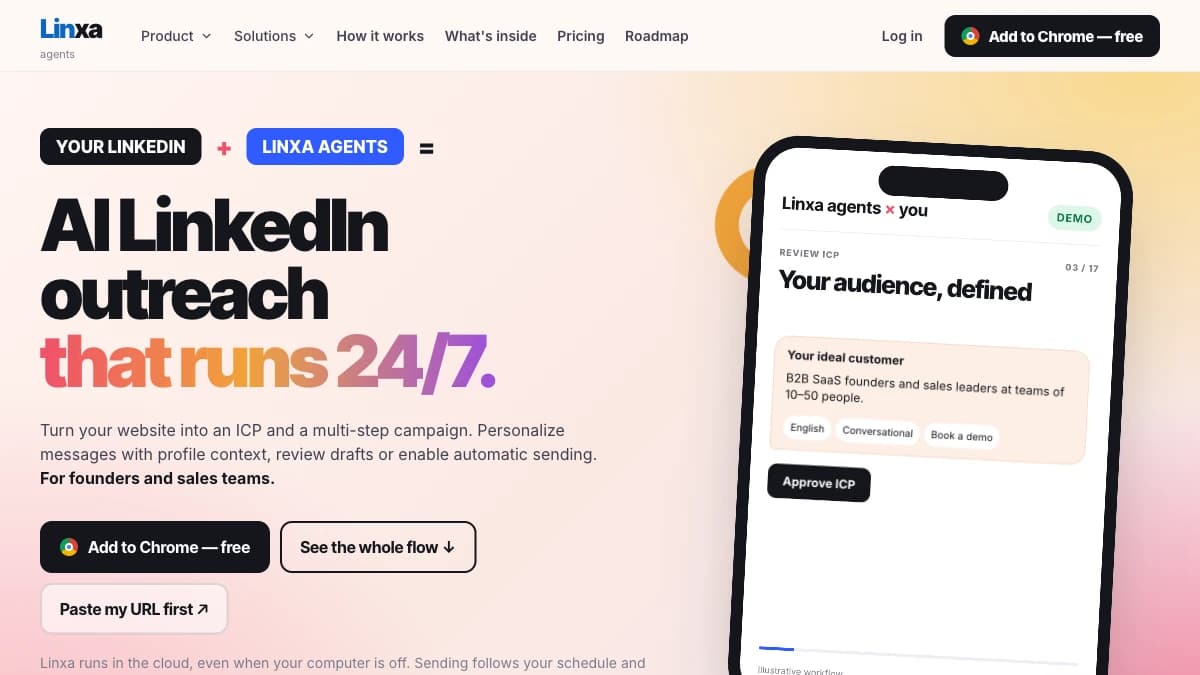
Linxa: a Chrome extension and cloud agent with a free AI inbox.
Linxa is a Chrome extension and cloud agent that sorts LinkedIn DMs by intent and drafts replies. Its free Inbox plan includes 50 AI-drafted replies a month, with no card required.
The free plan covers Smart Inbox, intent sorting, hot-lead detection, prioritization and Telegram alerts. That makes it the cheapest way to test AI drafting before you pay for anything. Our Linxa review covers its plans and data handling in detail.
Team is where it answers Narrow's seat gap. It adds a shared workspace, a shared CRM for deals, contacts and companies, and multiple LinkedIn accounts.
Linxa bills per LinkedIn account, and teammates who manage an account through delegated access don't need their own seat.
Keep in mind that Linxa is outreach-first. Its paid plans run multi-step campaigns in the cloud, and you can review drafts or switch on automatic sending.
Pros
- Free plan with intent sorting and AI-drafted replies
- Team plan with a shared workspace and built-in CRM
- Delegated access, so managers don't need a seat
- MCP read access is free on every plan
Cons
- Linxa says it has no native HubSpot integration; data leaves through MCP
- MCP write access is a paid add-on unless you're on Outreach or Team
- Optional automatic sending raises the same risk as other cloud tools
- The inbox is the entry tier of an outreach product, not the main focus
Best for: founders and small teams who want free AI drafts now and a shared CRM later.
Pricing: Inbox is free, Outreach is $39 a month, Team is $49 per LinkedIn account a month and Human Support is $79 per account a month, on Linxa's pricing page. MCP write access is $70 a year as an add-on, and yearly billing gives 2 months free on Outreach and Team.
5. Breakcold: Best for a Full CRM With a Shared Inbox
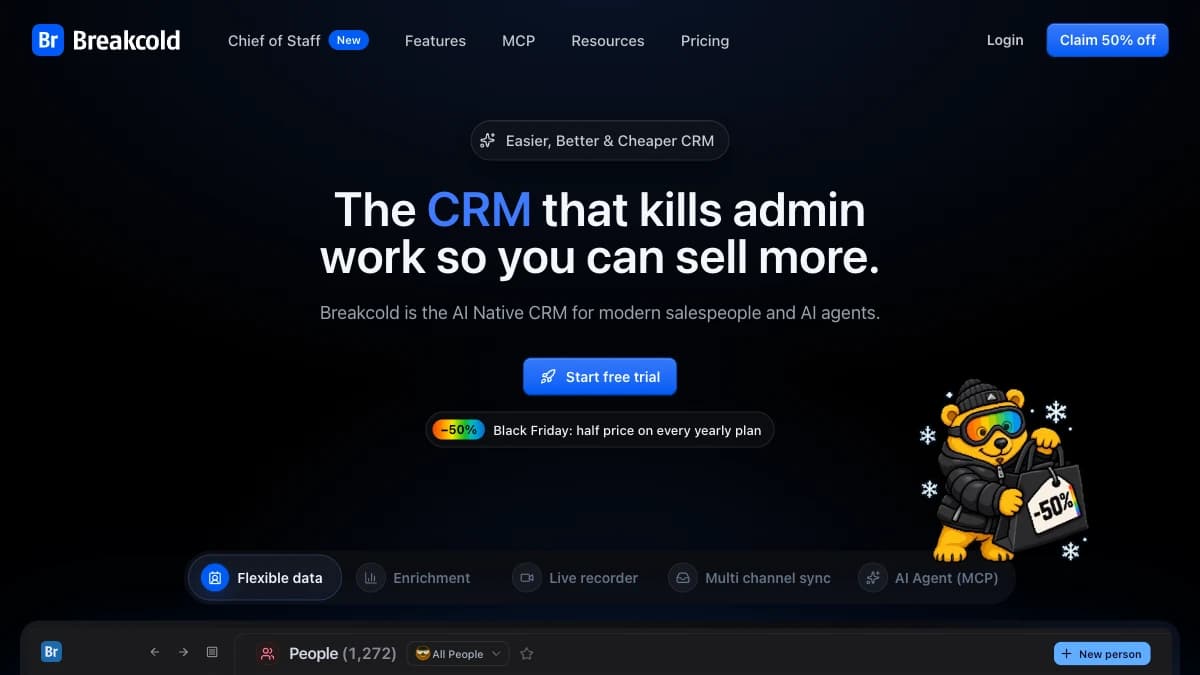
Breakcold: an AI-native CRM with one inbox for LinkedIn, WhatsApp, Telegram and email.
Breakcold is an AI-native CRM with one inbox for LinkedIn, WhatsApp, Telegram and email, priced from $49 a seat a month. It solves the CRM handoff by being the CRM.
Every plan includes the full CRM and an AI assistant it calls Chief of Staff. It drafts replies on every channel and puts each send in a task queue for your approval.
Plans differ only in how much AI work each seat gets. Each seat brings 2 connected accounts, such as LinkedIn plus email, and roles and permissions come on every plan.
The trade-off is scope. You're moving your pipeline into a new CRM, not adding a layer to the inbox you have.
Pros
- AI reply drafts on every channel, with an approval step before each send
- Full CRM with pipelines that the AI keeps updated
- Roles and permissions for teams on every plan
- Claude, ChatGPT and MCP access included
Cons
- The 14-day free trial needs a credit card
- The highest starting price per seat on this list
- Replacing your CRM is a bigger switch than adding an inbox tool
Best for: small teams and agencies ready to run LinkedIn, email and messaging deals from one CRM.
Pricing: X1 $49, X5 $99 and X20 $199 per seat a month, billed monthly, on Breakcold's pricing page. Yearly billing saves 20%, and extra connected accounts cost $10 a month each.
6. Surfe: Best for CRM Handoff Without a New Inbox
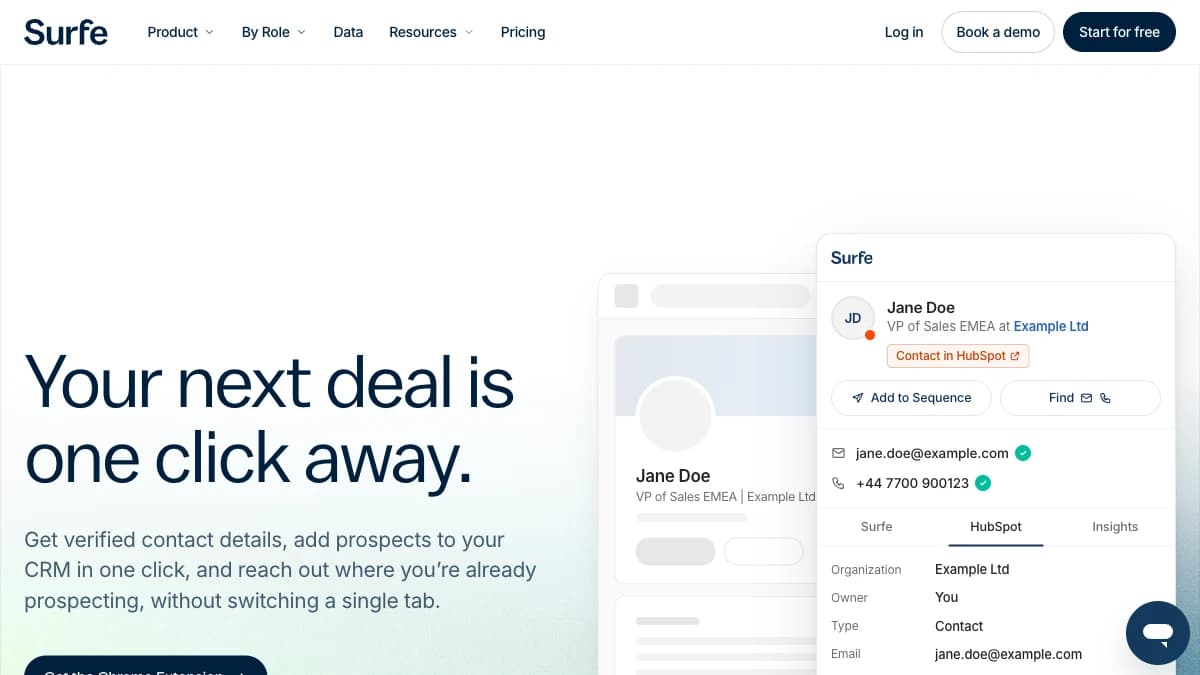
Surfe: contact data and one-click CRM sync on top of LinkedIn.
Surfe is a Chrome extension that adds contact data and one-click CRM sync to LinkedIn, from €29 per user a month billed annually. It doesn't replace your inbox at all.
Surfe says it syncs every contact and interaction to your CRM, with native integrations for HubSpot, Salesforce and Pipedrive. It also finds work emails and mobile numbers.
There are no labels, reminders or AI triage for DMs. Pick it if Narrow's inbox already works for you and the only gap is getting conversations into the CRM.
Our Surfe review covers the CRM sync in more detail.
Pros
- Native sync to HubSpot, Salesforce and Pipedrive
- Contact data (emails, mobiles) in the same sidebar
- A free plan to start, and one shared credit balance per team
Cons
- No inbox features: no labels, reminders, triage or drafts
- CRM sync starts on the paid Essential plan, not the free one
- Emails and mobile numbers come out of monthly allowances
Best for: teams that keep Narrow or LinkedIn's own inbox and only need CRM records kept current.
Pricing: Free, then Essential at €29 and Pro at €69 per user a month, billed annually (€39 and €79 billed monthly), on Surfe's pricing page.
Narrow Alternatives Compared
Here's how each Narrow alternative covers the three gaps, with Narrow as the baseline. Prices are the lowest paid or free entry point listed on each vendor's pricing page in November 2026.
| Tool | AI triage and drafting | Labels and pipeline | Team features | CRM handoff | Starting price |
|---|---|---|---|---|---|
| Narrow (baseline) | AI screening on Super Pro; drafts through an outside AI app over MCP | Labels, reminders, Kanban board, snippets | No team or per-seat plan listed | Custom integrations on Max Pro (contact us) | $15/mo billed yearly |
| syncIn | AI triage, drafts in your voice, qualifier labels; sends only on your click | Tags that become folders, title/seniority/department filters, snooze | Priced per seat | Coming soon | $29/seat/mo |
| Kondo | Through your own AI agent over MCP (read-only on Basic) | Labels, split inboxes, reminders, snippets | Per user; Okta SSO on Enterprise | HubSpot, Salesforce and webhooks on Business | $28/user/mo billed annually |
| Kanbox | AI messages, ICP filter and AI replies on Pro | Tags, filters, reminders, Kanban pipelines | Team mode from Essential | Webhooks and API on Pro | $12/mo billed annually |
| Linxa | Intent sorting and 50 AI-drafted replies/mo free | Smart Inbox priorities; CRM pipeline on Team | Team workspace and shared CRM | MCP only; no native HubSpot | Free; Team $49/account/mo |
| Breakcold | Reply drafts on every channel, approval queue | Full CRM pipelines | Roles and permissions on every plan | Is the CRM | $49/seat/mo |
| Surfe | None for DMs | None (no inbox) | Shared team credit balance | HubSpot, Salesforce, Pipedrive sync from Essential | Free; €29/user/mo billed annually |
How to Choose the Right Narrow Alternative
Start from the gap that made you look. Each one points to a different tool.
- You want AI to write replies, not just sort them: pick syncIn if you want drafts that never send without your click, and join the waitlist. Try Linxa's free plan if you want to test AI drafts today.
- You need conversations in HubSpot or Salesforce: pick Kondo Business for a new inbox with native sync. Add Surfe if you want to keep your current inbox.
- Several reps need one pipeline: pick Kanbox Essential or Linxa Team for a shared workspace. Pick Breakcold if you're ready to replace your CRM.
- You're solo and price-sensitive: stay on Narrow. At $15 a month billed yearly for Narrow Pro, it's hard to beat for one inbox.
- Account risk worries you: favor tools that send only when you click over tools that run in the cloud with auto-send. LinkedIn's prohibited software page bans extensions that scrape, modify or automate its site, and no vendor can promise an account won't be restricted.
For a day-to-day routine with any of these tools, see our guide to LinkedIn inbox management for sellers. If an account has already been flagged, read our guide to restricted LinkedIn accounts.
If your team also lives in Sales Navigator, check which tools include its inbox: Narrow Super Pro and Kondo Business do. Our Sales Navigator review covers whether the seat is worth it.
Final Verdict
Narrow is a good single-user inbox at a low price. The best Narrow alternative depends on which gap you hit first.
For AI that triages and drafts replies while you keep the final click, syncIn is our pick, at $29 a seat a month once you're off the waitlist. Its CRM sync is still coming soon, so pair it with your current CRM process for now.
For native HubSpot or Salesforce sync, Kondo Business is the cleanest switch. For shared team pipelines, Kanbox and Linxa Team lead, and Breakcold fits teams ready to move into a new CRM.
Surfe is the right answer only if you like your inbox and just need records in the CRM. Whichever you choose, check the vendor's pricing page again before you buy, because plans in this category change often.