

7 Business Development Tools for B2B Teams in 2026

By Kushal Magar · November 7, 2026 · 15 min read
Key Takeaway
The 7 best business development tools for B2B teams in 2026 are SyncGTM, LinkedIn Sales Navigator, Apollo.io, Lusha, Lemlist, HubSpot Sales Hub, and Crunchbase. SyncGTM ranks first because it consolidates lead sourcing, waterfall enrichment, and buying signals into one workflow from $49/mo. Sales Navigator is the best place to find decision makers ($119.99/mo), Apollo is the best single-seat all-rounder, Lusha is the quickest contact lookup (free 40 credits/mo), Lemlist runs multichannel outreach ($87/mo annual), HubSpot is the CRM that ties it together, and Crunchbase is the deepest source for funding data ($49/mo annual).
Business development tools help B2B teams find the right accounts, reach the right people, and keep new opportunities moving. The problem is not a lack of options; it is that each tool covers one step.
A typical BD rep researches in Crunchbase, searches in Sales Navigator, reveals contacts in Lusha, sequences in Lemlist, and logs everything in HubSpot. That is five logins, four CSV exports, and roughly $5,900 per rep in year one.
This guide ranks seven business development tools by the stage they own, with prices checked on each vendor's pricing page in November 2026. It also shows where SyncGTM collapses the sourcing, enrichment, and signal steps into one workflow.
Time is the reason to care. Salesforce's State of Sales research found reps spend only 28% of their week selling, and every tool hand-off eats into that.
TL;DR
- SyncGTM: best for consolidating lead sourcing, waterfall enrichment, and buying signals. Free plan, then $49/mo.
- LinkedIn Sales Navigator: best for finding decision makers. Core $119.99/mo, no emails or phones.
- Apollo.io: best all-in-one seat for small BD teams. Free plan; Basic about $49/user/mo annual.
- Lusha: best for quick email and phone lookups. 40 free credits a month; Starter $37.45/mo annual.
- Lemlist: best for multichannel outreach sequences. Multichannel $87/mo annual.
- HubSpot Sales Hub: best CRM to track BD pipeline. Free CRM; Professional $100/seat/mo.
- Crunchbase: best for funding and private-company research. Pro $49/mo annual for the first year.
What Are Business Development Tools?
Business development tools are software that help B2B teams identify, research, contact, and track new business opportunities. They sit before the sales cycle, which is why BD and sales share a CRM but not much else.
If the line between the two roles is blurry at your company, our guide to the difference between sales and business development explains who owns what.
Most BD work breaks into six stages, and each stage needs a different kind of tool:
- Research accounts: which companies fit your ideal customer profile.
- Find people: who owns the problem at each account.
- Get contact data: verified email addresses and phone numbers.
- Time the outreach: funding, hiring, and job-change triggers.
- Start conversations: email, LinkedIn, and call sequences.
- Track the pipeline: activity, deals, and reporting in a CRM.
Buyers are harder to reach than ever. Gartner's B2B buying journey research found buyers spend only 17% of their purchase time meeting potential suppliers, so the first message has to land with the right person at the right moment.
How We Ranked These Tools
We scored each business development tool on five criteria a BD team cares about:
- Stage coverage: how many of the six BD stages it handles well.
- Depth on its specialty: data quality, filters, or features where it leads.
- Workflow fit: CRM sync, exports, and how data moves to the next tool.
- Price transparency: a public price you can budget against.
- Cost per rep per year: what one seat actually costs once fees and add-ons are counted.
We did not run a head-to-head data accuracy test. Prices and plan limits come from each vendor's pricing page in November 2026, and vendor data claims are labelled as claims.
1. SyncGTM
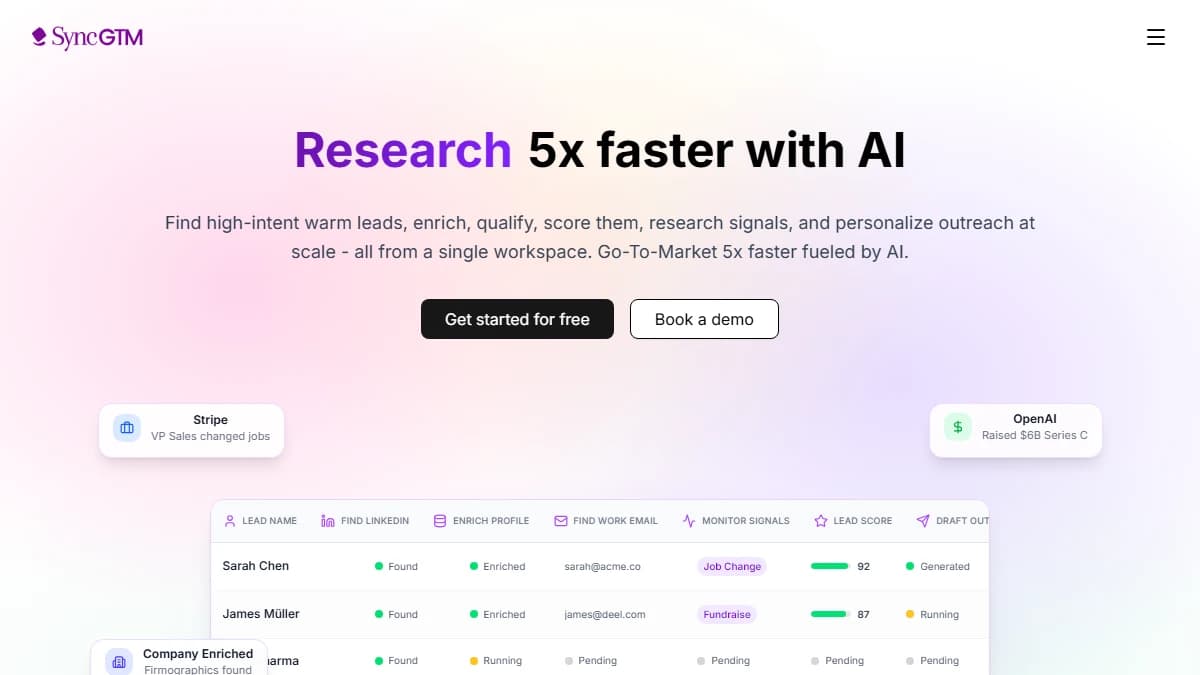
SyncGTM — prospect search, waterfall enrichment, and buying signals in one workspace
SyncGTM is a GTM data platform that consolidates lead sourcing, enrichment, and buying signals into one workflow. It replaces the research, prospecting, and contact-data tools in a BD stack, then hands clean leads to your outreach tool and CRM.
Sourcing starts in the Lead Finder. You filter people by title, seniority, industry, headcount, funding, and location, and each result costs 0.2 credits.
Waterfall enrichment then fills contact data. A work email lookup costs 1 credit and a mobile number 10 credits, and SyncGTM tries several providers in turn, so a miss at one is not the end of the search.
Signals handle timing. Columns such as job change, raised funding recently, and is hiring flag which accounts have a reason to talk now.
Here is the math on a typical week. Finding 500 prospects costs 100 credits, their work emails up to 500 more, and company enrichment for 200 accounts 400, so about 1,000 credits, or one month of the Solo plan.
- BD stage it covers
- Research accounts, find people, get contact data, time the outreach
- Standout feature
- Waterfall enrichment across multiple providers, with misses not billed
- Integrations
- Two-way sync with HubSpot and Salesforce; Pipedrive, Attio, Close; pushes leads to Instantly and HeyReach; API and MCP server
- Free option
- Free plan with 50 credits a month
Pros
- ✓ Covers four of the six BD stages in one table instead of four tools
- ✓ Waterfall enrichment queries several providers before returning a miss
- ✓ Pay per action: 0.2 credits per person found, 1 credit per work email
- ✓ Signals for job changes, funding, hiring, and leadership changes
- ✓ Credits are per workspace, so adding a teammate does not add a seat fee
Cons
- ✗ Does not send emails itself; you push leads to an outreach tool
- ✗ Not a CRM, so deals still live in HubSpot, Salesforce, or similar
- ✗ No browser extension; you work in the web app, CLI, or MCP
- ✗ Credit pricing takes a few minutes to plan before a big run
Best for: BD teams and founders who want one workflow from target list to enriched, signal-tagged leads in their CRM.
Pricing: Free plan with 50 credits a month. Solo is $49/mo for 1,000 credits, Growth $99/mo, Pro $249/mo, and Business $649/mo. See SyncGTM pricing.
2. LinkedIn Sales Navigator
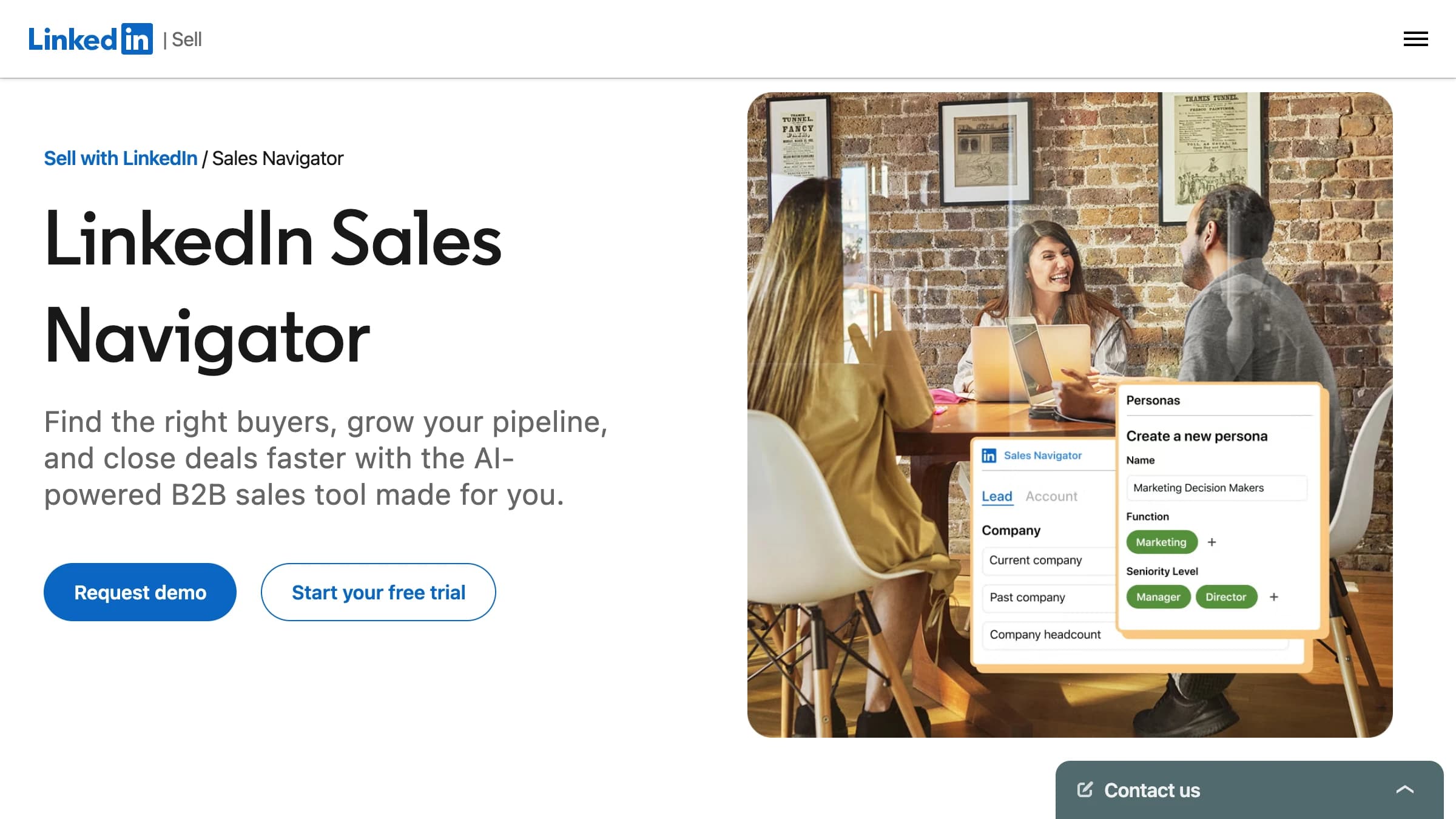
LinkedIn Sales Navigator — advanced lead and account search, alerts, and InMail
LinkedIn Sales Navigator is LinkedIn's prospecting tool for finding and tracking decision makers. For business development, it is the most accurate map of who works where today.
You build lead and account lists with 50+ filters, save them, and get alerts when a saved lead changes jobs or a saved account is in the news. InMail lets you message people outside your network.
The gap is contact data. Sales Navigator shows you the person but not their email or phone, so most teams pair it with an enrichment tool; our Sales Navigator review covers the plans in depth.
- BD stage it covers
- Find people, time the outreach
- Standout feature
- 50+ search filters on LinkedIn's own profile data
- Integrations
- Salesforce, HubSpot, and other CRMs on Advanced and Advanced Plus
- Free option
- Free trial
Pros
- ✓ Most current job titles and company data, straight from LinkedIn profiles
- ✓ 50+ lead and account filters, including seniority and headcount growth
- ✓ Lead and account alerts flag job changes and company news
- ✓ Account IQ and Lead IQ summarize accounts with AI on Advanced
Cons
- ✗ No email addresses or phone numbers
- ✗ Exports are restricted, so moving leads to other tools is manual
- ✗ CRM integration and buyer intent require Advanced at $1,799.88/yr
- ✗ 50 InMail credits a month caps direct outreach volume
Best for: BD reps whose buyers are active on LinkedIn and who prospect account by account.
Pricing: Core is $119.99/mo or $1,079.88/yr, Advanced $159.99/mo or $1,799.88/yr, and Advanced Plus is quote-only, per LinkedIn's plans page.
3. Apollo.io
Apollo.io — B2B database, sequences, and dialer in one platform
Apollo.io is an all-in-one sales platform that combines a B2B contact database with email sequences and a dialer. For a small BD team, it is the cheapest way to cover three stages with one login.
You search contacts by title, company, and industry, reveal emails and mobile numbers with credits, and drop them straight into a sequence. Apollo says its database holds more than 210 million contacts.
The trade-off is depth. Each stage is good rather than best, so many teams outgrow it at volume; see our Apollo.io review for data quality notes.
- BD stage it covers
- Find people, get contact data, start conversations
- Standout feature
- Database, sequences, and dialer in a single seat
- Integrations
- Salesforce, HubSpot, Gmail, Outlook, Chrome extension, API on Custom
- Free option
- Free plan with limited credits
Pros
- ✓ Search, contact data, and email sequences without switching tools
- ✓ Free plan to test before buying
- ✓ Chrome extension for LinkedIn and Gmail
- ✓ AI features and call recording on Professional
Cons
- ✗ Data comes from one database, so coverage gaps have no fallback
- ✗ Credits are pooled and expire at the end of each billing cycle
- ✗ All seats on an account must be on the same plan
- ✗ Apollo no longer lists plan prices on its public pricing page
Best for: Small BD teams that want one affordable seat for search, contacts, and first-touch sequences.
Pricing: Free plan available. Third-party trackers list Basic at about $49/user/mo and Professional at about $79/user/mo billed annually; check Apollo's pricing page in your account for current rates.
4. Lusha
Lusha — B2B contact data, browser extension, and account signals
Lusha is a B2B contact data platform best known for its browser extension. You open a LinkedIn profile or company site, click once, and reveal a verified email or direct phone number.
Pricing runs on one credit balance shared across the web app, extension, API, and MCP. An email costs 1 credit and a phone number 5, so the Starter plan's 400 credits cover 400 emails or 80 phones.
Lusha now pitches itself as GTM intelligence, with account ranking and market signals on top of contacts. Our Lusha review breaks down accuracy and plan limits.
- BD stage it covers
- Get contact data
- Standout feature
- One-click email and phone reveals from a browser extension
- Integrations
- CRM integrations on every plan, including the free plan; API and MCP
- Free option
- 40 credits a month (about 40 emails or 8 phone numbers)
Pros
- ✓ Fast lookups on LinkedIn profiles and company sites
- ✓ Simple credit math: 1 credit per email, 5 per phone number
- ✓ CRM integrations even on the free plan
- ✓ Monthly paid plans roll over unused credits up to twice the limit
Cons
- ✗ Phone numbers burn credits five times faster than emails
- ✗ Teams above 5 users must talk to sales
- ✗ Single data source per lookup, no provider fallback
- ✗ Per-user credit limits only on the custom Scale plan
Best for: BD reps who prospect one profile at a time and need a phone number before the call.
Pricing: Free plan with 40 credits a month. Starter is $49.90/mo or $37.45/mo billed annually, Pro $69.90/mo or $52.45/mo annually, and Premium $399.90/mo, per Lusha's pricing page.
5. Lemlist

Lemlist — multichannel outreach sequences with built-in warm-up
Lemlist is a multichannel outreach platform for cold email, LinkedIn, calls, and SMS. It is the engagement layer of a BD stack: it does not find accounts, it starts conversations with them.
The Email plan covers 50,000 emails a month with warm-up and deliverability tools. Multichannel adds LinkedIn steps, a built-in dialer, and SMS, with unlimited emails and messages.
Go easy on LinkedIn automation. Aggressive daily limits are the most common cause of a restricted LinkedIn account, and our Lemlist review covers safe settings.
- BD stage it covers
- Start conversations
- Standout feature
- Email, LinkedIn, call, and SMS steps in one sequence
- Integrations
- HubSpot, Salesforce, Pipedrive, API
- Free option
- 14-day free trial with 200 credits
Pros
- ✓ Multichannel sequences mix email, LinkedIn, calls, and SMS
- ✓ Email warm-up and a deliverability hub on every plan
- ✓ Unlimited users and senders on the Email plan
- ✓ Image and video personalization for cold emails
Cons
- ✗ Lead enrichment ($16/mo) and intent signals ($21/mo) are paid add-ons
- ✗ LinkedIn automation can put accounts at risk of restriction
- ✗ WhatsApp is an extra add-on even on Multichannel
- ✗ Pricing is per user, which climbs fast for larger teams
Best for: BD teams that run personalized multichannel sequences and care about deliverability.
Pricing: Email is $69/mo or $55/mo billed yearly, Multichannel $109/mo or $87/mo yearly, and Enterprise is custom, per Lemlist's pricing page.
6. HubSpot Sales Hub
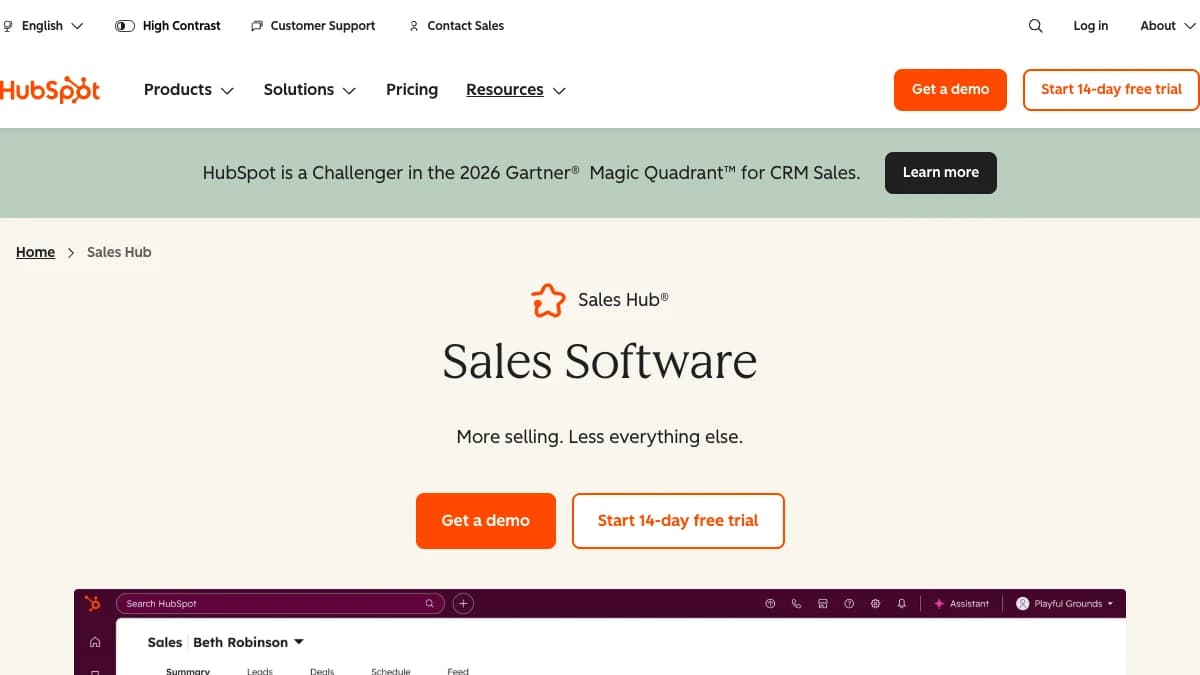
HubSpot Sales Hub — CRM, deal pipelines, sequences, and forecasting
HubSpot Sales Hub is a CRM and sales platform that stores every contact, company, and deal your BD team touches. It is the system of record the other six tools write into.
Starter adds sequences, meeting links, and up to 15 deal pipelines. Professional raises limits to 100 pipelines and 300 automation workflows, and lets workflows enroll contacts in sequences.
Routing matters once leads arrive in bulk. Our guide to lead routing covers HubSpot rules, and the HubSpot review covers pricing in detail.
- BD stage it covers
- Track the pipeline, start conversations
- Standout feature
- Free CRM that scales into sequences, forecasting, and automation
- Integrations
- 1,000+ apps in the HubSpot marketplace, including most tools in this list
- Free option
- Free CRM for up to 2 users
Pros
- ✓ Free CRM is enough for a small BD team to start
- ✓ Sequences from Starter, with up to 500 sends per user per day
- ✓ Forecasting and custom reporting dashboards on Starter and up
- ✓ Named a Challenger in the 2026 Gartner Magic Quadrant for CRM Sales, per HubSpot
Cons
- ✗ Professional adds a $1,500 one-time onboarding fee; Enterprise $3,500
- ✗ Costs climb quickly from Starter to Professional
- ✗ AI Prospecting Agent runs on HubSpot Credits, which are capped per plan
- ✗ Contact data must come from another tool or manual entry
Best for: BD teams that need a CRM to track every touch and hand qualified deals to sales.
Pricing: Free for up to 2 users. Starter lists at $20/seat/mo, Professional $100/seat/mo ($90 with annual commitment) plus $1,500 onboarding, and Enterprise $150/seat/mo plus $3,500 onboarding, per HubSpot's pricing page.
7. Crunchbase
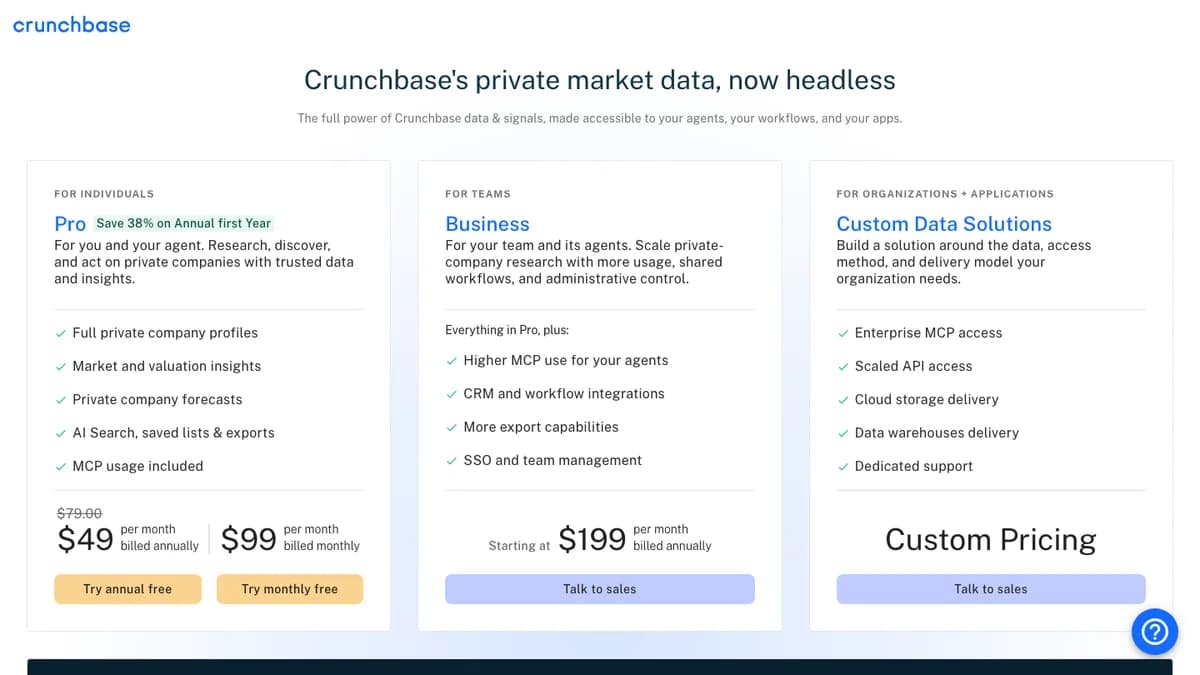
Crunchbase pricing — Pro, Business, and Custom Data Solutions
Crunchbase is a private-company database built around funding rounds, investors, and acquisitions. In business development, its job is timing: fresh funding usually means fresh budget and new hires.
Pro includes saved searches, lists, AI Search, and MCP access for AI assistants. Business adds CRM sync and higher export limits for teams.
For a wider view of account research options, see our roundup of company research tools and the Crunchbase Pro review.
- BD stage it covers
- Research accounts, time the outreach
- Standout feature
- Funding rounds, investors, and acquisitions on private companies
- Integrations
- Salesforce, HubSpot, Zapier, and Outreach on Business; MCP access on Pro
- Free option
- Free trial of Pro
Pros
- ✓ Deepest funding and investor data of any self-serve tool here
- ✓ AI Search and the Crunchbase Scout assistant on Pro
- ✓ Funding, acquisition, and IPO forecasts on private companies
- ✓ Public, self-serve pricing
Cons
- ✗ Pro exports are capped at 2,000 rows a month
- ✗ CRM integrations require Business, from $199/mo billed annually
- ✗ The $49 rate is a first-year discount; the regular annual rate is $79/mo
- ✗ Contact data is thin compared with Lusha or Apollo
Best for: BD teams that sell to venture-backed companies and time outreach around funding rounds.
Pricing: Pro is $49/mo billed annually for the first year or $99/mo billed monthly; Business starts at $199/mo billed annually, per Crunchbase's pricing page.
Business Development Tools Compared
Here is how the seven business development tools line up on category, strength, data, outreach, and price:
| Tool | Category | Best at | Contact data | Outreach | Starting price |
|---|---|---|---|---|---|
| SyncGTM | Lead sourcing, enrichment, signals | One workflow from target list to enriched, signal-tagged leads | Waterfall work email, mobile, work phone | Pushes leads to Instantly and HeyReach | Free plan; Solo $49/mo for 1,000 credits |
| LinkedIn Sales Navigator | Prospect search | Finding and tracking decision makers on LinkedIn | None (InMail only) | 50 InMail credits/mo | Core $119.99/mo or $1,079.88/yr |
| Apollo.io | All-in-one database + engagement | Search, contact data, and sequences in one seat | Email and mobile from its own database | Email sequences, dialer | Free plan; Basic about $49/user/mo annual |
| Lusha | Contact data | Fast email and phone reveals from a browser extension | Email (1 credit), phone (5 credits) | Basic sequences | Free 40 credits/mo; Starter $37.45/mo annual |
| Lemlist | Multichannel outreach | Personalized email + LinkedIn + call sequences | 650M+ lead database, finder credits | Email, LinkedIn, calls, SMS | Email $55/mo annual; Multichannel $87/mo annual |
| HubSpot Sales Hub | CRM | Pipeline, deals, sequences, and reporting | Your own records (plus AI Prospecting Agent credits) | Sequences from Starter | Free CRM; Professional $100/seat/mo + $1,500 onboarding |
| Crunchbase | Account research | Funding, investors, and private-company data | Limited | None | Pro $49/mo annual (first year) or $99/mo monthly |
Which Tool Covers Which BD Stage
Buy business development tools by stage, not by brand. This table maps each stage of the BD workflow to the tools that handle it:
| BD stage | The job | Tools that cover it |
|---|---|---|
| 1. Research accounts | Decide which companies fit and why now | Crunchbase (funding), SyncGTM (firmographics, hiring, tech stack) |
| 2. Find people | Map the decision makers at each account | Sales Navigator, Apollo, SyncGTM |
| 3. Get contact data | Verified email and phone for each person | Lusha, Apollo, SyncGTM (waterfall across providers) |
| 4. Time the outreach | Spot funding, hiring, and job-change triggers | SyncGTM signals, Sales Navigator alerts, Crunchbase |
| 5. Start conversations | Run email, LinkedIn, and call sequences | Lemlist, Apollo, HubSpot sequences |
| 6. Track the pipeline | Log activity, manage deals, report | HubSpot Sales Hub |
Stages 1 to 4 are where stacks get messy. Each one is a separate export and import, and every hand-off is a chance for stale or duplicate records to reach your CRM.
What a BD Stack Costs per Rep per Year
Entry prices look small one tool at a time. Here is the year-one cost of each tool on the plan a working BD rep would actually need:
| Tool | Plan | Year one | Watch out for |
|---|---|---|---|
| Lusha | Pro, $52.45/mo billed annually | $629 | 600 credits/mo: 600 emails or 120 phone numbers |
| SyncGTM | Solo, $49/mo, 1,000 credits | $588 | Per workspace, not per seat; misses on email and phone are not billed |
| Crunchbase | Pro, $49/mo billed annually | $588 first year | Regular annual rate is $79/mo; CRM sync needs Business |
| Apollo.io | Basic, about $49/user/mo annual | $588 | Credits are pooled and expire at the end of each billing cycle |
| Lemlist | Multichannel, $87/mo billed annually | $1,044 | Lead enrichment and intent signals are paid add-ons |
| LinkedIn Sales Navigator | Core, $1,079.88/yr | $1,080 | CRM integration and buyer intent need Advanced ($1,799.88/yr) |
| HubSpot Sales Hub | Professional, $90/seat/mo annual | $2,580 year one | Includes the $1,500 one-time onboarding fee |
A full specialist stack of Sales Navigator Core, Lusha Pro, Lemlist Multichannel, HubSpot Professional, and Crunchbase Pro costs about $5,900 for one rep in year one. The first $2,300 of that buys research, search, and contact data, the stages a single data platform can cover.
How to Choose Business Development Tools
- You want one workflow from target list to enriched leads: SyncGTM. Search, waterfall enrichment, and signals run in one table and sync to your CRM.
- Your buyers live on LinkedIn: Sales Navigator for search, paired with a contact data tool.
- You need one cheap seat that does a bit of everything: Apollo.io.
- You need phone numbers before a call: Lusha's extension, or see our cold calling software guide for dialers.
- You run multichannel sequences: Lemlist.
- You have no CRM yet: start on HubSpot's free CRM and upgrade when sequences or forecasting matter.
- Your best trigger is a funding round: Crunchbase.
Three Sample Stacks by Team Size
- Solo founder doing BD: HubSpot free CRM plus Apollo's free plan. Upgrade the data layer first when you hit credit limits.
- BD team of 2 to 5: SyncGTM for sourcing, enrichment, and signals; Lemlist for outreach; HubSpot Starter as the CRM. Credits are shared, so the data cost does not scale with seats.
- Scaling team of 10+: Sales Navigator Advanced for account-based search, a waterfall data layer, a dedicated sequencer, and HubSpot Professional or Salesforce with routing rules.
Before you buy, run 50 of your real target prospects through each trial. Count how many come back with a verified email, and how many hours the round trip from list to CRM takes.
Final Verdict
The best business development tools depend on which stage slows your team down. Sales Navigator owns people search, Lusha owns quick contact lookups, Lemlist owns outreach, HubSpot owns the pipeline, and Crunchbase owns funding data.
SyncGTM ranks first because most BD teams lose time between those tools, not inside them. It consolidates lead sourcing, waterfall enrichment, and buying signals into one workflow, then hands clean leads to the outreach tool and CRM you already use.
Start on the free plan and build your next 50-lead list in one table. See plans and credit costs when you are ready to scale, or connect it to HubSpot first.