

Relevance AI Review 2026: AI Agent Builder for Sales Teams

By Kushal Magar · November 1, 2026 · 16 min read
Key Takeaway
Relevance AI is an AI agent builder, not a finished AI SDR. You assemble agents from tools, triggers, knowledge, and approval rules, then chain them into workforces. For sales, it shines at research, meeting prep, CRM updates, and drafts a rep approves. Pricing has two meters: Actions (one per tool run, failed runs included) and Vendor Credits for model costs. Pro is $19 a month billed annually ($29 monthly) for 2,500 Actions; Team is $234 annually ($349 monthly) for 7,000. The Free plan is retired. Our rating: 4.0/5 for sales teams with an ops builder.
This Relevance AI review answers one question for sales leaders: can you build a useful AI BDR or research agent on it, and what will it cost to run? The short answer is yes for research-heavy work, with caveats on cost and volume.
We read Relevance AI's homepage, product page, pricing docs, plans and credits docs, system quotas, approvals docs, BDR Agent and Outbound Prospector pages, and LinkedIn tool docs in October 2026. We did not run a paid workspace, so performance numbers are labeled as vendor claims or user reports.
Most Relevance AI reviews ranking today are written by competing AI SDR vendors, and several still quote a Free plan or a retired Business tier. None explains what one Action buys or why a Team Action costs four times a Pro Action. This review covers both.
TL;DR: Relevance AI Review 2026
- What it is:A visual builder for AI agents and multi-agent "workforces" that call tools, follow triggers, and pause for human approval.
- Sales use: AI BDR Agent, Outbound Prospector, Research and Enricher, Pre-meeting Prepper, and Post-call Actioner templates.
- Price: Pro from $19 a month (2,500 Actions), Team from $234 a month (7,000 Actions), Enterprise custom. Free plan retired.
- Watch out for: Failed runs still bill an Action, top-ups cost $0.08 per Action, and evals plus governance sit on Enterprise.
- Best fit: Teams with a RevOps or GTM engineer who will own the agents.
- Rating: 4.0/5 for research and prep; weaker for high-volume autonomous outreach.
What Is Relevance AI?
Relevance AI is a platform for building, running, and governing AI agents without writing much code. Its homepage pitches "Specialist AI Agents for Every Task" and now leads with Invent 2.0, which it calls "your 24/7 AI solutions engineer."
The company is based in Sydney and San Francisco. It raised a US$24 million Series B led by Bessemer Venture Partners in May 2025, when it launched Workforce and Invent.
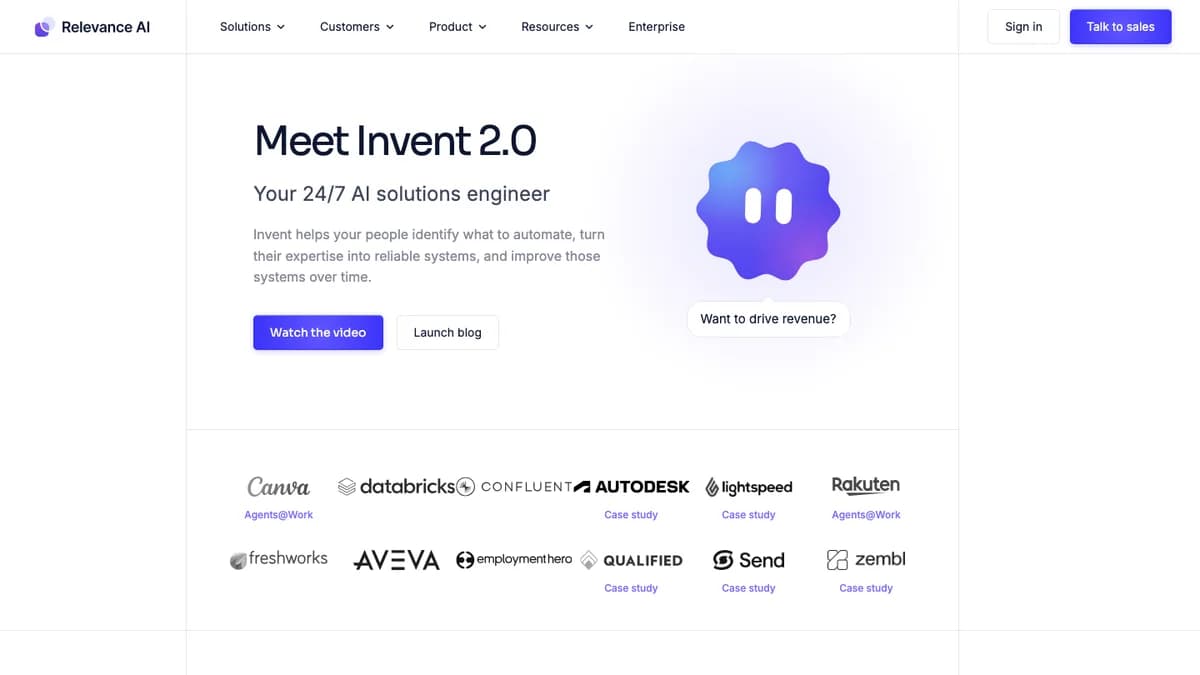
Relevance AI homepage, October 2026: Invent 2.0 up top, enterprise logos below.
Customer logos include Canva, Databricks, Autodesk, Freshworks, and Qualified. Relevance AI claims SOC 2 Type II, GDPR compliance, PII masking, and no training on customer data.
The key point for sales teams: Relevance AI gives you the agent factory, not a finished rep. You decide which sources an agent reads, which tools it can call, and when a human signs off.
How the Relevance AI Agent Builder Works
You build an agent from four parts: a prompt, tools it can call, triggers that start it, and knowledge it can read. Workforces then chain several agents into one process with handoffs and approvals.
Agents and tools
Tools are the steps an agent takes: integration actions, sub-agent calls, MCP servers, and sandboxed Python or JavaScript. The product page also lists a separate workflow builder for fixed processes, where a model runs only at the steps that need one.
Model choice is open. Relevance AI supports the major LLM providers, fallback models, an LLM router, and bring-your-own API keys.
Workforces, triggers, and knowledge
A Workforce is a node-and-edge graph of agents and tools. Runs can start from schedules (including cron), webhooks, events in connected apps, API calls, or bulk runs across a dataset.
Shared knowledge holds your tone of voice, ICP, and product context once, so every agent reads the same playbook. The product page describes long-term memory and hybrid retrieval with reranking.
Approvals and guardrails
Per the approvals docs, each edge between agents or tools can be set to auto run, approval required, or let the agent decide. Pending work lands in a Task View where a rep approves, rejects, or edits it.
The product page adds step limits, cost-based pauses, concurrency caps, retries, and work-hours pacing. Those controls matter more than the prompt once an agent touches real prospects.
Invent and MCP
Invent turns a plain-language description into a draft agent with its prompt, tools, and evals. Engineers can also create agents, link knowledge, and run evals from Claude Code, Codex, or Cursor over MCP.
Relevance AI for Sales: BDR and Research Agents
Relevance AI's sales offer is a set of configurable agents: an AI BDR Agent, plus use-case agents for research, outbound prospecting, meeting prep, follow-up, scheduling, forecasting, and deal review. None of them is plug-and-play; each needs your data sources, tools, and rules.
The AI BDR Agent
The BDR Agent page (titled "Recruit Bosh, the AI Sales Agent") promises to research every prospect, follow up instantly, and book meetings for inbound, outbound, and PQL leads. Listed research sources include LinkedIn, CRM data, Google Search, company websites, G2, Glassdoor, and enrichment services.
The page cites customer results such as "$7M pipeline generated" at Qualified and "3x increase in meetings" at SafetyCulture. These are vendor-published case figures, not independent benchmarks.
Unclear on the site: the pricing page lists "Is the BDR agent included?" as an FAQ but shows no answer, and the BDR page does not say which plan it needs. Ask sales before you budget for it.
Outbound Prospector
The Outbound Prospector is the clearest picture of how Relevance AI wants you to run outbound. A new lead, list import, or intent signal starts the run. The agent reads the prospect's LinkedIn activity and company news, scores possible hooks, and holds the send if no honest hook exists.
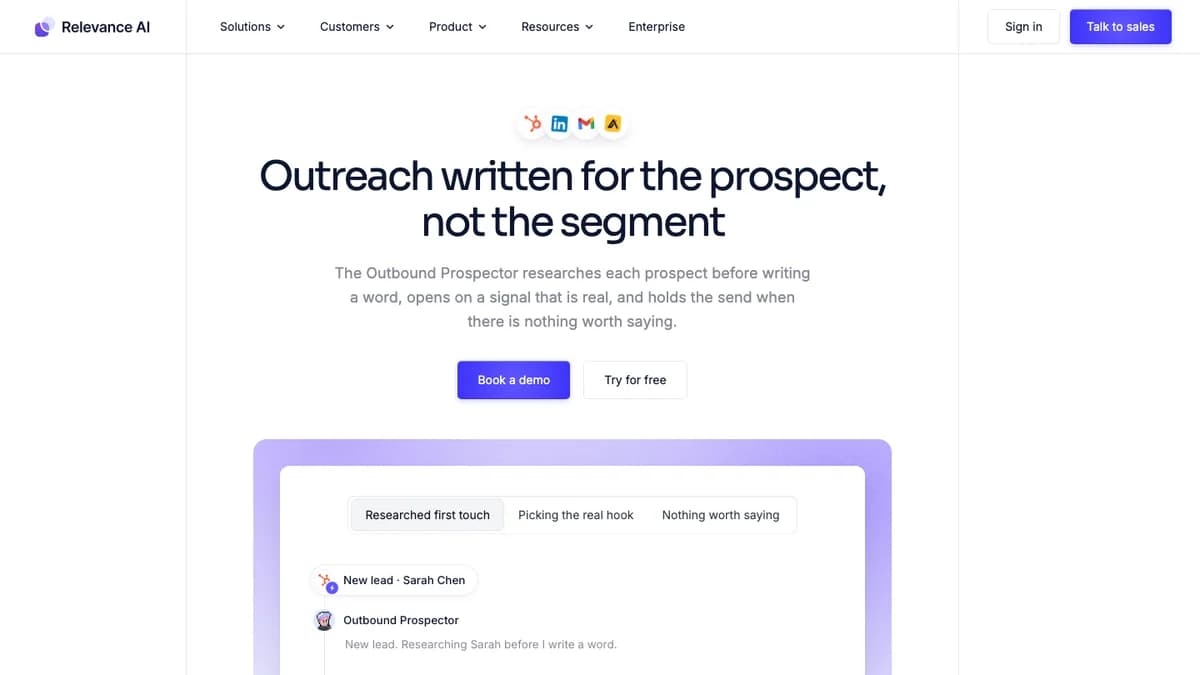
Outbound Prospector page, October 2026: HubSpot, LinkedIn, Gmail, and Apollo icons sit above the headline.
It then drafts a three-touch sequence (email, a LinkedIn follow-up, then a customer story) and queues it for review. Approved touches go out through Gmail and LinkedIn and are logged to the CRM.
The page shows "94% passing this week" from sampling 2% of live runs against eval criteria. Treat that as a product mockup figure, not an audited quality rate.
How LinkedIn actions work
LinkedIn sending runs through a "Unipile - LinkedIn Action" tool step. You connect a rep's own LinkedIn account and pick an action, such as a connection request with a note (200 characters on free LinkedIn accounts, 300 on Premium).
That means the same limits and account risk we covered in our Unipile review apply here. LinkedIn's User Agreement prohibits unauthorized automated access, so keep volumes low and humans in the loop.
Relevance AI Pricing 2026: Actions and Vendor Credits
As of October 2026, Relevance AI bills on two meters: Actions (one per tool run) and Vendor Credits (model and tool costs at wholesale). Pro starts at $19 a month billed annually, Team at $234, and Enterprise is custom. The Free plan is retired.
The model changed in September 2025, when Relevance AI split its single credit into these two meters, per its plans and credits docs. The public /pricing page now shows only an Enterprise "Talk to sales" card, so the self-serve numbers below come from the pricing docs.
| Plan | Price | Actions | Vendor Credits | Users | Notable |
|---|---|---|---|---|---|
| Free | Retired | n/a | n/a | n/a | Closed to new signups and existing accounts; Free orgs must upgrade |
| Pro | $19/mo billed annually, $29 monthly | 2,500 a month (30,000 a year) | $20 a month (10,000 credits) | 2 build users | BYO API keys, scheduled tasks, unlimited workforces, 90-day task history |
| Team | $234/mo billed annually, $349 monthly | 7,000 a month (84,000 a year) | $70 a month (35,000 credits) | 5 build users, 45 end users | Adds calling and meeting agents, analytics dashboard, more concurrency |
| Enterprise | Custom (talk to sales) | Custom | Custom | Unlimited | SSO, RBAC, audit logs, agent evaluations, work-hour controls |
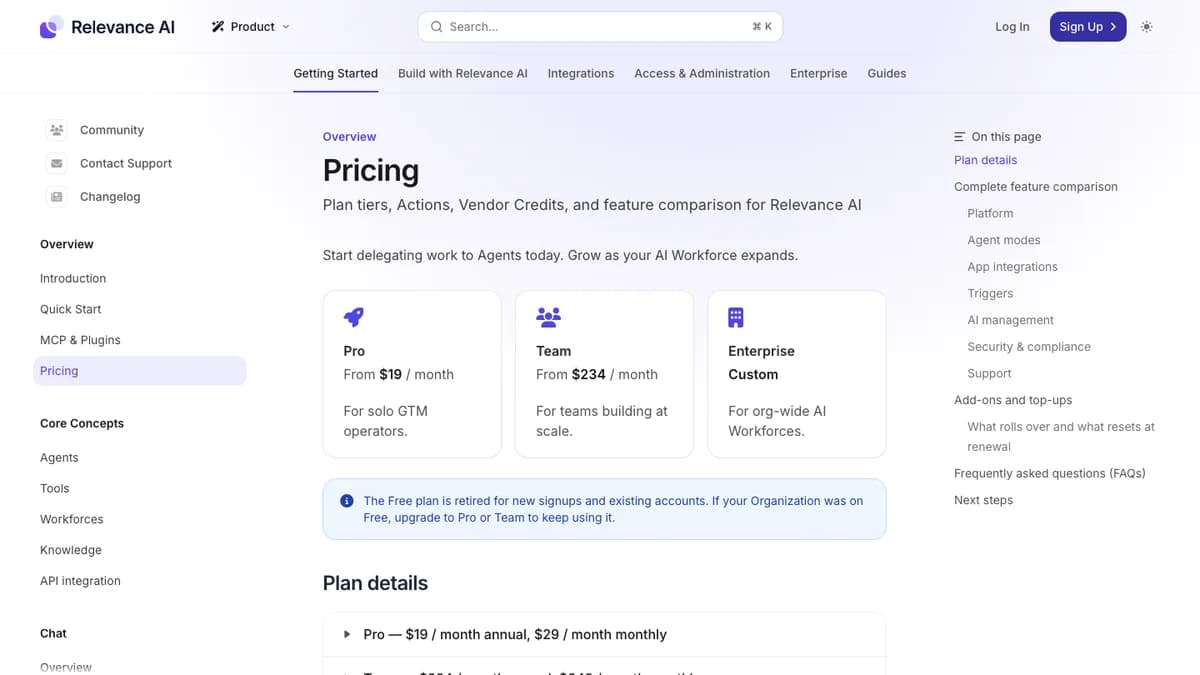
Relevance AI pricing docs, October 2026: Pro, Team, and Enterprise, with a notice that the Free plan is retired.
What counts as an Action
An Action is one run of a Tool, whether that tool sends one email or runs a multi-step workflow. The docs are explicit that a failed Tool run still counts as one Action.
Vendor Credits cover LLM and tool costs, which Relevance AI says it charges at wholesale with no markup. Bring your own API keys and you skip Vendor Credits for those calls, with credits kept as a fallback.
Top-ups and rollover
- Actions: $80 per 1,000, bought in blocks of 1,000. Plan Actions reset at renewal; purchased top-ups roll to the next cycle.
- Vendor Credits: $20 per 10,000, bought in blocks of 10,000. They roll over indefinitely while you stay subscribed.
- Billing: credit card only, and only org admins can buy top-ups.
Docs inconsistency: the pricing docs list Pro's monthly Vendor Credits as $20 (10,000 credits), while the plans and credits page gives an example of 3,000 Vendor Credits on Pro. Confirm your allotment in Settings, Plan and Billing.
Cost per Action by plan
Team does not buy you cheaper Actions. It buys more users, calling and meeting agents, analytics, and concurrency, so each included Action costs about four times the Pro rate.
| Option | Monthly cost | Actions | Cost per Action |
|---|---|---|---|
| Pro, annual billing | $19 | 2,500 | about $0.008 |
| Pro, monthly billing | $29 | 2,500 | about $0.012 |
| Team, annual billing | $234 | 7,000 | about $0.033 |
| Team, monthly billing | $349 | 7,000 | about $0.050 |
| Action top-up | $80 | 1,000 | $0.080 |
Top-ups are the expensive path: $0.08 per Action is roughly ten times the Pro annual rate. If you regularly top up, move up a plan or cut tool calls per lead.
What a Sales Agent Costs to Run
A research-and-draft agent that makes five tool calls per lead uses about 5,000 Actions for 1,000 leads a month. That is $269 on Pro with top-ups or $349 on Team, before extra Vendor Credits.
Our assumption for the table: per lead, the agent pulls a LinkedIn profile, scrapes the company site, runs one web search, checks the CRM, and writes the result back. These are illustrative numbers on monthly billing, not a Relevance AI quote.
| Leads / month | Actions | Plan | Monthly cost | Note |
|---|---|---|---|---|
| 300 leads | 1,500 | Pro | $29 (monthly billing) | Fits inside the 2,500 included Actions with room for retries |
| 1,000 leads | 5,000 | Pro + 3,000 top-up, or Team | $269 on Pro, $349 on Team | Pro plus top-ups is cheaper if you only need 2 builders |
| 3,000 leads | 15,000 | Team + 8,000 top-up | $989 | Before any Vendor Credits beyond the included $70 |
Three things push the real bill higher:
- Retries and failures. Every failed tool run is a billed Action, so a flaky scraper on 10% of leads adds 10% to that step.
- Model choice. A larger model on every lead burns Vendor Credits faster; BYO keys move that cost to your LLM provider bill instead.
- Third-party data. If an agent calls a paid enrichment or LinkedIn data tool, you pay that vendor too.
For context, managed AI SDRs such as 11x and Artisan are reported at $2,000 to $5,000+ a month. Relevance AI is cheaper on paper, but you supply the build time and the data.
Integrations and Platform Limits
Relevance AI claims 1,000+ native connectors on its homepage and product page, while its pricing docs say 2,000+ apps. Either way, the sales basics are covered: HubSpot, Salesforce, Gmail, Slack, Apollo, and LinkedIn through Unipile all appear on its sales pages.
Custom integrations, webhooks, API calls, MCP servers, and code steps fill the gaps. Agents can also be called from your own app through the API.
System quotas
The system quotas page sets hard ceilings that shape how you design sales agents:
| Quota | Limit |
|---|---|
| Agent run time after each user action | 15 minutes |
| Tool run time | 15 minutes, or 24 hours for long-running tools |
| Bulk run time | 24 hours |
| CSV upload | 50,000 rows |
| Upload space | 100 MB |
| Raw text knowledge | 10 MB |
| Concurrent tasks | Set by plan tier; extra tasks queue until capacity frees up |
The 50,000-row CSV cap and 15-minute agent window rarely bite for research briefs. They do matter if you plan to push a full TAM through one bulk run.
Reliability: Vendor Claims vs User Reports
Relevance AI's own pages show high eval pass rates, while independent reviewers report a learning curve, debugging work, and agents that stall or loop. Both can be true: reliability depends on how narrow you keep each agent.
What Relevance AI claims
- A homepage dashboard mockup shows a 96.4% eval pass rate and 1.24M tasks a month.
- The Outbound Prospector page shows 94% of sampled runs passing, with per-check rates such as 96% for "hook is a real signal."
- The homepage says Relevance AI runs "millions of tasks every month" and shows "4.5 stars on G2."
Note: the pricing docs list Agent Evaluations as an Enterprise feature. The eval scores that sell the Outbound Prospector may not be available on Pro or Team.
What users report
Search snippets for Relevance AI's G2 listing show about 4.3 out of 5 from roughly 20 reviews. G2 and Capterra block automated fetches, so check the live pages for current numbers.
- Praised: ease of building simple agents, less manual work, and connecting to an existing stack.
- Criticized: price, a confusing onboarding, and debugging that needs more human help than reviewers expected.
- Secondhand reports: third-party review sites cite users whose agents froze mid-task or looped and burned credits. We could not verify those original posts, so treat them as signals to test, not facts.
Our read: give each agent one job, gate any outbound send behind approval, and set step limits before a bulk run. That is how you stay closer to the vendor numbers than the horror stories.
Which Sales Workflows Relevance AI Fits
Relevance AI fits low-to-mid volume work where research quality matters more than send volume: account briefs, meeting prep, CRM updates, and reviewed first-touch drafts. It fits worst where volume drives the bill or the risk.
| Sales workflow | Fit | Why |
|---|---|---|
| Account and lead research briefs | Strong | Web search, website scraping, LinkedIn profile steps, and CRM write-back are standard tools. Output is a summary a rep reviews. |
| Pre-meeting prep and post-call CRM updates | Strong | Relevance AI ships Pre-meeting Prepper and Post-call Actioner templates, triggered by calendar and CRM events. |
| Inbound lead qualification and routing | Good | Webhook and CRM triggers start the run; approvals can gate the routing step. |
| Researched first-touch drafts with human review | Good | The Outbound Prospector pattern: research, pick a hook, queue the draft for approval. |
| High-volume autonomous cold email | Weak | Every tool run is a billable Action, and we found no inbox warmup or deliverability tooling. Pair it with a dedicated sequencer instead. |
| LinkedIn outreach at scale | Risky | Sending runs through a Unipile tool step on each rep's own account, so LinkedIn's daily caps and terms apply. |
| Building contact lists from scratch | Weak | Relevance AI is not a contact database. Agents call third-party data tools, and each lookup costs Actions plus that vendor's fees. |
If your main goal is booking meetings from cold outbound at volume, our rankings of the best AI agents for outbound and the best AI SDR tools compare tools built for that job.
Relevance AI Pros and Cons
Pros
- Flexible builder for single agents and multi-agent workforces
- Per-edge approvals: auto run, approval required, or agent decides
- Any major LLM, fallback models, and bring-your-own keys
- Ready sales templates for research, prep, and outbound
- Triggers from schedules, webhooks, CRM events, and API
- MCP access for engineers working in Claude Code or Cursor
- SOC 2 Type II and GDPR claims, no training on customer data
Cons
- Two meters make monthly spend hard to predict
- Failed tool runs still bill an Action
- Top-ups at $0.08 per Action, about ten times the Pro annual rate
- Free plan retired; public pricing page shows only Enterprise
- Agent evaluations, SSO, and audit logs reserved for Enterprise
- No contact database or email deliverability tooling
- LinkedIn actions run through an unofficial Unipile step
Who Should Use Relevance AI (and Who Shouldn't)
Use Relevance AI if you have a RevOps or GTM engineer who will own agents like a product. It suits teams that want custom research, meeting prep, and CRM hygiene agents shaped to their own playbook.
It also suits teams already testing agents in code. If you have tried building a Claude Code sales agent and want a UI, approvals, and scheduling around it, Relevance AI covers that layer.
Skip Relevance AI if you want a finished AI SDR by next week, or if your plan is thousands of autonomous cold emails a day. You would pay per tool call and still need sending infrastructure, warmup, and a contact data source.
Relevance AI Alternatives
The right Relevance AI alternative depends on whether you want to build agents or buy a finished AI SDR. Builders give you control; managed AI SDRs give you speed. Prices below come from our own reviews.
| Tool | Type | Starting price | Pick it if |
|---|---|---|---|
| 11x (Alice) | Managed AI SDR | Reported $5,000+ / month | You want a finished digital SDR, not a builder |
| Artisan (Ava) | AI SDR with lead data and sending | Reported $2,000 to $5,000+ / month | You want data, warmup, and outreach in one product |
| AiSDR | AI SDR for smaller teams | From $250 / month (200 contacts) | You want AI email outreach without building agents |
| n8n | Workflow automation with AI agent nodes | Cloud from €20 / month; self-host option | You have engineers and want to self-host |
| Zapier | Workflow automation with AI steps | From $19.99 / month billed annually | Your ops team already runs on Zaps |
| Make | Visual workflow automation | From $9 / month | You want a visual builder on a tight budget |
Among builders, n8n gives engineers the most control and a self-host option, while Zapier and Make are easier for ops teams that already automate there. Among finished tools, see our Regie.ai review for a content-first AI SDR.
Relevance AI Review: Final Verdict
Our rating: 4.0/5. Relevance AI is one of the most capable agent builders for sales teams that want research, prep, and reviewed outreach agents built around their own playbook. It is the wrong buy for teams that want a finished AI SDR or cheap volume.
The builder, per-edge approvals, open model choice, and ready sales templates earn the score. Pro at $19 a month billed annually is a low-risk way to start now that the Free plan is gone.
It loses points for two-meter billing, Actions charged on failed runs, steep top-ups, and evals locked to Enterprise. Before you commit, build one research agent, run it on 100 real leads with approvals on, and divide the Actions used by leads processed.
If per-tool-call billing is the dealbreaker, SyncGTM is one alternative worth a look: its AI Research Agents run as columns on your lead list, next to waterfall enrichment and buying signals, and finished leads push to Instantly, Smartlead, or HeyReach.